




.svg)
.svg)

.svg)


.svg)





.svg)
.png?width=500&height=424&name=Style-1---V1-(1).png)

.png?width=1230&height=692&name=Vector%20(13).png)
While using spreadsheets for inventory sounds cost-effective, they’re prone to errors.
A Forbes study indicates that around 90% of total spreadsheets contain errors. And, according to IBM, businesses in the U.S. lose around $600 billion annually due to data entry errors.
However, you can reduce these manual errors and financial burdens by using a computer inventory management software.
Below, we’ve listed the top 5 computer inventory management solutions with their features, pros, cons, and insights from real users. Compare your options and make the right decision.

Top 5 Computer Inventory Management Software In 2025
Here’s our list of handpicked computer inventory management software for 2025
1. ManageEngine AssetExplorer
Source: ManageEngine
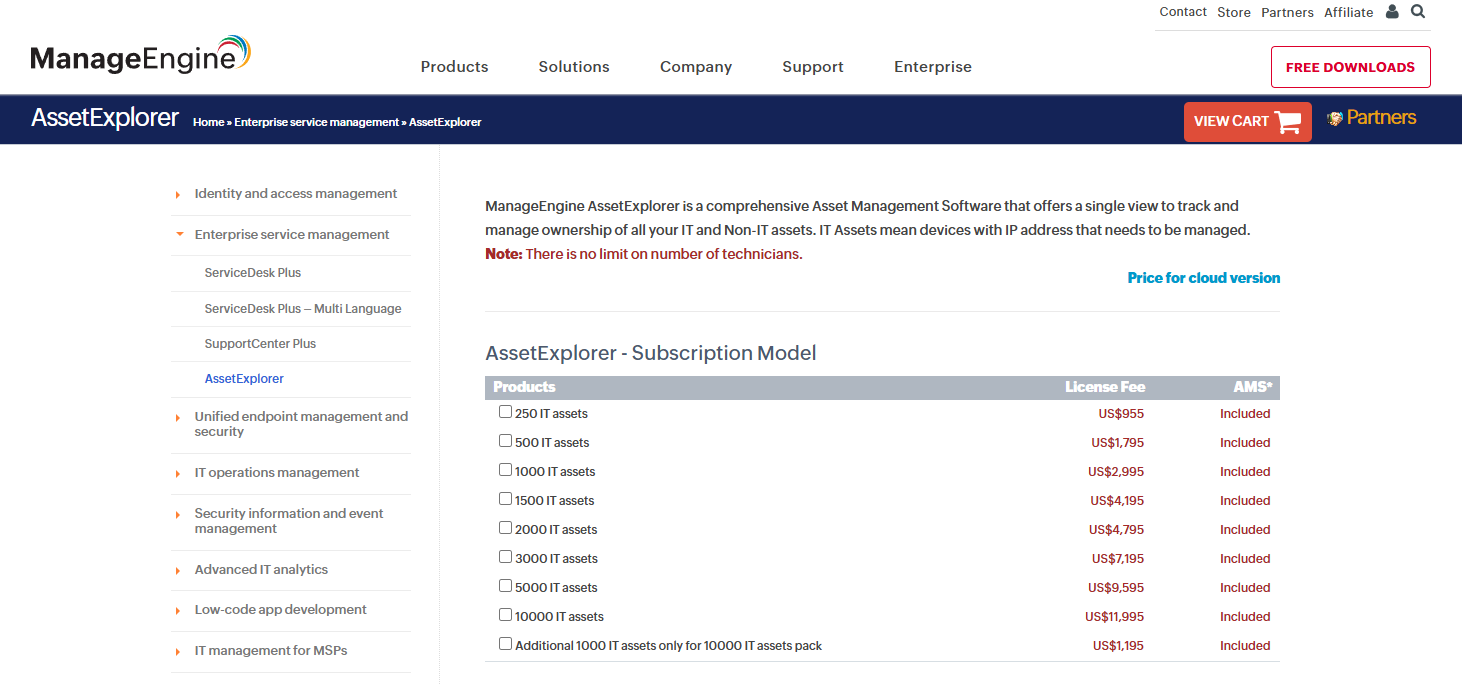
ManageEngine Asset Explorer is an on-premises/cloud IT asset management solution. It automatically scans networks (both agentless and agent-based) to discover and inventory hardware and software assets.
Asset Explorer lets you track each computer or asset through its lifecycle (from procurement and deployment to disposal), linking assets to owners.
Key highlights include:
- Automated Discovery & Inventory: Automatically scans your network (IP ranges, Active Directory), and creates an asset inventory to reduce manual entry and blind spots.
- Lifecycle Management: You can visually map each asset’s stages and stay on top of renewals and disposal, improving compliance and budgeting.
- Software & License Tracking: Monitor installed software and license usage to prevent audit fines and reduce unnecessary spending.
- Reporting & Dashboards: Use Pre-built charts and custom query reports to monitor asset status, license compliance, and audit readiness.
- Integration: AssetExplorer links with other tools (e.g. Endpoint Central for remote control, Zoho Analytics for BI, Microsoft 365, SolarWinds, Lansweeper, Zapier, etc.) This enables seamless data sharing with ITSM, security, and productivity platforms.
Pros:
- Let’s you track your assets across the entire asset lifecycle
- Agentless scanning saves time and works well
- Built-in CMDB: Links assets with configurations for a unified IT view
Cons:
- Limited auto discovery for VMs: Some virtual assets require manual scanning or custom scripts
- Reporting features could be improved
2. Lansweeper
Source: Lansweeper
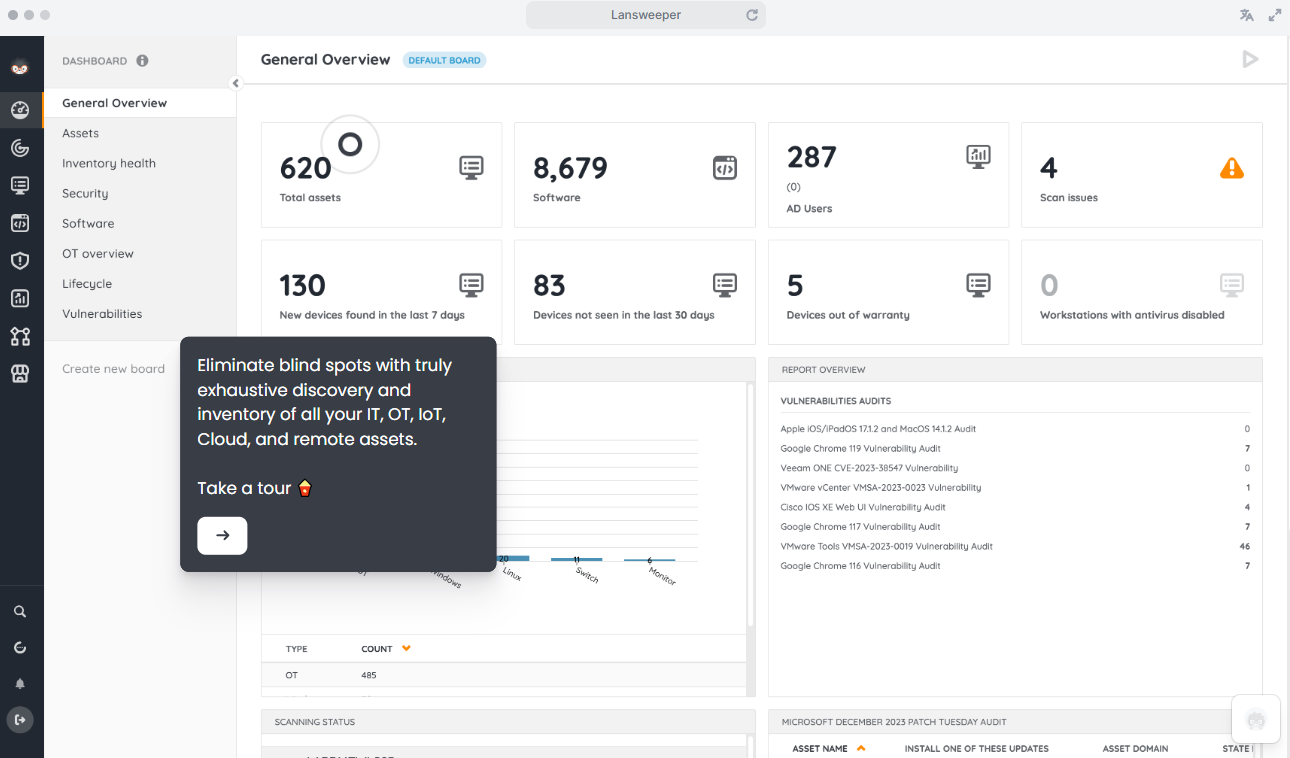
Lansweeper is a network discovery and asset inventory platform that automatically discovers all IT, OT, IoT, and cloud assets in your environment. It supports both agentless and agent-based scans, gathering data from SCCM/Intune and other sources.
Lansweeper emphasizes real-time visibility and analytics to minimize risk and optimize IT resources.
Key highlights include:
- Centralized Inventory/CMDB: Consolidates hardware, software, users, and warranty data into searchable tables. You can have “one source of truth” for assets, helping inventory audits and CMDB accuracy.
- Warranty Management: Automated warranty tracking notifies IT teams before contracts expire, ensuring on-time renewals.
- Asset Analytics: Custom dashboards and report builder highlight aging devices, software compliance gaps, and security risks. These insights help you optimize license purchases and meet compliance requirements.
Integrations: Lansweeper offers broad integrations:
- ITSM (e.g. ServiceNow, JIRA)
- MDM (Intune, AirWatch)
- IAM (Active Directory, Azure AD)
- Remote support (TeamViewer)
- Cloud (AWS, Azure)
- ERPs.
It can sync data with tools like Atlassian Jira Service Management or ingest discovery feeds (SCCM). This extends Lansweeper’s inventory to support tickets, security scans, and finance systems.
Multiple users on Reddit are positive about using Lansweeper. Here’s an example:

Source: Reddit
Pros:
- Easy to set up and use
- Agentless capability is strong enough to capture all the necessary information about every asset on your network
- Lets you schedule network scans
Cons:
- Can be expensive for small businesses
- Reporting is a little complex for users
For a detailed Lansweeper review and to determine if it’s good enough, check out:
Lansweeper Review: Ratings, Features 2025 and More.

3. Snipe‑IT
Source: Snipe-IT
Snipe-IT is a free, open-source IT asset management (ITAM) solution that offers lightweight asset tracking with a modern UI. It supports multiple operating systems (Linux, Windows, Docker, etc.) and is highly customizable via its open-source codebase.
Key highlights include:
- Asset Check-in/Check-out: Lets you track ownership and location changes with full audit trails. Notifies users to return assets or renew leases, minimizing lost devices and compliance gaps.
- Barcode/QR Scanning: Built-in support for scanning streamlines physical audits, speeding data entry and accuracy.
- License Management: Tracks software assets/licenses with expiration alerts. Combined with usage reports, it helps ensure your licenses are not under- or overused.
- Integrations: Integrates with
- Slack (notifications)
- IAM (LDAP/AD sync, SAML/SCIM)
- Helpdesk tools (Jira via plugin)
- REST API allows connections to MDM or ITSM platforms for automation.
While several users on Reddit love Snipe-IT for it’s open source and free nature, it has several shortcomings:
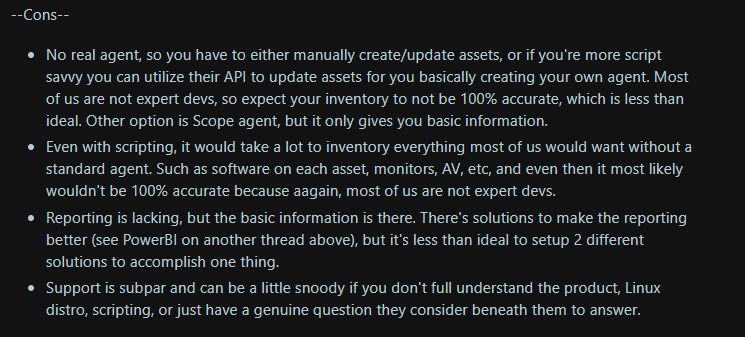
Source: Reddit
A basic question that arises is that if there’s no auto-discovery, what’s the purpose of a computer inventory management software? After all, you’ll have to add assets manually.
Pros:
- Scalable solution that is easy to configure and use
- Open-source solution. Free if self-hosted
- You can customize it according to your needs
Cons:
- UI feels dated
- Offers limited integrations
- No Auto-Discovery: Snipe‑IT lacks built-in network scanning
For a complete Snipe-IT review, make sure you read this: Snipe-IT Reviews 2025: Features, Pricing, Support, and More
4. Spiceworks Inventory
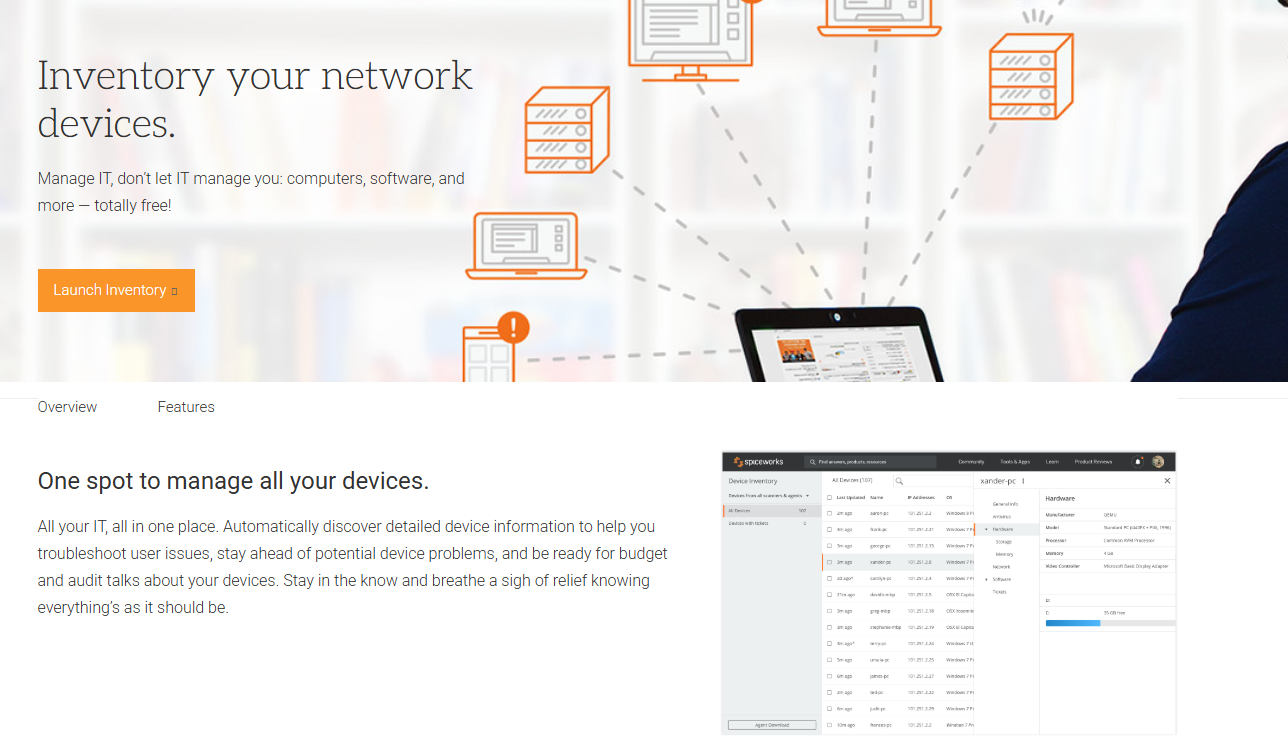
Source: Spiceworks Inventory
Spiceworks Inventory is a free asset tracking tool popular among small to medium-sized businesses (SMBs).
It uses IP scanning and optional agents to discover hardware and software on your local network. This computer inventory management software is free to use and supports an unlimited number of users, assets, tickets, agents, and support.
Key highlights include:
- Network Scanning: Performs LAN scans (IP address) to inventory PCs, printers, routers, OS versions, and installed applications. This automated discovery eliminates the need for spreadsheets in initial inventory management.
- Software & License Management: Lets you track installed software and manage license records. Sends automated email alerts to notify you of license or warranty expirations.
- Inventory Alerts: A built-in notification engine sends alerts when inventory thresholds or contract dates are approaching. This prevents license overspending and device downtime.
- Integration: Works seamlessly with Spiceworks Help Desk (using the same UI), allowing you to link assets to support tickets. Additional plugins extend to inventory reports or network monitoring.
Pros:
- Free to use for teams of any size
- Quick to set up and easy to use
Cons:
- Some users find it to be resource-intensive
- Lacks advanced asset management and inventory features
5. GLPI
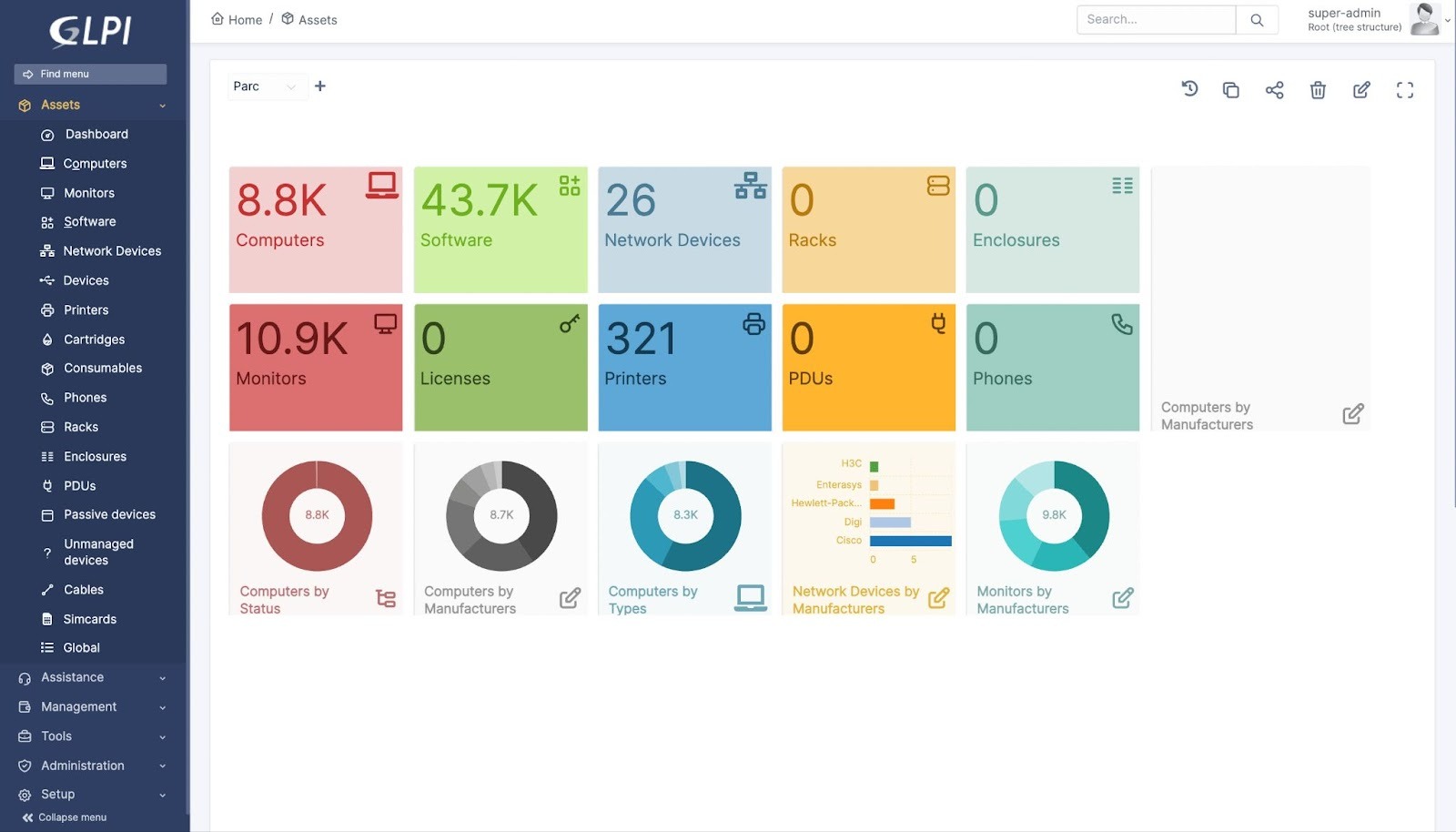
Source: GLPI
GLPI is a free, open-source ITSM and asset management platform that provides helpdesk, CMDB, and inventory management in one package. It features a modular architecture with plugins that enable additional functions.
Key highlights include:
- Helpdesk Integration: Combines tickets with asset inventory. This approach enables you to link every support request to the specific device that is impacted.
- Rich Inventory Management: You can manage a range of IT assets (computers, servers, network gear, mobile devices) with customizable fields. And GPS/QR plugins allow you to track the location of each device..
- CMDB & Relations: Links items into a CMDB (dependencies, service maps). This helps IT teams with better change management and impact analysis (e.g. knowing which services rely on a given server).
- Financial/Contract Tracking: It tracks purchase orders, contracts, warranties, and expenses and sends alerts for contract expirations. This helps you maintain compliance and budget, and reduce audit risks and unplanned renewal costs.
- Multi-Language & Roles: Supports multiple languages and granular access control. That enables global or multi-department use without extra cost.
Here’s a Redditor listing pros and cons after using GLPI for inventory management:
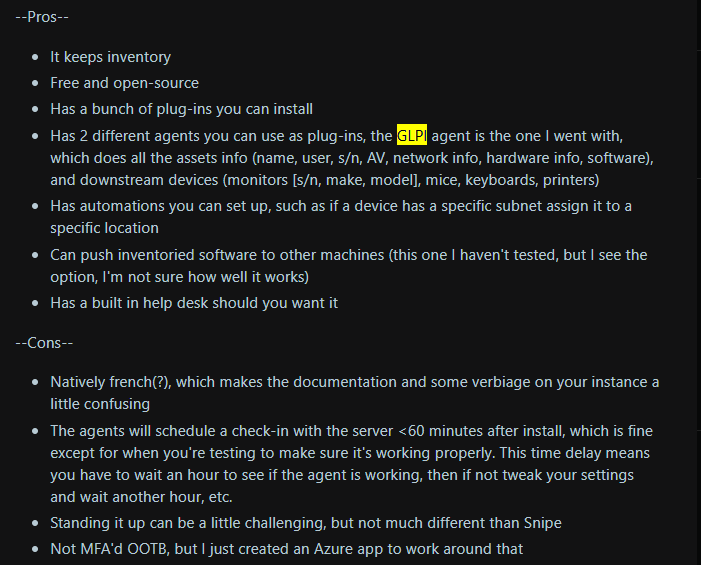
Source: Reddit
Pros:
- Easy to use, implement, and customize
- Open-source and free: ideal for small businesses
- Offers you multiple plugins
Cons:
- Reporting and auditing features could use some improvement
- Natively French, which can make the documentation a little tough to understand.
How Workwize Enhances Computer Inventory Management?
Workwize is a global IT hardware and device lifecycle management platform built for remote workforces.
With Workwize’s IT Inventory Management solution, you get real-time visibility into every device in your organization. Here’s what you can track
- Model
- Location
- User assignment
- Warranty status
- Software installations.
You can automate routine audits, set low-stock alerts, and integrate seamlessly with your HRIS or MDM. This way, asset records stay accurate without manual effort.
Creating and maintaining an inventory is one thing. But what about getting those devices to your people and back again? That’s when Workwize comes in.
Workwize goes beyond simple inventory software by offering zero-touch global logistics:
- Automated procurement
- Pre-configured deployments
- Secure data wipes
- Prepaid return kits across 100+ countries.
You’ll eliminate spreadsheets, reduce lost assets, enforce compliance, and streamline the entire ITAM lifecycle from purchase to disposal—in a single platform.

|
Tool |
Best For |
|
ManageEngine AssetExplorer |
Ideal for mid-sized to large organizations requiring end-to-end lifecycle and license management. |
|
Lansweeper |
Ideal for teams that require comprehensive, automated asset visibility and analytics. |
|
Snipe‑IT |
Great for budget‑conscious teams comfortable with self‑hosting and customizing their inventory workflows. |
|
Spiceworks Inventory |
Suitable for small businesses seeking basic hardware and software inventory with minimal setup. |
|
GLPI |
Ideal for organizations seeking a modular, plugin‑driven solution combining ticketing and asset management. |
|
Workwize |
Global, zero‑touch hardware lifecycle automation—perfect for distributed enterprises needing turnkey provisioning, tracking, and retrieval worldwide. |

Mayank Wadhwa

Establish a single source of truth for every IT asset across the globe.
.png?width=258&height=318&name=g10%20(5).png)
More related resources to help you stop firefighting hardware operations.


Get monthly insights into how other IT leaders are improving their ops.



.png?width=2880&height=1232&name=Group%202147262874%20(1).png)
Stop coordinating
hardware like it's 2012.
.svg)
.svg)
.svg)
.svg)
.svg)