




.svg)
.svg)

.svg)


.svg)





.svg)
.png?width=500&height=424&name=Style-1---V1-(1).png)

.png?width=1230&height=692&name=Vector%20(13).png)
What is Endpoint Management Software?
Endpoint management software is a centralized solution that lets you monitor, control, and secure a wide range of endpoints—laptops, desktops, mobile phones, tablets, and even IoT devices—connected to a corporate network.
It simplifies essential tasks like software updates, security enforcement, remote troubleshooting, and compliance monitoring and keeps the smooth operation and security of endpoints in check.
Most businesses today rely on a mix of company-owned and personal (BYOD) devices, many of which connect to corporate networks from remote locations. Without proper endpoint management, IT teams face security risks, inconsistent configurations, and operational inefficiencies.
Endpoint management software addresses these issues by:
-
Enforcing security policies and compliance standards.
-
Automating patch management to fix vulnerabilities.
-
Providing remote access for troubleshooting and updates.
-
Offering real-time visibility into device health and status.
-
Protecting sensitive data through encryption and access controls.
Endpoint management is used in almost all industries, including—but not limited to—healthcare, finance, retail, and education. Any organization that manages multiple connected devices benefits from a proper endpoint management solution.
Features to Look For in An Endpoint Management Solution
Most endpoint management solutions share a core set of features but differ in speed, reliability, automation, and scalability. While finding an EMS for your organization is no cakewalk, the real challenge is selecting something that slides in easily with your unique organizational needs.Nevertheless, an effective endpoint management solution must have the following features. .
-
Unified endpoint management: A strong endpoint management system should handle all essential tasks across a range of devices—including mobile ones—on multiple operating systems like Windows, macOS, and Linux.
-
Real-time monitoring: You can’t fix what you can’t see. Your EMS must offer real-time monitoring and visibility into your IT infrastructure. Without this, identifying issues before they escalate becomes nearly impossible.
-
Patch management: A good endpoint management solution automates patching to minimize vulnerabilities, reduce downtime, and maintain compliance. Automated updates save a ton of time as devices receive critical fixes without manual intervention.
-
Data protection and access control: Every good EMS must have strong security measures to protect sensitive data and control access across all managed devices, be it company-owned or personal (BYOD). A zero-trust model helps—it ensures that every user is authenticated and continuously validated before accessing corporate resources.
-
Alerts and reporting: Real-time alerts notify IT teams when specific conditions are met so that they can take immediate action. Detailed reports are necessary for insights into system performance, compliance, and potential risks.
Selecting endpoint management software requires more than a feature checklist. A one-size-fits-all approach rarely works. Do your research, assess vendor risks, and test multiple solutions before deciding.

Top Endpoint Management Software Solutions for 2025
Hexnode Unified Endpoint Management
Via Hexnode
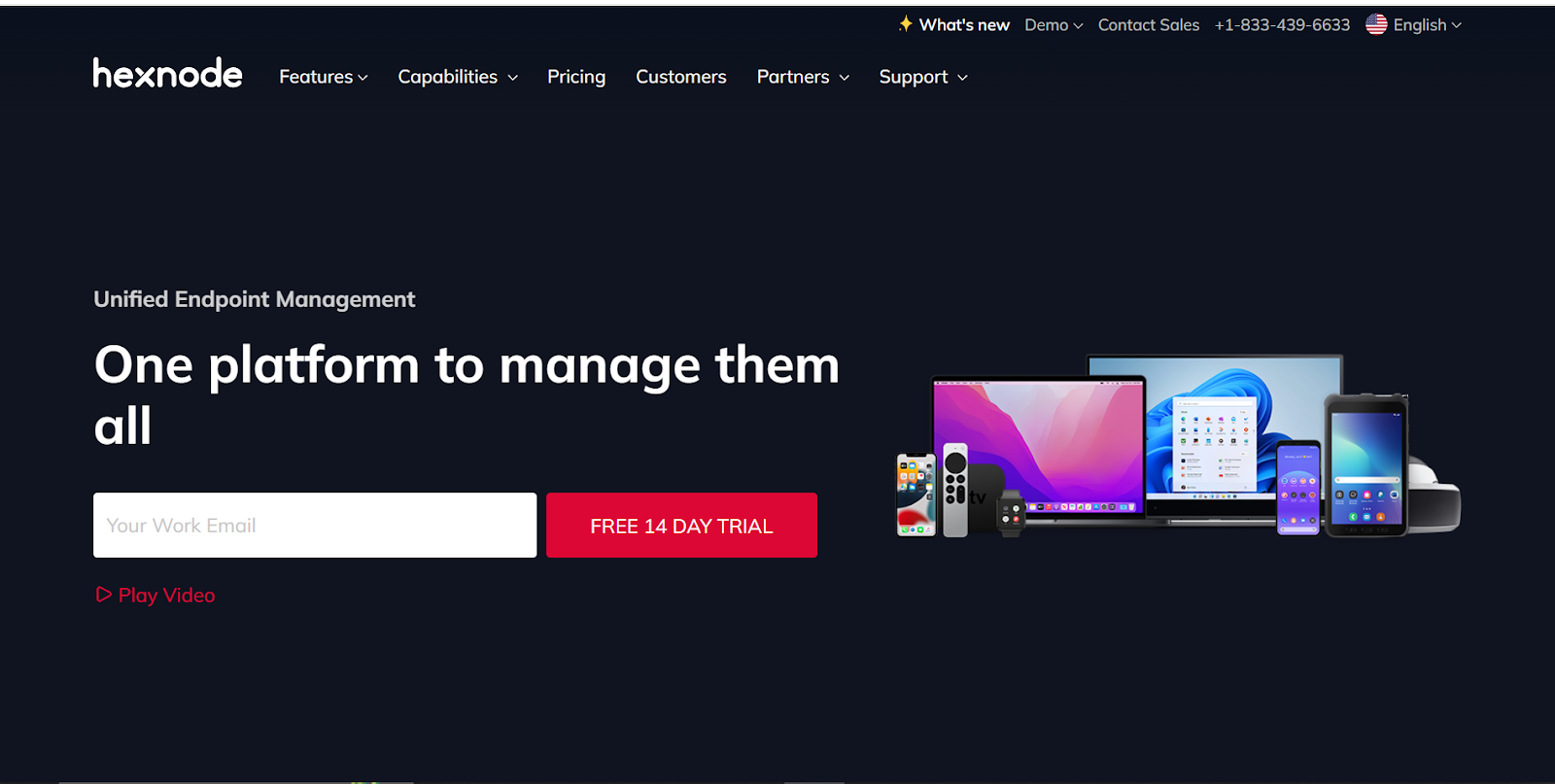
Hexnode’s long list of features and user-first implementation makes it one of the most popular UEMs in the market. While most legacy UEMs exclude a user-centric design after chasing more features, Hexnode brings you the best of both worlds.
Being a cross-platform UEM, Hexnode works across platforms like iOS, iPadOS, Android, Windows, MacOS, tvOS, Amazon FireOS, and more. It has zero-touch enrollment options for all supported platforms that makes onboarding and user provisioning free of complexity.
Moreover, it has a robust endpoint security module with business containerization, device encryption, automatic device lockdown, regulatory compliance, threat management, tracking, and geofencing.
Key features
-
Assign configurations, restrictions, and custom scripts to devices or device groups remotely.
-
Streamline large-scale deployments and securely distribute apps within Apple-dominant ecosystems with Apple Business Manager and School Manager.
-
Integrate easily with Google Workspace, Microsoft Active Directory, Zendesk, Azure AD, Zapier, and more.
Pricing
-
Free plan available
-
Pro plan: $2.4/month per device
-
Enterprise plan: $3.6/month per device
-
Ultimate plan: $5.2/month per device
Ratings and reviews
-
G2: 4.6/5 (200+ user reviews)
-
Capterra: 4.6/5 (100+ user reviews)
Miradore
Via Miradore
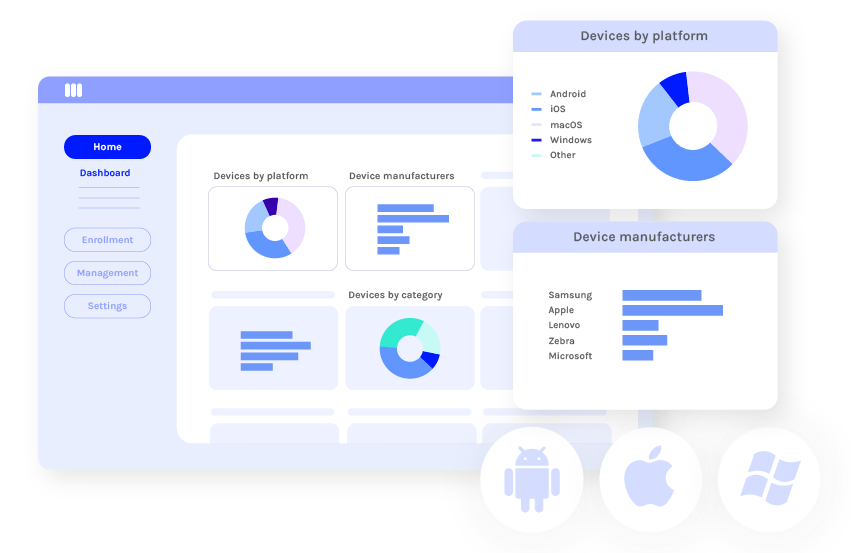
Miradore is a cloud-based UEM that manages smartphones, tablets, laptops, and desktops across different operating systems. It is an official partner for Google’s Zero-touch enrollment program for Android devices and supports Android Enterprise. You can expect a consistent MDM experience regardless of the Android device manufacturer.
Android is not the only mobile platform that gets attention. Miredore integrates deeply with Apple Business Manager and its Device Enrollment Program. Miradore also acts as a powerful Enterprise Mobility Management solution. You can secure and manage all your connected devices from a unified portal, even those enrolled in your BYOD and CYOD policies.
Key features
-
Keep devices secure with remote locking and encryption, secure containers, blacklisting and whitelisting, and configuration management.
-
Schedule or postpone system updates and remotely enforce patches with the System Update Management suite.
-
Track current device location, check location history for last three months, and get location information over API.
Pricing
-
Free plan available
-
Premium plan: $2.75/month per device
-
Premium Plus plan: $3.95/month per device
Ratings and reviews
-
G2: 4.6/5 (100+ user reviews)
-
Capterra: 4.4/5 (150+ user reviews)
Microsoft Endpoint Manager (MEM)
Via Microsoft
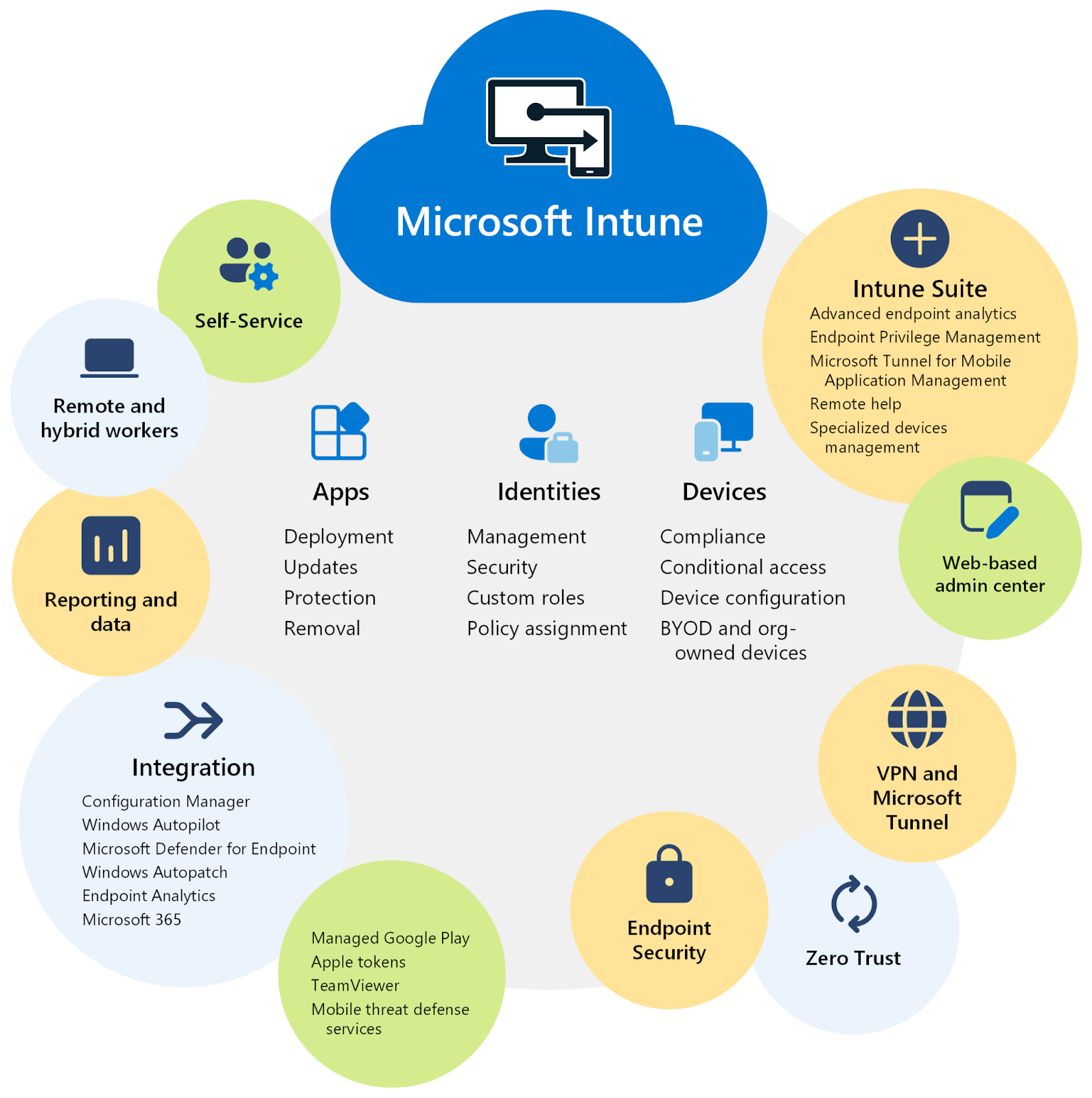
Microsoft Endpoint Manager, more commonly known as Microsoft Intune, is a cloud-based endpoint management solution that offers comprehensive management of user access to organizational resources. It also simplifies app and mobile device management across your mobile, desktop, and virtual endpoints.
Intune supports Android, the Android Open Source Project (AOSP), iOS/iPadOS, Linux Ubuntu Desktop, macOS, and Windows client devices. Its strongest suit is app management—it connects and distributes apps from your private app stores on your devices. Not only can it enable Microsoft 365 apps like Teams, but it can also deploy any Win32 and line-of-business (LOB) app you might need in your ecosystem.
Key features
-
Create and deploy policies for apps, security, device configuration, compliance, Conditional Access, and more.
-
Integrate with Microsoft Defender for Endpoint and even third-party services for real-time threat detection and removal.
-
Summarize existing policies, get device details, troubleshoot devices, and solve errors with Copilot AI.
Pricing
-
Microsoft Intune Plan 1: $8/month
-
Microsoft Intune Plan 2: $4/month
-
Microsoft Intune Suite: $10/month
-
Add-ons are priced separately
Ratings and reviews
-
G2: 4.5/5 (200+ user reviews)
-
Capterra: 4.5/5 (30+ user reviews)
Ivanti Unified Endpoint Manager

Via Ivanti
Ivanti Endpoint Manager lets you manage, secure, and support diverse device ecosystems from a centralized console. It is a client-based solution that handles everything from traditional desktop environments to modern mobile devices, with support for Windows, macOS, Linux, Chrome OS, and IoT devices.
Ivanti has Day Zero support, which ensures continuous device management without functionality gaps or downtime. This is particularly important if you manage hybrid work environments. The platform also orchestrates OS deployments, migrations, and updates and distributes software through targeted deployment or self-service app store experiences.
That’s not all. With Ivanti Neurons for UEM, you can automatically identify and inventory all devices on your network and even normalize device data across platforms for consistent reporting and management.
Key features
-
Create visual dashboards to integrate business and IT metrics without the need to write code.
-
Implement integrated patches for OSes and applications while isolating potential threats with automated responses.
-
Simplify Mac management with special inventory, software, and OS deployment tools.
Pricing
-
Custom pricing
Ratings and reviews
-
G2: 4.2/5 (50+ user reviews)
-
Capterra: Not enough reviews
Citrix Endpoint Management
Via Citrix
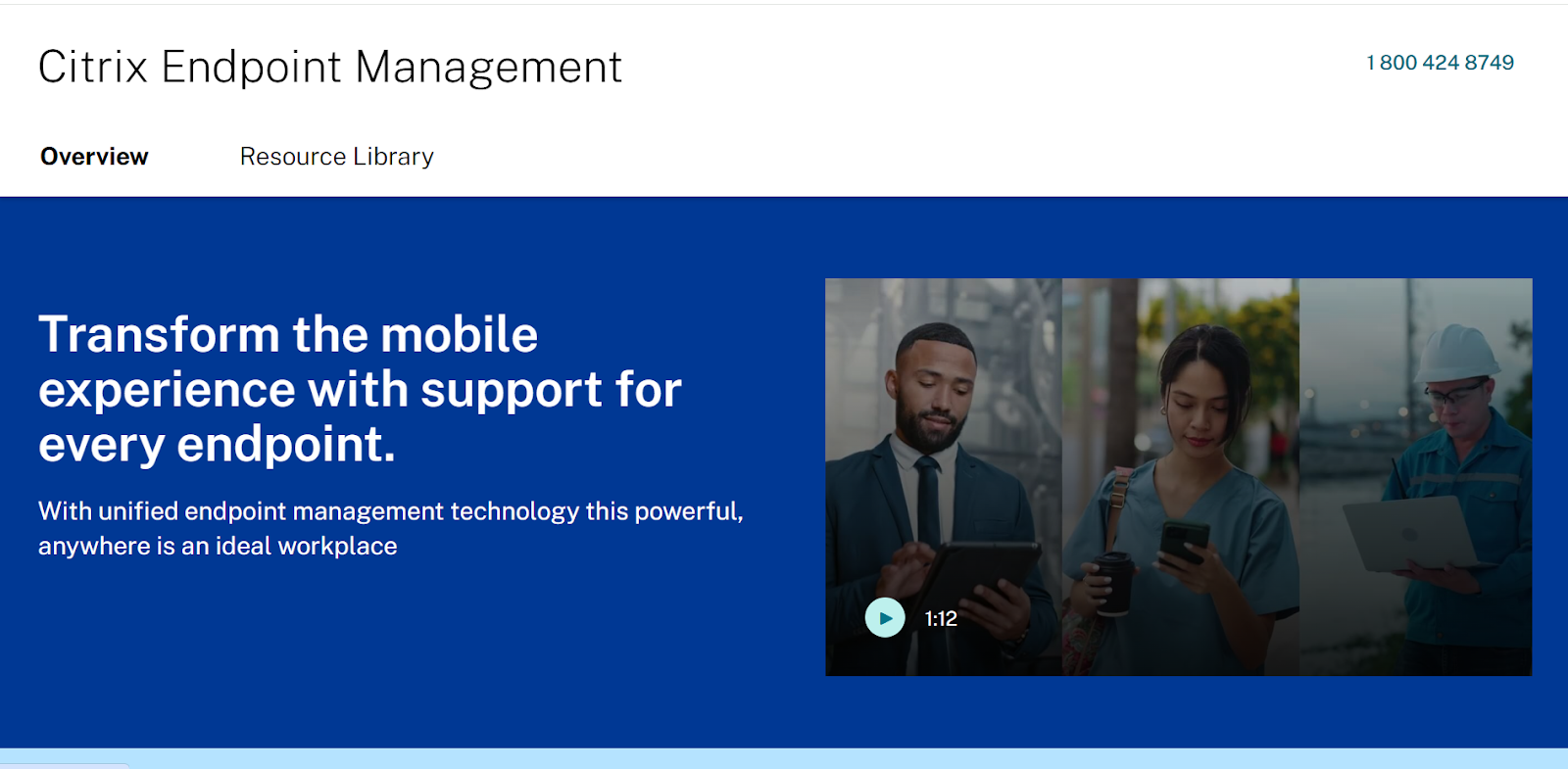
Citrix Endpoint Management provides a unified platform for managing and securing endpoints on Android, Apple, and Windows devices. It consolidates control and offers flexible deployment options to address the complexities of modern device management.
With Citrix, you can choose between cloud and on-premises deployment options. Regardless of the deployment you choose, you get the same feature set. This includes granular control over devices and applications, with over 300 policies for security and compliance.
Citrix integrates with Android Enterprise for Android devices and supports work profiles. These profiles separate corporate data from personal data while still allowing IT to manage work-related aspects. A similar level of deep integration is available for Apple devices (iOS, macOS, iPadOS) and Windows 10 and 11 systems.
Key features
-
Choose between cloud-based or on-premises deployments or a hybrid approach without sacrificing functionality. Migration services are also available for smooth transitions.
-
Enable hybrid cloud application delivery powered by NetScaler.
-
Manage the full lifecycle of Apple and Android devices, including device enrollment, app deployment, and policy enforcement.
Pricing
-
Custom pricing
Ratings and reviews
-
G2: 4.5/5 (50+ user reviews)
-
Capterra: 4.1/5 (100+ user reviews)
VMWare Workspace One
Via Omnissa
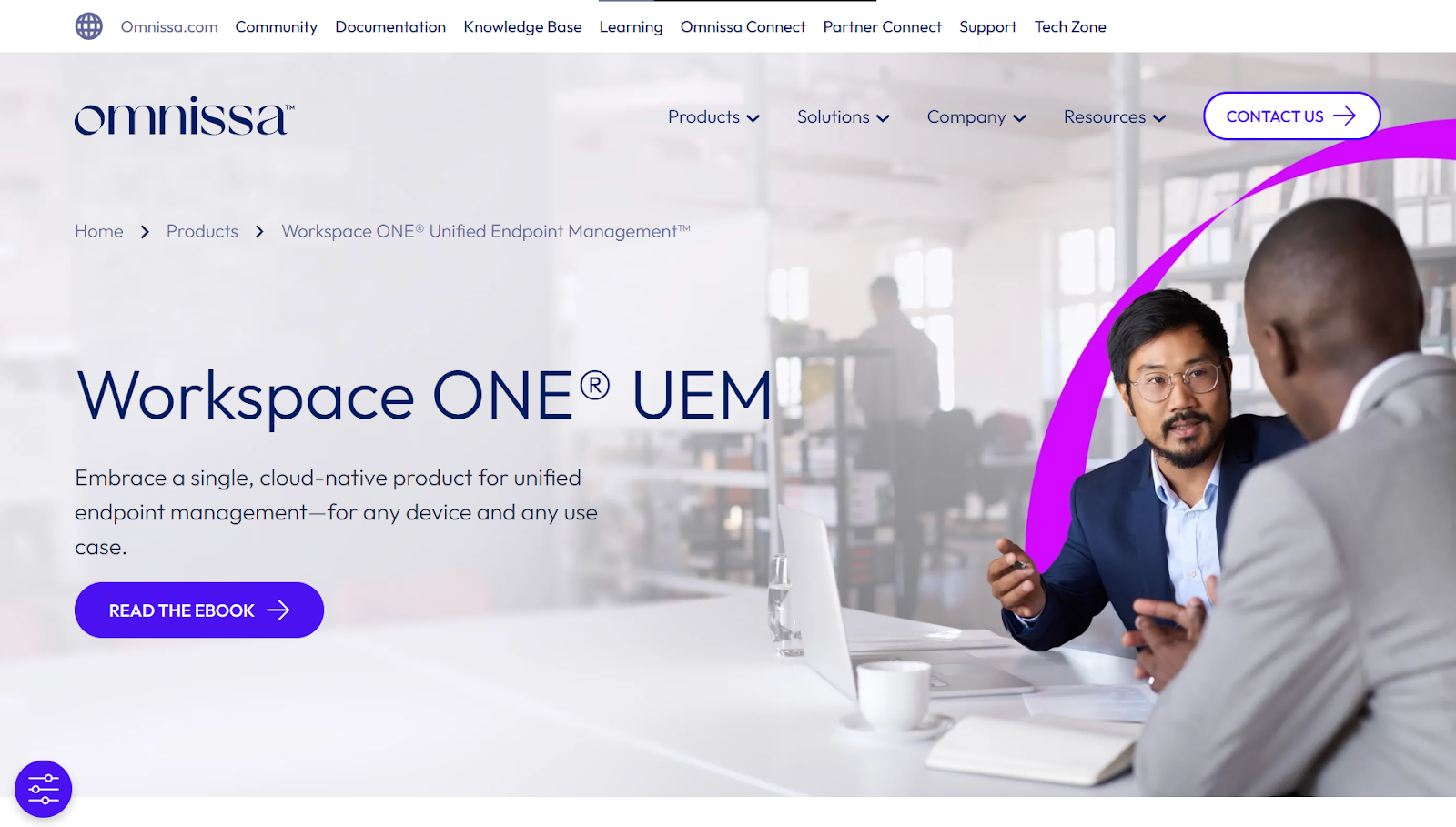
VMWare recently underwent a massive rebranding after being acquired by Broadcom and is now called Omnissa. Nevertheless, Workspace One remains as powerful as ever—a simple and robust endpoint management solution that manages not only PCs and smartphones but also handheld scanners, printers, etc.
Workspace One follows a multi-tenant architecture. This means that you can set custom policies at each level of your company’s structure with the ability to inherit or override settings from levels above.
This is one of the most comprehensive UEMs regarding the range of supported devices and platforms. It handles all devices connected to your BYOD program, corporate devices, shared and multi-user devices, and mission-critical specialty devices.
Key features
-
Secure devices, users, and data with conditional access, automated patching, and configuration policies.
-
Provision new devices from anywhere with UEM configuration in the remote onboarding suite.
-
Evaluate compliance status and behavioral anomalies before granting endpoints access to any data (zero-trust model).
Pricing
-
Mobile Essentials Plan: $3.00 per device or $5.40 per user (monthly)
-
Desktop Essentials Plan: $4.00 per device or $7.20 per user (monthly)
-
UEM Essentials Plan: $5.25 per device or $9.45 per user (monthly)
-
Enterprise Plan: $10.00 per device or $15.00 per user (monthly)
Ratings and reviews
-
G2: 4.0/5 (30+ user reviews)
-
Capterra: 4.7/5 (30+ user reviews)
Read More: Best VMWare Alternatives
ManageEngine Endpoint Central

Via ManageEngine
Next up is a popular endpoint management solution that streamlines your organizational IT ecosystem with automated patching, asset intelligence, remote control, data security, attack surface management, ransomware protection, and more from a single console.
This platform provides end-to-end visibility into your IT infrastructure and secures your attack surface with data hardening and multi-layered endpoint protection. In addition to the usual features you would expect from an enterprise-grade UEM, Endpoint Central bundles a full IT asset management suite.
It can manage your software and hardware assets and track licenses and warranties. The platform also monitors software usage and notifies you of hardware changes in real time. It has a comprehensive threat detection and remediation suite that detects and remediates vulnerabilities and maintains your systems in accordance with 75+ CIS benchmarks.
Key features
-
Automate patch deployment and management for Windows, Mac, Linux systems, and third-party applications.
-
Integrate easily with ITSM services like Zendesk, ServiceNow, Freshservice, and Jira service management.
-
Eliminate insider security threats and breaches with a dedicated endpoint privilege management system.
Pricing
-
Professional Edition: Starts annually at $795 for 50 endpoints
-
Enterprise Edition: Starts annually at $945 for 50 endpoints
-
UEM Edition: Starts annually at $1095 for 50 endpoints
-
Security Edition: Starts annually at $1,695 for 50 endpoints
Ratings and reviews
-
G2: 4.4/5 (850+ user reviews)
-
Capterra: 4.6/5 (950+ user reviews)
NinjaOne Endpoint Management
Via NinjaOne
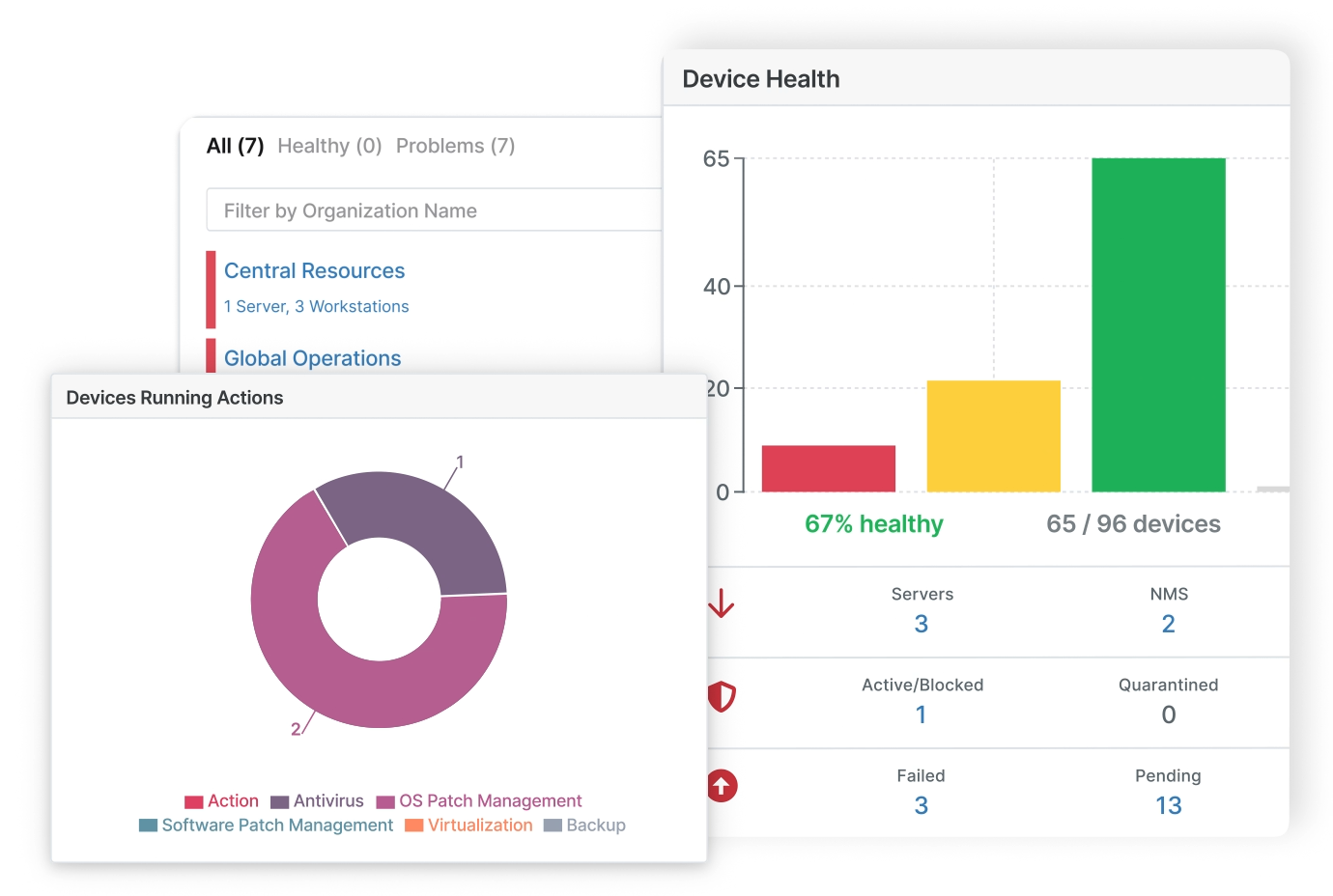
NinjaOne is one of the most comprehensive IT management platforms. It also centrally manages endpoints and supports users at scale. The platform manages all workflows, end-user devices, servers, VMs, and networking devices from a centralized dashboard.
NinjaOne’s forte is process automation. So naturally, its endpoint management suite also borrows plenty of useful automation chops. The platform automates the most time-consuming endpoint management tasks like patching and configuration management.
It also supports multi-OS patching. The platform automatically identifies, evaluates, and deploys patches across Windows, Mac, and Linux OSs and over 200 third-party apps. It claims to reduce vulnerabilities by up to 75% with automated and ad-hoc scans and granular control supported by the native inclusion of CVE/CVSS.
Key features
-
Patch and secure any endpoint with cloud-based, agent-deployed patching of any endpoint with an internet connection without a VPN.
-
Create custom software installation packages, even for multi-step, complex installations, and store them for easy software deployment.
-
Filter devices based on any type, location, organization, or more to deploy software to one or 1,000 endpoints at just a click.
Pricing
-
Custom Pricing
Ratings and reviews
-
G2: 4.7/5 (1,700+ user reviews)
-
Capterra: 4.8/5 (200+ user reviews)
Read More: NinjaOne Review: The Good, The Bad, and The Rest
Atera
Via Atera
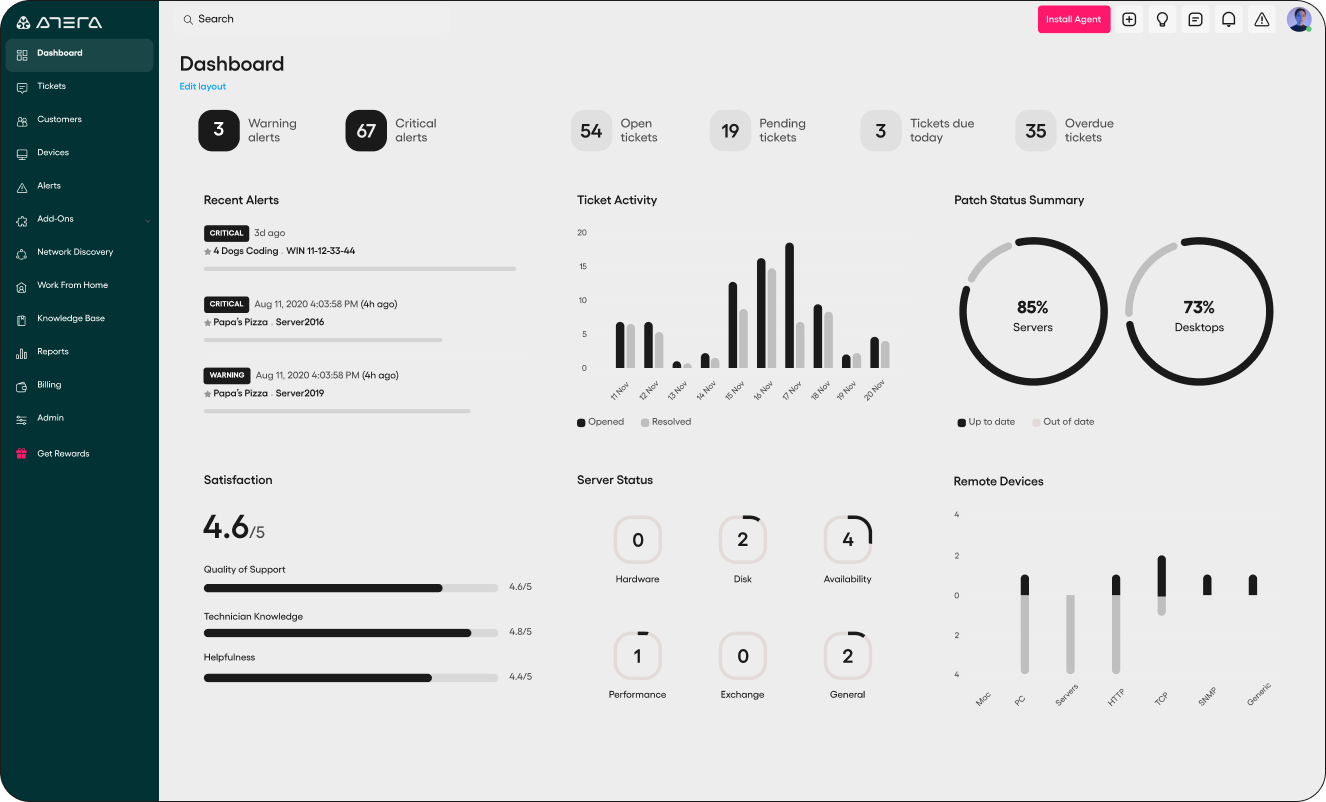
Atera is an AI-powered IT management platform with much going for it in the endpoint management department. For starters, you benefit from its intelligent automation system that offers a major productivity boost with its smart rule engine.
Through Atera’s unified console, you can enforce security policies, manage user access controls, and monitor device compliance. The platform also has access control to regulate connected devices and isolate them during security incidents. Additionally, its integration with third-party antivirus solutions means that threats are detected in real time, and necessary updates are sent instantly.
Atera also excels at asset and inventory management. It allows you to monitor inventory changes, generate reports, and create customizable policies for asset onboarding, maintenance, and compliance.
Key features
-
Regulate endpoint access points to ensure only authorized devices connect to the network, with quick isolation during risk events.
-
Provide secure remote troubleshooting through tools like Splashtop, AnyDesk, or TeamViewer with encryption for all sessions.
-
Maintain detailed records of hardware and software assets along with real-time insights of device health, performance, and vulnerabilities.
Pricing
-
Professional plan: $169/month per technician
-
Expert plan: $229/month per technician
-
Master plan: $269/month per technician
Ratings and reviews
-
G2: 4.6/5 (700+ user reviews)
-
Capterra: 4.6/5 (400+ user reviews)
IBM Security

Via IBM MaaS360
IBM’s endpoint management solution is also known as IBM MaaS360. It is a multi-platform solution that supports Windows, macOS, ChromeOS, and even rugged devices in addition to iOS and Android.
One of the biggest draws of this platform is its risk-based application patching system, which discovers vulnerable apps and automatically patches them based on critical levels. You also benefit from AI-assisted deployment prioritization and remediation.
MaaS360 can also configure individual security policies and installation settings. Virtual access allows users to access the network VPN from different devices.
The platform is highly flexible and scalable. If your needs become more complex as you grow, you can access a formidable library of add-ons and integrations that scale the platform's capabilities.
Key features
-
Create secure mail, browser, workplace app containers, and usage policies.
-
View all third-party applications installed in your endpoints and identify and report vulnerabilities in real time.
-
Manage and integrate your Microsoft ecosystem with your tech stack to enable distribution, control access, and apply policies.
Pricing
-
Essentials plan: $4.00/month per client device
-
Deluxe plan: $5.00/month per client device
-
Premier plan: $6.25/month per client device
-
Enterprise plan: $9.00/month per client device
Ratings and reviews
-
G2: 4.2/5 (150+ user reviews)
-
Capterra: 4.2/5 (20+ user reviews)
Cut Down IT Inefficiencies with An Endpoint Management Solution Today
We've tried to be objective while compiling our 10 recommendations. These tools are a significant investment, both financially and architecturally. So ensure you've considered all variables and figured out the ROI before splurging on a tool.
But what if we told you there could be a dedicated tool for managing everything IT that complements the capabilities of an endpoint solution? Let’s introduce Workwize.
Workwize is a complete IT hardware lifecycle management solution. It’s one platform to procure, deploy, manage, retrieve, and dispose of your IT assets. Workwize ships devices of choice with your preferred endpoint solution that you can manage until they’re ready to be called off.
While an endpoint management solution only addresses device security, Workwize handles every aspect of hardware management, from procurement to final disposal.
|
Feature |
Workwize (IT Asset Management) |
Endpoint Management Software (Security & Compliance) |
How They Complement Each Other |
|
Device Procurement & Deployment |
Automates procurement and global device shipping |
Deploys OS and security configurations on new devices |
Ensures new devices are secured and ready for use from day one |
|
IT Asset Tracking |
Tracks devices throughout their lifecycle |
Monitors real-time device health and security status |
Provides complete visibility into device location and security |
|
Device Security & Compliance |
Ensures device retrieval & proper disposal |
Enforces security policies, encryption, and patch management |
Prevents unauthorized access and data breaches |
|
Software & License Management |
Manages software procurement & renewals |
Ensures only approved applications are installed on endpoints |
Prevents shadow IT and enhances security compliance |
|
Remote Management |
Enables hardware retrieval and redeployment |
Provides remote troubleshooting and security enforcement |
Reduces downtime and IT workload by integrating software and hardware management |
|
Employee Offboarding |
Automates retrieval of company devices |
Revokes access, wipes data, and locks lost/stolen devices |
Ensures complete offboarding with both hardware retrieval and security lockdown |
|
Cost Optimization |
Tracks hardware expenses and optimizes procurement costs |
Monitors software usage and automates license reclamation |
Helps IT teams reduce unnecessary spending on both hardware and software |
|
User Support & ITSM Integration |
Provides a self-service portal for IT requests |
Enables remote troubleshooting and automated IT fixes |
Ensures smooth IT support by integrating device and endpoint issue resolution |
|
Scalability |
Manages IT assets across multiple locations |
Supports remote management of endpoints globally |
Ensures seamless IT operations for growing organizations |
Book a Workwize demo now and begin effective device management today.


Shashank Mishra

Establish a single source of truth for every IT asset across the globe.
.png?width=258&height=318&name=g10%20(5).png)
More related resources to help you stop firefighting hardware operations.



Get monthly insights into how other IT leaders are improving their ops.



.png?width=2880&height=1232&name=Group%202147262874%20(1).png)
Stop coordinating
hardware like it's 2012.
.svg)
.svg)
.svg)
.svg)
.svg)