




.svg)
.svg)

.svg)


.svg)





.svg)
.png?width=500&height=424&name=Style-1---V1-(1).png)

.png?width=1230&height=692&name=Vector%20(13).png)
ManageEngine’s Asset Explorer presents challenges, including inconsistent customer support, time-consuming initial customizations, and limited scalability.
All these challenges lead to ineffective asset management, which further results in a 7-10% higher total cost of ownership (TCO).
However, several better alternatives are available on the market. This article is designed to help.
Below, we list the top 5 alternatives to ManageEngine Asset Explorer that deliver smoother onboarding, flexible pricing, stronger support, and the scalability your growing IT environment demands.

Why Look Beyond ManageEngine Asset Explorer in 2025?
Here’s why:
-
Customer Service: Multiple users have flagged ManageEngine’s customer service on Reddit. This is a major dealbreaker, as users may not receive the necessary support while using ManageEngine Asset Explorer.

Source: Reddit
-
Installation and Initial Setup: The installation process is cumbersome and time-consuming. The tool also requires extensive customization at the outset.
-
Inability to Scale: Real users report that ManageEngine Asset Explorer does not scale well in terms of ROI. You must add an instance for every new customer you add. And a new instance means a new license.
-
Pricing: Users report that the Asset Explorer costs approximately USD 34,000 per year for 130 technicians, which is considered expensive.
5 Best ManageEngine Asset Explorer Alternatives to Consider
Workwize
Source: Workwize
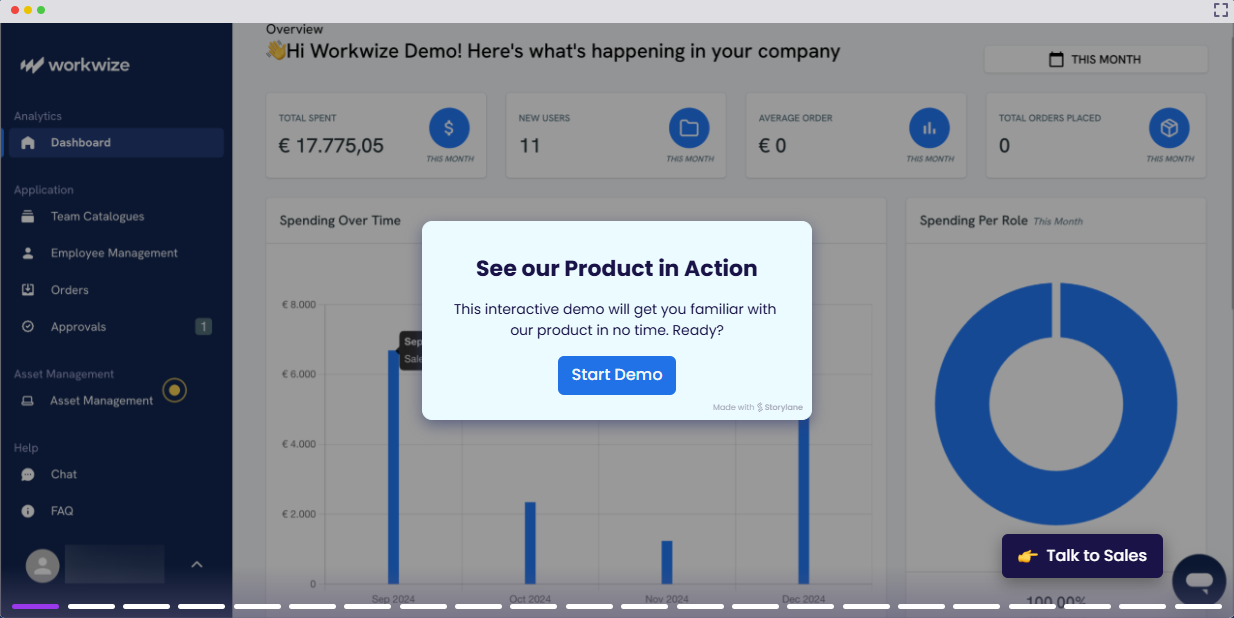
Workwize is a dedicated ITAM solution that automates your entire IT asset management lifecycle from procurement to disposal.
You can buy or rent IT assets, deploy them pre-configured, manage, retrieve, and finally dispose of them using the same digital interface. Additionally, Workwize offers a more flexible pricing model, an intuitive interface, a positive ROI, and faster onboarding.
Here are the key features/highlights of Workwize:
-
Automates asset lifecycle management (reduces manual intervention) and enables zero-touch onboarding and offboarding.
-
Integrates with your MDM and helps deliver work-ready devices out of the box across 100 locations—perfect for remote teams
-
Let’s you store assets at local warehouses (lowers carbon footprint) and reassign them as required
-
Track, manage, and control assets remotely
-
Manage all suppliers, orders, and invoices in one place.
-
Supports seamless integrations with your most-used IT tools (Slack, Okta, BambooHR, and more) and enables better workflows
-
Enables cost optimization; Workwize helps HighLevel $1.4 million annually by streamlining and automating the asset lifecycle.
Pros:
-
User-friendly platform and adapts to users’ requirements
-
Helps manage IT assets globally and offers reliable customer support
-
Transparent and affordable pricing
-
Scales easily as your business does
Cons:
-
Currently, limited locations are supported for offboarding, but this is continuously expanding.
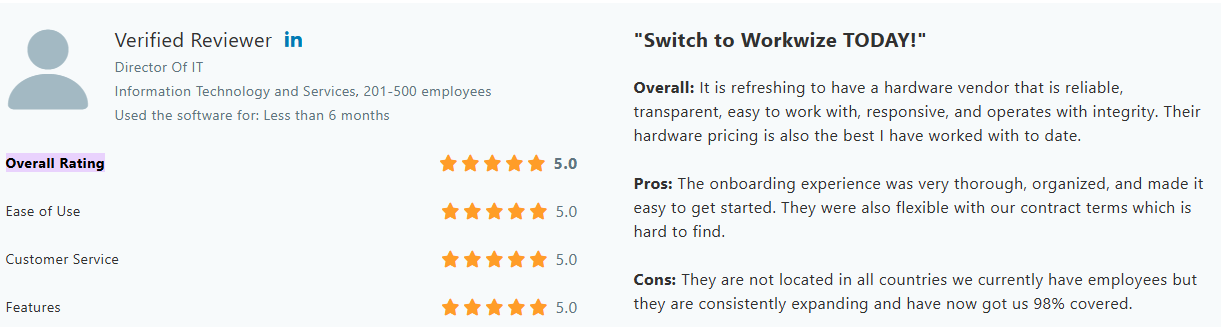
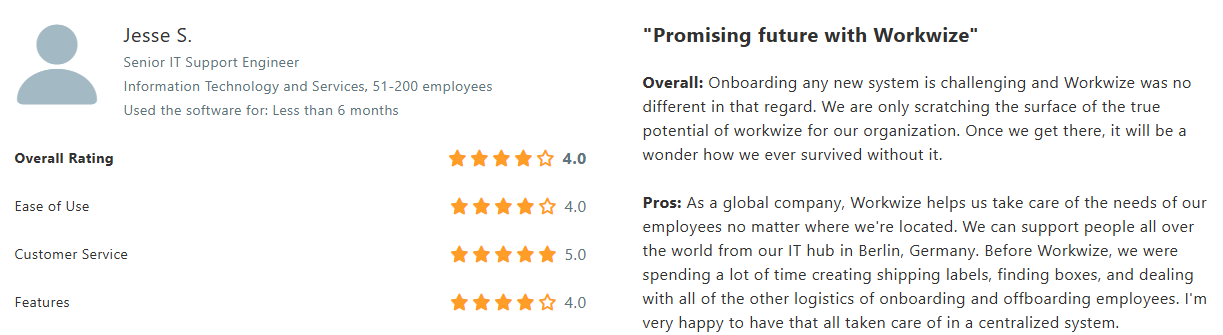
User Reviews:
Source: Verified Capterra Review
Source: Verified Capterra Review

Lansweeper
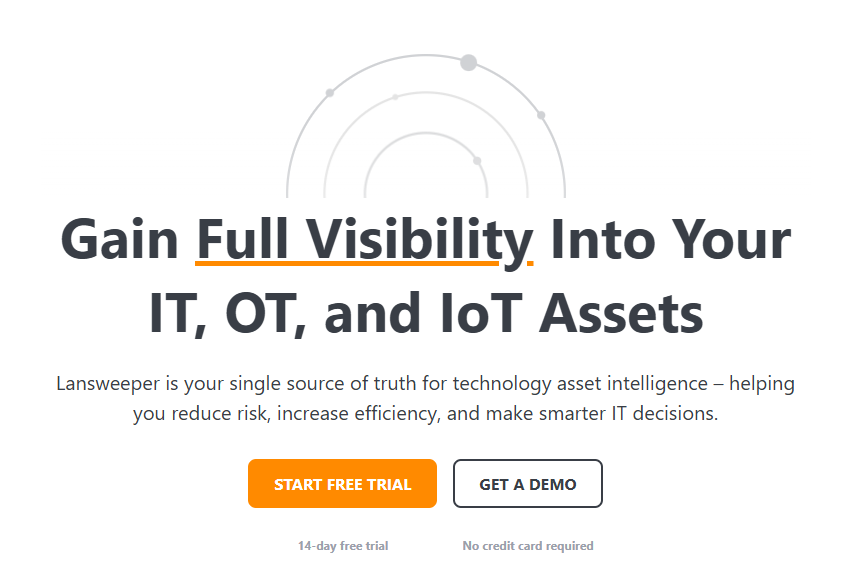
Source: Lansweeper
Lansweeper is a dedicated IT asset management solution and a great alternative to ManageEngine. It automatically scans your network and builds a detailed IT inventory, eliminating the need for a complex setup process.
Lansweeper’s agentless technology lets you instantly identify devices on your network without installing the app on each endpoint. It also offers a wide range of third-party integrations (SysAid, AssetPanda, HALO ITSM, Jira Service Management, and more) to automate your workflows.
This ITAM solution scales with your business and has comprehensive reporting (detailed insights) capabilities.
Pros:
-
Offers a comprehensive view of all assets (including servers, printers, routers etc.)
-
Users appreciate agentless scanning capabilities
-
Robust solution that adapts to changing requirements
Cons:
-
Threat detection and vulnerability management are missing
-
User interface is a little complex to navigate
-
The learning curve can be steep
User Reviews:
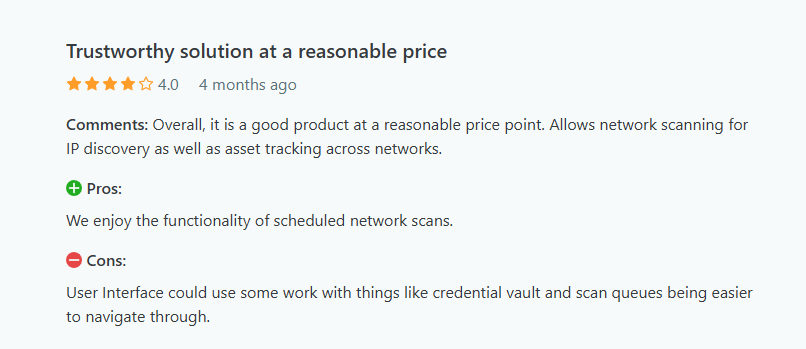
Source: Verified Capterra Review

Source: Verified Capterra Review
For a detailed Lansweeper review, check this out: Lansweeper Review: Ratings, Advanced Features, 2025 and More
Snipe-IT
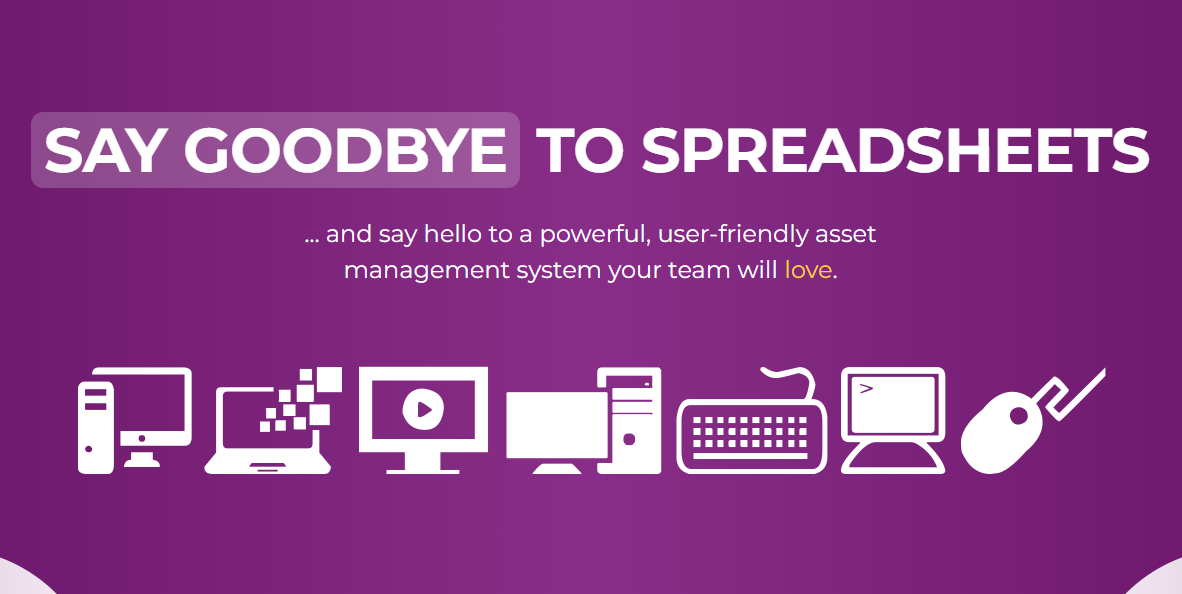
Source: Snipe-IT
Snipe-IT is another popular tool you can try. It’s an open-source asset management solution that helps IT teams track hardware, software licenses, peripherals, and more.
It’s a powerful yet simple solution ideal for businesses, schools, and organizations looking for a structured way to manage their IT inventory.
Snipe-IT offers barcode and QR code scanning for quick check-ins, custom fields, and a REST API for integrating with other systems. You also benefit from granular reporting, status management, and notifications, like alerts for expiring licenses.
Pros:
-
Easy to scale and configure
-
Easy to integrate with other tools
-
Open-source solution is thus free
Cons:
-
The UI can feel a bit outdated
-
The email system doesn’t send notifications for some asset types
User Reviews
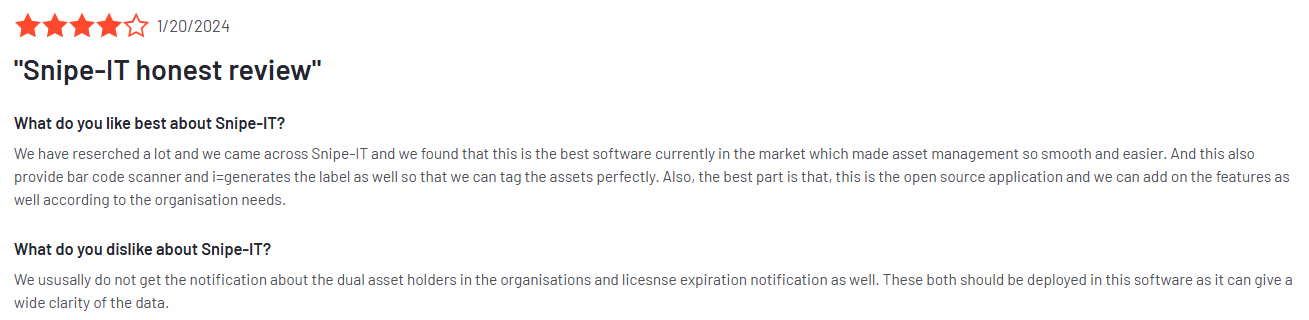
Source: Verified G2 Review
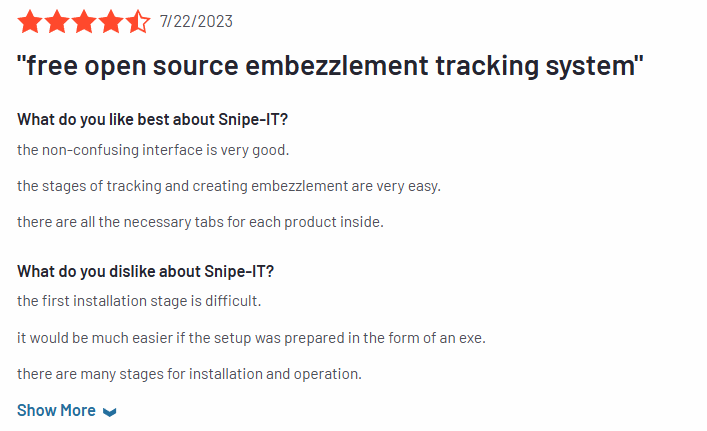
Source: Verified G2 Review
AssetTiger

Source: AssetTiger
AssetTiger is a free, cloud-based asset management tool that tracks your IT equipment and other assets, keeping an accurate record of your stock.
It has a user-friendly interface, offers unlimited user access, and is free for up to 250 assets.
You can upload a database or add assets individually using a barcode scanner, track depreciation, maintenance status, and location, and create customized financial reports.
AssetTiger also allows you to set unlimited real-time alerts for maintenance checks, lease or warranty expirations, and other events. This reduces downtime, improves compliance, and increases asset reliability.
While AssetTiger handles basic tracking and alerting, it cannot automate the asset lifecycle, which is essential for end-to-end asset management.
Pros:
-
Easy to set up and use, and free up to 250 assets
-
Decent reporting features and affordable
-
The ability to scan devices using barcodes makes setting up the inventory quick
Cons:
-
Limited contract management features
-
The platform can sometimes need additional time due to low performance
User Reviews:
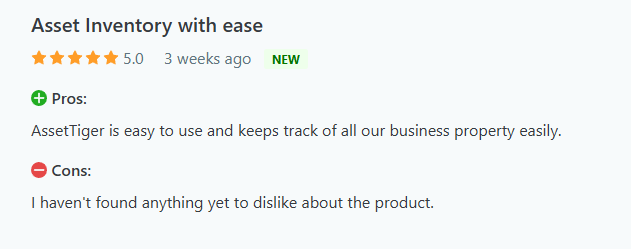
Verified Capterra Review
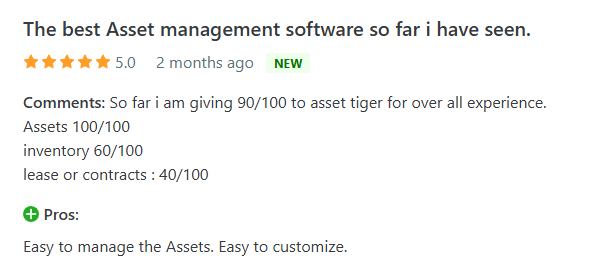
Verified Capterra Review
To determine if AssetTiger is the right ITAM solution, go through our detailed AssetTiger review: AssetTiger Review.
How to Choose the Right ManageEngine Asset Explorer Alternative for Your IT Stack?
Here’s how:
-
Define Your Core Requirements: List non-negotiables, such as real-time discovery, software asset and license tracking, contract management, and risk assessment. This helps ensure the platform meets your day-to-day needs.
-
Assess Scalability: Verify that the solution can handle thousands of assets, both on-premises and in the cloud, without experiencing performance degradation.
-
Evaluate Customer Support & Community: Prioritize vendors offering 24/7 SLAs, rapid response times, and active user forums (e.g., Reddit or G2 discussions) for quicker issue resolution.
-
Compare Pricing Models: Look for clear, per-asset or per-user tiers with no hidden add-ons. Opt for tools with free or trial tiers that let you test full functionality before committing.
-
Integration & Automation: Ensure open APIs and pre-built connectors to your ITSM/CMDB, procurement, finance, and MDM tools to automate workflows.
-
Ease of Use & Reporting: Choose a solution with an intuitive UI and a drag-and-drop report builder that offers both pre-configured and customizable templates for valuable insights on demand.


Mayank Wadhwa

Establish a single source of truth for every IT asset across the globe.
.png?width=258&height=318&name=g10%20(5).png)
More related resources to help you stop firefighting hardware operations.


Get monthly insights into how other IT leaders are improving their ops.



.png?width=2880&height=1232&name=Group%202147262874%20(1).png)
Stop coordinating
hardware like it's 2012.
.svg)
.svg)
.svg)
.svg)
.svg)