




.svg)
.svg)

.svg)


.svg)





.svg)
.png?width=500&height=424&name=Style-1---V1-(1).png)

.png?width=1230&height=692&name=Vector%20(13).png)
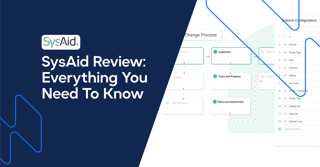
SysAid is an AI-powered ITSM platform designed to enhance service delivery through automation, incident management, and help desk tools.
But is SysAid as good as it claims to be? Is it affordable for smaller organizations? More importantly, what are its previous customers saying?
This SysAid review will provide an overview of its key features and benefits, pricing, user interface, and customer reviews—essential information for informed decision-making.
TL;DR
-
SysAid is a gen AI-powered Help Desk and ITSM platform that helps organizations deliver exceptional services.
-
Primary offerings include Help Desk services and comprehensive ITSM solutions.
-
SysAid’s standout features include an automated ticketing system, asset management, self-service portal, and workflow automation.
-
Enhances efficiency by automating repetitive tasks, provides real-time asset visibility, and improves user satisfaction through self-service options.
-
The user interface can be complex for organizations seeking an end-to-end ITAM solution, and asset management features may be limited.

What is SysAid?

Source: SysAid
SysAid is a next-gen AI-powered Help Desk and ITSM platform that helps mid-sized businesses and enterprises deliver exceptional services.
-
The Help Desk lets you solve help desk issues faster and focus on more challenging problems or strategic tasks.
-
The SysAid ITSM platform helps IT teams automate and deliver better services, resulting in a seamless end-user experience.
SysAid primarily targets Higher Education, Healthcare, Manufacturing, MSP, and HR businesses.
What are the Key Features of SysAid?
Below, we discuss the important features of SysAid and the business outcomes they help you achieve.
Two primary offerings of SysAid include:
-
Help Desk
-
ITSM
Help Desk

Source: SysAid
The AI-powered Help Desk software allows lean teams to deliver faster with less IT overhead. You can centralize your assets, resolve issues more efficiently, and spend your time more effectively.
Generative AI with SysAid Copilot

Source: SysAid
|
Feature |
Description |
Benefit (Business Outcome) |
|
SysAid Copilot |
Adds Gen-AI to ITSM. Uses real-time data for improving responses |
Faster and more accurate service delivery |
|
Train Copilot |
Allows you to select which data Copilot trains on |
Delivers more relevant and accurate answers, enhancing service quality |
|
Complete Control |
Provides complete visibility into AI interactions. |
Ensures data security |
|
Rate and Refine Chatbot Responses |
Lets users rate responses and provide detailed feedback |
Instant improvement of responses, improving customer satisfaction |
|
Data-Driven Decision |
Utilizes performance insights for smarter analysis |
More strategic and informed decisions |
Help Desk Self-Service Automation

Source: SysAid
|
Feature |
Description |
Benefit |
|
Automation |
Automates password resets and one-click ticket submissions |
Faster issue resolution, less IT load |
|
24/7 Capabilities |
Users can access support features anytime |
Always-on support, improved productivity |
|
Hotkey |
Hotkey opens the self-service portal and attaches asset details, screenshots, or videos to tickets |
Speeds up reporting and resolution |
|
Self-Service FAQs |
FAQ database with guides and videos for common issues |
Users solve issues themselves, reducing IT tickets |
|
Codeless Customization & Search |
Customize UI without coding; search across sources with filters |
Easier navigation and tailored experience |
SysAid’s self-help automation capabilities help organizations substantially improve their IT support. Here’s a user talking about the same:

Source: Verified G2 Review
Help Desk Ticket Automation

Source: SysAid
|
Feature |
Description |
Benefit |
|
Ticket Automation |
Automatically categorizes, prioritizes, and assigns incoming tickets |
Speeds up issue resolution and streamlines workload |
|
Routing/Escalation Rules |
Sets rules to route or escalate requests efficiently |
Ensures no ticket slips through the cracks |
|
Automatic Due Dates |
Assigns due dates based on urgency, priority, category, and SLA, with alerts for potential breaches |
Helps maintain SLA compliance and proactive management |
|
Automatic Reminders & Notifications |
Sends timely alerts and reminders for key dates like software expirations |
Prevents oversights and keeps processes on track |
SysAid claims to send timely alerts, but a Reddit user says there’s a 10-minute delay, which can be a deal-breaker:

Source: Reddit
IT Asset Management & Remote Control

Source: SysAid
-
Complete Asset Visibility: Each ticket has the required data and records of the associated asset. This offers IT managers complete visibility into their IT assets, enabling faster resolutions and better compliance.
-
Remote Control: Connect users’ computers and resolve issues from anywhere.
Reporting

Source: SysAid
Analyze your service performance with detailed reporting. Track key metrics to evaluate service performance and inform business decisions.
SysAid ITSM Platform

Source: SysAid
SysAid ITSM streamlines ticket management and service delivery. And the AI-driven SysAid copilot automates tasks and allows you to deliver a better end-user experience.
1. ITIL Package

Source: SysAid
SysAid has out-of-the-box templates for request, change, and problem management. These templates help IT managers implement structured and ITIL-aligned processes that enhance service quality.
SysAid Change Management
You can implement changes with greater control, reduced risk, and stronger alignment with business objectives. This helps boost service reliability, reduce disruption, and enable faster decision-making. Here are the primary features of SysAid’s change management module:
|
Feature |
Description |
Benefit |
|
ITIL-Aligned Processes |
Facilitates risk assessment and approvals in line with ITIL best practices |
Reduces service disruptions; aligns IT with business goals |
|
Workflow-Based Approvals |
Structured workflows ensure changes undergo necessary evaluations |
Enhances accountability; prevents unauthorized changes |
|
Customizable Templates |
Pre-built and configurable templates for various change scenarios |
Speeds up implementations; maintains process consistency |
|
ITSM Integration |
Connects with other ITSM functions like incident management and CMDB |
Offers a holistic IT service view; aids in decision-making |
|
Business Impact Visualization |
Uses CMDB to map relationships between configuration items, predicting change impacts |
Enables informed decisions; optimizes change scheduling |
Problem Management
With the problem management solution, IT teams can identify, analyze, and resolve issues faster. This reduces the recurrence of incidents and service disruptions. Here are the primary features of SysAid’s problem management module:
|
Feature |
Description |
Benefit |
|
ITIL-Aligned Management |
Focuses on proactive RCA to minimize and eliminate recurring incidents |
Reduces downtime and improves service stability |
|
Integrated with Service Desk & CMDB |
Links problems to related incidents, assets, and changes for comprehensive visibility |
Enhances RCA and streamlines resolution |
|
Incident Grouping & Auto-Updates |
Automatically groups related incidents and update their statuses when the problem is resolved |
Saves time and prevents redundant work |
|
Knowledge Base for Known Errors |
Maintains a repository of previous problems and solutions for quick reference |
Accelerates future resolutions and promotes continuous improvement |
Incident Management
Here are the primary features of SysAid’s incident management module:
|
Feature |
Description |
Benefit |
|
ITIL-Aligned Incident & Request Management |
Standardizes how incidents and service requests are logged, categorized, and resolved |
Improves operational efficiency and aligns IT with business priorities |
|
Self-Service Portal |
Lets users report issues, request services, browse FAQs, and manage common tasks |
Deflects tickets and improves end-user autonomy. |
|
Knowledge Management |
Provides agents/users with a searchable library of past solutions and best practices |
Improves resolution times and consistency |
|
Live Chat Support |
Real-time chat between support agents and end users for instant help |
Enhances service speed and user satisfaction. |
|
Remote Control Capability |
Connects agents to user systems (attended/unattended) to resolve issues directly. |
Minimizes downtime through fast, hands-on support |
2. Workflow Automation

Source: SysAid
Automate manual tasks across your organization and create seamless workflows from start to finish.
-
Workflow Designer: Easily create workflows and automate anything from basic approvals to complex multi-step workflows.
-
Workflow Orchestration: Run script-based processes to automate multiple tasks and save time. Scale operations without increasing the headcount.
-
Holistic Automation: Enable automation across departments. Once the new hire joins, security teams provide access, facilities arrange furniture, and everything happens like clockwork.
3. Third-Party Integrations and Advanced Customization

Source: SysAid
-
Integrate multiple apps, including Zapier, Slack, Microsoft Teams, and Office 365. This enhances the value of your service desk without additional costs.
-
Customize SysAid's dashboard, templates, service, and forms based on your preferences or needs.
IT Asset Management

Source: SysAid
SysAid’s IT asset management solution offers complete visibility and control over software and hardware assets. You can access real-time insights for faster issue resolution.
|
Feature |
Description |
Business Outcome |
|
AI-First IT Asset Management |
Integrates advanced discovery and generative AI to provide real-time, context-rich asset insights within service desk tickets |
Improves issue resolution and enables proactive, data-driven asset management |
|
Advanced Discovery |
Continuously scans IT, OT, IoT, and Cloud environments using Lansweeper to detect and track all assets |
Enhances visibility, minimizes blind spots, and reduces security risks |
|
AI Agents for Asset Management |
Automates tasks such as extracting asset details, generating reports, and routine maintenance |
Boosts productivity and streamlines operations through intelligent task automation |
|
Monitoring |
Provides real-time alerts for key performance metrics like CPU usage, network equipment status, and memory usage |
Enables rapid response to potential issues, maintaining system stability and performance |
|
CMDB |
Automatically imports and tracks CIs, mapping their interdependencies within the IT network |
Facilitates better change management and decision-making |
|
Remote Control |
Allows secure, remote troubleshooting of end-user devices, regardless of location |
Reduces downtime and enhances user satisfaction |
|
Software Management |
Tracks installed software and automates renewal reminders |
Optimizes software utilization and ensures compliance |
|
Patch Management |
Deploys patches to multiple devices based on customized policies and integrates with change management processes |
Mitigates security vulnerabilities and ensures system stability |
|
Service Desk Integration |
Embeds asset-related data, such as screenshots and videos, directly into tickets for a complete context |
Enhances support accuracy and speeds up issue resolution |
Here are what users think about SysAid’s asset management features:

Source: Verified G2 Review

Source: Verified G2 Review
🌶️Spicy TakeWhile SysAid has fundamental asset tracking and management features, it doesn’t help users procure, deploy, retrieve, or dispose of assets. You must handle all the logistics (from procurement to disposal) and vendors independently. Sounds like a lot of work? That’s when Workwize enters the picture. Workwize provides end-to-end IT asset lifecycle management as a global solution. Using the same platform, you can buy/rent IT assets, have them delivered to 100+ locations (ready-to-use), control them remotely, and retrieve or even dispose of them. 
|
Interface, Usability, and Customer Support
SysAid's users have a mixed response to the user interface. Some think it’s user-friendly and intuitive, while others believe it's obsolete and needs modernization.

Source: Verified G2 Review

Source: Verified G2 Review

Source: Verified G2 Review
SysAid’s dashboards do appear somewhat dated and could benefit from UI modernization. Take this asset management dashboard, for example.

Source: SysAid
SysAid offers decent customer support to it’s users. Here are some user reviews:

Source: Verified G2 Review

Source: Verified Capterra Review
Security and Compliance
SysAid follows strict international standards and regulations to keep your information safe. It complies with the following regulations:
-
ISO 27017
-
ISO 27001
-
ISO 27018
-
SOC2 Type 2
-
SysAid Cloud Security and Compliance Standards
Additionally, SysAid takes various in-house measures such as security assessments, vulnerability management, and has a dedicated security team.
Check the complete security and compliance details here.
Pricing and Plans
Unfortunately, SysAid’s pricing isn’t transparent. Pricing isn’t publicly listed, you’ll need to submit your business details to receive a quote.
Upon further research, we found some information about their plans on G2:
Help Desk
- Free Trial Available
- 1 Agent Per Year
ITSM
- Contact the Sales Team for Details
- 1 Admin Per Year
User Feedback and Reviews
SysAid is rated 4.5 based on 485 reviews on Capterra and also 4.5 based on 714 reviews on G2. Here’s what real users have to say about SysAid:
Users find SysAid’s automation and ticketing features useful:

Source: Verified G2 Review
Users find SysAid a versatile ITSM solution for managing tickets, assets, and workflows:

Source: Verified G2 Review
Several users think the asset management capabilities aren’t up to the mark:

Source: Verified Capterra Review

Source: Verified Capterra Review
If you need an end-to-end IT asset management solution that automates IT hardware lifecycle from procurement to disposal, try Workwize.
Some new users find the initial setup process a little challenging:

Source: Verified G2 Review
Final Verdict: Should You Choose SysAid For IT Service Management?
SysAid delivers substantial value for IT teams with its automation, incident management, and AI-powered help desk capabilities. Its ITIL-aligned features and self-service tools help lean teams manage complex IT operations.
However, SysAid’s user interface can be slightly outdated and complex for some users. The asset management capabilities could also use improvement, as there is no built-in procurement, retrieval, or disposal.
Verdict: If you’re a small or mid-sized organization looking for an ITSM tool that focuses on service automation, AI, and ticketing, SysAid is a good pick.
However, if your primary focus is IT asset lifecycle management—automating the entire lifecycle, you should check out Workwize.
Let’s see how Workwize’s IT asset management capabilities compare with SysAid’s.
Must Read: Ivanti Enterprise Service Management: A Complete Review
SysAid Vs. Workwize: Which to Choose for ITAM?
Here’s a brief comparison of SysAid and Workwize, focusing on the IT asset management capabilities:
|
Feature/Category |
SysAid |
Workwize |
|
Primary Focus |
ITSM with integrated ITAM |
End-to-end IT asset lifecycle management |
|
Procurement Support |
No built-in procurement; handled manually |
Centralized IT procurement (buy/rent), vendor management, global sourcing |
|
Deployment Logistics |
No automated deployment; requires internal coordination |
Automated global delivery, ready-to-use hardware provisioning |
|
Retrieval & Disposal |
No built-in support for retrieval/disposal |
Global asset retrieval with certified data erasure and disposal options |
|
Asset Tracking |
Real-time visibility, but limited to tracked assets inside the organization |
Tracks asset location, assignment, and status globally in real-time |
|
Workflow Automation |
Automates ticketing and internal asset data updates |
Automates asset workflows (onboarding/offboarding), MDM sync, HRIS triggers |
|
Integration Scope |
Integrates with ITSM tools, CMDB, and discovery tools |
Integrates with HRIS, MDM, procurement vendors, and logistics providers |
|
User Experience |
Technical UI suited to IT professionals |
User-friendly portal with self-service asset requests and tracking |
|
Pricing Details |
Opaque: available on request |
Transparent per-user-based pricing |


Mayank Wadhwa

Establish a single source of truth for every IT asset across the globe.
.png?width=258&height=318&name=g10%20(5).png)
More related resources to help you stop firefighting hardware operations.
![Atomicwork Review: Features, Review and More [2026]](https://www.goworkwize.com/hs-fs/hubfs/Atomicwork.png?width=360&height=200&name=Atomicwork.png)

Get monthly insights into how other IT leaders are improving their ops.



.png?width=2880&height=1232&name=Group%202147262874%20(1).png)
Stop coordinating
hardware like it's 2012.
.svg)
.svg)
.svg)
.svg)
.svg)