




.svg)
.svg)

.svg)


.svg)





.svg)
.png?width=500&height=424&name=Style-1---V1-(1).png)

.png?width=1230&height=692&name=Vector%20(13).png)
If you're shopping for a hardware lifecycle platform to manage your distributed team, Workwize and Quipteams have probably both landed in your browser tabs by now.
That's not surprising. Both promise the same outcome: getting laptops to your global hires on day one, managing them through their useful life, and recovering them when someone leaves, without your IT team drowning in shipping labels and customs forms.
But the moment you try to figure out which one actually fits your team, the marketing pages start blurring together. Warehouse maps look similar. Feature lists overlap. Pricing is either gated behind a demo call or buried in fine print. And the real operational differences, the ones that determine whether you'll be happy six months in, almost never show up on a comparison grid.
This piece breaks down where Workwize and Quipteams genuinely diverge:
- How their warehouse footprints translate to real delivery timelines in the regions you actually hire in
- What "automation" means in practice for each platform, and how much manual work still lands on your IT team
- How pricing is structured, and which model works out cheaper at your headcount
- Where each one stands on MDM, device security, and compliance certifications
- The kind of IT org each platform is genuinely built for, and where the other one is a stretch
By the end, you should know which one to book a demo with, and which one to cross off.
Quick Comparison
|
Workwize |
Quipteams |
|
|
Best for |
Mid-sized to enterprise teams with stable headcounts |
Fast-scaling companies hiring globally, especially in LATAM, APAC, and emerging markets |
|
Global coverage |
100+ countries; 14+ local warehouses |
130+ countries; 400+ local vendor partners with direct in-country operations |
|
Lifecycle management |
End-to-end: procurement through certified disposal with ESG reporting |
End-to-end: procurement, deployment, retrieval, storage and buyback |
|
Automation |
HRIS-triggered workflows; deep MDM integrations with platforms like Jamf and Intune |
Basic HRIS integrations and automated triggers for onboarding and offboarding |
|
Pricing model |
Per-seat subscription; minimum commitments |
Pay-per-use pricing model |
|
Delivery speed |
5 to 7 business days, depending on region |
2 to 4 business days (80% of deliveries); global average 4 days |
Platform Overviews
Workwize
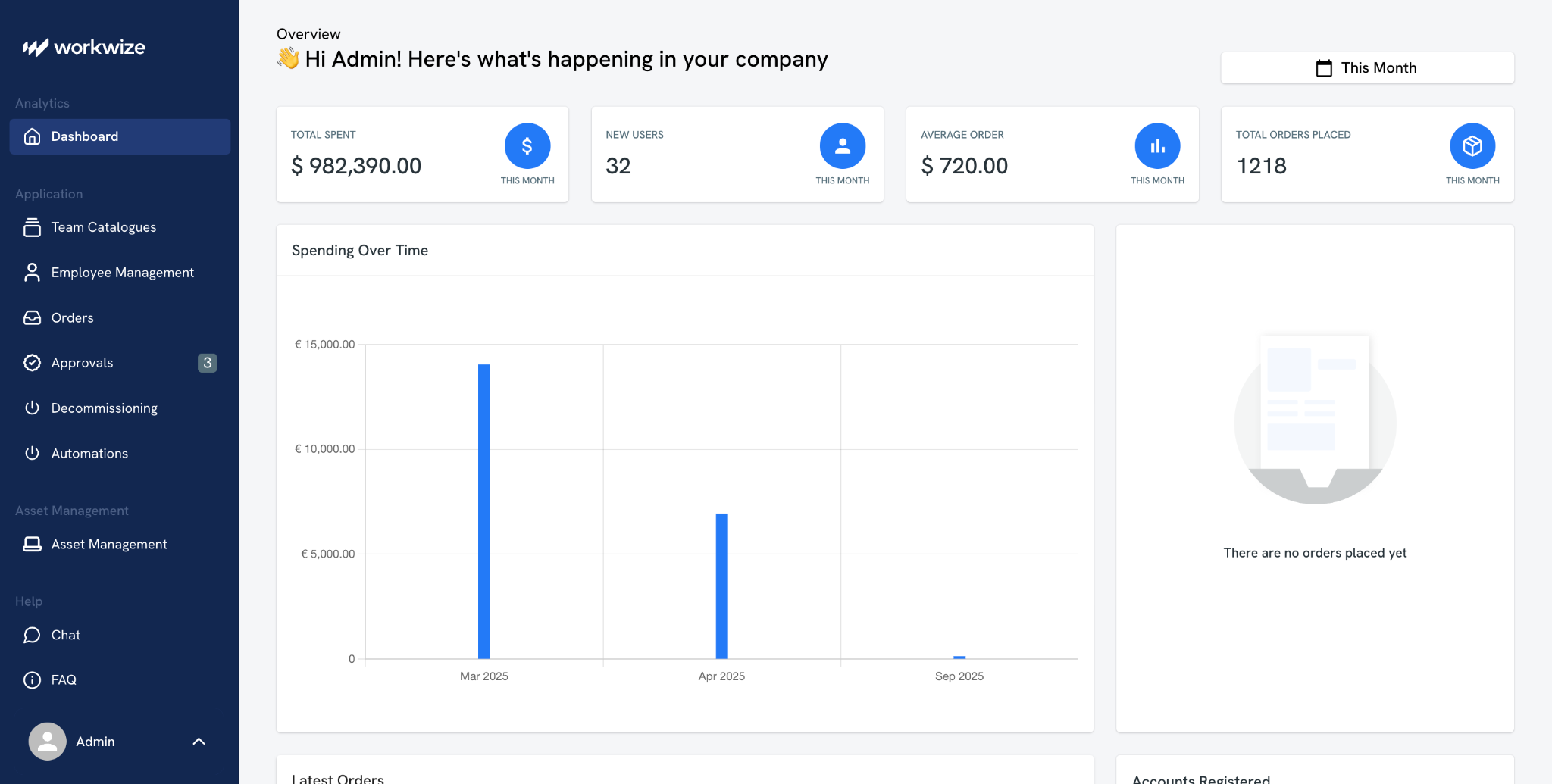
Workwize is an IT asset management and automation platform that supports the full lifecycle of IT hardware for distributed teams.
Where most IT hardware vendors stop at procurement and shipping, Workwize connects directly into your HRIS and MDM so that device ordering and retrieval happen automatically when HR events start. The platform covers 100+ countries through 72+ suppliers and 14 owned warehouses, with a catalog of 1,200+ SKUs.
Workwize treats IT hardware as a governed, auditable program rather than a series of transactions. You get lifecycle stage tracking, automated warranty and replacement alerts, a consolidated global repair dashboard, ISO 27001-ready audit trails and quarterly CO₂ impact reports.
Who uses it
Mid-sized to enterprise organizations (typically 200+ employees) with globally distributed teams. Customers include DuckDuckGo, HighLevel, and Ingenico
Best features
- Get pre-configured laptops with your MDM from local warehouses to any location within days
- Track and manage your entire IT hardware fleet end-to-end
- Buy or lease hardware through an extensive network of global IT and office suppliers
- Retrieve used assets, then store them for quick redeployment from local warehouses
Quipteams
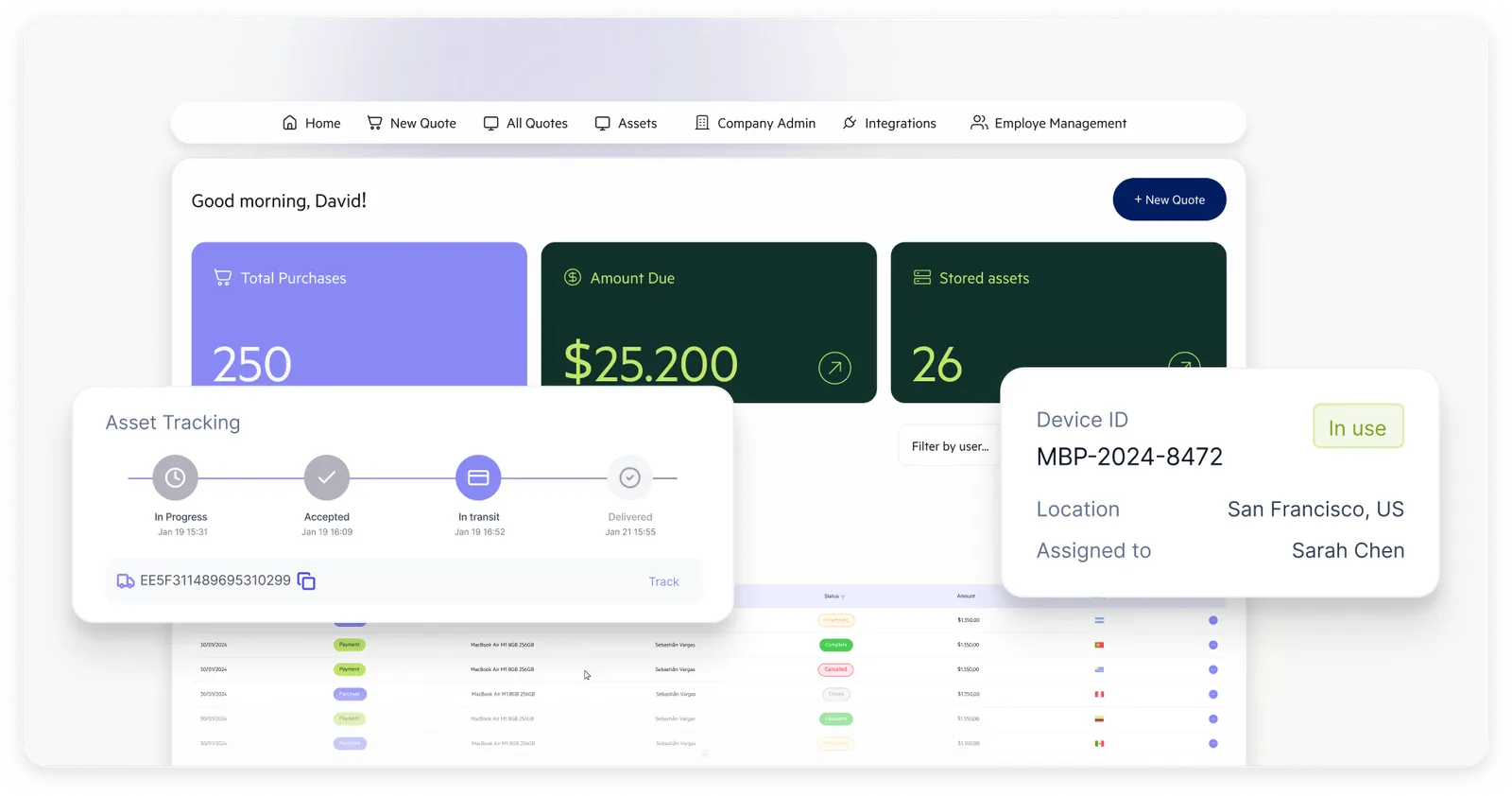
Quipteams is a global device logistics platform built around local operations. Rather than routing hardware through centralized warehouses or regional hubs, Quipteams sources devices directly from in-country vendors across 133 countries through a network of 400+ local supplier partnerships.
Beyond procurement, Quipteams handles retrieval, secure storage, device wiping and buyback through the same local networks. The platform runs on a pay-per-use model: you pay for what you order, when you order it.
Who uses it
Primarily fintech and SaaS companies with teams distributed across multiple countries. The platform appeals to fast-scaling tech companies that are hiring into markets where they don't have legal entities or Apple Business Manager coverage, particularly LATAM, India, and other emerging markets
Primary strengths
- Source devices locally across 133 countries without cross-border shipping or customs delays
- Deploy devices globally and track your entire fleet in real time
- See every device, order, and employee in one central dashboard
- Store devices anywhere and deploy them in days, with local warehouses in 133 countries

Feature-by-Feature Comparison
In what follows, we will break down both platforms in the most relevant comparison categories.
Procurement and global hardware delivery
Workwize
Workwize connects to a network of 72+ suppliers across 100+ countries. It also has local warehouses in 14 regions, including the EU, UK, US, Canada, India, Brazil, Australia, and the UAE. So coverage is rarely an issue.
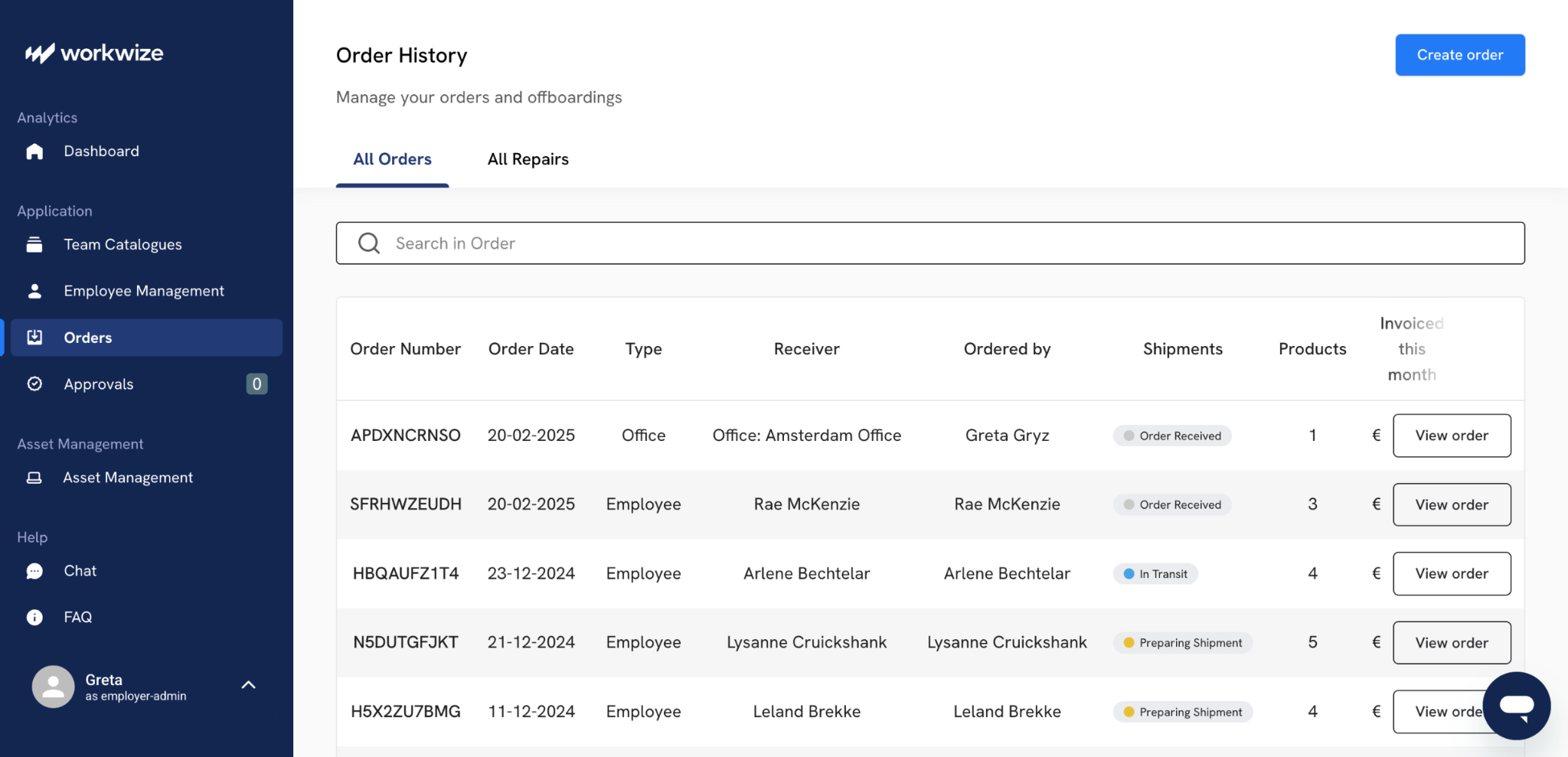
The self-service portal lets your employees choose from a pre-approved catalog, and your IT team maintains control over device standardization. The catalog is wide and covers over 1200 SKUs.
Once you choose devices, delivery typically happens within 5 to 7 business days in regions where Workwize operates directly (primarily Europe and North America).
Outside those regions, particularly LATAM and APAC, delivery extends to 5 to 14 days as orders route through regional partners. This rarely matters for organizations hiring primarily in Western Europe and North America.
Quipteams
Quipteams operates differently. Instead of relying on warehouses and regional partners like Workwize, the company maintains direct relationships with local vendors in each country.
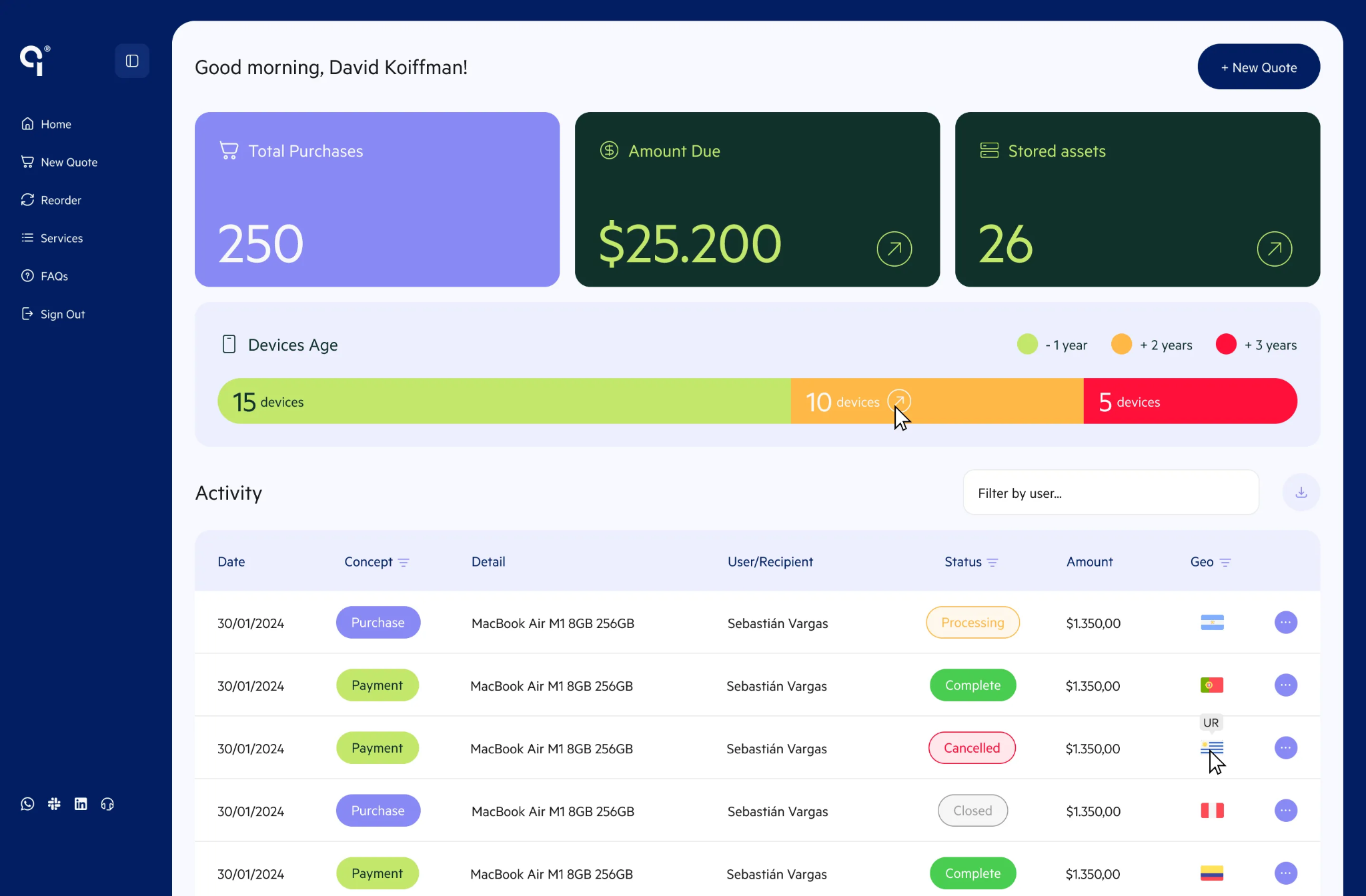
Quipteams sources devices from local vendors in each of its 133 countries through a network of 400+ direct in-country partnerships.
That means when you order a MacBook for an employee in São Paulo, it ships from a Brazilian supplier. The LATAM-specific focus is quite apparent even in reviews.
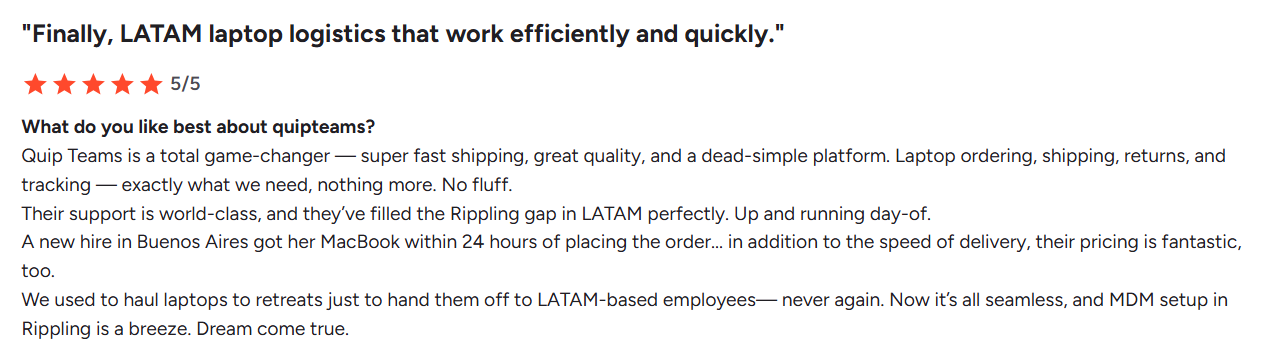
Via G2
The local model delivers speed — Quipteams claims 2- to 4-business-day delivery for 80% of orders, with a global average of 4 days. It also eliminates the risks of cross-border shipping and any customs-related issues.
For distributed teams hiring across Latin America, India, Southeast Asia, or Africa, Quipteams' local-first model eliminates the headaches of customs delays and unpredictable shipping timelines.
However, there’s a perennial supply risk. A local vendor model means you're dependent on whatever that specific vendor has in stock at the time of order. That can mean backorders and substitutions in smaller or less mature markets. In a centralized warehouse model like Workwize’s, inventory is pre-stocked and always available.
Winner: Tie
Quipteams' local-vendor model is fast and, in LATAM specifically, works well.
But speed alone doesn't solve the procurement problem. Consistency and supply reliability matter just as much when you're managing a global fleet, where Workwize performs arguably better.

Device lifecycle management
Workwize
Workwize automates device lifecycle management. It has a workflow engine that connects HR events to IT actions without manual intervention.
When your HR system marks someone as ‘starting,’ Workwize automatically triggers a chain of events, thanks to native integrations with the most popular HR platforms. The platform orders the device from its supplier network and enrolls it in your MDM. From there, it’s shipped directly to the employee and automatically tracked in the asset database.
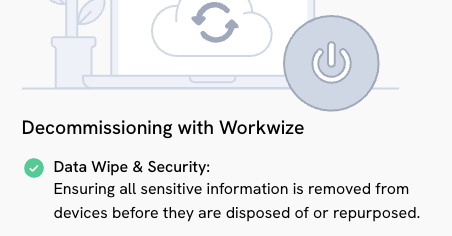
The same happens in reverse for offboarding: HR marks someone as leaving, and Workwize schedules retrieval, coordinates courier pickup, performs certified data wiping, and routes the device to storage, refurbishment, or disposal.
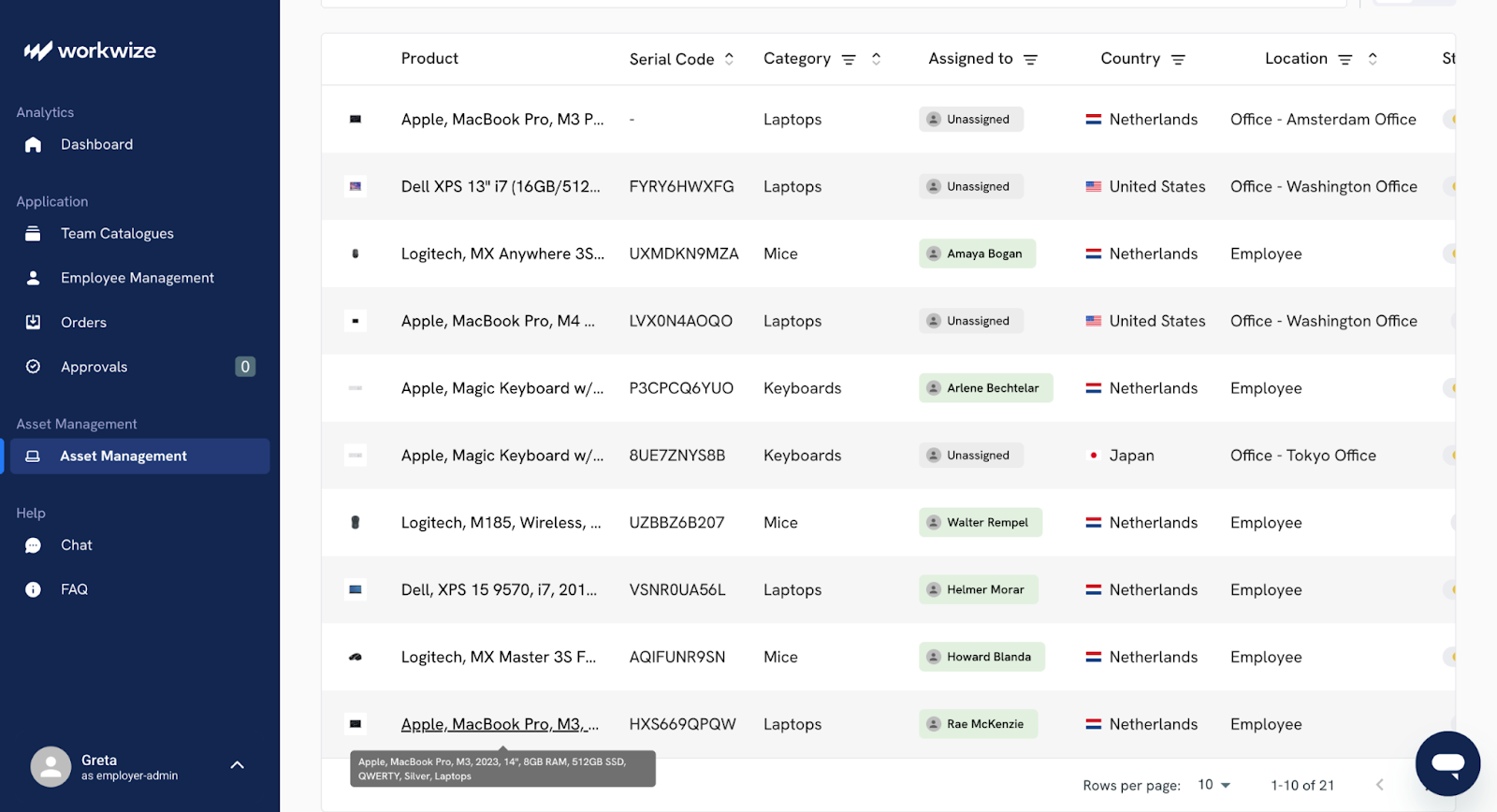
Workwize tracks each asset through defined lifecycle stages with automated alerts for warranty expiration and replacement timing. Your IT admins see a dashboard that shows each device's current stage, location, condition, and assigned employee.
If you’re pursuing ISO 27001 or preparing ESG disclosures, Workwize also generates audit trails and quarterly CO₂ impact reports that show emissions avoided and e-waste prevented. Disposal always happens through certified ITAD partners with destruction certificates.
Keep in mind that if you hire erratically or use non-standard device management, you might need to adapt your processes to the structured workflows Workwize prefers. The platform works better that way, and you end up with optimized and predictable processes.
Quipteams
Quipteams tracks devices by serial number, model, location, assignment status, age, repair history and warranty status. You see the full lifecycle history for each device from procurement through disposal. Popular HRIS integrations, like BambooHR or Workday, automate the triggers, but the execution relies on account managers.
Notable lifecycle capabilities of Quipteams include:
- Device buyback program to recover residual value
- Secure storage in regional facilities
- Pre-configuration and MDM setup before shipping
- Retrieval services with pre-paid return labels
- Support for existing inventory (not just platform-purchased devices)
However, there are some major shortcomings. For starters, Quipteams does not have built-in integrations with some of the most popular MDM tools, such as Intune or Kandji. The HR integration catalog is extremely limited.
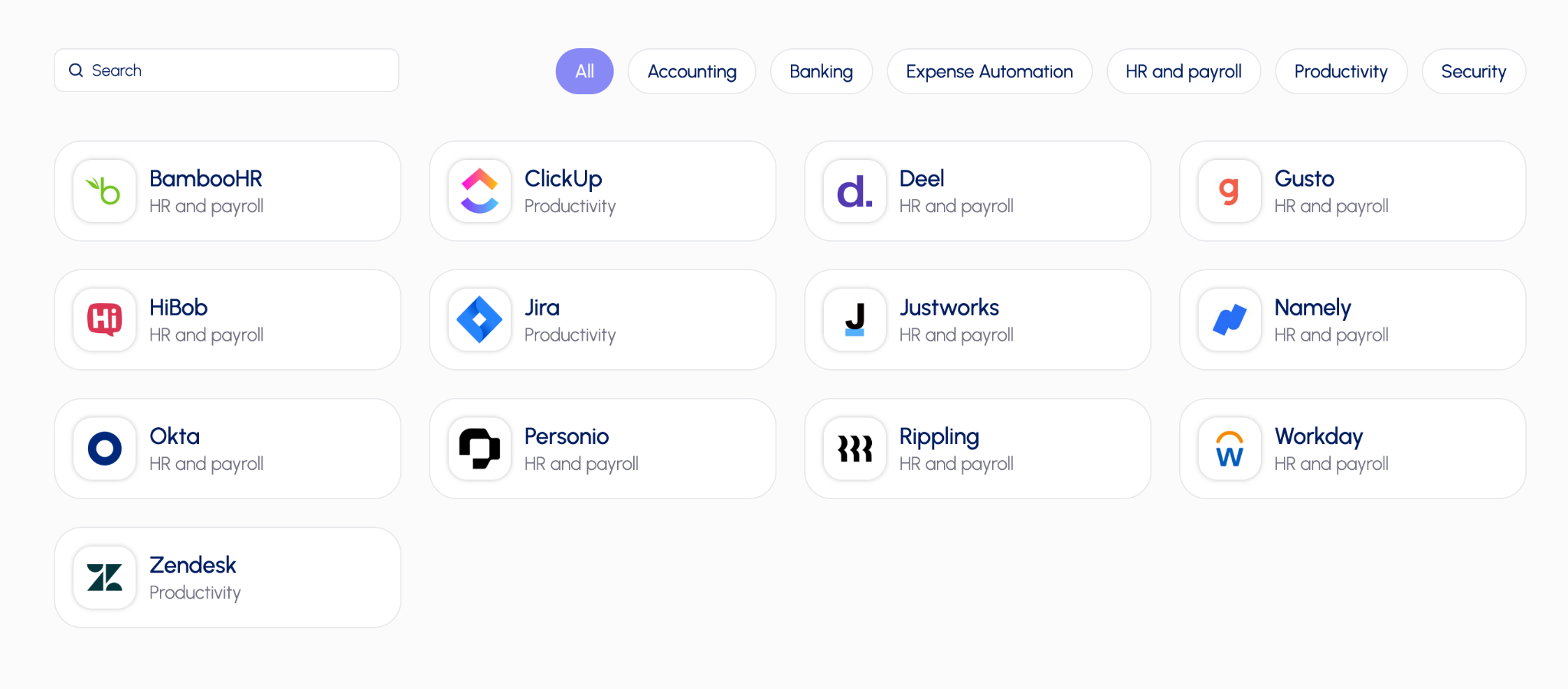
Because of this limited catalog depth, managing both IT assets and device security isn’t unified if you don’t use the handful of tools it natively integrates with. This can make workflows more complicated for your team.
Moreover, Quipteams gives you basic operational visibility, but it lacks advanced features like detailed analytics, ESG or carbon footprint reporting, predictive maintenance and AI-powered insights.
Because of this, it doesn’t offer the level of intelligence you’d expect from a full enterprise ITAM platform.
Winner: Workwize
Workwize handles the entire lifecycle of your IT hardware without making any compromises. Quipteams, on the flipside, has a narrow integration catalog and less robust reporting and analytics.

HRIS integration and automation
Both platforms support HRIS-driven automation for onboarding and offboarding.
Workwize has a much broader native integration ecosystem, while Quipteams has fewer native integrations.
|
Workwize |
Quipteams |
|
|
Native integrations |
82+ integrations across categories |
About 12 to 15 key integrations |
|
HRIS and payroll |
Broad support, including BambooHR, Workday, Rippling, Deel, Gusto, ADP, Personio, HiBob, and Namely |
Supports Rippling, Workday, BambooHR, HiBob, Deel, Gusto, Justworks, Namely, and Personio |
|
MDM and device management |
Strong native support for Intune, Jamf, Kandji, NinjaOne, ManageEngine, and Scalefusion, with automatic enrollment support |
Not listed as native; likely handled through API or custom setup |
|
Identity and SSO |
Azure AD, Microsoft Entra ID, Okta, JumpCloud, PingOne, CyberArk, plus SCIM and Active Directory sync |
Okta, Google Workspace, and Microsoft Entra ID with passwordless SSO |
|
Productivity tools |
Slack, Google Workspace, monday.com |
Jira, ClickUp, Zendesk |
|
API and custom integrations |
Public API, plus Workwize MCP and no-code automation support through tools like Zapier and LLMs |
Full Public API for procurement, asset management, and lifecycle workflows; supports custom integrations for non-native systems |
Workwize
Workwize gives you native integrations with more than 70 HRIS platforms. Selections include BambooHR, HiBob, Workday, Rippling, Gusto, Deel, Personio, ADP, UKG, SAP SuccessFactors, and Oracle.
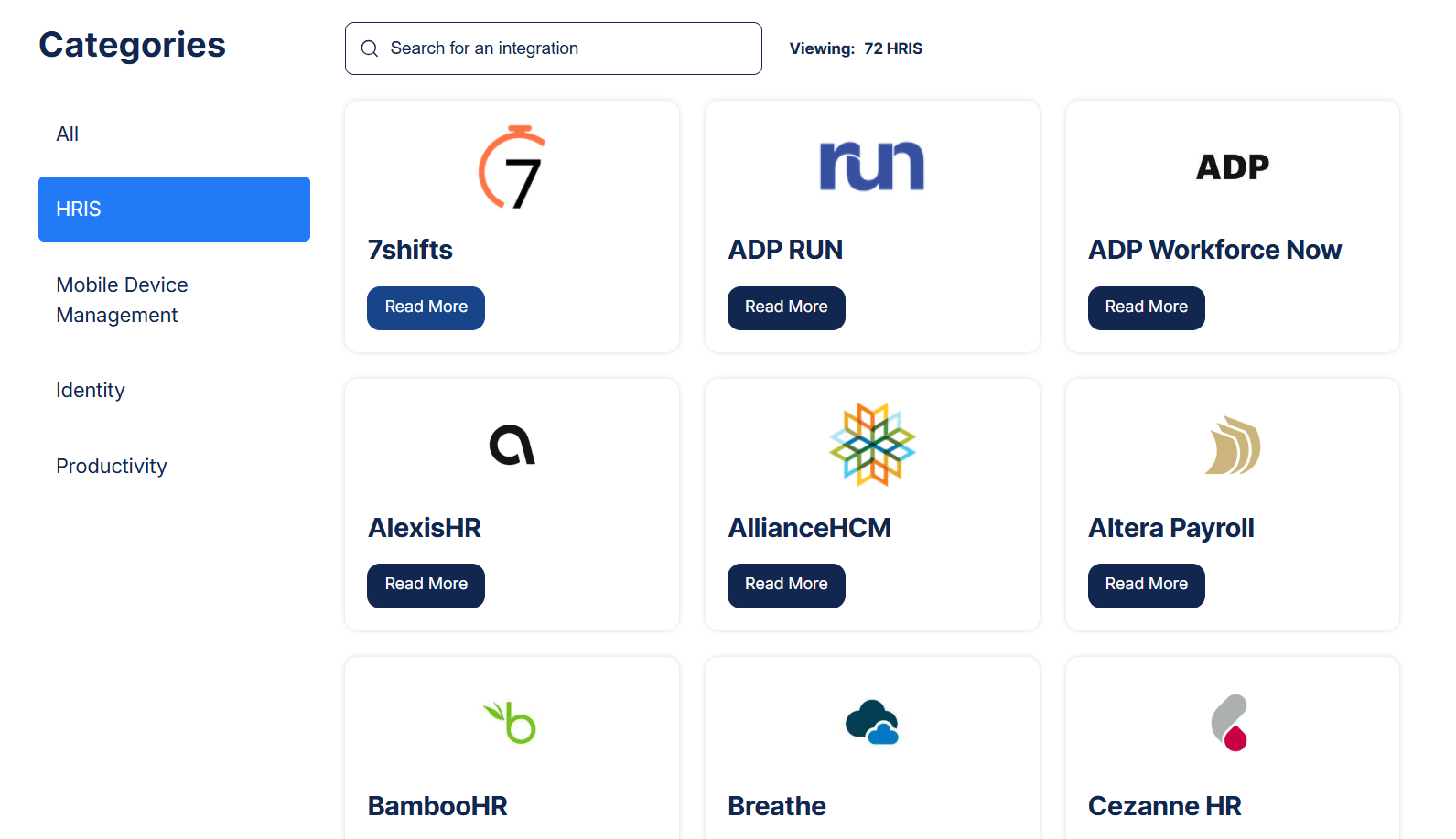
It also connects with Active Directory and SCIM for user provisioning and with identity providers like Okta, OneLogin, Azure AD, and JumpCloud. When your HRIS registers a new hire, Workwize can automatically trigger device procurement based on the employee's team and role.
This easy integration with HR platforms brings Workwize a lot of praise from verified independent reviewers:
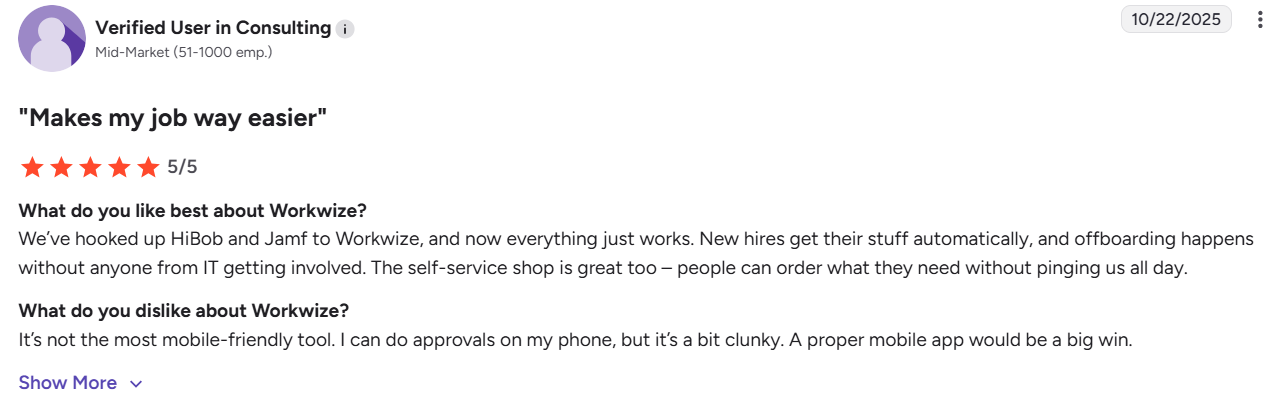
Via G2
The same applies to offboarding; when HR enters a termination date, the system schedules retrieval, revokes access, and updates asset status without your intervention.
Notifications go through Slack or Microsoft Teams to keep stakeholders informed. The depth here is important if you’re running complex HR workflows, as Workwize can likely connect to whatever system you're already using.
Quipteams
As we’ve already said, Quipteams integrates with a smaller set of HRIS platforms. However, you will find integrations with Rippling, Workday, BambooHR, HiBob, Deel, Gusto, Justworks, Namely, Personio, and Okta.
If you use any one of these, you’re in luck. Otherwise, you’ll have to build a bridge manually with the API.
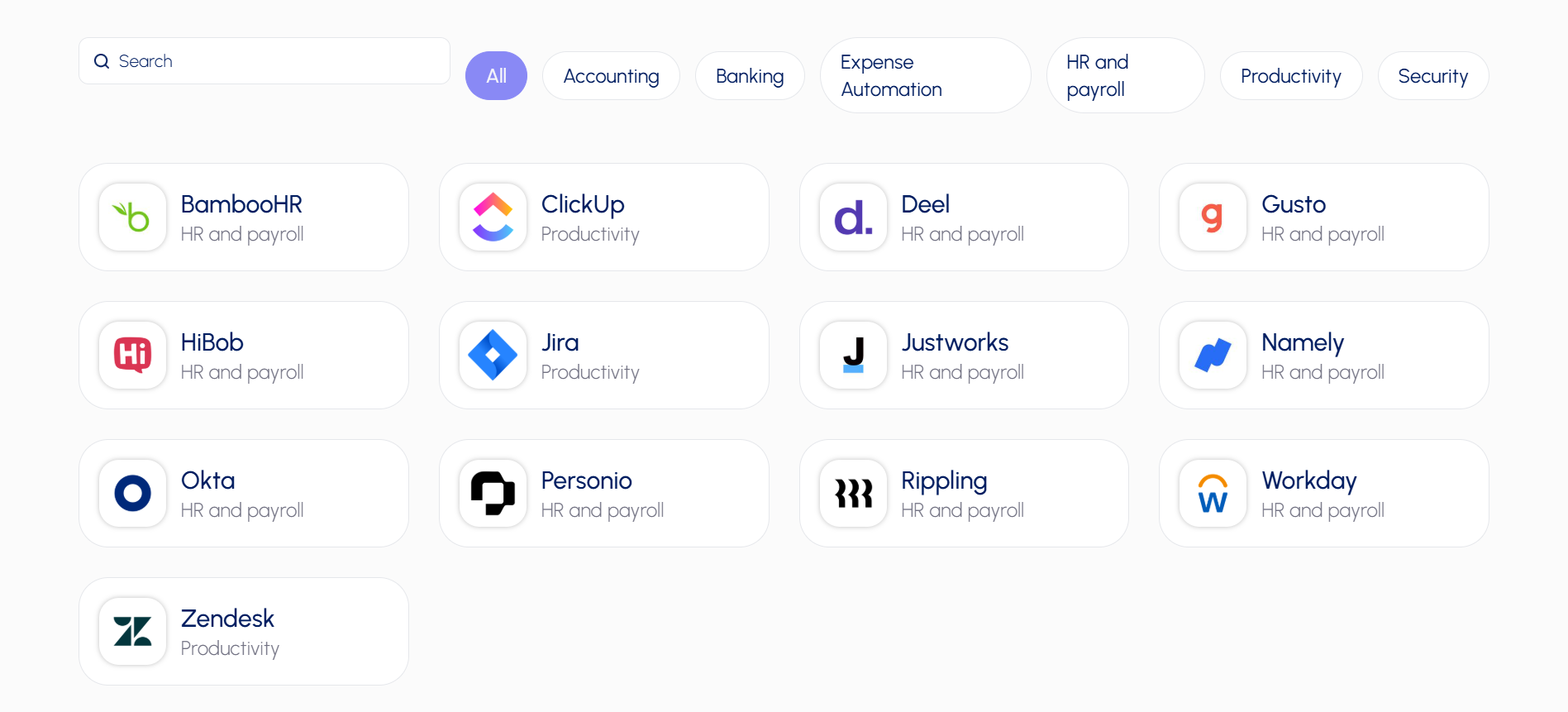
It also connects a few productivity tools (Jira, Zendesk and ClickUp) for ticketing workflows. SSO works through Google Workspace, Microsoft and even Okta.
Like Workwize, when your HRIS flags a new hire or offboarding, Quipteams automatically triggers the assigned procurement or retrieval workflow. But that only happens if the integration between the HRIS and Quipteams is present and working.
Many systems are not natively supported. So, Quipteams offers a much-needed public API that enables you to build custom integrations with internal tools or ticketing systems.
Winner: Workwize
Workwize wins easily on breadth; if you use a niche or regional HRIS, it's more likely supported out of the box.
Quipteams barely covers the major platforms tech companies use and leans on its API for everything else. Both automate the core HR-to-IT handoff; Workwize just does it with more pre-built connectors.
Asset visibility and tracking
Workwize
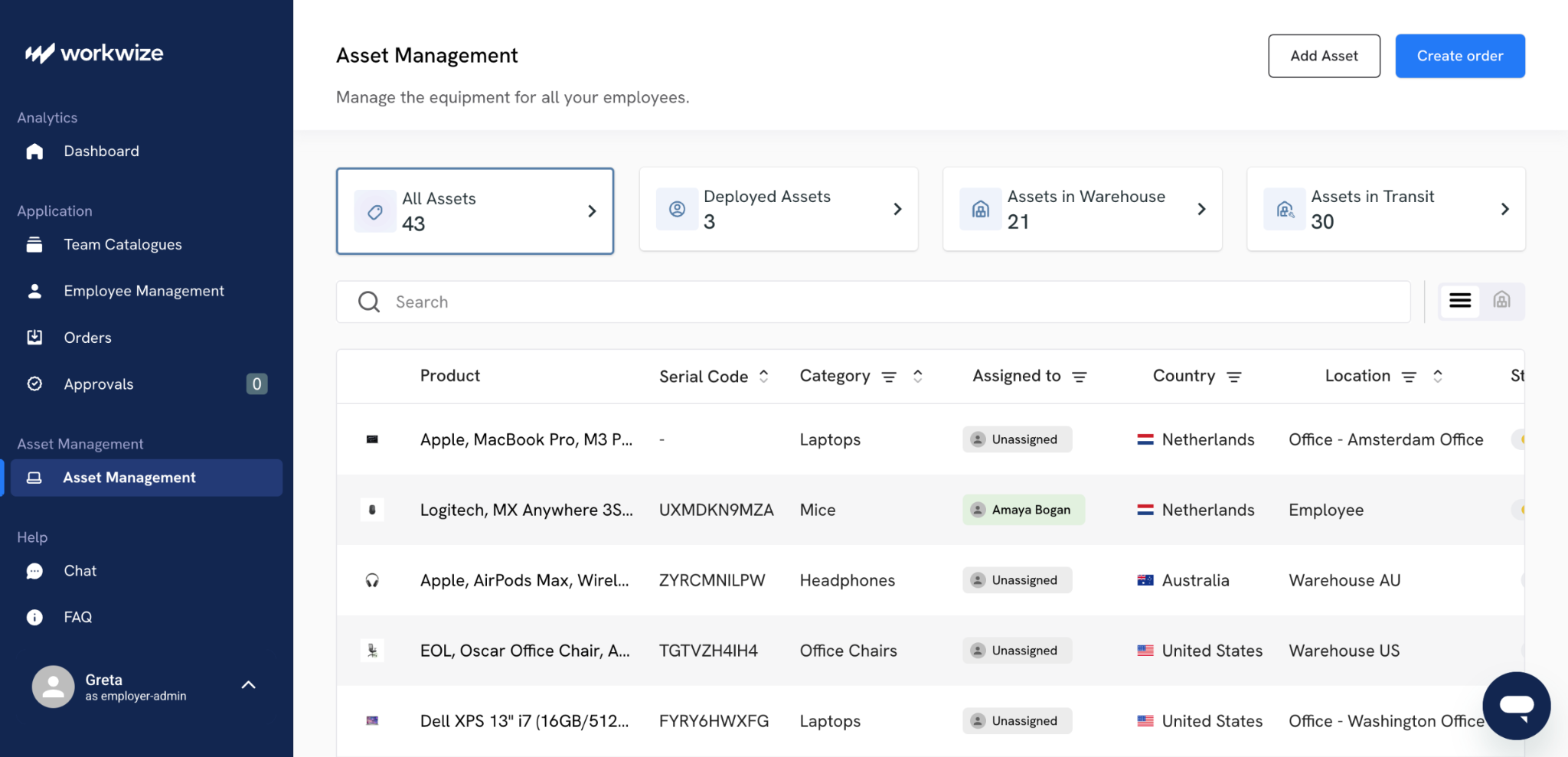
As you’d expect, Workwize offers real-time asset tracking across its coverage area.
In the dashboard, you can browse and select from available IT hardware options and add them to your team's catalog for easy access and management. From there, you can see IT assets for the specific team, manage inventory and track usage in real-time.
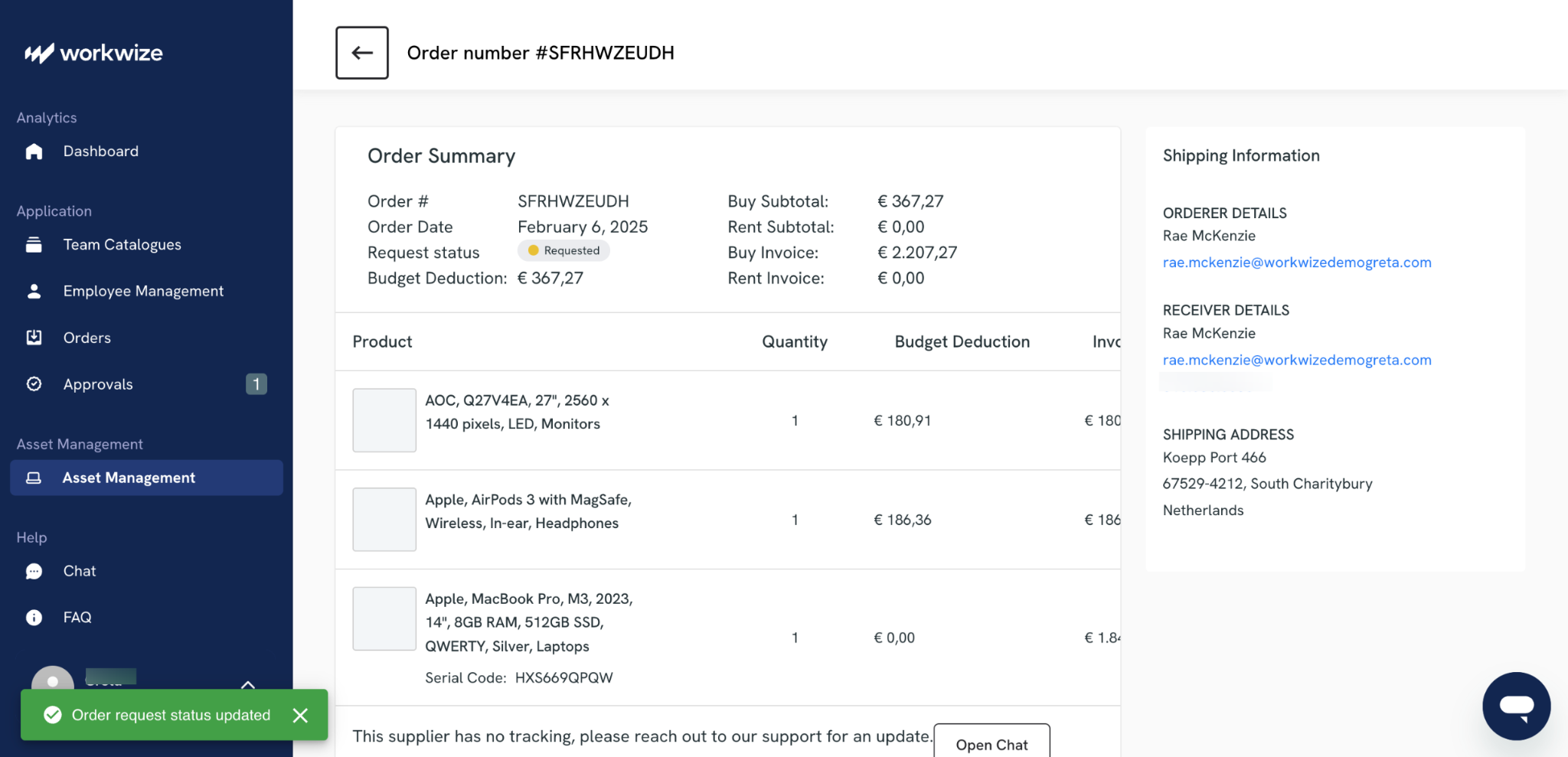
In practice, Workwize acts like this:
- You work from one dashboard that updates as assets go through procurement, deployment, retrieval, and disposal.
- The platform maintains a centralized database that records who has what device, when it was issued, and when it is due for return, with automated reminders and audit trails built in.
- Built-in automatic compliance tracking ensures assets stick to company policies and industry regulations without manual tracking
- The dashboard also sends automatic alerts for upcoming renewals, warranty expirations and device replacement needs
You can even view and manage hardware repairs for your entire global fleet from one consolidated repair dashboard
Workwize, basically, acts as your system of record for all your IT assets.
One G2 reviewer specifically called out the smooth tracking of IT assets in his review:

Via G2
Quipteams
Quipteams includes a free IT asset tracking dashboard with any procurement. That dashboard shows device allocation, ownership, condition, and location across global teams. Tracking covers both devices purchased through Quipteams and existing inventory you bring onto the platform.
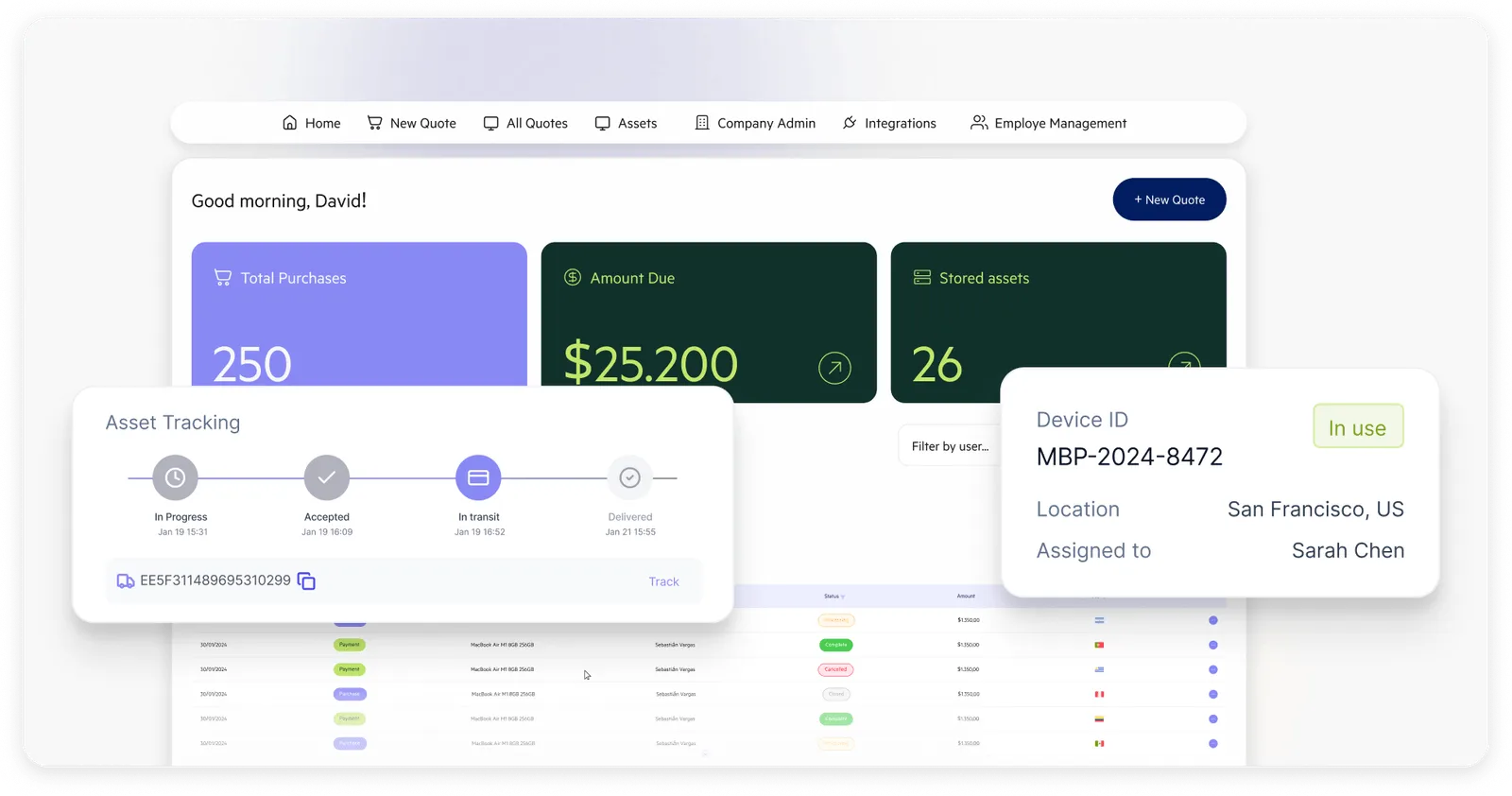
On the surface, the visibility is comparable to what Workwize offers. You can see where devices are, who has them, and what condition they're in. Where the two differentiate is in what populates that visibility.
Quipteams' dashboard is populated primarily by its own logistics operations and HRIS triggers. The platform doesn't list native MDM integrations, which means live device status, like OS version and last check-in, is outside the Quipteams view rather than inside it. There's also no consolidated global repair dashboard equivalent to Workwize.
The pattern shows up in reviews, too. Quipteams' G2 reviews are positive, but they only cover shipping speed and LATAM coverage, not the tracking dashboard itself. That is because Quipteams functions primarily as a logistics partner with a tracking dashboard, rather than a full ITAM platform.
Winner: Workwize
Both platforms give you a working view of your fleet. But Workwize pulls ahead on what's around the tracking. You get native MDM integrations that send live device data to the dashboard, a consolidated repair view for the global fleet and preemptive alerts on warranty and replacement events.
Offboarding and Device Retrieval
Workwize
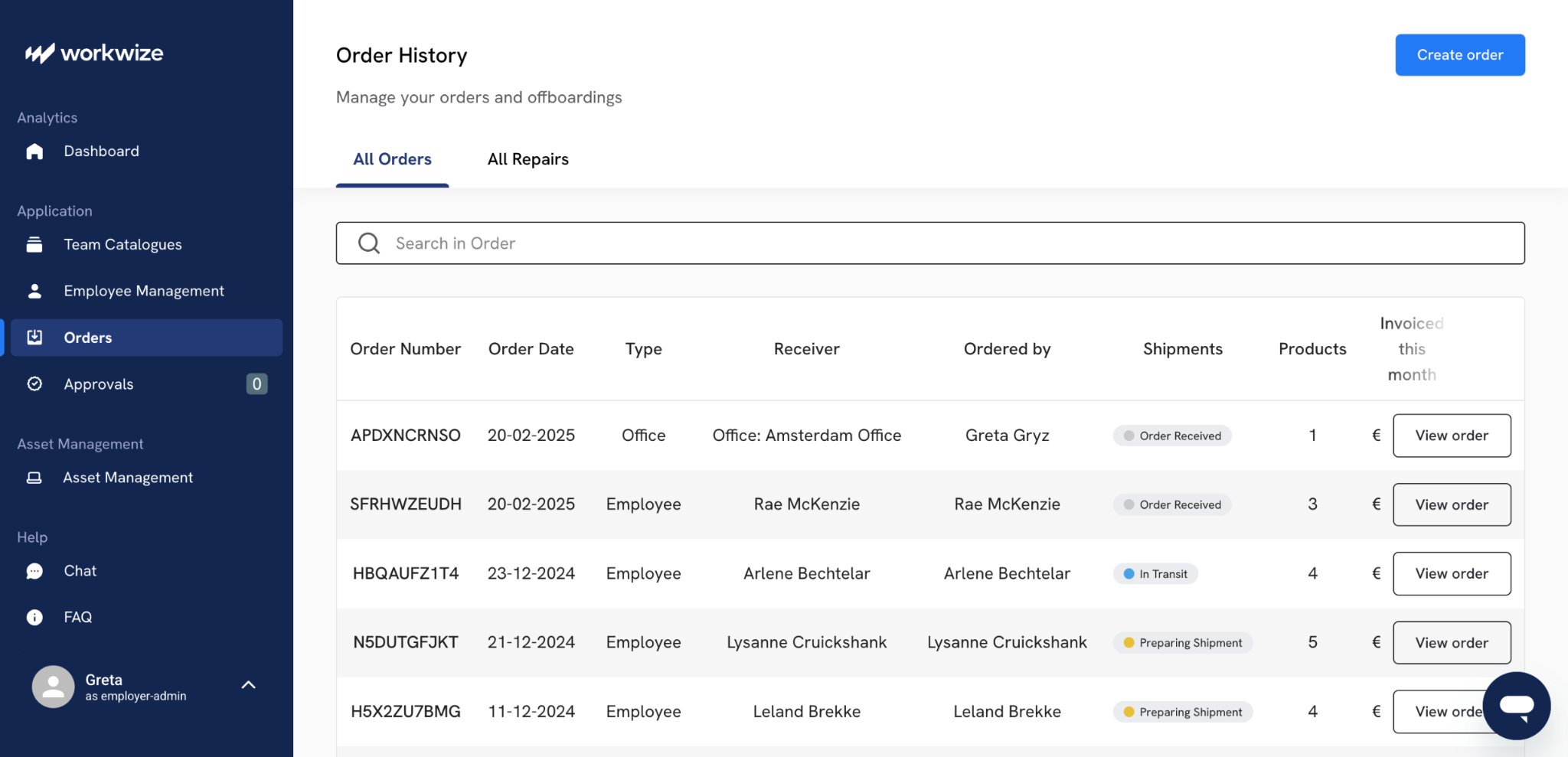
Workwize handles asset retrieval and employee offboarding as a combined workflow that starts in your HR system. The focus is on removing manual steps while keeping you in control of timing and visibility.
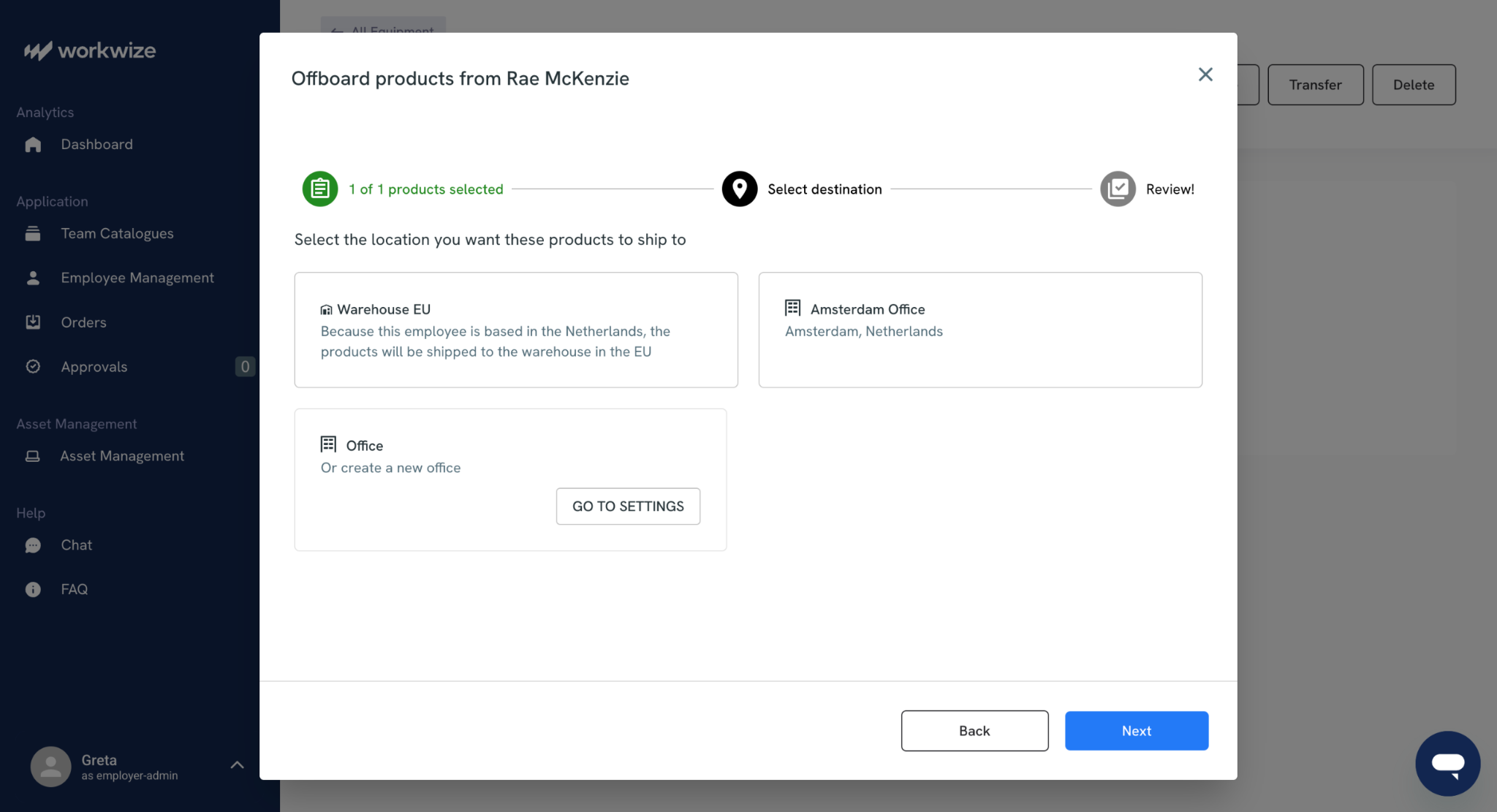
The HRIS integration automatically detects employee departures and triggers retrieval. (If you want, you can offboard devices manually as well)
Once offboarding starts, devices land in either your office or one of Workwize’s warehouses.
You can schedule device pickups in advance so retrievals happen on time without manual coordination.
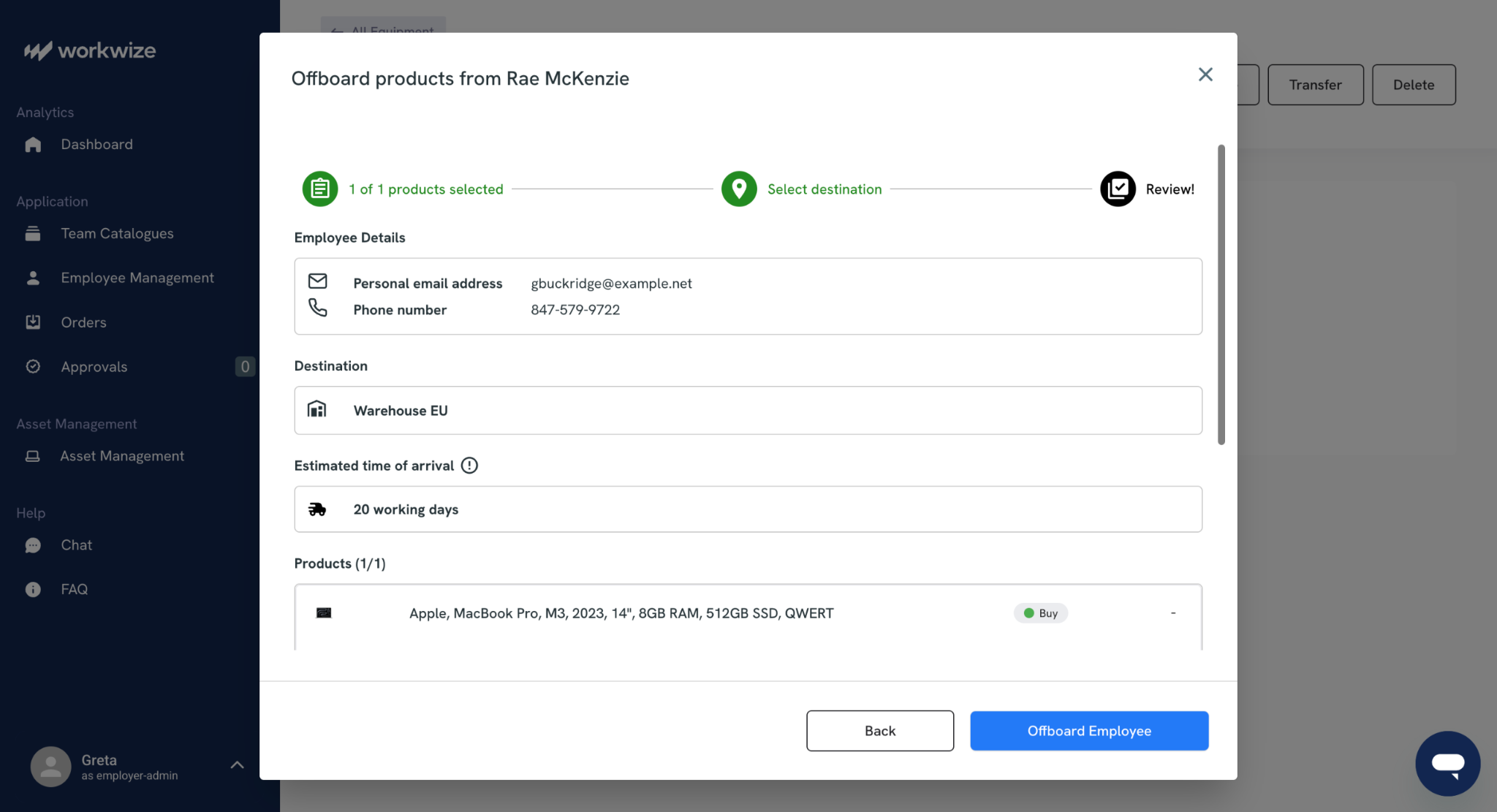
When devices are in transit, end-to-end tracking gives you real-time updates on each asset’s return status, along with reports that support proactive management.
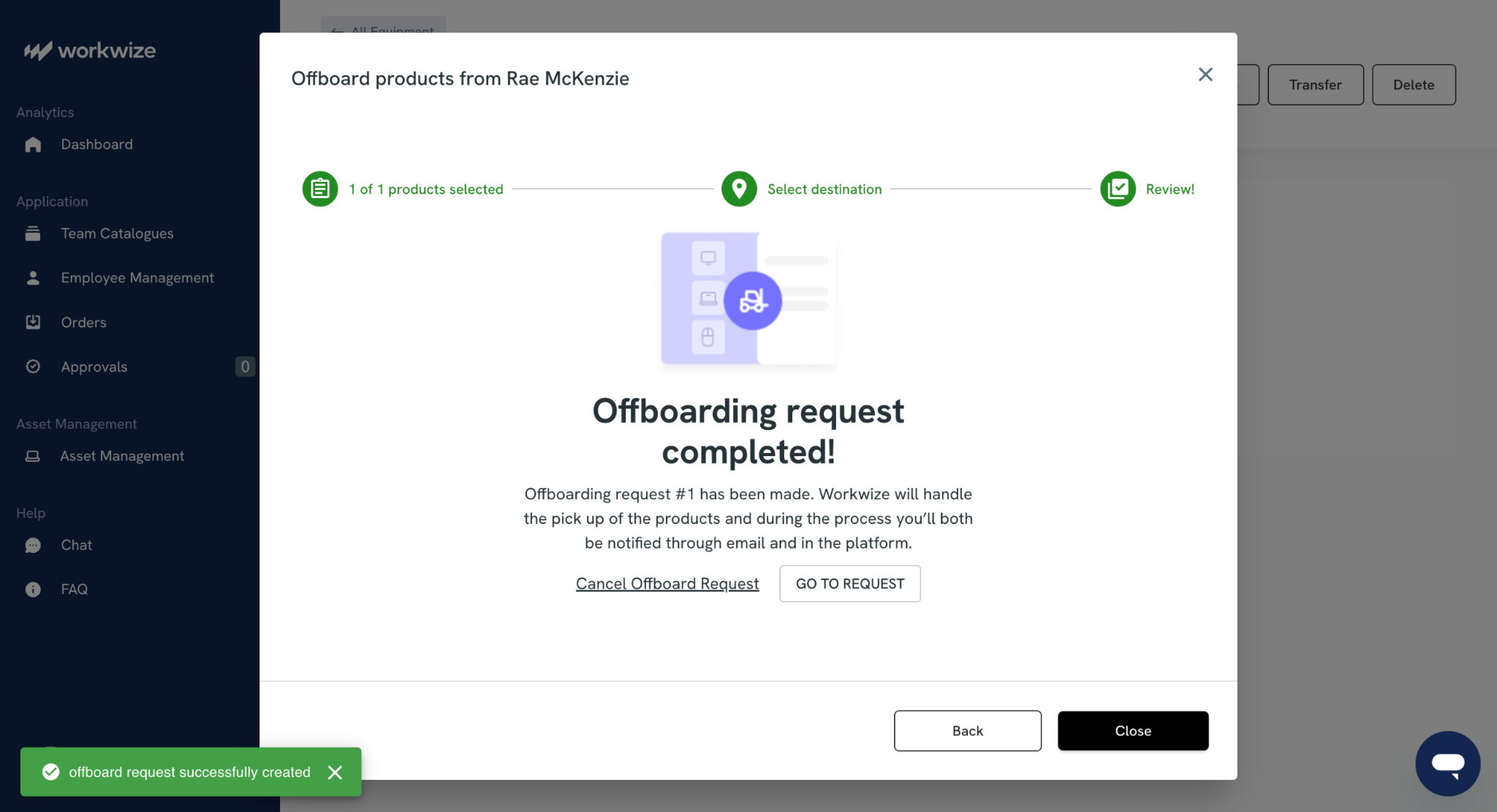
When devices are returned, they are securely wiped in line with internal data policies, while the platform keeps your asset records audit-ready. Proactive notifications flag upcoming collections and delays, with insight into which assets have been returned on time and which need follow-up.
Your inventory updates automatically as assets come back, and you can generate personalized reports for offboarding and compliance checks.
Quipteams
Quipteams handles retrieval through the same local networks used for delivery. When someone leaves, you initiate retrieval through the platform; local couriers handle pickup with pre-paid labels and clear employee instructions. Retrieved devices are routed to regional storage facilities for wiping, repair, or resale.
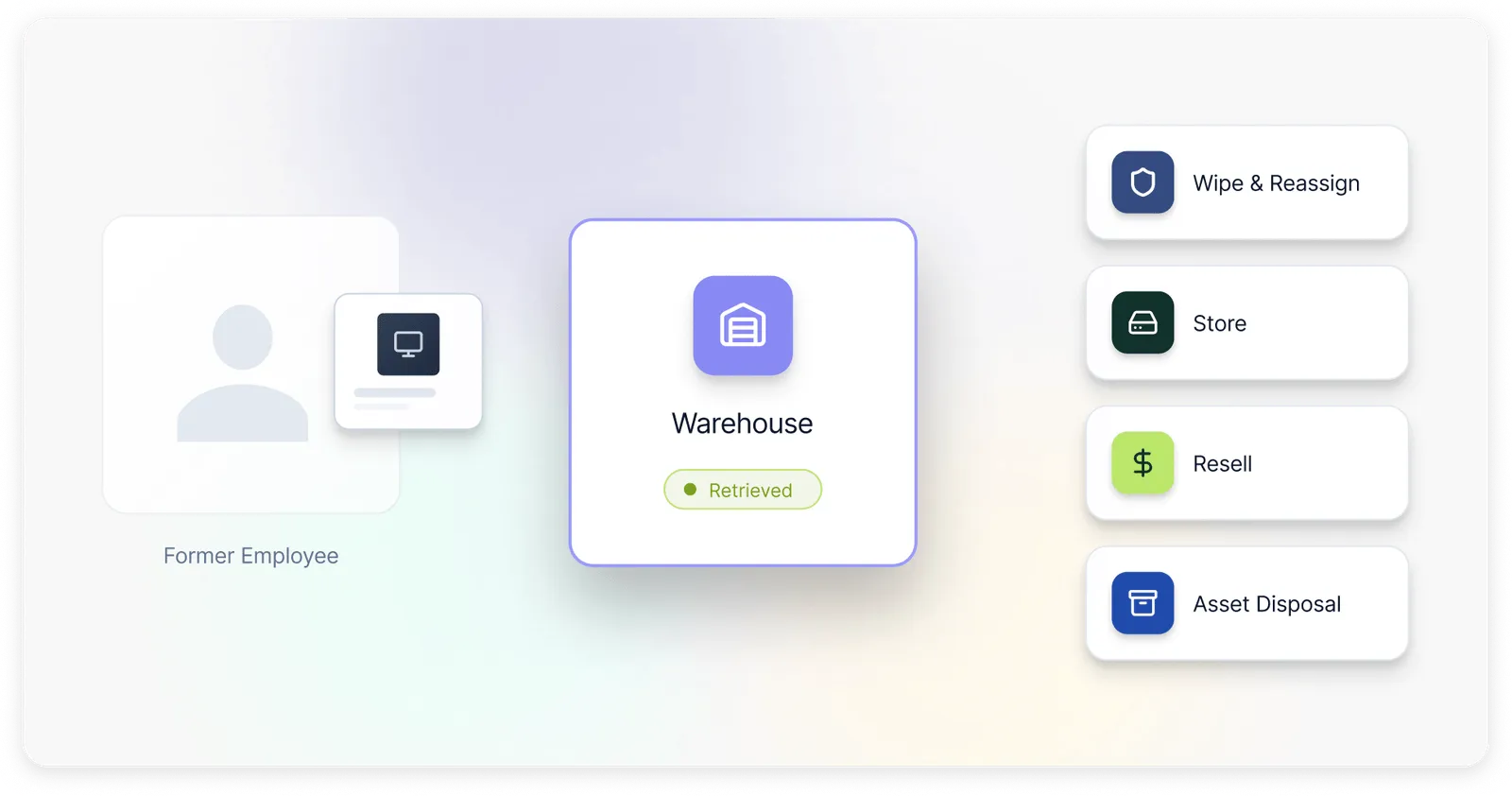
The local approach is felt the most in retrieval speed. Because Quipteams uses in-country logistics rather than international coordination, retrieval timelines stay consistent no matter where the departing employee is located.
Winner: Tie
Both handle retrieval automation well. Workwize shines in Europe and North America; Quipteams maintains more consistent performance globally, particularly in regions with weaker Workwize direct coverage.
Platform flexibility
Both platforms are built for global distributed teams. Workwize supports 100+ countries, while Quipteams supports 133 countries. Each offers zero-touch deployment, real-time tracking, and automated full-lifecycle management. Both are designed to scale without heavy platform or subscription fees for core use.
|
Workwize |
Quipteams |
|
|
Customization |
Custom IT catalog by department. Budget and approval rules can be set by team |
Role-based device kits, such as Developer or Designer. Approval rules, notifications and permissions are fully configurable |
|
Extensibility and automation |
Native integrations, API, MCP, and no-code automation. Supports SCIM, Active Directory, and multiple MDM setups |
Public API covers the full platform. HRIS sync and API handle custom workflows. Existing assets can also be tracked. |
|
Scalability and global use |
Built for growing teams. Supports local warehousing and compliance needs such as GDPR, ISO 27001, and SOC 2 |
Pay-per-use model with no platform, subscription, or per-seat fees. Local sourcing in 133 countries helps reduce delays |
|
Other flexibility features |
Self-service portal, automated offboarding, budget controls, and real-time reporting |
Employee self-scheduling for shipping and pickups. API and integrations are included at no extra cost. |
Winner: Workwize
Both platforms are highly flexible and enterprise-ready. However, Workwize stands out for native scalability and AI-enabled extensibility through MCP.

Pricing, Scalability and Support
Workwize and Quipteams both are well-suited for distributed teams that need global IT asset management, but they use very different commercial models.
Workwize uses a subscription model with tiered plans, which gives you predictable monthly costs and a clearer path for growth. Quipteams uses usage-based pricing, so costs vary with your activity and volume.
If you want stable budgeting for your organization, along with structured scaling and enterprise support, Workwize is the stronger choice.
|
Workwize |
Quipteams |
|
|
Pricing model |
Subscription pricing with tiered plans |
Usage-based pricing with pay-per-use costs |
|
Global reach |
Supports 100+ countries with local warehousing |
Supports 133+ countries with local operations |
|
Support |
Dedicated Customer Service Managers (CSMs), in-platform chat, email and guided onboarding |
Account manager at no extra cost with local IT and warranty support |
Winner: Workwize
Workwize is the better overall option for pricing, scalability, and support. Its subscription model is easier to forecast and its tiered structure is better suited to growing teams.
The enterprise support model is stronger for organizations that need consistency and reliability as they scale. And it’s been proven to be very helpful:

Via G2
Quipteams is more flexible on paper, but Workwize is the clear winner for teams that want a more predictable and enterprise-ready setup.
Pros and Cons Based on Real User Reviews
Workwize
Workwize holds a 4.4/5 rating on G2 and also 4.4/5 on Capterra. What users consistently applaud is the platform's centralized governance and how tidily it slots into existing stacks.
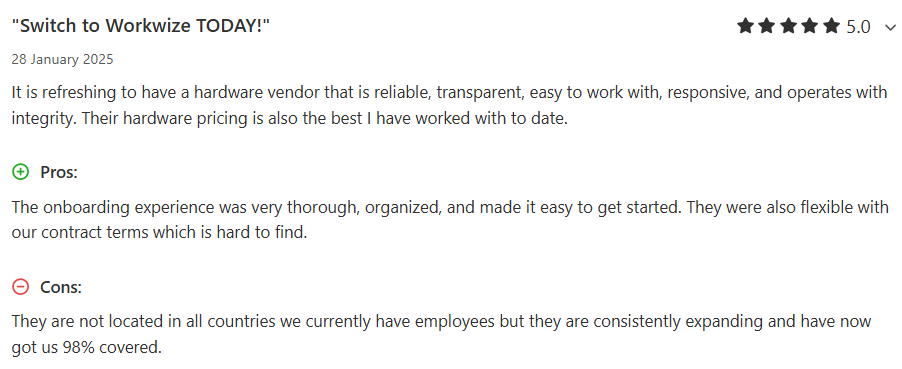
Via Capterra
One verified G2 reviewer highlights how the HiBob and Jamf integrations created seamless workflows:

Via G2
Another reviewer points to the smooth Workday and Okta connection that eliminates manual drudgery:

Via G2
Audit-ready traceability and ISO 27001 compliance also earn repeated mentions, particularly from teams where IT asset management best practices connect directly into board-level reporting.
Even on Reddit, Workwize manages to collect positive sentiments:
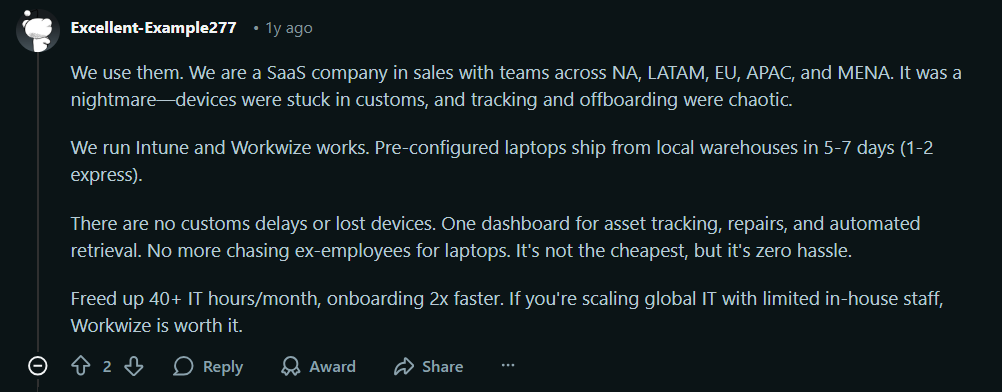
Via Reddit
Quipteams
Review volume for Quipteams is modest: 14 reviews on G2 and a small handful on Trustpilot, so the picture is flattering but limited in breadth compared to Workwize.
That said, what's there skews positive. Users on G2 repeatedly commend the responsive account teams, transparent pricing, and genuine LATAM depth. One reviewer mentions inventory availability across Mexico, Argentina, Colombia, Brazil, and Peru.
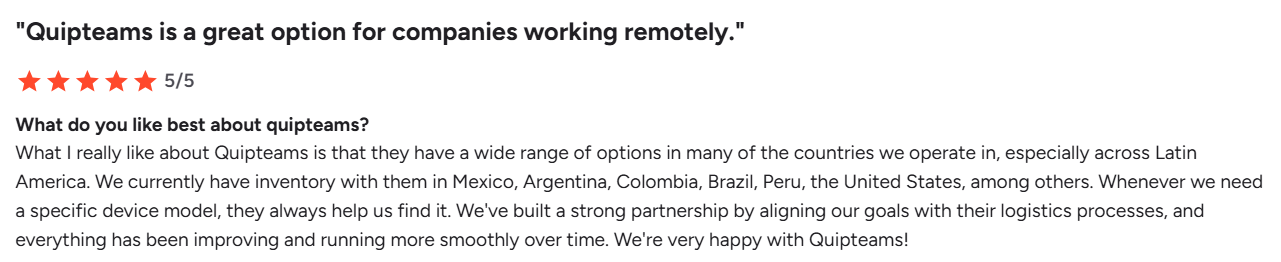
Via G2
Another verified reviewer praises the quick shipping and pared-back platform interface:

Via G2
Customer service is one area that deserves attention:
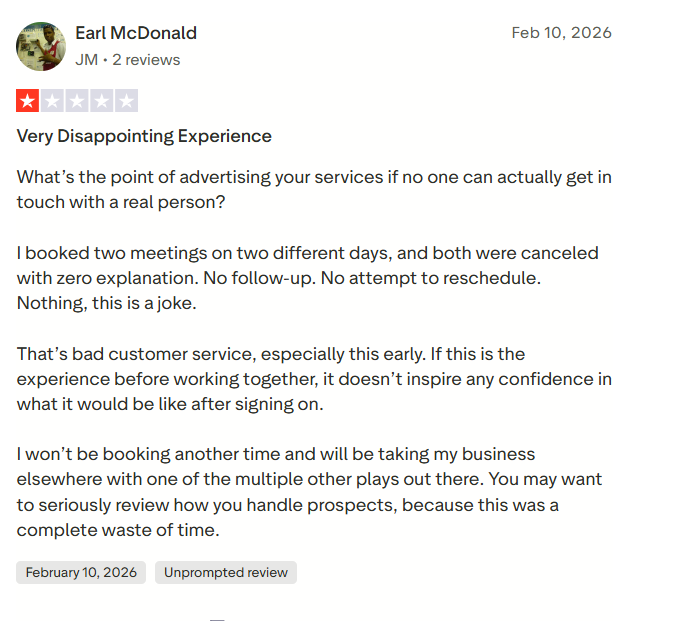
Via Trustpilot
The platform also has a thinner integrations roster (Slack is a commonly requested addition), and there is room to improve shipment tracking.

Which Platform Should You Choose?
Between the two platforms, the choice depends on where your team is located and how structured your IT program needs to be.
Choose Workwize if
- You manage a growing or established distributed workforce across multiple countries
- You need end-to-end procurement through certified disposal, handled within one platform
- You need deep HRIS and MDM integrations that automate onboarding and offboarding (explore our remote employee onboarding guide for IT managers)
- Compliance documentation, audit trails and ESG reporting are part of your requirements
- You need a platform that scales with your headcount without forcing you to add IT headcount alongside it
Choose Quipteams if
- Your workforce is concentrated heavily across Latin America, where Quipteams has authentic boots-on-the-ground operations
- You prefer pay-per-use billing and want to sidestep subscription commitments altogether
- You hire erratically or seasonally (fixed monthly fees are a poor match for such situations)
- You don't yet need deep MDM integrations or formal compliance documentation
- Your procurement needs are transactional rather than tethered to a broader device lifecycle management program
In practice, smaller teams with LATAM-heavy operations and unpredictable hiring may find Quipteams' model perfect. But as soon as your IT program crosses into structured hardware asset management, with real compliance obligations and a need for reliable asset retrieval services across borders, Workwize becomes hard to match.
Why Workwize is the Stronger Choice for Distributed Teams at Scale
Quipteams is a capable option if your footprint is largely in LATAM and your needs stay transactional.
But once your team spans continents and leadership starts asking about compliance posture and audit trails, the equation changes.
At scale, you should be able to run IT asset management as an accountable, scalable program.
And that’s what Workwize specializes in. With coverage spanning 100+ countries, native HRIS and MDM integrations, zero-touch onboarding and offboarding, and certified disposal built into the workflow, Workwize handles the entire hardware and logistics side of your IT operation.
Book a Workwize demo and see the platform in action.

Shashank Mishra

Establish a single source of truth for every IT asset across the globe.
.png?width=258&height=318&name=g10%20(5).png)
More related resources to help you stop firefighting hardware operations.


Get monthly insights into how other IT leaders are improving their ops.



.png?width=2880&height=1232&name=Group%202147262874%20(1).png)
Stop coordinating
hardware like it's 2012.
.svg)
.svg)
.svg)
.svg)
.svg)