




.svg)
.svg)

.svg)


.svg)




.svg)
.png?width=500&height=424&name=Style-1---V1-(1).png)
.png?width=1230&height=692&name=Vector%20(13).png)
As organizations grow, device management stops being simple.
Laptops change hands. Employees join, leave, or go on leave. Devices are shipped for repair, replaced, or reassigned across regions. Over time, the gap between what IT systems say exists and what actually exists starts to widen.
For IT teams using Jamf or Microsoft Intune, the challenge isn’t access to device data.
It’s keeping that data accurate, consistent, and auditable across systems—without introducing operational risk.
That’s why more IT teams are syncing their MDM with a dedicated IT Asset Management platform.
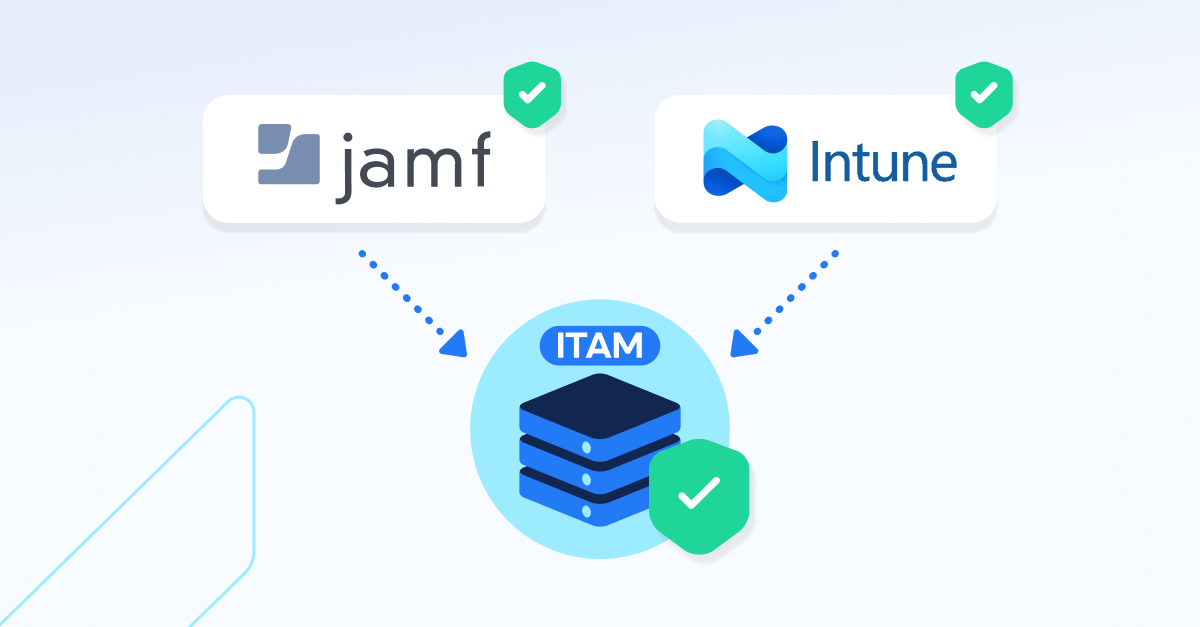
Workwize supports secure asset syncing with Jamf, Microsoft Intune, Kandji, and JumpCloud, helping IT teams maintain a single source of truth as device fleets scale.

Why asset data accuracy breaks as device fleets grow
Manual asset tracking works at a small scale. At enterprise scale, it breaks quietly—and then all at once.
Common issues IT teams encounter include:
- Devices visible in Jamf or Intune but missing from the asset system
- Ownership data that hasn’t been updated after role changes
- Repairs, replacements, and offboarding creating edge cases
- Audits requiring manual reconciliation across multiple tools
These inconsistencies don’t show up as a single failure. They accumulate over time, creating operational debt that eventually slows audits, increases risk, and erodes trust in asset data.
Why IT teams are cautious about asset management automation
Automation sounds attractive, but IT leaders are right to be cautious.
Typical concerns include:
- Asset records being overwritten without visibility
- Repair or offboarding workflows being ignored by background syncs
- One bad device record breaking a full import
- Loss of control over when and how data changes
For IT, the goal isn’t “full automation.”
It’s reliable automation with guardrails.
How MDM syncing works in practice (Jamf, Intune, Kandji, JumpCloud)
When an MDM like Jamf, Microsoft Intune, Kandji, or JumpCloud is connected to an asset management platform like Workwize, the objective is simple:
Keep device records accurate over time—without creating new risks.
A controlled MDM sync typically works like this:
- IT connects the MDM using their API credentials
- Assets from your MDM system are created or updated safely
There’s no blind data pull. Each device is validated before it ever touches your asset inventory.

What devices should (and shouldn’t) sync from MDM
A reliable MDM integration does not import everything by default.
Devices are typically synced only if they:
- Have a valid serial number
- Are assigned to a user in the MDM
- Belong to the correct organization or workspace
- Are not part of protected workflows (like repair or offboarding)
Devices missing critical data—or likely to cause conflicts—are skipped safely. This prevents duplicate assets, broken ownership records, and audit issues later on.
How Workwize prevents duplicate devices across MDMs
One of the biggest risks in MDM syncing is duplication—especially in mixed environments.
Workwize prevents this through serial number–based matching:
- The serial number acts as the unique identifier
- Existing assets are updated, not recreated
- Multiple MDM providers can coexist safely
This allows organizations to run Jamf, Intune, Kandji, and JumpCloud in parallel without ending up with fragmented or duplicated inventories.
Why manual control still matters for IT teams
Even with automation, IT teams want control and visibility.
That’s why Workwize is designed to:
- Require manual sync initiation
- Isolate errors to individual devices
- Allow safe re-syncing once issues are resolved
There’s no black-box behavior. Syncing remains predictable, auditable, and aligned with how IT teams actually operate.
Why IT teams enable MDM syncing early
Teams that enable MDM syncing early typically see:
- Less manual asset maintenance over time
- More reliable device ownership data
- Faster audits and reporting
- Fewer discrepancies between systems
Instead of fixing asset issues reactively, syncing helps prevent them from happening in the first place.
Supporting mixed device environments at scale
Modern organizations rarely use a single MDM.
Common setups include:
- Jamf or Kandji for Apple fleets
- Microsoft Intune for Windows (and sometimes Apple)
- JumpCloud for mixed fleets
Workwize supports multiple providers within the same organization, while keeping device data clearly linked to its source. This makes updates predictable and avoids cross-system conflicts.
Final thoughts: automation without losing control
MDM syncing isn’t about removing human oversight.
It’s about removing unnecessary manual work—while preserving operational safety.
The best asset syncing solutions:
- Apply rules before updating data
- Protect critical workflows like repairs and offboarding
- Scale with your device fleet without increasing risk
When done right, syncing Jamf, Intune, Kandji, and JumpCloud becomes a quiet but essential part of keeping asset data trustworthy.
Want to see how it works in practice?
If you’re already using Jamf, Microsoft Intune, Kandji, or JumpCloud, Workwize fits naturally into your IT stack—giving you a reliable system of record for IT assets.
Book a Workwize demo to see how controlled MDM syncing works at scale.


Establish a single source of truth for every IT asset across the globe.
.png?width=258&height=318&name=g10%20(5).png)
More related resources to help you stop firefighting hardware operations.

.png?width=360&height=200&name=AssetTiger%20(1).png)


Get monthly insights into how other IT leaders are improving their ops.



.png?width=2880&height=1232&name=Group%202147262874%20(1).png)
Stop coordinating
hardware like it's 2012.
.svg)
.png?width=172&height=68&name=apple%20business%20patner%20(1).png)
.svg)
.svg)
.svg)
.svg)