




.svg)
.svg)

.svg)


.svg)





.svg)
.png?width=500&height=424&name=Style-1---V1-(1).png)


.png?width=1230&height=692&name=Vector%20(13).png)
When searching for the best MDM for Apple devices, you’ll find dozens of tools out there. In this piece, I’ll be comparing two popular names: Jamf and Mosyle.
Both are built to set policies, automate setup, push apps, and keep devices compliant with minimal manual intervention.
But they don’t feel the same in day-to-day use.
But they don't feel the same when you're in the console, configuring policies or troubleshooting a failed enrollment.
Jamf gives you Smart Groups with Boolean logic, Extension Attributes that run custom scripts, and a PreStage enrollment system you can tune down to the last detail. But you'll spend time learning how the pieces fit together.
Mosyle gets you to a working identity-driven enrollment faster and includes an app catalog that handles patching without building PKGs. You'll hit walls sooner if your environment has unusual requirements..
In this article, we’ll compare how they stack up in the places that matter, so you can choose the platform that fits your team, your users, and maybe your tolerance for device drama.
TL;DR
- Jamf has superior provisioning workflows, powerful Smart Groups and Extension Attributes for custom logic, and extensive documentation
- Mosyle has faster onboarding, built-in compliance remediation, and a simplified app catalog, which means less engineering work for smaller IT teams
- The pricing gap is big: Mosyle Business Premium runs around $1/device per month vs Jamf costing over $10 for Macs.
- Jamf rewards scripting expertise and lets you build precise workflows; Mosyle gives opinionated defaults that work out of the box.
- Choose Jamf if you need audit-ready inventory and deep customization; choose Mosyle if you want strong outcomes without a dedicated Apple admin.

Introducing Jamf
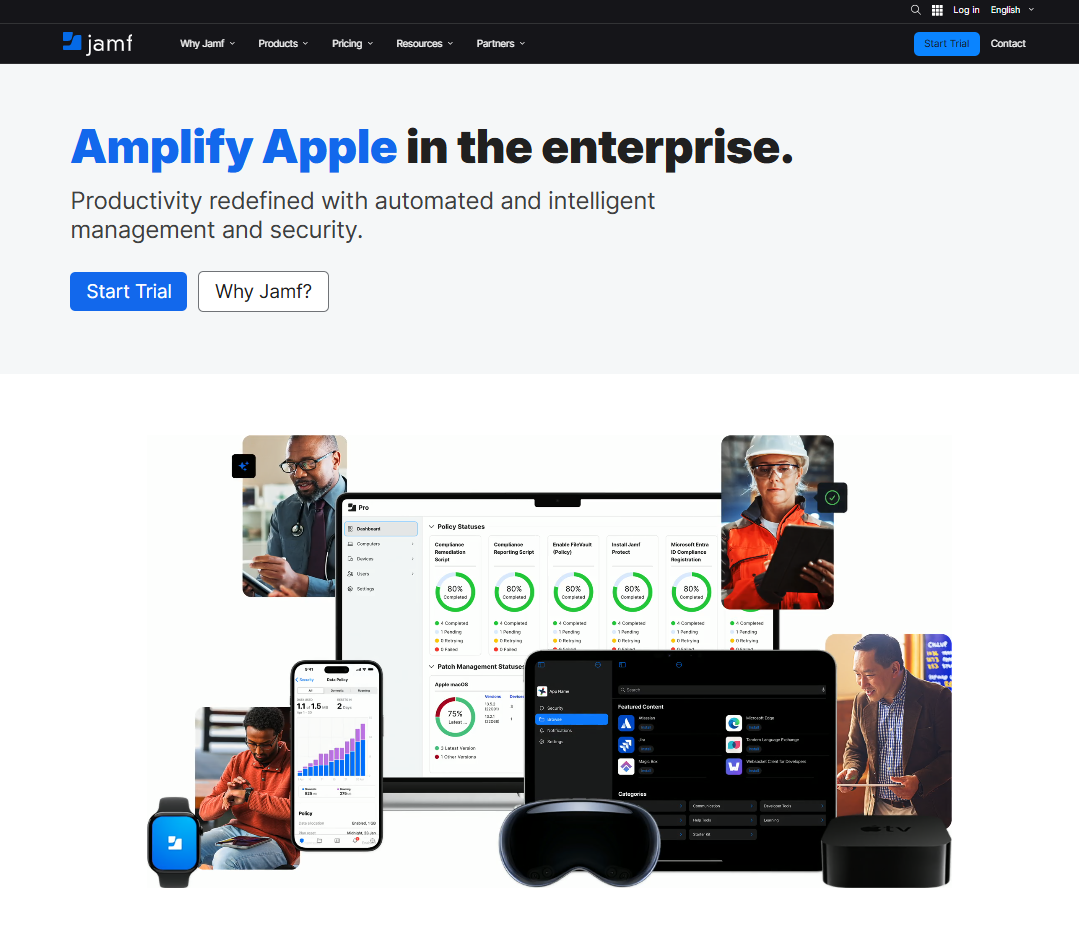
Jamf is a dedicated Apple device management platform built for teams that want deep control over Macs, iPads, iPhones, and Apple TVs. It’s widely used in larger companies and complex environments.
It’s designed to scale, integrate with identity and security systems, and provide the controls you need to manage Apple at an enterprise level.
Some of its significant features include zero-touch provisioning, rich configuration controls, app and patch management, and a strong integration ecosystem.
Introducing Mosyle
Mosyle is another Apple-focused device management platform that’s popular with schools and small-to-mid-sized organizations that want strong Apple management without a heavyweight setup.
Where Mosyle tends to shine is speed to value.
Many teams use it to get enrollment, app deployment, and policy enforcement running quickly, then add layers like security and filtering as needed, all inside a more bundled package.
Its major offerings include fast enrollment and onboarding, an education-friendly hub with strong support for shared iPads, classrooms, and common school workflows. It also offers more cost-effective scaling.
One quick note before we move on: Mosyle Fuse is Mosyle’s more comprehensive MSP bundle that packages management and security capabilities together for macOS and iOS fleets.
It’s not our focus because this comparison is centered on core MDM experience and day-to-day administration, not bundled security suites.
Jamf vs Mosyle: An In-Depth Comparison
Before we go into the nitty-gritties of both tools, let’s compare them at a glance. Good to start at the basics, right?
|
Feature |
Jamf |
Mosyle |
|
Apple device management (macOS, iOS, iPadOS, tvOS) |
✓ |
✓ |
|
watchOS device management |
✓ |
✓ |
|
visionOS and Apple Vision Pro management |
✓ |
✓ |
|
Automated Device Enrollment |
✓ |
✓ |
|
App install with patching workflows |
✓ |
✓ |
|
End-user self-service app catalog |
✓ |
✓ |
|
Remote screen sharing and remote support |
✓ |
✓ |
|
macOS login window SSO and identity at login |
✓ |
✓ |
|
Privilege elevation (temporary admin rights) |
✓ |
✓ |
|
Endpoint security offering (threat prevention, AV, security telemetry) |
✓ |
✓ |
|
DNS/web content filtering |
✓ |
✓ |
|
Compliance baselines and benchmarks support |
✓ |
✓ |
|
Built-in generative AI tool specifically for macOS scripting |
✗ |
✓ |
|
AI assistant inside the admin portal |
✓ |
✗ |
|
Always-free MDM tier (beyond a time-limited trial) |
✗ |
✓ |
Jamf vs Mosyle: Device provisioning and enrollment
Setup in Jamf
Jamf Pro provides a robust enrollment engine, but it expects you to think like an admin, not a first-time user.
The core building block is the PreStage enrollment, which is essentially the template Jamf applies during Apple Automated Device Enrollment, so devices enroll during Setup Assistant with your chosen settings right away.
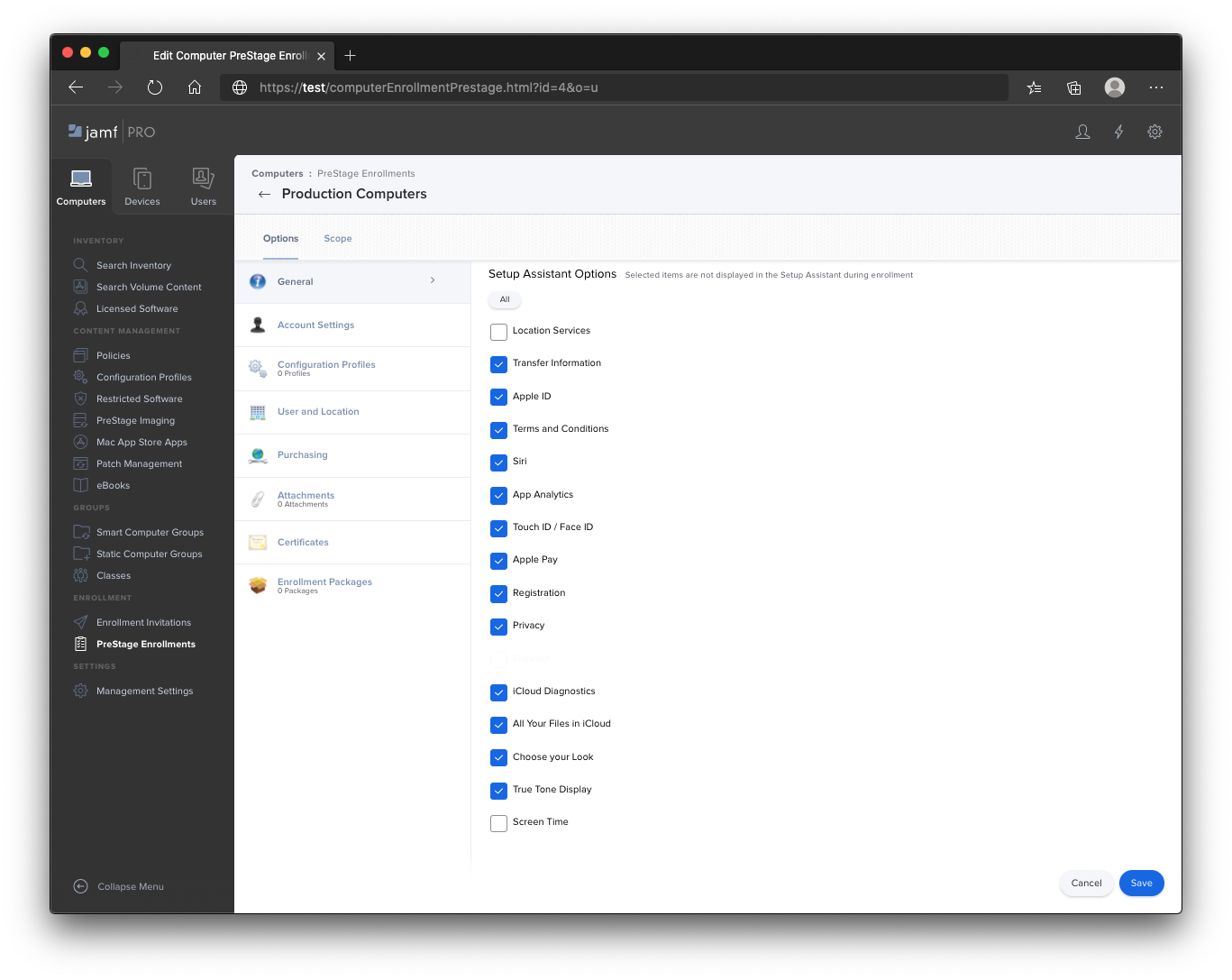
A typical Jamf setup for a polished Okta-style first-login experience involves a few components.
- Jamf Connect login configuration settings to control the login window experience
- Authchanger to switch what macOS login window uses for authentication
- Scripts and install workflows to handle first-login tasks and any one-time setup you do not want users touching
- Packages for custom apps or helpers, often signed so macOS trusts what you are installing
In practice, it looks like this: you ship a Mac to a new hire, they power it on, and behind that Setup Assistant screen, Jamf quietly coordinates enrollment, then layers Jamf Connect and your policies so the user can sign in with the right identity and land in the right state.
The documentation is also excellent (seriously, Jamf Nation is a goldmine), but there's a reason reviewers keep saying the learning curve is steep. It has excessive depth and complexity.

Via G2
Set up in Mosyle
Mosyle leans into a more pre-wired feel, especially around identity.
With Mosyle Auth, you connect your existing cloud identity provider like Okta, Azure AD, or Google Workspace, and Mosyle handles the rest. There's no need to bind Macs to an on-premises Active Directory server the way older setups required.
I would like to reiterate their own example, which is quite direct:
- A new Mac arrives
- The user signs in with their work identity
- A local account is created using the work email prefix (the same password can be synced to macOS)
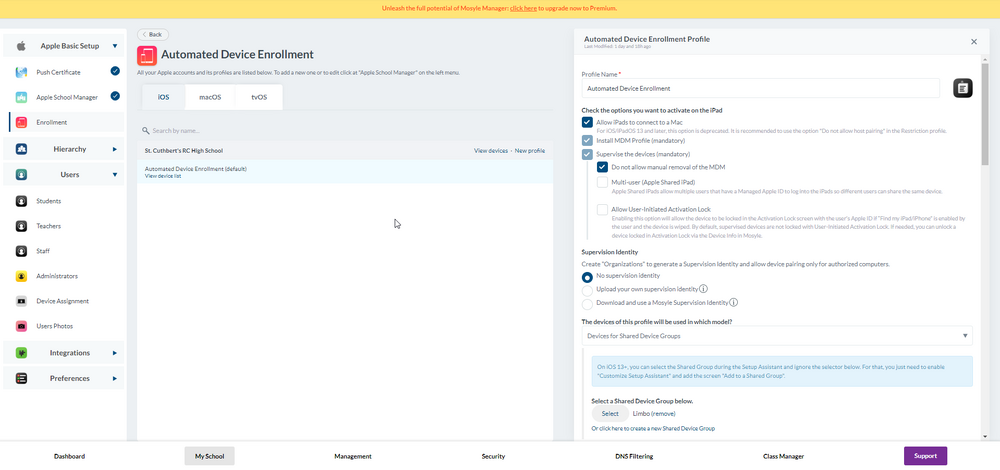
Mosyle also feels simpler in how it talks about targeting and automation. Devices are automatically added to a management group based on the user, and with custom device attributes, you can create and then use them for grouping or as variables in profiles and commands.
So while Jamf often feels like building a deployment pipeline, Mosyle feels more like choosing a lane and letting the platform keep you there.
Zero-touch deployment in Jamf
Both platforms promise zero touch, but they feel very different once you are shipping Macs to employees .
With Jamf Pro, Automated Device Enrollment is the backbone. A device can enroll and begin configuration as soon as the user turns it on. Supervision helps keep management in place so users cannot casually delete the MDM profile.
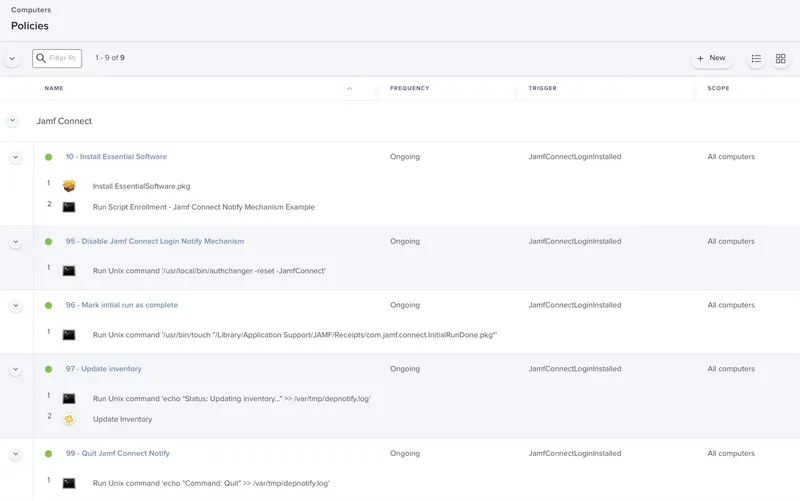
Where Jamf gets impressive is Jamf Setup Manager. It runs during Setup Assistant and can do the heavy lifting before the user account even exists.
It handles app installs and time zone configuration, and projects a branded progress screen that shows users what's being installed. New hires see your company logo and a clear status bar instead of a generic macOS setup.
The tradeoff is that Jamf expects you to build the machine.
- PreStage configuration plus scoping
- Setup Manager configuration
- Your policies, packages, and scripts are lining up like dominoes
If you want that perfect first boot, Jamf will get you there. It just makes you earn it.
Zero-touch deployment in Mosyle
Mosyle frames zero-touch as a simple, end-to-end onboarding flow tied to your identity system.
- You create the user in Google Workspace (or use an existing user), then give the employee a brand-new Mac still in the box.
- When the employee turns it on and goes through Apple’s setup, they reach a Mosyle login screen that looks like a standard Google sign-in.
- After the employee logs in, Mosyle automatically configures the Mac without IT touching it: it creates the local macOS account, syncs the password with Google Workspace, applies required settings, and starts installing the assigned apps.
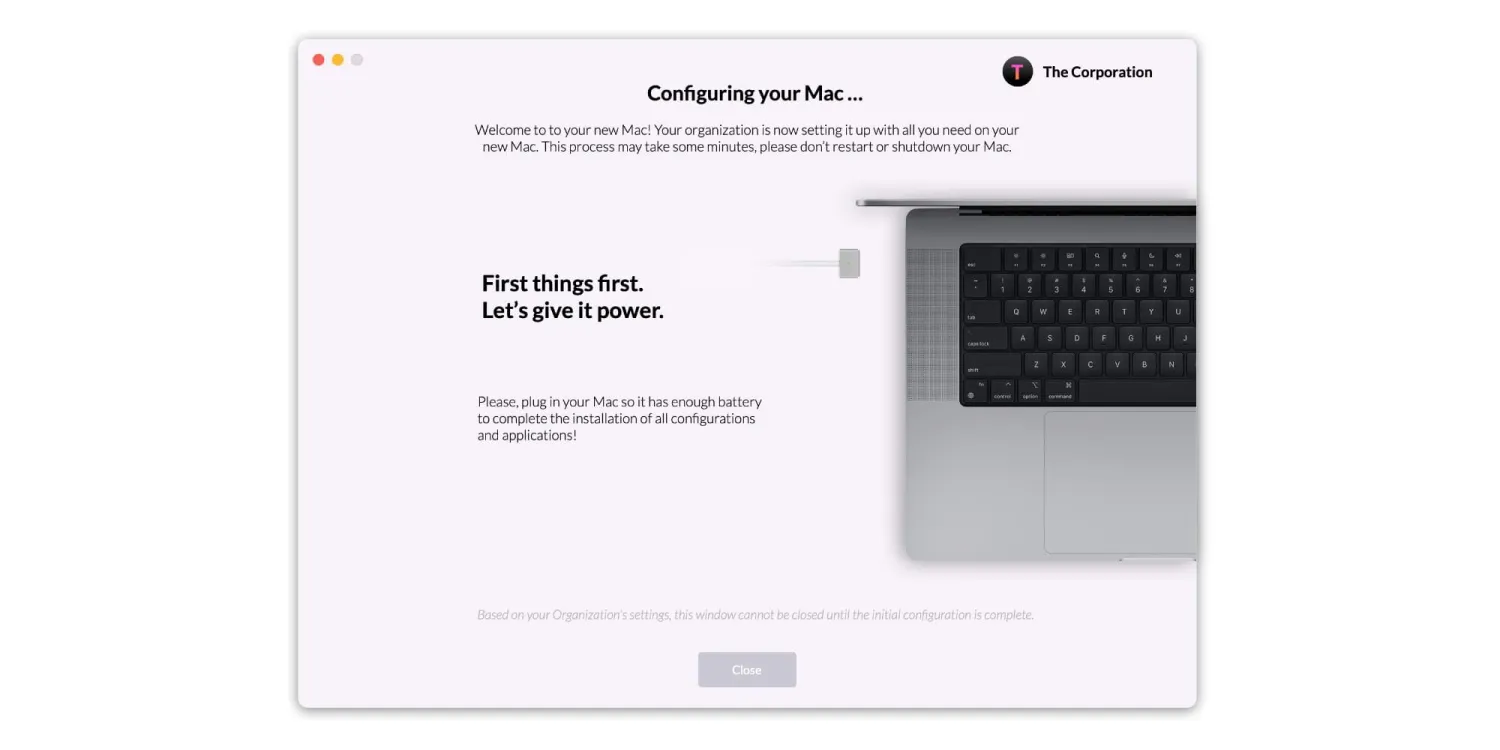
That behind-the-scenes setup is functional, but many users wonder what's happening while their Mac configures itself. That’s what Embark is for.
Embark is Mosyle’s guided setup layer on top of that. Instead of setup happening silently in the background, the user sees a clear, step-by-step progress experience that shows what is being installed and configured.
Suppose FileVault disk encryption is part of your policy. Embark can prompt the user to restart so encryption finishes properly before they begin working. This reduces the chance of a half-completed security setup on day one.
To sum it up, Jamf’s zero-touch is built around MDM enrollment plus configurable setup workflows you assemble, while Mosyle’s zero-touch is designed as an identity-first onboarding flow where the user signs in and Mosyle automatically creates the local account and finishes setup from there.
Identity provider integration in Jamf
In Jamf, you can create a specific workflow and personalize it to your environment, especially if you are comfortable with scripting and custom packaging.
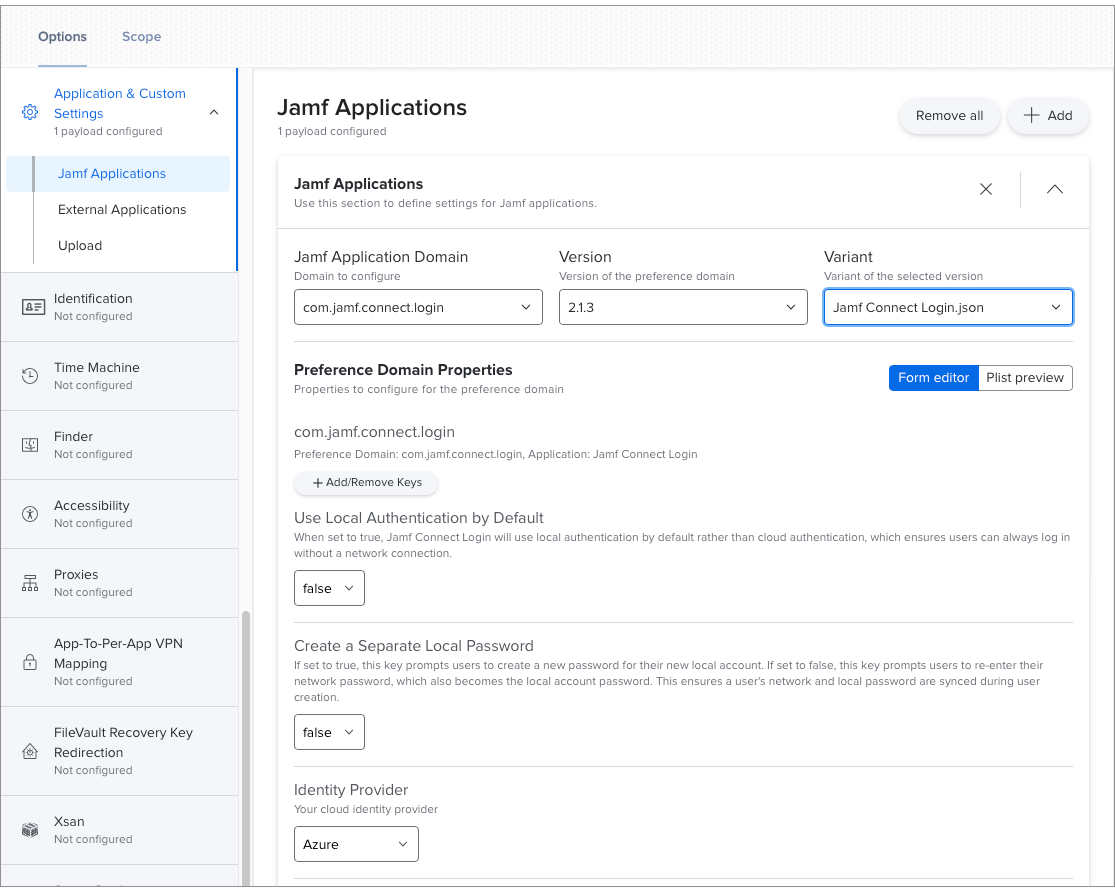
The flip side is that integrating Jamf Connect with an identity provider is not a single toggle. You have to do a proper app integration in the IdP, capture client details, assign users and roles, then manage the Jamf Connect configuration profiles that drive the login experience. Powerful, yes. Quick, not always.
In practice, Jamf tends to reward experienced admins. You can design the exact flow you want, but you'll need to touch more knobs to get there.
Identity provider integration in Mosyle
Mosyle has a simpler and consistent workflow. Identity management is bundled right into the onboarding story through Mosyle Auth, so the IdP experience is part of the default path, not a separate project.
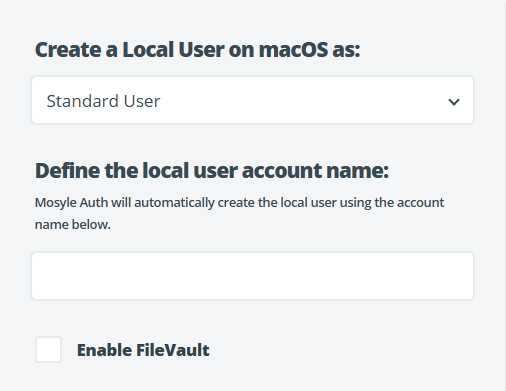
Mosyle’s Auth is built around the idea that you authenticate with your existing IdP credentials, the local account name follows a standard format (like the email prefix), and the manual steps happen automatically. It is less configurable than Jamf Connect, but for some it's a good thing.
For someone who's configured both, my assessment is that Jamf gives you more control at the cost of more complexity. Mosyle gives you less flexibility, which, depending on your team's expertise, might be exactly what you need.
🏆Winner for provisioning and enrollment: Jamf
It wins because the enrollment engine (PreStage plus ABM workflows) is both heavily documented and is much stronger for device enrollment, especially at scale.
Mosyle is the easier day-one tool, and Embark is friendlier, but Jamf is the safer bet when enrollment needs to be relentlessly repeatable across a larger fleet.
|
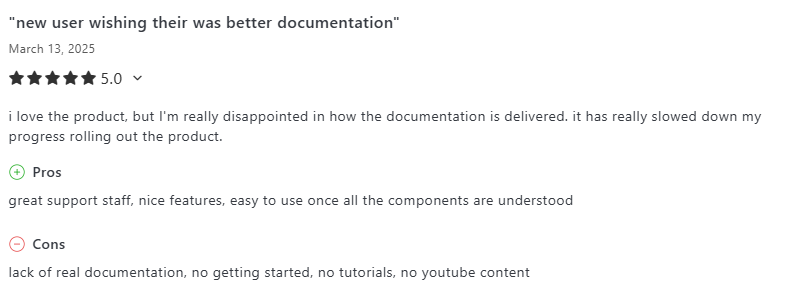
Before we proceed further, I feel like we need to have a discussion on the very apparent documentation gap. One G2 reviewer made this sharp observation. And I agree 100%.
Via G2 When you hit a wall trying to figure out why devices aren't enrolling correctly, the depth of Jamf's documentation and community resources becomes really valuable.
Via Capterra Mosyle users have noted wanting "more knowledge base articles and documentation to feel a little more self-sufficient.” The product works well, but you're more dependent on their support team when things go sideways. |

🏆Winner for provisioning and enrollment: Jamf
It wins because the enrollment engine (PreStage plus ABM workflows) is both heavily documented and is much stronger for device enrollment, especially at scale.
Mosyle is the easier day-one tool, and Embark is friendlier, but Jamf is the safer bet when enrollment needs to be relentlessly repeatable across a larger fleet.
Jamf vs Mosyle: Policy and Configuration Management
Policy and configuration management is where you’ll spend 90% of your time with any MDM, and the differences between Jamf and Mosyle really crystallize here.
Jamf’s policy and configuration management
Jamf Pro is the tool that seasoned Mac admins reach for when they need precision.
Jamf’s power here mostly comes from Smart Groups. Smart Groups in Jamf enable you to create dynamic device groupings based on one or more device attributes.
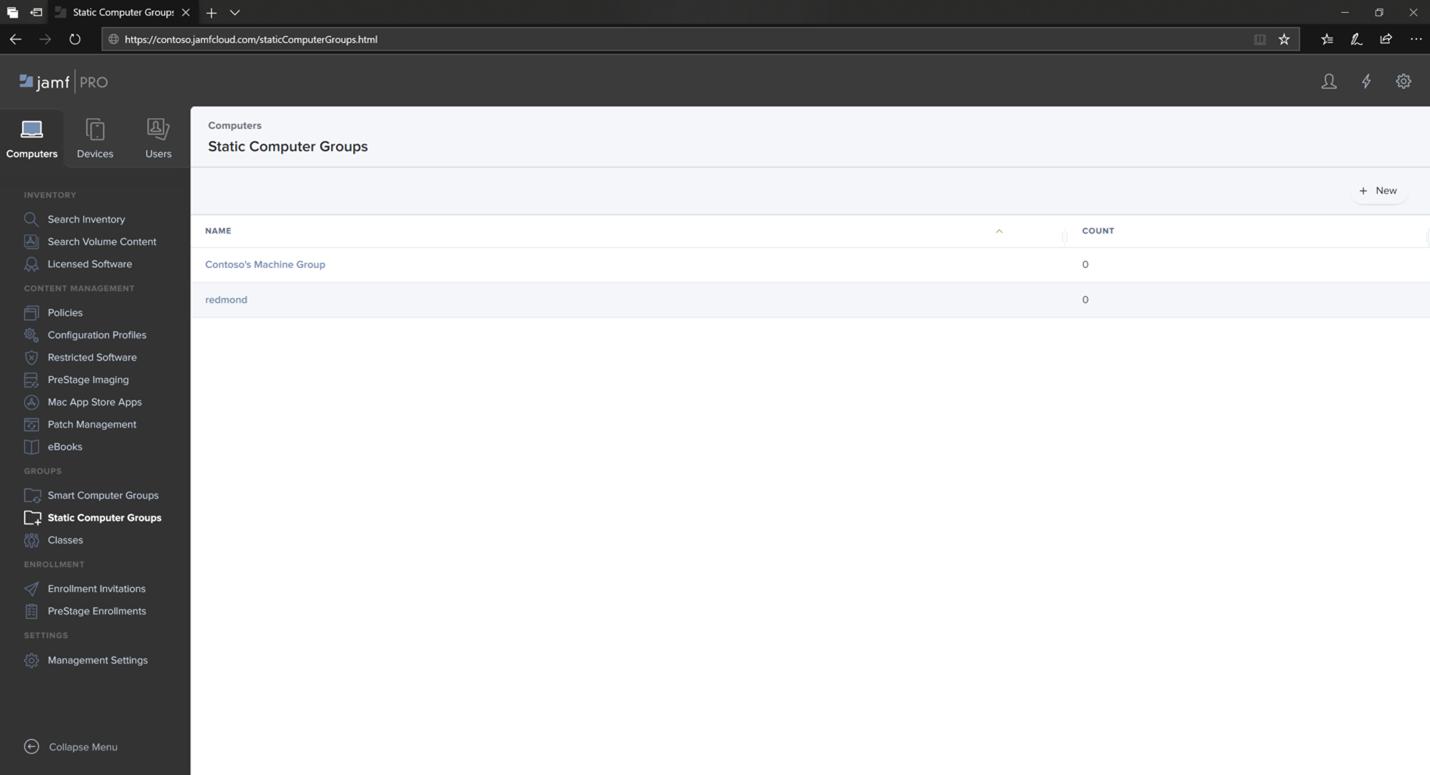
When you set them up properly, smart groups update automatically whenever Macs send inventory to Jamf Pro, adding devices that match the rules and removing the ones that don’t.
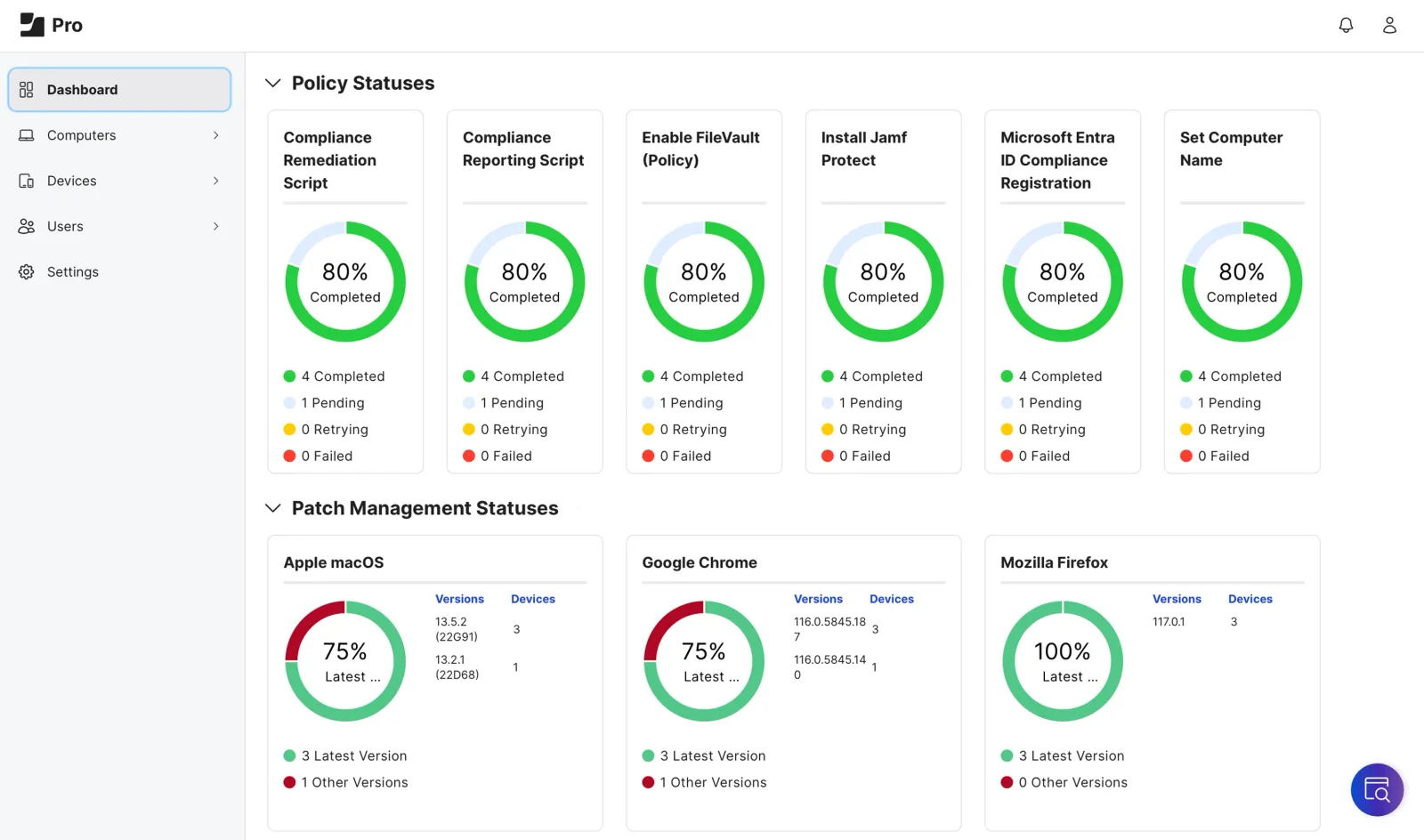
It sounds simple at first, until you see how deep it goes. You can combine rules with AND/ OR logic to target exactly the devices you mean. If more complex logic is necessary, you can use parentheses pop-ups to group criteria together.
Jamf also flexes its muscles with Extension Attributes. They let you collect extra device inventory data that Jamf does not track by default, using things like:
- Text fields (you enter or import a value)
- Drop-down menus (pick from preset options)
- LDAP mappings (pull values from your directory)
- Scripts (the most powerful option)
Best of all, it allows scripts written in any language with an interpreter installed, including Bash, Perl, and Python. That means that it’s a piece of cake to turn your Jamf inventory into something you can automate and integrate, provided you have the technical know-how.
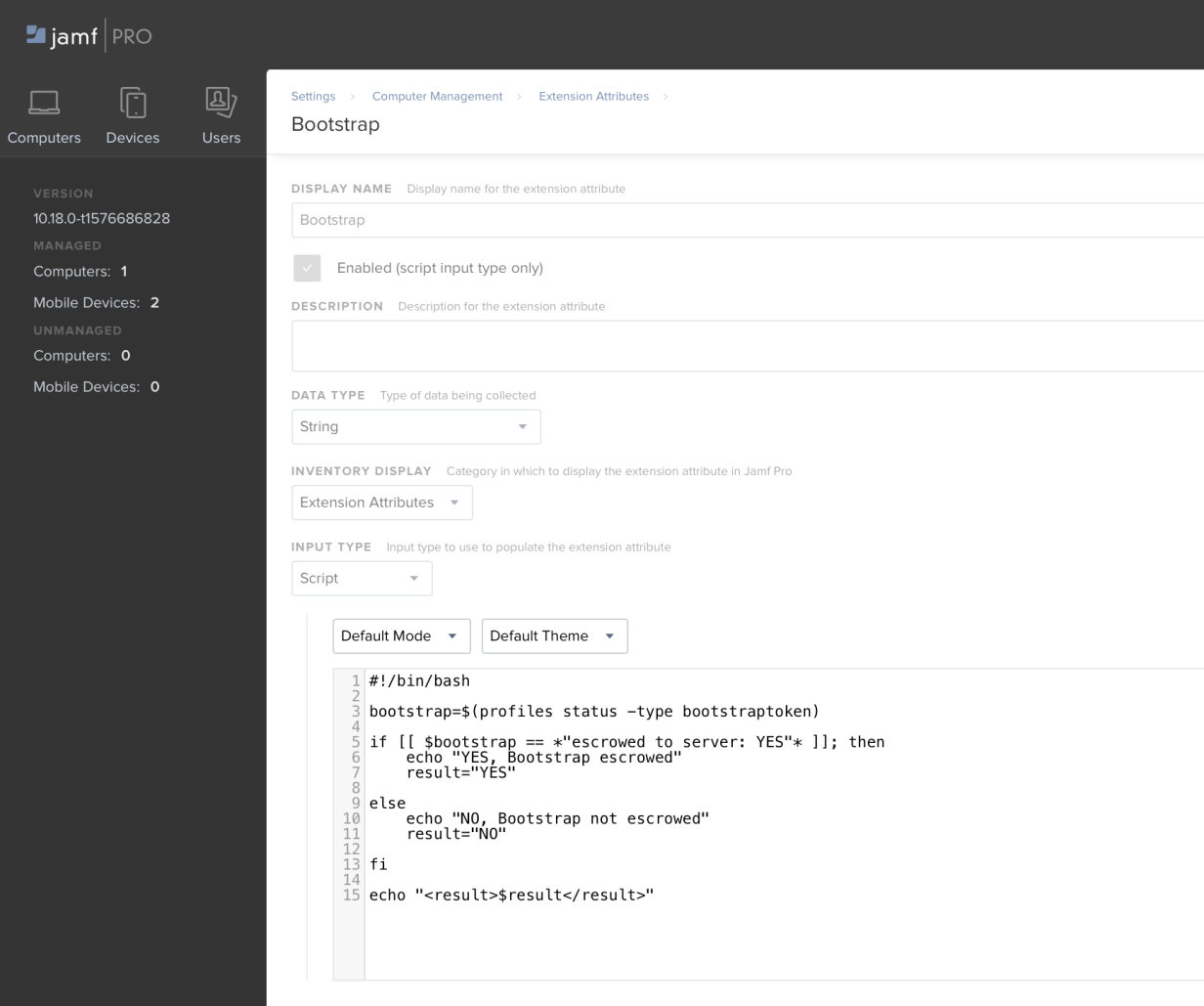
This becomes extremely powerful when building programmatic integrations with Jamf Pro and opens up potential use cases such as endpoint protection platforms, assigning compliance status to managed devices, or asset management solutions that track hardware repair statuses.
One TrustRadius reviewer summed it up perfectly.

Via TrustRadius
That last sentence is doing a lot of work; Jamf's configurability is both its greatest strength and the thing that trips up newcomers.
Mosyle’s policy and configuration management
Mosyle takes a different approach. Instead of handing you a toolkit and letting you build whatever you need, they've pre-built most of what you're likely to need and made it accessible.
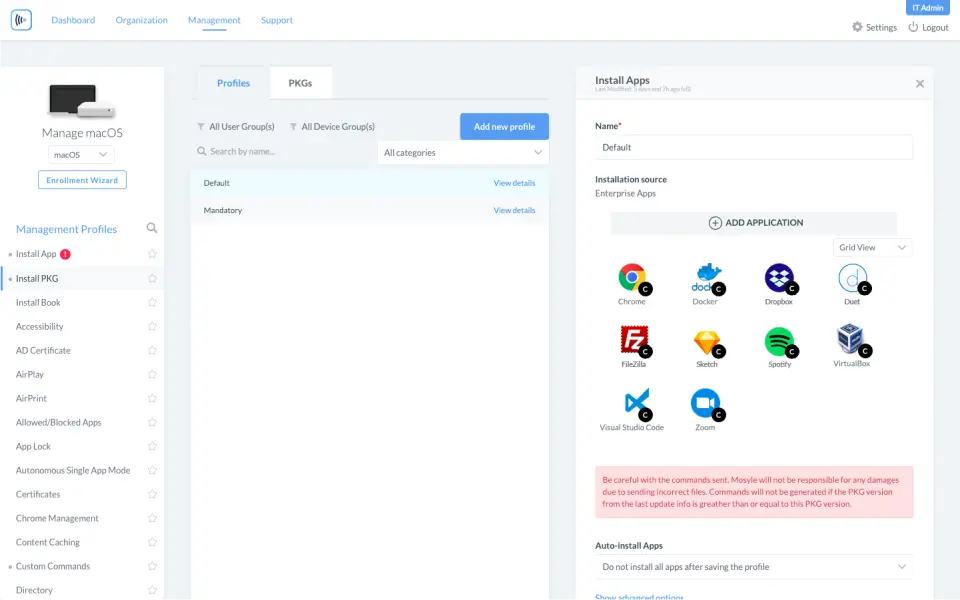
You can create customized device attributes manually, via the API, or as a response to a script, and use them for grouping or as variables in profiles and commands. It's similar functionality, but with different default assumptions about how you'll use it.
Jamf’s scripting abilities
Jamf's scripting environment is mature and well-documented. I see a lot of praise for Jamf Pro's robust custom scripting and automation capabilities. Its flexibility in running custom shell scripts and creating customized profiles for tailored solutions is a plus.
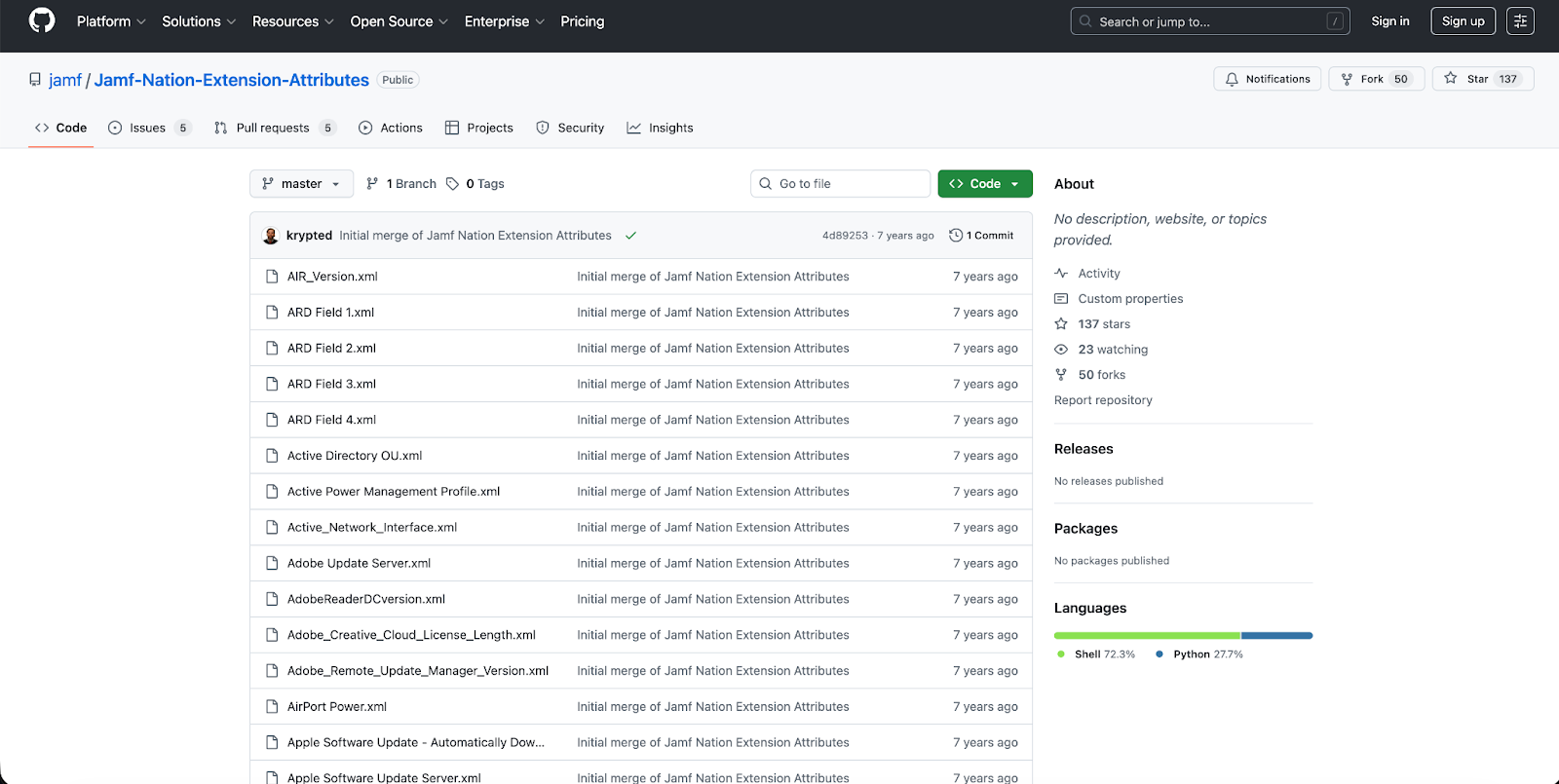
The community has built an entire ecosystem around it. You’ll find GitHub repos full of Extension Attribute scripts, Jamf Nation discussions going back years, and a genuinely impressive knowledge base.
Mosyle’s scripting abilities
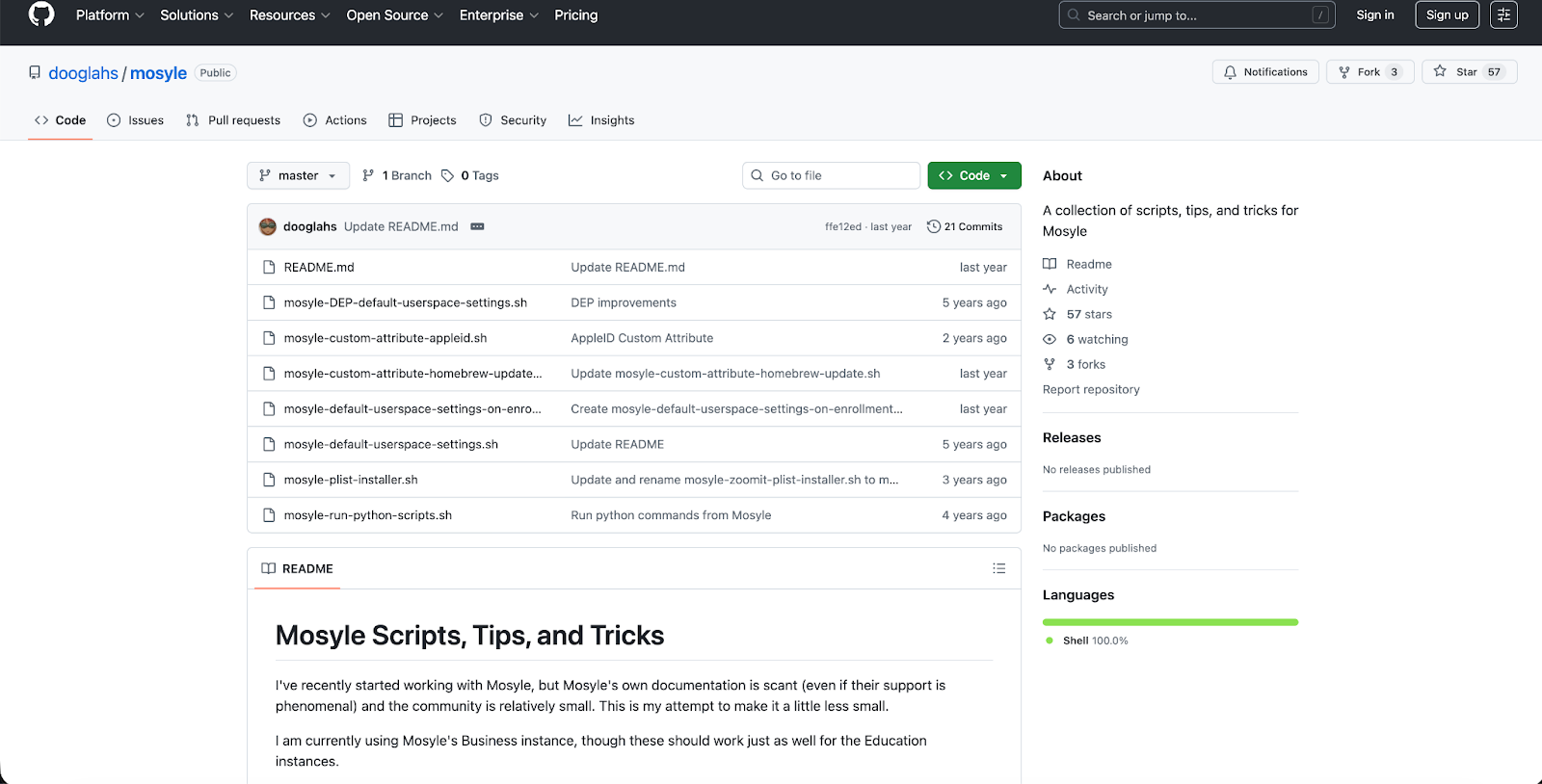
By contrast, I found Mosyle's scripting quite basic.
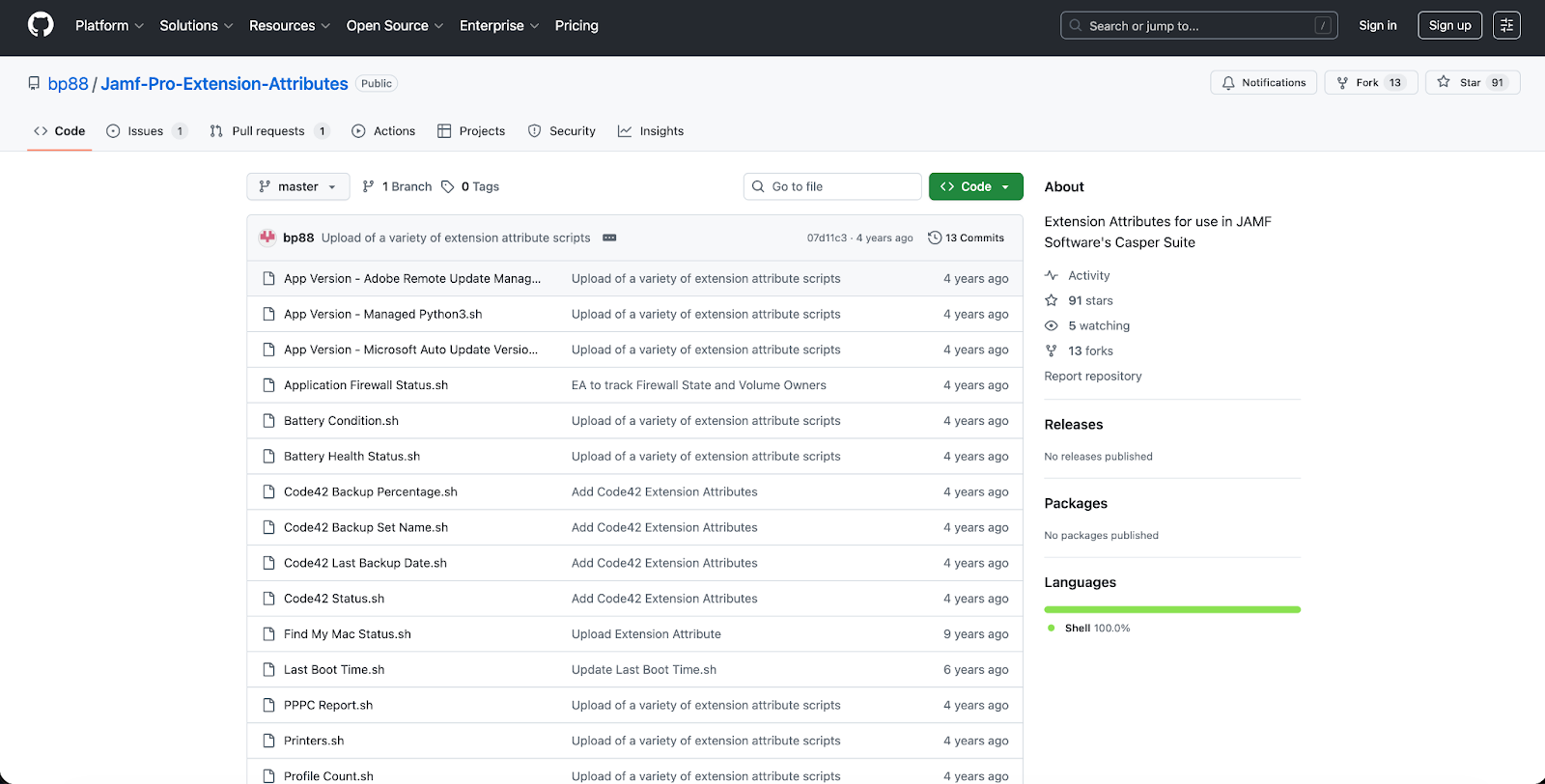
One community contributor commented on their code that "Mosyle can't run Python scripts from its commands.".
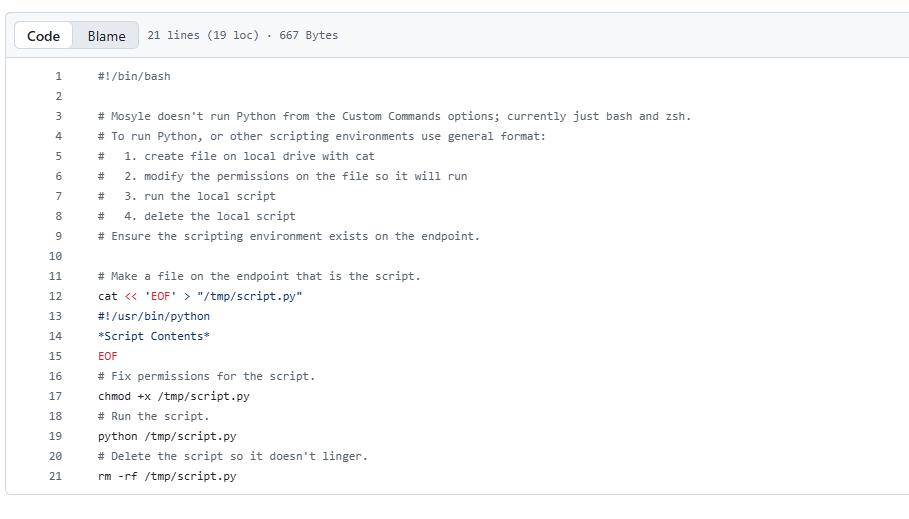
Via Github
That means you’ll need workarounds where you drop Python scripts onto machines and execute them via bash.
However, Mosyle is doing something interesting here. Mosyle AIScript is a game changer because it's the first tool to use generative AI for scripting on macOS.
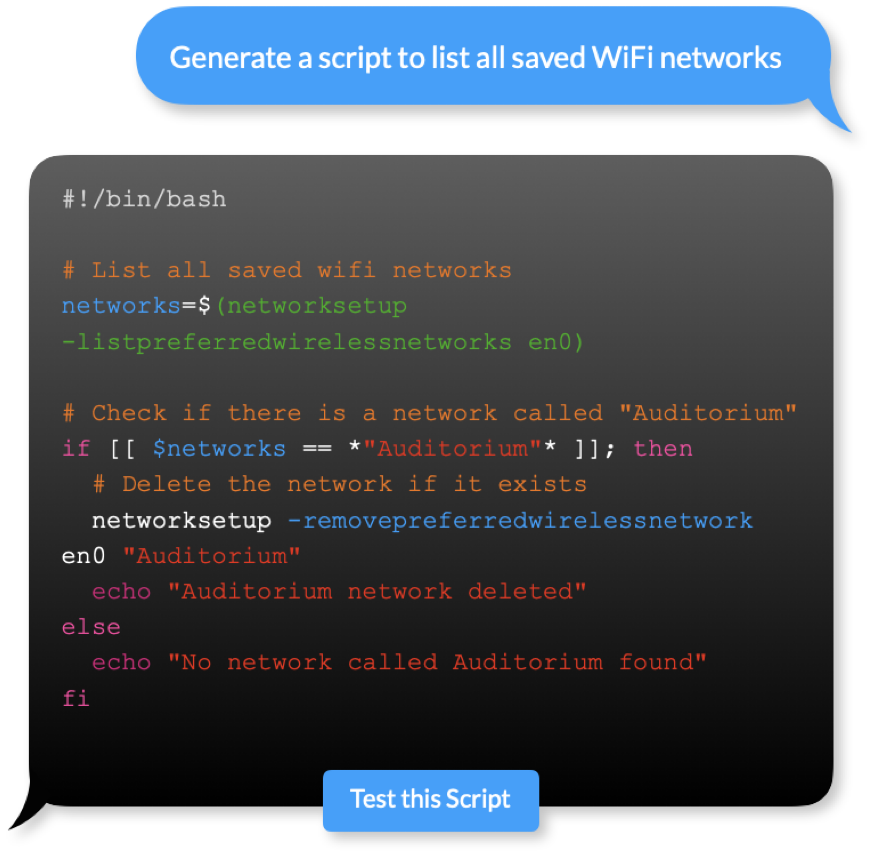
This means IT admins can use natural language to request and receive ready-to-use scripts for everything from checking battery health to complex automation tasks. This is gonna be really helpful, especially for those are new to script
Scoping in Jamf
How you target policies to devices matters enormously at scale.In Jamf, you scope policies and configuration profiles using Smart Groups, and if you want something scalable, use Smart Groups based on IP range, department, or other criteria you can hook onto.
The flexibility is there. You can target based on almost any inventory attribute, combine criteria with Boolean logic, and create exclusions for edge cases.
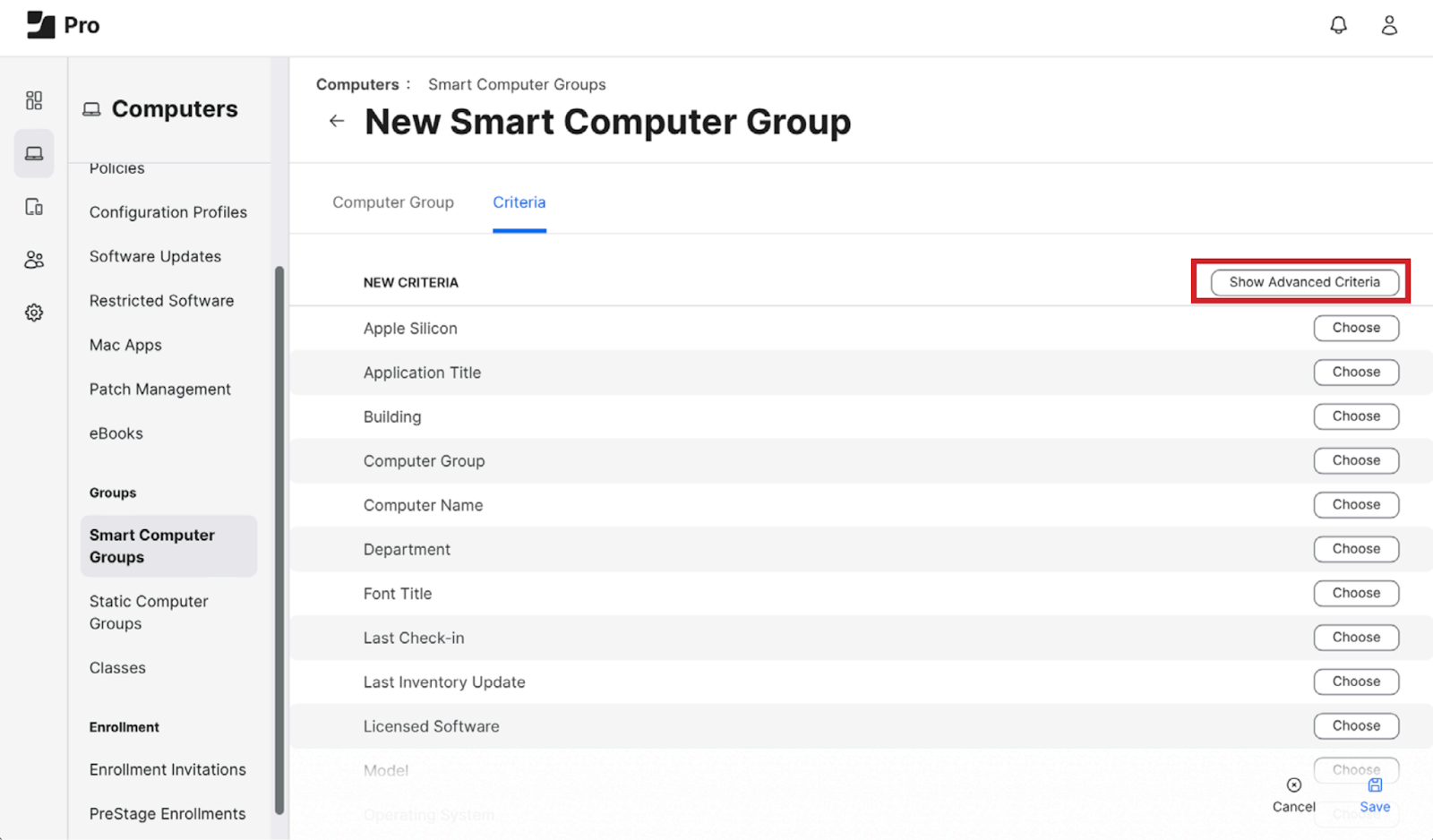
You can even configure smart device groups to send remote commands automatically when devices become members.
For example, the Set Wallpaper command can be configured to automatically set wallpaper on devices when they join a specific group. This kind of event-driven automation is powerful when you understand how to use it.
Scoping in Mosyle
Mosyle approaches scoping with more built-in structure, especially for education. Flexible scoping options allow IT Administrators to push commands to any group of devices with minimal effort.

It uses regular MDM organizational groups or specific K-12 hierarchy elements such as classes and grade levels. For schools, this is incredibly convenient. For enterprises with complex org structures, it can feel limiting.
Jamf gives you deeper, more flexible targeting for complex environments, while Mosyle is faster and more convenient when your organization fits its built-in group structure (particularly schools).
Jamf community support
This matters more than people admit.
Jamf Pro's documentation and community support are consistently praised. Its users often describe support and documentation as excellent.
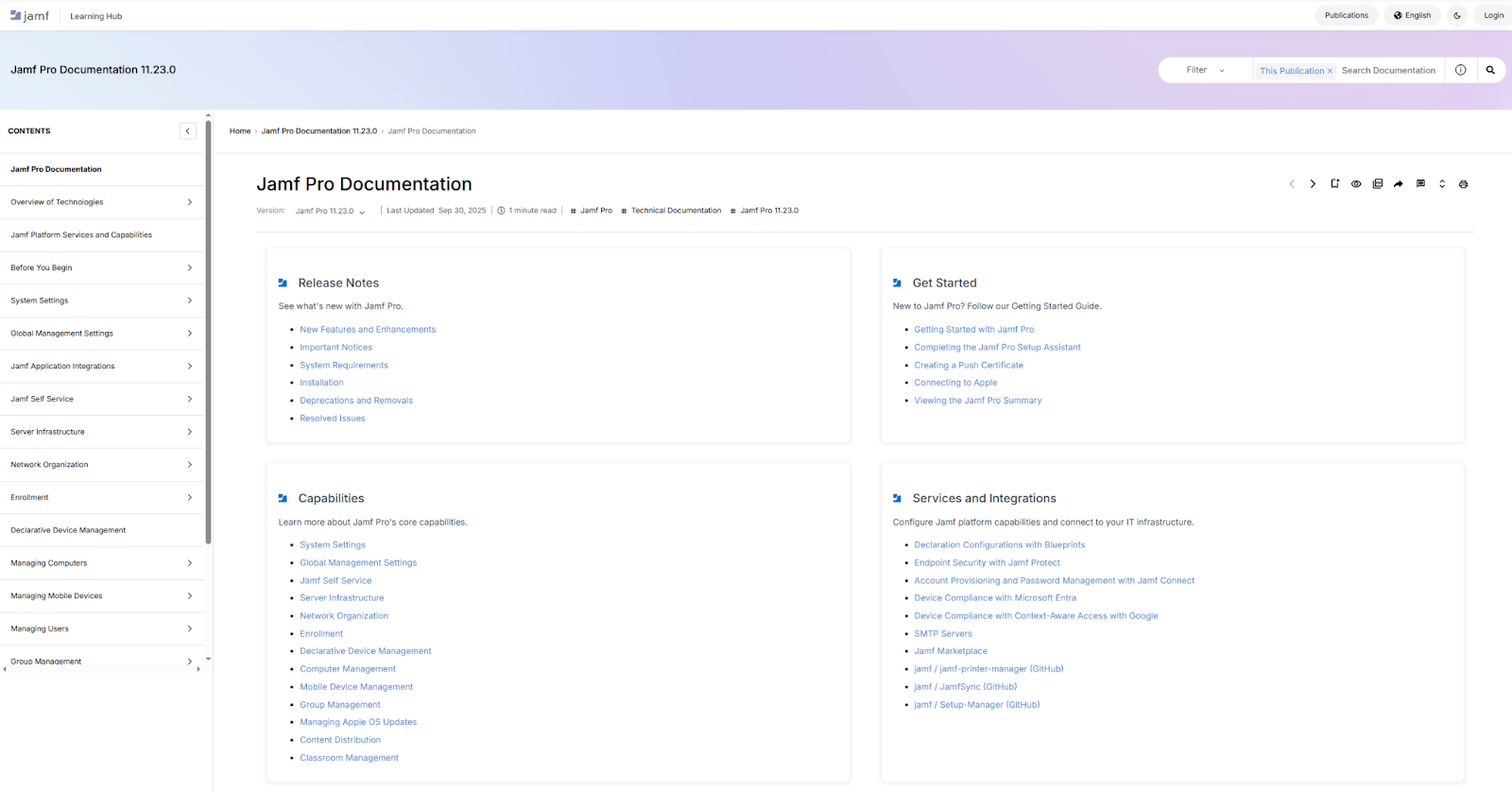
When you're stuck at midnight trying to figure out why a configuration profile isn't applying, the depth of Jamf Nation discussions is invaluable.
Mosyle community support
Mosyle's documentation situation is acknowledged even by fans as needing work.
You're more dependent on their support team, which by all accounts is excellent, but that's a different experience than being able to Google your way to a solution.
Winner for policy and configuration management: Jamf
For policy and configuration management specifically, Jamf Pro wins because the ceiling is higher.
Jamf Pro has allowed me to continuously improve my demo device management environment. And it's versatile: from custom shell scripts to customized profiles, extension attributes for reporting, and a well-supported API, you’ll have everything you need as your demands inevitably become more complex.
But Mosyle might be the right choice if your team doesn’t have complex scripting or in-depth customization needs or deep scripting expertise.
Your choice depends on whether you see control as liberating or limiting.
Jamf vs Mosyle: Compliance and hardening
In my opinion, compliance and hardening are basically two jobs: check whether devices match a baseline (your rules), and fix what is out of policy.
Jamf and Mosyle can both do this, but they take different routes.
Jamf
Jamf’s traditional strength is custom logic. You can create your own compliance checks using Extension Attributes (custom inventory fields) and then use Smart Groups to automatically sort devices into “pass” or “fail.”
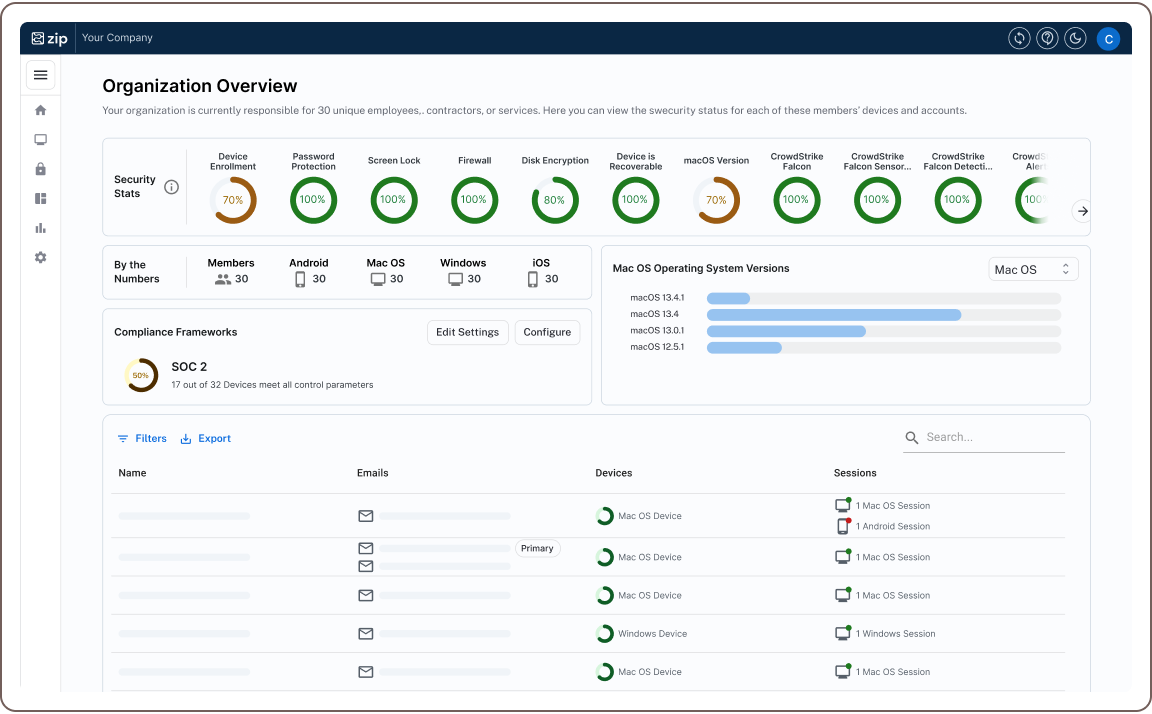
Once a device lands in a group, you scope configuration profiles and policies to remediate it. This approach takes more design work up front, but it is ideal when your standards are specific or unusual.
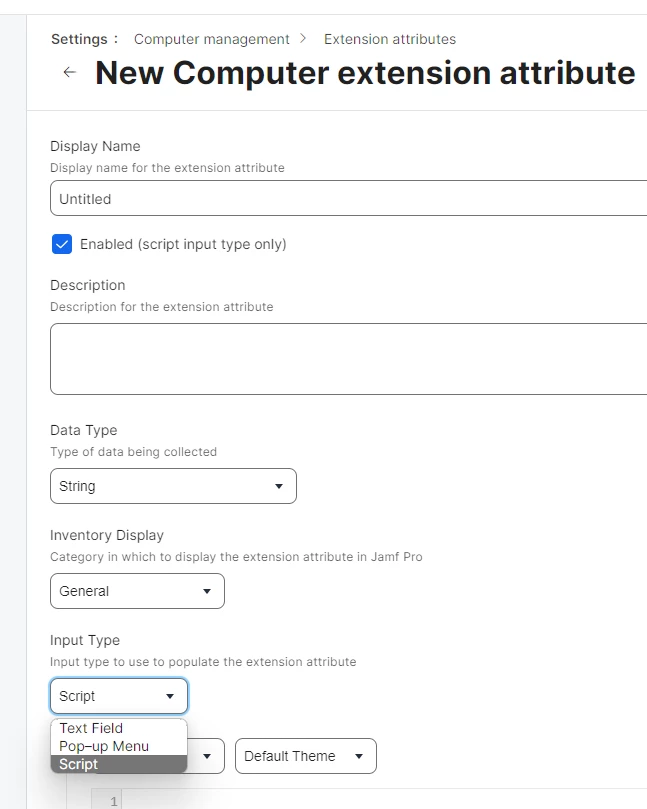
For instance, you can write an Extension Attribute that checks whether FileVault is on, whether a required security agent is running, or whether a setting exists, then put non-compliant Macs into a Smart Group and push a fix.
Jamf also offers a more guided option now with Compliance Benchmarks in Jamf Pro. It is built into Jamf Pro and is designed to package common hardening work into a single workflow:
- You pick a benchmark,
- Scope it to a Smart Group, and
- Jamf generates the underlying objects and gives you reporting.
This feature currently includes CIS Level 1 and CIS Level 2 templates and supports macOS 13, 14, and 15, with specific cloud and sign-in prerequisites
Mosyle
Mosyle’s Hardening and Compliance is presented as a library of ready-to-use security configurations that are continuously checked, mapped to common frameworks (Mosyle explicitly calls out CIS, plus audit-oriented mappings like SOC 2 and PCI), and aware of the OS version on each device, so expectations can vary by macOS/iOS/iPadOS version.
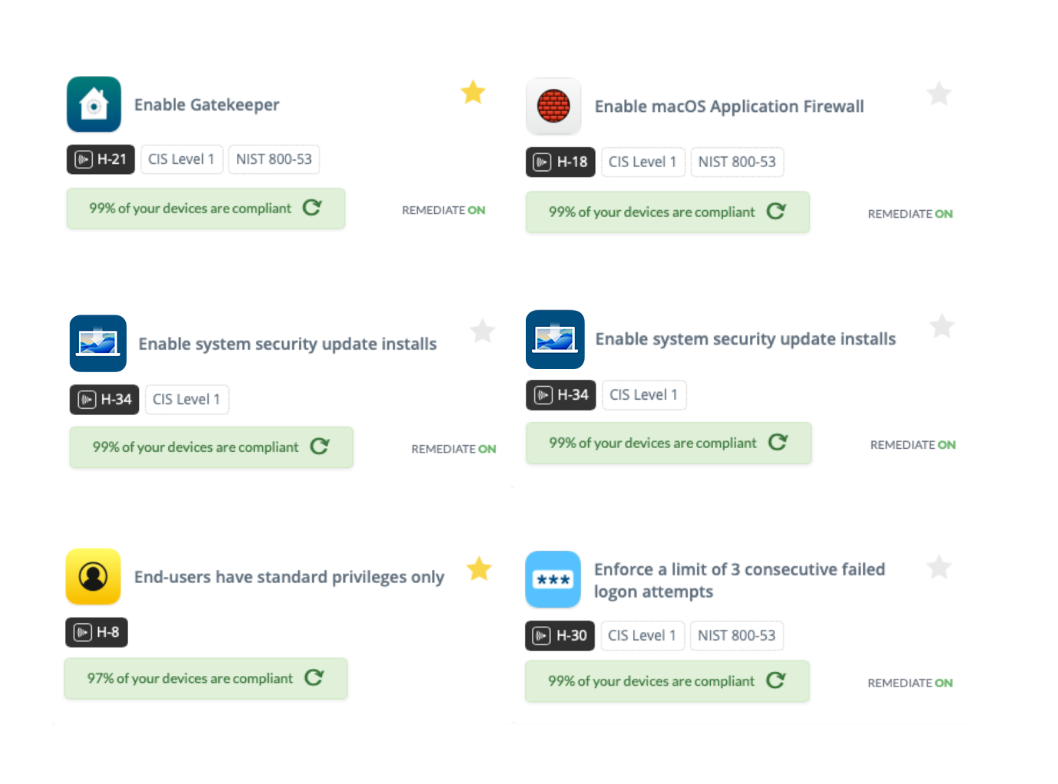
The key difference is remediation.
Mosyle can automatically remediate many identified issues, so the system is not just reporting drift but actively pulling devices back into compliance when Apple’s management APIs allow it.
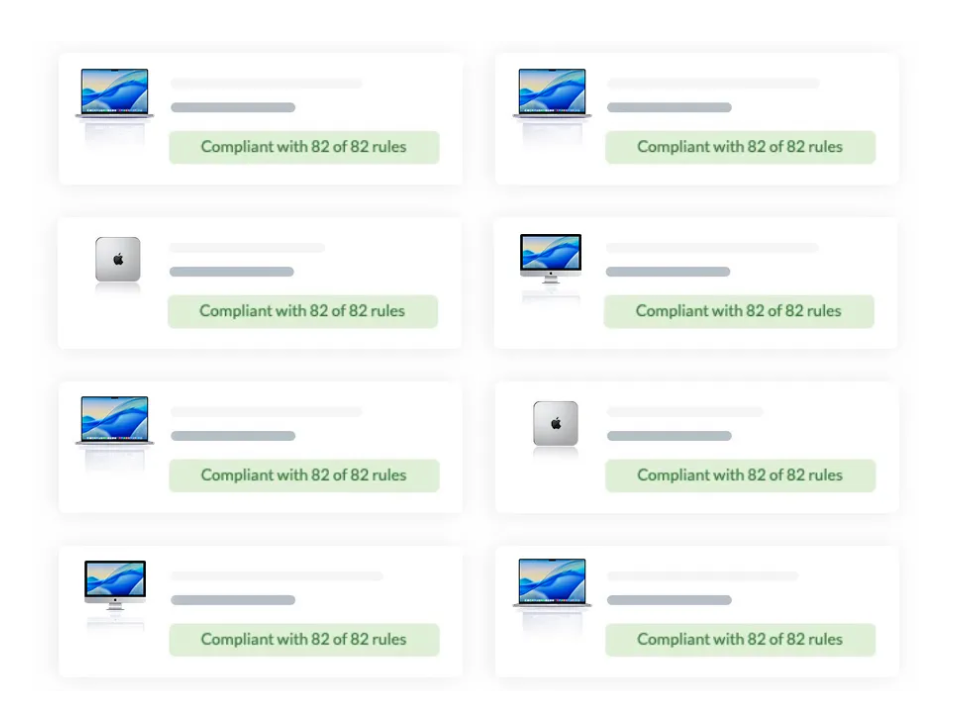
It also positions compliance results as usable signals for automation, for example, using compliance status as dynamic scoping for policies, and even sending compliance signals into Intune in some workflows
For instance, if a Mac falls out of policy because a setting was changed locally, Mosyle can detect that drift and reapply the approved configuration automatically for controls it can enforce.
Winner for compliance and hardening: Mosyle
Mosyle is the clearer winner here if your priority is reaching a defensible security baseline quickly with minimal custom engineering. It is built around a ready-to-use control library, OS-version-aware evaluation, continuous monitoring, and automatic remediation, which reduces the amount of work most teams end up doing.
Jamf can absolutely match or exceed Mosyle in precision when you need to model internal standards, exceptions, and custom signals, but that often means assembling more of the system yourself.
Jamf vs Mosyle: Inventory
When I compare inventory management capabilities in MDMs, I always start the same way. I want to know how fast I can answer three basics: what devices we own, who they belong to, and whether they look healthy, without turning my afternoon upside down.
Jamf
Jamf gives you explicit controls for what gets collected, and it can pull user and location details from a directory service like LDAP when you enable that option in Inventory Collection.
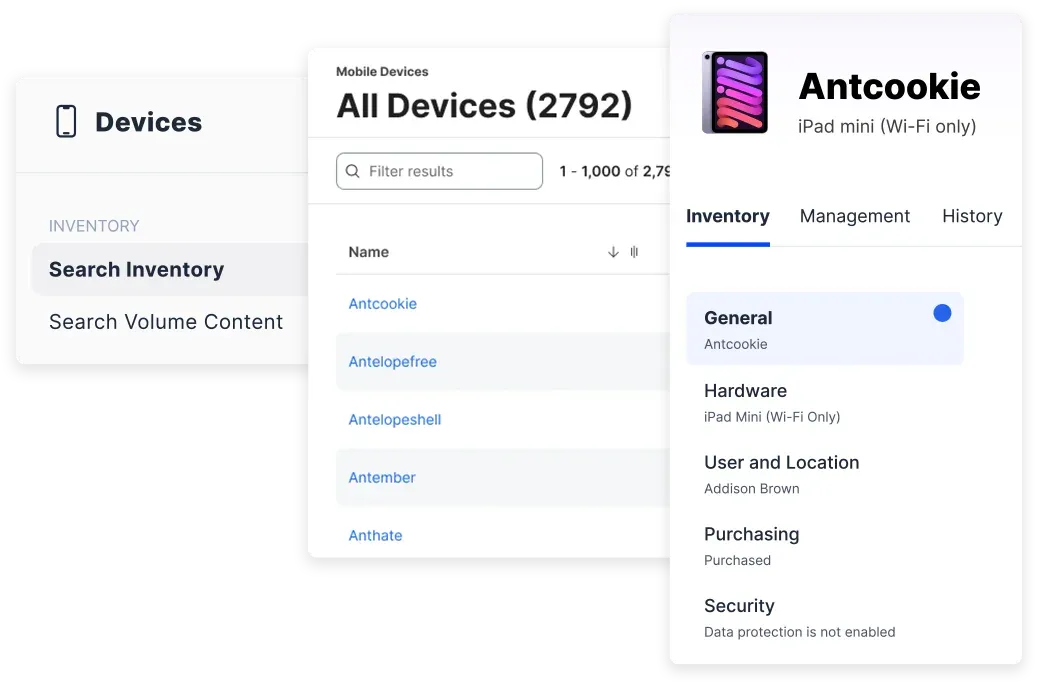
Once that data is coming in, Jamf slices that data to fit into these areas.
- Smart Groups update dynamically based on criteria, so your inventory naturally turns into live segments
- Advanced Computer Searches let you stack detailed criteria for reporting and troubleshooting
- Extension Attributes let you collect extra inventory details beyond the defaults, which is perfect when I need to track something specific to my environment
- Reports are built into the workflow, including exporting results from groups and searches
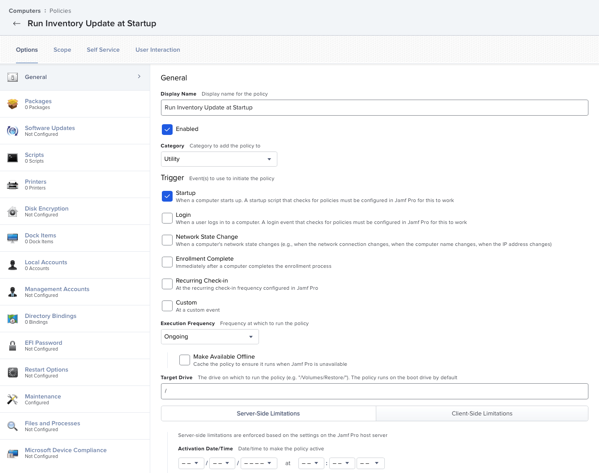
The net effect is audit-friendliness. When someone asks, which Macs are missing a required setting or which devices belong to a certain team, Jamf is happy to play detective and show its worth.
Mosyle
Right off the bat, you’ll see that Mosyle’s inventory is laid out like a dashboard and is explicit about letting you create custom device attributes manually, via the API, or as a response to a script, and then use those attributes for grouping or as variables in profiles and commands.
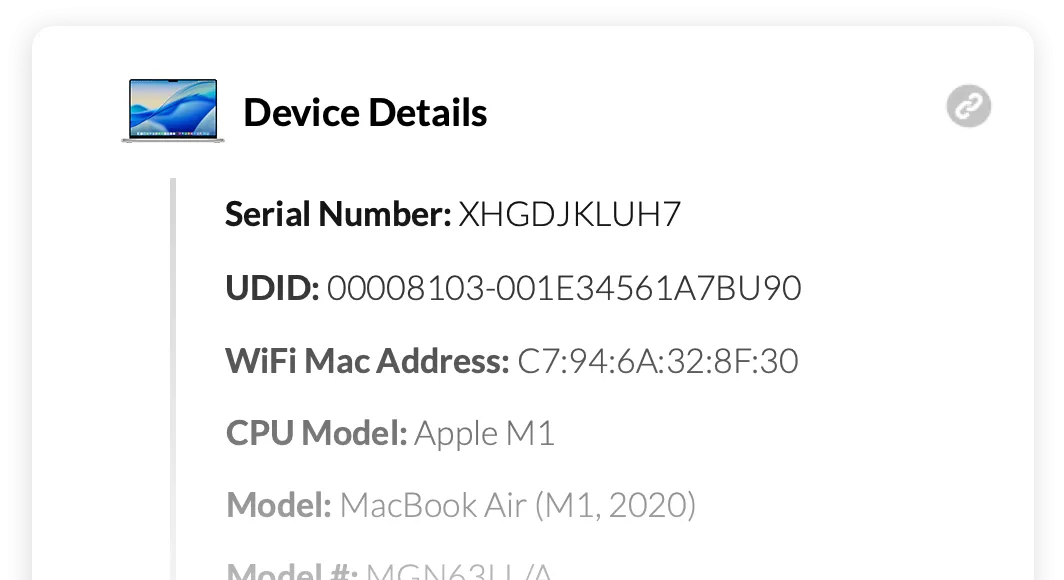
That design choice matters. In other words, instead of you building a perfect report, you make the system smarter so the right actions happen.
To me, it looks a bit like this
- Jamf is terrific when you need to prove things. You get audit-friendly inventory concepts, historical inventory reports, and a culture of searching and grouping that scales with messy environments.
- Mosyle’s inventory features are limited.
Winner for inventory: Jamf
For inventory specifically, Jamf feels more mature and more explicit to me about the mechanics.
Mosyle clearly supports rich inventory plus customization, but Jamf documents the how in a way that’s built for people who live and die by filters, groups, and defensible data trails.
Jamf vs Mosyle: App lifecycle and distribution
If you manage Apple devices long enough, you learn a truth that hurts a little…managing the App Store itself is the easy part..
The hard part is everything your users actually depend on, like Zoom, Slack, Chrome, and the never-ending parade of vendor apps that update on their own schedule.
Here’s how Jamf and Mosyle feel when you’re trying to keep that reality under control.
Jamf
Jamf’s modern app story is built around the Jamf App Catalog, which it describes as a list of third-party macOS software titles you can use with either Patch Management or App Installers.
That wording matters because it hints at the big theme with Jamf. You have options, but you also have more to do.
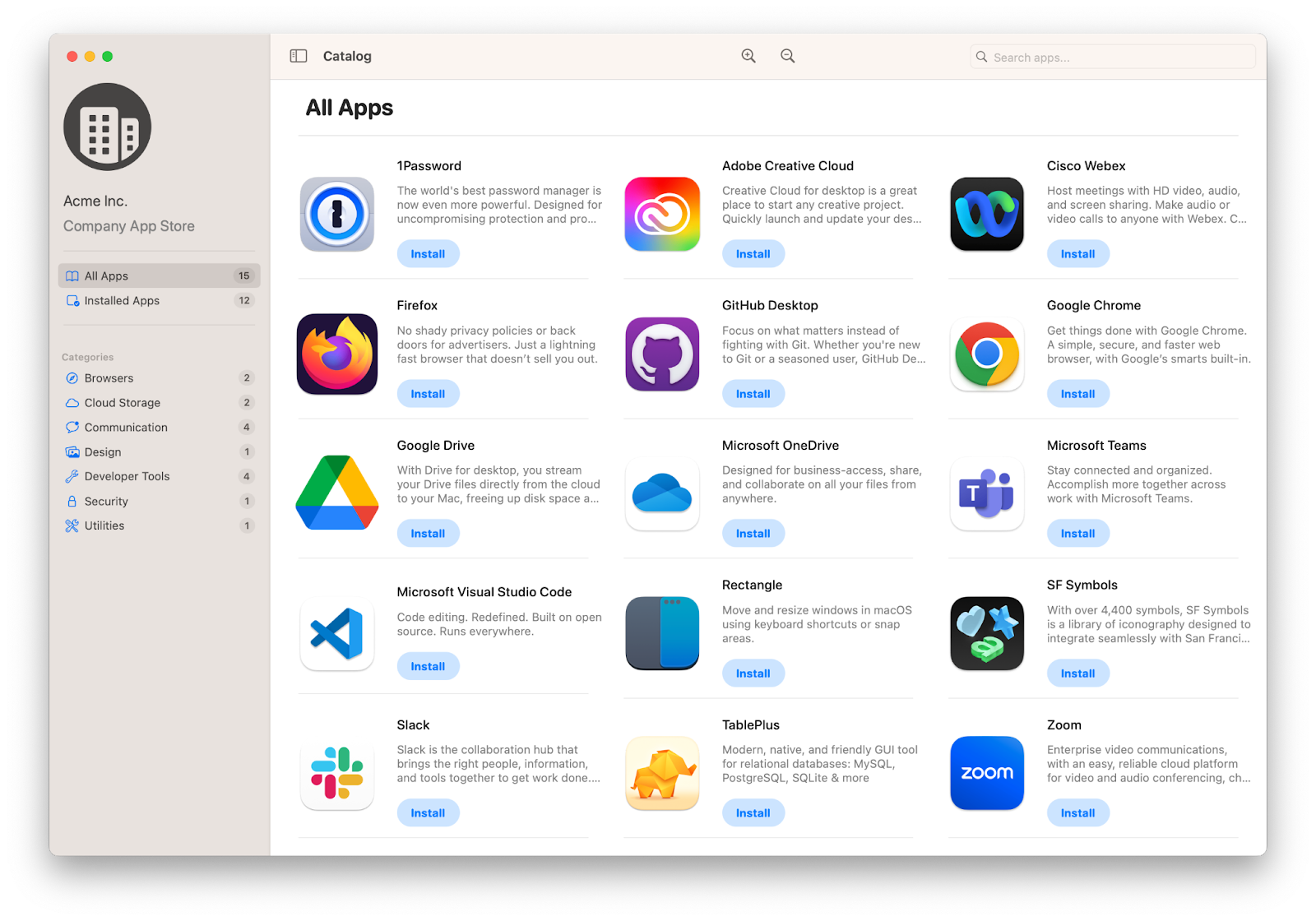
I look at App Installers if I want third-party app deployment to be as close to set-it-and-forget-it as possible. Jamf’s documentation describes App Installers as a way to distribute third-party macOS software titles to managed Macs using a smart computer group.
Behind the scenes, Jamf sources vendor packages, repackages when needed, and the resulting packages are code-signed by Jamf.
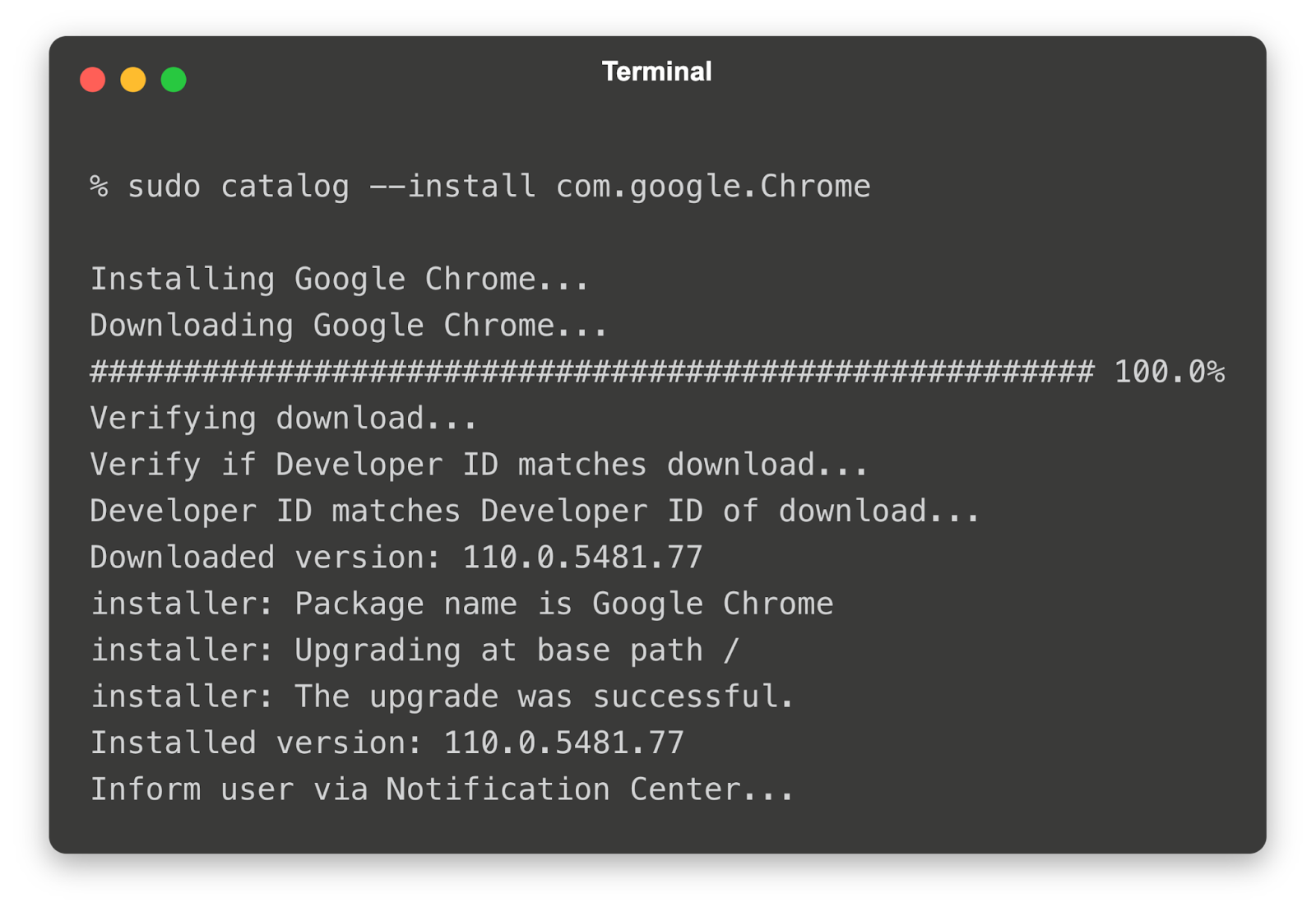
That translates to a simpler operation:
- I pick an app from the catalog, scope it with a smart group, and let Jamf handle the installation stuff
- Jamf also publishes a clear expectation for freshness: it says it has over 1,400 actively updated patch definition titles, and in most cases, it publishes App Installer updates within one business day after detecting a vendor update.
App Installers come at no additional cost for Jamf Pro Cloud subscriptions, which is nice when you are trying to avoid a budgeting side quest.
However, there’s a catch.
The App Catalog is larger than the App Installers list. Not every patch definition is available as an App Installer, which means you can still run into apps that are not covered by the hands-off workflow.
When that happens, you are often back to the classic ways: packaging your own installers, scripting installs and updates, or running an external pipeline like AutoPkg, sometimes paired with additional tooling to make it feel consistent and supported.
Mosyle
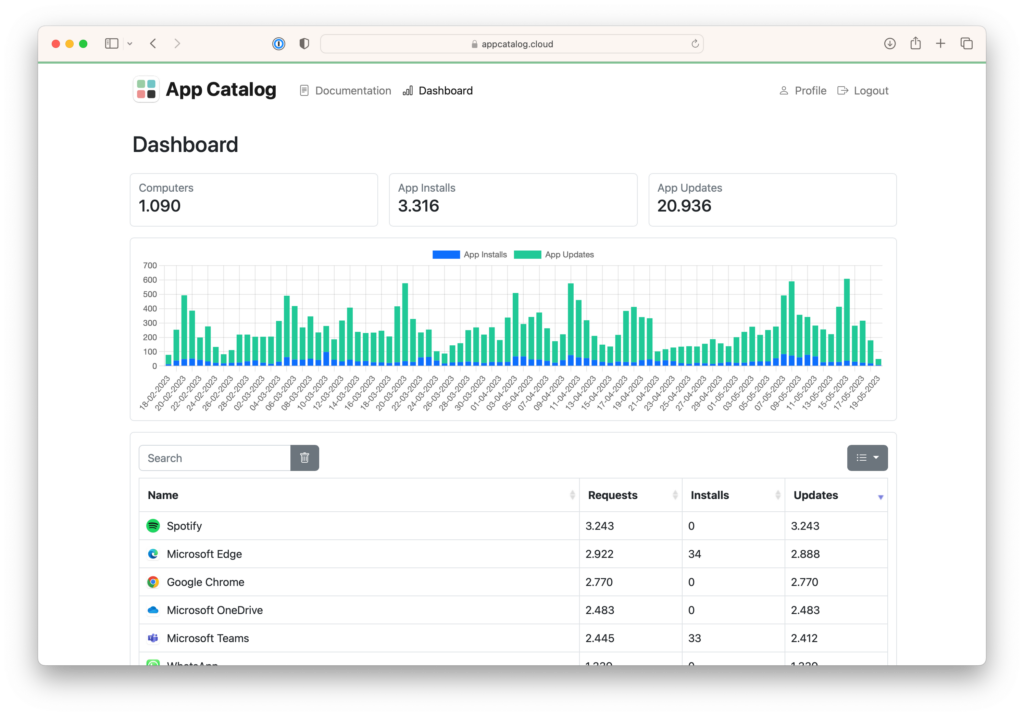
Mosyle leans hard into a built-for-this experience with its app catalog approach. Their pitch is simple. You automatically install and patch non-App Store apps without needing to build PKGs, then push updates immediately or let users defer until a deadline you set.
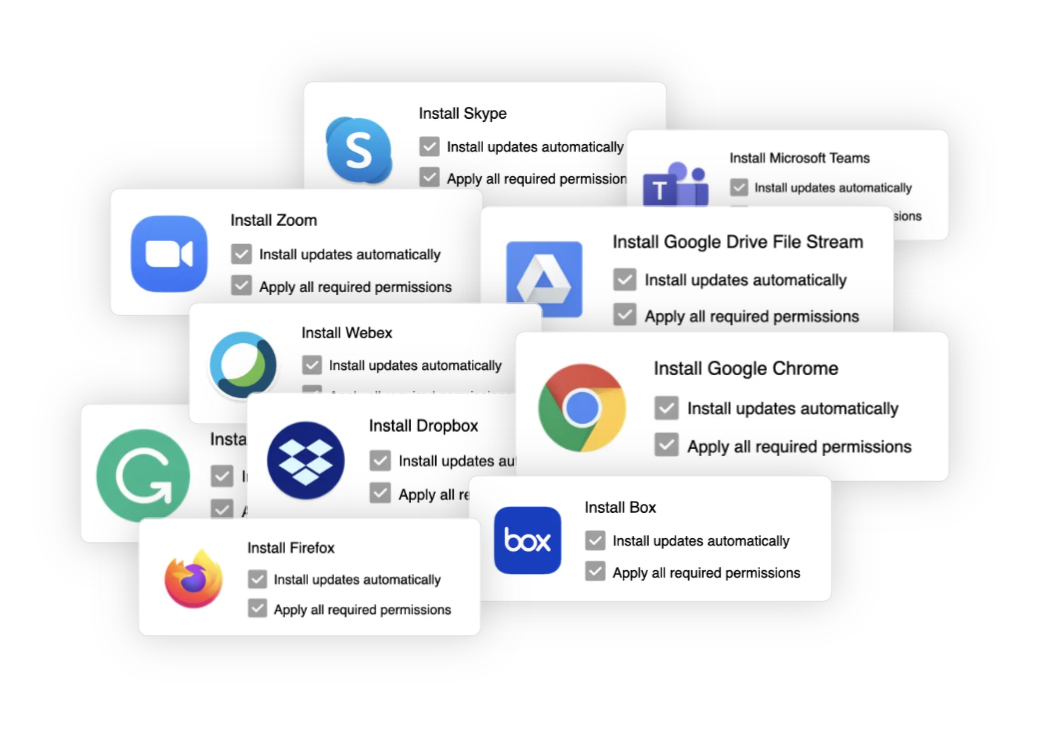
For the App Store and managed distribution side, Mosyle describes a straightforward flow.
First, you scope apps to users or devices. Then, in the Mosyle Self Service app, choose automatic installation or on-demand. If an app is no longer needed, remove it, and Mosyle automatically revokes the license so it can be reused.
That’s basically what you want here…fewer screens, fewer asterisks.
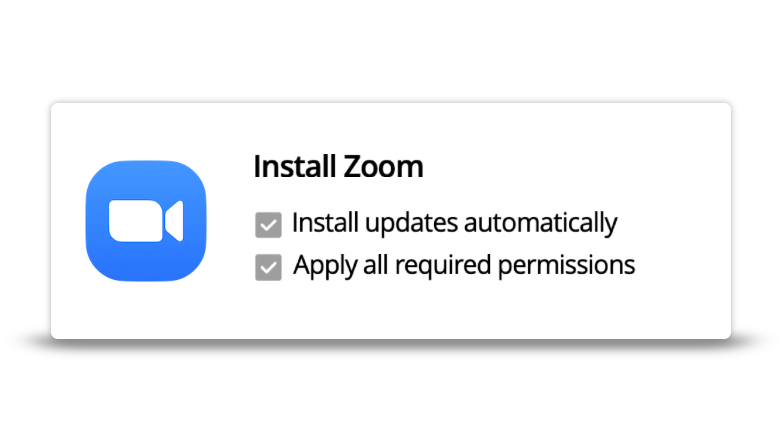
This is the standard managed distribution model you would expect in an MDM, and Mosyle makes it fast to scope and maintain.
The real test, however, is third-party apps.
This is the part Mosyle pushes hardest for macOS. They claim you can install and patch non-App Store apps without building PKGs, and that the catalog can automate ongoing updates.
What the workflow looks like, conceptually:
- You pick an app from the catalog and scope it to devices
- For updates, Mosyle says it can either push updates immediately or let the user defer until a configured deadline
- Mosyle also says it will automatically configure the required app permissions (PPPC) for each catalog app
Mosyle says many apps are already in the catalog and that they continue adding more based on customer feedback.
Mosyle is trying to make third-party macOS apps feel closer to “managed App Store apps,” including updates and permissions, with less packaging work on your side
Then there’s the rest: PKG, DMG, ZIP, custom apps, enterprise apps
Even with a strong catalog, there are always edge-case apps. Mosyle highlights that it supports installing and distributing PKG, DMG, ZIP, plus Custom Apps and Enterprise Apps, and even includes secure hosting options for packages, depending on the plan.
If an app is not in the App Catalog or does not behave well in a catalog model, you can still fall back to traditional deployment methods inside the same platform.
Winner for app lifecycle and distribution: Mosyle
For app lifecycle and distribution, I give the win to Mosyle, mainly for how little effort it demands day to day.

Jamf vs Mosyle: Pricing Comparison
Besides features, pricing is often the most important deciding factor for an MDM.
Pricing shapes what you can realistically roll out, how much you can standardize, and whether you end up managing devices or managing invoices.
Here’s Jamf’s official pricing:
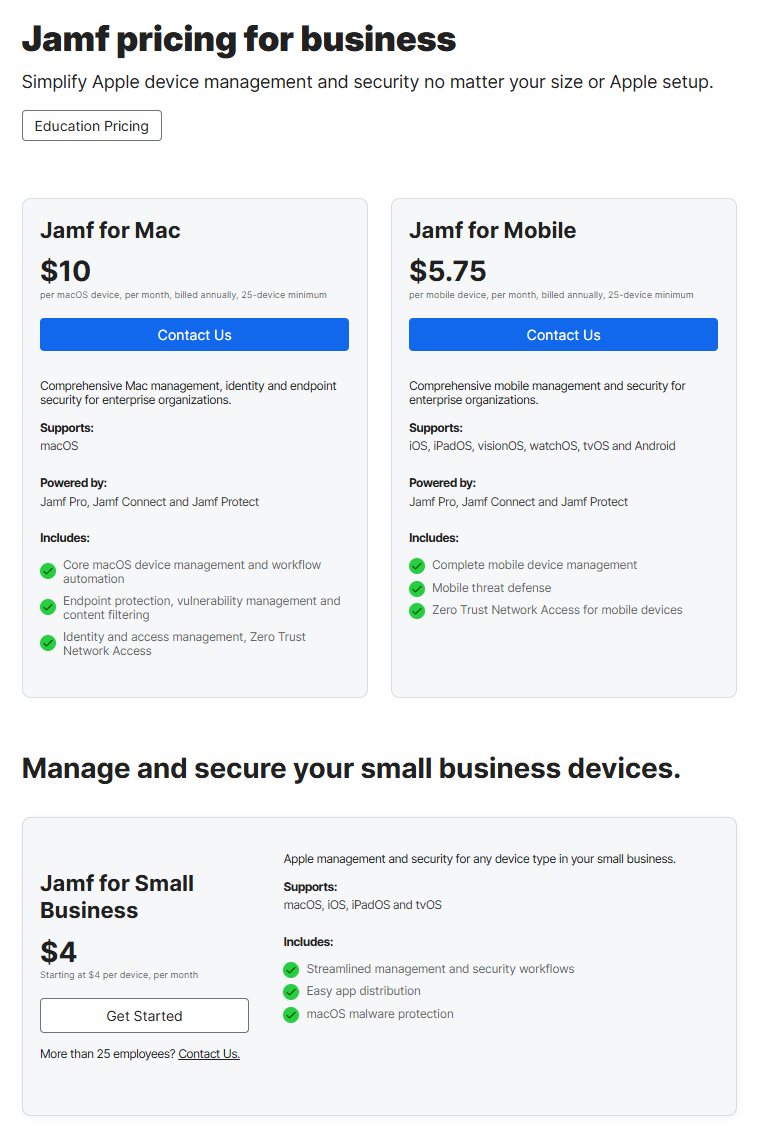
And here’s Mosyle’s official pricing:

Spendflo explicitly notes its Jamf numbers are based on customer insights and may vary, then lists figures like $3.67 per device per month for Jamf Pro and $13.65 per month for Jamf Business.
Vendr’s Jamf marketplace page includes community deal notes, including an example of a customer citing a price increase from $144 to $156 with discounting to support renewal, but the snippet does not give full context, like device counts or packaging.
I like to do my own cost analysis with a simple mixed fleet of 100 Macs and 100 iPhones.
|
Scenario |
Monthly total |
Annual total |
What I am basing it on |
|
Mosyle Business Premium for all 150 devices |
$150 per month |
$1,800 per year |
$1 per device per month |
|
Mosyle Fuse mix, Macs at $3, iPhones at $1.50 |
$375 per month |
$4,500 per year |
$3 per macOS device per month and $1.50 per iOS device per month |
|
Jamf bundle pricing from Jamf business page, Jamf for Mac at $10, Jamf for Mobile at $5.75 |
$1,287.50 per month |
$15,450 per year |
$10 macOS and $5.75 mobile per device per month |
These are my takeaways:
- Mosyle is aggressively priced and unusually transparent. Their site lays it out plainly, and the numbers stay low even when you step up into Fuse.
- Jamf’s public pricing tends to show up as either bundles aimed at management and security together or specific published figures in official materials, while many real-world deployments still end up quote-driven depending on packaging and scale.
- If you are comparing purely on list price, it is hard to make Jamf look cheaper on a mixed fleet. The gap is not subtle.
On pricing alone, Mosyle wins.
It is not just that the per-device numbers are lower, though they usually are by a wide margin based on publicly listed pricing.
It is also the clarity. Mosyle puts the price where your finance team can see it, and it stays understandable as your fleet grows. Jamf can absolutely be worth the money, but if the brief is strictly cost, Mosyle is the easier recommendation.
Final Verdict: Jamf vs Mosyle
Jamf and Mosyle solve the same Apple management problem, but they approach it from two very different angles. Jamf packs deep tools, lots of knobs, and endless room to customize. Mosyle is more of a prebuilt rig with opinionated defaults, faster setup, and fewer moving parts to see.
Jamf tends to be the better fit if
- You run a complex Apple environment with lots of Mac configurations, exceptions, and edge cases that need careful handling
- You want maximum control and scripting, packaging, smart grouping, and precise scoping are part of your normal work
- You need defensible inventory, detailed searches, and clean trails you can show compliance without sweating
- You expect to keep investing in Apple management as a long-term capability, not just a utility
- You have either a dedicated Apple admin or a team that enjoys building and maintaining a more custom workflow
Mosyle tends to be the better fit if
- You want fast time to value and onboarding and day-one setup should feel smooth without designing a whole deployment pipeline.
- Your app deployment and patching should work with minimal effort, then scale from there.
- You want strong outcomes without needing a specialist for every corner case.
- You want a platform that’s comfortable in schools and growing organizations.
- You want broad capability per device without the enterprise price tag.
If I’m advising a large, Apple-heavy organization with serious security expectations and the patience to build a polished, customized workflow, I steer them toward Jamf.
If I’m advising a school or a smaller IT team that wants dependable Apple management and app lifecycle handled with less complexity, Mosyle is the easier recommendation.
How Workwize Complements MDM for Full Device Management
I love MDM, and it gets you surprisingly far. With a robust MDM in place, you can automatically enroll devices, push settings, deploy apps, and remotely lock or wipe a Mac if it goes missing.
But MDM mostly governs what happens on the device. It does not fully manage what happens to the device.
It has no control over the physical journey from purchase to deployment, then repairs, replacements, returns, and finally resale or recycling.
While MDM is excellent at managing devices once they are active, it falls short when it comes to controlling everything that happens around the device. For instance, MDM offers no visibility or control over how hardware is purchased, shipped, assigned, repaired, retrieved, or eventually retired.
Yet these physical, operational, and financial touchpoints are where many of the most expensive and time-consuming IT problems arise. An Intel and Ponemon study estimated the average cost of a lost laptop at $49,246, once you factor in more than just the hardware. And the volume is real too. One Ponemon release put laptop loss in U.S. airports alone as high as 600,000 annually.
That’s the gap Workwize is built to fill. Workwize is a global IT asset management platform that helps companies procure, deploy, retrieve, and manage employee equipment from one place.
Workwize integrates seamlessly with any MDM (Intune, Apple Business Manager, Jamf, you name it) to give you full control over your device's hardware and software. Using Workwize, you don’t control just the patching or locking of your organizational assets. Rather, you gain complete control of it, including the hardware.
So, next time you need to send a new employee a laptop or get one back from a departing worker, you can count on Workwize to handle the logistics.
Schedule a demo with Workwize to see how it can help you manage all your assets effectively, whether you use Jamf, Mosyle, or another MDM.


Establish a single source of truth for every IT asset across the globe.
.png?width=258&height=318&name=g10%20(5).png)
More related resources to help you stop firefighting hardware operations.




Get monthly insights into how other IT leaders are improving their ops.



.png?width=2880&height=1232&name=Group%202147262874%20(1).png)
Stop coordinating
hardware like it's 2012.
.svg)
.png?width=172&height=68&name=apple%20business%20patner%20(1).png)
.svg)
.svg)
.svg)
.svg)