




.svg)
.svg)

.svg)


.svg)




.svg)
.png?width=500&height=424&name=Style-1---V1-(1).png)

.png?width=1230&height=692&name=Vector%20(13).png)
If you’re outgrowing your current HR stack and looking for better options, getting stuck between Rippling and Workday is normal.
While both platforms promise modern HR, global payroll, and automation, they’re built for different operating models:
- Rippling is designed as a unified workforce management platform that brings HR, payroll, IT, and spend into a single system to reduce operational friction.
- Workday acts as an enterprise cloud platform for managing HR and finance, with a strong emphasis on scale, governance, and AI-powered operations.
Choosing the wrong one doesn’t just slow you down—it can lock your team into years of process friction, re-implementation risk, or unnecessary complexity.
This guide includes a feature-by-feature comparison of both these tools based on demos, vendor docs, UI walkthroughs, and user-reported experiences.
In addition to the core features, I’ve included implementation, onboarding experience, after-sales support, and pricing: everything you need to decide.
TL;DR
|
Category |
Rippling |
Workday |
|
Best for |
SMB → mid-market, tech-forward teams wanting HR + IT in one system |
Mid-market → enterprise teams needing HCM + ERP depth and governance |
|
Core positioning |
Unified workforce platform: HR + IT + basic finance ops |
Enterprise HCM + ERP suite: HR + finance + planning + payroll |
|
HR core (HRIS) |
Strong day-to-day HR operations in a modern UI |
Deep HCM built for complex orgs and controls |
|
Org structure |
Real-time org charts for operational visibility; interactive employee drill-down |
Multiple parallel hierarchies + governance model; supports future-dated org modeling (Org Studio) |
|
Onboarding/offboarding |
Strong “HR + IT together” onboarding (apps + devices + access in one flow) |
HR lifecycle automation exists, but IT provisioning/device lifecycle requires integrations |
|
Talent & development |
Recruiting module with templates, pipeline, scheduling; strong usability |
Broader talent suite, including learning + internal mobility + talent strategies |
|
Performance + comp |
Performance reviews + OKRs + surveys; links to comp decisions |
Performance management embedded in talent suite; links to comp decisions |
|
Payroll scope |
Strong payroll focus + tight sync with time/benefits; supports contractor workflows across many countries/currencies |
Strong payroll controls + command center; continuous calculation + employee self-service |
|
Finance |
Expense/spend ops (plus cards/bill pay in your “unique” section); not an ERP system of record |
Full ERP financial management (GL, close, consolidation, etc. in your article) |
|
Analytics & reporting |
Fast operational dashboards/reporting across HR + payroll + time + IT + spend |
Enterprise-grade, multidimensional reporting; Prism supports blending external + Workday data |
|
Automation |
Workflow Studio aimed at HR/IT teams; templates (“recipes”) and fast setup |
Orchestrate supports complex cross-system workflows but is heavier and less self-serve |
|
Integrations |
650+ integrations + open API + App Studio |
600+ apps + low-code Build/Extend approach for governed apps |
|
UI/UX |
Modern, consistent UI; lower training overhead |
Powerful but often feels older/less intuitive; multi-step flows |
|
Implementation |
Often weeks to ~1–2 months (as you wrote) |
Often 6–12+ months; commonly consultant-led |
|
Pricing & ROI |
Modular PEPM; pricing not public; generally more cost-effective for mid-market |
High total cost (subscription + implementation); tends to make sense at a larger scale |
|
Support model |
Direct channels like chat/email, but response time can vary |
Often ecosystem-led: partners + internal HRIS teams + Workday support (makes it costly) |
Overview
Rippling
Rippling is a unified workforce management platform that brings together HR, IT, and finance operations under one roof. It primarily serves small-to mid-sized businesses and tech-forward companies seeking a modern, automated solution.
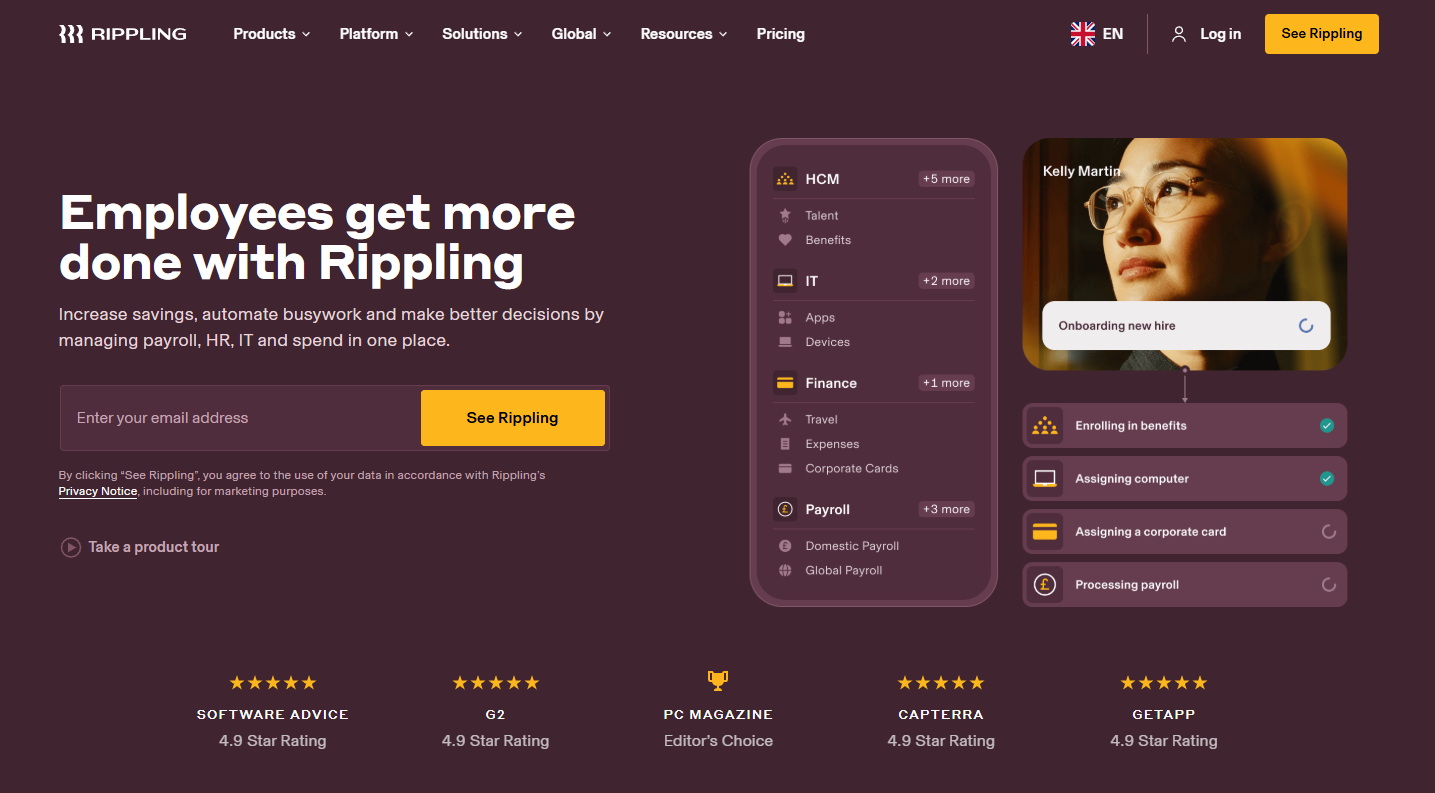
Rippling is praised for its ease of use (for both employees and admins) and rapid deployment. Companies can often implement it in a matter of weeks rather than months.
Workday
Workday is often considered the gold standard for enterprise HCM and ERP in the cloud. It offers an AI-powered comprehensive suite covering human capital management, financial management, planning, payroll, and more.
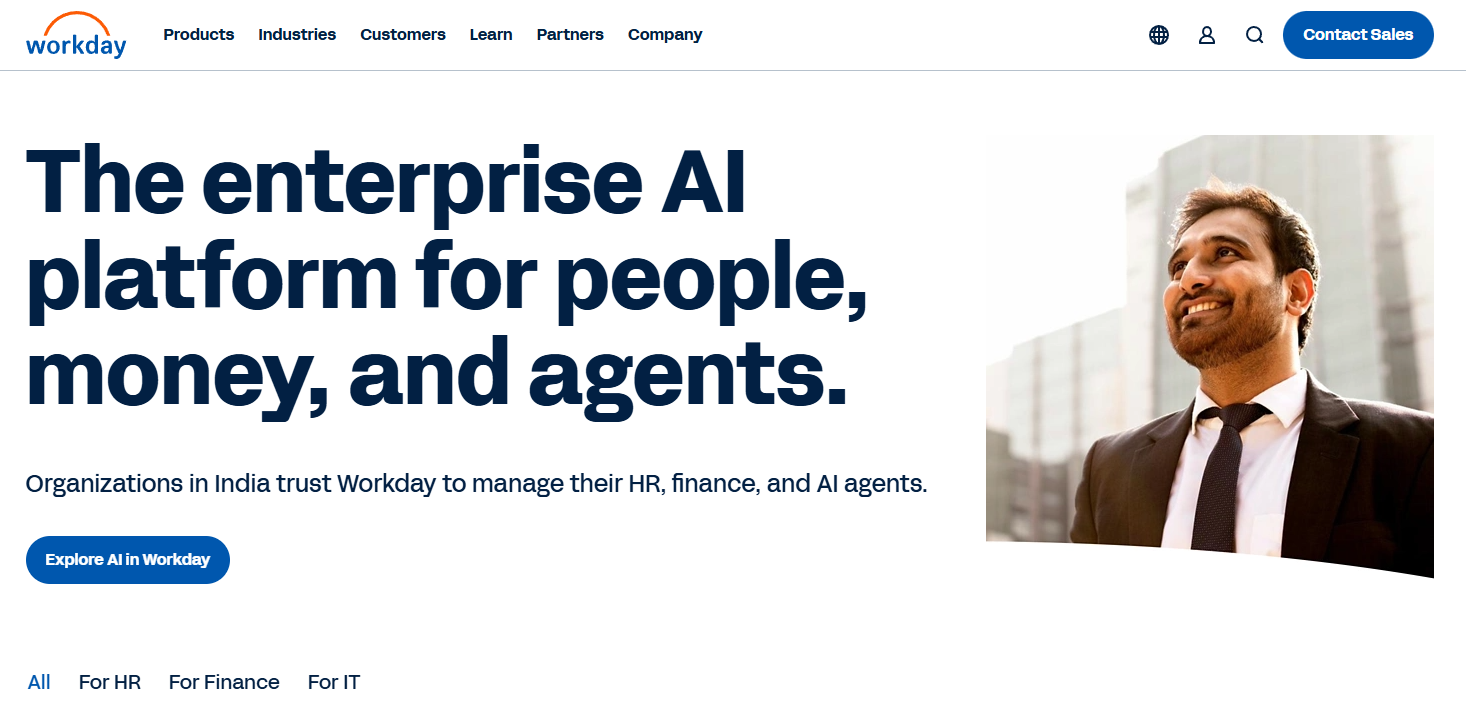
Many large enterprises, including Fortune 500 companies and institutions, rely on Workday for core HR and often payroll or finance.
Workday’s primary strengths include the breadth and depth of its features (HR, Payroll, and Finance) and its proven scalability and reliability for large organisations. It excels at handling sophisticated requirements.
HCM/HR Suite
Recruiting/Talent Management
Rippling
Rippling’s Recruiting module is their application-tracking system, built to help HR teams hire more efficiently. The interface looks really simple, but it offers in-depth functionality.
For instance, teams can see the roles they’re hiring for, the number of new applications, and at what stage the applicants are:
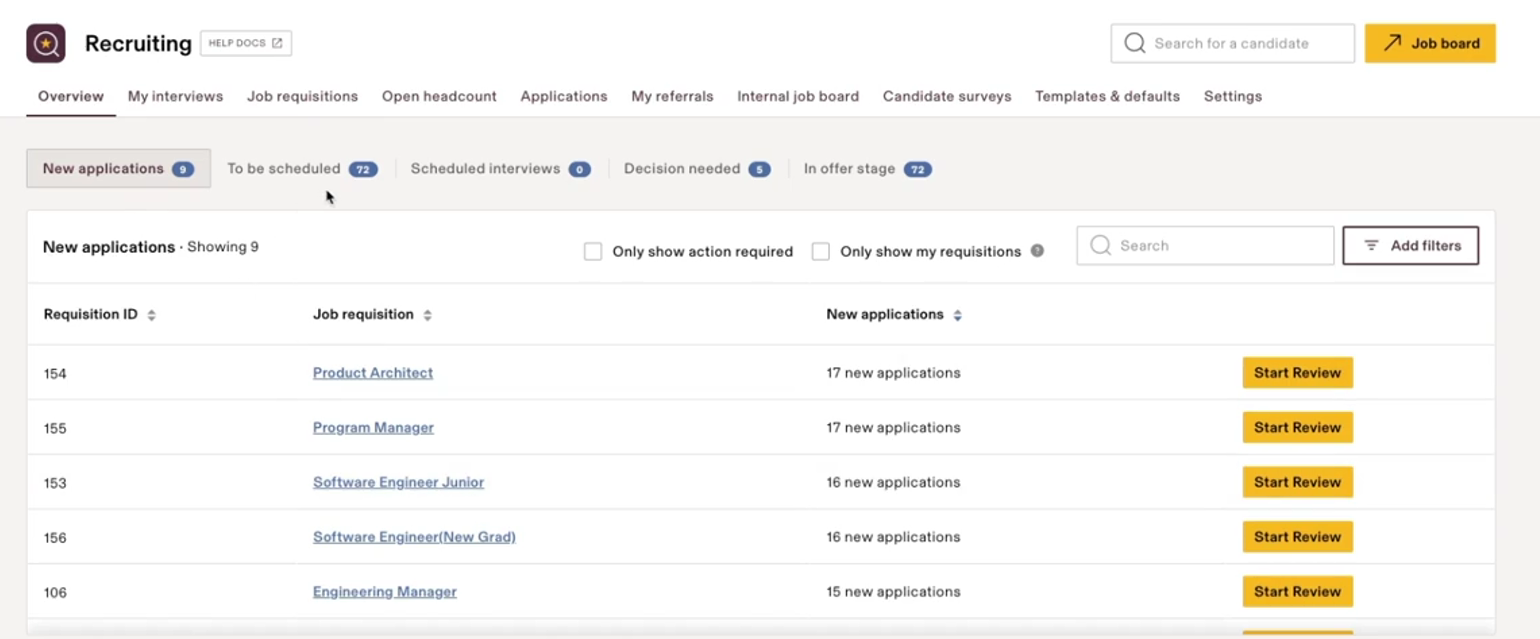
The same dashboard provides deep insights, including the common reasons for candidate rejections and the sources of applications (referrals, manual adds, etc.). These insights can help you make informed hiring decisions.
One feature that stands out to me in the recruitment part is the customizable job requisition templates.
Rippling lets you select templates for different roles and customize them by adding more screening stages, etc. You can also use templates for rejections, feedback forms, or emails. This saves time and makes recruitment easier.
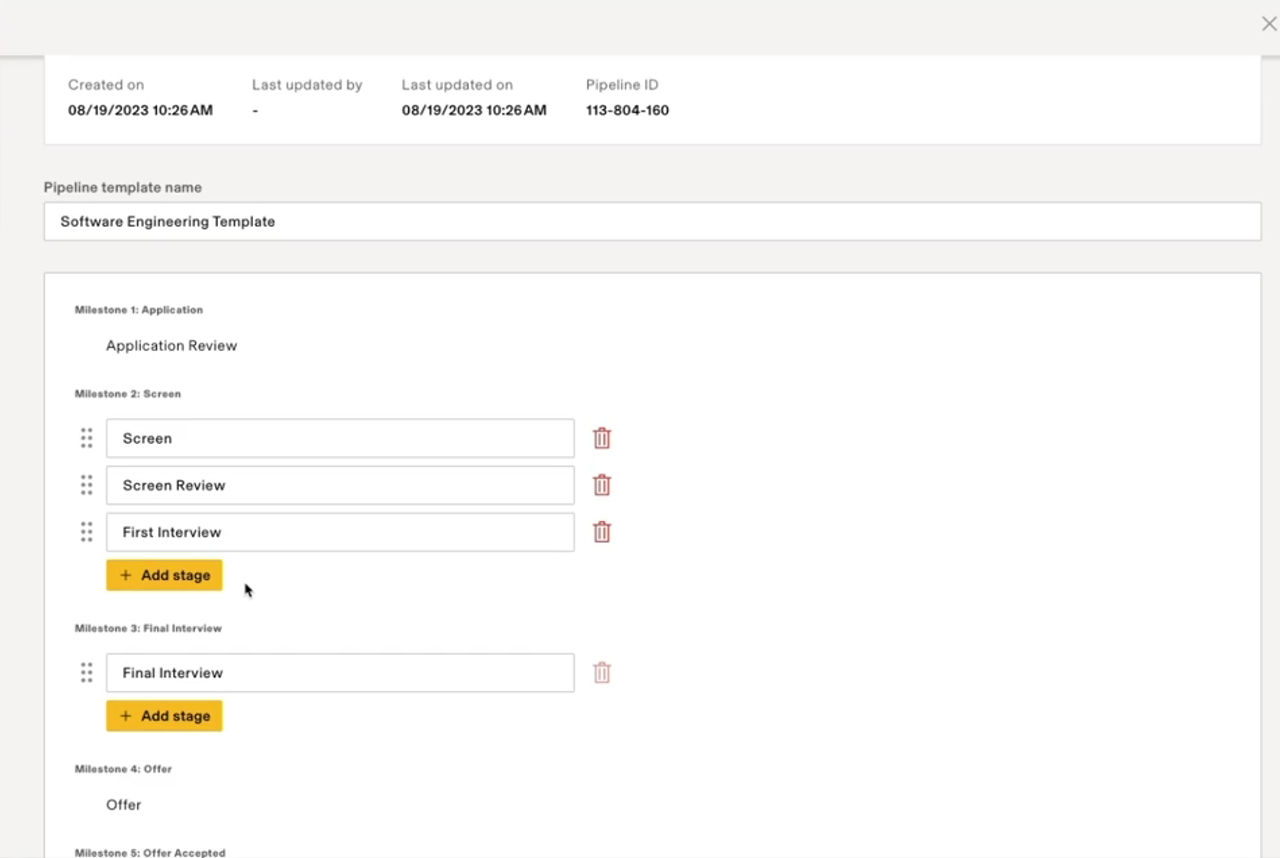
Also, admins can see how long your pipeline is, the stages your candidates are at, and dive deep into each candidate’s profiles.
Rippling lets you create a job posting and instantly post it to thousands of job boards and integrate natively with LinkedIn, Indeed, and more. After you've posted your requirement, you can automatically filter out our unqualified candidates using knockout questions.
Once you decide to hire an employee, Rippling moves them into the onboarding workflow, which includes everything from sending welcome emails and provisioning apps to delivering the right assets.
Workday
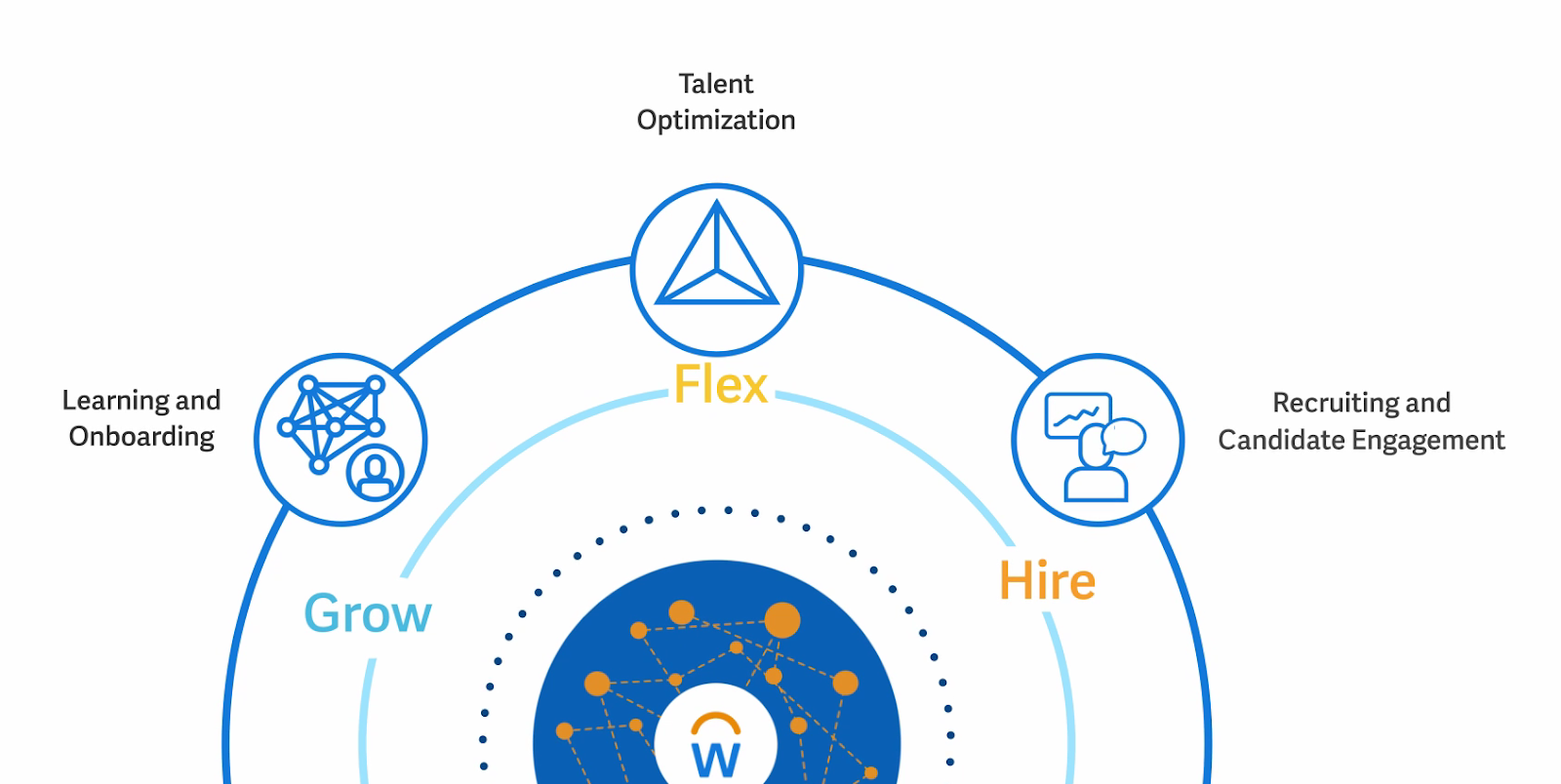
Workday’s Talent management module focuses on three (3) talent sourcing strategies that let you grow talent from within, flexibility to move talent around, and hiring external talent.
And it offers solutions for all these strategies within a single platform:
Their People analytics platform provides you with insights like skill gaps, based on which you can take actions like letting employees choose courses to upskill:
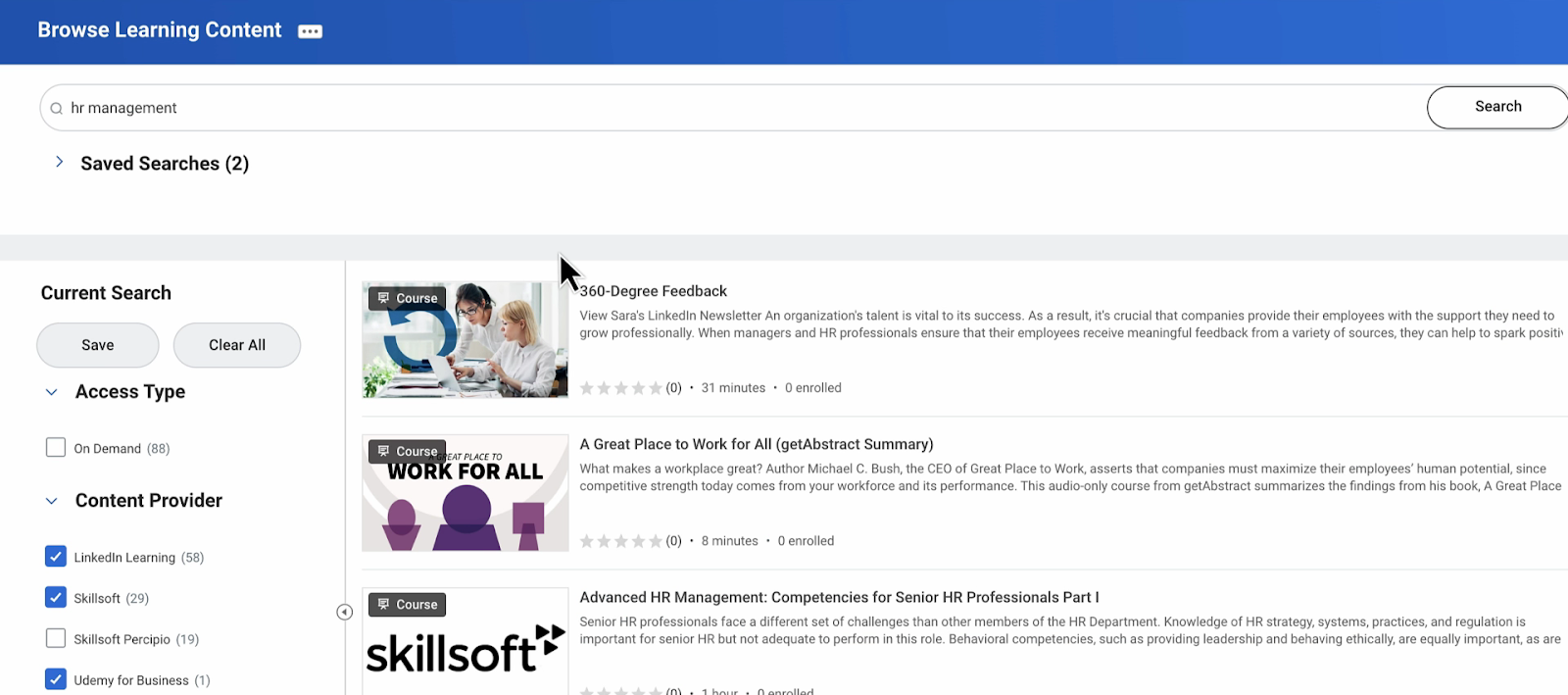
If you noticed, Workday incorporates the learning management module within talent management, unlike Rippling, which has a dedicated learning management software (LMS). It recommends relevant content based on the employee's role, helping them improve their skills.
They have Flex Teams that let you find and connect talent for the skills you need for different projects. Leaders can reassign talent where their skills can have the biggest impact.
Once you define the roles and skills you need, the platform will recommend the right talent:
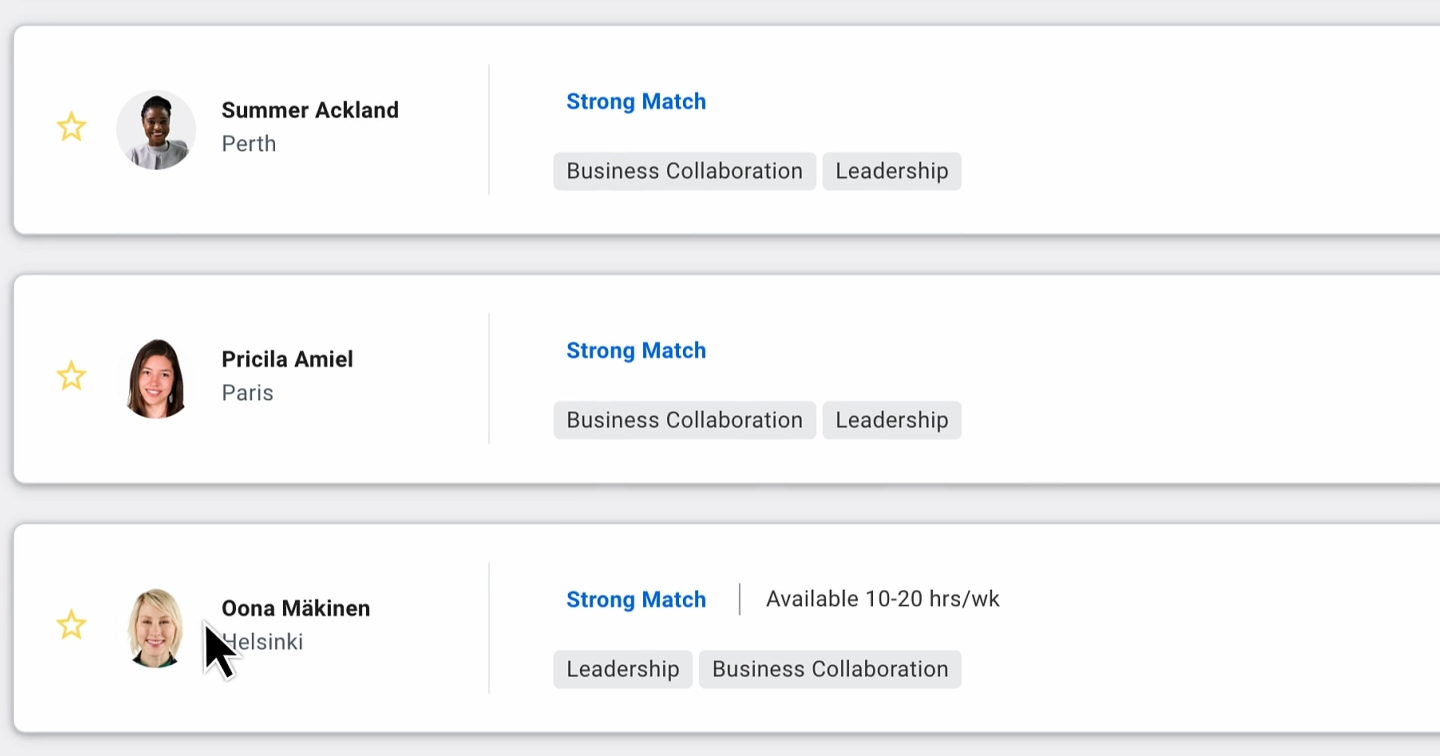
Career Hub, which is employee-focused, recommends new jobs to employees and opportunities, potential mentors, and learning content.
Then there’s the Workday Talent Acquisition Suite, which lets you hire and close skill gaps. Similar to Rippling, Workday lets teams move candidates through the pipeline. However, their interface feels clunkier and more old-fashioned (too crowded, click-heavy, and hard to navigate) than Rippling's.
Org Structure
At its core, organizational structure exists to make responsibilities, authorities, and workflows unambiguous. Without it, systems and people don’t know who does what, who approves what, or which rules apply.
Rippling
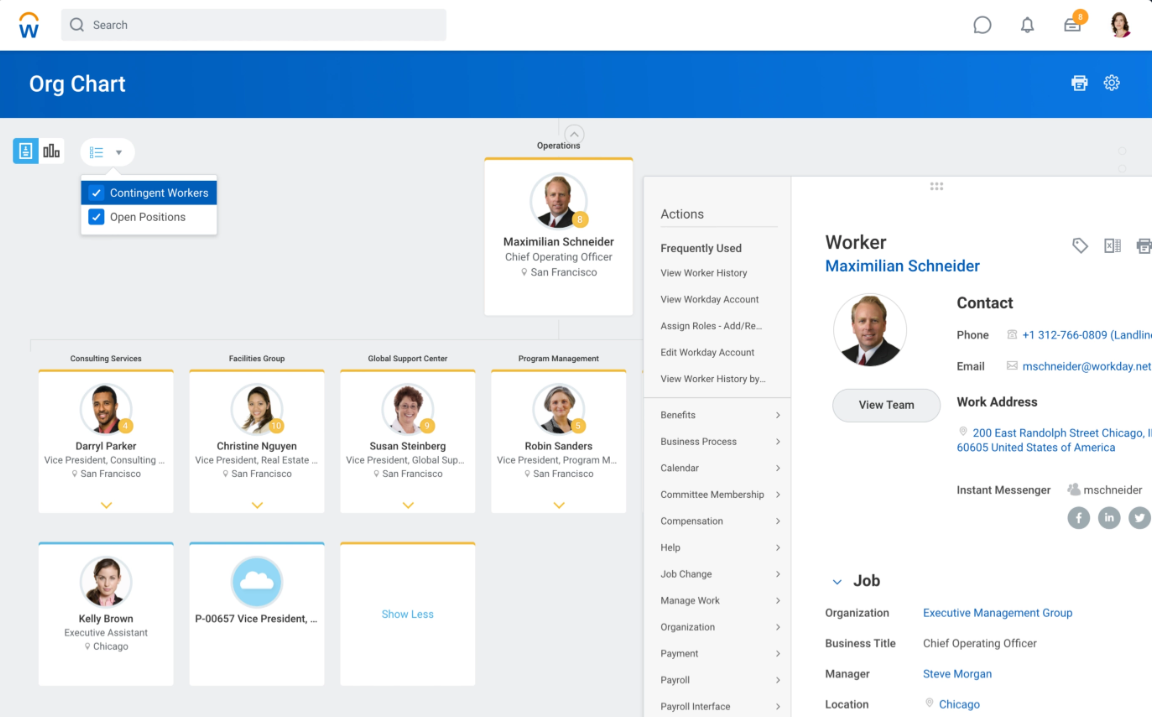
Rippling lets you view and manage your organization's structure via org charts. These org charts provide a visual overview of all employees in your organization. And they update as you make any employee changes, ensuring you view up-to-date information:
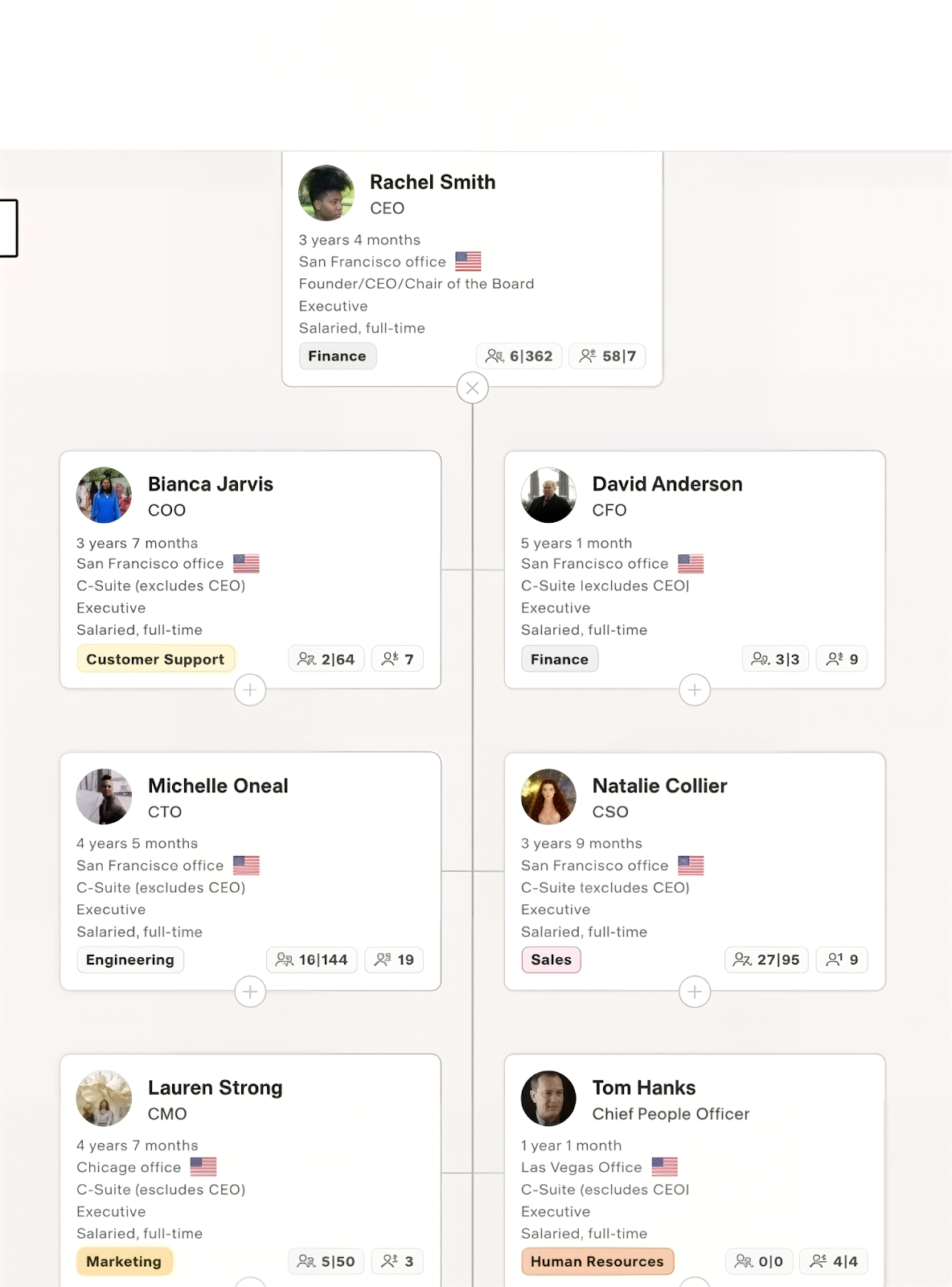
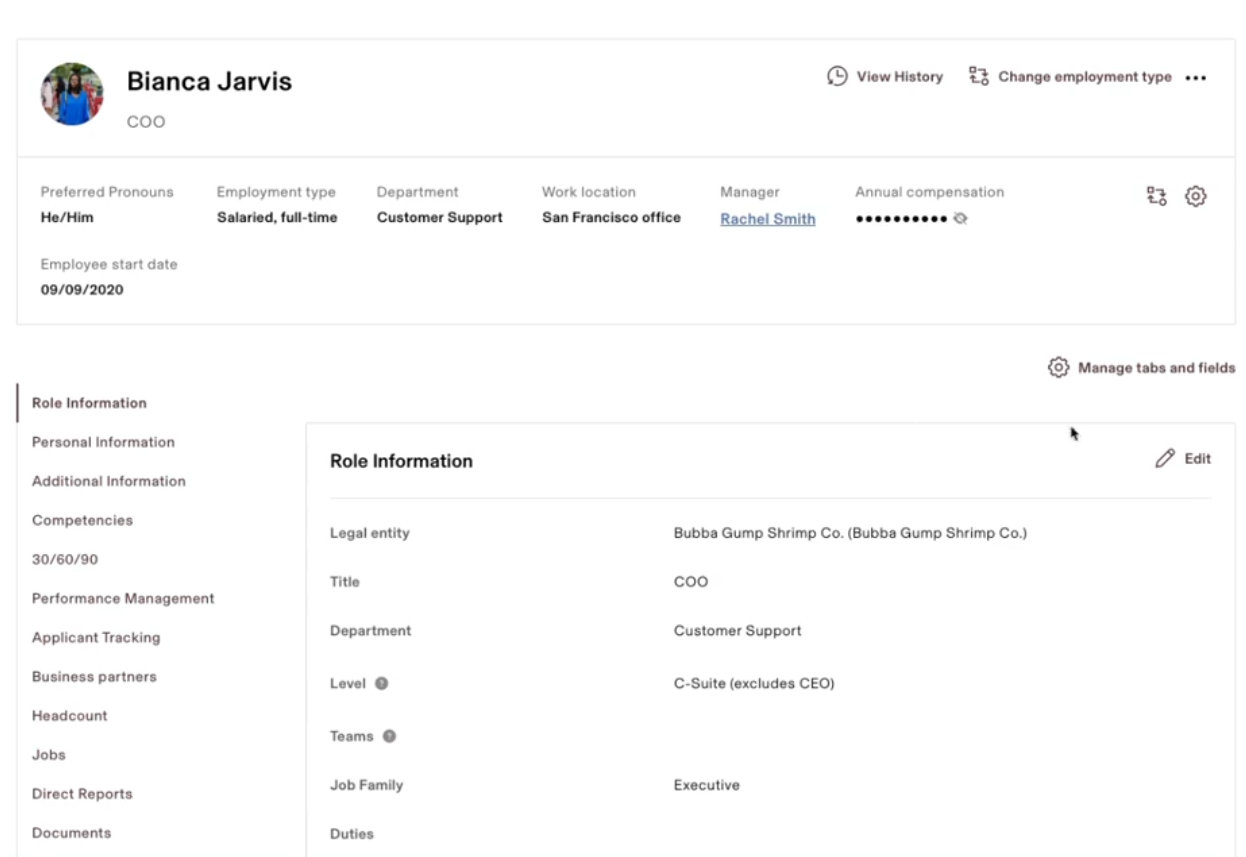
Because of Rippling’s global nature, you’ll see your local employees, international employees, or even contractors in this org chart. And this org chart is interactive, meaning users can drill in to get more detailed information about that employee.
Workday
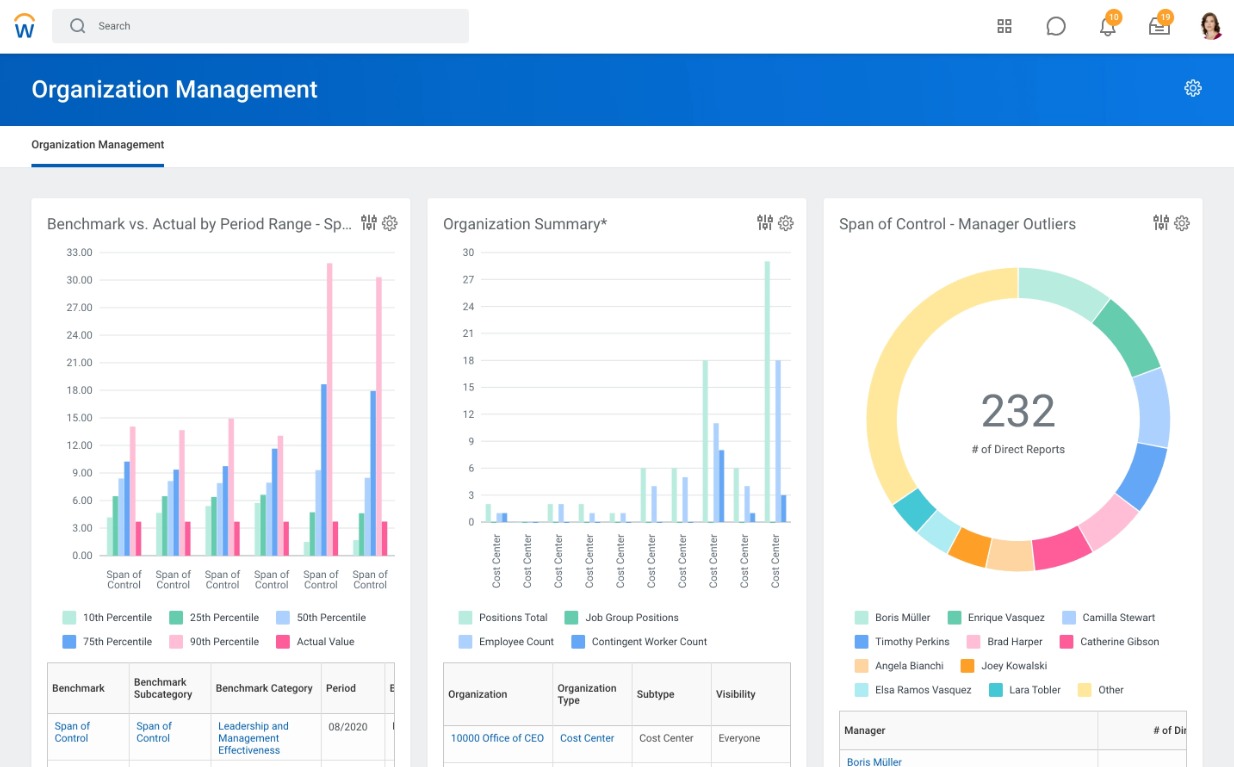
Unlike Rippling’s primarily supervisory org chart, Workday supports multiple parallel organizational hierarchies (supervisory, legal entity, cost center, geographic, matrix, and custom orgs) operating in parallel.
These hierarchies directly control security access, approval routing, reporting, payroll, compensation, and financial alignment.
Workday lets you model future-dated reorganizations using Org Studio. It provides a visual, drag-and-drop workspace to plan changes to roles, reporting lines, teams, or leadership structures before anything goes live.
Onboarding/Offboarding
Rippling
To start the onboarding workflow, add a new hire (or run background checks) and then tell the system if it’s a new candidate or someone from your ATS (Rippling Recruitment). If it’s someone from the ATS, the details will auto-populate.
Then select if the hire was approved in the company headcount plan.
After that, you need to complete steps like employment type, work location, role start date, department, compensation, and more.
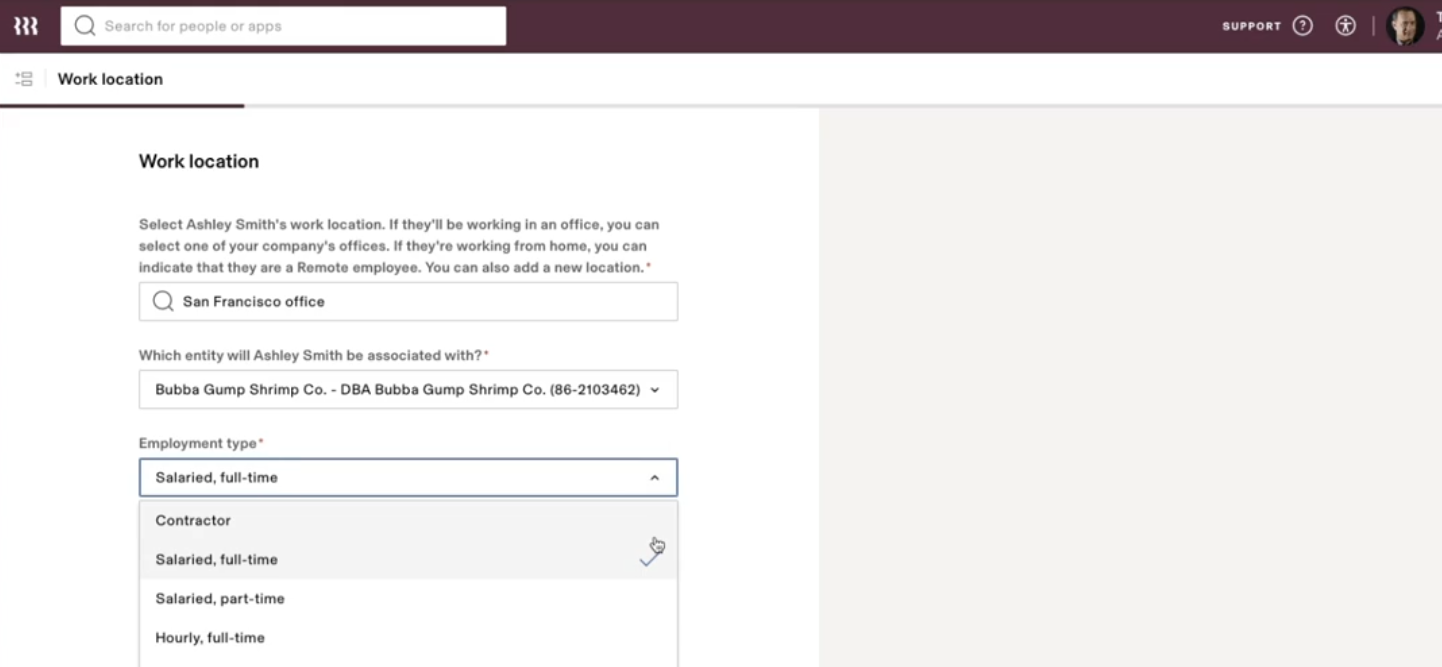
Source: Rippling
Once you enter these details, choose the devices and select native or any 3rd party apps or groups you want your new hire to join:
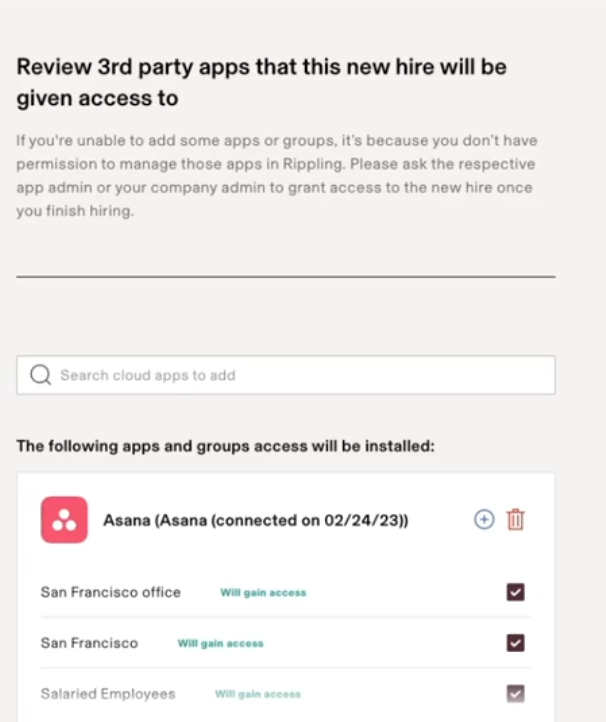
This entire workflow, although lengthy, does a lot of things in one go. And what I like most is that HR, while onboarding the employee, can also handle IT management without IT intervention. That’s a major win for me.
Note. Expect a similar automated offboarding workflow as well.
Workday
I could not find a demo showing Workday’s onboarding flow, but I did watch some videos of companies using Workday to automate their onboarding.
Based on what I saw, Workday gets the job done, but it’s not as seamless and detailed as Rippling.
For instance, you can send a customized welcome message that the new hires will see when they log in to Workday.
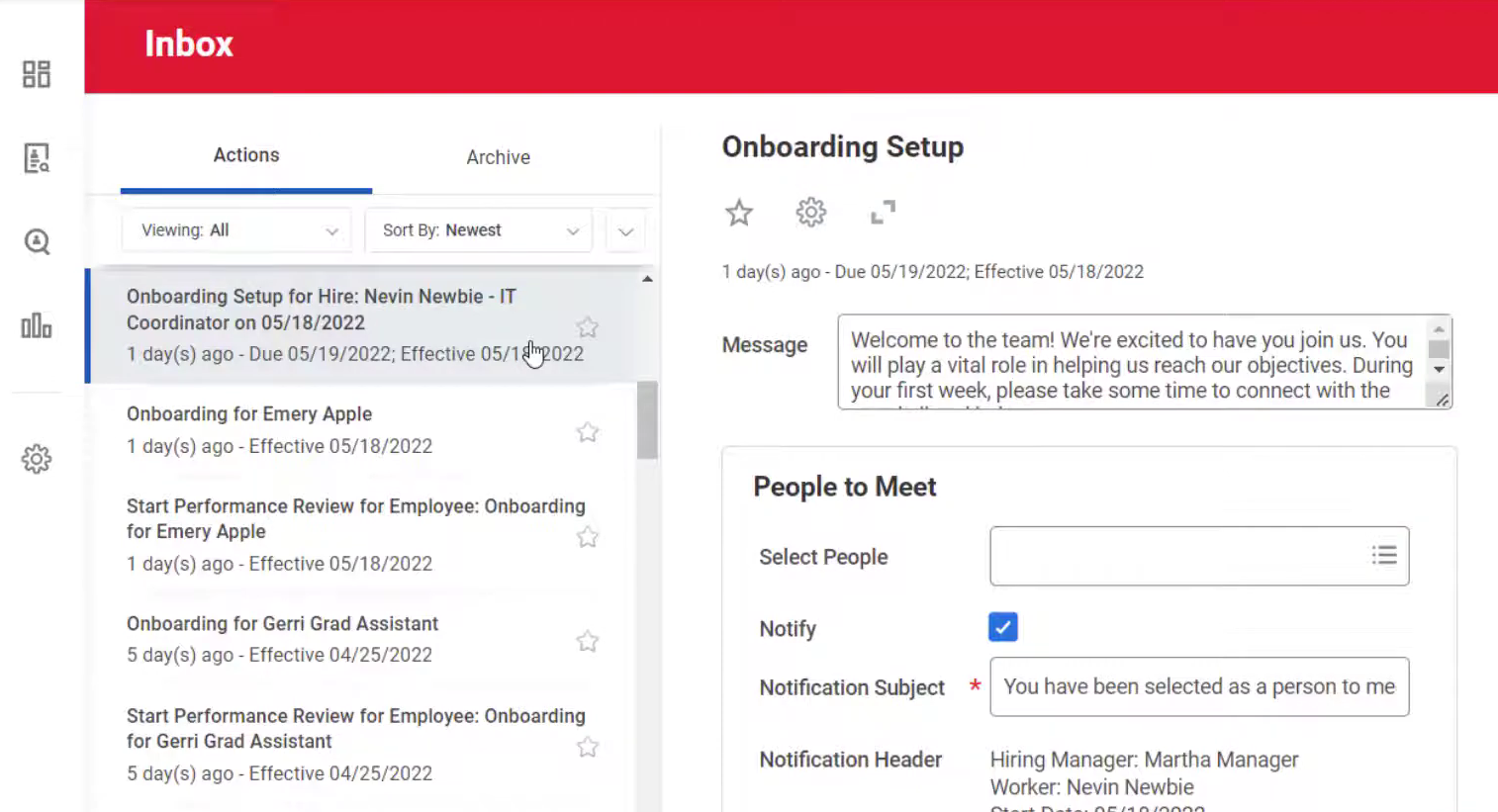
Source: YouTube
Workday even lets you add the people the new hire should meet upon joining.
I can say that Workday’s Onboarding Plans feature provides rich HR lifecycle automation, including onboarding plans, task workflows, and offboarding checklists.
However, it does not natively handle IT account provisioning or device lifecycle management—those require integrations.
Pro Tip:
While Workday handles HR onboarding well, IT account provisioning and device lifecycle management typically rely on integrations.
Many teams pair Workday with a dedicated IT hardware platform, such as Workwize, to automate device procurement, global shipping, retrieval, and asset tracking, as well as HR onboarding and offboarding.
Performance Management
Rippling
Rippling's broader HCM offering includes a performance management module that covers review cycles, goals, and OKRs.
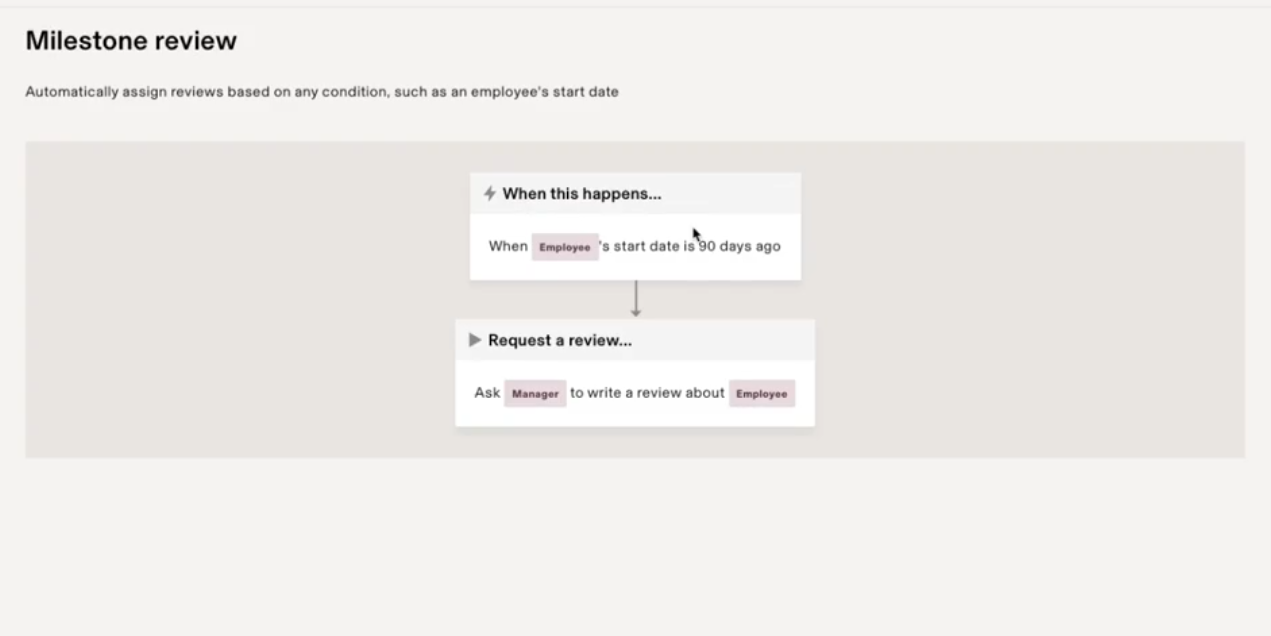
Using the performance management dashboard, you can conduct different types of automated performance reviews: 360-degree reviews (upward, downward, peer, and self reviews), milestone reviews, performance and compensation reviews.
For instance, if you choose the milestone review cycle, it will automatically trigger when a milestone is achieved (say, 30-60 days after the employee joins)
You can even tie performance reviews with compensation. This means performance reviews determine whether employees will receive compensation in the form of a raise, a bonus, or equity.
Workday
During my research, I discovered that Workday includes performance management as part of its broader Talent Management suite. Still, it doesn’t present it as a standalone module the way Rippling does.
And that makes the module harder to find, especially for someone casually browsing their site.
But the functionality is definitely there and widely used by mid-market and enterprise teams.
Inside Workday, performance is handled through several interconnected components: goal management, feedback tools, review processes, and talent assessments.
You can run standard review types, including self reviews, manager reviews, and peer feedback and configure whether reviews run continuously, periodically, or tied to specific business processes (like annual cycles).
Similar to Rippling, Workday also lets you link performance ratings to compensation. That means you can decide which employee gets how much raise or bonus based on their performance.
Compensation
Rippling
In Rippling, the compensation management module is known as Compensation Bands. This module lets you manage compensation for different employee groups (based on location, job role, or even individual) across your organization.
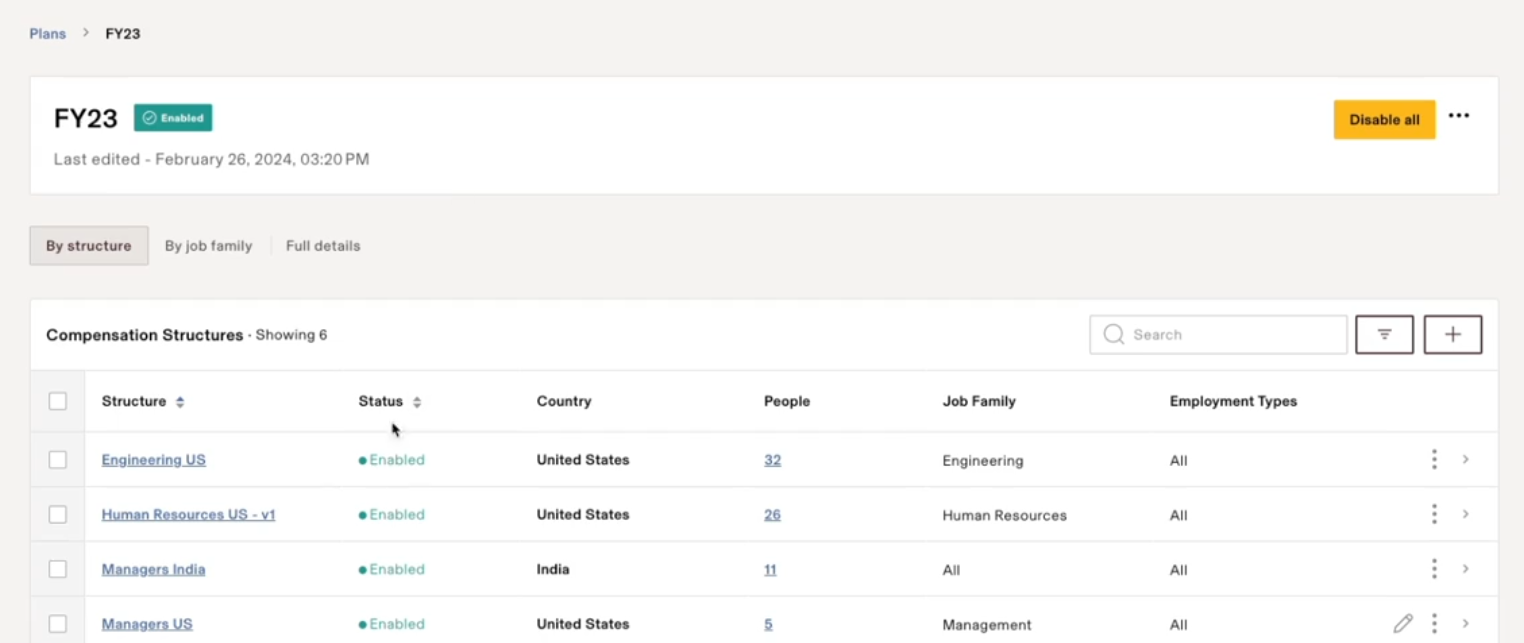
With Rippling, teams can modify the compensation bands for each different position within your company. Once you set this up, Rippling will automatically search its system and match all of your employees to this compensation structure based on their role.
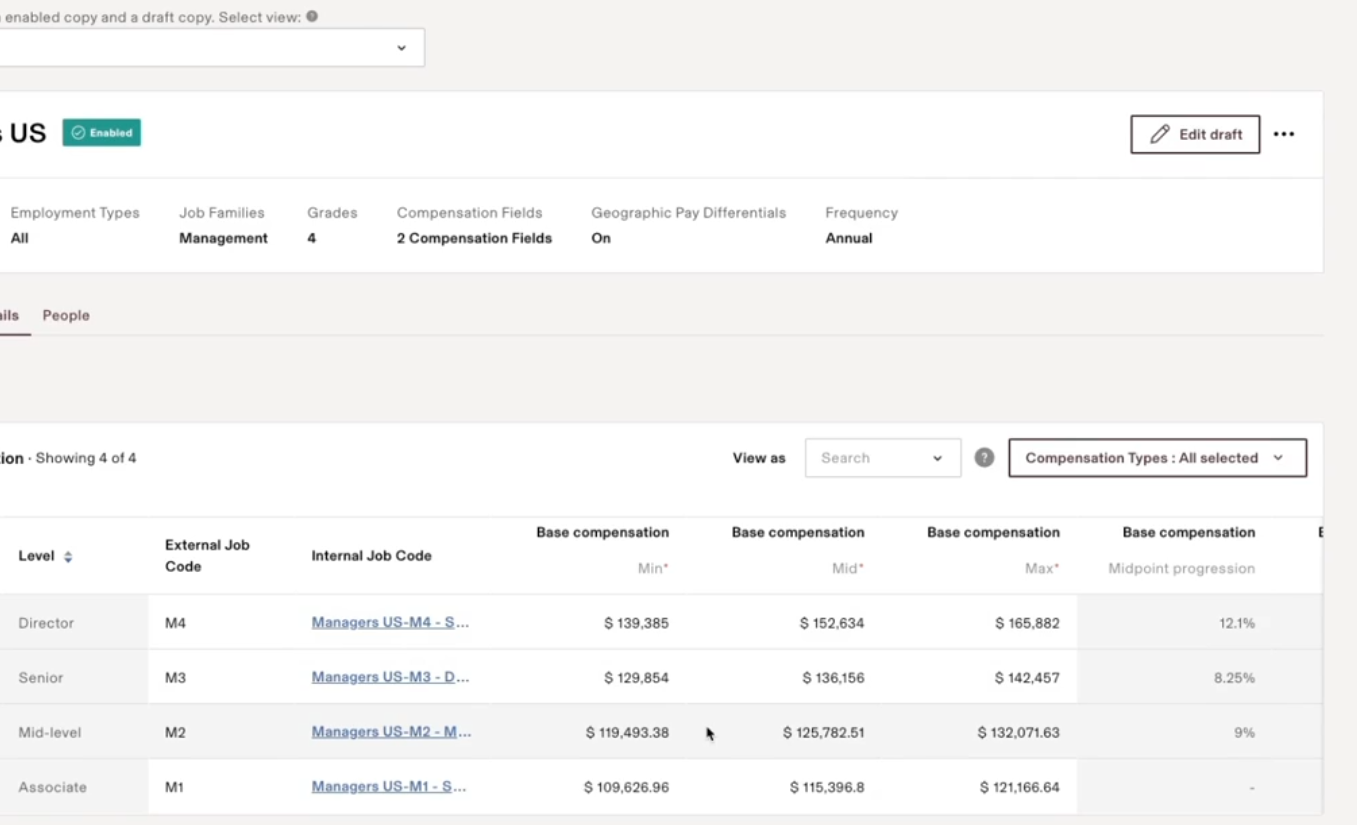
Rippling also calculates the compensation ratio and automatically adjusts compensation based on location.
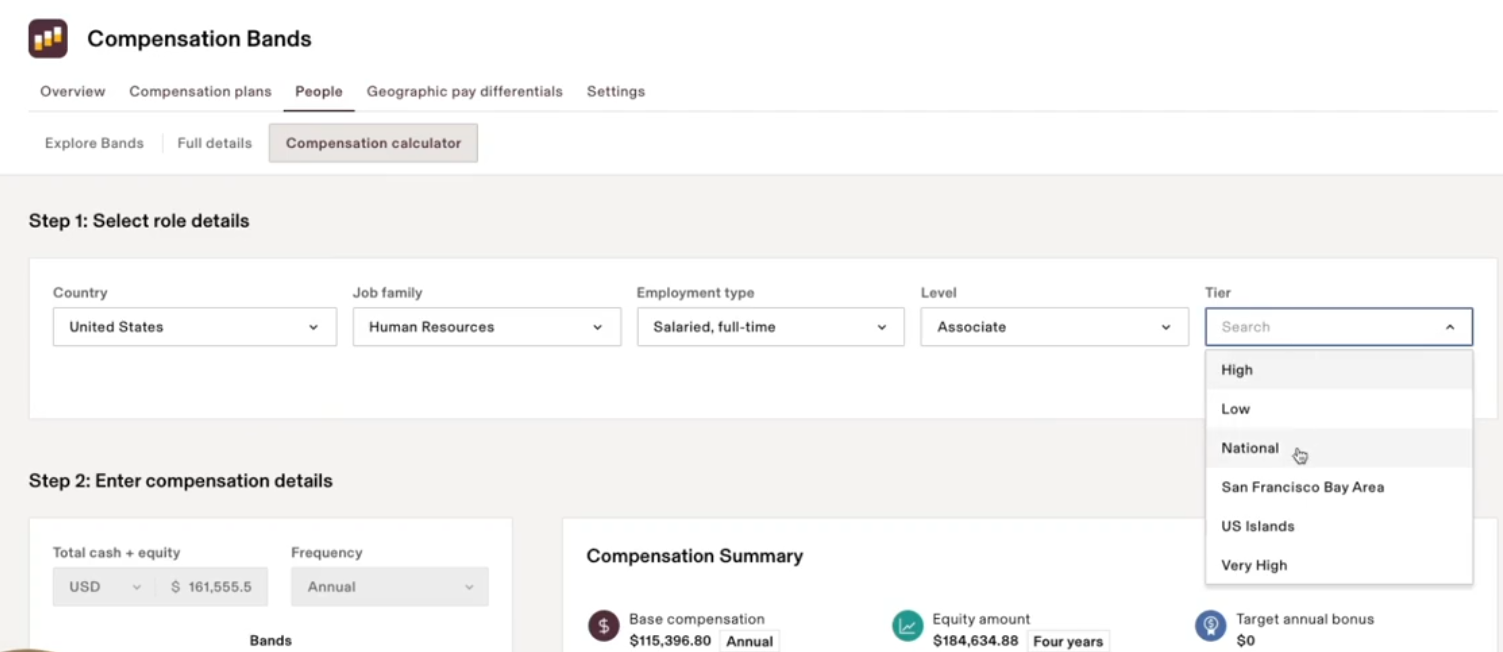
Another beautiful feature is the compensation calculator, which helps you with promotion discussions.
Select the country, job family, employment type, level, and tier and see how the compensation has been. Then you can modify the data and see the graphs update in real time.
Workday
Workday has its own software for managing compensation across your organization. The functionality is very similar to that of Rippling
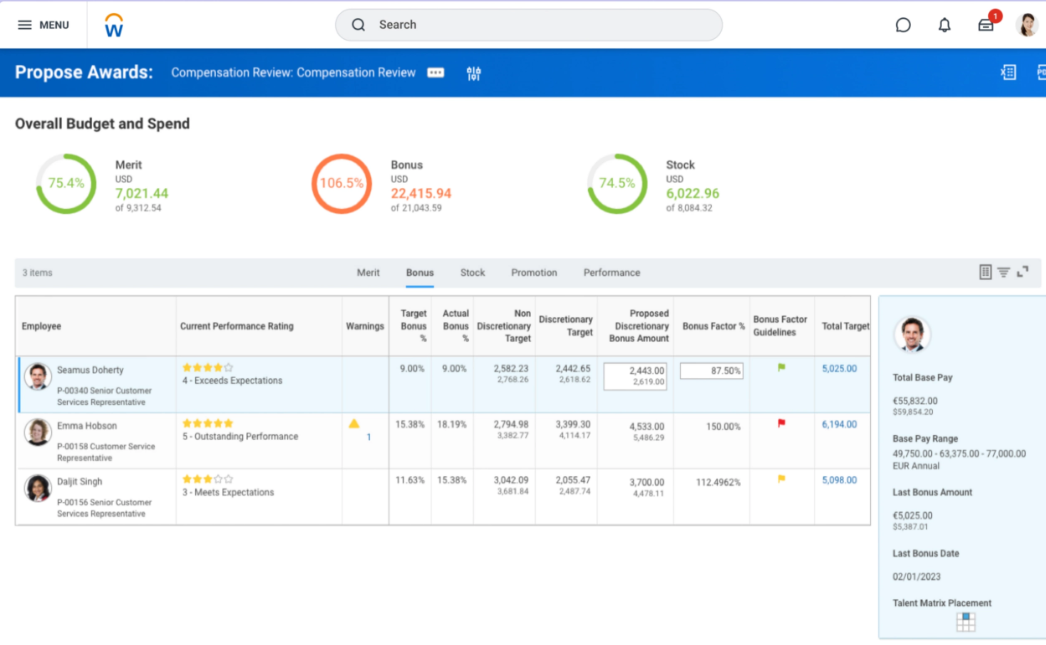
Using Workday Compensation, you can design and manage structured compensation programs, including merit increases, bonuses, commissions, equity awards, and other one-time or long-term incentives.
A key focus of Workday’s compensation module is market alignment and pay equity.
Teams can import compensation survey data, map job profiles to market roles, apply weighting and aging factors, and use pay-equity dashboards to identify gaps across gender, ethnicity, or other attributes before decisions are finalized.
This positions compensation as a compliance- and risk-aware process, not just a raise exercise.
Compliance
Rippling
Rippling offers a dedicated Compliance 360 Management module for handling compliance needs within your organization.
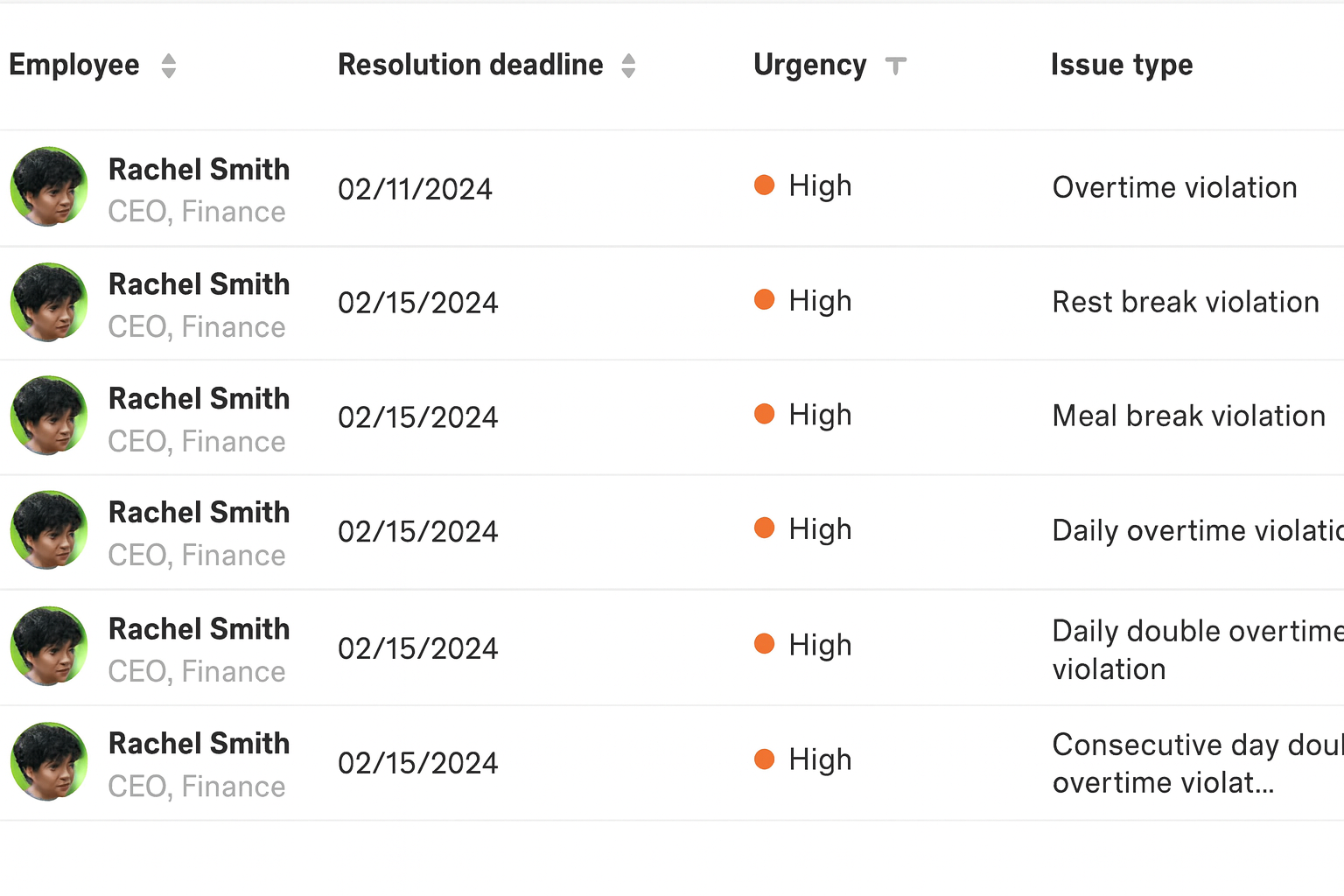
This module automatically monitors your employees for compliance issues, including meal break, overtime, and rest break violations. And in addition to pointing out the violations, Rippling also recommends solutions.
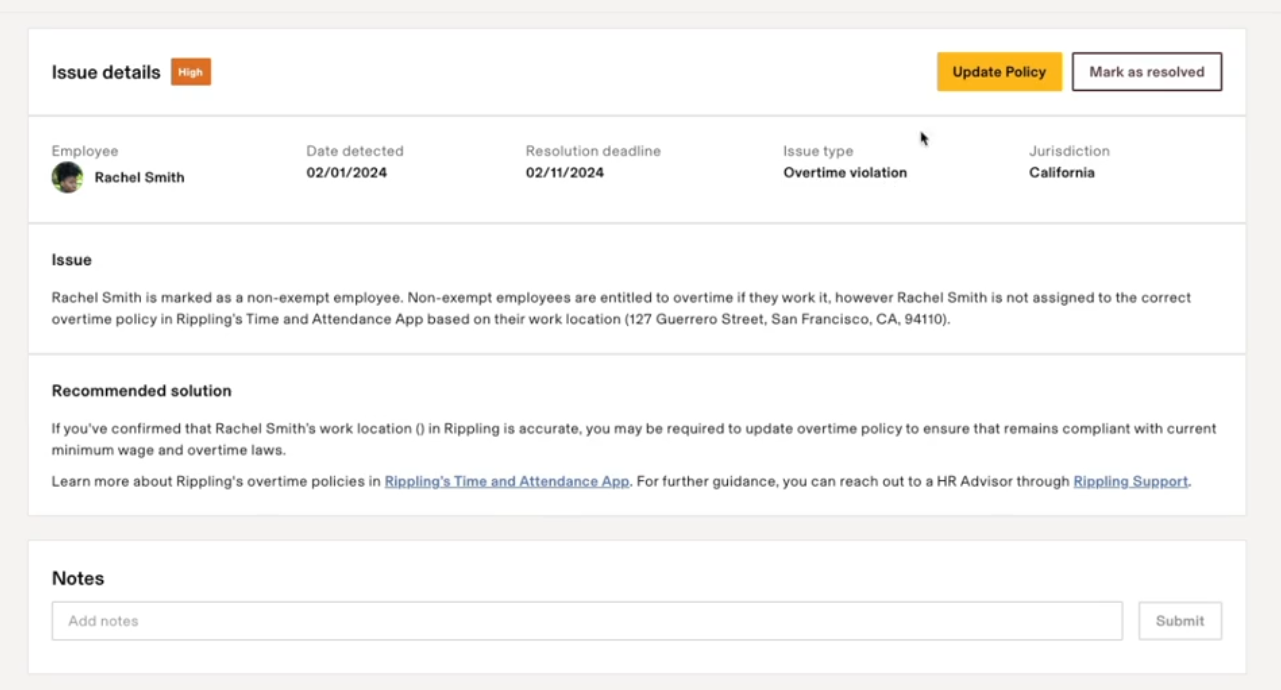
You can instantly update the policy, mark the issue as resolved or even explore historical issues.
One thing I liked is how Rippling automated the entire compliance scenario. HR teams can focus on other strategic tasks while Rippling’s Compliance handles compliance needs.
Workday
Workday approaches HR compliance through a global, configuration-driven HCM and payroll framework rather than real-time violation monitoring.
So, when you hire employees globally, Workday provides country-specific data models, workflows, and reports that help you comply with local labor laws, payroll regulations, and employment requirements across regions.
This ensures that the system enforces local labor and payroll rules.
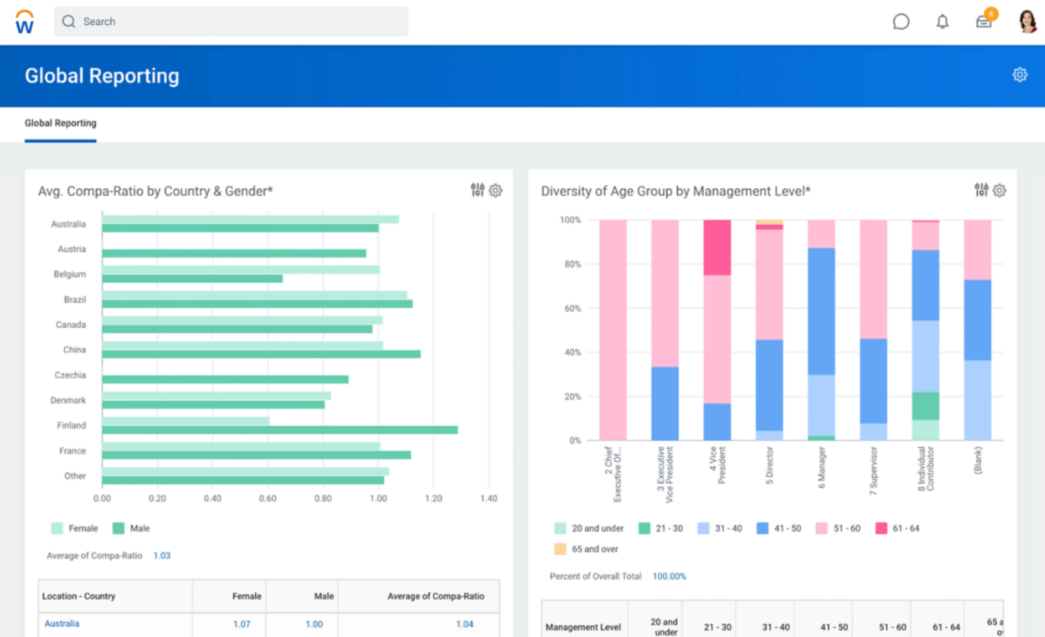
You can configure rules for hiring, promotions, compensation changes, overtime eligibility, collective agreements, and approvals using Workday’s Business Process Framework.
Workday also supports compliance through localized configurations, such as country-specific fields, eligibility rules, approval steps (for example, works council approvals), and statutory payroll reporting.
Compliance risks surface via reports, dashboards, and audit trails, allowing HR and payroll teams to review issues and take corrective action manually.
Workday relies on configured controls, approvals, and reporting to maintain compliance rather than Rippling’s always-on violation detection.
Verdict
Choose Rippling if you:
- Want a modern HR platform where onboarding/offboarding can also trigger IT actions (app access + device workflows)
- Prioritize faster rollout and day-to-day usability.
Choose Workday if you:
- Need HR to operate as a governed system of record, with configuration-heavy approval flows, auditability, and complex org structures
- Can support a longer implementation and ongoing administration.
Payroll & Workforce Operations
Local (US) and Global Payroll
Rippling
Payroll is one of Rippling's core functionalities.
Rippling has everything you need to manage and pay your local and global employees from a unified system. Benefits and time, and attendance automatically sync with your payroll, reducing errors and saving you time.
This payroll summary dashboard lets you compare each employee's payroll with the last payroll or the one before that. So, you can see where the pay changes are taking place for your employees (maybe the insurance bumped up, or the federal taxes increased).
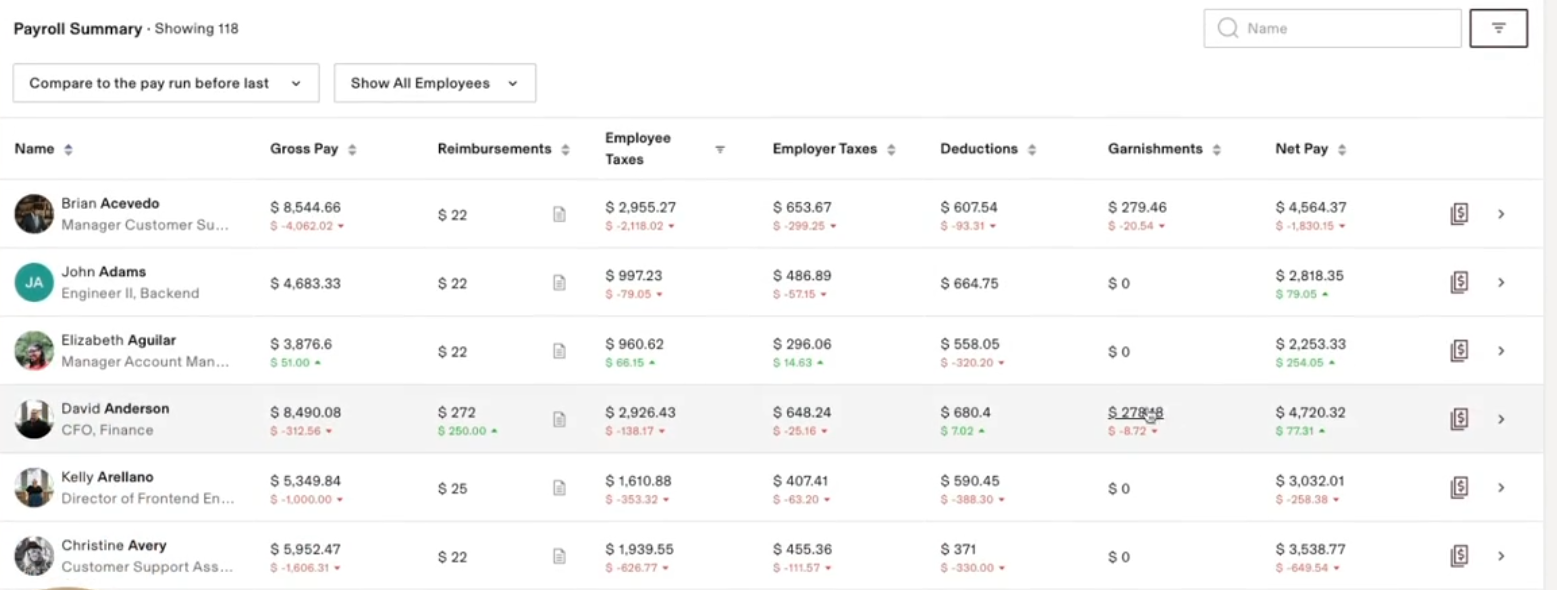
You can pay your hourly employees, salaried employees and even contractors all within the same pay run.
One great thing is how closely payroll is connected to time and attendance in Rippling. So, if there’s any discrepancy like missing clockouts or unapproved hours, Rippling lets you handle all of that within the same workflow:
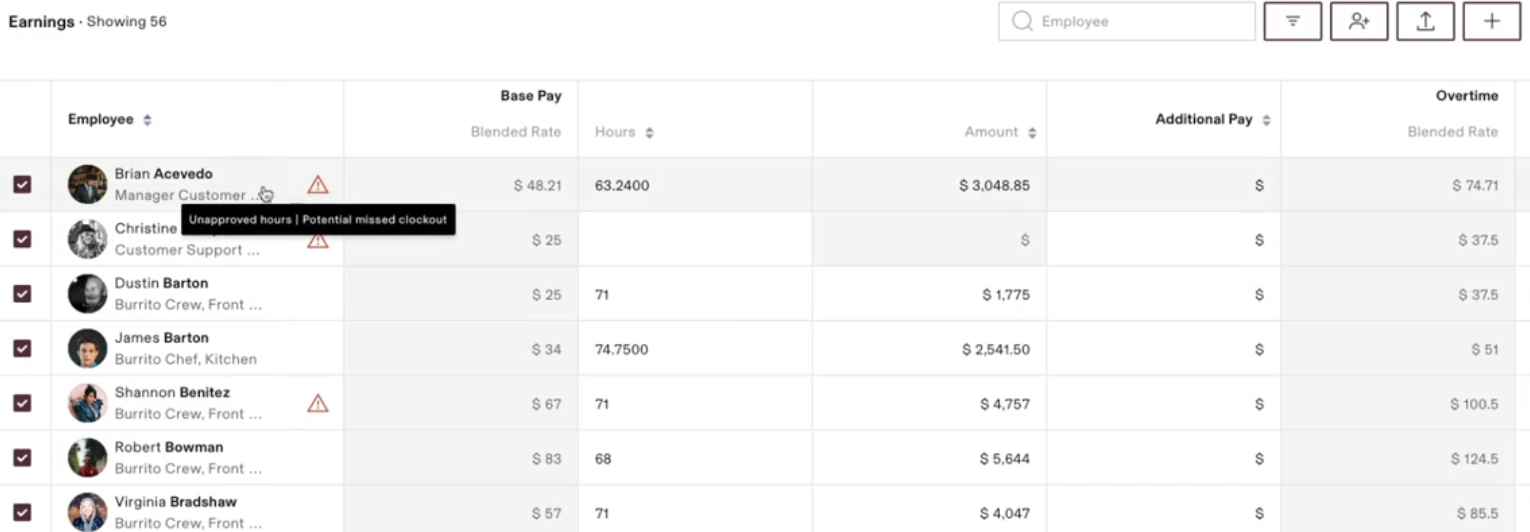
You can even manage deductions like 401 (k) and medical deductions, and they’ll automatically sync into the pay run, reducing errors.
In addition, Rippling lets you hire, pay, and manage contractors across the globe (185+ countries and 50+ currencies), unlike Workday, which relies on integrations.
The workflow starts with hiring and onboarding the employee, who signs a locally compliant contract (that Rippling creates).
Teams can pay contractors any way they want: hourly, monthly, milestone-based payments, and more.
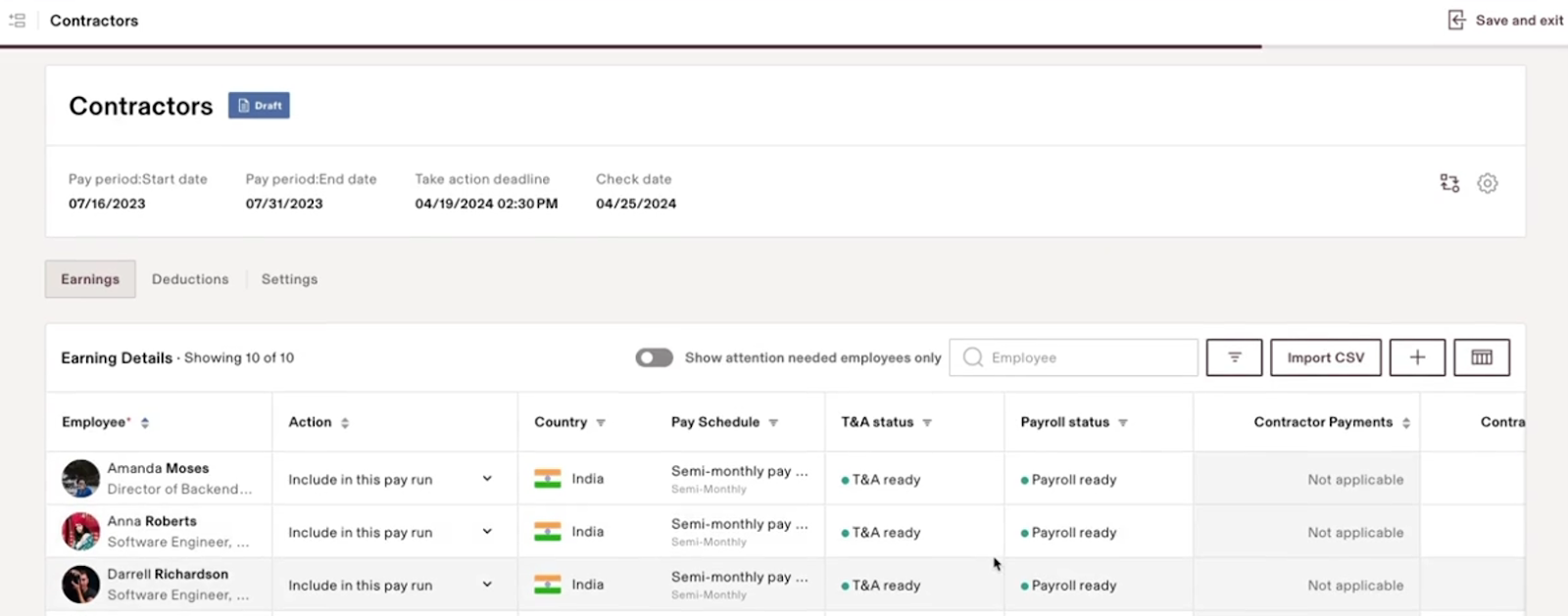
Having all your payroll data (globally and within the US) for employees and contractors in the same dashboard gives you valuable insights to move your business forward.
Workday
Workday’s Payroll Software gives your payroll admins the control, flexibility, and insights they need to manage payroll operations globally. For instance, the Pay Cycle Command Centre gives you control over every stage of the payroll process.
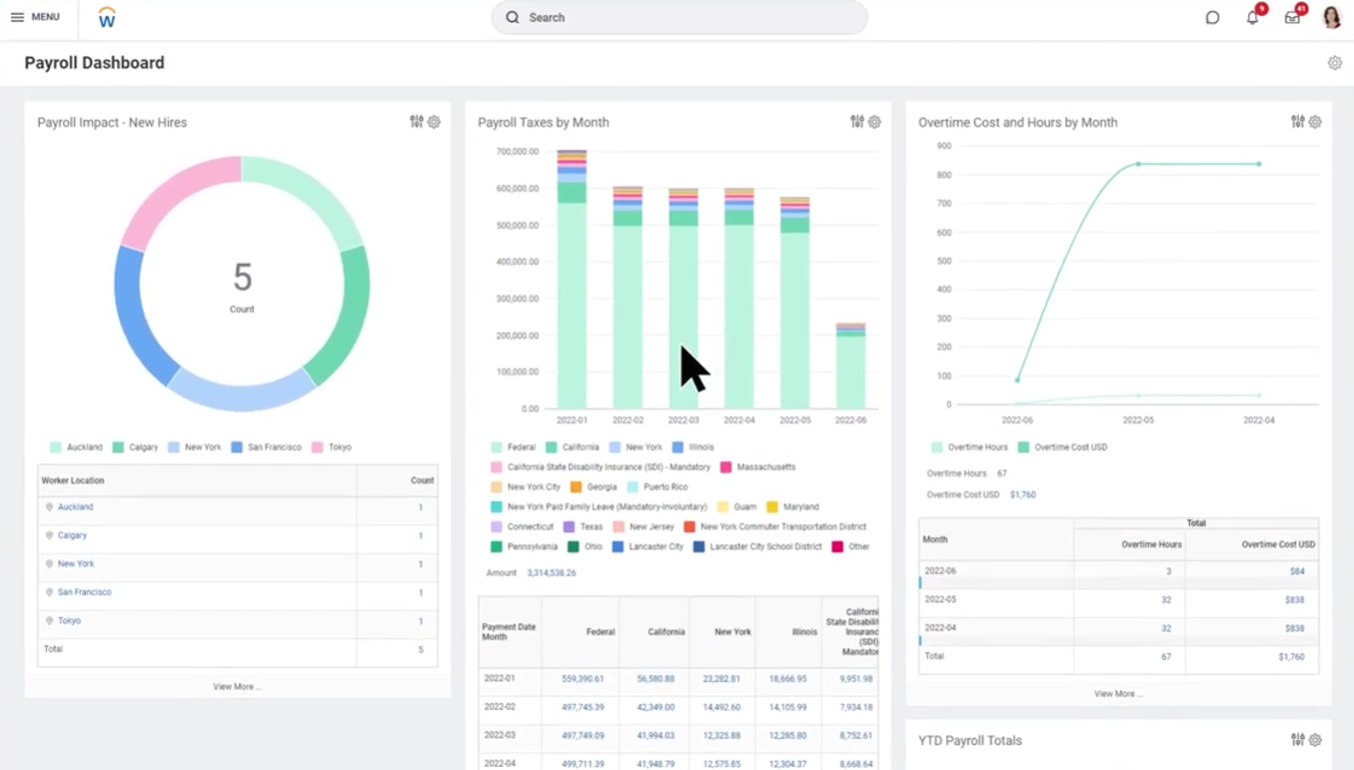
Workday’s continuous calculation gives real-time insights into changes impacting payroll. For instance, if a worker takes an unpaid leave, which affects their working hours, Workday automatically calculates the revised compensation and updates it in the payroll.
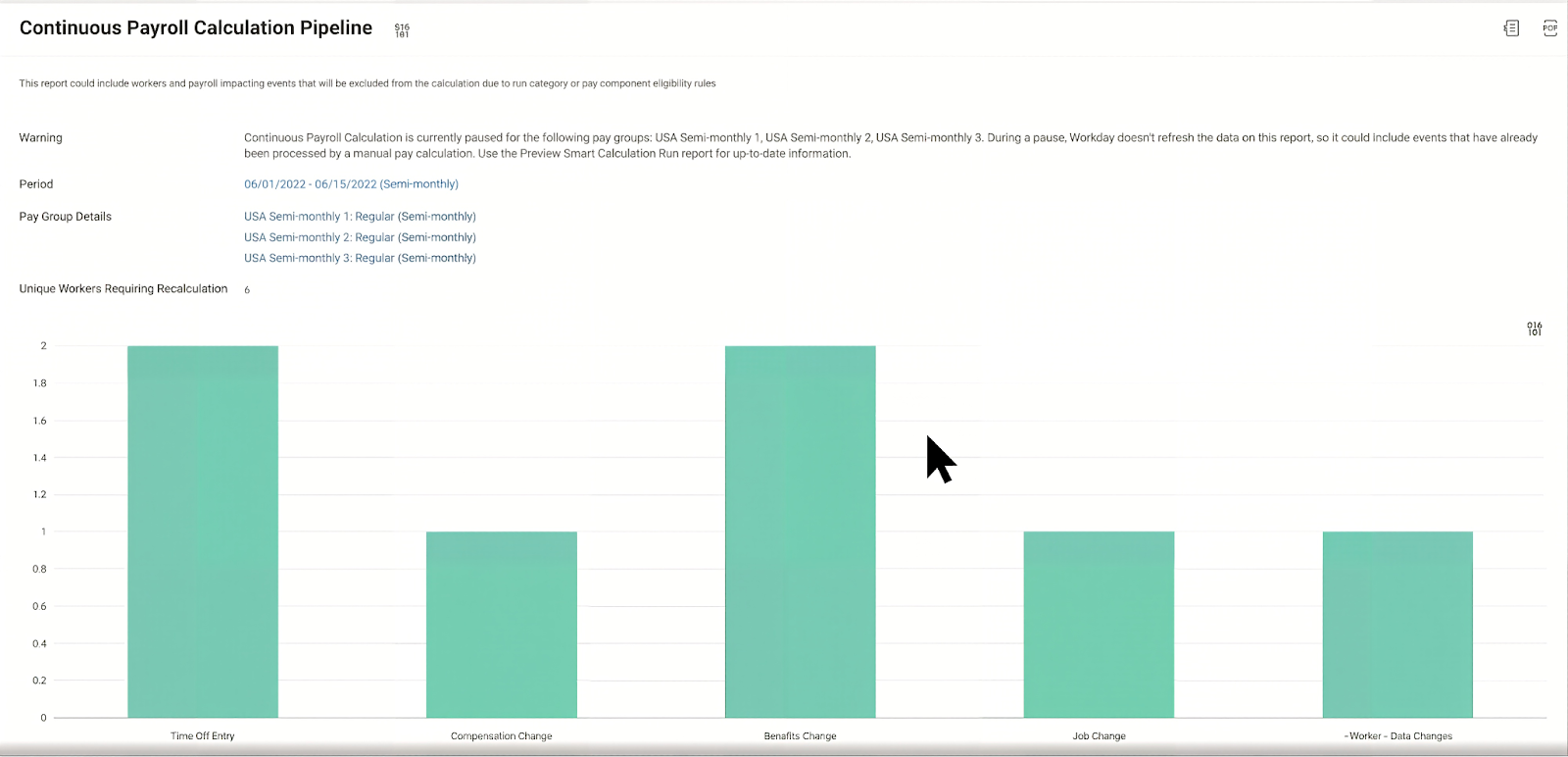
Because you have complete visibility into changing payroll regulations, teams can understand the impact on both your business and employees.
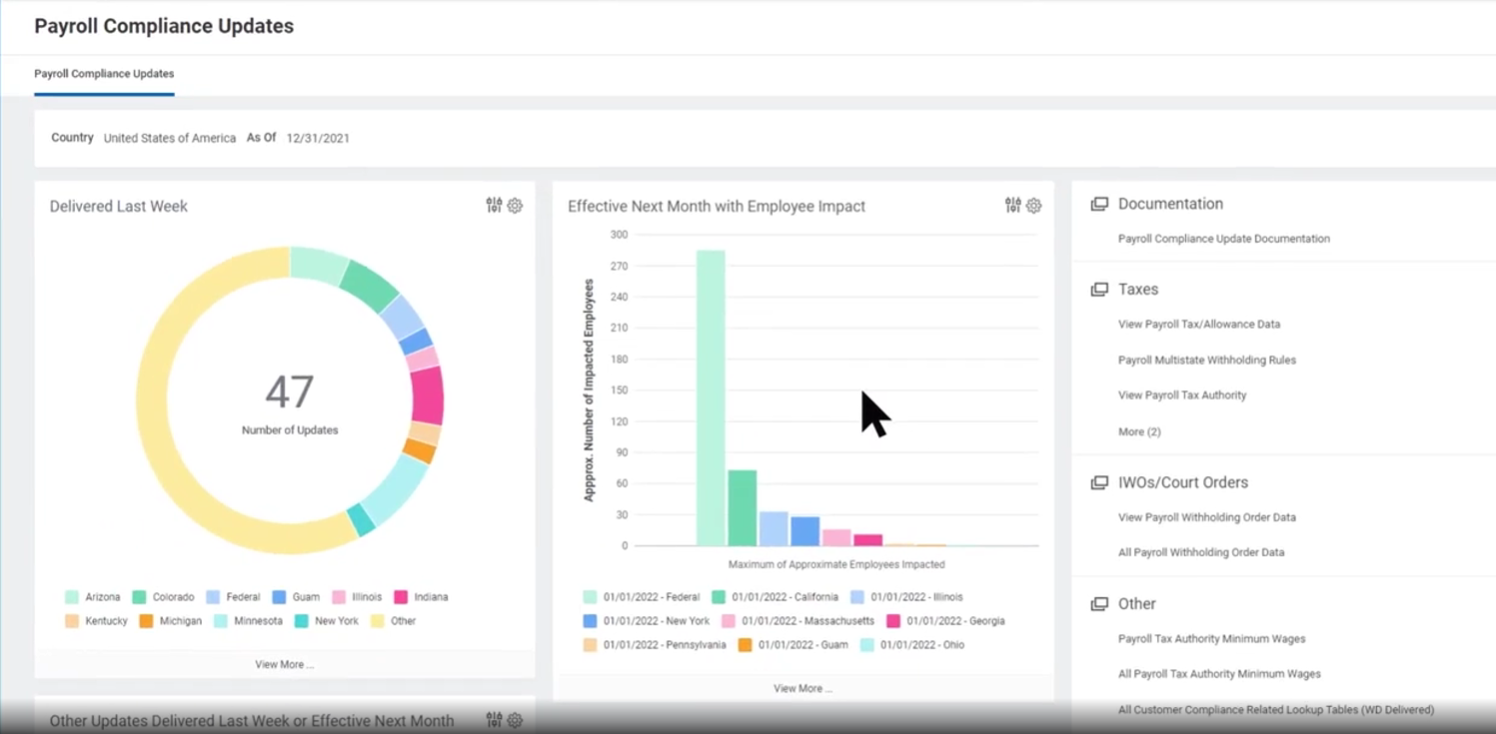
Workday also offers a mobile app that lets employees view their pay slips and understand the pay details. Workers can even receive some pay in advance, which is a great feature for end users.
Time Tracking
Rippling
The Time and Attendance module lets you manage your employee hours from clock-in to paycheck. It seamlessly integrates with your payroll, updating the payroll data in real-time.
The entire module is driven by policies. You can create policies (which include the approvers, clocking methods, etc) and assign them to specific super groups.
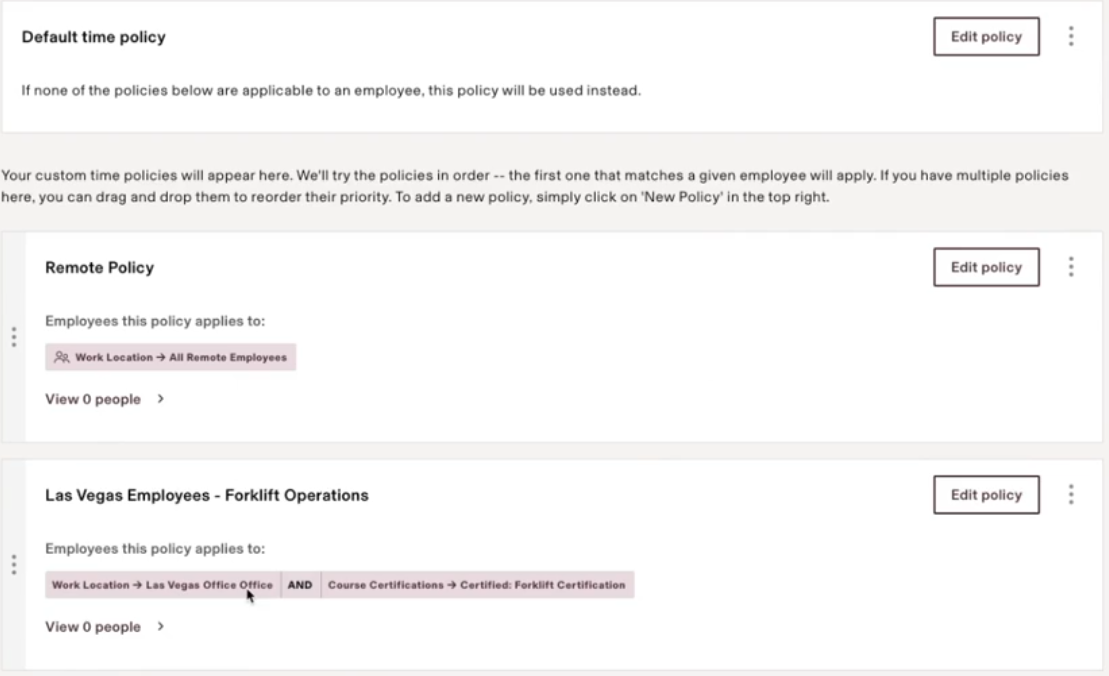
For instance, you can decide that remote workers within the United States use the self-reporting feature, while Forklift operators in Las Vegas use the kiosk or geolocation. And further, you can choose who approves the timecards for each group.
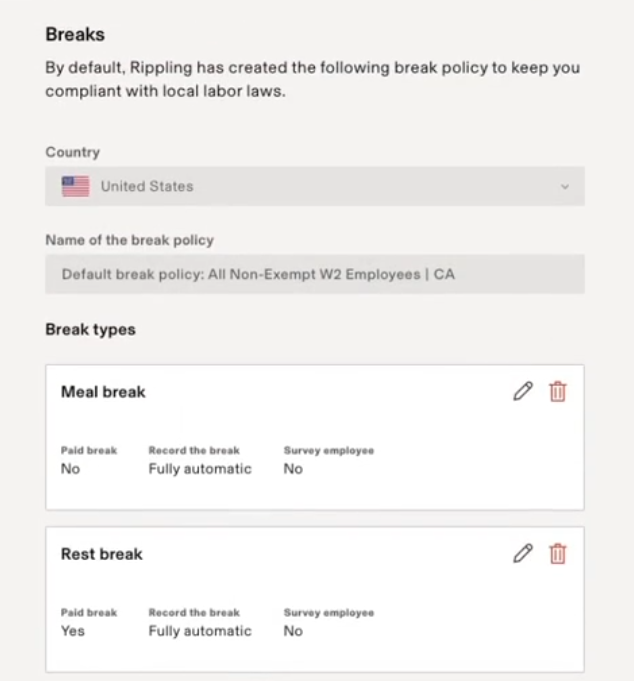
Rippling also handles compliance needs, especially when there’s something federally mandated, such as break or overtime policies.
A great feature is Rippling’s mobile app for end-users. Employees can use their mobile app to clock in and add comments, and managers can also approve them from the app.
What I liked in particular is scheduling shifts. This feature lets you schedule different shifts for employees from other departments or locations. It even tells you if your shifts or breaks are compliant.
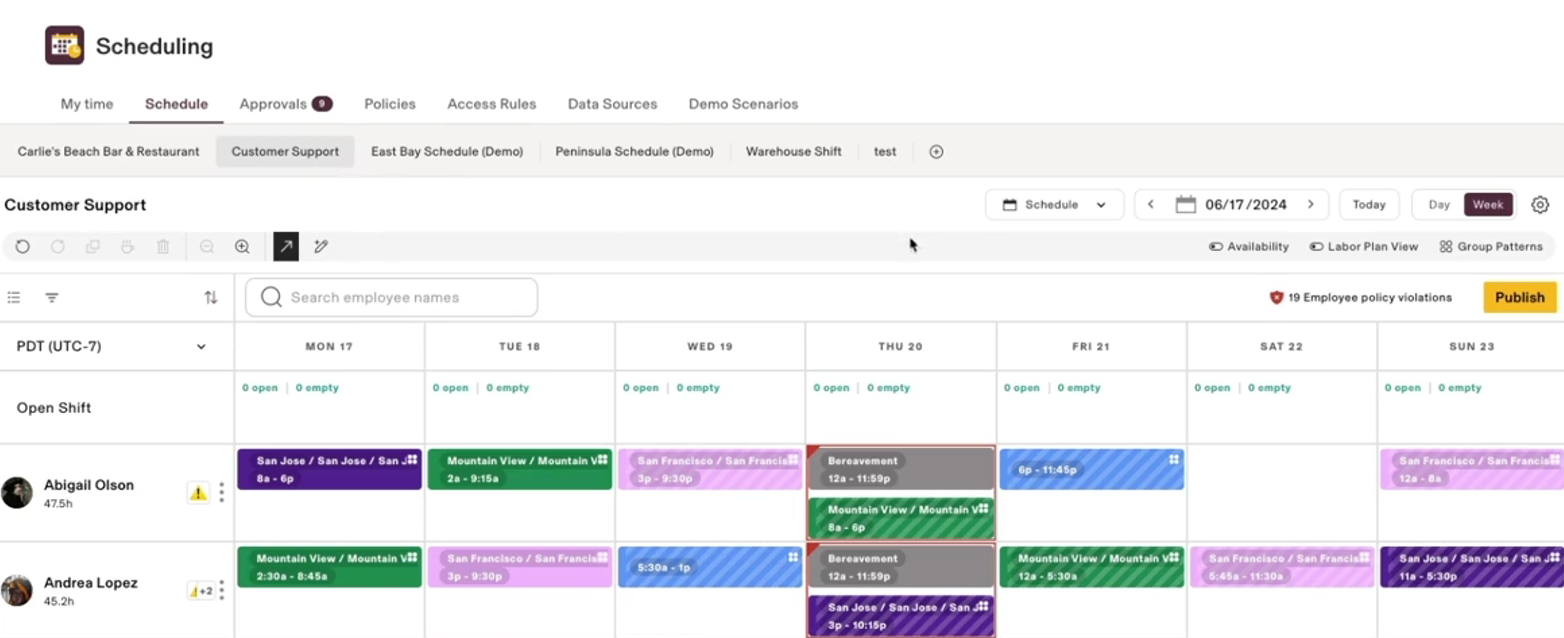
When you schedule shifts (e.g., 9:00 AM - 05:00 PM), you can ensure employees work only 8 hours. And anything above is overtime. This helps you stay compliant and prevent any payroll issues.
Workday
Similar to Rippling, Workday also offers a mobile app for easy check-in and checkout. Employees can even check in based on their location using the app.
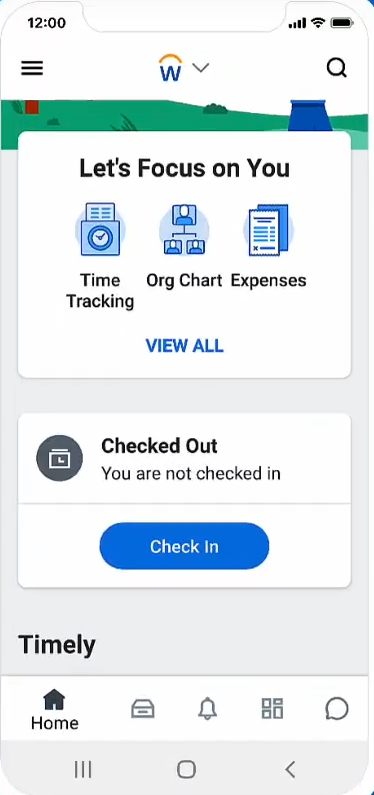
The reminders alert employees to log any unsubmitted time, ensuring each employee is paid according to their worked hours. Also, the same mobile app lets employees perform meal and break check-in and checkout.
Employees can use weekly or monthly time card views to get more insights into their hours worked.
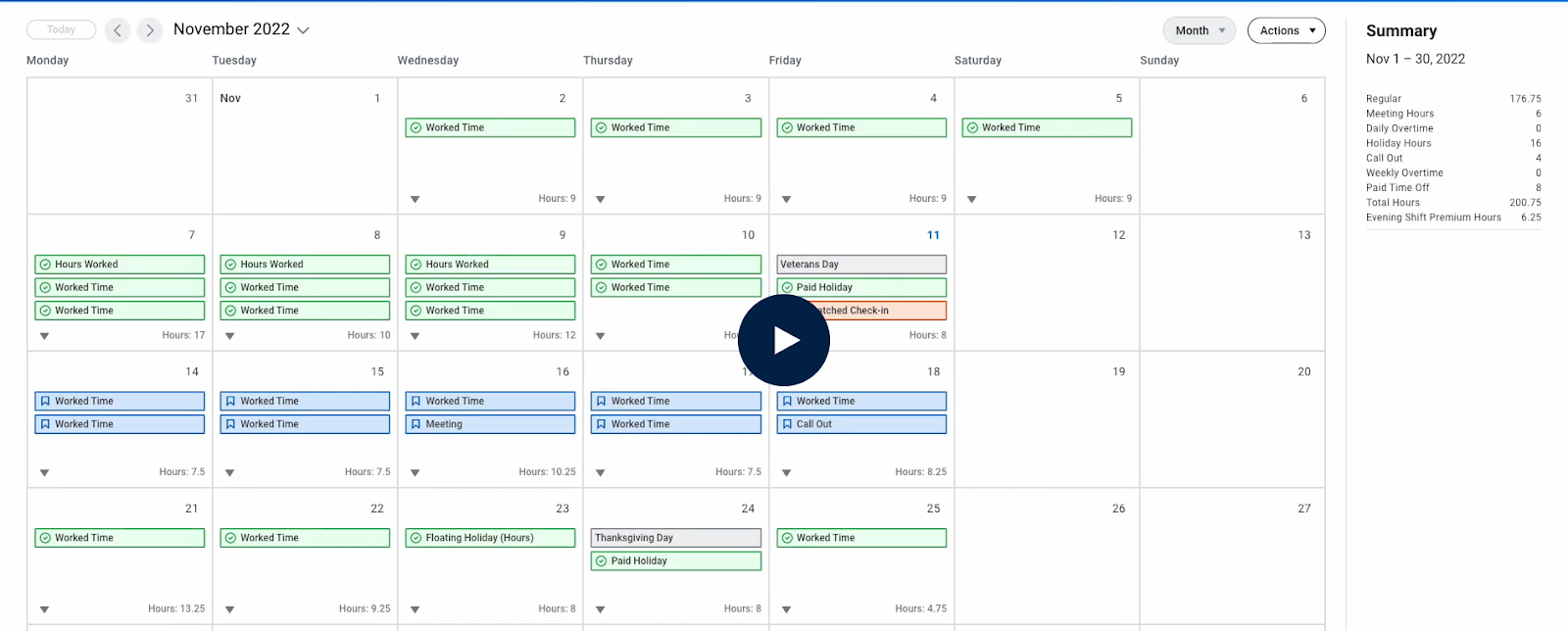
Managers can view important tasks on their dashboard and review and approve their teams’ time:
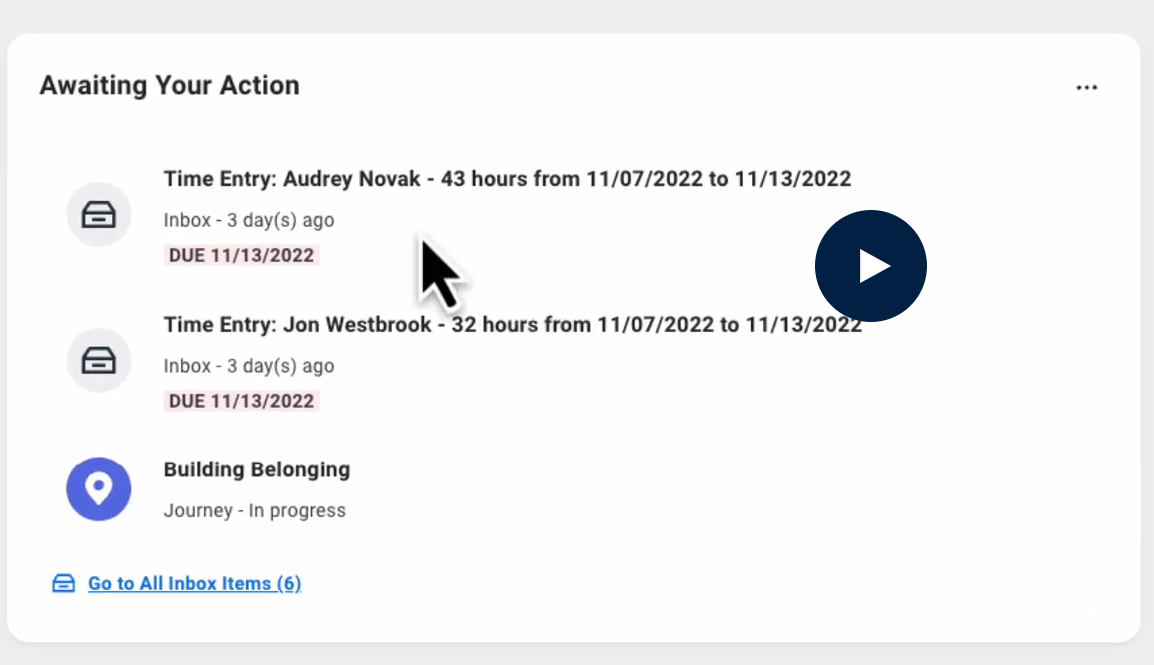
Workday also lets you schedule shifts like Rippling and use the analytics feature, and compare the planned vs actual hours.
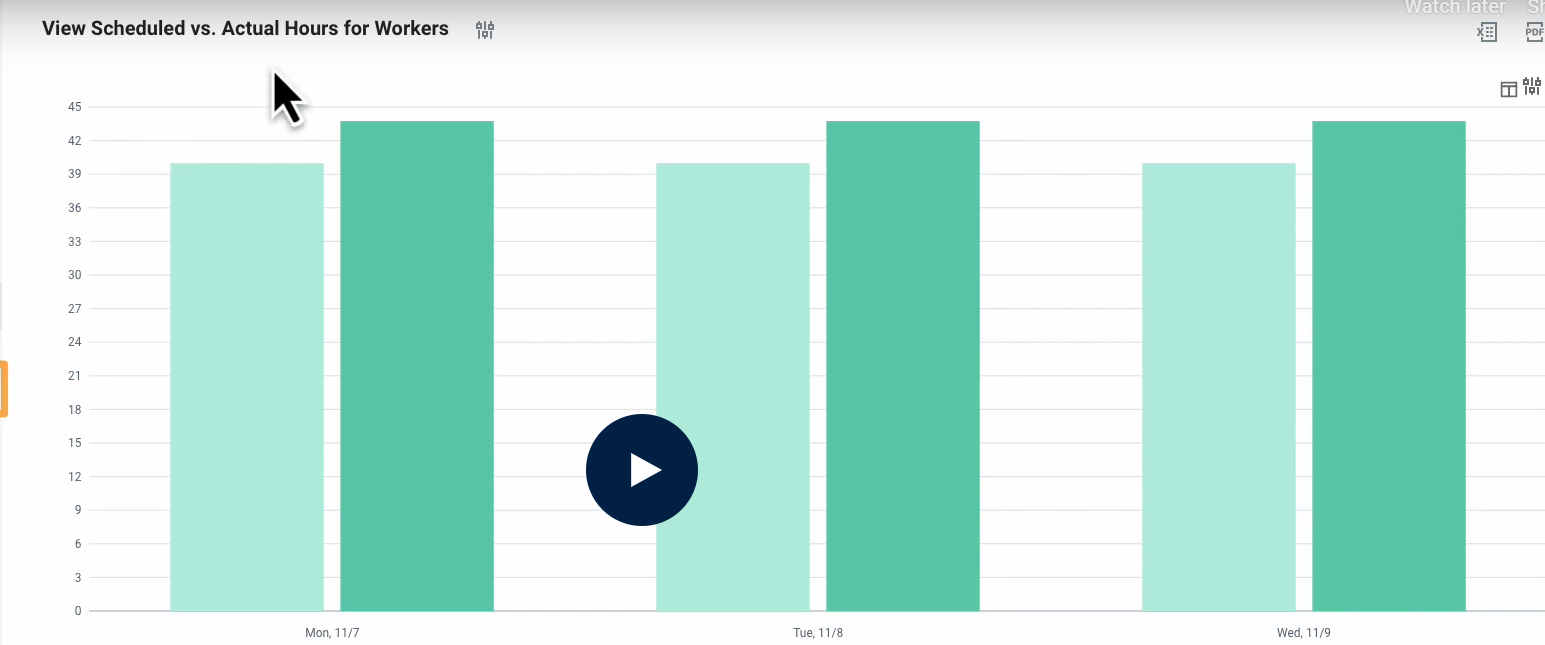
Once the manager approves those hours, they are synced into payroll.
All in all, Workday helps you meet your workers' expectations, improve productivity, and stay compliant.
Verdict
Choose Rippling for native EOR, speed and simplicity in running payroll. And choose Workday when payroll must operate as a controlled, finance-aligned system at scale.
Spend Management and Finance
Spend Management
Rippling
Rippling uses employee data to offer control, visibility, and automation of all of your company’s spending. This includes corporate spending, employee expense reimbursement, and vendor invoices.
For starters, managers can easily review and approve expenses or see any recent expenses across their teams:
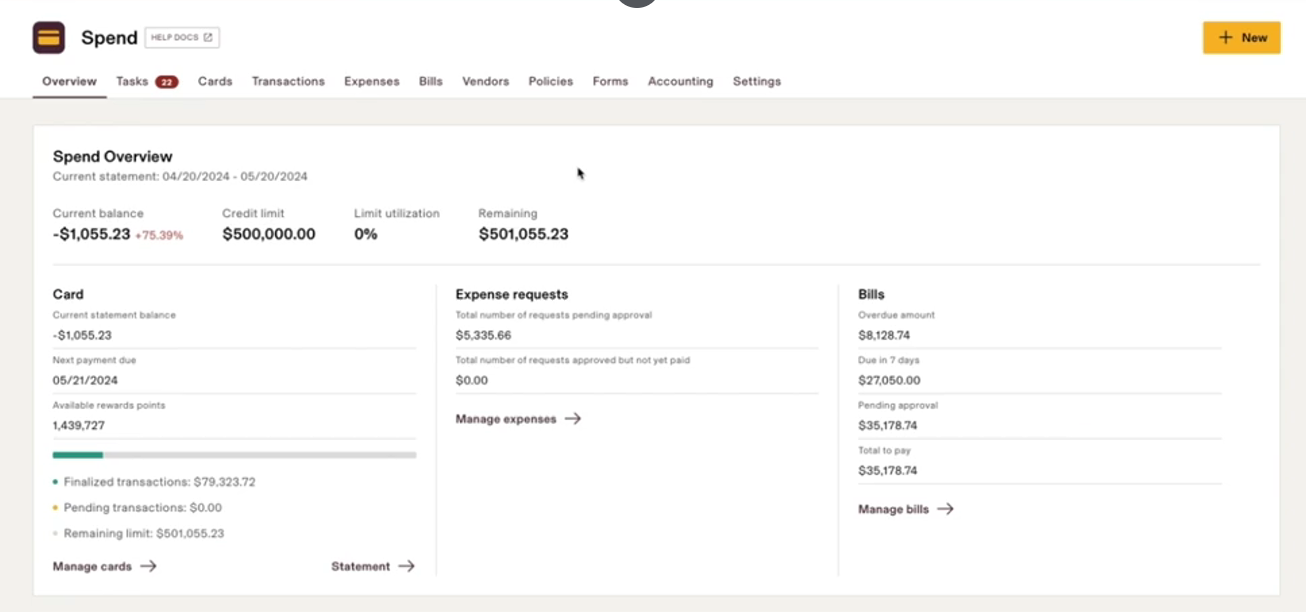
The tasks tab shows you the pending requests awaiting approval. Rippling shows the total amount, vendor, category, submission date, purchase date, who requested it, and other attributes.
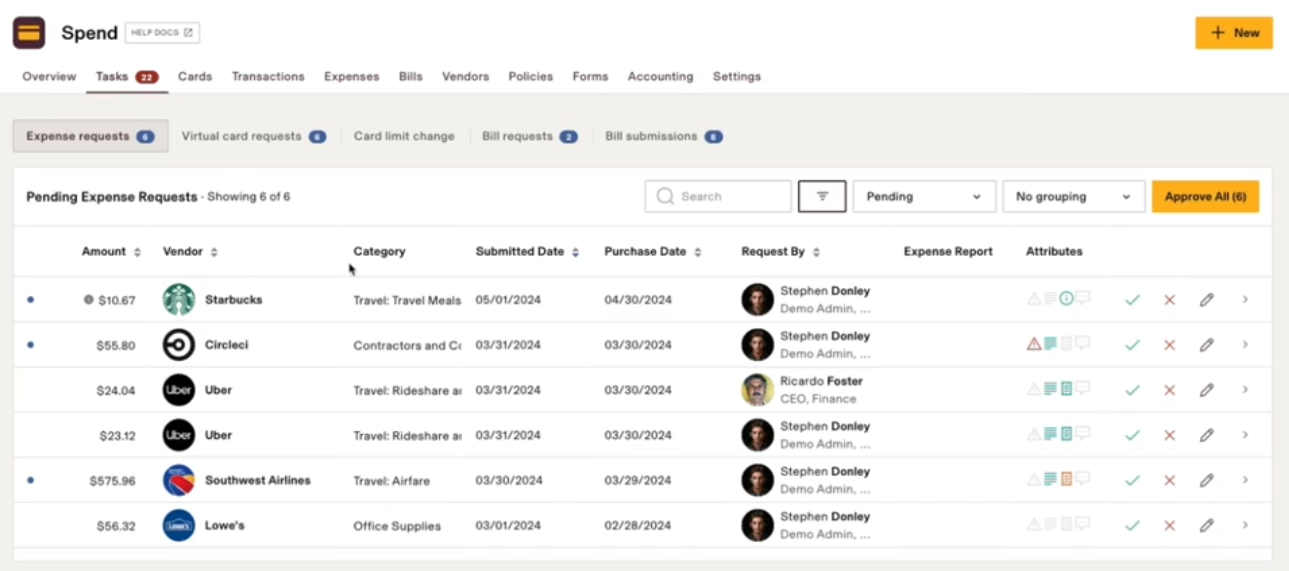
You can drill down into each request to see the complete approval chain it must go through before it’s reimbursed to the employee.
Even spend management is governed by policies. Rippling lets you review what policies have been applied to the user and the request.
This dashboard shows the complete list of reimbursement requests for a manager and their status. Even the manager can view their expenses:
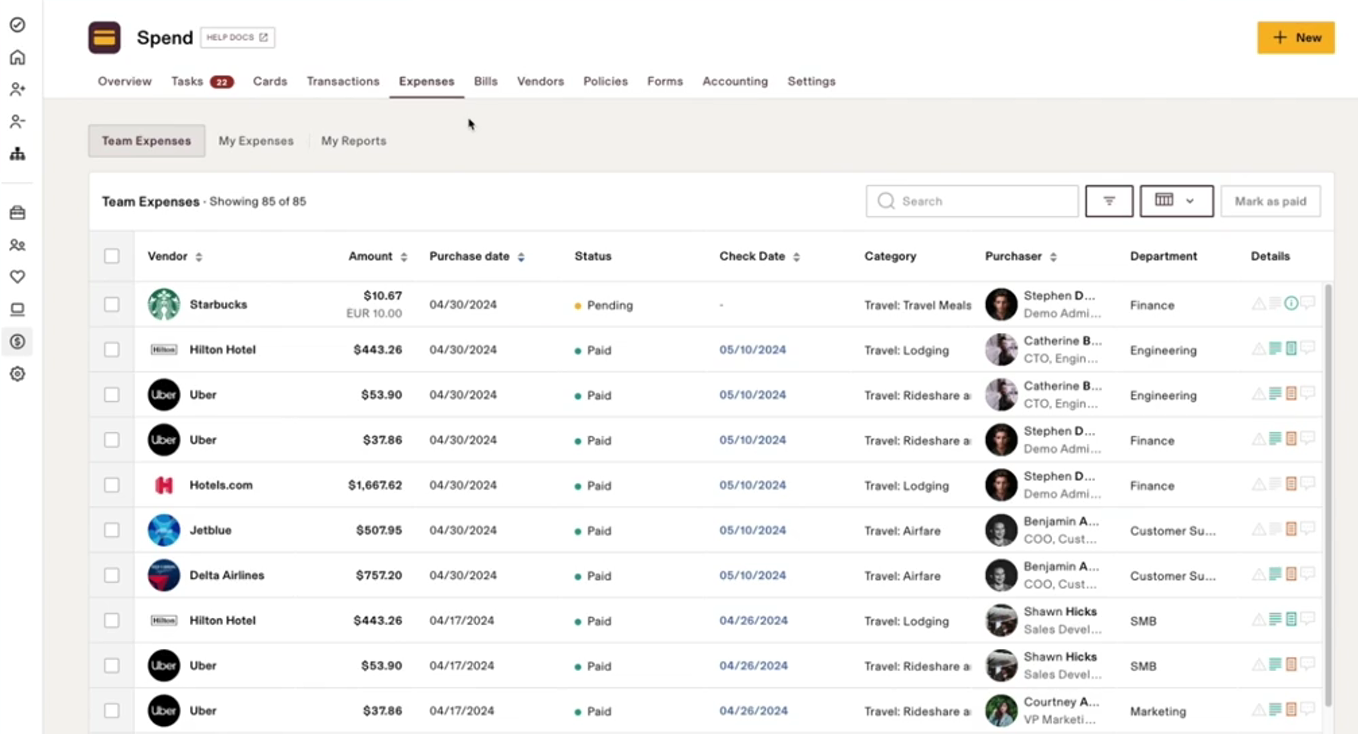
I like how connected the process is. For instance, when the reimbursement is fully approved, Rippling will automatically add that amount to the employee’s upcoming paycheck.
Similar to time tracking, Rippling’s mobile app lets employees submit new expenses and check the status of approved or pending reimbursements under spend management.
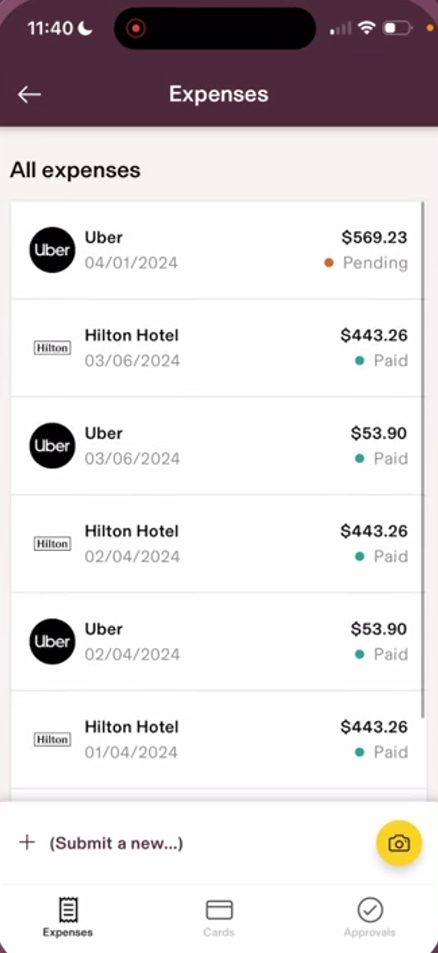
Workday
I discovered that Rippling covers only expense management, and Workday, on the other hand, serves as a complete ERP platform, which includes expense management as a small part.
Note. Here, I’ll talk only about Workday’s Expense management to be fair to Rippling. However, in the subsequent sections, I’ll briefly cover the extensive financial features Workday offers.
Workday’s mobile app lets employees submit expenses and track approvals:
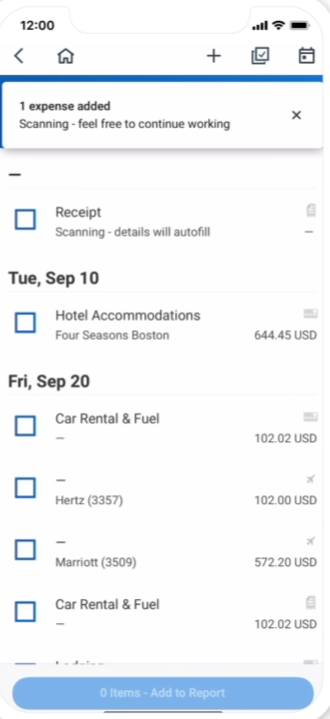
Workday automatically checks for policy violations, allowing you to correct the issues or include memos. And because approvers get notified via Slack or Teams, they can instantly approve the expenses, ensuring timely reimbursement.
Workday’s AI platform, Illuminate, automatically detects duplicate or anomalous expenses, preventing errors or fraud.
It pairs spending insights with people and finance data, enabling you to find savings opportunities and make smarter decisions.
Financial Management
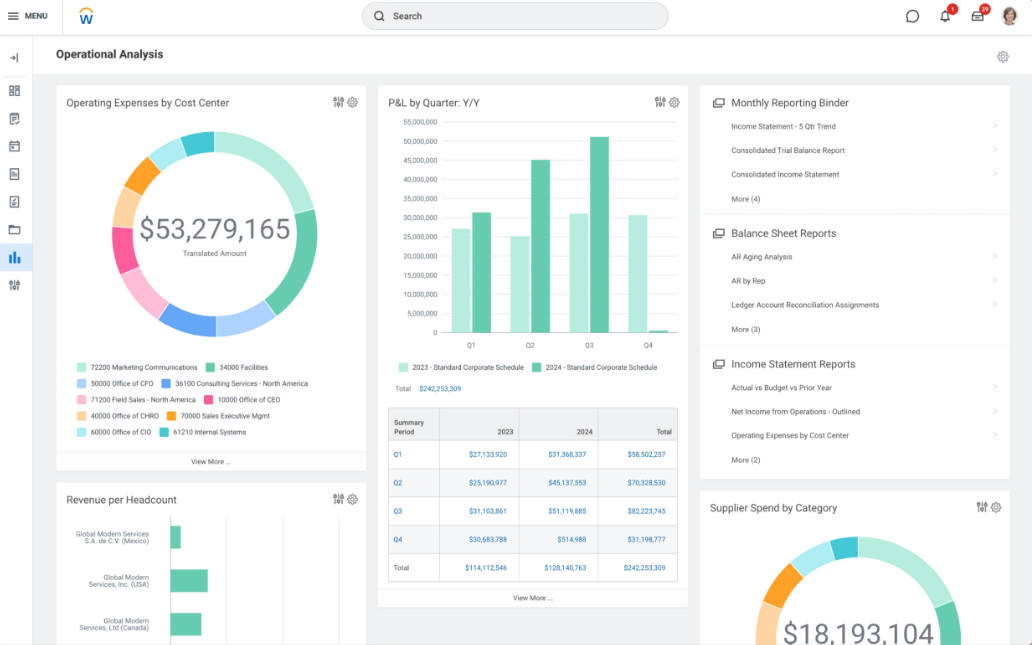
Workday Financial Management is a full ERP-grade finance system that covers the full accounting lifecycle: general ledger, accounts payable and accounts receivable, billing, revenue recognition, cash management, fixed assets, close, and global consolidation.
Spend Management
Workday’s spend management covers procurement, supplier contracts, invoicing, expenses, payments, and approvals, all tightly integrated with accounting and controls. Spend flows directly into the ledger with policy enforcement, role-based approvals, and auditability baked in.
Financial Planning
Workday Financial Planning (via Adaptive Planning) supports budgeting, forecasting, scenario modeling, and workforce-driven financial planning.
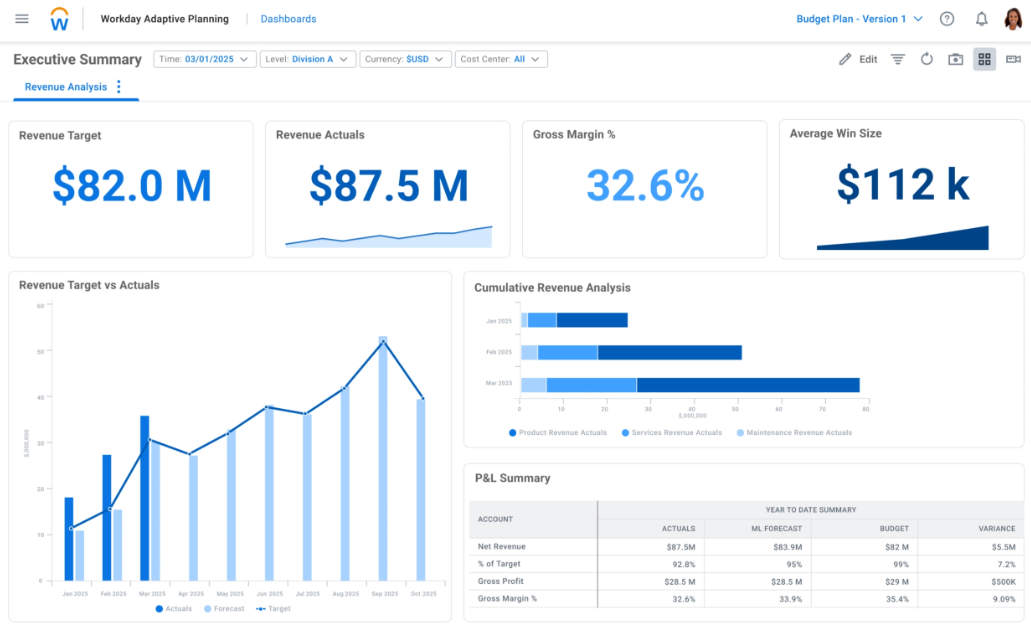
Finance teams can connect headcount, compensation, and hiring plans directly to budgets and forecasts, enabling long-range and multi-scenario planning.
Verdict
Choose Rippling for simple, fast spend ops; choose Workday if finance needs to run on a true ERP.
Extra Features
Automated Workflows
Rippling
Rippling has its Workflow studio that helps you build powerful automated workflows to reduce manual work. It lets you notify people, make payments, send emails, create calendar events, assign training courses, and use webhooks to take actions in other apps.
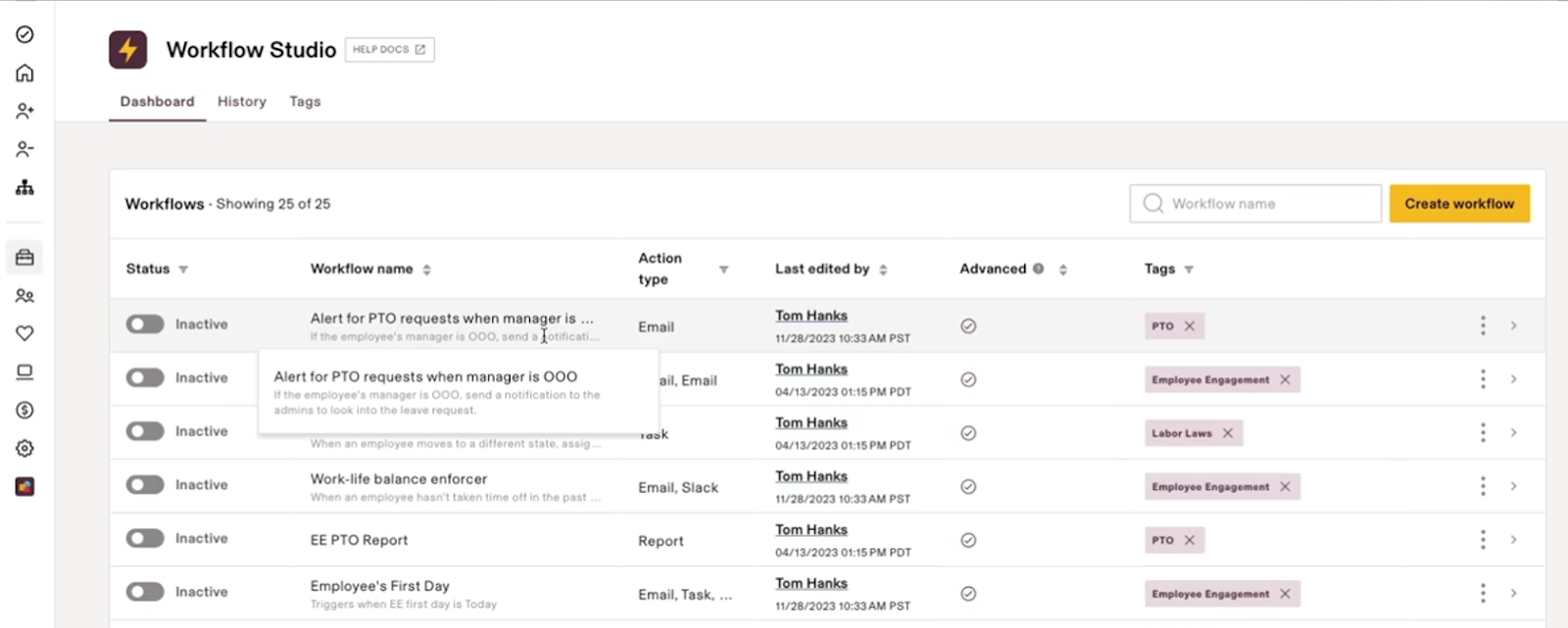
They have these pre-built templates they call “recipes” for each department that let you build instant workflows:
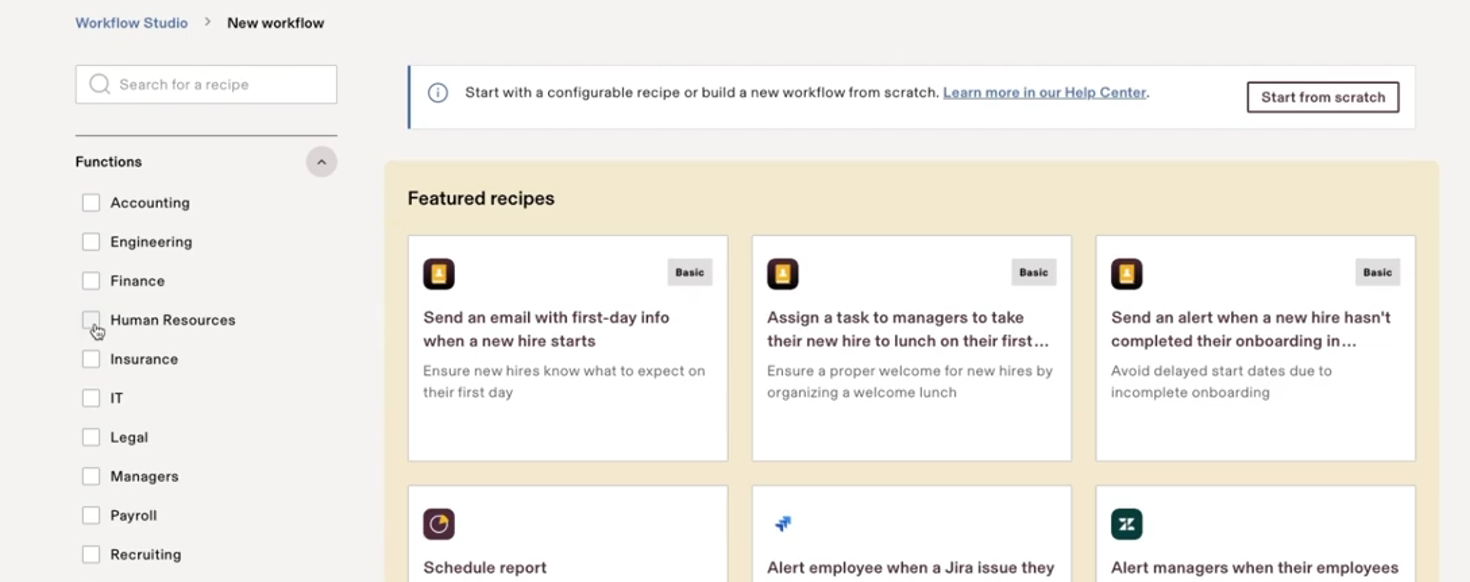
You can even create your workflows from scratch using an easy, self-explanatory process.
Workday
I found Workday Orchestrate to be the closest match inside Workday to a workflow automation studio. It lets you build custom, cross-application workflows visually within the Workday platform and includes a low-code visual/drag-and-drop builder for designing triggers and workflow steps.
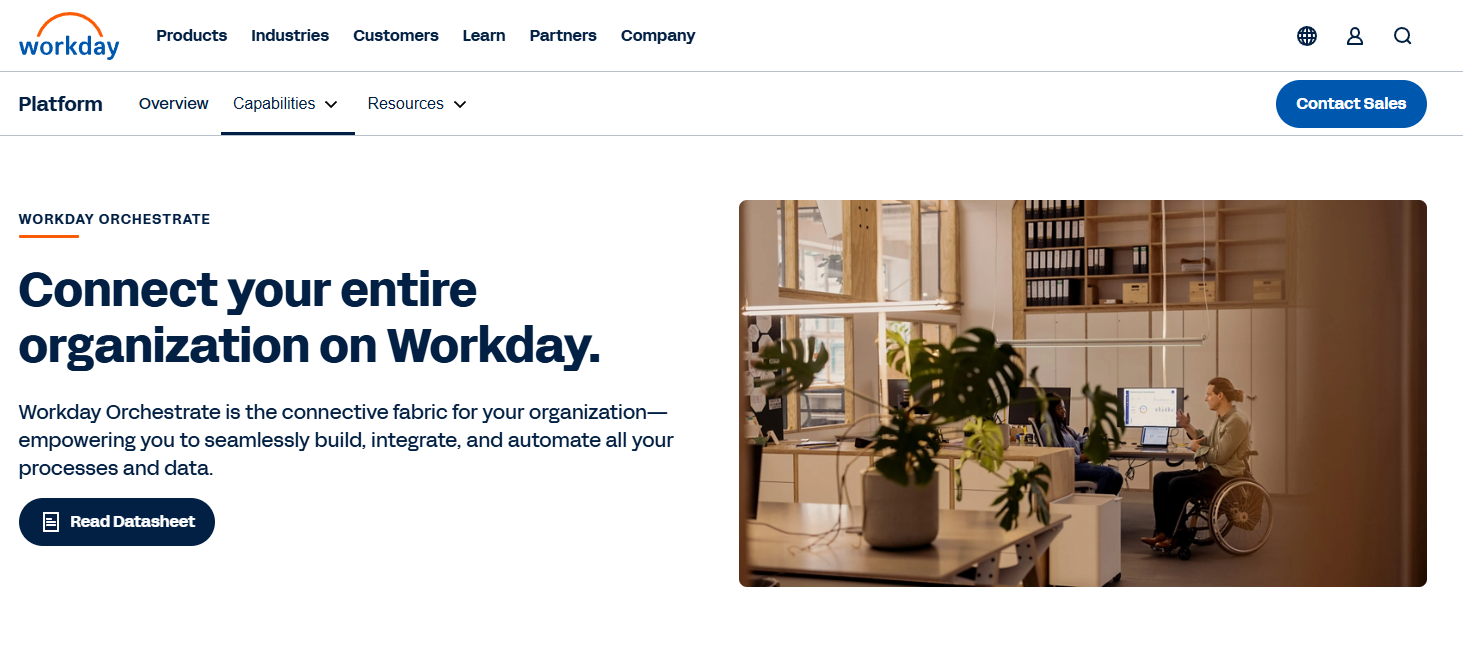
Orchestrate is powerful for complex, cross-system business processes, especially in HR/Finance data flows. However, the UI and setup aren’t as intuitive for quick business automations as Rippling’s.
Also, because of the complexity, you might still need support from integration specialists or Workday consultants to design advanced workflows.
Verdict
Choose Rippling for agility, and choose Workday if control, scale, and complex cross-system processes matter more than ease of use.
Analytics & Reporting Depth
Rippling
Rippling delivers fast, real-time operational reporting and customizable analytics across HR, payroll, time, IT (devices/app access), and spend on its unified platform. It offers tools for dashboards and custom reports that help admins operationalize and visualize workforce data.
However, it isn't designed as a whole enterprise BI engine for complex financial statements, cross-system forecasting, or deep external data modelling.
Workday
Workday offers enterprise-grade, multidimensional reporting across HR, finance, payroll, and operations. Reports update in real time and allow drill-downs from summaries to individual transactions.
With Prism Analytics, Workday can also combine external data sources with native HCM and finance data, enabling advanced analysis, forecasting, and executive-level reporting.
Verdict
Rippling wins for clarity and speed in operational reporting. It tells HR and IT teams what’s happening right now with minimal setup.
Workday wins decisively for depth, scale, and financial-grade analytics, especially for organizations that need statutory reporting, executive dashboards, and cross-functional analysis.
Integrations
Rippling
Rippling is all about stitching together multiple services to create a unified workflow. No wonder it offers a whopping 650+ interactions across finance, legal, HR, IT, security, sales, marketing, and more.
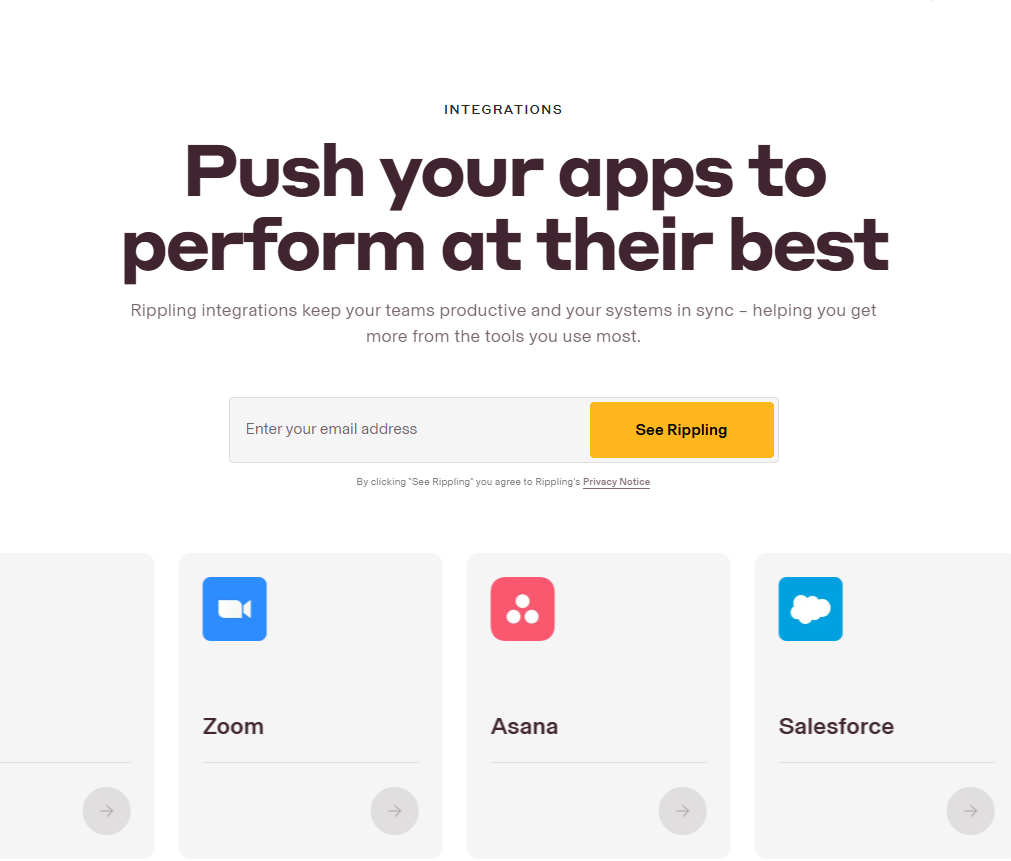
I found integrations for Slack, Google Workspace, Office 365, GitHub, Jira, DocuSign, Zoom, Expensify, and many more. And many of these are deeply tied into Rippling’s Workflows.
Another highlight is Rippling’s open API and the App Studio it launched, which allows customers and third-party developers to build custom applications on top of Rippling. That’s next-level ecosystem thinking.
Workday
Workday competes strongly with Rippling by offering 600+ integrations, enabling you to connect your favourite apps and build seamless workflows:
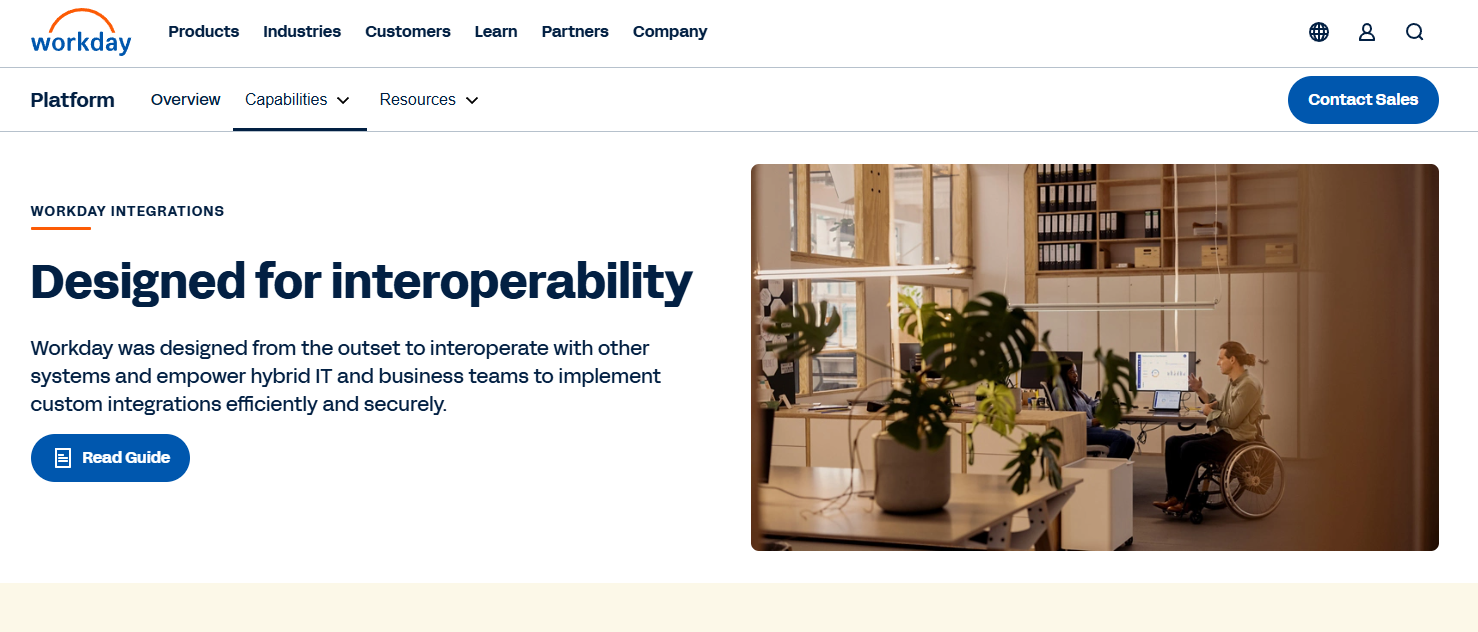
To enable further customizations, Workday offers Workday Build, a low-code development platform designed to create enterprise-grade applications that run natively in Workday.
Unlike Rippling’s App Studio, which is built for ops teams to automate workflows quickly, Workday Build is designed for long-lived, compliance-sensitive use cases.
It lets organizations extend Workday’s HCM and Finance with governed workflows, approvals, security, and audit trails—typically built by Workday developers or partners, not day-to-day admins.
Verdict:
Both platforms offer a similar breadth of integrations, but they win in different contexts. Rippling is better for fast-moving HR and IT operations, while Workday is better for large organizations that need tightly governed, finance-aligned data flows.
Platform Extensibility (builders + developers)
Rippling
Rippling’s App Studio and workflow tools are built for ops teams and admins, not developers. You can automate workflows, trigger actions across HR, IT, and payroll, and connect third-party apps quickly using APIs and prebuilt integrations.
It’s ideal for fast automation but not for building complex, long-lived custom applications.
Workday
Workday Extend (and Workday Build) is designed for developers and enterprise IT teams. It allows organizations to build custom applications and workflows that run natively inside Workday and inherit its security model, approvals, and audit trails.
These apps are typically used for compliance-sensitive or mission-critical use cases and are often built by certified partners or internal Workday specialists.
Verdict
Rippling is better for quick, admin-led automation and lightweight extensions that support HR and IT operations.
Workday is better for governed, enterprise-grade extensibility, where custom apps must meet strict security, compliance, and audit requirements.
Operational & Buying Experience
This section focuses on what it’s actually like to buy, implement, and operate Rippling vs Workday over the long term.
User Experience, Ease of Use and Onboarding Time
Rippling
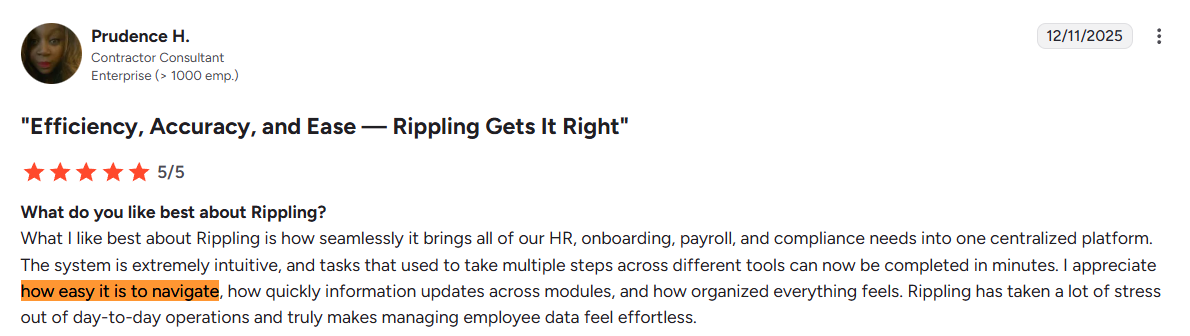
I found Rippling to be more intuitive and easier to use and navigate.
As an admin, I loved the UI consistency. Whether I was in the HR section, running payroll, or submitting an expense, Rippling’s interface follows the same design language. This lowers the learning curve; once you know how to do one thing, others feel familiar.
Even for end-users or employees, the experience is consistent and intuitive. In fact, this user on G2 says how organized and easy-to-navigate Rippling is:
Source: G2
One area where Rippling stands out is navigation and search: there’s a search bar where you can type an employee's name or a keyword like “invite user,” and it’ll pull up the relevant action or profile. It’s pretty handy, similar to how one might use a Mac Spotlight or Windows search for quick actions.
From an implementation perspective, because it’s easier to use, training users on Rippling is much easier than training users on Workday. Also, the implementation process would take you between ~ 1 and 2 months.
Rippling provides you with a dedicated implementation manager who’ll help you throughout the process, making implementation much easier than Workday.
Workday
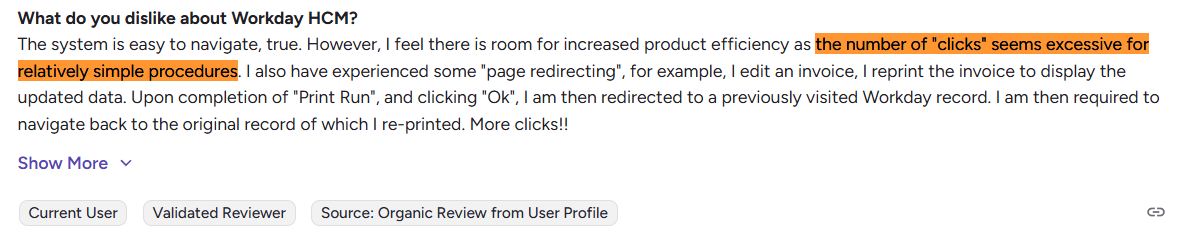
While Workday's UI has improved over the years, it still feels less intuitive and obsolete compared to Rippling.
Even while reviewing the demo videos, I found it hard to understand the platform's features and functionalities. I also came across multiple YouTube channels offering courses dedicated to each module, which proves that the tool is complex and requires training.
This G2 user also says Workday’s UI is obsolete and could use some improvement:

Another notable pain point in Workday is the multi-step processes.
To update something, you often go through several screens (initial form, then a details form, then a review, then submit). While this ensures thoroughness, Workday's ability to capture so much data can overwhelm a casual user.
Source: G2
Coming to implementation, setting up and getting it ready for use isn’t an easy feat.
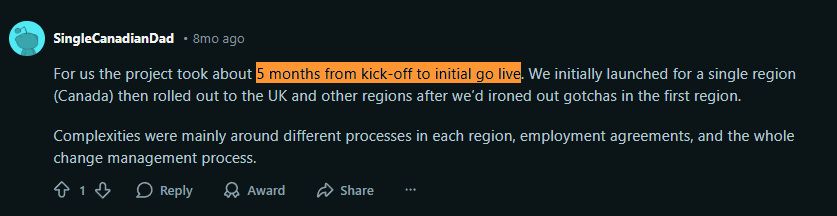
While it depends on your organization's size, integrations, and data migration requirements, based on multiple Reddit users, it can take anywhere between 6 months and 2 years for a company to get started with Workday.
This user’s company took 5 months to go live:
Source: Reddit
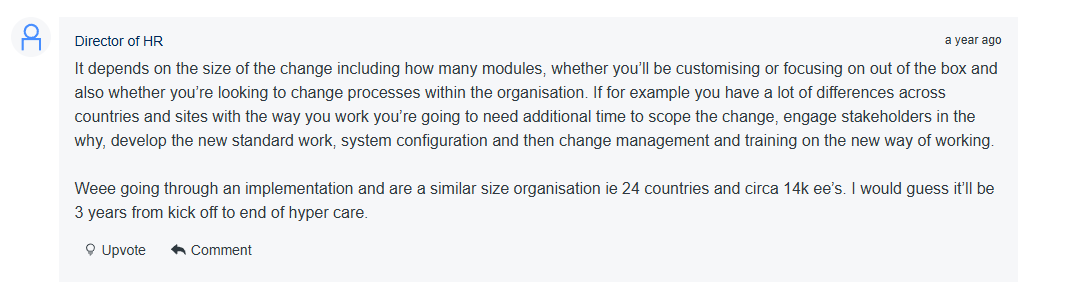
Here’s a Director of HR who estimates the time required for implementing Workday in an organization of 10,000+ employees and 15 countries to be 3 years.
Source: Gartner
You may also need to hire Workday implementation partners consultants (Whatfix, Accenture, Deloitte, CloudRock Partners, IBM) to help you with the implementation process.
Verdict
On user experience, ease of use and implementation time, Rippling clearly has the edge for most users.
Rippling is easier to use and faster to implement, with a modern UI that requires little training and delivers quicker time-to-value.
Workday is more powerful but heavier. Their UX takes time getting used to, and implementation usually requires months of work, consultants, and a dedicated project team.
Pricing and ROI
Rippling
Rippling is known for a modular pricing model where you pay per employee per month (PEPM) for each module you use. However, their pricing isn’t openly available on their website, which makes instant price comparisons hard.
You must fill out a form to request a few quotes to know the pricing.
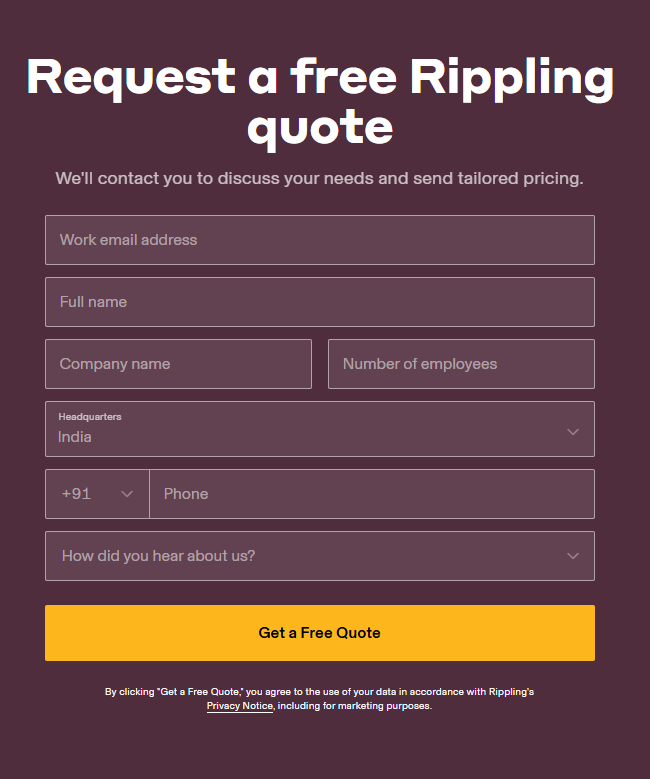
Multiple G2 users also complain about the pricing being non-transparent:

Source: G2
Workday
Workday is known to be one of the pricier solutions. However, similar to Rippling, it follows a per-employee-per-month (PEPM) model and requires you to submit quotes for pricing details.
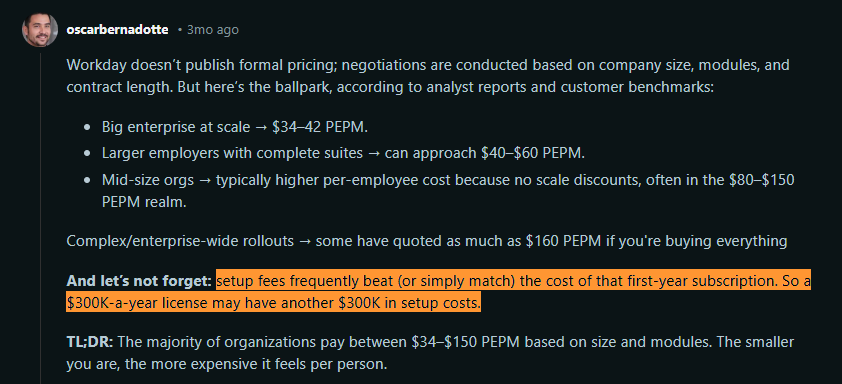
However, based on Reddit users, it will cost you somewhere around this range (ballpark):
- Big enterprise at scale: $34–42 PEPM
- Larger employers with complete suites: $40–$60 PEPM
- Mid-size orgs: $80–$150 PEPM
If you noticed, Workday looks affordable for enterprises. As your company’s size decreases, your leverage to negotiate declines, leading to a higher price.
Coming to ROI, Workday’s implementation cost is almost equal to, or exceeds, its annual subscription. Based on this user, if your annual subscription costs $300,000, you’ll pay an additional $300,000 in setup costs.
Source: Reddit
So, you’ll pay $600,000 and probably more, including training costs and add-ons, for the first year.
From what I can see, Workday will only make sense if you have thousands of employees; otherwise, recovering such a high investment won’t be possible.
Verdict:
Rippling is far more cost-effective for mid-sized teams, with modular per-employee pricing and low implementation overhead.
Workday is a much larger investment. It’s often several times more expensive once you factor in subscription, implementation, and ongoing maintenance, making it practical mainly for large enterprises that can justify the scale.
Customer Support
Rippling
Some ways to reach out to the Rippling support team include Live Chat and Email. However, after diving deeper, I found that you can convert the live chat into a virtual call with Rippling.
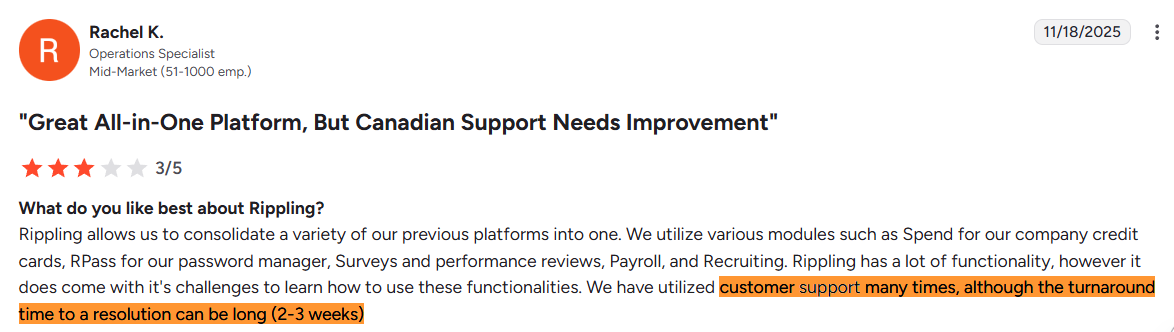
While I found nothing but positive reviews of Rippling’s implementation and customer support, the response times are pretty long. Some users had to wait for 2-3 weeks for a response, which can be frustrating if the issue is urgent.
Source: G2
Workday
Workday's customer support operates a bit differently, partly because most Workday customers rely on a network of partners and internal support in addition to Workday’s own support.
Typically, after implementation, companies either retain a relationship with the implementation partner for ongoing support (like Kognitiv) or build an internal HRIS team (or both.)
Here's a Reddit user mentioning how they use Kognitiv for hourly Workday support:

Source: Reddit
Verdict
For me, the winner here is Rippling.
Rippling provides a more accessible, high-touch support experience for its customers, which can be critical for smaller teams that don't have specialized HRIS staff.
Workday’s support, while robust, often assumes an ecosystem where the customer has either in-house experts or partner consultants to handle most questions.
Which Platform Should You Choose?
Here’s how to make the right choice:
Choose Rippling if your priority is fast HR + IT Operations
Rippling is stronger when:
- You want HR, IT, payroll, and spend ops tightly connected in a single admin experience.
- Your team values quick automation for day-to-day workflows (onboarding/offboarding, approvals, access changes) with minimal overhead.
- You need a system that feels like an “ops OS” for a growing company, not an enterprise governance suite.
Best for: Fast-scaling teams that want fewer tools, faster execution, and real IT involvement inside the people system.
Not ideal if: You need enterprise-grade, finance-led governance across complex org/finance structures and you’re okay with heavier implementation/admin load.
Choose Workday if you need enterprise depth, control, and governed change
Workday is stronger when:
- You need enterprise-grade HCM + finance alignment, with governance-first controls and auditability at scale.
- You’re building (or already have) a dedicated HRIS/IT ecosystem and can support a more complex operating model.
- You need more “platform” capability for integration/workflow orchestration and extension inside Workday (e.g., Orchestrate/Extend).
Best For: mid-market-to-enterprise orgs where governance, security model, and finance-grade control matter more than ease/speed.
Not Ideal If: you want a lightweight setup, minimal training, and admin-led automation without consultants.
Workwize: A Reliable Alternative to Rippling and Workday
If your biggest operational challenge is managing IT hardware and not HR workflows, you need a platform built specifically for that.
Workday doesn’t offer IT features, and while Rippling does, it’s a fundamentally HR-first system. IT asset management isn’t their core purpose. Workwize is built for that.
It’s designed from the ground up to automate the entire device lifecycle for distributed teams.
And that means centralizing procurement, zero-touch provisioning, global shipping, storage, reassignment, and laptop retrieval at scale within a single platform.
Workwize focuses on one problem only: end-to-end IT hardware management for distributed teams, and goes deeper than what all-in-one platforms typically provide.
Ready to streamline your global device logistics? Request a Workwize demo and see how effortless IT asset management can be.


Establish a single source of truth for every IT asset across the globe.
.png?width=258&height=318&name=g10%20(5).png)
More related resources to help you stop firefighting hardware operations.

Get monthly insights into how other IT leaders are improving their ops.



.png?width=2880&height=1232&name=Group%202147262874%20(1).png)
Stop coordinating
hardware like it's 2012.
.svg)
.png?width=172&height=68&name=apple%20business%20patner%20(1).png)
.svg)
.svg)
.svg)
.svg)