





Outsource IT Hardware Management in Japan



Your Global IT Standard Still Needs a Japan-Ready Hardware Process
Devices sourced abroad can arrive with the wrong specifications for employees in Japan. Global hardware processes can miss JIS keyboards, compatible power, language settings, and product conformity, then leave repairs and retrieval to separate local vendors.
Correcting those preventable mismatches and coordinating multiple local vendors after purchase adds cost and complexity across the lifecycle.
-
Keyboard layout is a real procurement requirement. Sending a U.S. or European layout to an employee who expects JIS can lead to reconfigurations or replacements that delay onboarding or prolong downtime.
-
Global Configurations Need Localization. Devices with international images arrive without Japanese language and input settings applied by default, leaving IT to reconfigure each after delivery.
-
Imported Hardware Faces Conformity Checks. Covered power accessories may require a Product Safety Electrical Appliance and Material (PSE) mark, while radio-enabled hardware may need a technical-conformity mark. Missing requirements can interrupt import or deployment.
-
Imports Add Customs Work and Cost. IT must also coordinate international shipping, handle customs clearance, and account for any import-related fees for devices sourced abroad.
-
Vendor Relationships Weaken Control. When separate providers handle procurement, configuration, repairs, and collections, records and processes remain inconsistent. Chasing vendors across time zones to reconcile records, update device status, and implement compliance can overwhelm IT and increase compliance risk.
-
Offboarding requires local coordination. Coordinating retrieval in Japan from another time zone can slow recovery, increase costs, and leave devices with former employees.
Workwize sources Japan-ready hardware and manages the device lifecycle locally through one platform. IT can avoid unnecessary imports, post-purchase device fixes, and coordinating with multiple vendors.
Does This Sound Familiar?

Wrong device configurations
Employees receive global models without the JIS layout and input settings required for work, and IT has to reconfigure the computers after delivery.

Time-Zone Bottlenecks
Employees in Japan wait while overseas IT and local providers exchange questions about repairs or replacements across time zones.

Losing track of repair status
The device is with a local provider while the central asset record still shows it as active.
Manual offboarding
A departed employee's device requires separate return instructions, reminders, wiping, and record updates.

Compliance policy mismatch
Procurement policies cover international security and specifications but overlook Japan-specific electrical, radio, privacy, or disposal requirements.
How Workwize Solves These Challenges
Workwize sources and manages hardware built for Japan-based workers and gives IT one platform to oversee its global fleet.

Japan-ready catalogs
Source devices with the right Japanese keyboard, power, and input configurations.
One global workflow
Keep procurement, deployment, asset tracking, repairs, retrieval, and disposition connected despite differences in Japanese hardware.
Automated onboarding
Connect HRIS, MDM, identity, and ITSM tools through 80+ integrations to ensure new hire entries trigger procurement and deployment.
Preconfigured deployment
Prepare MDM enrollment and role-based setup before the device reaches the employee.
Centralized repair and replacement tracking
Keep service status tied to the device record instead of managing it through standalone vendor emails.
Standardized retrieval and erasure
Trigger offboarding workflows that recover equipment and document its next lifecycle stage.
What our customers
say about us
Love Workwize!
It has been wonderful, I have enjoyed a lot of it. Using the site is super easy with not many problems associated and has overall relieved a lot of stress with onboarding offboarding that we experienced prior to using Workwize.

Jake S.
IT Analyst
Great service
Overall it's been great, from the nice initial demos and sales experience to onboarding. Initial orders did have some issues, but I felt looked after by the team there, and they were doing everything they could to help at every point.

Mark K.
Head Of IT and InfoSec
A Niche Company which meets our needs perfectly
Has been really good overall. We searched for a long time for a suitable solution and they were just the fit. Nice to see how they have grown in terms of size and service provisions and be part of it from the start. Super user-friendly platform.

Ilan B.
Benefits Team Leader
Global onboarding is easier. Managing IT logistics for global hires was very hard before. Workwize solved that for us. Now our new employees are ready on day one with everything they need to work comfortably.

Robert Jones
SR. IT Manager

We are already seeing fruits of our labor, since nearly all our new assets are now ordered via Workwize and IT Team has drastically reduced time which was wasted on procuring the assets and its setup.

Ana Lovsin
IT Operations Manager at Swapfiets

How HighLevel saves $1.4M per year with Workwize
Using Workwize introduced automation and centralization into HighLevel's global IT operations.
- Automating onboarding and offboarding cut time spent on IT equipment operations by 70% per year.
- Standardizing devices across every region eliminated inconsistent vendor pricing and markups.
- The switch delivered a 24.5x ROI and saved 35,454 kg of CO2 annually through responsible device disposal.
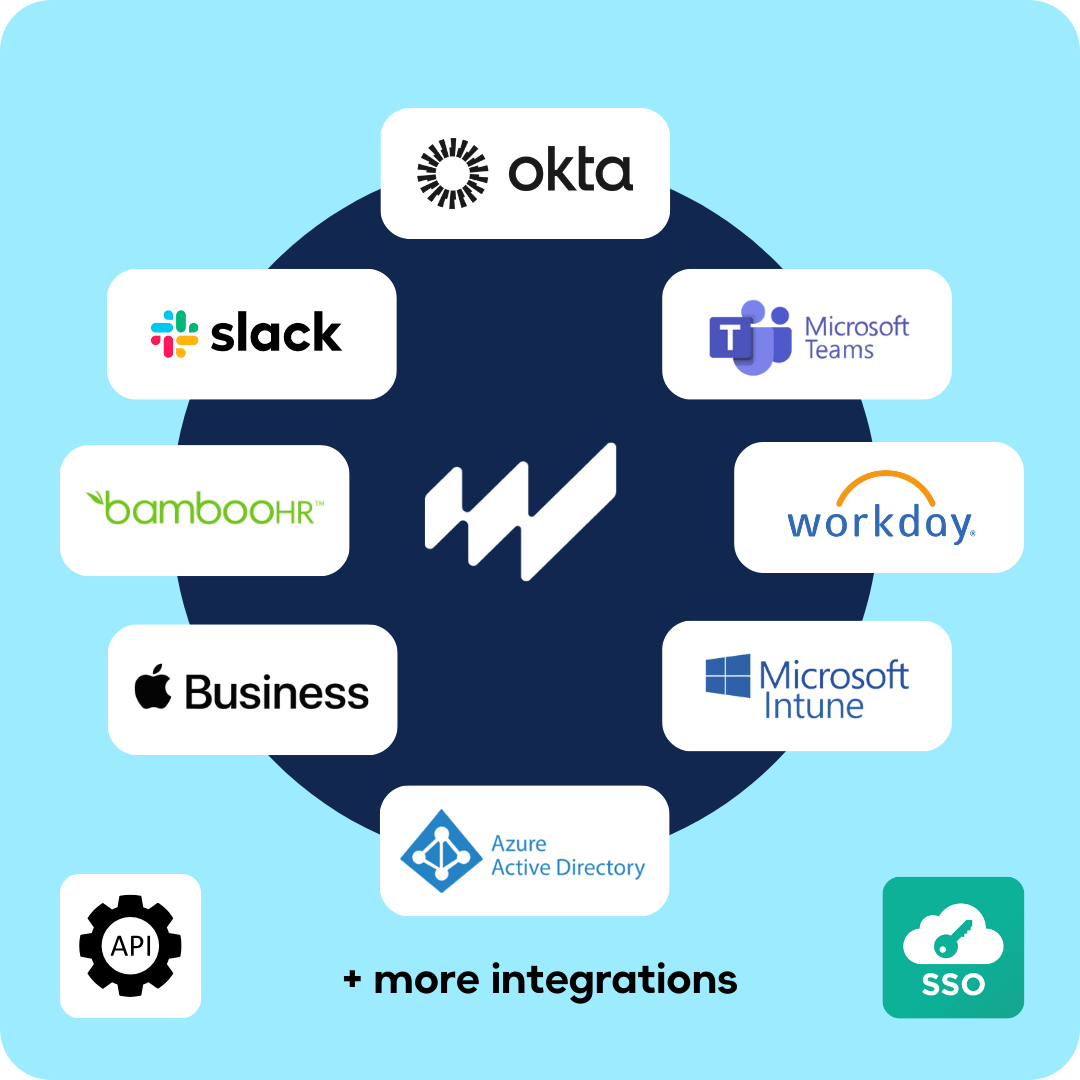
Fully compatible with your tech stack
Integrate Workwize with your existing MDM, HR, and payroll systems, streamlining your IT operations.
- Use our API to integrate your own systems.
- Enroll in Apple Business Manager or Windows Autopilot.
- Sync with your HR system to avoid duplication of work.
One Platform, Easy Pricing
Workwize customers report up to 70% less manual IT work and a 24x ROI.

Basic
What's included:
- Automated asset management
- 3 regions
- Single Sign-On (SSO)
- Monitor repair status in real-time.
- Pickup, storage, and shipping
- 100+ HRIS integrations
- Repair and replacement

Professional
What's included:
- Everything in Basic
- 5 regions
- Automatic offboarding
- Automatic deployment
- Automatic restocking
- Enhanced scalability

Enterprise
What's included:
- Everything in Professional
- Unlimited regions
- SCIM integration
- Public API for custom integrations
- Tailored onboarding and support

Quick Facts for Managing Outsourced IT Operations in Japan
-
Keyboard: Japanese Industrial Standards (JIS) layout.
-
Power plug: Type A, with Type B used for some grounded connections.
-
Voltage: 100V. Eastern Japan uses 50Hz, while western Japan uses 60Hz.
-
Data protection: The APPI governs employee data and employee-linked device records.
-
Electrical safety: PSE marking for products covered by the Electrical Appliances and Materials Safety Act, including regulated AC adapters.
-
Radio equipment: Technical conformity marking for covered Wi-Fi, Bluetooth, cellular, and other radio equipment.
-
Operating system language: Japanese or English.
-
Customs: Commercial imports generally require declaration and clearance. Import consumption tax usually applies, while customs duty depends on the product and origin.