




.svg)
.svg)

.svg)


.svg)




.svg)
.png?width=500&height=424&name=Style-1---V1-(1).png)

.png?width=538&height=859&name=USA%2c%20Canada%2c%20Mexico%20(3).png)
Workflow Builder: IT automation has never been easier
Save hours with these automated workflows
Stay day-1 ready for every new hire
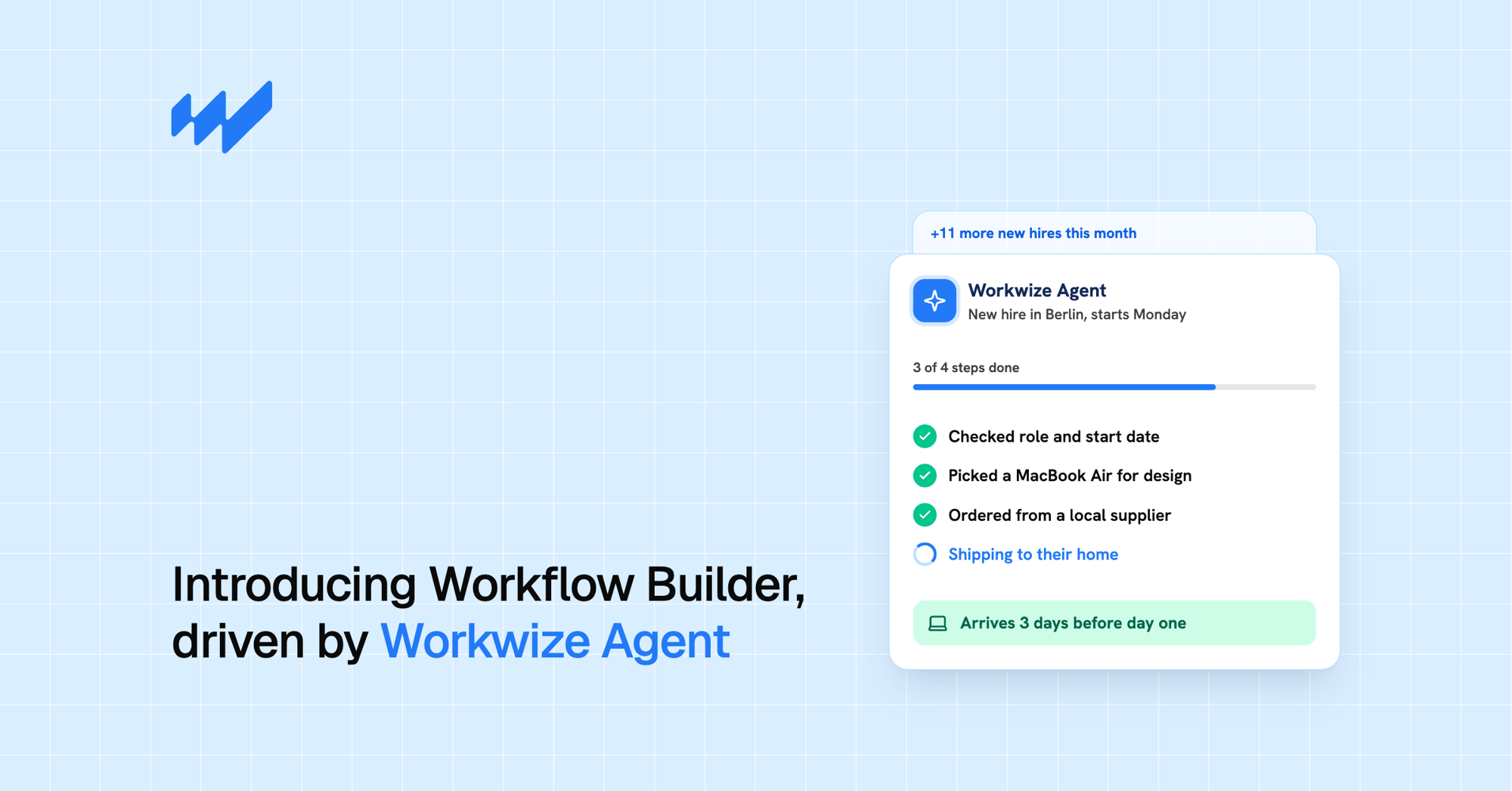
Integrate Workwize with your HRIS to get a head start on employee onboarding. Workwize Agent orders, configures and ships the laptop so it arrives before day one.
.svg)
.svg)

Easy offboarding and device retrievals
Let Workwize handle the full device retrieval flow automatically, from collection to MDM wipe. See automated offboarding.

Automatically identify devices in need of a refresh
Don't let your fleet get outdated. Run an automated refresh check across every device you manage in Workwize.

Never miss a failing asset again
Configure Workwize to continuously scan your fleet and alert you when devices need repair or replacement.

Know your laptop gap before it's a problem
Check upcoming hires against warehouse stock, so you can order ahead instead of scrambling on day one.

Sync orders to your custom apps automatically
Push order data to your internal apps through custom API calls, with a Slack alert if anything fails. See all Workwize integrations.


Trusted by some of the world’s most effective IT teams:

.svg)

.svg)

.svg)

.svg)
Got another IT logistics problem for the Workflow Builder to solve? Book a demo with us to see how it works
.png?width=1016&height=627&name=Decorative%20Ellipse%20Container%20(4).png)
No more delayed or incomplete workflows. Just tell Workwize what you want to build today.

.svg)
.svg)
.png?width=538&height=971&name=USA%2c%20Canada%2c%20Mexico%20(6).png)
.png?width=862&height=1456&name=USA%2c%20Canada%2c%20Mexico%20(7).png)
Workwize already knows everything it needs
.png?width=2000&name=Frame%202147261692%20(1).png)
How the natural language workflow builder makes your life easier

Natural language as an interface
Simply tell Workwize Agent what you want to automate in plain language, and it turns your request into a working workflow.
After building or running, it explains what it did in plain English.

Integrates with any tool in your stack
The Workwize workflow builder connects to your MDM, ITSM and IDP systems.
Through custom apps and webhooks it can integrate with virtually any tool like your ticketing system, a custom internal API, or any HTTP service.
It can even read an external tool's API docs and wire itself up.

.png?width=26&height=26&name=Frame%20(5).png)
Data & Analytics
Analytics in our Workflow Builder is conversational, not dashboard-driven.
It reads your live data through its lookup tools and answers questions directly in the chat.
Ask "how many laptops are unassigned in Berlin?" or "which devices are overdue for return?" and it queries the real data and responds in the conversation.


Use Workwize to build workflows across all of your tools

HRIS
Ensure laptops are ready on day 1. See when devices are scheduled to return after offboarding.
.svg)
MDM
Track each device’s settings and compliance status with zero intervention from IT with the Workwize platform.

ITSM
Never miss a hardware request. Integrate & approve devices without leaving Slack.


Hands on the ground you can trust

Compliance
.png?width=648&height=474&name=Group%202147263465%20(1).png)
Governance
.png?width=652&height=430&name=Style%201.02%20(2).png)
.svg)
.png?width=172&height=68&name=apple%20business%20patner%20(1).png)
.svg)
.svg)
.svg)
.svg)