




.svg)
.svg)

.svg)


.svg)





.svg)
.png?width=500&height=424&name=Style-1---V1-(1).png)

.png?width=1230&height=692&name=Vector%20(13).png)
- Between the two, Zendesk wins on power and scale. Superior routing, native QA/WFM tools, and over 2,000 integrations make it the enterprise choice.
- However, Freshdesk wins on simplicity and value. Its cleaner interface, easier setup, and lower entry costs (including a free plan) make it ideal for small-to-midsize teams who need omnichannel support without complexity.
- Freshdesk's self-service portal is more approachable for non-technical admins, while Zendesk offers stronger multi-brand governance
- Hidden costs sting both platforms. Zendesk charges $50/agent per month for Advanced AI plus separate fees for QA and WFM; Freshdesk also has similar issues.
- Both platforms make migration hurt a bit through API rate limits, data fragmentation, and proprietary AI models you can't export

Zendesk vs Freshdesk: Which Help Desk Software Wins?
Fire up a Google search and you’ll know that Zendesk is built for complex, fast-growing teams that need advanced workflows and an ecosystem of tools around support.
Freshdesk, on the other hand, is easier to roll out, friendlier for smaller teams, and usually lighter on the budget.
While that’s true, the choice isn’t that simple.
On paper, both tools look almost identical. Both offer ticketing, knowledge bases, automation, SLAs, and support across email, chat, social, and more. This naturally leads to questions like:
Are you paying roughly the same for comparable plans, or does one get expensive much faster?
Is reporting better on Zendesk just because it has more options?
Can Freshdesk match Zendesk in the depth of integrations?
And these distinctions matter even more when you're committing years and potentially millions to a platform.
Most internet comparisons are surface-level, leaving people with many questions.
I’ve done the hard work to provide you with a very detailed comparison. By the end of this piece, you’ll find yourself in a much better position to make a decision.

Meet Zendesk
Zendesk is a customer service and support platform that pulls all your conversations with customers (or internal users) into one place.
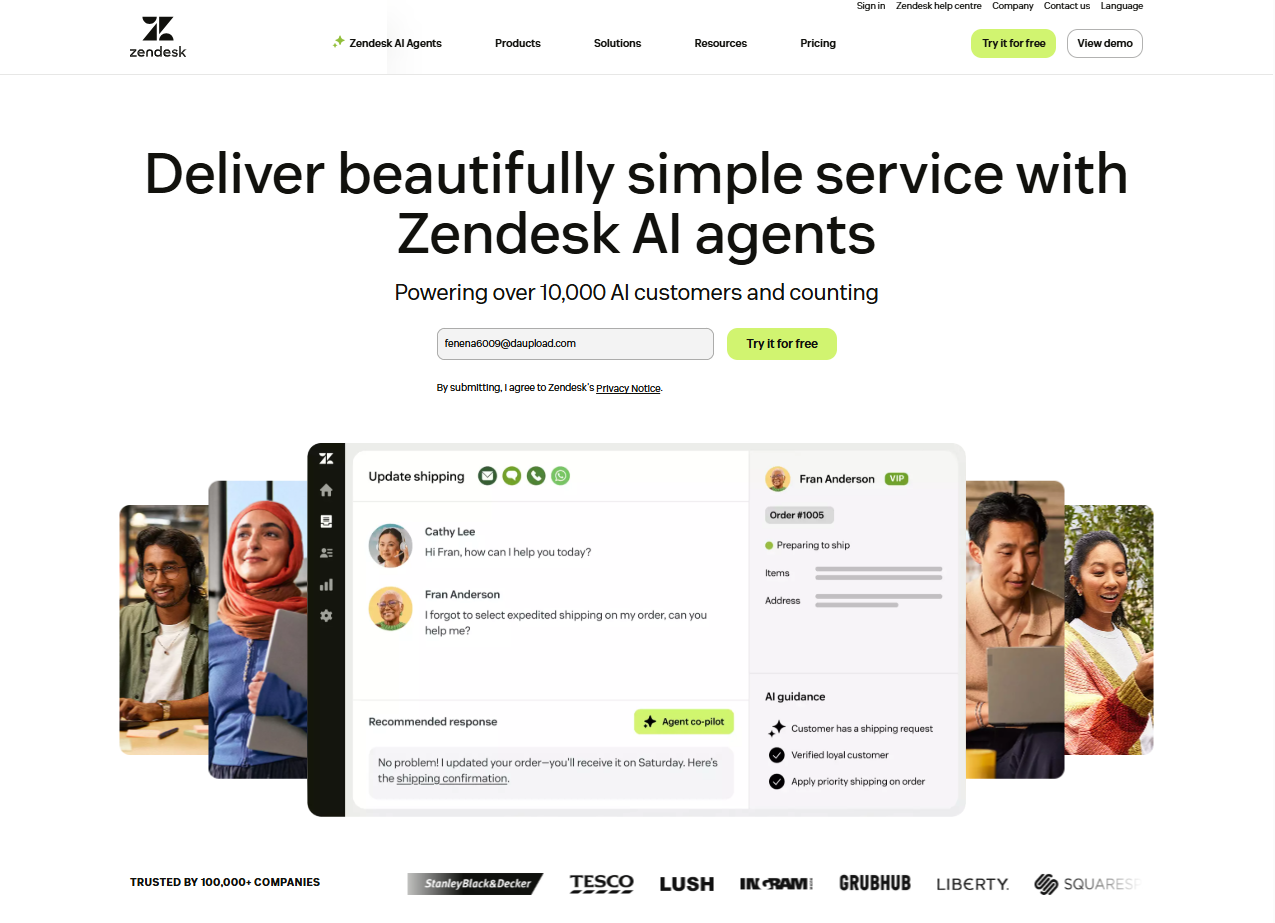
It consolidates all support exchanges into a single workspace and then adds automation, analytics, and AI on top. If your work includes multiple products, regions, or brands, Zendesk is very comfortable at that scale.
Now, what separates Zendesk from the rest of the pack is that it offers a mature, out-of-the-box omnichannel customer support suite that scales easily with powerful ticketing, automation, and integrations. The feature set Zendesk offers is unmatched in its category.
Meet Freshdesk
Freshdesk is a help desk and ITSM-style support platform that focuses on being clean, approachable and cost-friendly.
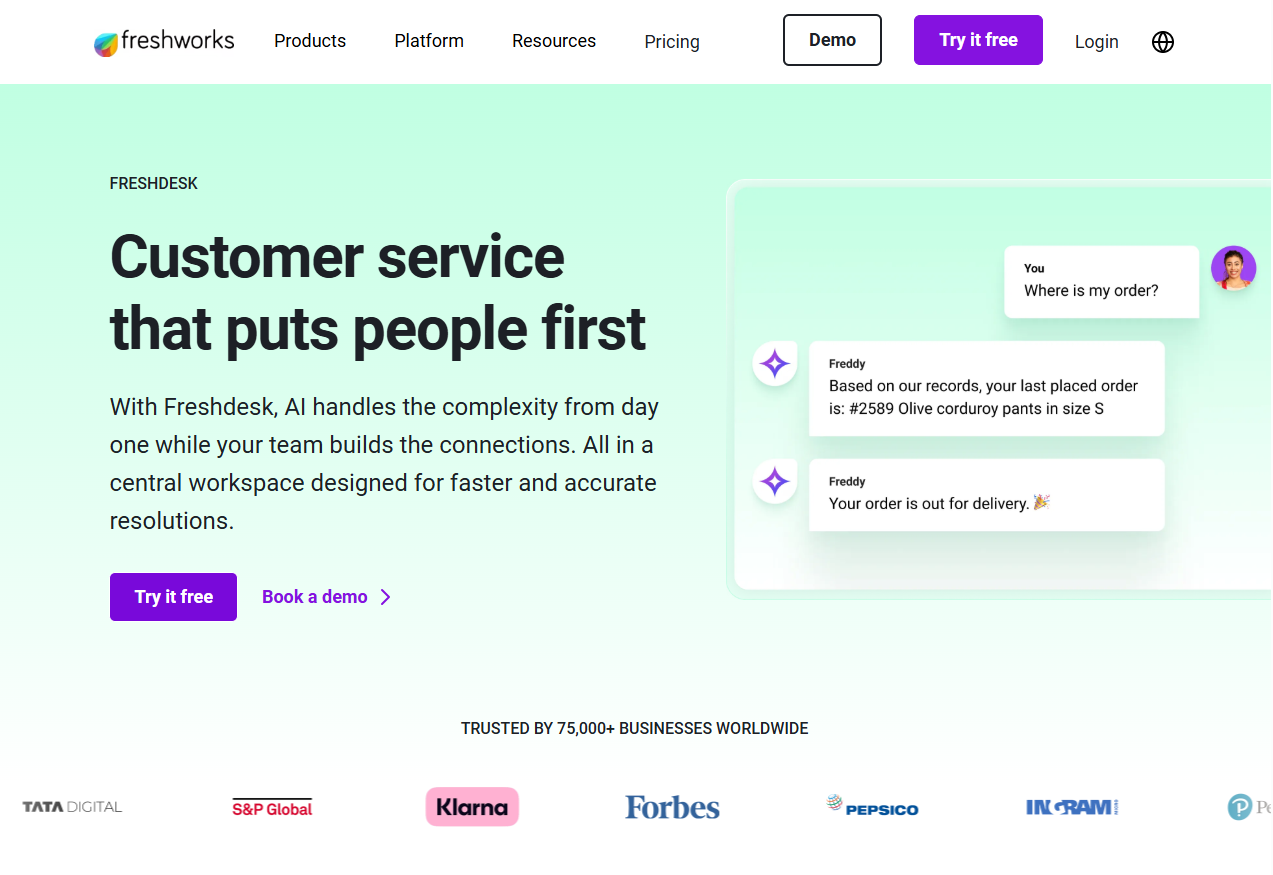
Unlike Zendesk, Freshdesk stands out for its very easy-to-use, cost-efficient help desk with strong built-in automation and omnichannel support. Freshdesk’s offering is an attractive deal for small and midsize teams growing into more advanced workflows.
It offers a tidy, multichannel ticketing hub and clean analytics with Freddy AI for everyday work like replies, summaries, and translations, and more.
Zendesk vs Freshdesk: Feature-by-feature Comparison
Hang on a sec. Before the full picture, let’s see what’s on offer and what’s missing from what you’d expect from some help desk software:
|
Feature |
Zendesk |
Freshdesk (incl. Omni) |
|
Unified omnichannel agent workspace (email, chat, messaging, voice) |
✔️ |
✔️ |
|
Omnichannel routing with skills and capacity |
✔️ |
|
|
AI copilot for agents (reply assist, summaries, etc.) |
✔️ |
|
|
AI customer-facing agents and bots |
✔️ |
|
|
Native QA product (conversation quality, scorecards) |
✔️ |
❌ |
|
Native Workforce Management (forecasting, scheduling) |
✔️ |
❌ |
|
Multi-brand / multi-portal help centers |
✔️ |
|
|
Advanced analytics with custom report builder |
✔️ |
✔️ |
|
Free help desk plan |
❌ |
✔️ |
Let’s start with the most obvious place for a help desk tool: ticketing.
Ticketing and omnichannel support
To test ticketing and omnichannel support, I went through demos and discussions, and then checked my experience against what admins are saying on G2.
Zendesk
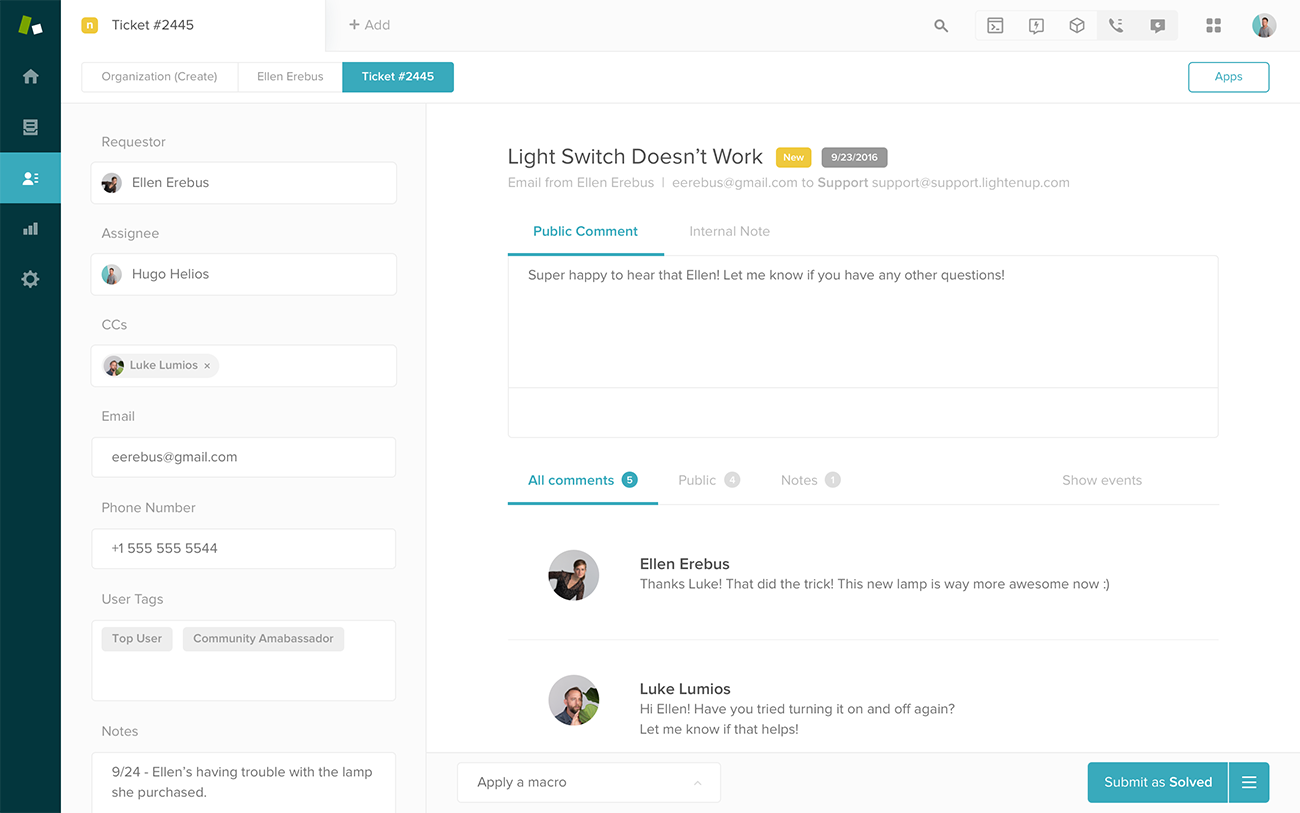
Zendesk offers a fully-contextual ticket view.
You see customer metadata, past tickets, and many side‑panel tools like macros, custom fields, internal notes, etc. This information is really helpful for providing support without too much back-and-forth.
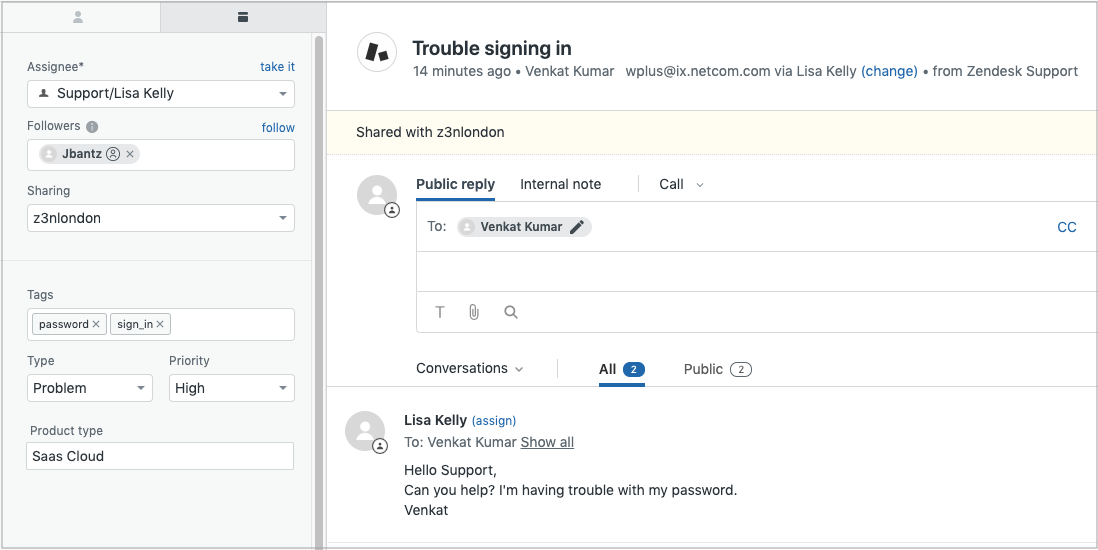
Zendesk’s unified layout makes context switching easy.
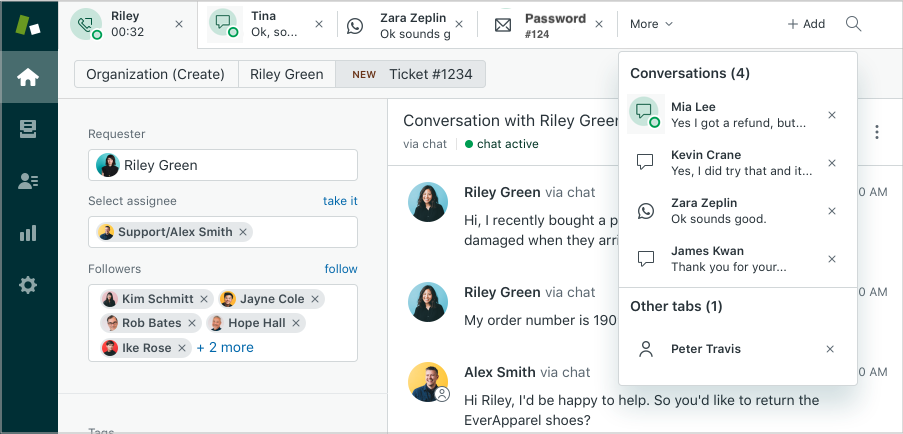
If you're already juggling multiple customer queries, you can open several tickets in tabs. This feature allows you to hop between several conversations in one window while keeping each ticket parked in context.
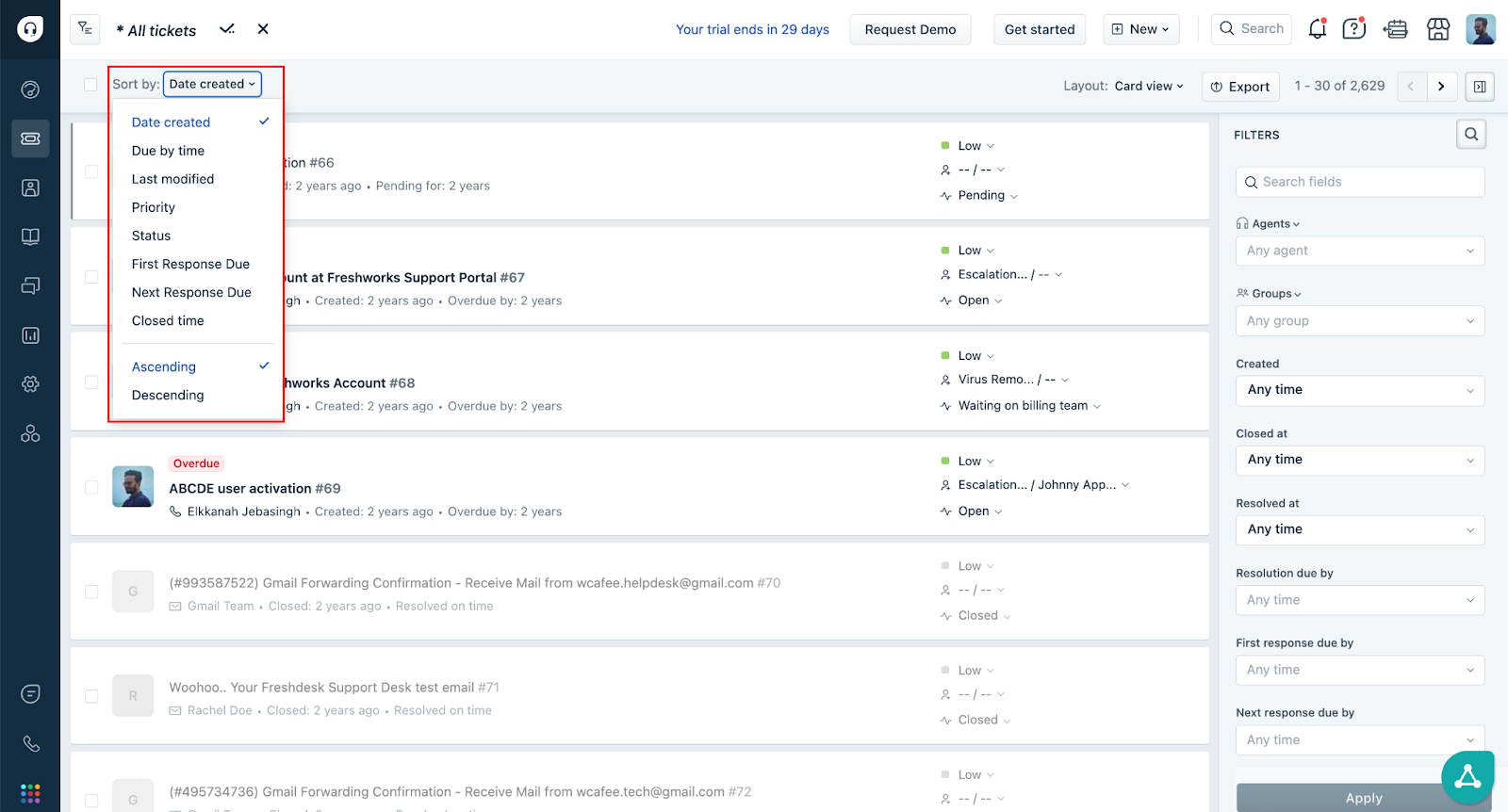
Freshdesk’s Quick list also gives you a lightweight, built-in navigation list to move between tickets without returning to the mailbox, which is handy when you want to process many tickets sequentially.
But it does not offer a true multi-ticket workspace where multiple tickets stay open simultaneously in distinct sub-views.
Moreover, Zendesk supports lots of channels: email, chat, phone, social media and messaging apps (WhatsApp, Messenger etc.). If a user starts via chat, then writes via WhatsApp, I could see it without any fragmentation of conversation history.
Although Freshdesk claims multichannel as well, G2 users say that it feels less holistic in omnichannel environments.

Via G2
Another area Zendesk is strong at is smart routing. It lets you define agent skills (language, product expertise, region, priority‑handling abilities) and then route tickets based on those skills.
For example, Spanish‑language requests automatically go to Spanish‑speaking agents.
Freshdesk also offers skill‑based and load‑based routing (via their “OmniRoute”/automatic routing setup), which lets you assign tickets based on agent skills + availability + load.
But compared with Zendesk, Freshdesk’s routing options feel more “templated” and less flexible when you want to combine many factors at once.
Collision detection is another strong suit for Zendesk: if two agents try to respond to the same ticket at once, it offers a warning. Freshdesk nominally offers a similar feature, so I’ll give credit to both.
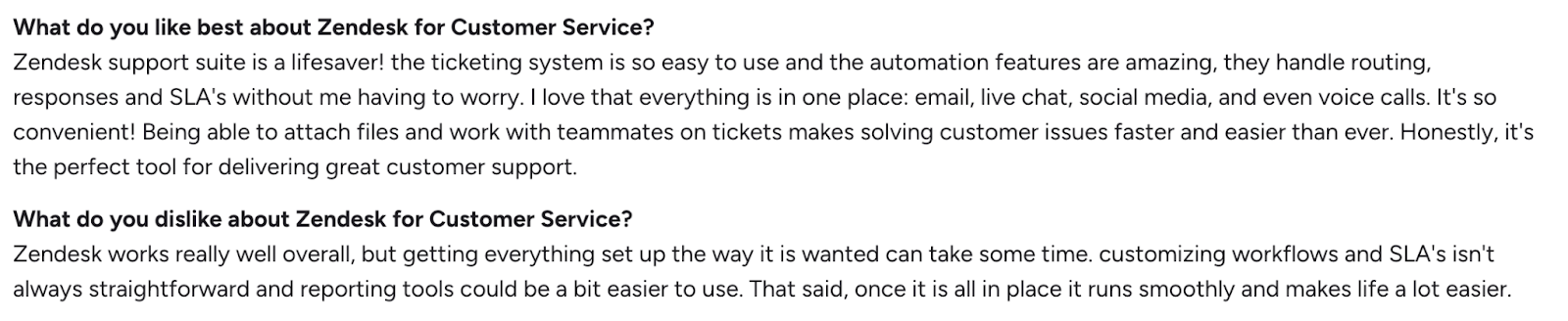
G2 reviewers consistently appreciate this depth and the way automation handles high ticket volumes.
Via G2
However, others will warn you that both the learning curve and the price go up as your workflows get more complex.
Freshdesk
With Freshdesk, the ticket screen just feels more approachable and simple. I could see the conversation thread, requester info, ticket status, and priority all at once. The interface is also cleaner than Zendesk in some ways.
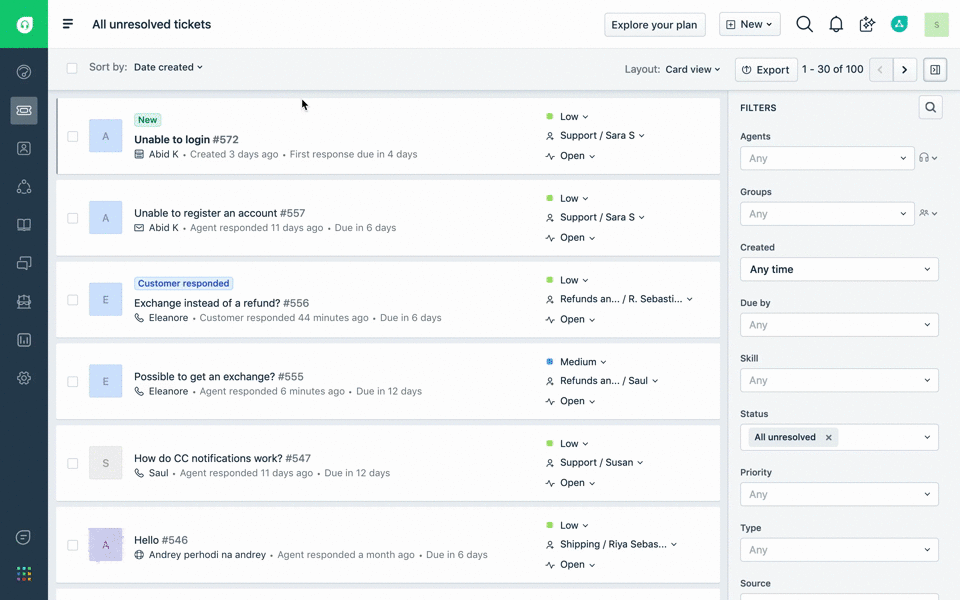
Freshdesk also supports multiple channels: email, chat, phone, social media, and messaging apps. Unlike Zendesk, however, merging multi-channel conversations can occasionally feel clunky.
To prevent one agent colliding with another, Freshdesk shows an “eye” icon if another agent is currently viewing
that ticket. Hovering or clicking it shows which agents are looking. If someone is typing a reply, a “pen” icon appears.
Freshdesk also has a safety layer called “Traffic Cop”: if a ticket has been updated (by another agent or the customer) since you opened/loaded it, and you try to send a reply without refreshing, Freshdesk blocks that reply and forces a reload.
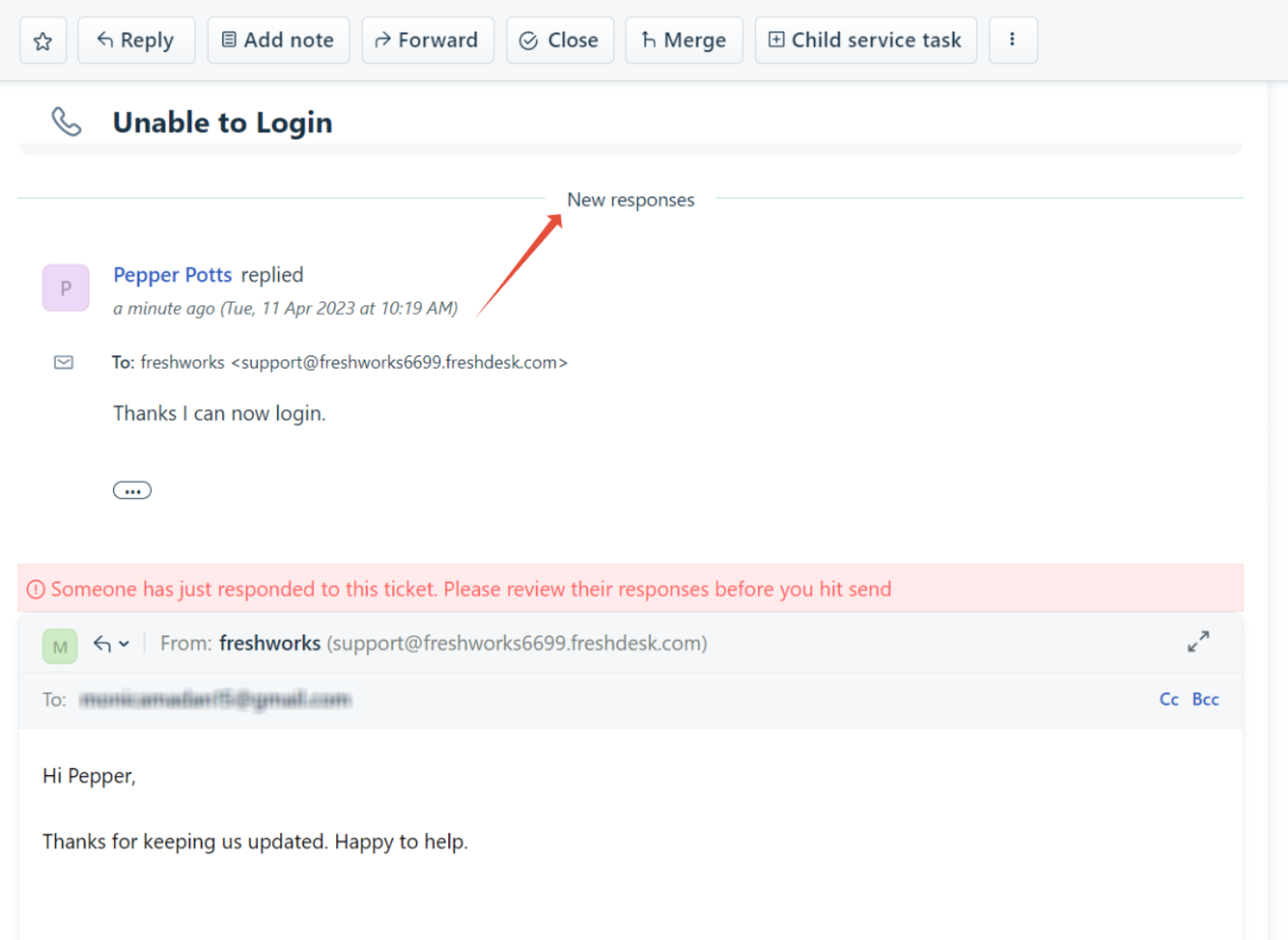 In Zendesk, because each ticket tends to be an “owned item,” often with explicit assignment before work begins, and because multiple tickets can be open in parallel, the risk of duplicate replies is inherently lower.
Freshdesk does ease of setup for ticket routing and automation really well. I can assign tickets based on agent skills, availability, or the round-robin way with the OmniRoute system.
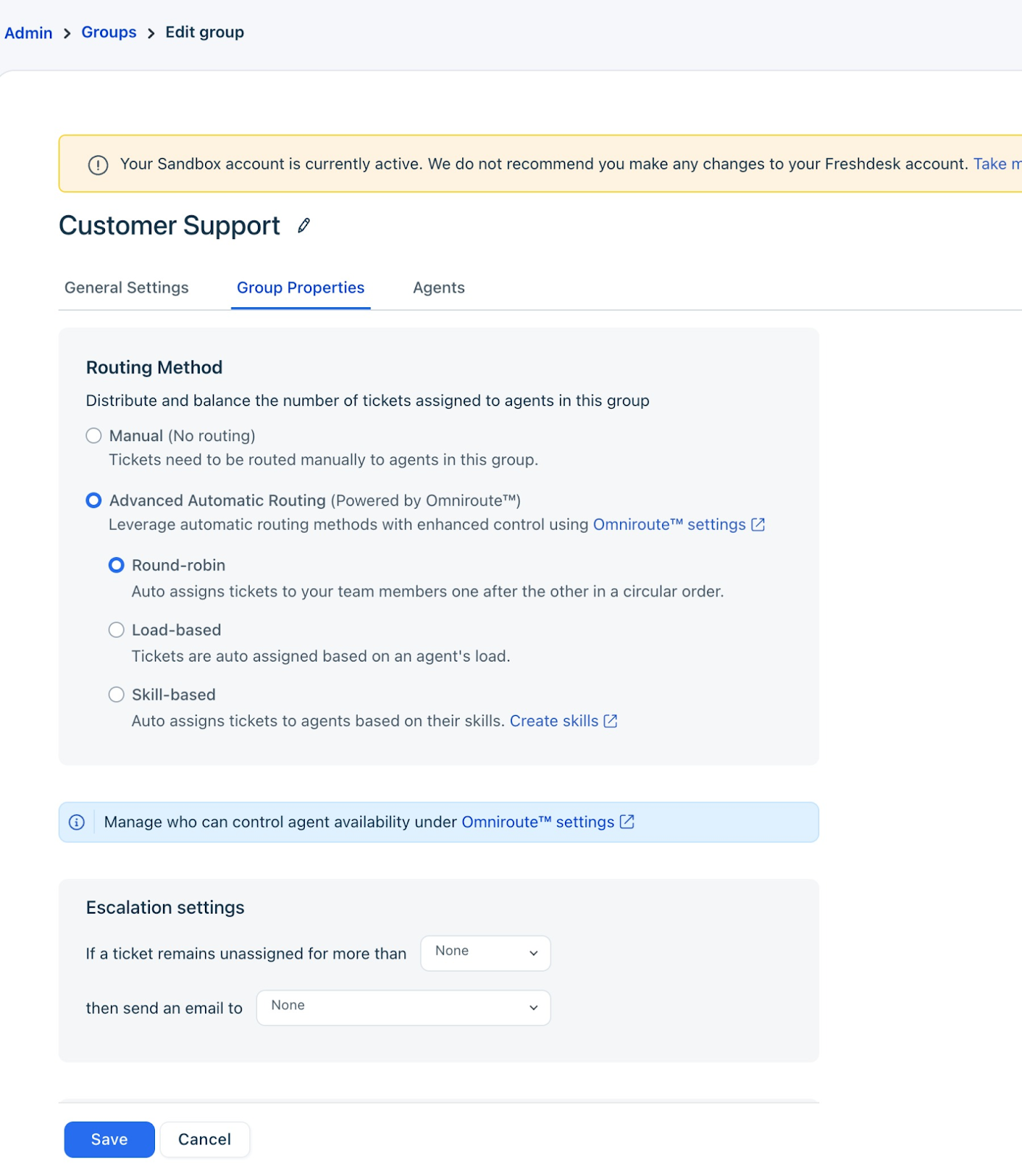
And unlike Zendesk, it’s easier to implement for small teams without a complex hierarchy.
I could also create ticket views and queues in Freshdesk, but compared to Zendesk, they felt simpler. Custom dashboards and multilevel views didn't feel as advanced, so scaling a global support team will involve some workarounds.
On the other hand, for a small-to-mid-sized team, the simplicity actually speeds things up: you can train agents quickly, and they can find and respond to tickets without learning a heavy system.
Credit where due, Freshdesk beats Zendesk in usability for small teams. The interface feels lighter, and you don’t have to wade through multiple sidebars or deeply nested options to get things done.
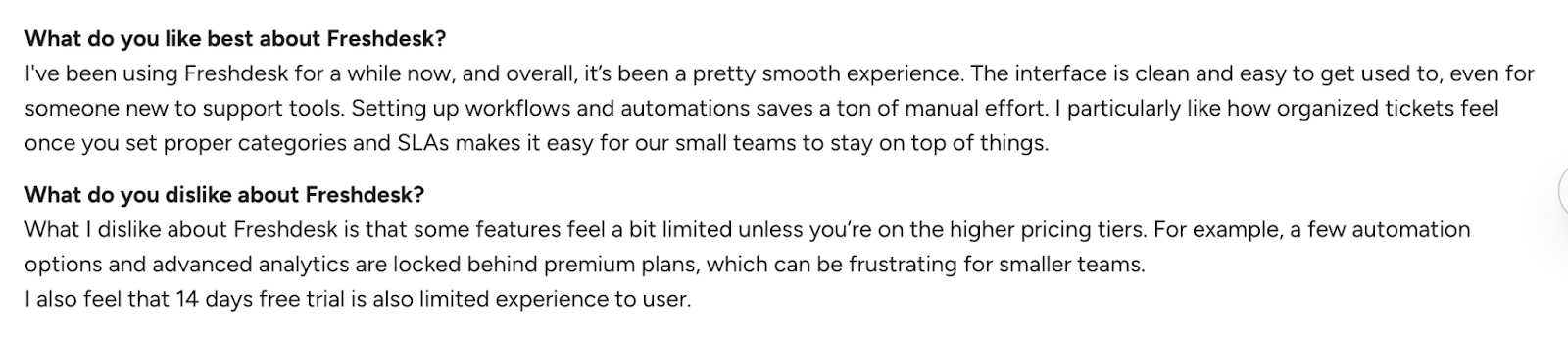
Via G2
Freshdesk’s limitations show up more as you move into more demanding environments. Skills-based routing, intricate multi-brand setups, and very strict SLA handling are achievable, but they feel less native and less configurable than Zendesk’s omnichannel engine.
My verdict
Zendesk's ticketing and omnichannel setup just feels more feature-rich most of the time.
Freshdesk is the better platform, though, for smaller businesses.
Winner: Zendesk
Knowledge base and self-service
For self-service, I looked at Zendesk Guide (also called Zendesk Knowledge) versus Freshdesk's Knowledge Base (which shows up as the Solutions module in the agent interface).
Zendesk
Zendesk’s Knowledge Base lets you organize articles into multiple layers: help center → category → section → article.
It's possible to manage content across products, regions, or languages.
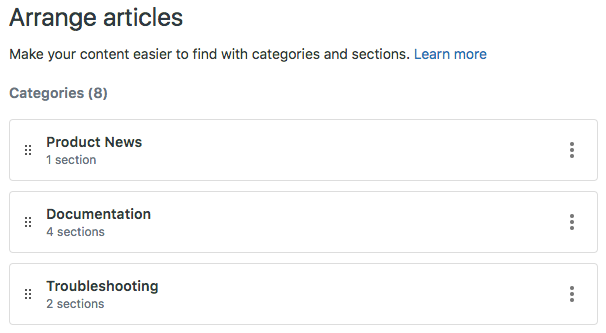
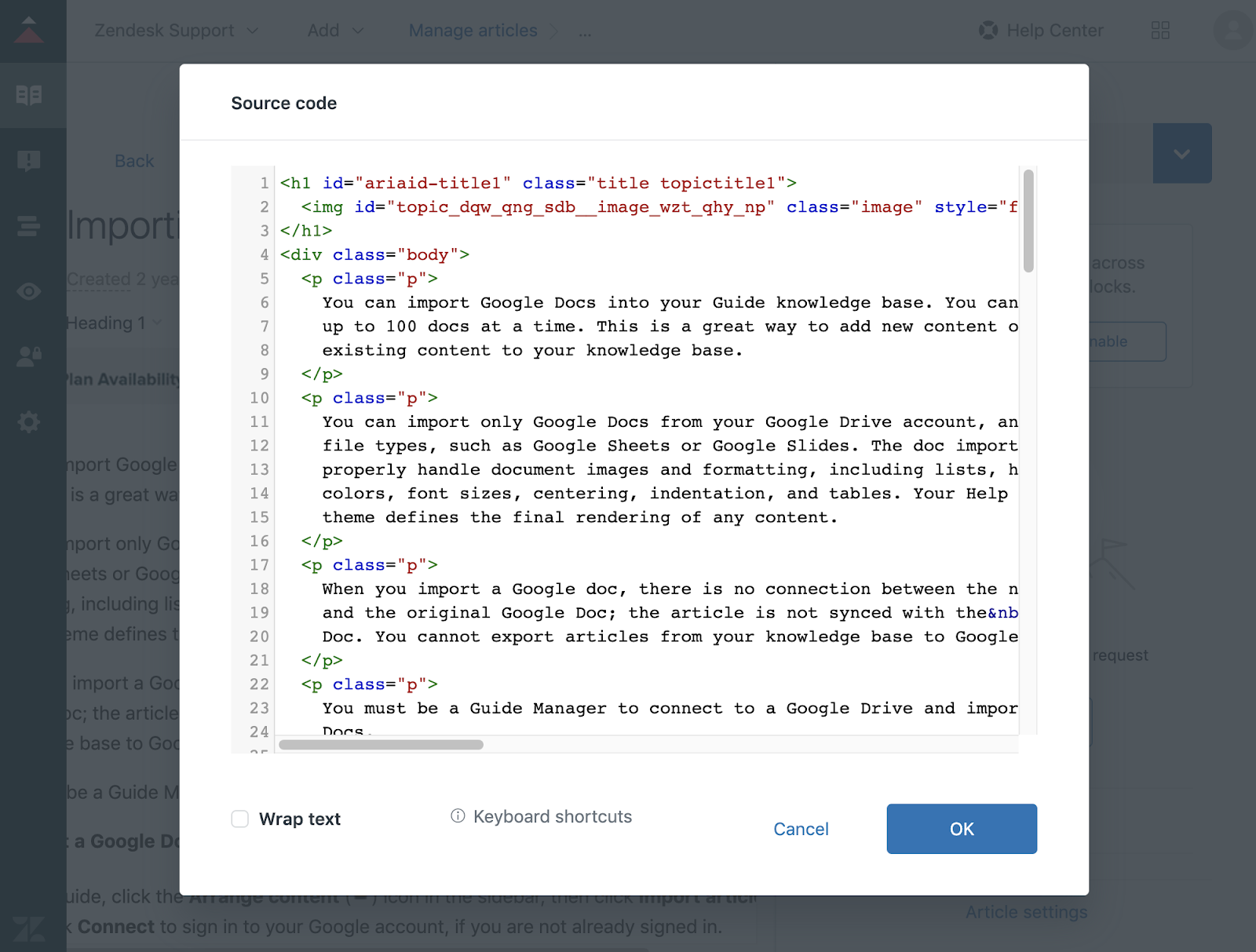
The article editor in Zendesk is rich and fully supports HTML. You can embed images, videos, tables, code snippets, and even conditional content.
Teams can even create step-by-step troubleshooting guides with screenshots and instructions.
Search and discovery are another strong point. You can type a query as a customer or agent, and it will often suggest relevant articles.
Moreover, AI-powered suggestions pop up in real-time as you draft ticket responses. For example, when a customer asks, “How do I export reports?” Zendesk can suggest the “Exporting Reports Step-by-Step” guide, even if the wording is slightly different.
Zendesk’s breadth surprised me.
I say this because it lets you run multiple branded help centers at one instance, mix internal and external content, and control access at a very fine level, down to category, section, and article permissions.
On the governance side, Zendesk’s Team Publishing is one of its biggest strengths.
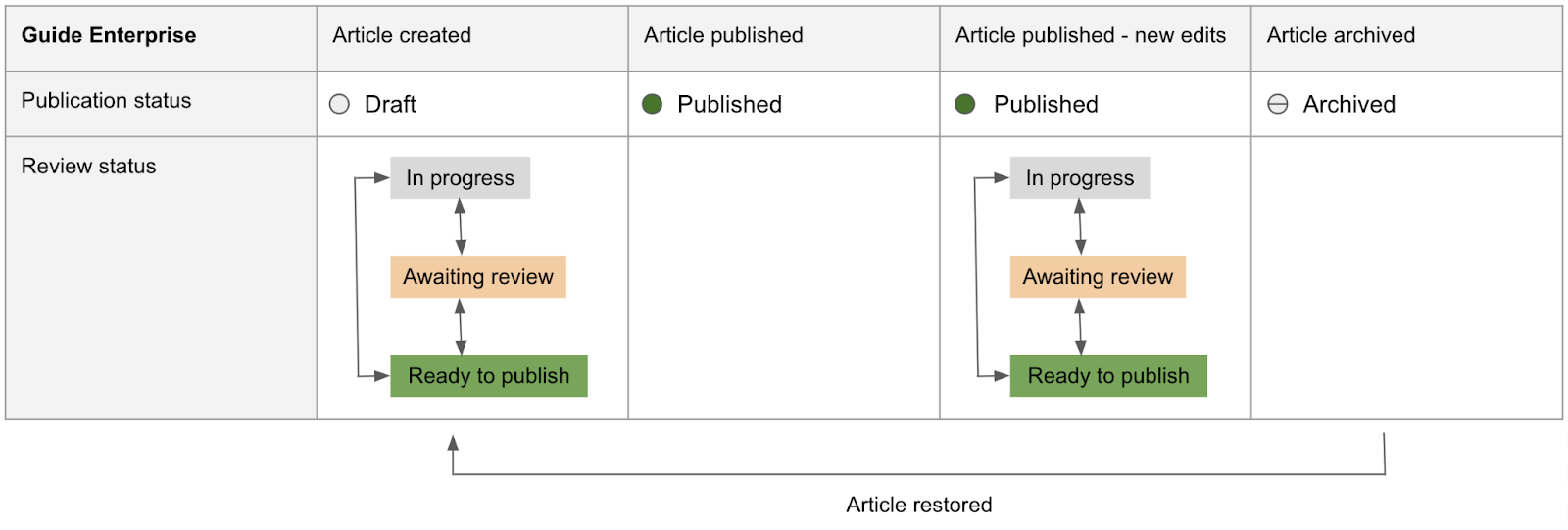
Team Publishing lets you define workflows so articles move through draft, review, approval, and publish stages. Managers also get article lists and filters to spot outdated content, low-performing articles, and pieces that need verification.
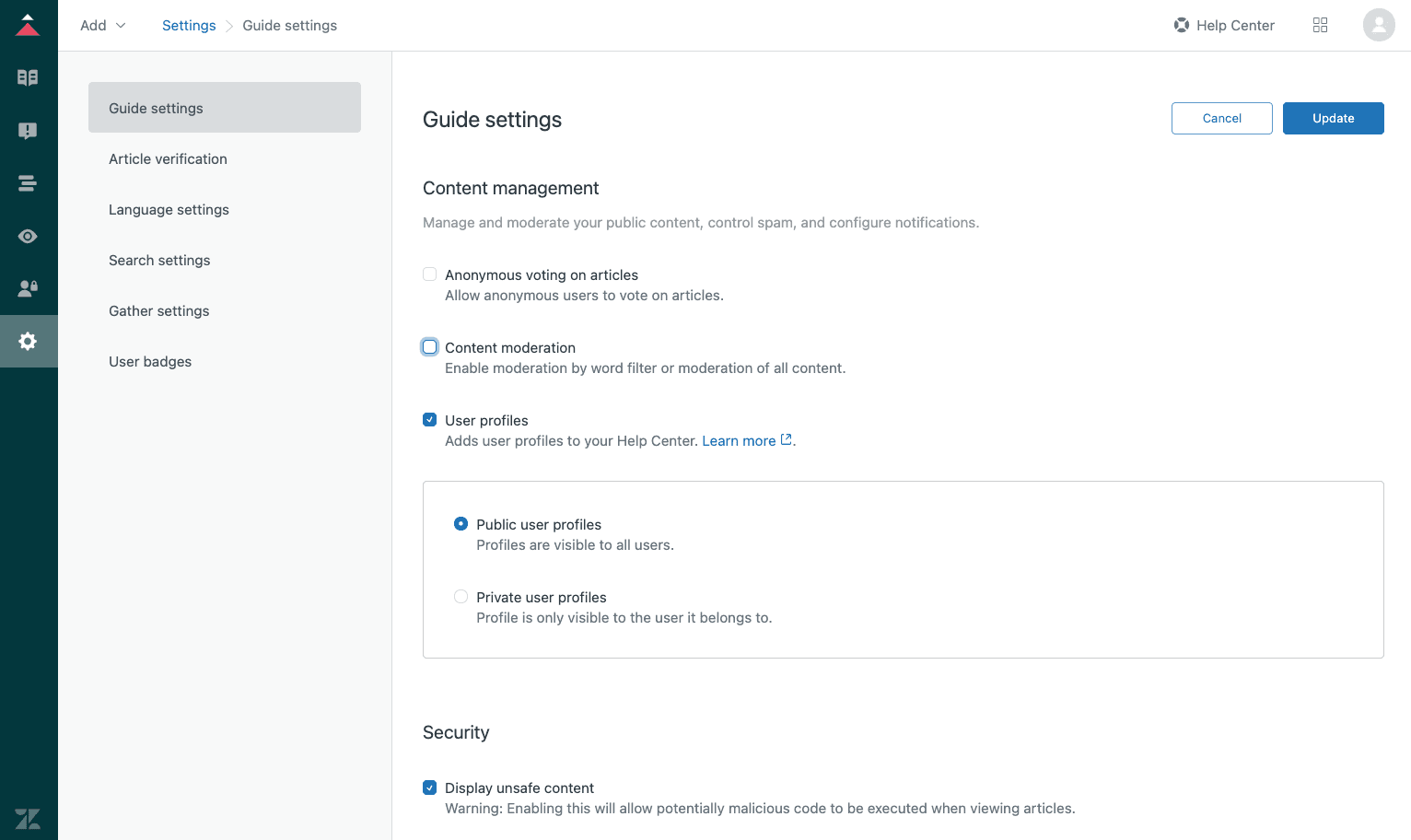
On top of that, the platform can mine ticket topics to recommend new help center articles and help agents draft or improve content via AI.
It can also feed AI agents and bots with knowledge so they can resolve a chunk of traffic without human intervention.
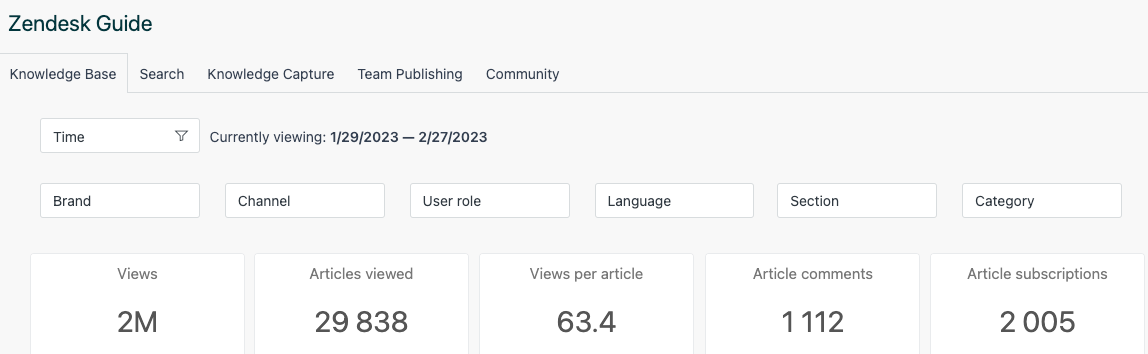
Then, you can also see which articles get the most views, the number of comments on them, and more.
However, here are the downsides I felt:
- Making branding or layout changes would require need HTML, CSS or a developer
- Things like detailed user segments, fine-grained permissions and more flexible themes are not available on lower tiers
- Native search only indexes the first chunk of an article and has limits on query length and external records
- Only agents and admins can create and publish articles; end users cannot author content in the KB, which means less crowdsourced knowledge.
I’m of the opinion that Zendesk’s knowledge stack shines when you have a mature support operation, clear roles around content, and real scale. If you are ready to invest in workflows, governance, and AI-driven optimization, then it’s for you. If not, then it’s overkill.

Freshdesk
On this side, the first thing I noticed is simplicity.
Freshdesk’s help desk, called Solutions, is much more straightforward. It offers a simple hierarchy with categories, folders, and articles, plus visibility rules to target content to specific portals, companies, or internal audiences.
For most teams, that alone covers the basic information architecture they need.
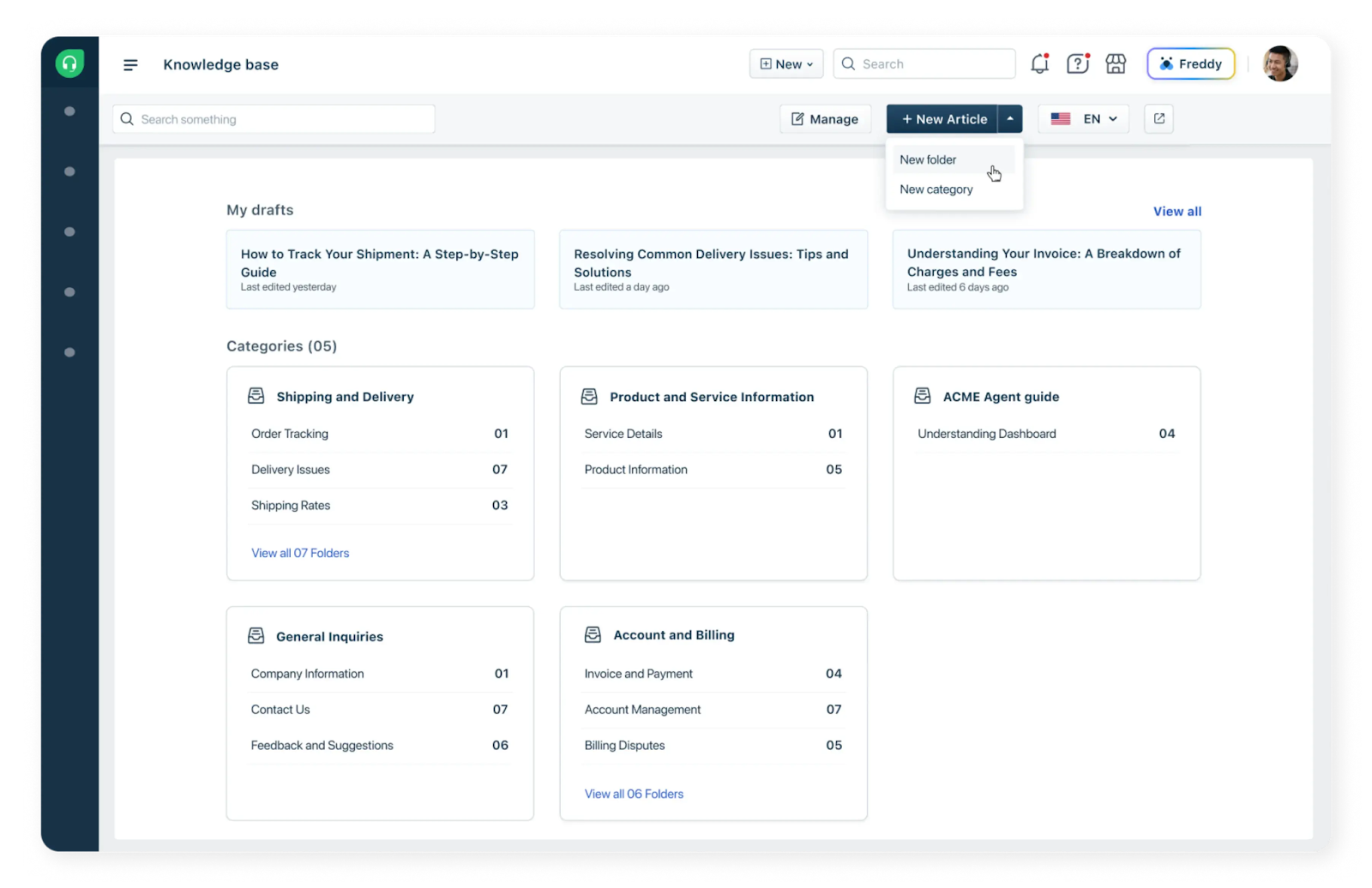
The Knowledge Base editor is intuitive and quick — I could write FAQs, guides, and help articles with minimal setup.
It’s not as feature-heavy as compared to Zendesk and that simplicity is a win for smaller teams.
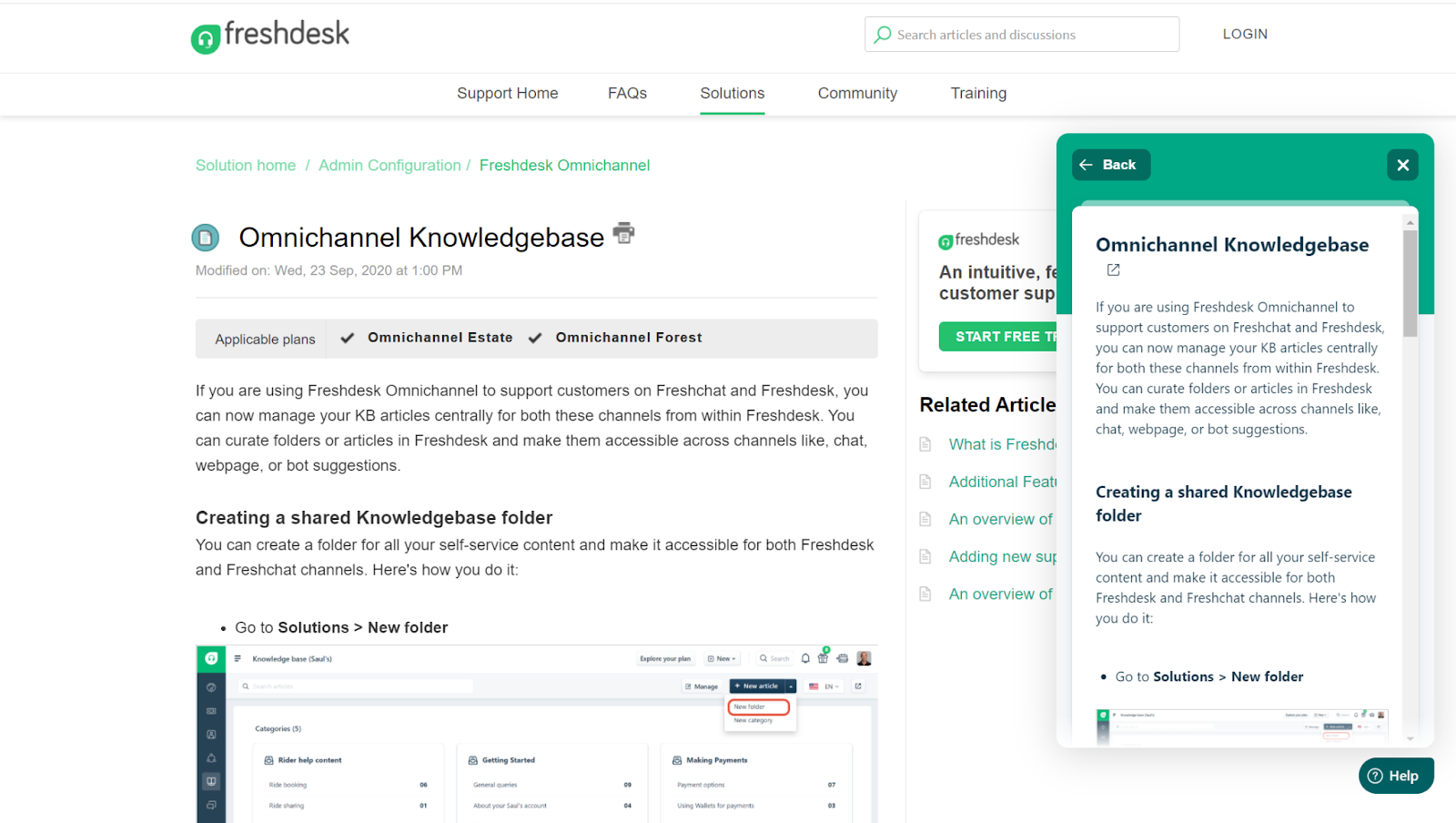
Unlike Zendesk, multi-level hierarchies beyond three levels can get messy, so scaling a large KB can be tricky.
Multilingual support exists (you can create separate articles per language) but unlike Zendesk, it usually requires manually linking and managing content.
Search works well for the most common queries. However, the search engine isn’t as context-aware as Zendesk.
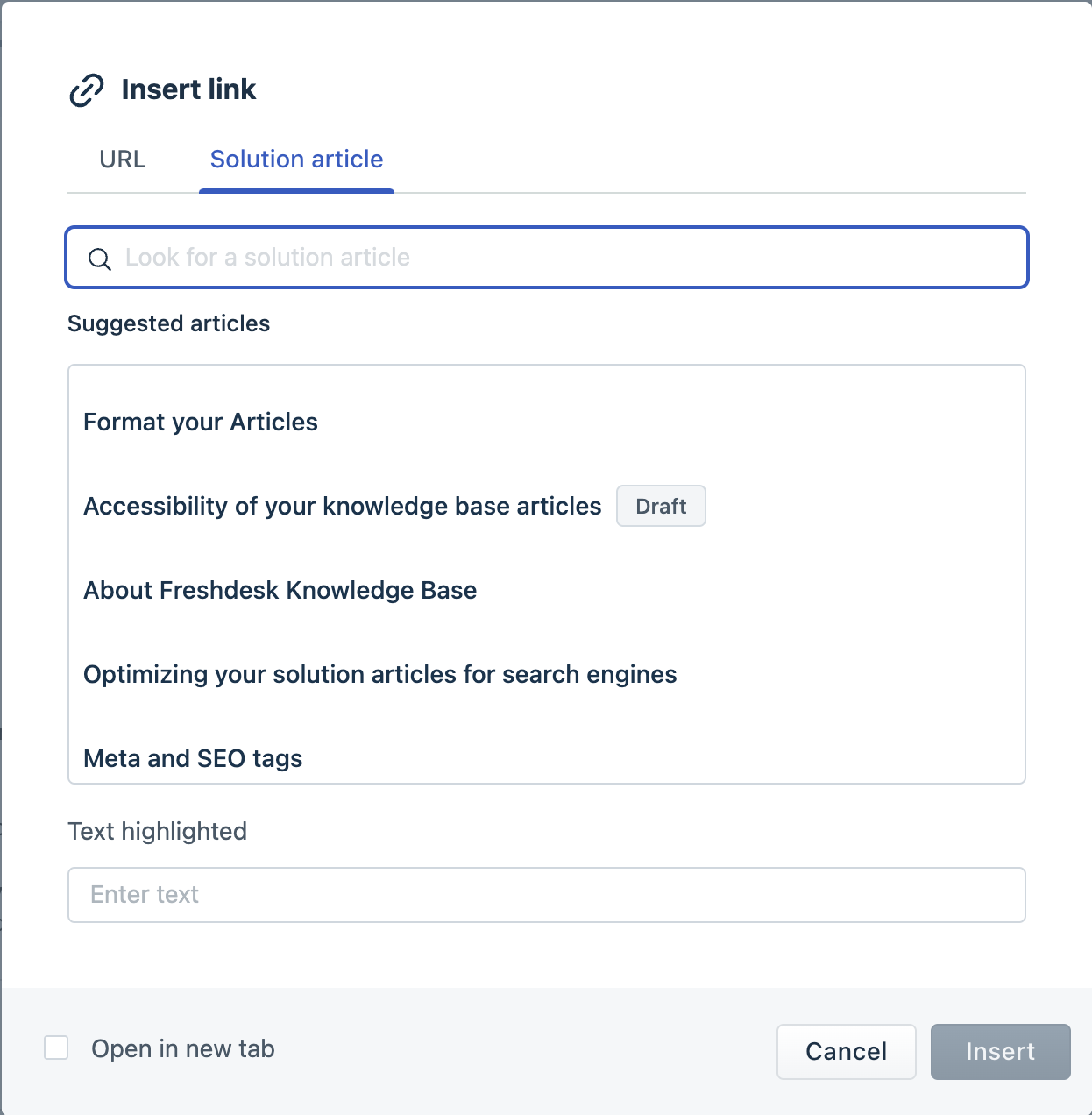
The customer-facing portal experience is clean and practical. Auto-suggest identifies relevant articles as customers type their subject or description, and when you tune your categories and keywords, you really do see fewer “how do I reset my password” tickets.
On top of that, Freddy AI can suggest solution articles directly in tickets and even power email bots that reply with relevant answers pulled from your knowledge base.
Freshdesk feels especially friendly during content creation. Turning a strong ticket response into an article is quick, and Freddy can generate draft articles from scratch based on your team’s prior replies.
This approach is less formal than Zendesk’s Team Publishing but easier for non-specialist admins to adopt.
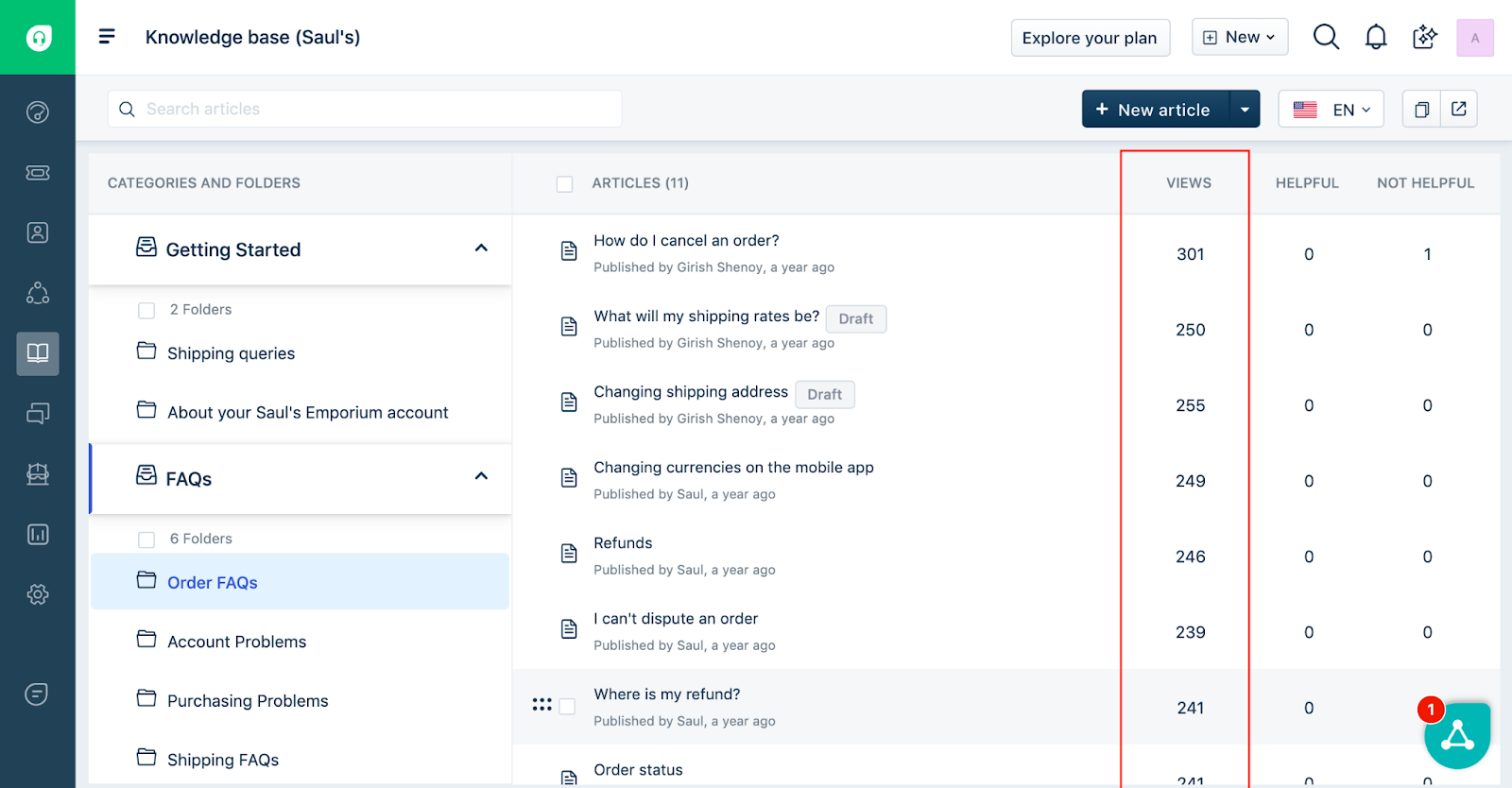
As for analytics, it offers visibility into which articles get the most views and which queries fail to match. It’s not as granular as Zendesk, but it gives a clear snapshot of KB performance.
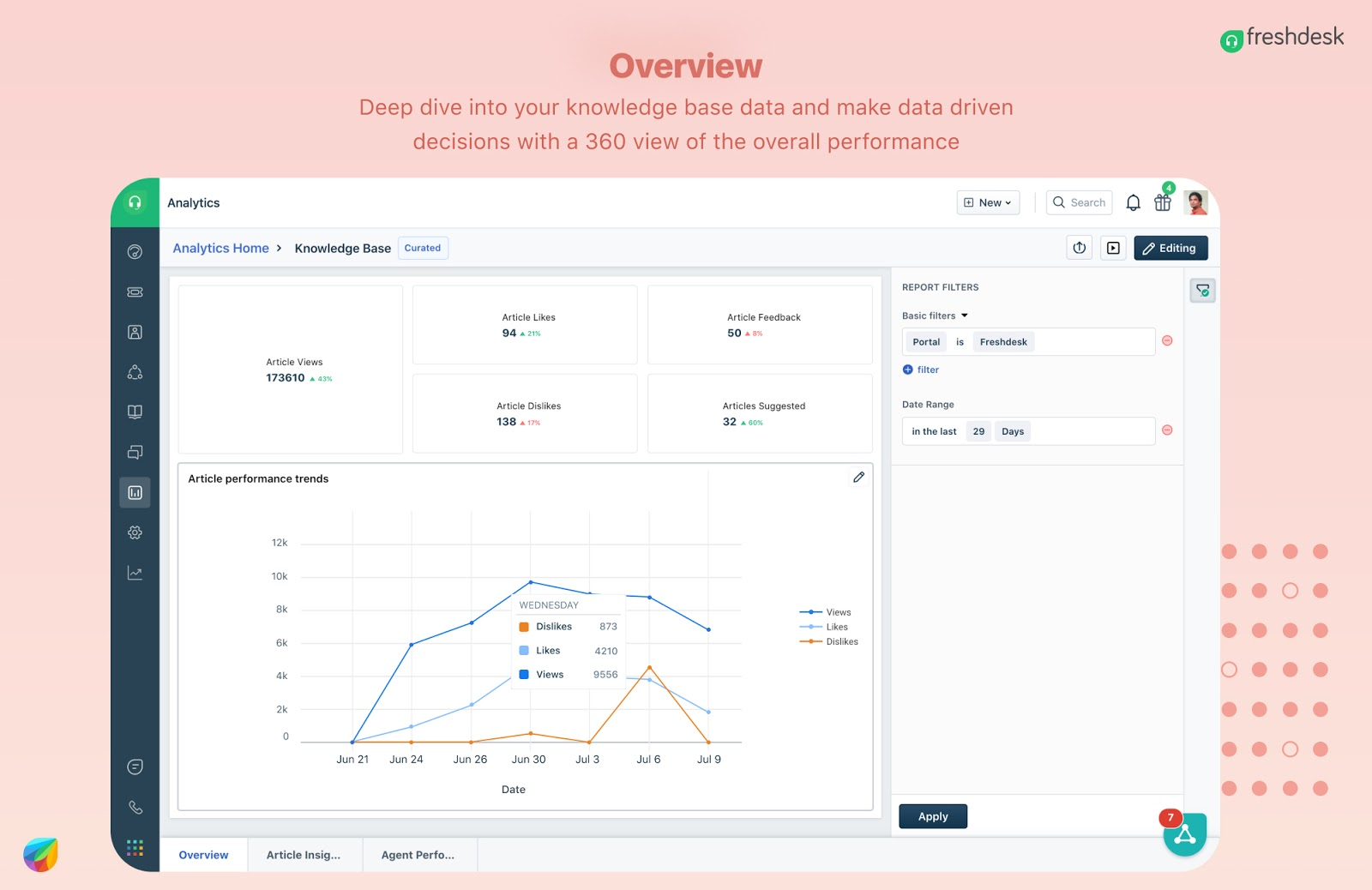
Search and structure are solid but not really sophisticated in very complex libraries. And while theming is pretty good, it is not at the level of a dedicated docs platform if you care about fine-grained UX and SEO control.
Both platforms have been reviewed well on G2, but Freshdesk has a slight edge in ease of use, and several third-party comparisons specifically call out how approachable its self-service and portal experience are for non-specialist admins.

Via G2

Via G2
My verdict
Zendesk is the better choice when knowledge is an asset for you across multiple brands and regions.
Freshdesk is a better fit for the majority of operational teams that want a clean portal and articles that are easy to keep up to date.
Both tools are great in their own right, and I would give this round to both platforms.
Winner: Tie

Automations, AI, and workflows
Zendesk
Automation in Zendesk is built around a very clear set of building blocks. It has:
- Triggers: Rules that run right away when a ticket is created or changed. This happens when the conditions you set are met.
- Automations look similar, but instead of firing instantly, they run on a schedule, checking tickets every hour to see if conditions are met (like “ticket hasn’t been updated in 72 hours”). They help with cleanup or escalation tasks that depend on time.
- Macros are my favorite for agent speed. They let you bundle a set of actions (like setting status, adding a tag, sending a reply) into one click, so common tasks aren't repetitive.
- Omnichannel routing and skills let Zendesk send tickets to the right person based on the channel the ticket came from (email, chat, voice, social, messaging) and the skills agents have. This sits on top of the basic automation rules. You define agent skills, map them into routing rules, and Zendesk handles delivery smartly.
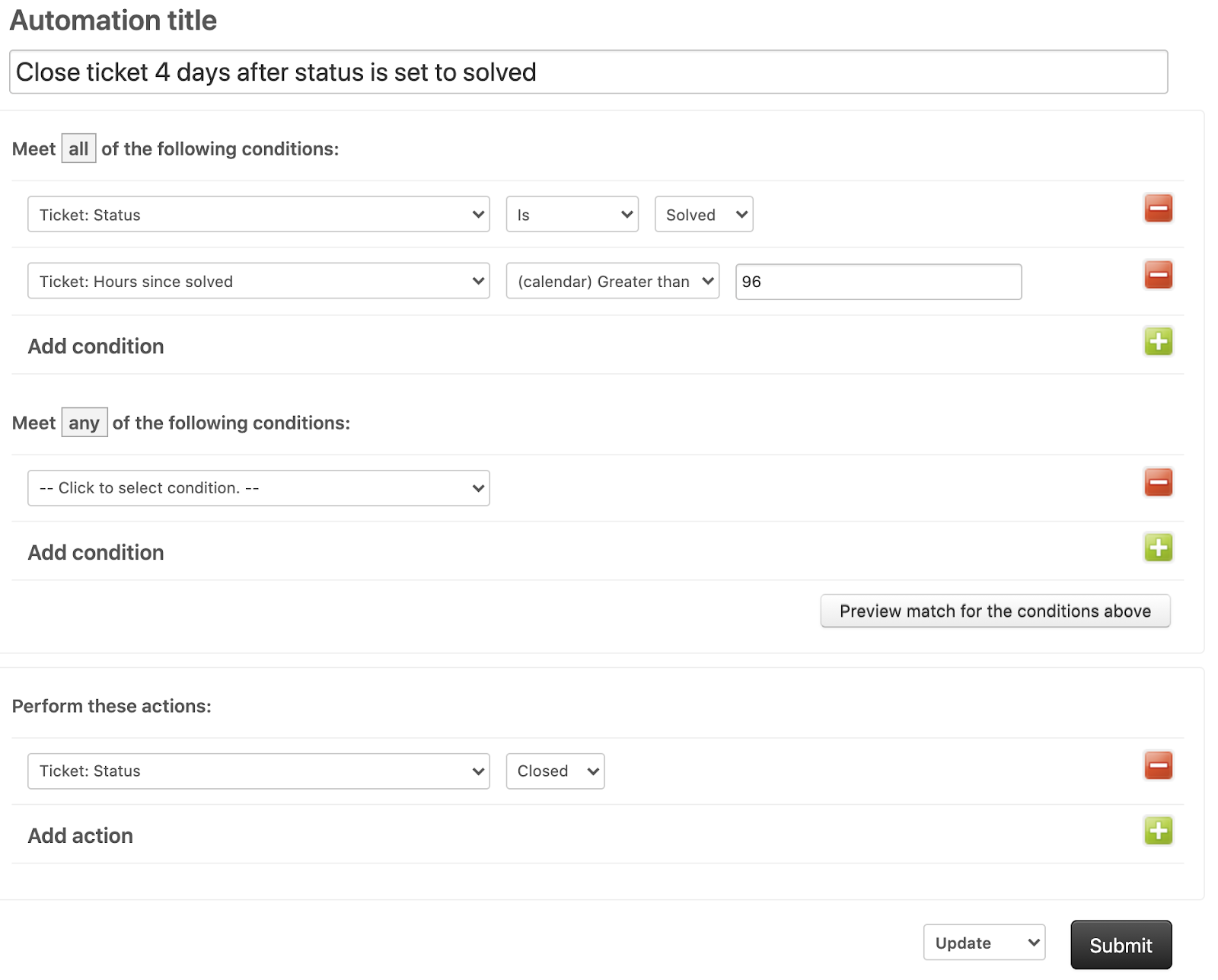
In practice, you can use these capabilities for something like:
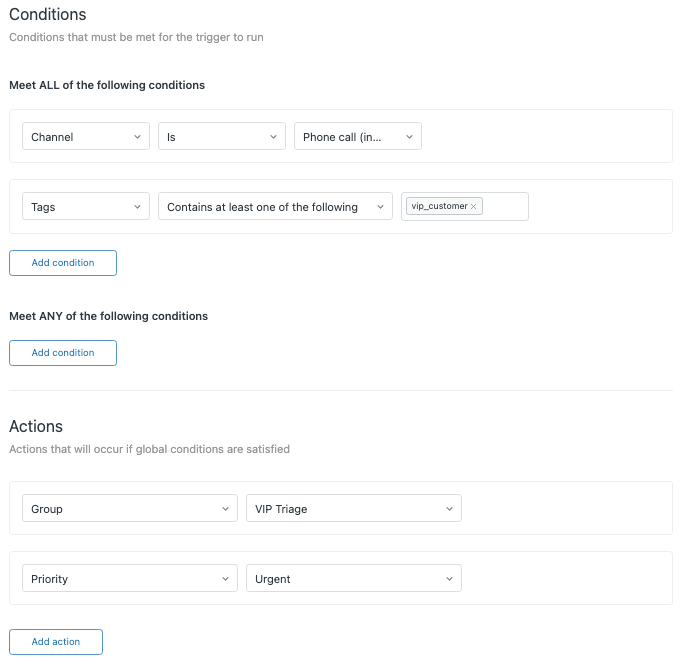
- Auto-routing VIP tickets from specific domains to a senior team.
- Using time-based automations to sweep the backlog each hour, bump stale tickets, and reassign anything that violates an SLA to an “urgent” team.
- Combining omnichannel routing with skills so French voice calls and French chat funnel to a small, specialized group.
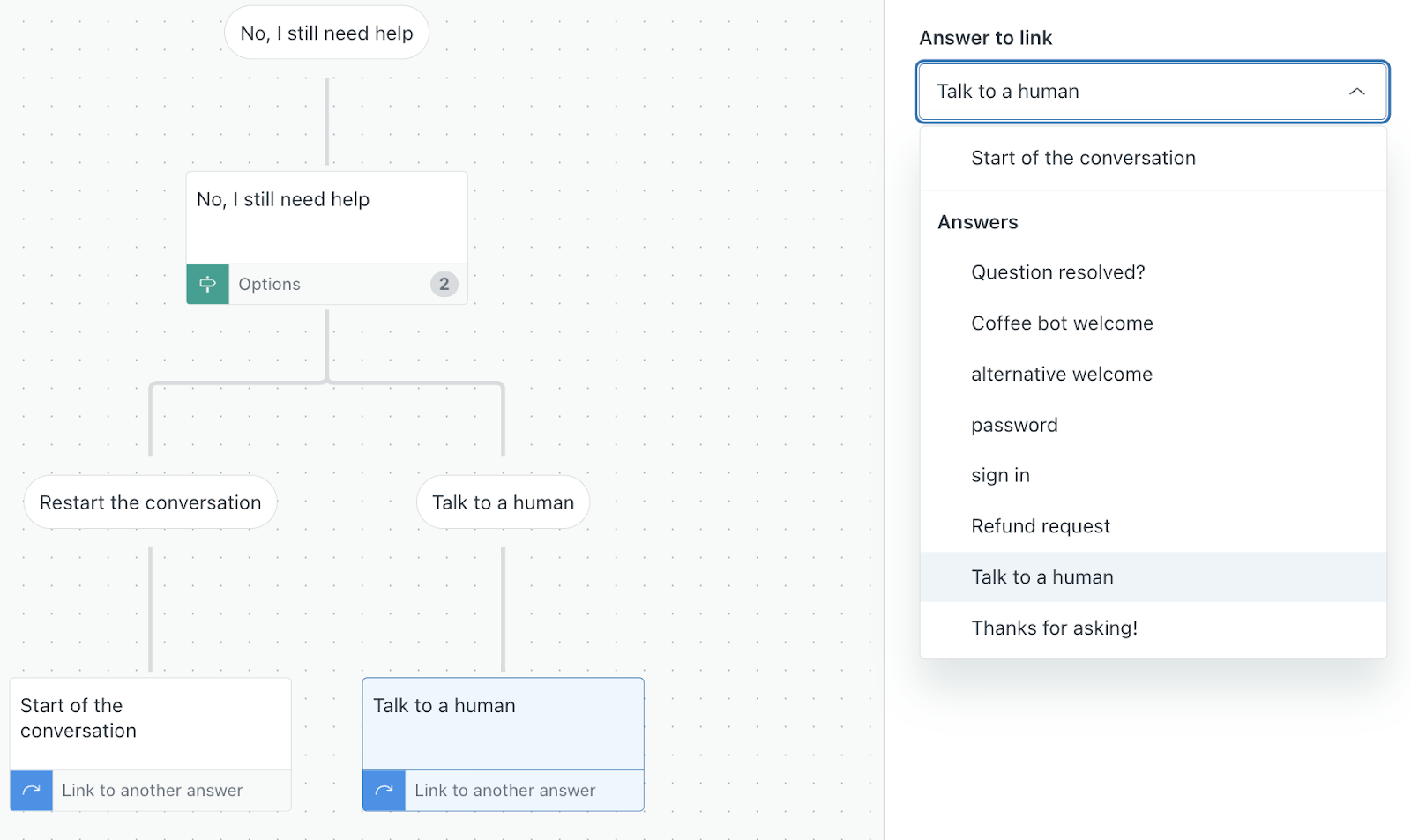
It rightfully gets lots of praise for powerful automation and customizable workflows, with the usual caveat that the learning curve is steep.
However, misconfigured triggers can conflict or loop, and time-based automations can be spammy.
Zendesk’s own help center is full of troubleshooting articles about unexpected automation behavior, which tells you this could be a common pain point.
As for the AI, here’s what Zendesk offers:
- To begin with, you can use Intelligent Triage to sort tickets without lifting a finger. It reads intent, language, sentiment and key entities, so you start with cleaner, better organized queues.
- Then you can rely on conversational bots to handle the easy stuff. They sit on messaging, web, email and even voice in some setups to resolve routine issues.
- Moreover, you can work through tickets faster with Copilot. It helps you write clearer replies, expands short drafts, summarizes long threads or Talk calls and surfaces similar tickets, macros or articles when they’re useful.
- Finally, you can tune your backend with Admin Copilot. It points out workflow bottlenecks and suggests improvements to triggers or routing rules, so your setup stays healthy as your volume grows.
My take is that Zendesk automation and AI features are fantastic when you have someone who enjoys being the Zendesk architect. If you do not, it can start to feel edgy and intimidating as soon as your use cases move beyond assignment and notifications.
Freshdesk
Freshdesk approaches automation with fewer moving parts and a gentler learning curve. You mainly work with
- Automation rules that run on ticket creation and updates
- Hourly time-based rules that scan tickets on a schedule
- Scenario Automations that bundle several actions into a single click for agents
Out of the box, Freshdesk encourages you to automate the obvious things. That means assignment based on groups or keywords, status changes, notifications, SLA-driven escalations, CSAT follow-ups, and so on.
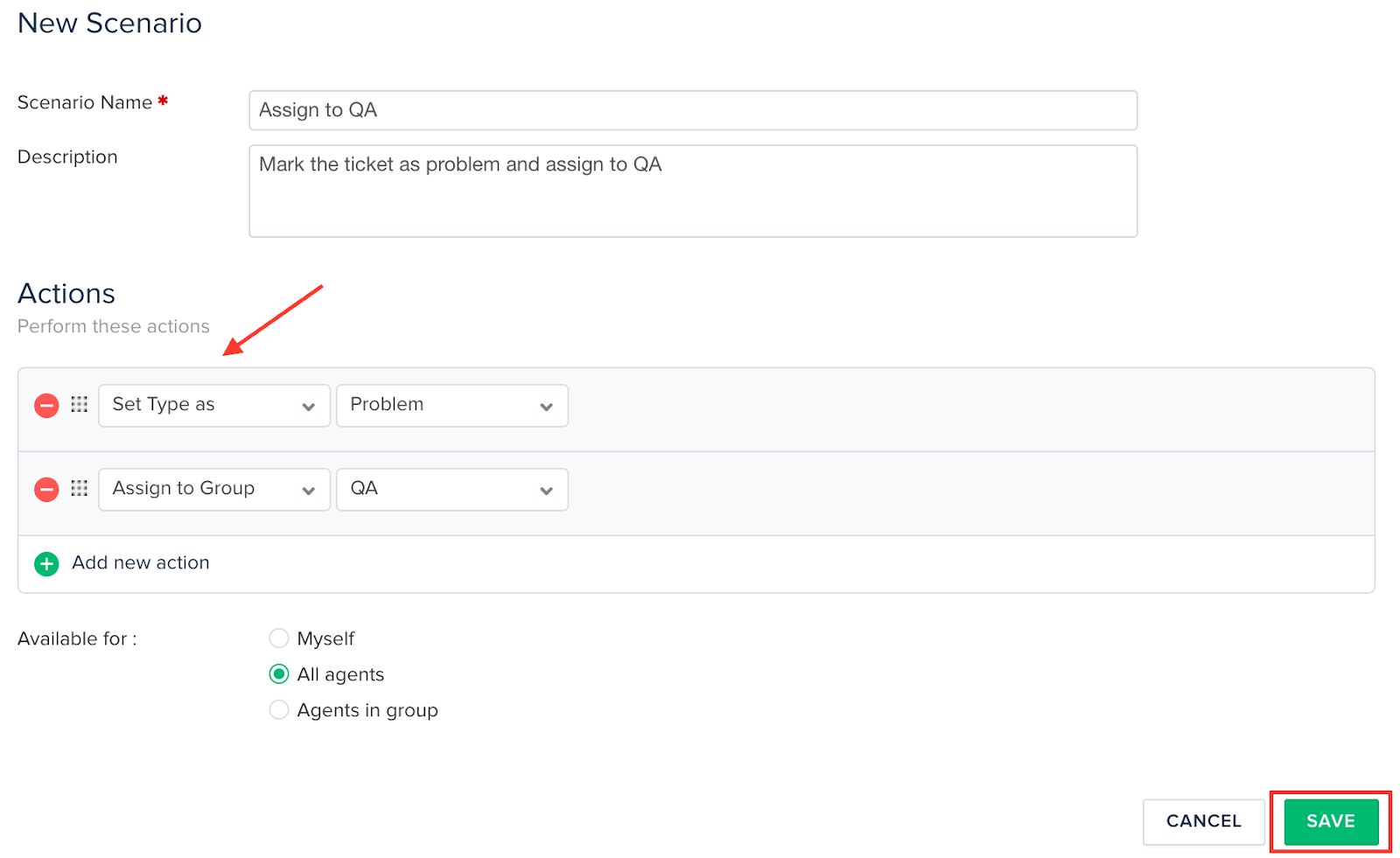
From my experience, these are some examples that Freshdesk handles very smoothly:
- At the time of ticket creation, auto-assign to a group and set priority based on words in the subject
- When there's an update, send CSAT surveys as tickets move to resolved, and reopen tickets automatically if someone leaves negative feedback
- Hourly, scan for tickets waiting more than 48 hours and bump the priority or notify a supervisor
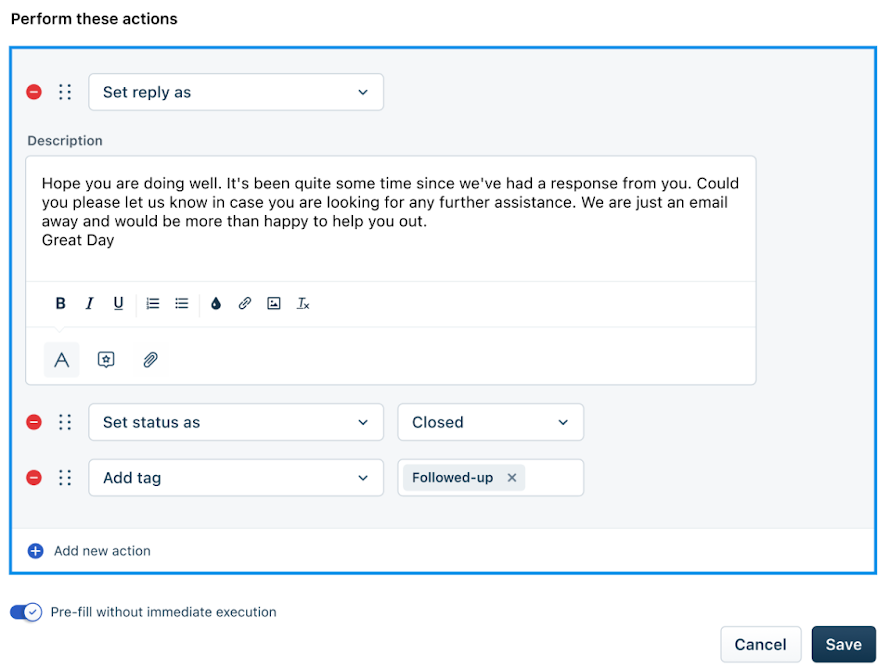
Freddy AI sits beside this and helps with classification, tagging and suggested responses. Let me quickly list what I found it doing:
- Freddy learns from past tickets and suggests or auto-fills ticket fields such as category, priority and group
- Freddy AI Agents resolve FAQs, update orders, process refunds and trigger backend actions without a human
- Copilot helps agents draft replies, rewrite for tone, summarize long threads and suggest solution articles
- On the portal and widgets, Freddy finds answers from your KB. If the customer still needs help, it can create a ticket with the right fields prefilled
Both Freddy and Zendesk AI use AI agents, copilots and smart routing to handle common queries, speed up replies and plug into existing automations. That, to me, is the sign of a very mature AI implemention. Both tools do excellent here!
Hourly time triggers are less precise than Zendesk’s more flexible time-based automations, and the rule builder itself has fewer condition types and limited nesting.
A user on Reddit articulates this fundamental problem really nicely:

Via Reddit
My verdict
If your priority is getting solid, sensible automation in place quickly for a small or mid-sized team, Freshdesk hits a really comfortable sweet spot. But once you grow into more advanced workflows, Zendesk keeps opening doors instead of closing them.
So, for pure headroom and long-term workflow depth, I would give this category to Zendesk.
Winner: Zendesk
Integration and marketplace ecosystem
For integrations, I was looking at the usuals — your CRM, billing, product analytics, internal chat, and a couple of niche tools that always seem to find a way in most workflows.
Zendesk
Zendesk’s Marketplace is a bit of a rabbit hole. Right off the bat, you can see over 2000+ apps on here.
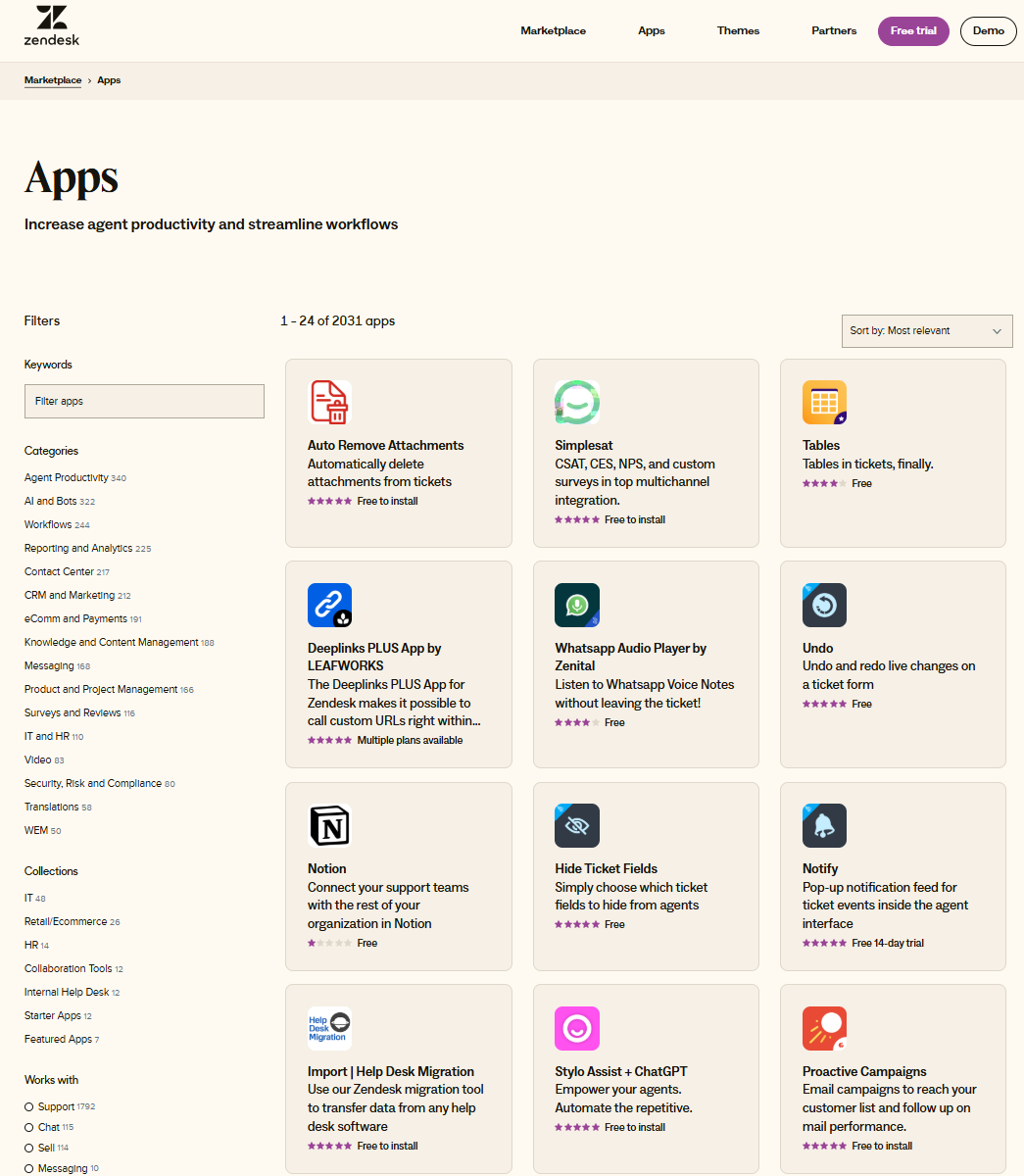
The big, foundational integrations like Salesforce, ecommerce tools like Shopify, and collaboration platforms like Slack, Jira, and ClickUp are all present.
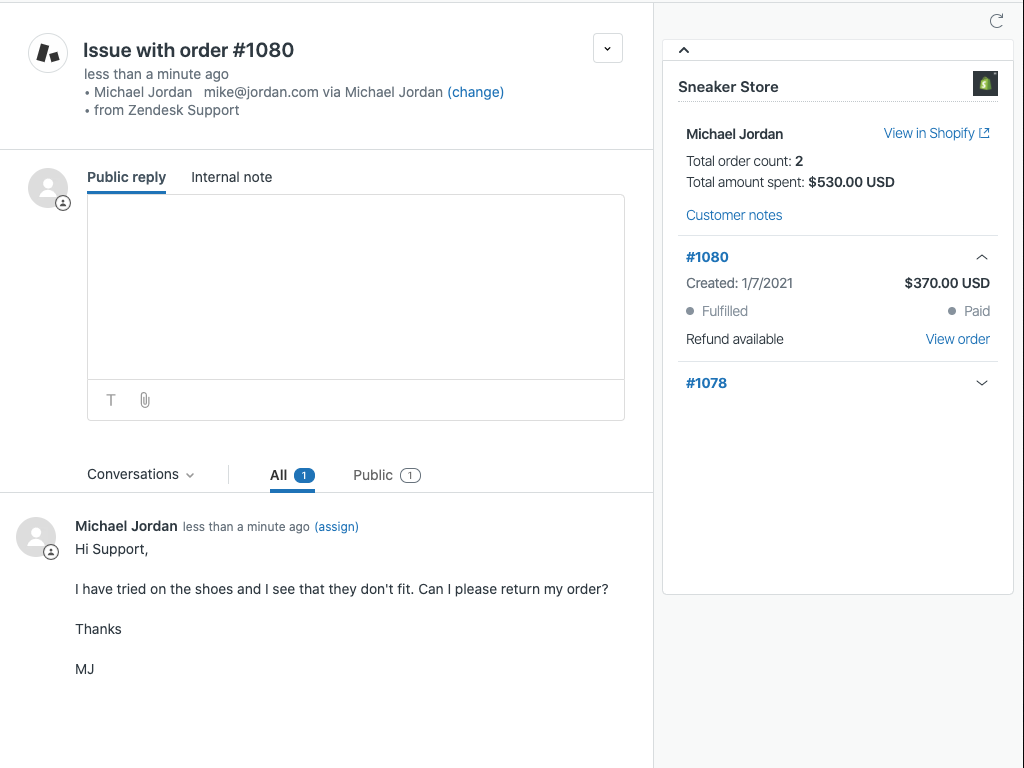
Where Zendesk gets interesting is on the niche side
- G2 reviews can turn into tickets via tools like ReviewFlowz, so every new review appears as a Zendesk ticket, complete with sentiment and context
- App store reviews can also turn as tickets via AppFollow, and
- Advanced QA and sentiment apps such as MaestroQA and SentiSum can plug into Zendesk to score conversations, classify themes at scale, and push richer tags back into reporting
The installation experience is usually straightforward for admins. You pick an app in the marketplace, click install, go through an OAuth or API key flow, and the integration appears in the ticket sidebar, top bar, or as a background sync.
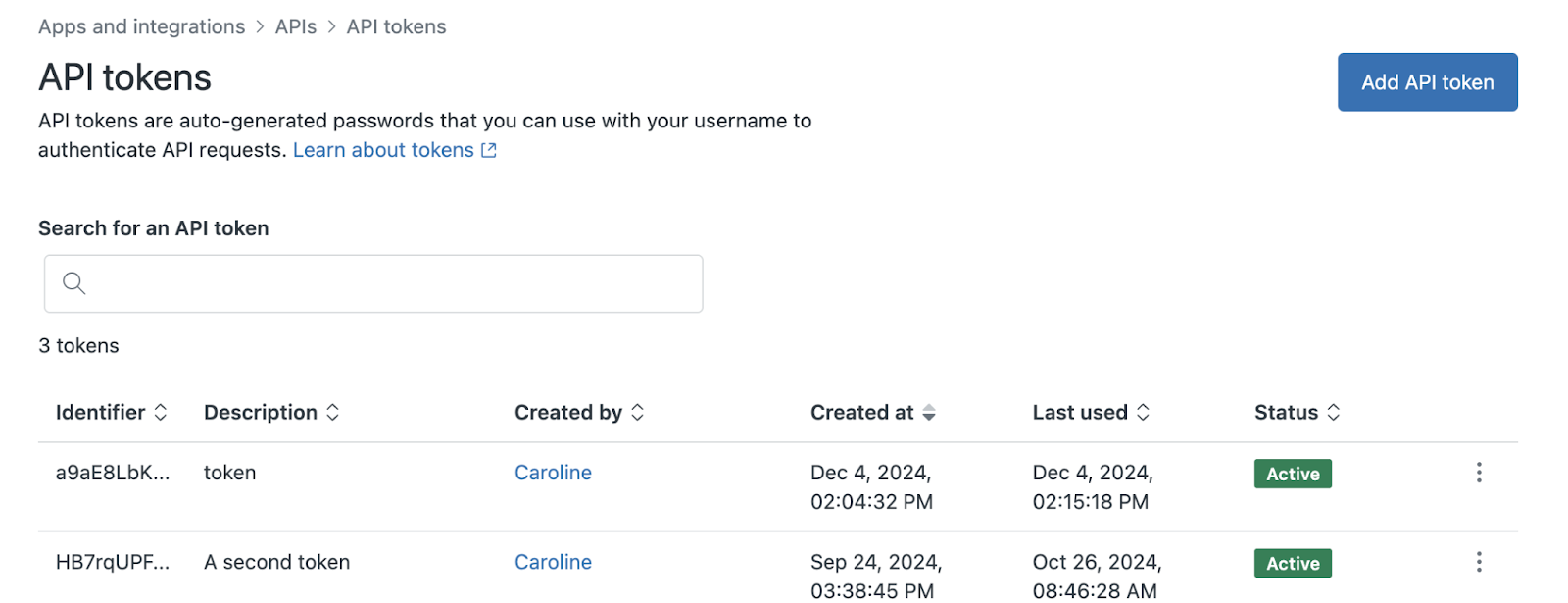
Zendesk also has a mature custom app story. There is a full app framework, serverless hosting options, and a growing cottage industry of vendors building micro-apps for very specific workflows.
Recent guides even talk about no-code and AI-assisted ways to build custom Zendesk apps, signalling a mature ecosystem.
There’s a flip side, though. The large volume of apps means many could definitely be low-quality.
Moreover, many of the most valuable apps, like Jira or Chatdesk, are paid or subscription-based. So, the “just one more app” habit can become a noticeable line item.
Freshdesk
Freshdesk's marketplace is smaller, but not by a lot. You still get to choose from over a thousand integrations. But it feels more curated.
The official apps page and Omni marketplace feature integrations with Google Calendar, Slack, Microsoft Teams, Shopify, and a range of CRM and payment tools, and the install flow is really simple from inside the Admin area.
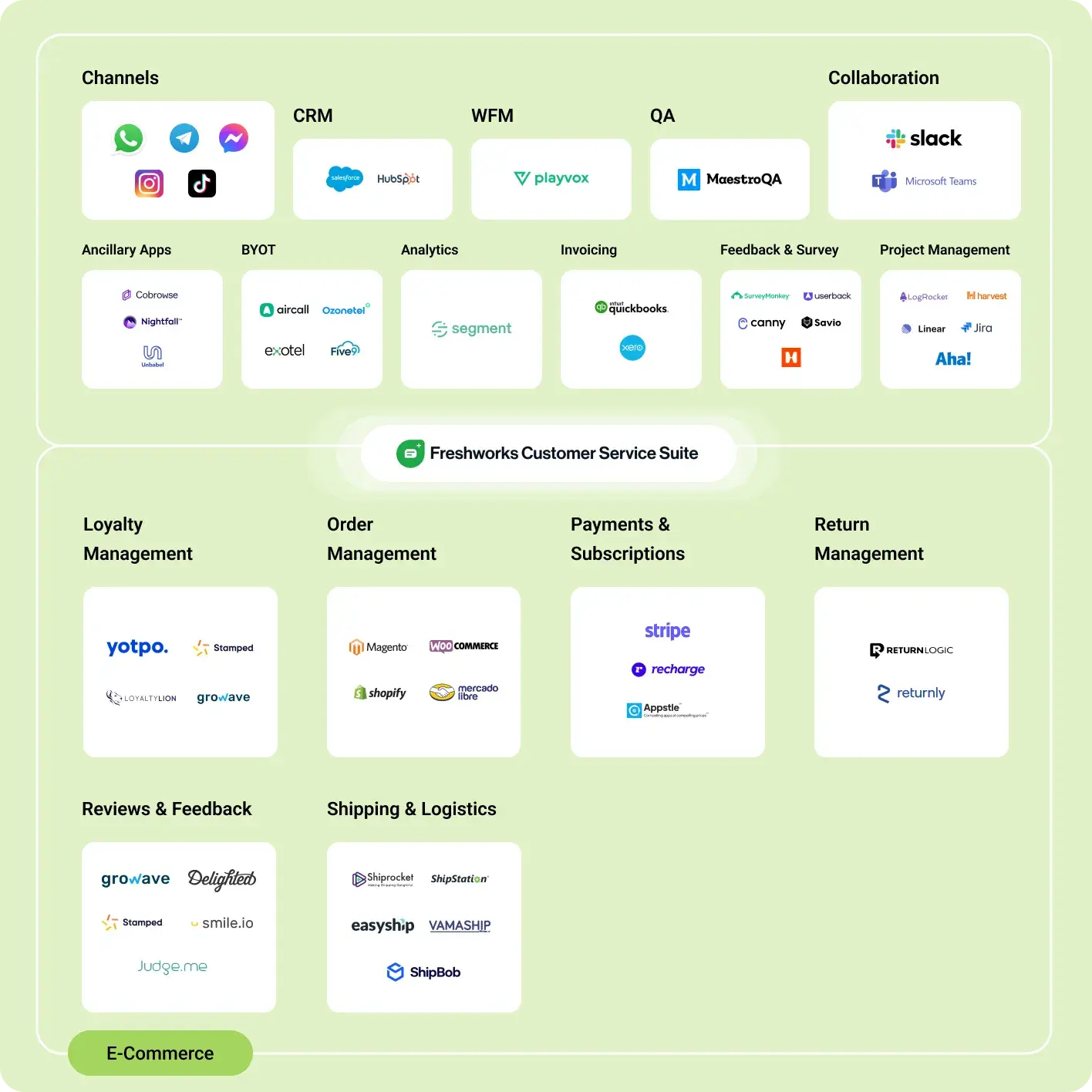
I liked that I could stay inside Freshdesk, hit Apps, and pull in what I needed without jumping between different consoles. There are quite a few extra steps to do the same in Zendesk.
The developer platform (with its own SDK and UI components like Crayons) is intuitive for teams that want to build small internal apps without hiring a full-time platform engineer.
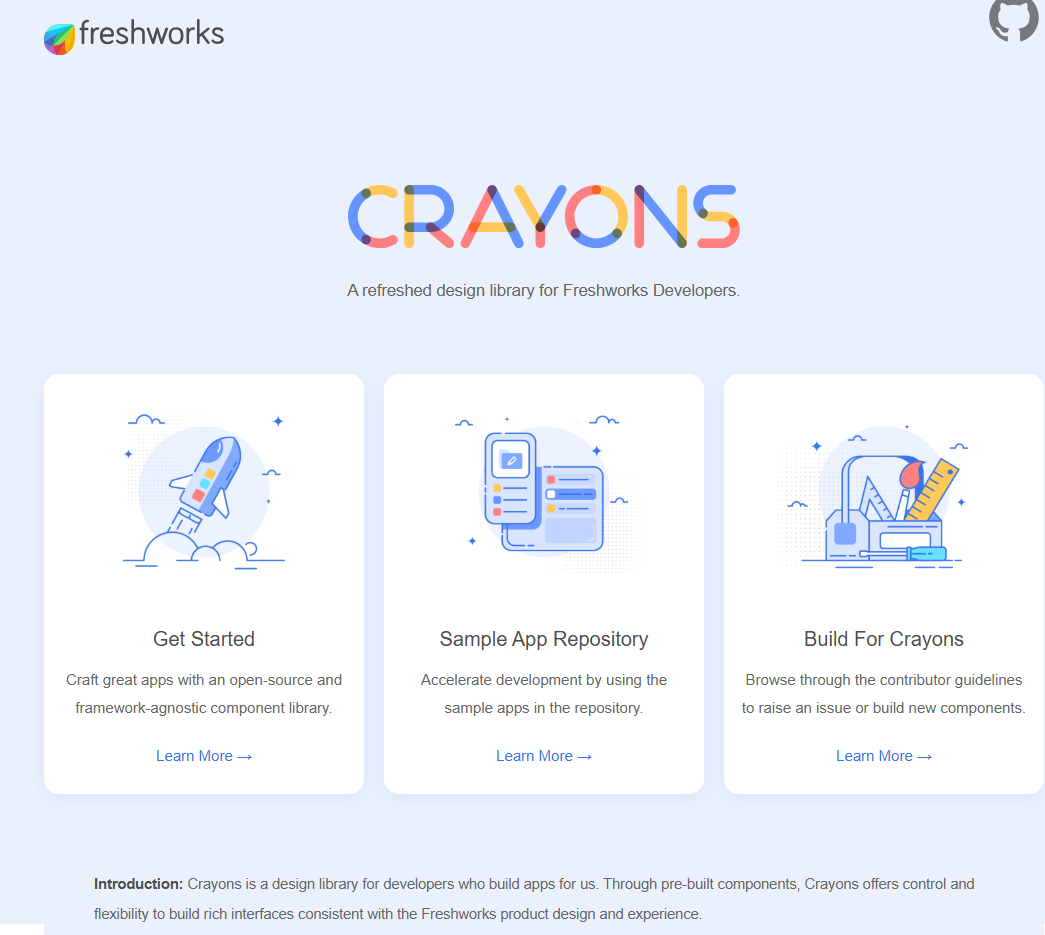
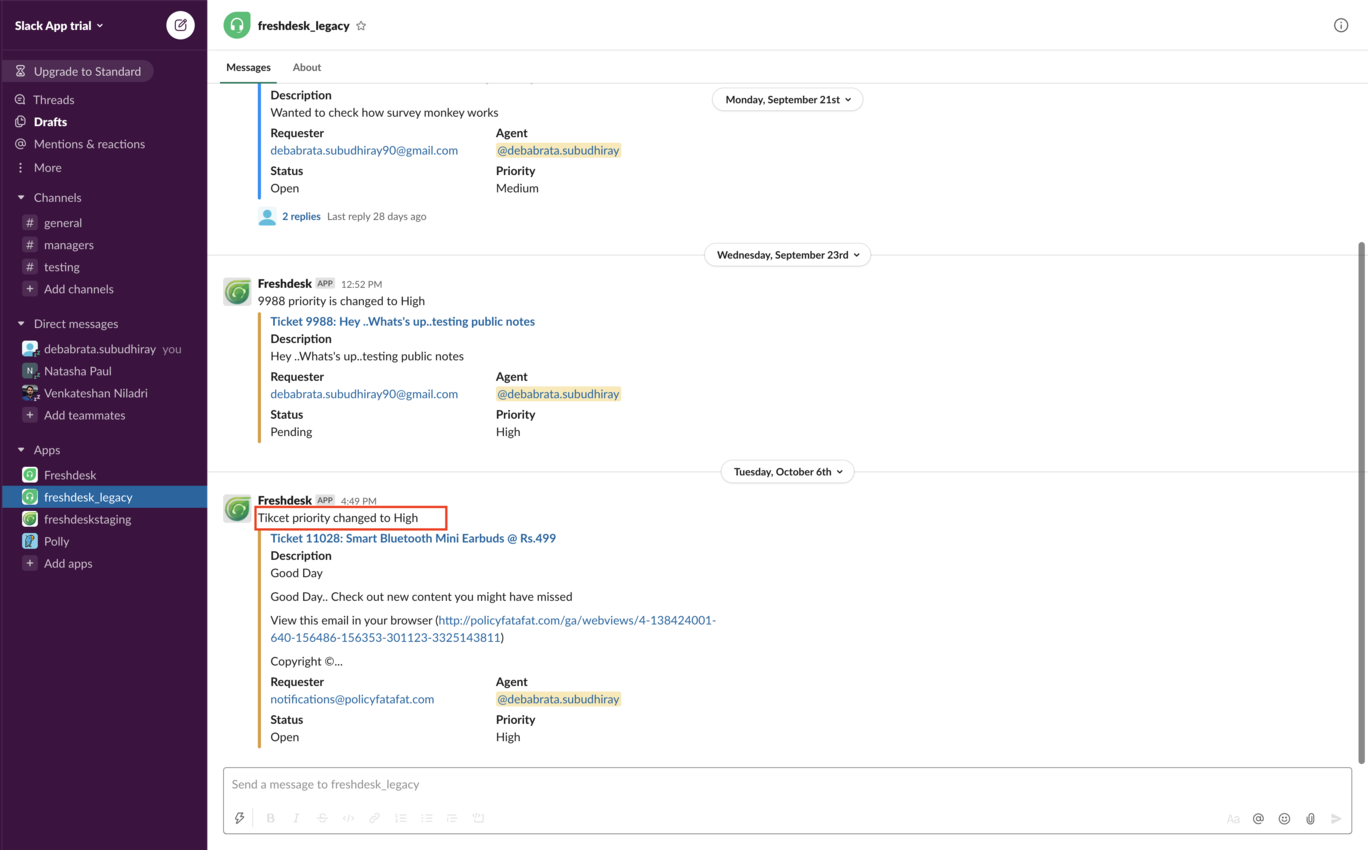
Its API support and native connectors make it easy to hook up Slack, Jira, and CRM tools, and this directly impacts how smoothly tickets flow across the business.
Here’s how clean and easy-to-read the Slack integration is, for instance:
However, be wary of the tradeoffs:
- You get fewer ultra-niche, vendor-maintained apps compared to Zendesk.
- Some integrations are clearly designed around the Freshworks suite, so there is a subtle nudge to use Freshsales, Freshmarketer, or Freshservice if you want the smoothest experience.
My verdict
In my opinion, both are solid on integrations.
Freshdesk gives most teams the connectors they need, with a clean, admin-friendly experience and a developer module that is accessible for small internal tools.
Zendesk has a more established ecosystem. Its marketplace is larger, older, and richer in third-party, niche, and vertical-specific apps, and the custom app framework is extremely flexible.
Winner: Zendesk
Reporting, analytics and dashboards
When I tested their reporting capabilities, I treated both tools the way a support lead would: log in each morning, glance at a dashboard, then dive into a few custom reports.
Here’s how it went:
Zendesk
Zendesk puts reporting in a separate product, Explore, which sits on top of Support, Chat, Talk, Guide and the rest of the suite.
You can pick a dataset, then build queries from metrics and attributes, often across multiple products in one place.
Every account gets a stack of prebuilt charts and dashboards for ticket volume, SLAs, agent activity, channels, self-service, and so on. On the Professional and Enterprise plans, those dashboards become templates you can clone, edit, and extend.
Where Explore really pulls away is in how deep you can slice the data.
Custom fields and attributes
Explore syncs ticket, user and organization custom fields from Support, so any extra structure you add to your form is reportable. For instance, a report for different office spaces looks like this when you’re building it:
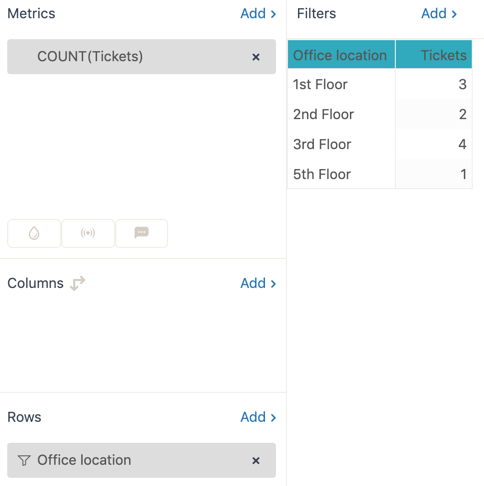
That means you can build reports like
- Time to full resolution by
- Issue category (ticket dropdown)
- Environment or product area (custom text or dropdown field)
- Customer tier or contract type (organization custom field)
- CSAT by
- Implementation partner (user or organization field)
- “At risk” flag, stored as a custom checkbox on the organization
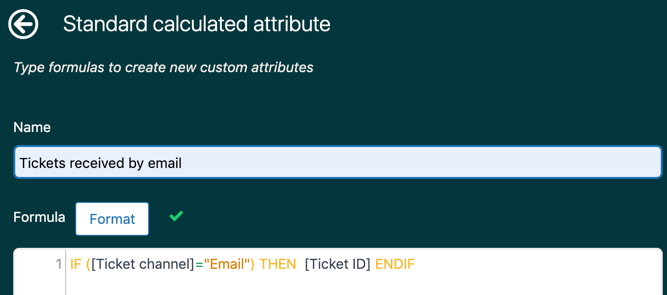
On top of that, Explore lets you write your own metrics and attributes with formulas, which gets you into proper BI territory.
Once those are in place, they can be reused across dashboards.
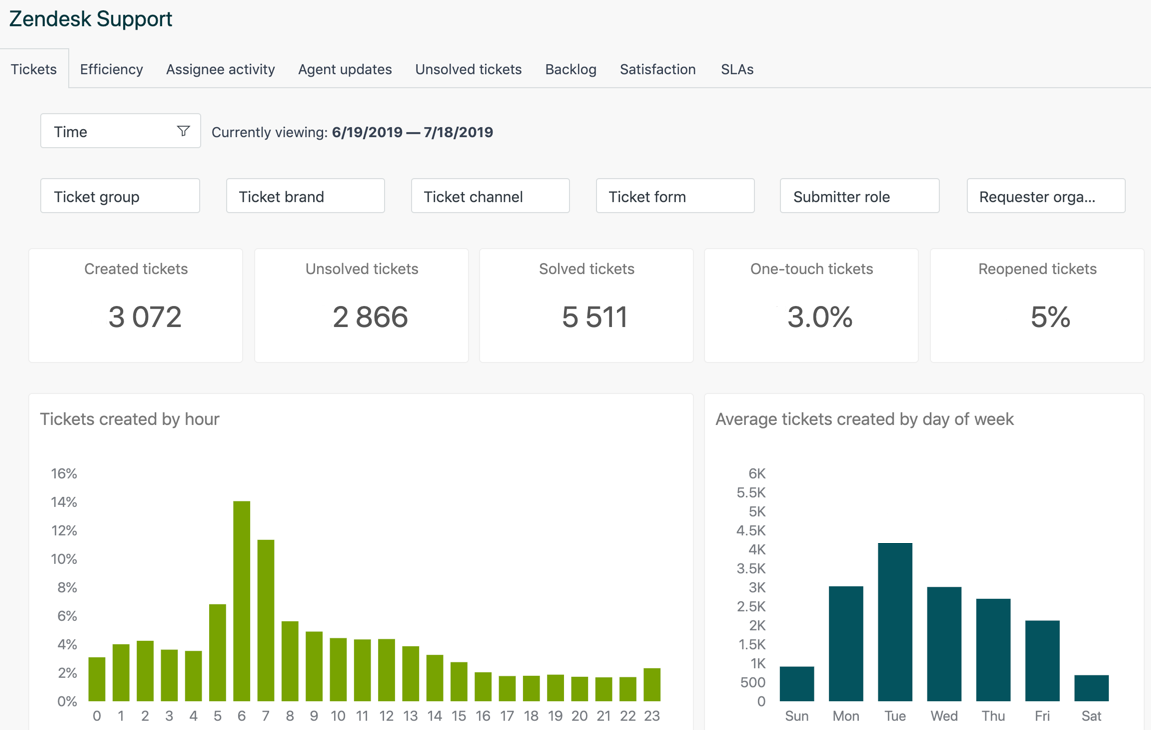
Dashboards and scheduling
Explore dashboards are flexible. You can mix datasets on one canvas, add filters any of your custom fields and schedule email deliveries of dashboards to leaders in PDF, PNG or Excel.
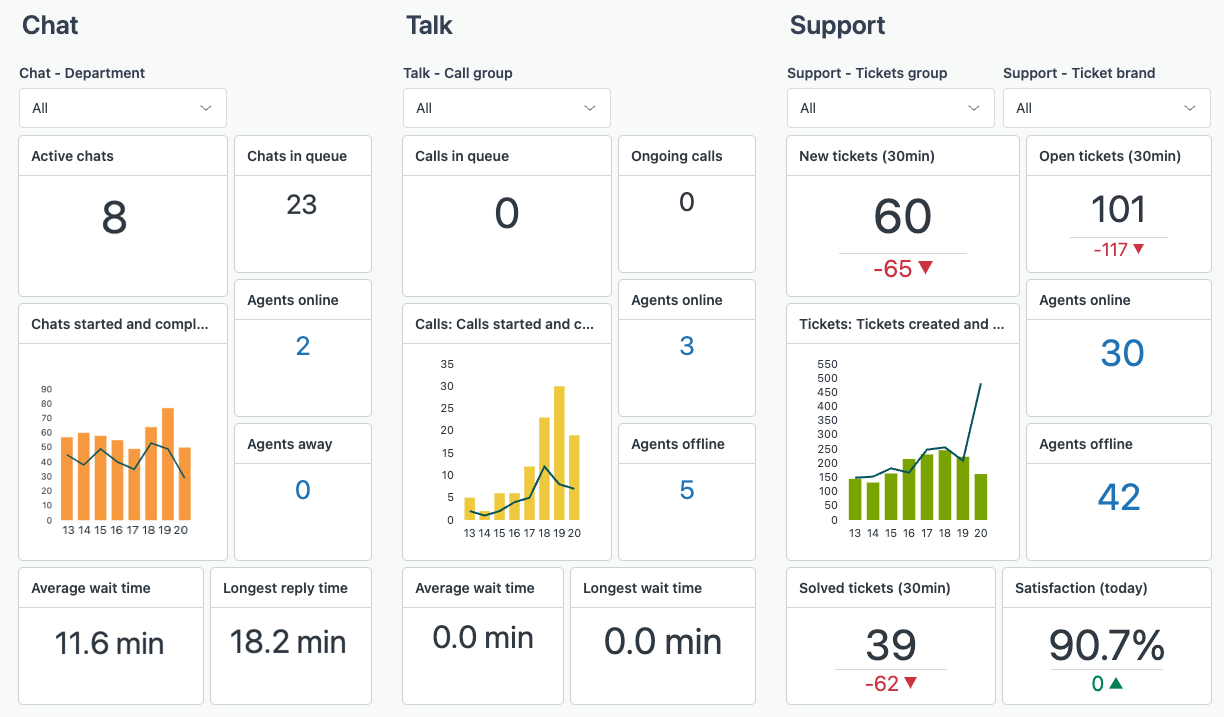

The other side of the coin is that Explore absolutely expects you to think like an analyst. You work with datasets, metrics, attributes and formulas.
Freshdesk
Freshdesk Analytics felt more like a modern SaaS dashboard from the first click.
The default views for ticket volume, SLA performance, CSAT, and agent workload are clean and easy to read.
You can also create your own widgets with simple filters and drill-downs.
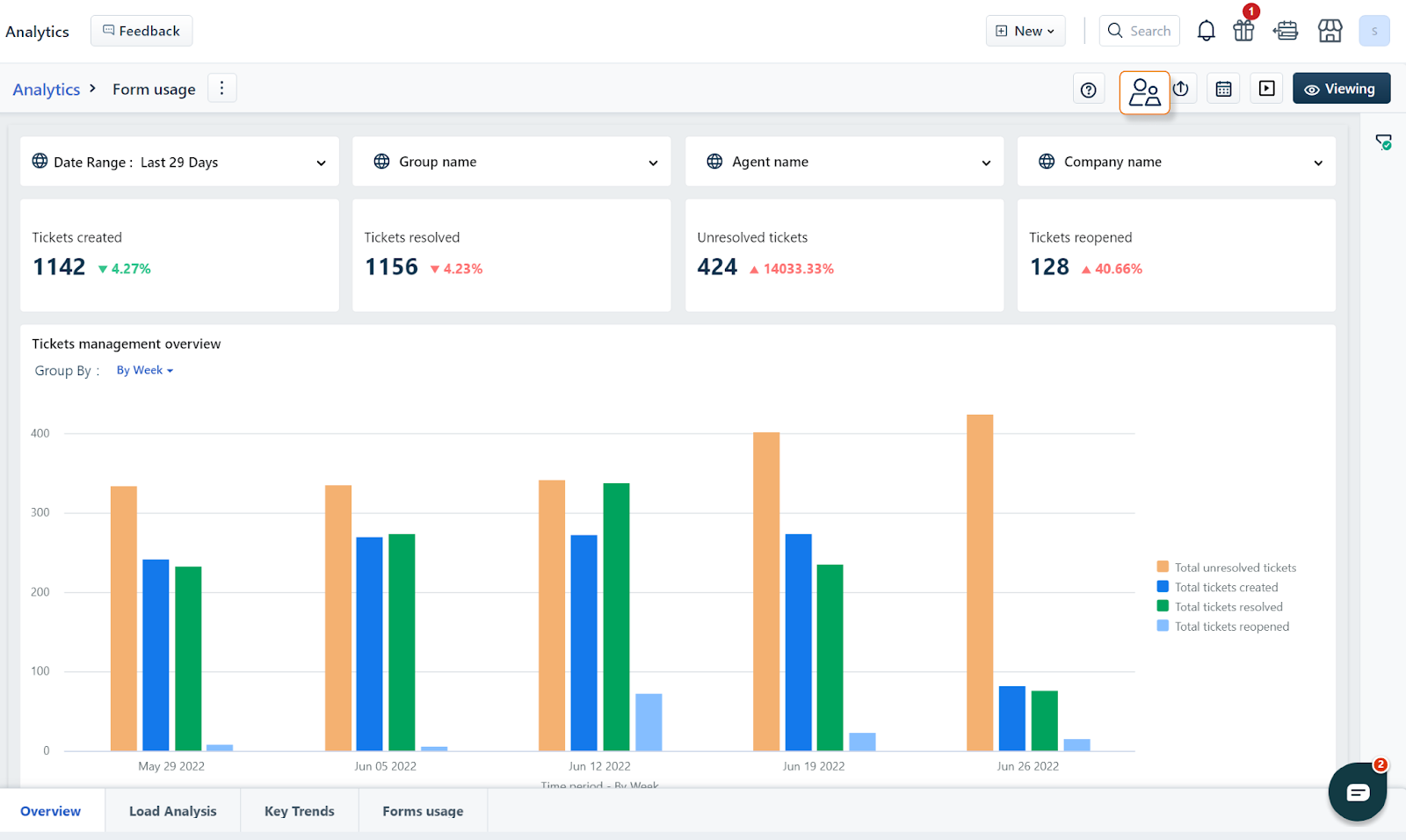
There is a nice balance between curated reports and custom ones, so you are not staring at an empty page on day one.
The experience for me looked more like a modern app that assumes you are a busy support manager, not a BI developer.
- Open the Helpdesk Performance style view and instantly see:
- Tickets created vs resolved
- First response and resolution time against SLA
- CSAT trends and recent low-scoring interactions
- Page filters at the top let you filter everything at once by time range, group, agent, ticket type, source, priority, customer or custom fields
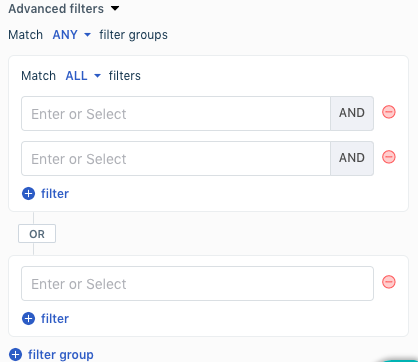
You can then tweak or extend what is there instead of designing from scratch.
Custom reports, metrics and parameters
Freshdesk Analytics lets you drag predefined widgets onto a report canvas or build new ones. Each widget is driven by metrics, filters and up to two “group by” fields.
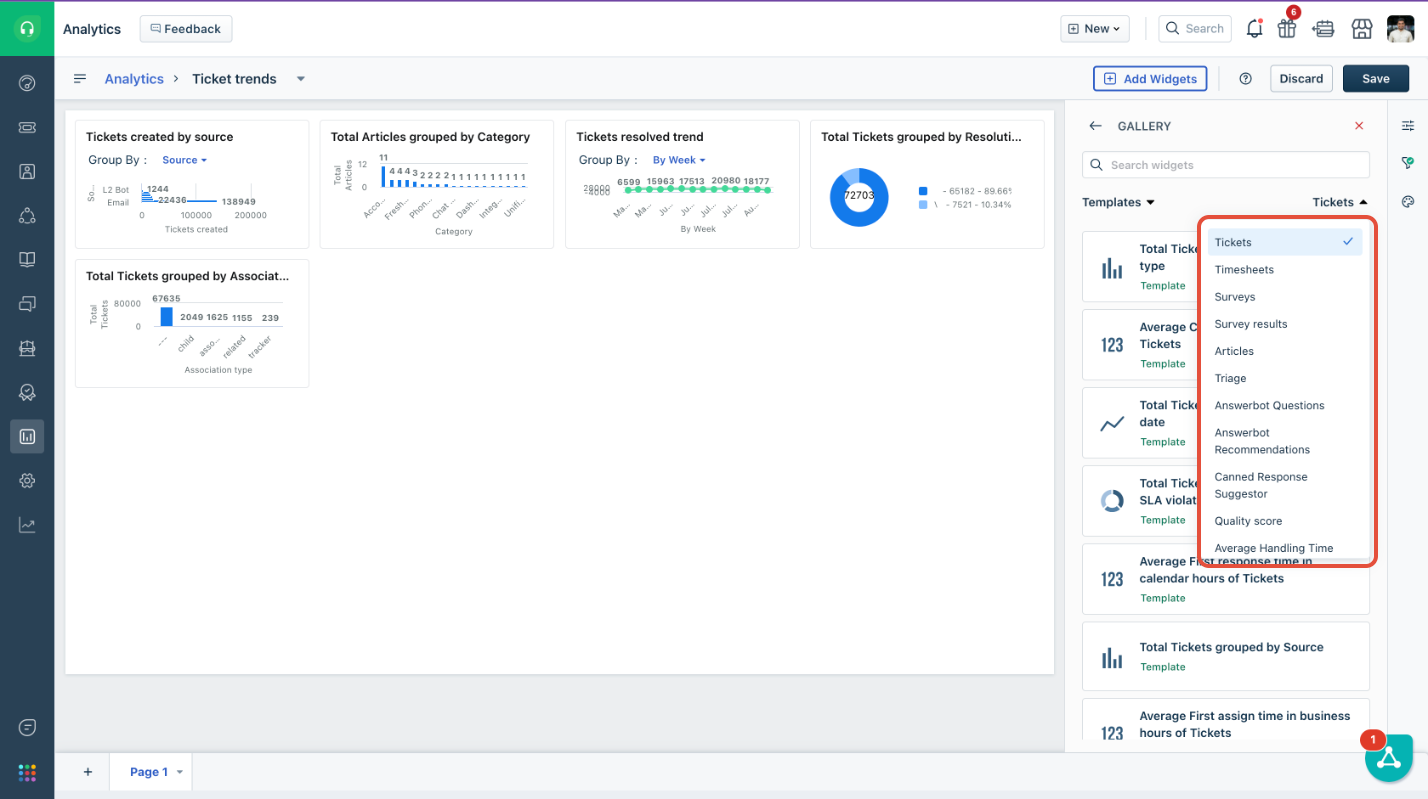
Compared to Explore, Freshdesk does not push you into formula editors immediately. Most of what small and midsize teams need can be handled by combining:
- Ticket fields and custom fields as filters
- Simple group by options such as agent, group, source, type, customer, or tag
You also get practical touches like:
- Up to 36 widgets per report, with simple resizing, so you can build a “one page” command center for your team
- The ability to expand a widget and view the underlying data rows that power the chart, then export that slice if needed
Scheduling and exports
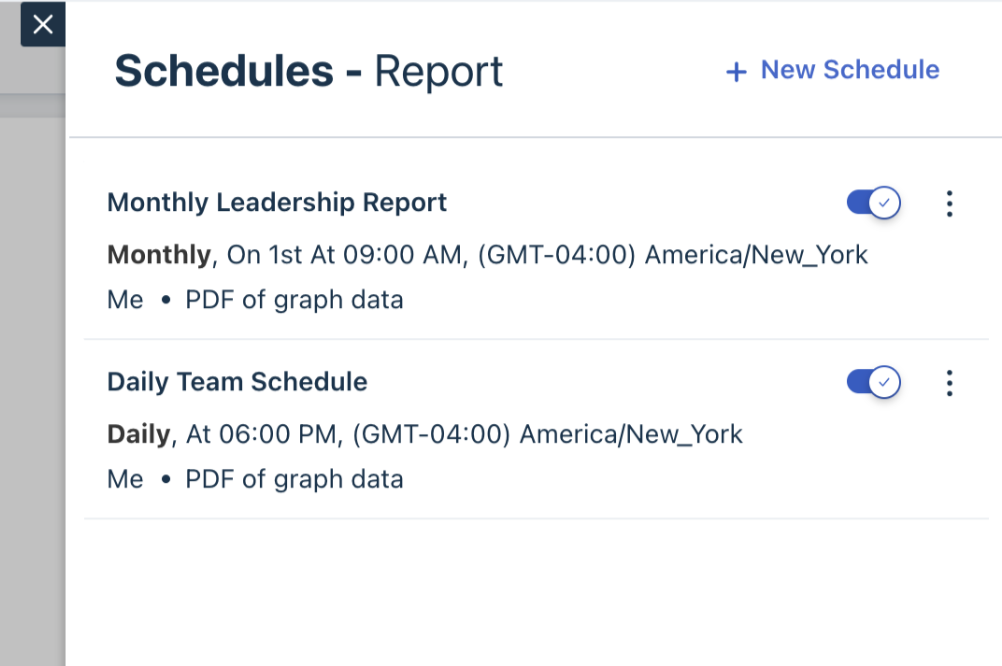
Freshdesk is also set up for for workflows where daily login is unnecessary. You can schedule custom reports to be emailed daily, weekly or monthly, to internal or external recipients, as PDF or CSV.
Freshdesk’s reviews lean hard on its ease of use, including its reporting. Plus, a lot of other reviews say the dashboards are friendlier for smaller teams.
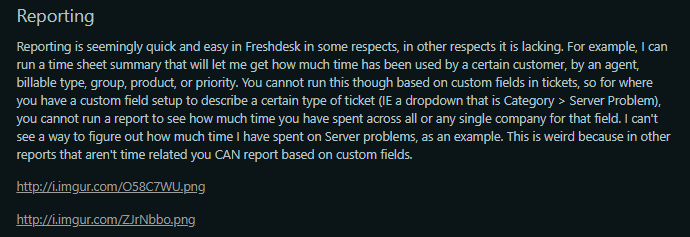
One long-running Reddit review even praises how quick it is to pull time sheet style summaries in Freshdesk, while admitting some deeper slices are still missing.
Via Reddit
My verdict
If you have a dedicated analytics person and you care about very detailed, multi-product reporting, Zendesk Explore is the heavy hitter.
For most ITSM and support teams that just want simple dashboards, Freshdesk lands in a sweeter spot.
Winner: Tie
Zendesk vs FreshDesk: Pricing and Total Cost of Ownership
Now, let’s discuss pricing.
This is where the real, most glaring differences between the two platforms come to life.
For starters, both platforms charge per agent, per month.
2025 Annual Pricing Comparison (Per Agent/Month)
|
Tier |
Zendesk Suite |
Freshdesk (Support Desk) |
Freshdesk (Omnichannel) |
|
Entry Level |
$19(Support Team) |
Free (up to 2 agents*) |
$29 (Growth Omni) |
|
Mid-Range |
$55 (Suite Team) |
$15 (Growth) |
$69 (Pro Omni) |
|
Pro / Standard |
$115 (Suite Pro) |
$49 (Pro) |
$69 (Pro Omni) |
|
Enterprise |
$169 (Suite Enterprise) |
$79 (Enterprise) |
$99 (Enterprise Omni) |
Note: Freshdesk's "Free" plan limits have fluctuated. While historically up to 10 agents, newer signups in some regions are capped at 2 agents. Always double-check current terms.
Zendesk: Suite Pro with Advanced AI, WFM and QA
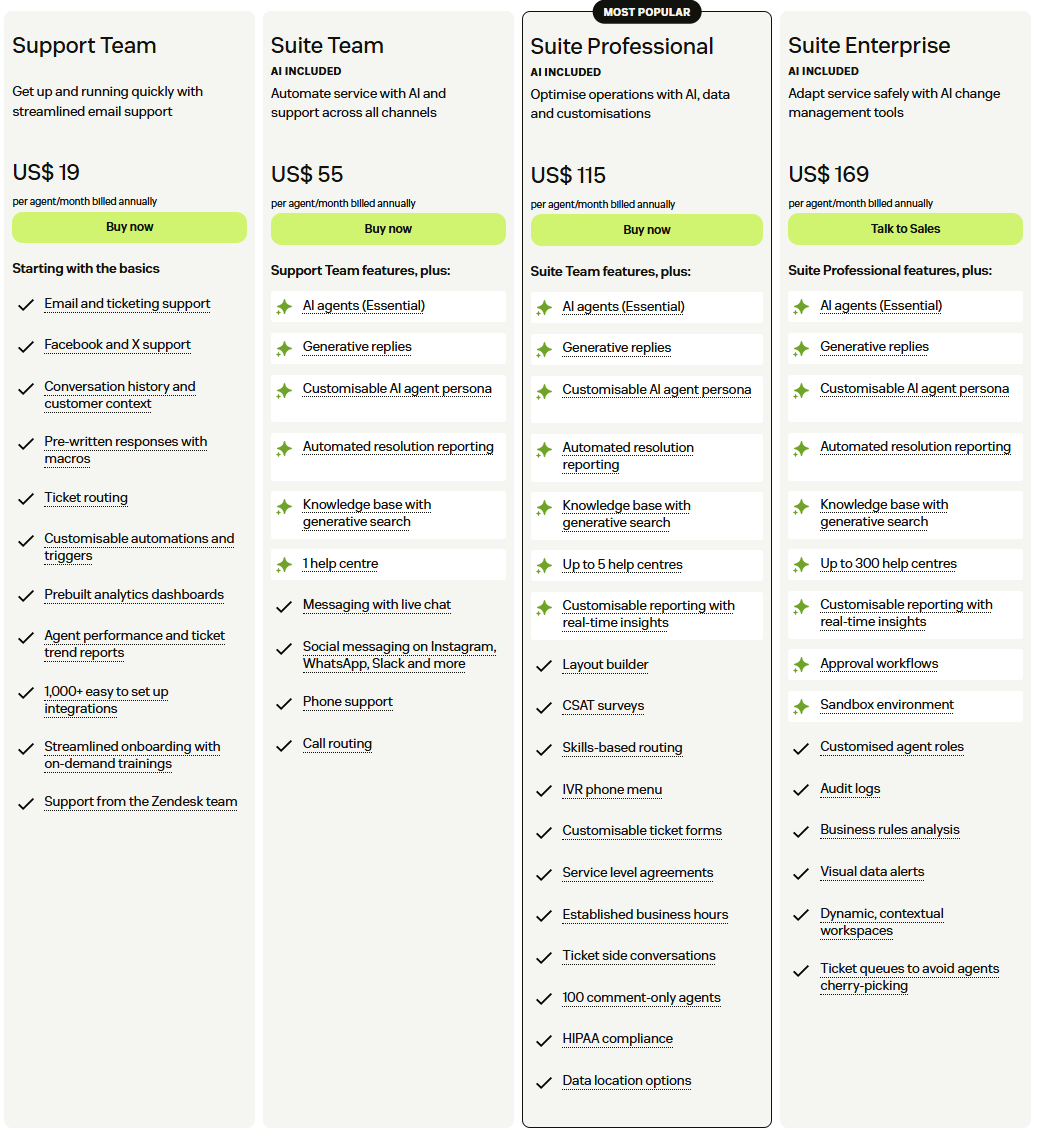
For a serious omnichannel setup, most teams land on Zendesk Suite Professional at $115 per agent per month on annual billing. That’s 20 × $115 = $2,300 per month.
Then there’s the usual add-ons.
- Advanced AI: $50 per agent per month. Gives you macro suggestions, intelligent triage, AI-powered article suggestions and related goodies
- Workforce Management: $25 per agent per month. Add forecasting, schedules, and adherence dashboards
-
Quality Assurance (QA): Around $35 per agent per month. AI-assisted scoring for conversations
Freshdesk: Omni Pro with Freddy AI and Copilot
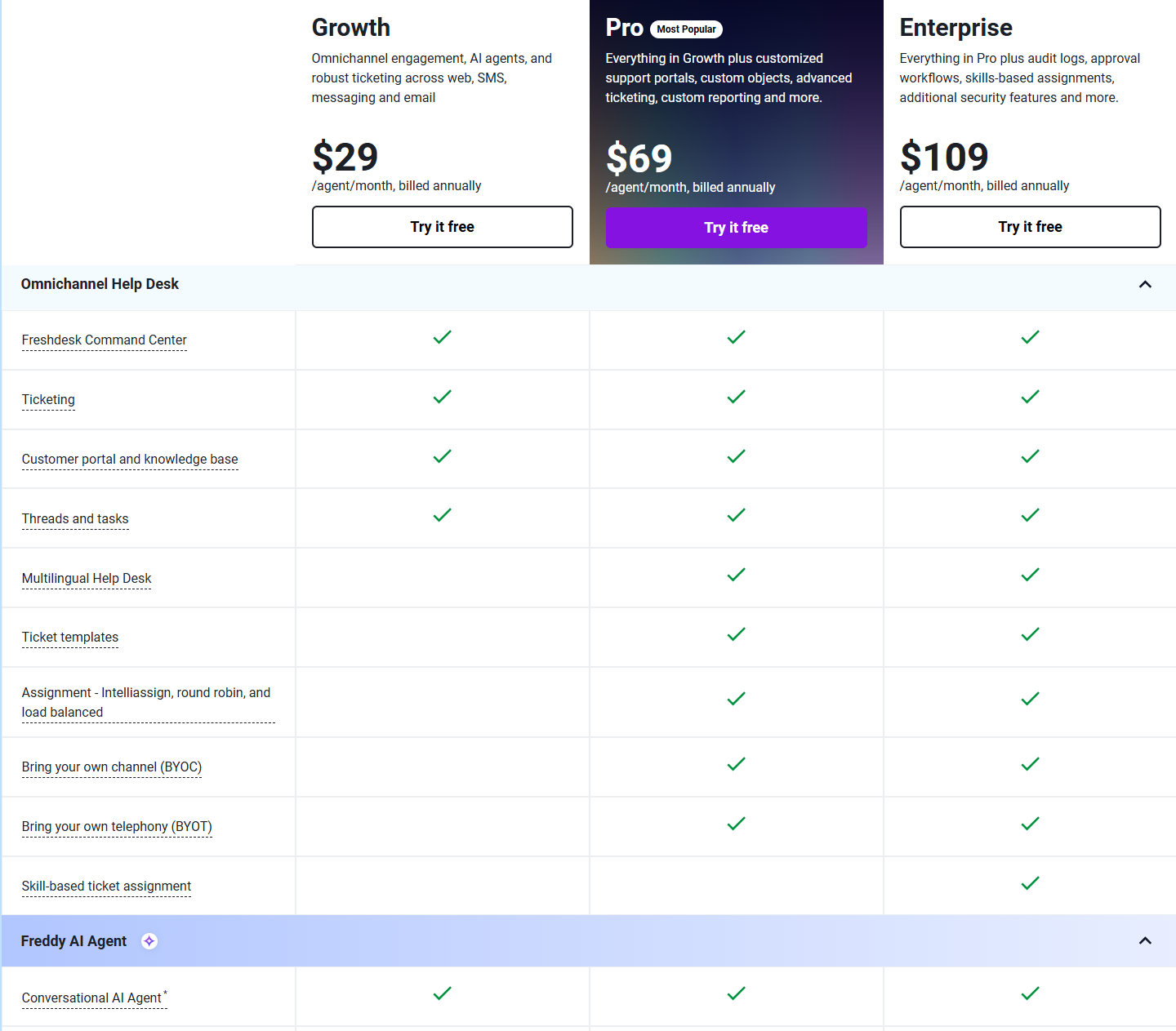
For roughly the same omnichannel scope, a typical choice on Freshdesk is Omni Pro, listed around $59 per agent per month. That’s 20 × $69 = $1,380 per month
Now AI.
Freshdesk splits AI into two main parts
- Freddy AI Agent sessions: the chatbot. First 500 sessions are a one-time free allowance across Growth, Pro and Enterprise. After that, you buy packs, usually priced around $100 per 1,000 sessions, with larger packs costing more per batch.
- Freddy Copilot: AI assistance for agents at $29 per agent per month on annual billing.
You also have the big structural catch: to access AI across Freshdesk, you generally need at least the Pro tier, not Growth or Free.
In a nutshell:
Zendesk
- Base plans are already on the high side
- Features like advanced AI, WFM and QA stack as per-agent add-ons,
- Variable AI resolution fees add another moving part once you automate more volume
- A 20-agent team with all benefits can easily sit around $4,500 per month before usage, and an 80-agent team can move into mid-six figures per year
Freshdesk
- Base licenses are cheaper, especially for ticketing only, and the Free plan gives tiny teams a risk-free start
- AI costs live in two buckets: per-agent Copilot and per-session Freddy AI packs. You can buy a Copilot only for the agents who need it, rather than for every seat.
- There are no mandatory WFM or QA add-ons from Freshdesk itself. If you want that depth, you bring in a third-party product, which can still keep the total stack cheaper than Zendesk’s own add-ons in many cases
Final Thought: Which Platform Fits What Kind of Teams?
Short version: both are solid, but they feel right for different kinds of teams.
Choose Freshdesk (and Freshdesk Omni) if
- You want predictable pricing, clean UI, and quick wins.
- You care about getting an omnichannel setup running without drowning in complexity
- You do not have a full-time admin and you like the idea of adding AI and extras in simple, clear chunks.
Choose Zendesk Suite (especially Enterprise) if
- You work in larger or fast-scaling teams with complicated workflows, multiple brands, and a long-term plan to centralise CX
- You know you will rely on deep routing, native QA, WFM, advanced AI, and a big marketplace
- You are okay with a higher cost and stronger lock-in, but also more power under one roof.
How Workwize Complements Zendesk or Freshdesk
By now, the differences between Zendesk and Freshdesk should be pretty obvious.
Both give you solid ticketing, automation, and omnichannel support, even though they take very different routes to get there.
Neither platform tries to solve everything that happens outside the support inbox (or after a ticket is created). This is where Workwize comes in handy.

Workwize isn’t a help desk.
It sits alongside your help desk and F. When employees raise IT or equipment requests through Zendesk or Freshdesk, those requests often trigger a complex chain of tasks: procurement, inventory updates, onboarding, shipping, returns, and lifecycle management.
Both Zendesk and Freshdesk can track the conversation. But they can’t run the operational side of the request.
Workwize helps you handle that layer efficiently:
- Procurement: Support global operations by covering 100+ countries with local warehouses across India, the EU, the US, the UK, Canada, Australia, Brazil, Mexico, and the Philippines. This keeps hardware moving within regions and avoids long international customs delays.
- Deployment: Guarantee fast shipments with typical five to seven day delivery timelines through a local-to-local fulfillment network, and enable zero-touch deployment with pre-configuration, MDM enrollment, and ready-to-use devices for new hires anywhere.
- Management: Provide real-time asset tracking across borders by showing each device’s location, delivery status, assignment, lifecycle stage, and condition in a single unified dashboard so teams never lose visibility.
- IT Asset Retrieval: Arrange global pickup for off-boarded employees while handling secure data wiping and cross-border logistics, which removes the need for local vendors in each country.
- Disposal and End of Life: Carry out certified recycling and compliant end-of-life processing worldwide, ensuring devices are handled responsibly and meet regional regulations no matter where they originate.
If you want to complement your helpdesk suite with a feature-rich IT hardware lifecycle platform, Workwize is your best pick.
Book a Workwize demo now to see how it connects ticketing, hardware operations, and global IT logistics into one seamless workflow.



Establish a single source of truth for every IT asset across the globe.
.png?width=258&height=318&name=g10%20(5).png)
More related resources to help you stop firefighting hardware operations.

Get monthly insights into how other IT leaders are improving their ops.



.png?width=2880&height=1232&name=Group%202147262874%20(1).png)
Stop coordinating
hardware like it's 2012.
.svg)
.png?width=172&height=68&name=apple%20business%20patner%20(1).png)
.svg)
.svg)
.svg)
.svg)