


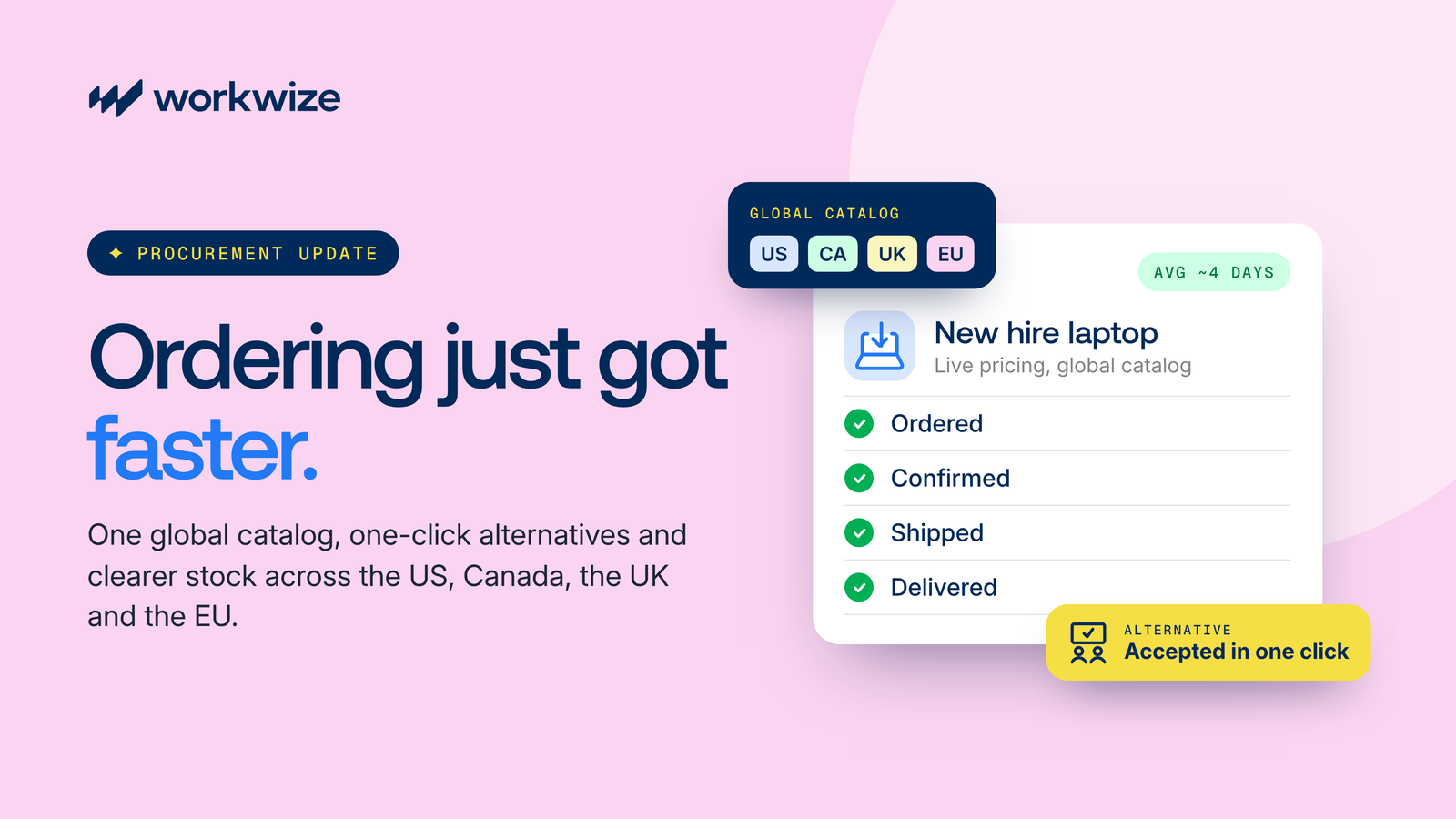





IT teams have made good progress automating software provisioning. When HR adds a new hire to the HR system, identity tools create their email and core app accounts without IT having to handle every request manually.
But getting a laptop into that employee's hands is a different story. IT may still need to raise tickets, check inventory, place orders and coordinate shipping, often with several vendors involved.
Offboarding can be just as frustrating. Even after an employee's access has been revoked, their laptop might still be sitting in another country, with IT chasing return updates and arranging collection.
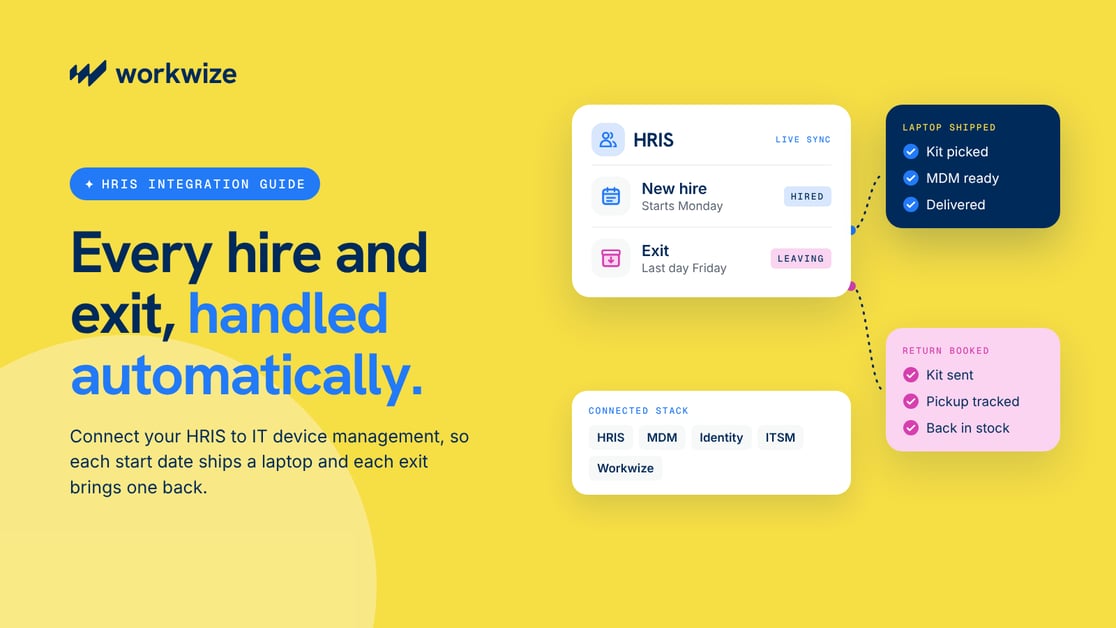
Connecting your HRIS to an IT device management platform helps automate these processes. A confirmed hire can trigger laptop provisioning and delivery, while an employee departure can initiate retrieval without IT having to start each request from scratch.
In this guide, we’ll break down how to run automated onboarding and retrieval workflows end to end, which employee data and integrations you'll need, and how to evaluate partners that handle the physical logistics.
TL;DR
- Use your HRIS to trigger hardware logistics. When HR logs a start date or an exit, that update should automatically kick off laptop ordering, setup, or return.
- Connecting your HRIS to your identity provider and MDM covers access removal and device security. A hardware partner handles buying and shipping the actual devices.
- Clean up your HR data before connecting systems. Reliable automation depends on accurate employee data, supported integrations, defined approvals, and exception handling.
- Automate both onboarding and offboarding. Use confirmed hiring and departure events in your HRIS to trigger laptop orders, coordinate delivery before an employee's start date, and initiate device retrieval when they leave.
- When evaluating a hardware automation partner, check country coverage, integration capabilities, operational responsibilities, and total costs.
What is HRIS and IT Device Management Integration?
HRIS and IT device management integration connects your HR system of record to the tools that manage employee hardware.
When HR adds a new hire or records a departure, the integration automatically starts the matching device workflow, from ordering a laptop to getting it back.
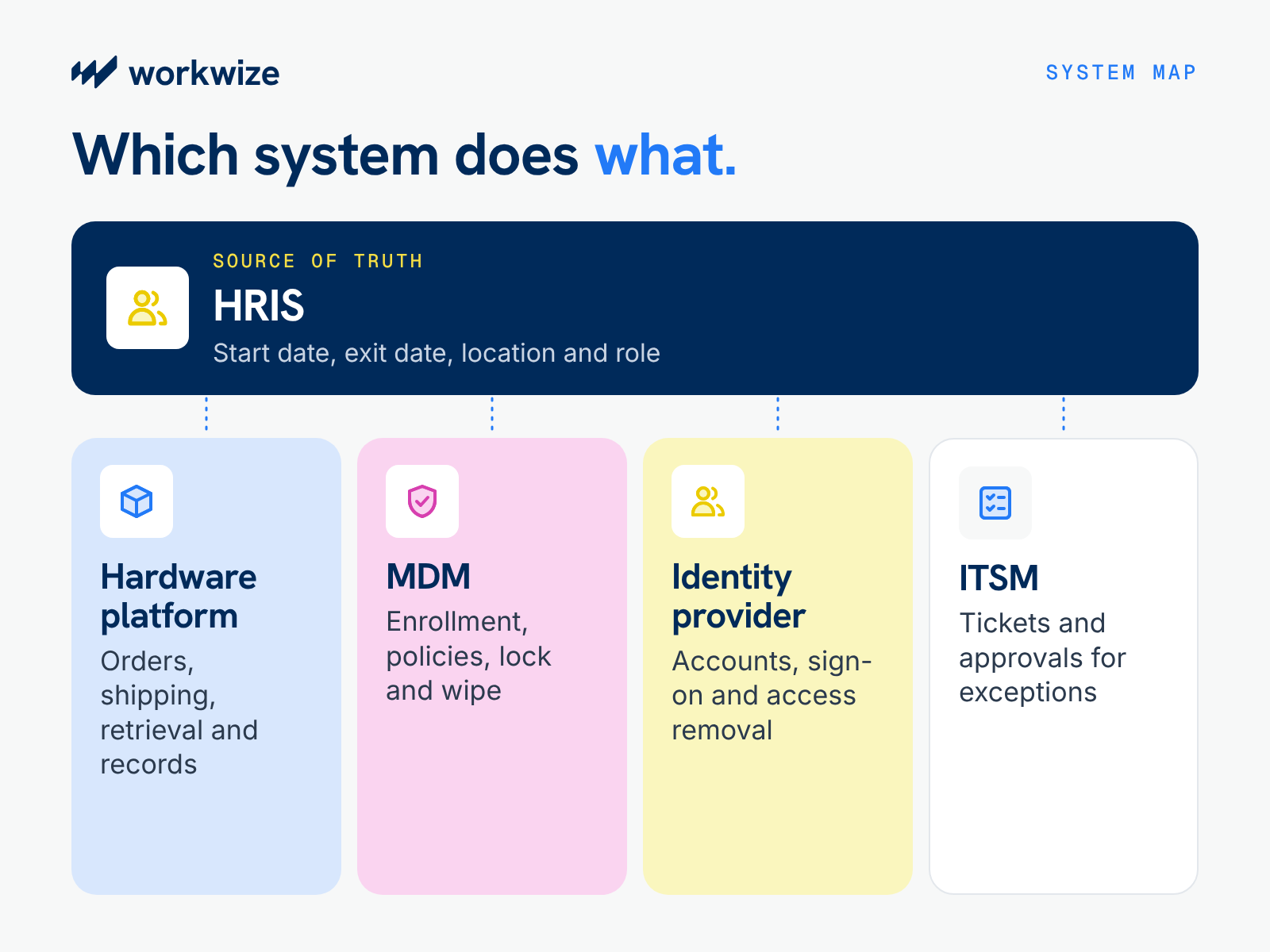
In practice, several systems take part in the process, and each one handles a different job:
| System | Things it can handle |
|---|---|
| HRIS | Employee data such as start date, exit date, location and role |
| Hardware lifecycle or ITAM platform | Device catalog, orders, shipping, retrieval and asset records |
| MDM | Enrollment, security policies, remote lock and wipe |
| Identity provider (IdP) | Accounts, single sign-on and access removal |
| ITSM | Tickets and approvals for requests that fall outside the rules |
However, many teams assume an HRIS-to-MDM connection covers the full process. An HRIS-to-MDM integration can help keep employee records and device management settings aligned, but it doesn’t handle physical equipment on its own.
Getting laptops to new hires and back from departing employees typically requires a hardware management platform or fulfillment partner with actual stock and couriers behind it.
End-to-end automation usually works best when each system passes accurate data to the next and triggers the right action.
Why HRIS and IT Device Management Need to Work Together
When your HRIS and hardware workflows don't talk to each other, your IT team has to do the talking. For example, when HR hires someone, someone on IT has to copy the new hire's address from the HR email, paste it into a vendor portal, and spend the next week refreshing a courier tracking page.
Every manual handoff creates another chance for something to go wrong. Over time, those small friction points add up across your budget and your security posture:
- Day-one delays: When a laptop order goes in late, your new hire spends their first week waiting around instead of getting started with their team.
- Copy-paste errors: Retyping shipping details across systems eats up hours of IT's week and leads to mismatched inventory records or misdelivered boxes.
- Security gaps: A late exit notice might leave a former employee’s accounts active past their last day. Company data stored on an unreturned laptop can also stay exposed until IT locks or recovers the device.
- Unreturned hardware: Every laptop that stays in a former employee's home can turn into an unplanned replacement purchase for the next hire.
- Inventory blind spots: Without a clear view of which laptops are coming back and which are in storage, you end up buying brand-new machines you don't actually need.
- Vendor sprawl: Every time you hire in a new country, your team has to find, vet, and manage another local supplier and courier.
Vendor sprawl can grow with each new country you hire in. Manual tracking works well enough when you hire 20 people a year in one office. But when you scale to 200 hires across eight countries, the spreadsheets break down, and your IT team ends up running a shipping department instead of focusing on core tech projects.
How HRIS Integration Automates Laptop Onboarding
Connecting your HRIS to your hardware platform can eliminate manual ticket handoffs as soon as you confirm a hire.
To see how these pieces fit together in practice, let’s follow a remote product designer in San Francisco who is scheduled to start in three weeks.
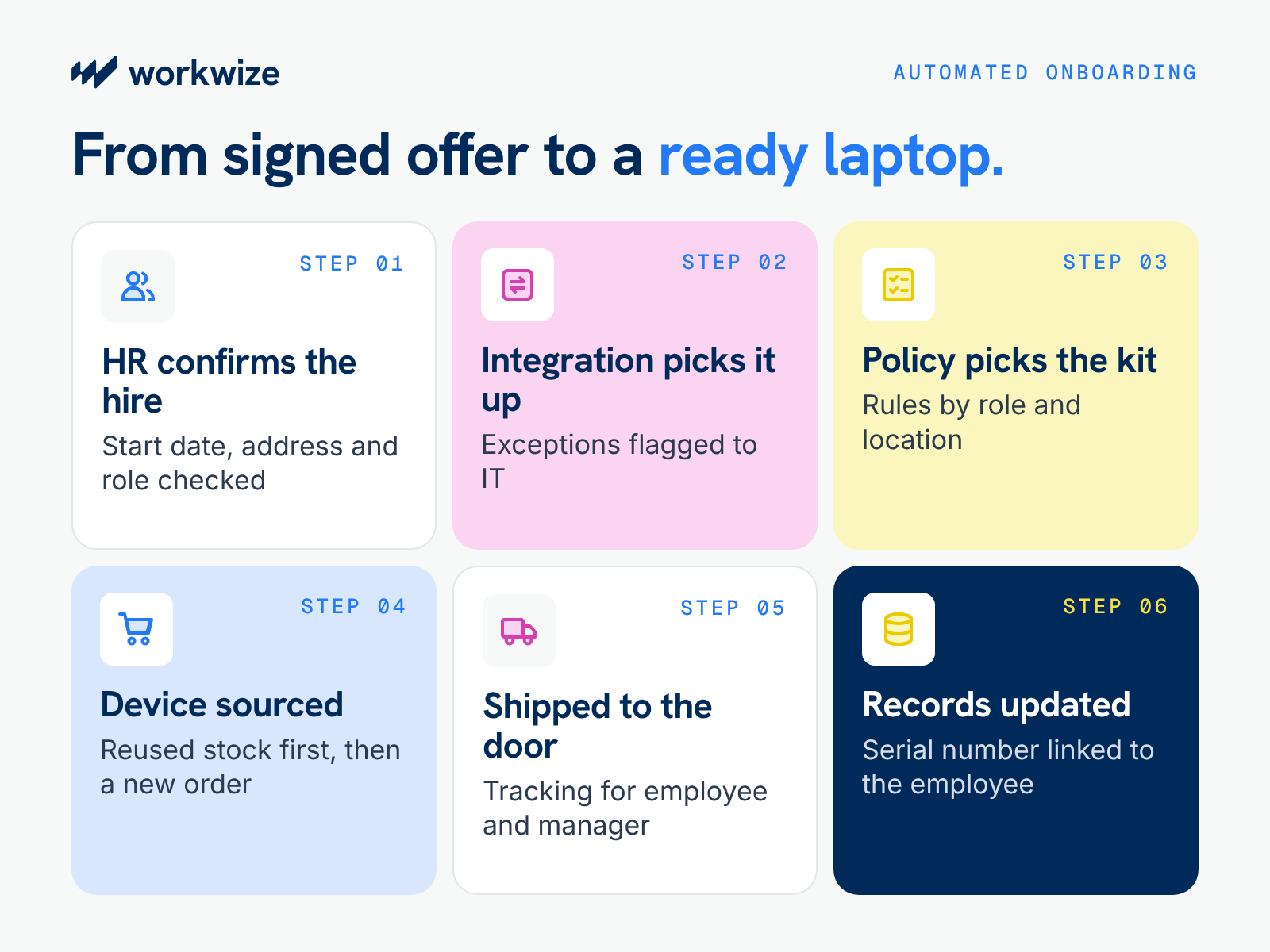
Step 1: HR confirms the hire
Once the candidate signs the offer, HR updates their status to “hired” in the HRIS. But a signed offer doesn’t always mean the record is complete, so HR may need to check that the start date and home shipping address are accurate and that the job title and department match the role before the update goes out.
Step 2: The integration detects the update
Next, a native connector or webhook picks up the status change and passes those employee details directly to your hardware platform. Your team may no longer need to watch an inbox or log a provisioning ticket for routine hires. IT can step in only when the integration flags an exception, such as a missing address or a failed data transfer.
Step 3: Device policies select the right kit
From there, role-based rules match the designer with their standard departmental setup, such as a high-spec MacBook Pro and a 4K monitor. At the same time, location rules filter the order to approved models available in the United States.
Step 4: The laptop is sourced and configured
Before buying new hardware, the platform checks your US warehouse inventory to see if a refreshed laptop is ready for reassignment. If none are available, it places a new order, routing the request for quick manager sign-off only if the price exceeds a preset budget.
Before shipping, the vendor can also register the laptop with Apple Business Manager or Windows Autopilot. On first boot, it then enrolls in your MDM and pulls down security profiles and core apps.
Step 5: A regional warehouse ships the order
Once prepped, a domestic fulfillment center dispatches the package straight to the designer's door in San Francisco. Throughout transit, both the new hire and their manager receive automated courier updates, which keep status-check messages out of IT's Slack channels.
Step 6: Asset records update automatically
Finally, the platform links the laptop's serial number to the designer’s profile in your asset registry. As a result, your team maintains an accurate, real-time log of who holds the machine and where it resides from day one.
Before marking onboarding complete, confirm that the employee has received the device, enrolled it successfully, and can access the required applications. A delivered laptop isn't necessarily ready for work.
It should also catch delayed shipments and failed enrollment so IT can step in before the employee’s start date.
Pro-tip: Keep physical lead times in mind
While software automation removes administrative delays between HR and IT, physical shipping still takes time. An integration cannot speed up freight transit or manufacture local stock overnight.
For instance, if HR logs a new hire just four days before their start date, a laptop might not reach remote locations by Monday morning. To prevent late deliveries, establish a clear lead-time agreement with HR and set up a fallback plan for last-minute signings, such as provisioning a temporary cloud desktop.
How HRIS Integration Automates Laptop Offboarding and Retrieval
Getting a laptop out the door is the easy half. Recovering that same machine during offboarding is much harder, largely because departing employees have very little incentive to pack a box and visit a courier drop-off. As a result, unreturned hardware quickly drains IT budgets.
A connected offboarding workflow removes most of the friction from the return process and goes well beyond deactivating software accounts. It could look like this:
- HR records the exit: The confirmed departure and last working day go into the HRIS.
- The integration finds the hardware: It scans your asset registry, pulls every device linked to the departing employee, and starts the return workflow.
- Access and data get locked down: Your identity provider can disable access at the authorized departure time, and your MDM can lock or wipe the device according to company policy. An immediate termination may require both actions as soon as HR records it, before anyone arranges a pickup.
- The platform coordinates physical recovery: The hardware platform confirms the employee's current address, then sends a prepaid return kit or books a courier pickup.
- The return shipment is tracked to the warehouse: As the parcel moves through transit, the platform updates a single tracking record from doorstep collection to warehouse arrival.
- The warehouse inspects and routes the laptop: Upon arrival, technicians inspect, clean, and wipe the hardware. Functional machines return to your local inventory pool for the next hire, while damaged or aging units go to repair or certified recycling.
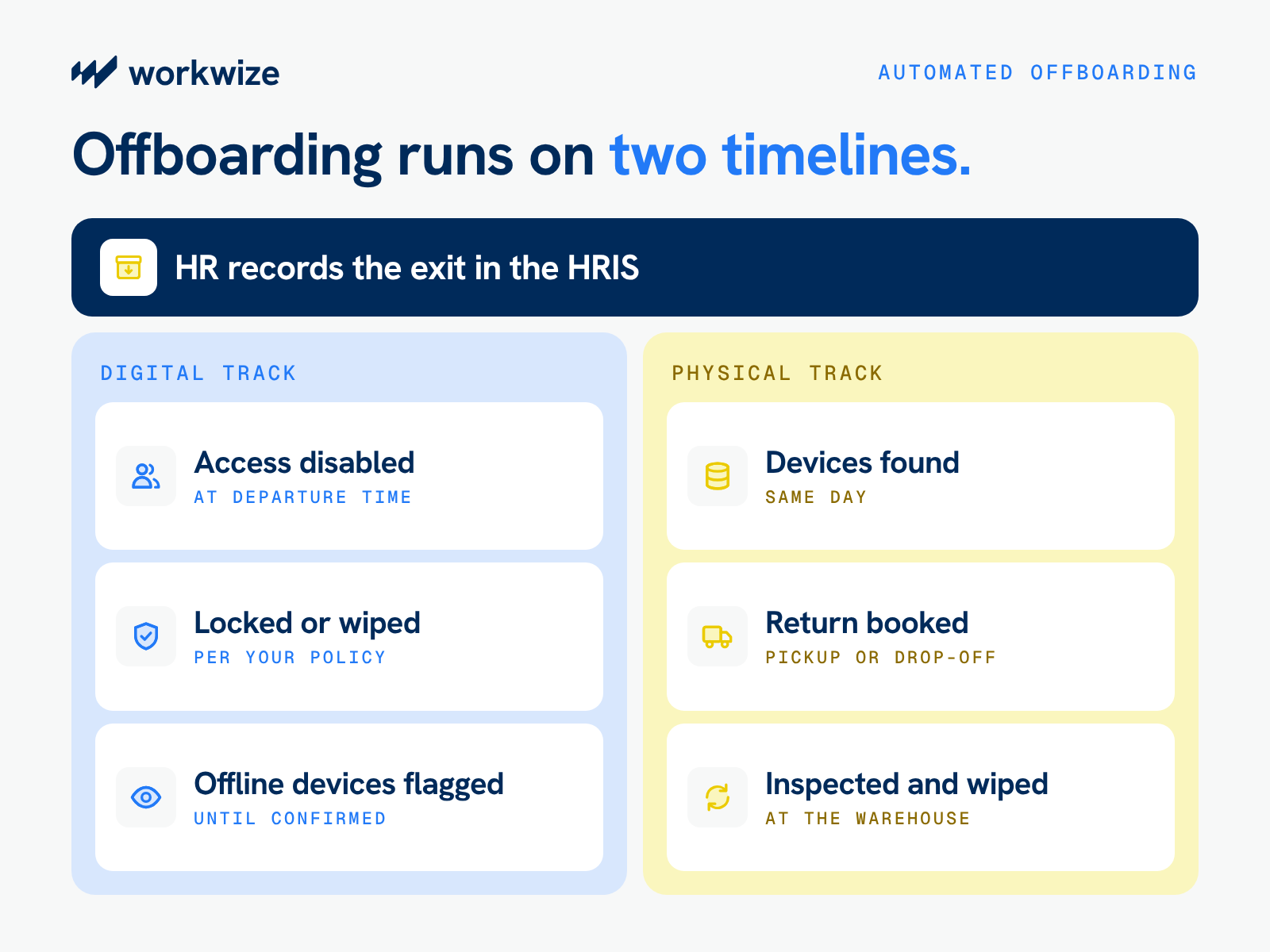
Notice how the third step runs on a different timeline than physical logistics. That’s because IT can often disable an employee’s accounts well before the laptop comes back.
Whether remote locking or wiping works depends on your security policy and whether the device is online and still enrolled in your MDM. After the laptop arrives, the warehouse can inspect it and run any verified data erasure your policy requires before reuse or disposal.
Plan for the messy cases up front, too, like
- Delayed returns: Set up automated email and SMS reminders, and alert the former manager if a pickup window passes. Consider keeping security restrictions in place until the warehouse receives and processes the device.
- Remote or unsupported regions: Decide in advance whether your team will arrange a one-off local courier, reimburse the employee for shipping the box themselves, or offer a hardware buyout for older machines.
- Mismatched inventory records: Regularly cross-check active MDM check-ins against your asset register, so your team can spot and assign unrecorded laptops long before someone resigns.
- Offline or unreachable devices: Some laptops might stay offline and miss a remote lock or wipe command. Keep them flagged for security review until your IT team can confirm the action was completed.
How to Connect Your HRIS With IT Device Management Systems
Both the onboarding and offboarding workflows above rely on one foundation: a reliable data pipeline between your HRIS and the rest of your IT stack.
Make the following decisions up front to make sure that connection runs smoothly.
Mark the events that should trigger hardware actions
List every HR change that needs a hardware response. Most companies need these six:
- New hire confirmed
- Start date changed
- Relocation
- Role change
- Departure confirmed
- Onboarding canceled
Pay special attention to start-date changes and canceled offers. Teams frequently overlook these two triggers during setup, which results in shipping expensive laptops to candidates who delayed their start or declined the role entirely.
Define the exact data fields that move between systems
Once your triggers are set, restrict the data sync to the specific fields required to fulfill an order or book a return:
- Outbound from your HRIS: Employee ID, shipping address, work country, start or exit date, job title, department, and hardware tier.
- Inbound from your hardware platform: Assigned serial number, asset tag, outbound tracking status, and return receipt confirmation.
A least-privilege approach keeps employee data secure. While a residential address is essential for courier delivery, sensitive HR fields like compensation, performance notes, or national ID numbers should never leave your HRIS.
Before syncing records, decide which system owns each field. The HRIS should remain authoritative for employment status and start or exit dates, while the asset management platform maintains device assignments and hardware lifecycle statuses.
Define how changes are handled when records disagree, so an outdated value in one application doesn't overwrite a newer, verified record in another.
Select the right integration method
You have four primary ways to connect your HRIS to a hardware lifecycle platform, each with its own maintenance trade-offs:
- Native integrations: Pre-built connectors maintained by your vendor. They are the fastest to deploy and the most reliable, though they only sync standard data fields.
- APIs and webhooks: Direct connections that pass real-time updates and custom fields, provided your internal engineering team has the bandwidth to build and maintain them.
- Middleware or iPaaS (such as Workato or Zapier): Helpful when you need to route triggers across several tools at once, though they add another software license to your budget.
- Custom scripts: Built from scratch to handle highly specific company processes, which often turn into long-term maintenance burdens when the original developer changes roles.
Whenever possible, start with a native integration for your HRIS and reserve custom API work for specialized edge cases.
Set up approvals, security and exception handling
Before turning the sync on, lock down your system permissions using scoped API keys so the hardware platform can only read the specific HR fields it needs.
Next, define which actions run hands-free and which require human sign-off (for example, letting standard laptop orders ship automatically while routing custom hardware upgrades to a department head for approval).
Finally, set up automated Slack or email alerts for duplicate HR records, incomplete home addresses, or failed API calls so your team can fix formatting errors before they delay a shipment.
Configure duplicate-event handling so repeated HRIS updates don't create multiple orders or retrieval requests. Use a stable employee identifier and check for existing actions before creating new ones.
Also account for events arriving out of order. For example, a canceled onboarding request should prevent an earlier hire event from initiating a new shipment. Failed events should be logged and retried where appropriate, with unresolved cases escalated to IT.
Test the connection with real-world edge cases
Testing your integration with a clean, textbook employee profile only proves that the connection works under ideal conditions. Before launching across the company, run a pilot using the messy scenarios that routinely disrupt IT operations:
- A new hire added to the HRIS just 48 hours before their start date.
- A candidate whose start date moves back by two weeks after their laptop has been assigned.
- A signed offer that gets withdrawn while the parcel is already with the courier.
- An immediate, unplanned termination that requires same-day account lockouts and pickup scheduling.
- A delivery exception caused by an incomplete apartment number or customs hold.
A successful pilot should confirm that each event triggers the expected action, approvals work correctly, failed steps are visible, and duplicate requests are prevented. Test the workflow under realistic hiring volumes before expanding it across the organization.
What to Look for in an HRIS-to-IT Hardware Automation Platform
Once you define how your integration should run, you can evaluate vendors against your exact requirements. This step matters because many platforms advertise smooth HRIS connections, but far fewer can deliver a configured laptop to São Paulo and recover one from Singapore.
Use these criteria and demo questions to separate pure software tools from true logistics partners:
| What to verify | Ask in the demo | |
|---|---|---|
| HRIS compatibility | Supported platforms, custom fields, and sync frequency | "Show me what happens in the system when a start date moves back." |
| Hardware fulfillment | Procurement, local warehousing, configuration, and returns | "Who physically ships and collects boxes in our primary hiring countries?" |
| MDM and identity | Zero-touch enrollment and automated status updates | "How does an offboarding trigger reach our MDM to lock a machine?" |
| Global operations | In-country inventory coverage and customs handling | "What happens when we hire someone in a country where you lack a warehouse?" |
| Workflow controls | Role-based permissions, approval routing, and audit logs | "Which hardware actions run hands-free, and which pause for manager sign-off?" |
| Commercial model | Platform tiers plus shipping, storage, and retrieval fees | "What is our total all-in cost per hire and per exit?" |
| Integration reliability and support | Failed-event monitoring and retries, plus support coverage and service commitments | “When an HRIS event fails to sync, how do we find out, and who fixes it?” |
Prioritize the capabilities that could address your biggest business hurdles. Distributed teams hiring across many countries might get the most value from local sourcing and retrieval coverage. Companies with a mature MDM setup and trusted local suppliers may care more about integration reliability and exception handling.
Whatever your priorities, you have to ask vendors to walk through the complete process in your main hiring countries. Have them show what happens when a device is out of stock or a shipment fails, and how the workflow adjusts when a start date changes.
How to Measure the ROI of HRIS-Driven Device Automation
A platform that looks great in a demo still needs to prove it pays for itself. Record your current baseline numbers before switching, then track five core metrics once the integration goes live:
- IT hours spent per onboarding and offboarding
- Days elapsed from hire confirmation to hardware order
- Percentage of laptops delivered before day one
- Return completion rate and the dollar value of unrecovered laptops
- Duplicate purchases avoided and total cost per managed device
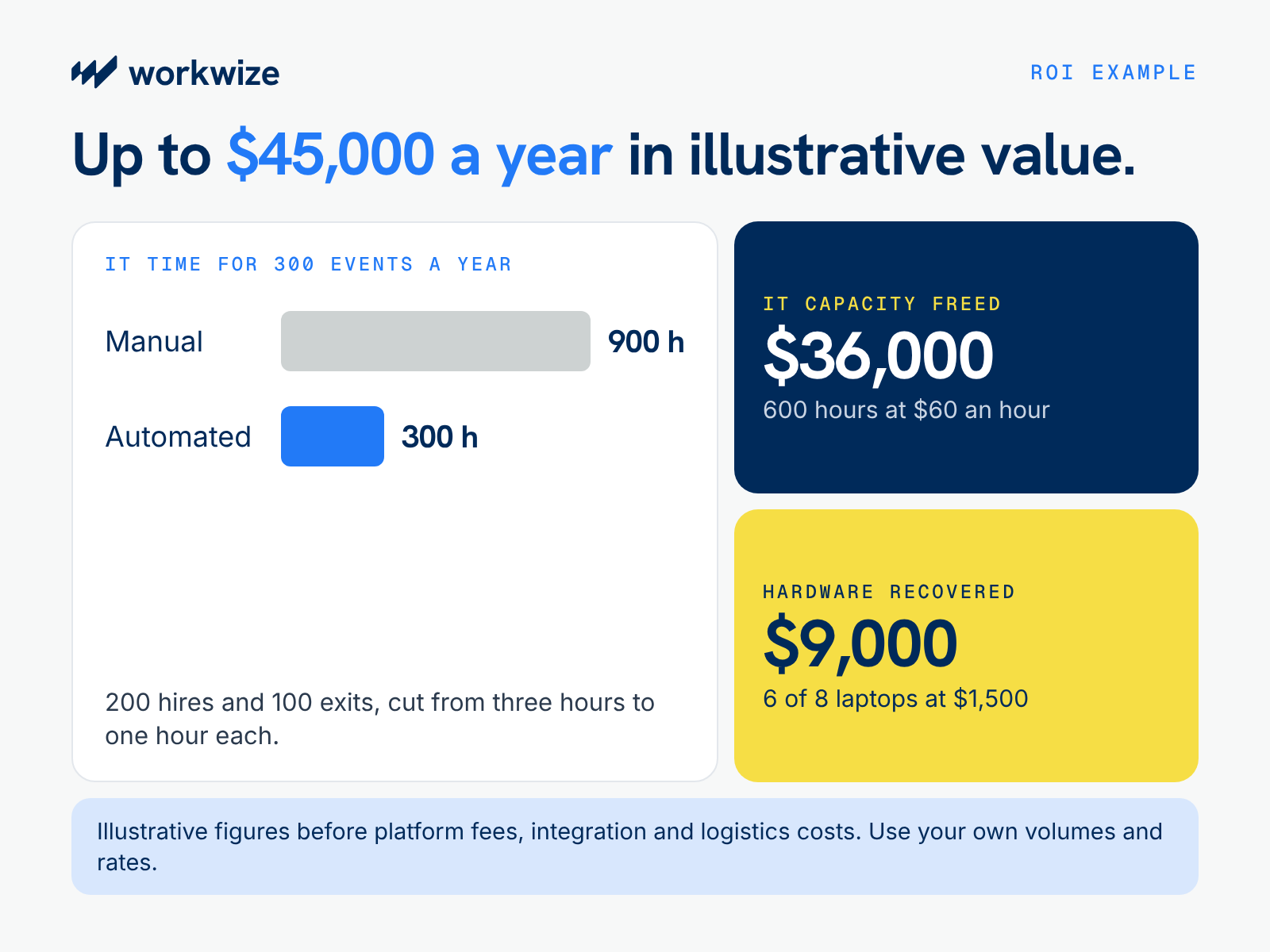
To see how those numbers add up, let’s consider a company managing 200 hires and 100 exits a year.
If manual logistics take three hours of IT time per event, your team spends 900 hours a year coordinating shipments. Cutting that workload to one hour per event could free up 600 hours. At a loaded cost of $60 an hour, that’s roughly $36,000 in IT capacity your team could redirect to other projects.
Hardware recovery can add a second source of value. If eight departing employees a year fail to return laptops worth $1,500 each, you could lose $12,000 in equipment. Recovering six of those devices would preserve up to $9,000 in asset value.
Since every team's volume and loss rates differ, add in your own figures to see how the savings stack up against real vendor quotes.
How Workwize Connects HRIS Events to Global Hardware Operations
The workflows we discussed so far depend on a reliable HRIS connection and a logistics network that can act on it, working in sync. And that’s where Workwize shines.
Workwize connects employee lifecycle events with the physical work of managing company laptops. With Workwize, when HR confirms a hire or logs an exit, IT can coordinate the matching laptop order or return through one platform instead of handling each request separately.
Distributed teams can also access local sourcing and device logistics in 130+ countries, covering each laptop from purchase to disposal.
Here’s what you get with Workwize:
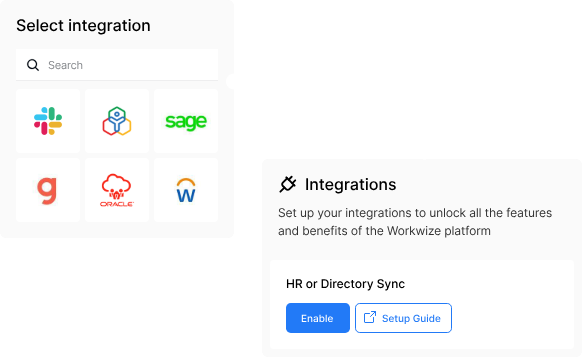
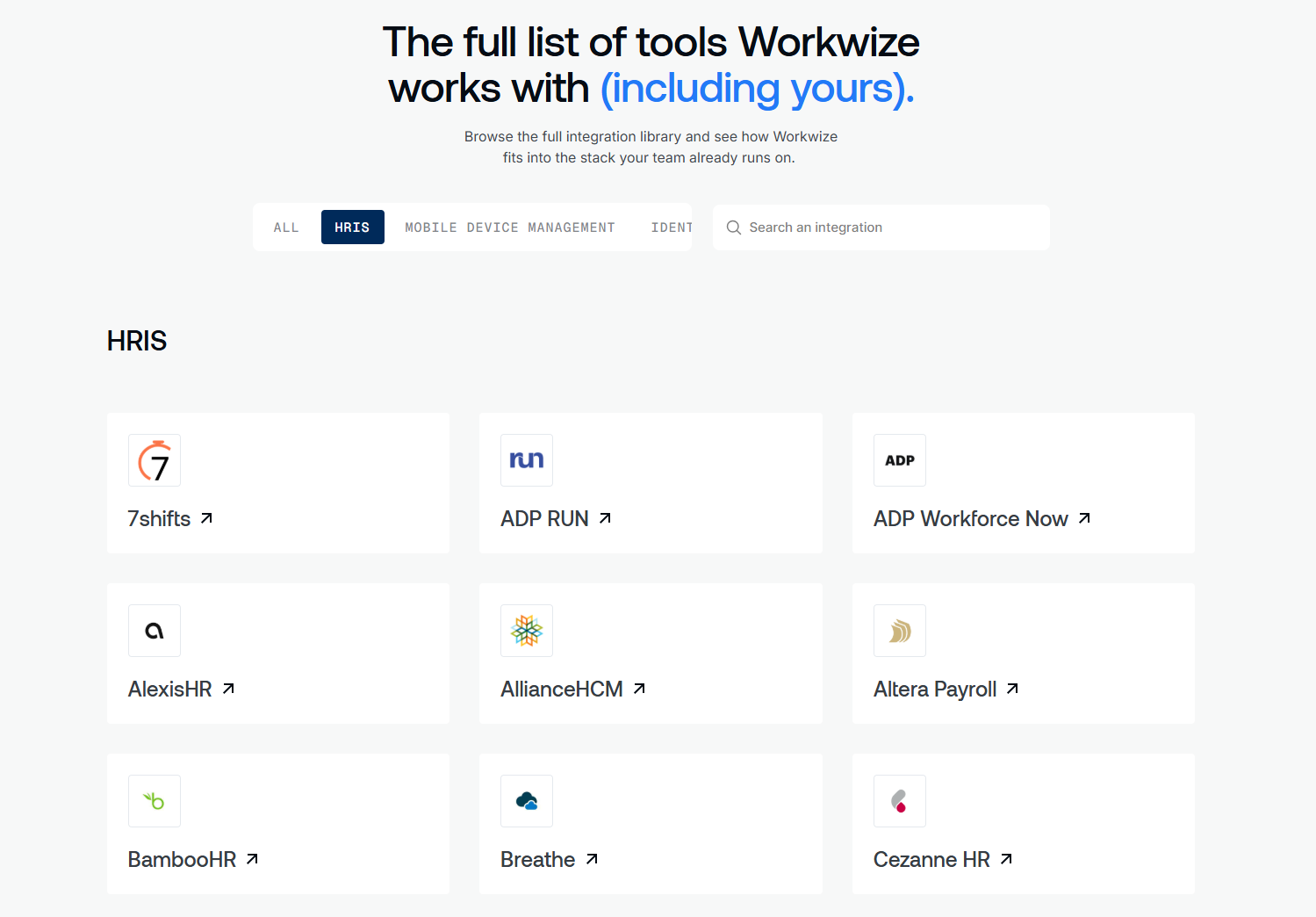
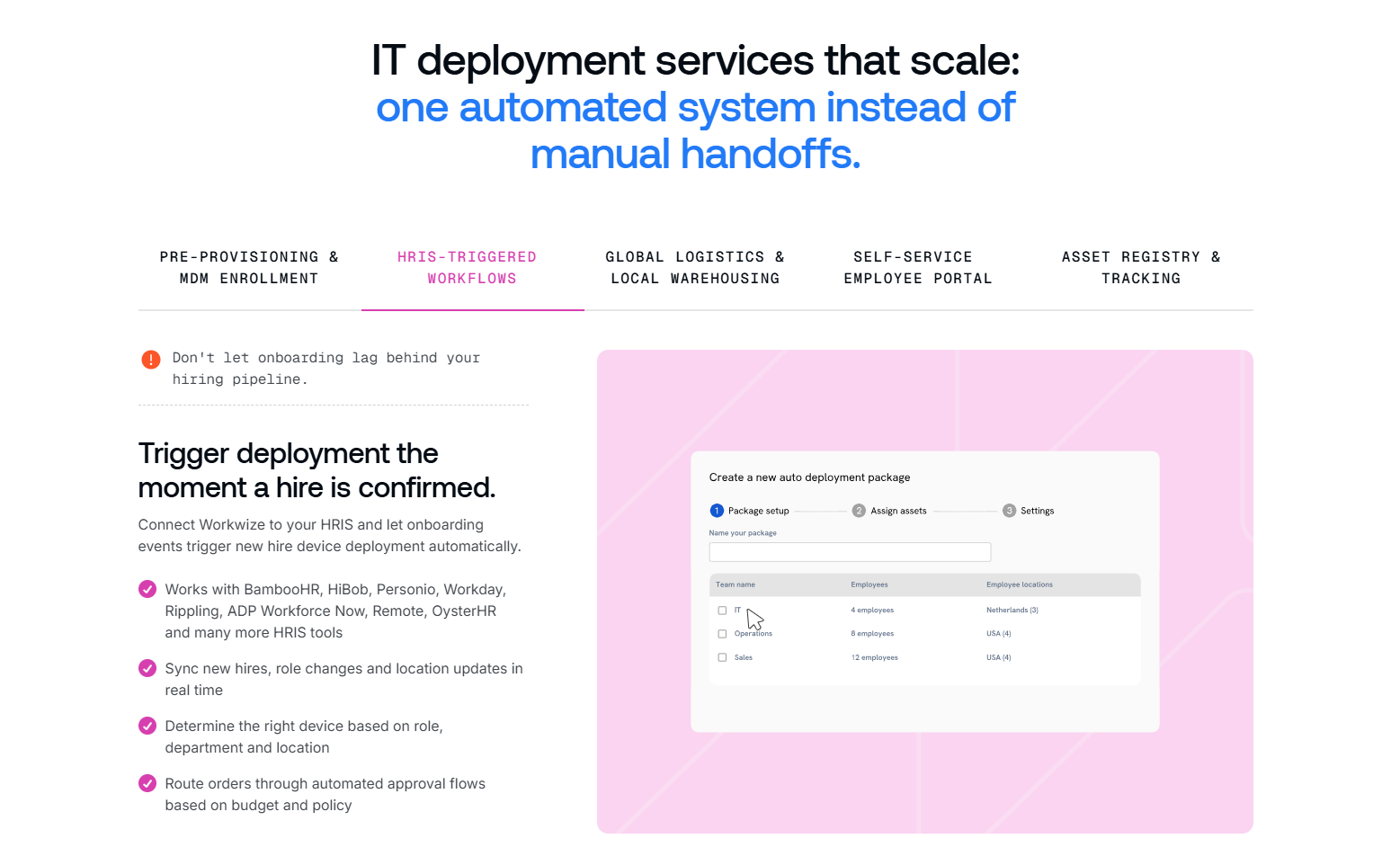
- HRIS connection: Native Integrations with 80+ HRIS, MDM and identity tools allow new hires, relocations, and role changes to trigger hardware actions automatically.
- Global deployment: Region-specific catalogs and approvals keep budgets on track, while devices ship pre-configured for MDM enrollment.
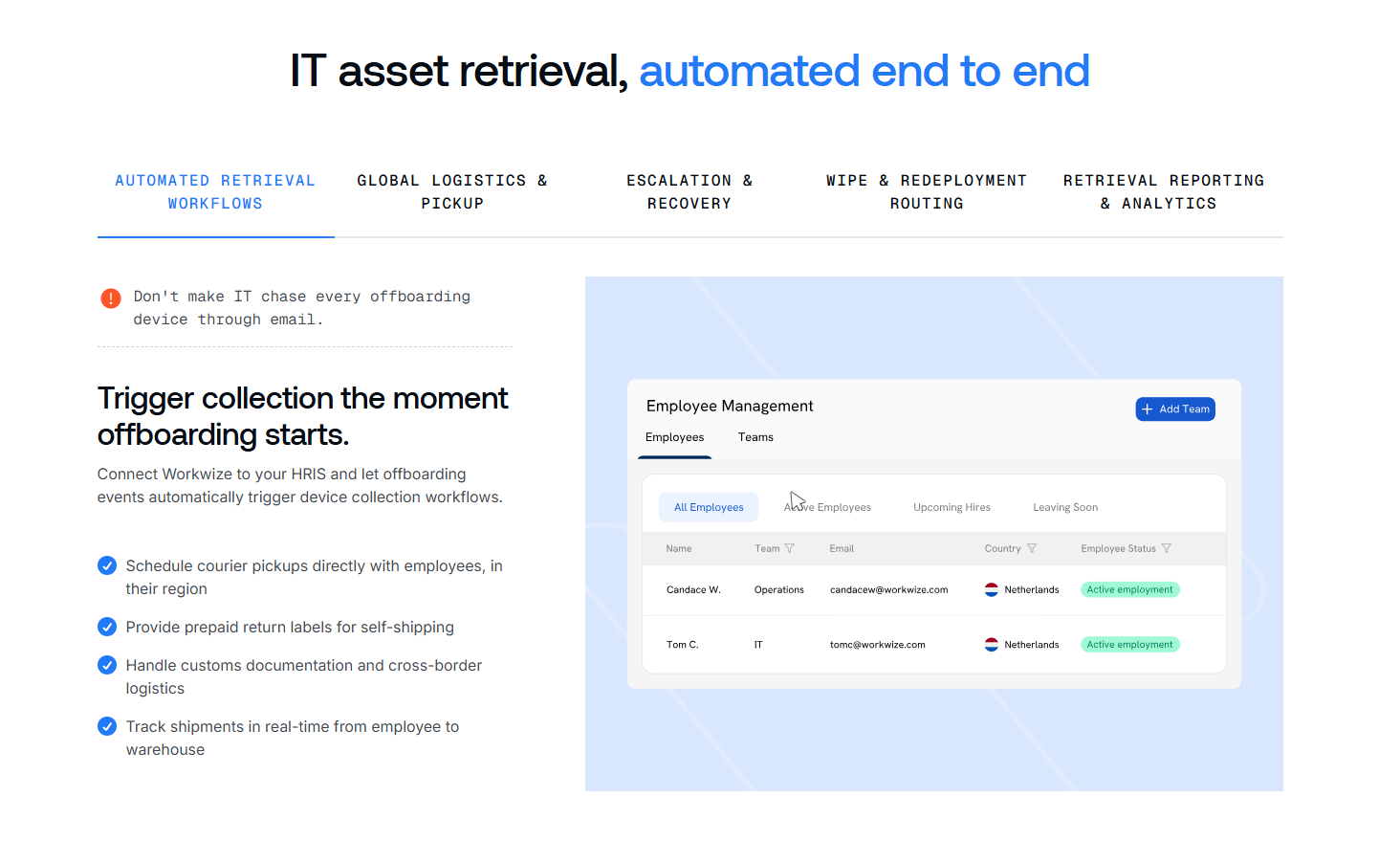
- Automated retrieval: Logged departures initiate return workflows complete with prepaid labels, courier pickups, and automated follow-ups until the box is collected.
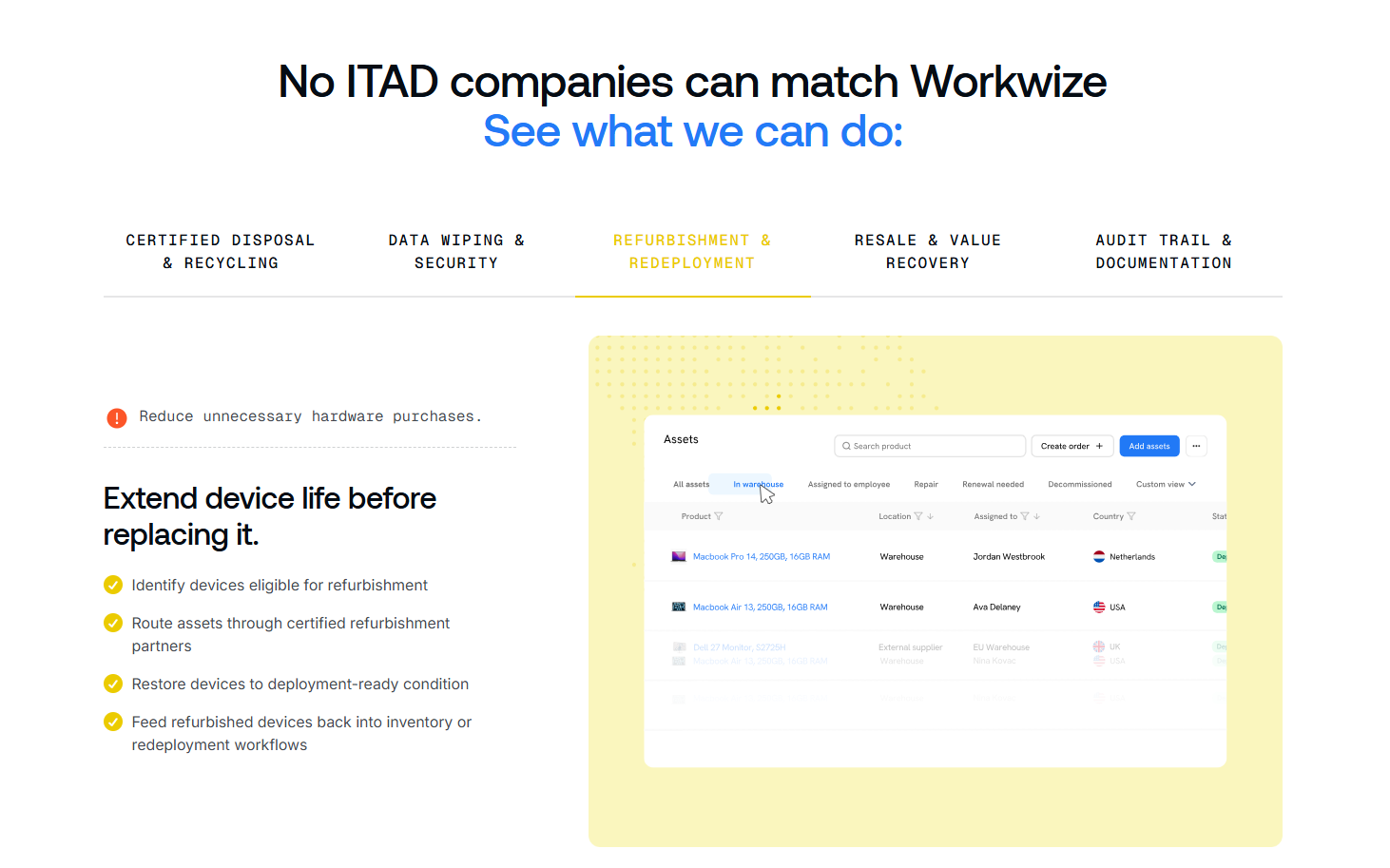
- Full lifecycle management: Returned machines go straight into certified data erasure and redeployment pools or eco-friendly disposal, backed by a complete audit trail.
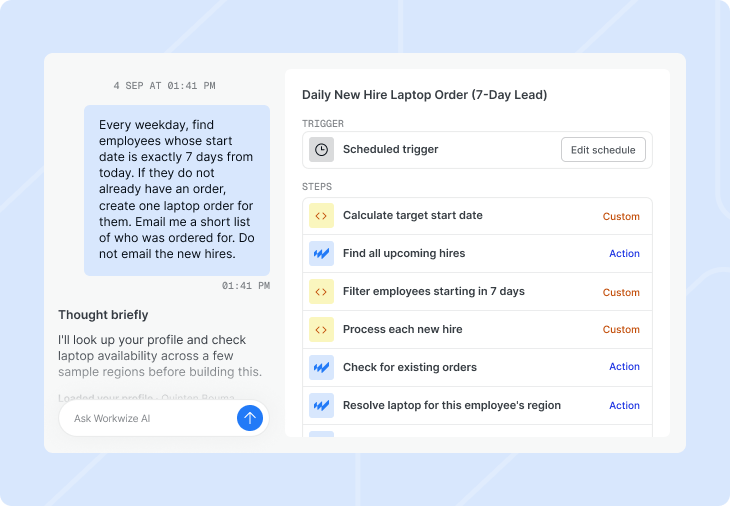
For teams with specialized processes, Workwize also includes Workflow Builder, powered by Workwize Agent, which lets you build custom automation rules simply by describing them in natural language.
To prevent accidental dispatches, human approvals remain switched on by default for any action with a physical outcome, such as shipping a laptop or wiping a drive.
Consider how this looks for the San Francisco product designer from earlier. The HRIS hire event places her order, and her MacBook arrives enrolled in your MDM and assigned to her profile. Two years later, when HR logs her departure, the platform schedules a courier pickup automatically. Once the laptop reaches the regional warehouse, technicians complete a certified data wipe and return it to your local stock for the next hire.
European micro-mobility company Swapfiets uses this setup to maintain ready-to-ship inventory for roughly 1,300 employees and recover hardware as staff turns over, deploying and managing around 1,200 devices across Europe in a single year.
Scale Employee Hardware Operations Without Scaling IT Work
You shouldn't have to double your IT headcount just because your company is hiring in new time zones. Your HRIS already contains the employee information IT needs to start onboarding and offboarding. Connecting that data to hardware workflows helps teams coordinate device orders, deliveries, and returns with less manual follow-up.
Workwize brings those workflows together with global hardware procurement, deployment, and retrieval services, so IT can manage employee equipment as teams grow.
Book a Workwize demo to see how the platform can simplify onboarding, offboarding, and IT asset management throughout the entire device lifecycle.


Establish a single source of truth for every IT asset across the globe.


Get monthly insights into how other IT leaders are improving their ops.




Stop coordinating
hardware like it's 2012.


