




.svg)
.svg)

.svg)


.svg)




.svg)
.png?width=500&height=424&name=Style-1---V1-(1).png)

.png?width=1230&height=692&name=Vector%20(13).png)
Top 10 IT Management Solutions and Their Types
IT management spans multiple domains—from securing devices and managing identities to tracking assets, monitoring networks, and handling service requests.
Because of this, I have categorized IT management solutions into areas like MDM, IAM, ITAM & inventory, and ITSM tools. This will help you identify the right tool for the right purpose and ultimately manage IT more effectively.
Inventory and IT Asset Management (ITAM) Solutions
Inventory management tools track and record what IT assets a company has, and where they are at any given point.
IT Asset Management tools help you manage the entire IT asset lifecycle, from procurement and deployment to maintenance, depreciation, and disposal.
These tools go beyond counts by linking your assets to users, tracking compliance, monitoring financial value, and ensuring secure retrieval or retirement.
Note. Every ITAM solution also offers some level of inventory management features. However, inventory management tools are more focused and don’t come with ITAM features.
Inventory management solutions combined with ITAM solutions can help you fix these issues:
- Lost or misplaced assets, especially in distributed/global offices.
- No clear visibility into hardware lifecycle or software license usage.
- Overspending on unused licenses or duplicate tools.
- Procurement delays when scaling quickly.
- Poor asset depreciation tracking leads to financial reporting errors.
- Difficulty retrieving and re-issuing laptops when employees leave.
Here are the top Inventory and ITAM solutions:
1. Workwize: Inventory + IT Asset Management (ITAM) Solution
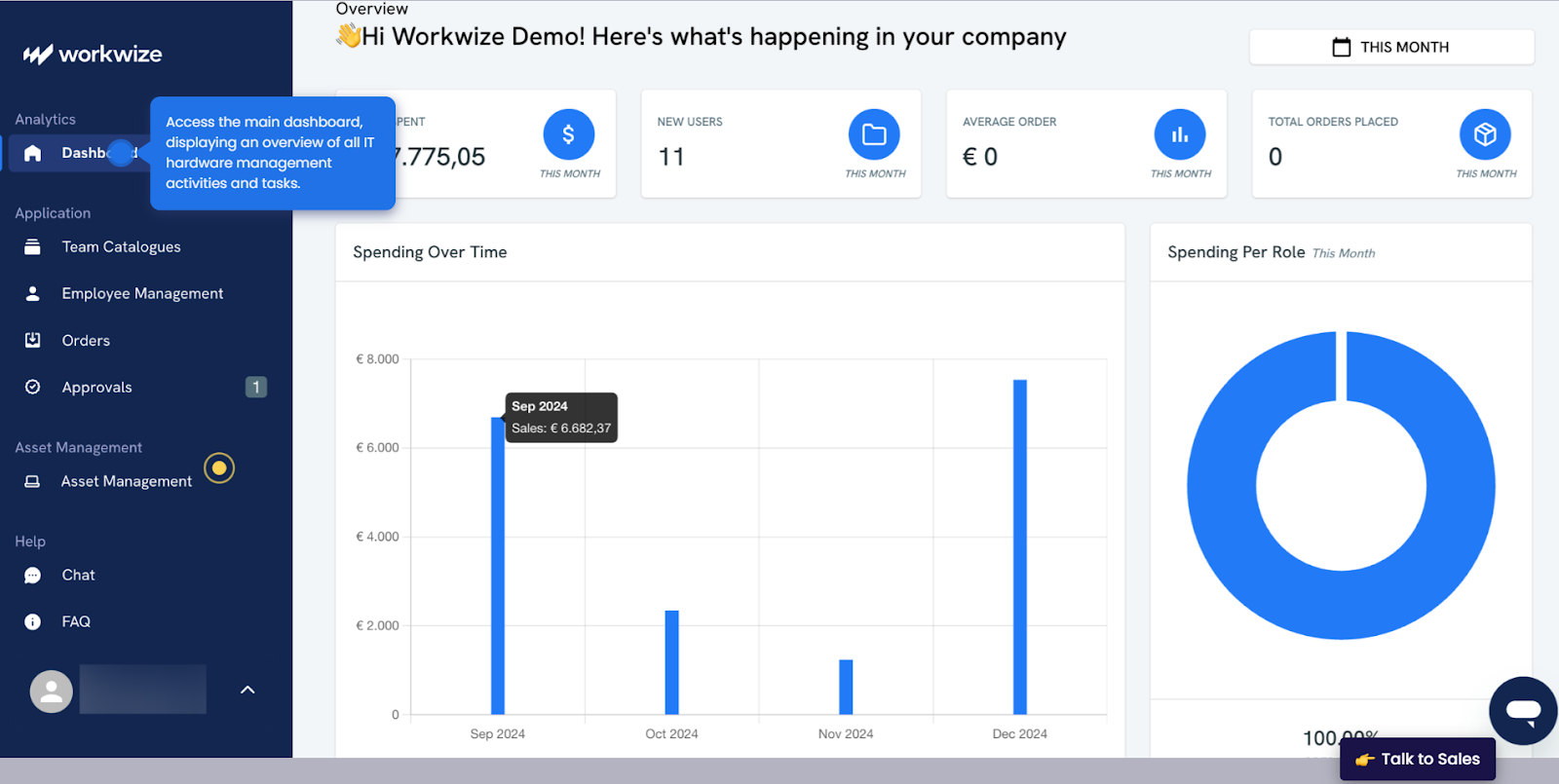
Source: Workwize
Workwize (that’s us) is a global IT Asset Management (ITAM) solution that automates your entire asset lifecycle from procurement and deployment to retrieval and disposal. And guess what? It also helps you manage your inventory. Let’s discuss the key features Workwize offers:
Key Features
- Procurement:
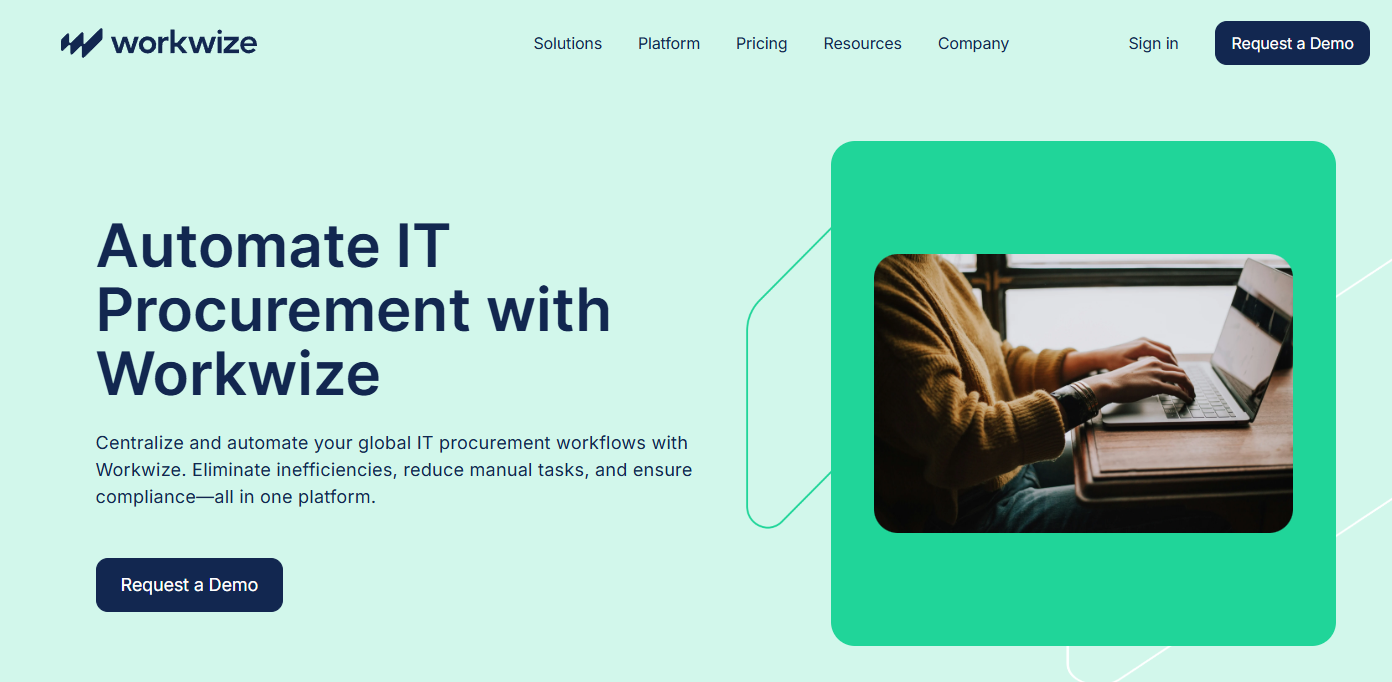
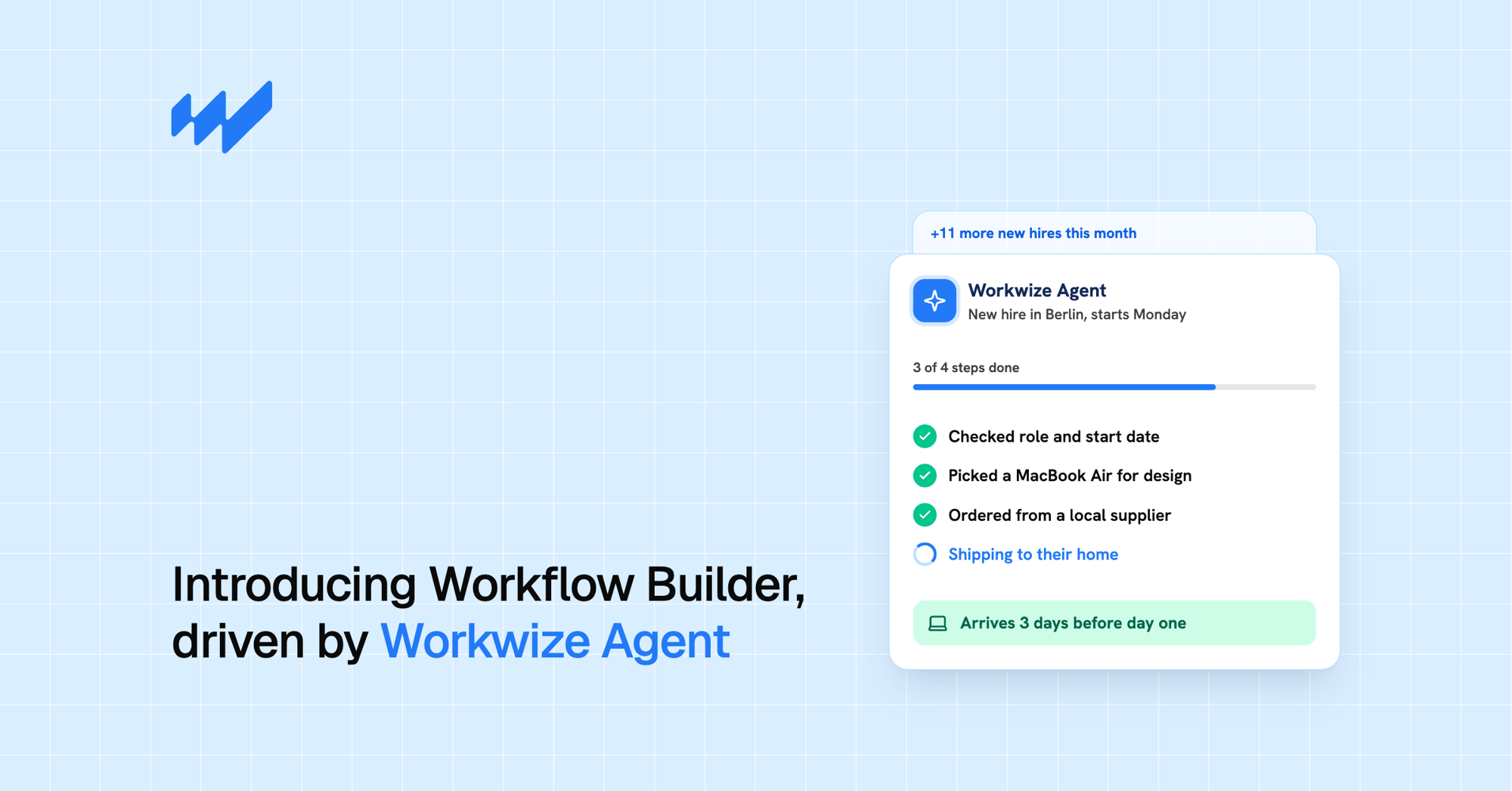
Initiate an automated onboarding workflow from your HRIS and select from Workwize's pre-vetted list of vendors to procure the necessary assets. For IT managers, this is a major time-saver as they don't have to waste time finding and managing the right vendors.
- Deployment:
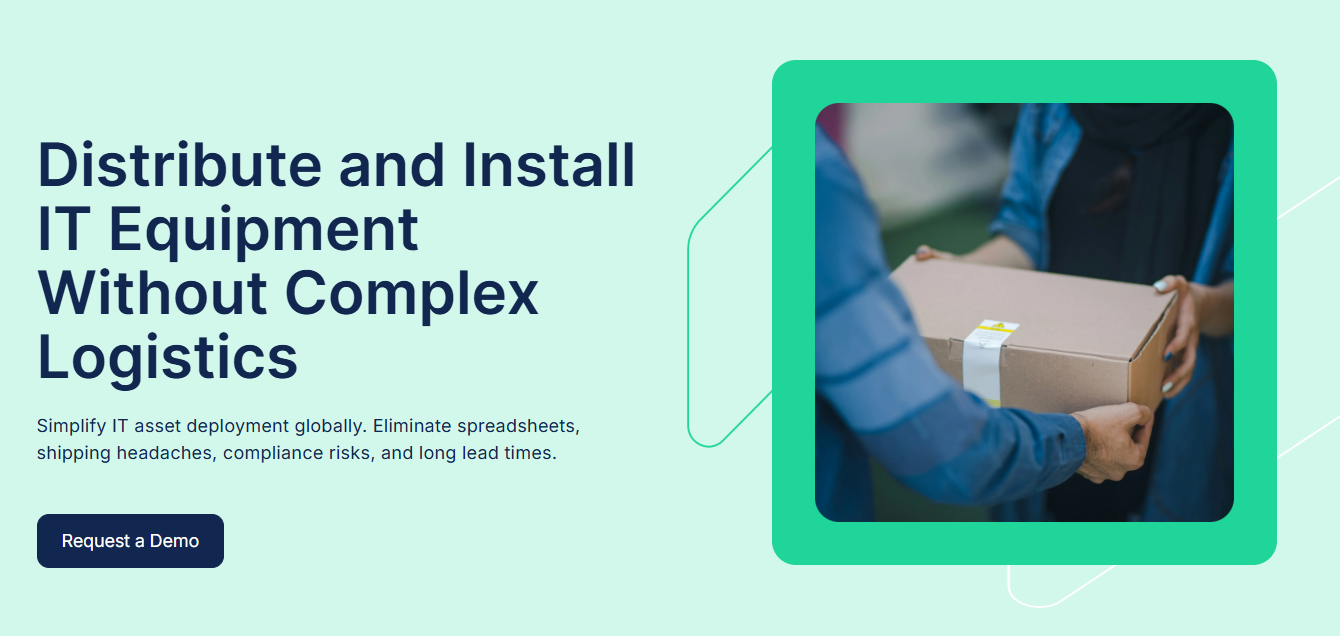
Register your assets (computers, laptops) with your preferred MDM and deliver ready-to-use assets to your employees across 100+ locations.
Workwize handles all the heavy lifting, including shipping and customs hassles, ensuring the timely delivery of assets. For IT and HR teams, timely deliveries translate to a better onboarding experience and enhanced productivity.
- Retrieval:
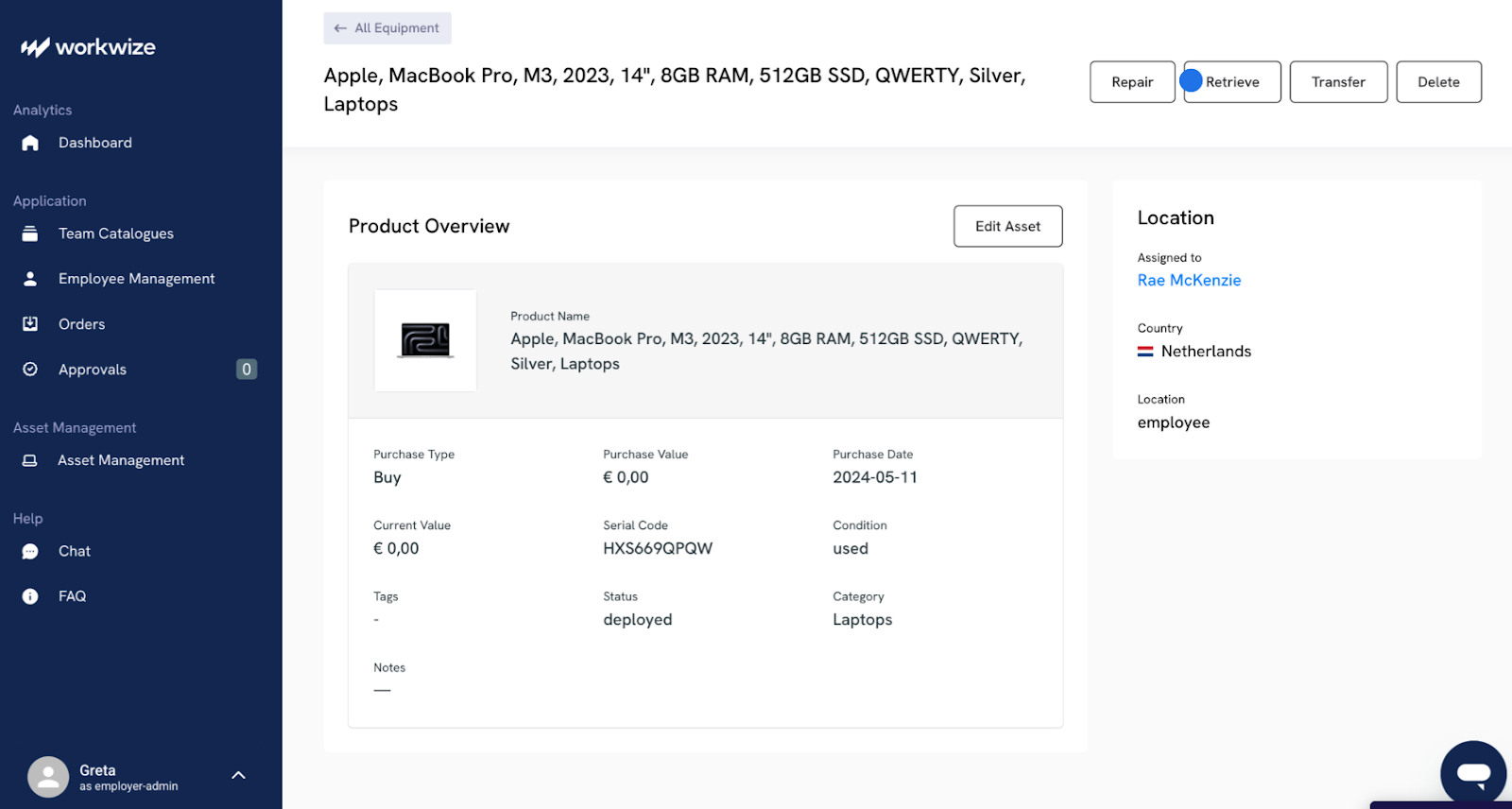
Get your assets back from employees who’re leaving your organization with Workwize’s retrieval service.
Just trigger the offboarding workflow from your HRIS like BambooHR, and Workwize will send the necessary details, packaging, etc, to ensure your assets reach you safely.
- Disposal:

After retrieval, Workwize performs certified data erasure to prepare the devices for reassignment or disposal (for end-of-life assets) according to your preference.
- Inventory Management:
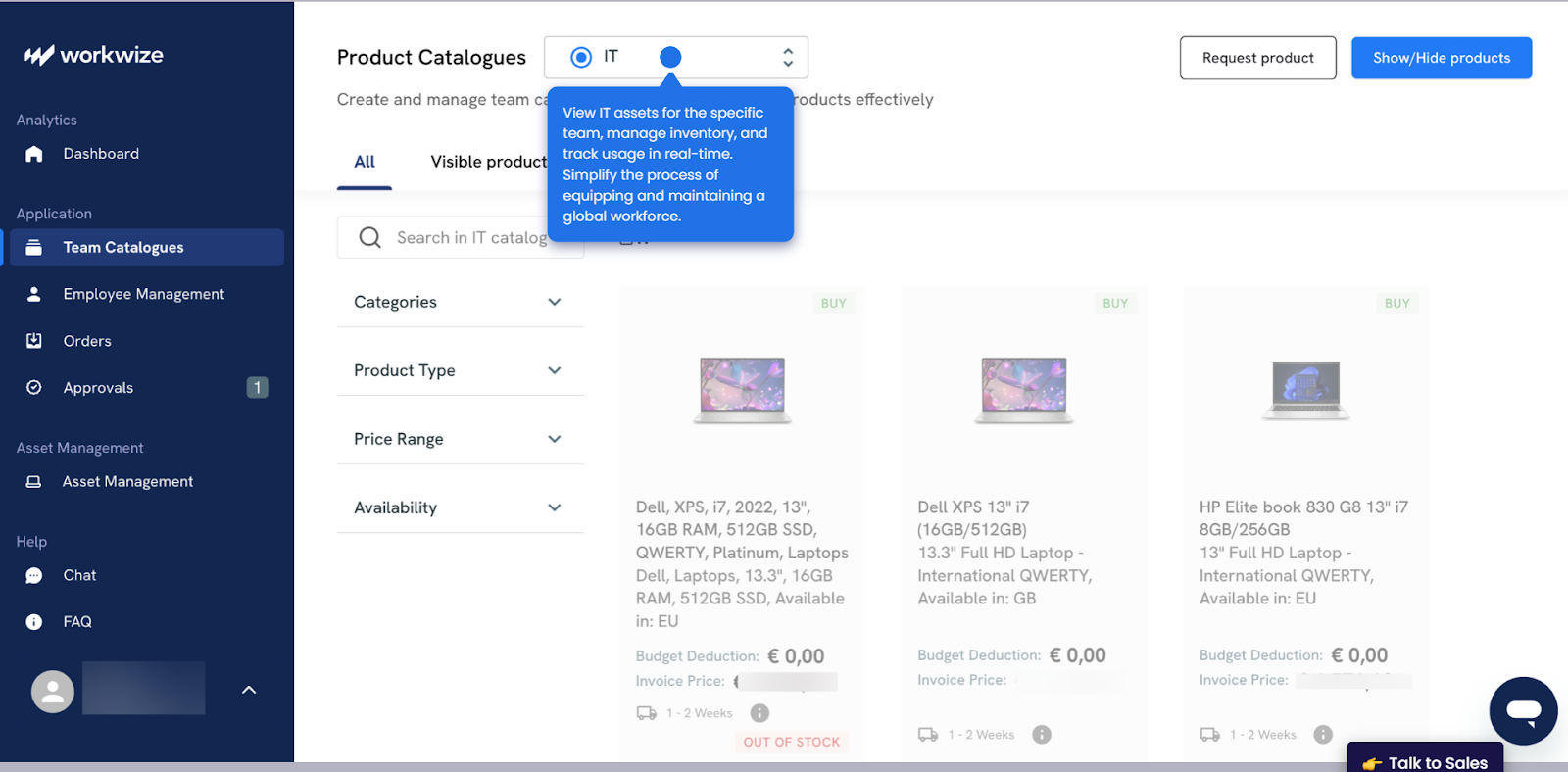
During the entire process from procurement through disposal, you can track all your assets in real-time—from a centralized dashboard.
Workwize sends you prompt notifications when stock levels are running low, assets need replacement, or warranties are about to expire. This helps you avoid shortages and over-stocking.
With complete visibility of your assets, you can ensure that all assets comply with company policies and industry regulations. And audit-ready data and accurate records make internal audits quick and easy.
Pros:
- Plenty of integrations and Easy-to-use
- Combines comprehensive asset management with logistics
- IT teams save more than 40% of their time by automating manual tasks
- Helps optimize costs (HighLevel saves $1.4 million annually by streamlining and automating procurement, deployment, retrievals, and disposals)
Cons:
- Not suitable for small businesses
- Some users request support for more geographies.

2. ManageEngine Asset Explorer
Source: ManageEngine AssetExplorer
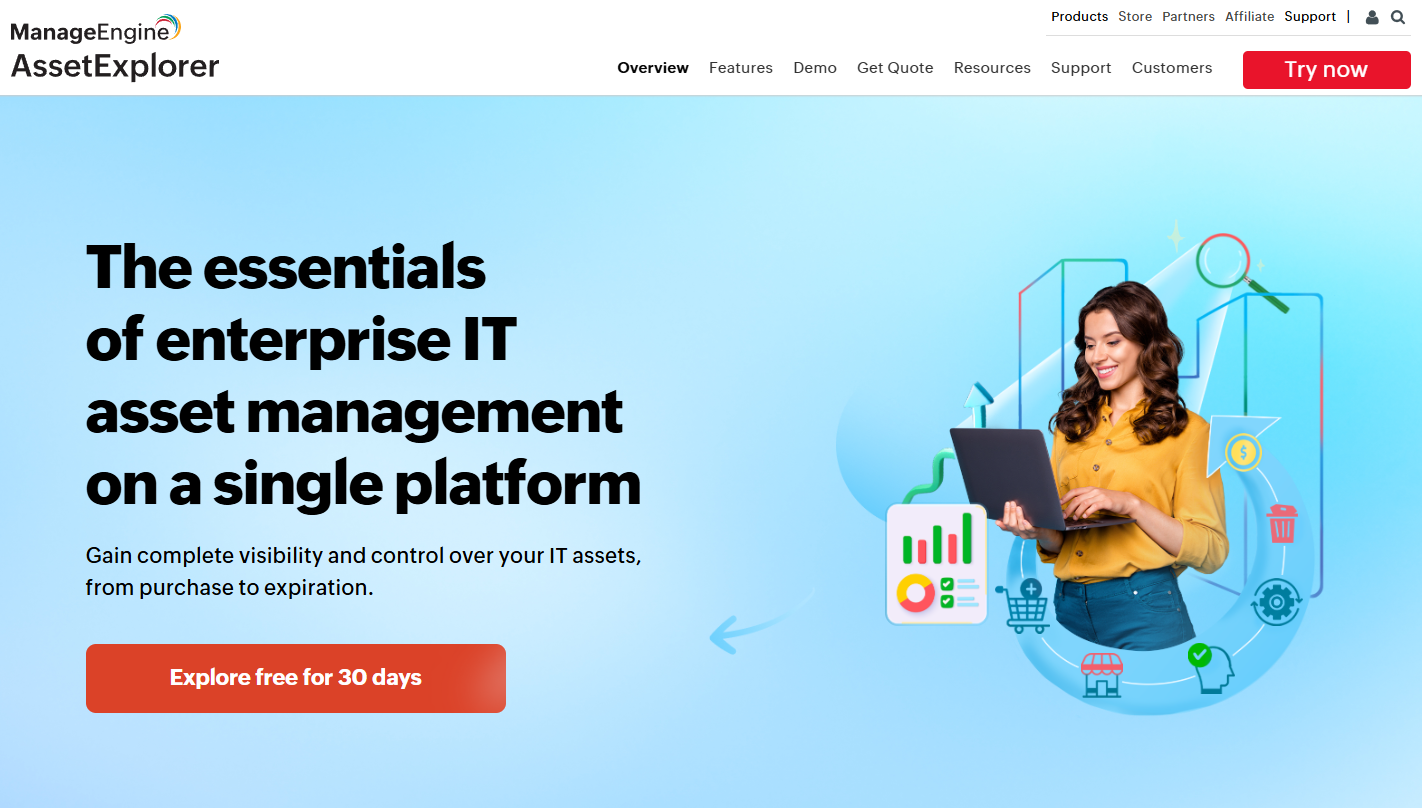
ManageEngine is an ITOps, cybersecurity, and service management platform that offers an enterprise-grade IT Asset Management (ITAM) and inventory management solution: ManageEngine AssetExplorer.
Key Features
- Automated Discovery & Inventory: AssetExplorer uses agent‑based and agentless scanning to create an asset inventory.
- Lifecycle & Workflow Automation: Lets you create custom workflows to manage assets from purchase and vendor management through to retirement.
- Comprehensive CMDB and Visual Mapping: The platform offers a configuration management database (CMDB) that links assets to services and dependencies.
- License & Contract Management: AssetExplorer tracks software licenses and vendor contracts, alerts for renewals and audits, and helps control costs and stay compliant.
- Flexible Deployment & Cost‑Effective. Available on-premise or in the cloud, it offers a relatively fast implementation for organizations that want to get started quickly. The pricing is also affordable for mid-size and enterprise teams, delivering strong value for money.
I signed up for ManageEngine AssetExplorer's free trial for a closer look.
As soon as I logged in, the dashboard displayed assets segmented by site, OS, and software volume, offering an instant snapshot of the organization’s IT landscape.
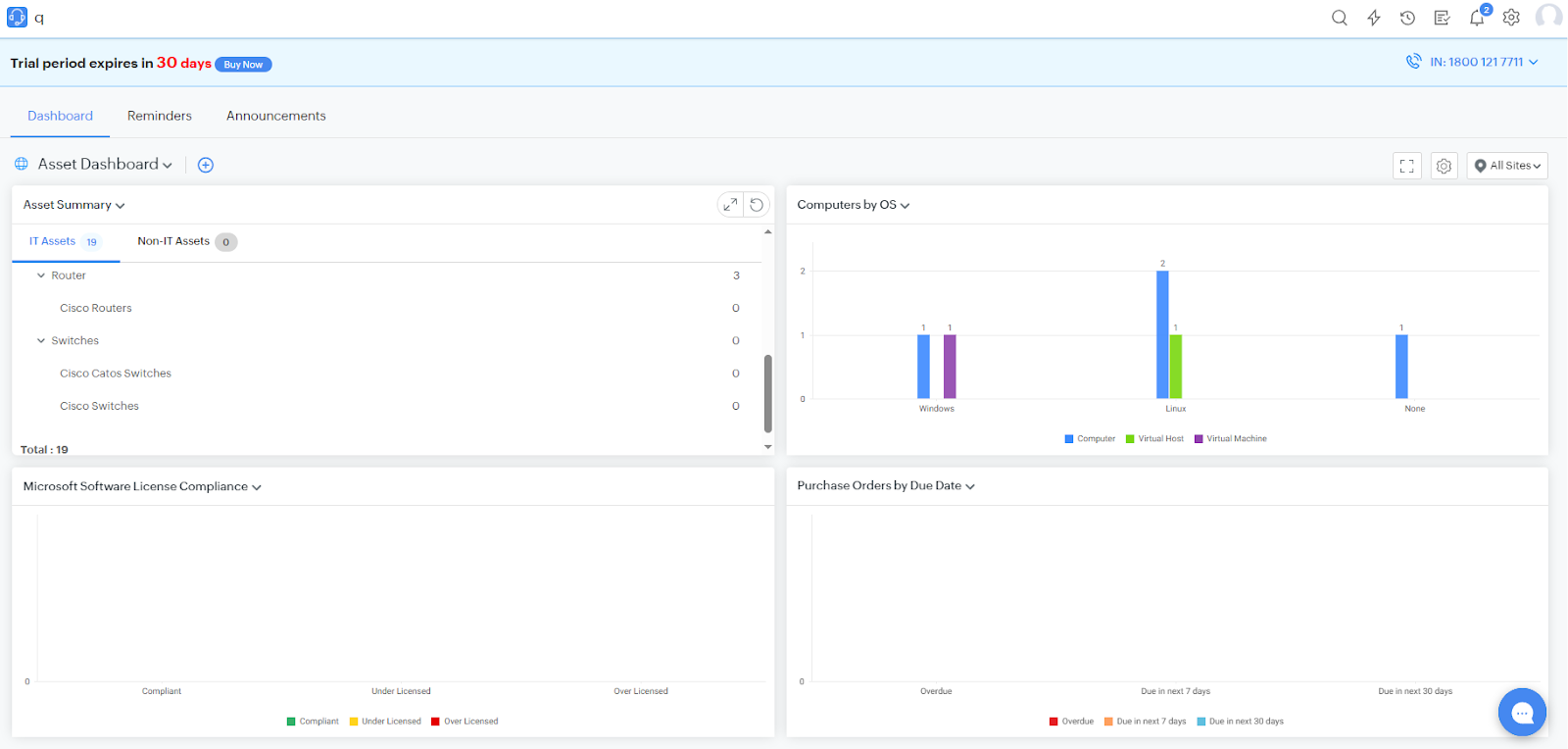
However, the UI feels slightly dated (icons, menus, buttons, and colour contrast could use a refresh) as compared to Workwize’s modern interface. Although the number of options was overwhelming, I wouldn't say it was difficult to use.
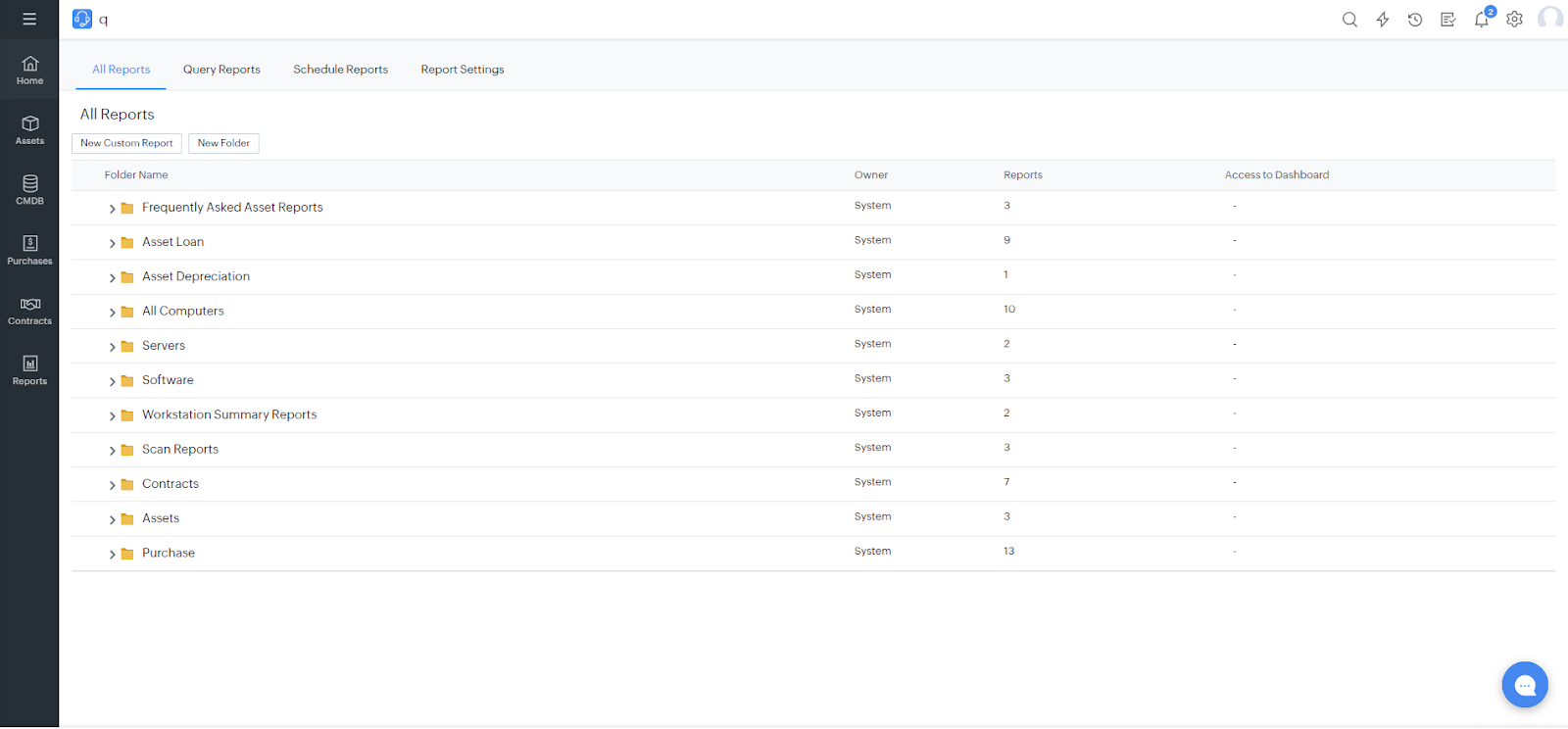
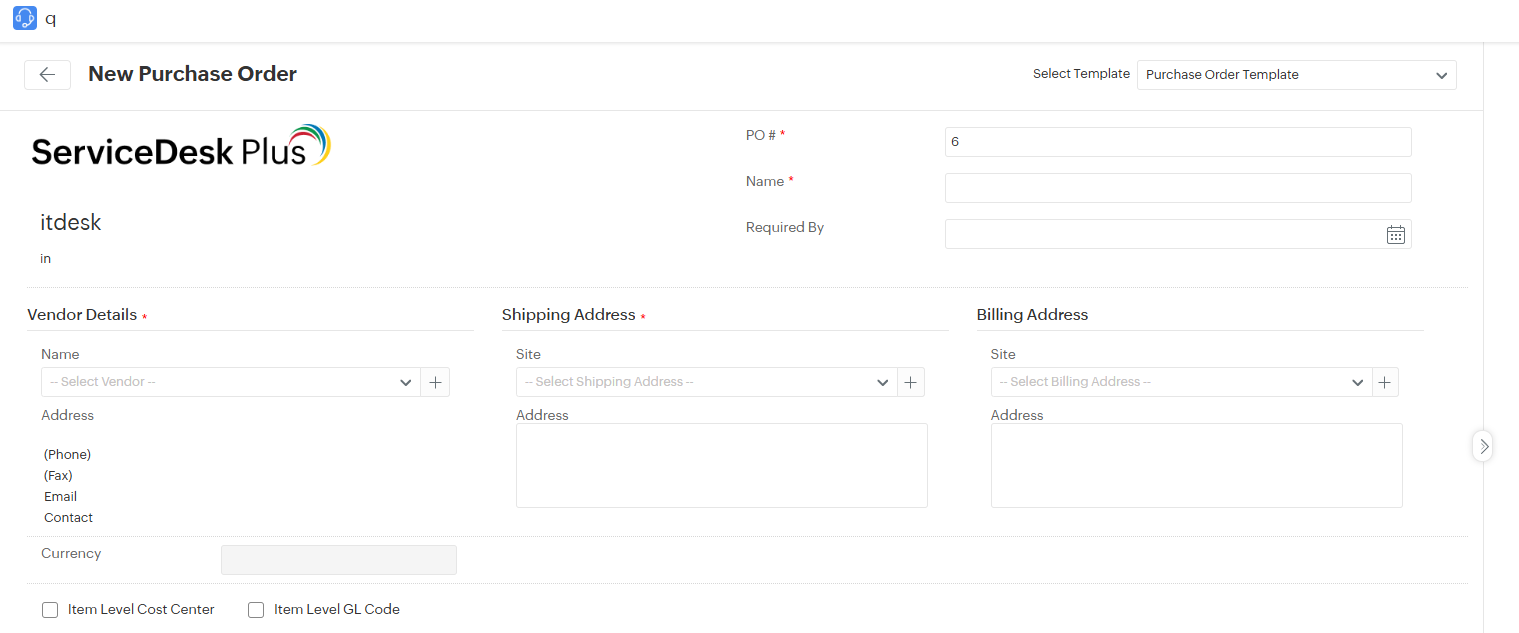
I also tried some features like placing purchase orders. I had to enter key details, including site, delivery location, vendor, requester, assigned technician, and shipping information, before sending it for approval. The process was short and seamless.
You can try ManageEngine AssetExplorer here.
ManageEngine AssetExplorer covers the IT asset lifecycle up to retirement, but it leaves logistics out of the equation. Tasks like customs handling, courier coordination, and international retrievals still fall on your team.
For companies operating across multiple countries, Workwize delivers a more complete solution by combining ITAM with built-in logistics orchestration.
Pros:
- Multiple users report that the tool is easy to use (effortless navigation and intuitive UI) (Source)
- Agentless asset discovery saves time (Source)
- Users like how Asset Explorer lets them track assets across the lifecycle and plan ahead(Source)
Cons:
- Assets behind VPN may not be discovered using agentless discovery (Source)
- Controlling devices remotely works well on Mac and Windows only (Source)
If you’ve already used ManageEngine Asset Explorer and need even better options, you can check out this article: Top 5 ManageEngine Asset Explorer Alternatives for Better IT Asset Management.
Mobile Device Management (MDM) Solutions
MDM solutions are a necessity, especially for distributed or remote workforces. These tools help IT managers track, control, and manage IT assets (laptops, computers) remotely.
For instance, using an MDM solution, IT managers can install new software, remove unwanted apps, apply security patches, remotely lock or wipe the device, and more. And without an MDM, you might come across problems like:
- Difficulty securing and managing laptops, phones, and tablets across a hybrid or remote workforce.
- Manual device provisioning is slowing down Day-1 onboarding.
- Lost/stolen devices create data leakage risks.
- Compliance issues (GDPR, HIPAA, ISO) with unmanaged personal devices.
- Lack of visibility into OS updates, patches, and endpoint health.
Here are the top MDM solutions:
3. Jamf (For Apple-only Fleets)
Source: Jamf
Jamf is an enterprise Mobile Device Management (MDM) solution focused exclusively on Apple devices (macOS, iOS, iPadOS, tvOS).
That single focus is what sets it apart. While most MDM tools try to support every operating system, Jamf has spent over a decade perfecting how businesses deploy, secure, and manage Apple devices at scale.
Key Features:
- Zero-Touch Deployment (PreStage Enrollment): Automates Apple device setup via Apple Business Manager, so users get a ready-to-work device out of the box. This helps prevent manual provisioning delays on day-1.
- Powerful Policy Engine: Automates tasks (scripts, updates, app installs) triggered by login, logout, enrollment, or schedules.
- Rapid Security & Compliance Enforcement: Enforces FileVault encryption, passwords, and restrictions almost instantly; integrates with Azure AD for Conditional Access.
- Third-Party App & Patch Management: Built-in Jamf App Catalog with 180+ titles for automated patching and updates.
- Smart Computer Groups: Dynamic grouping with 153+ criteria and Regex support for precise targeting and fleet visibility.
- Self-Service Portal: Branded app where users can install IT-approved apps or run fixes themselves, reducing helpdesk load.
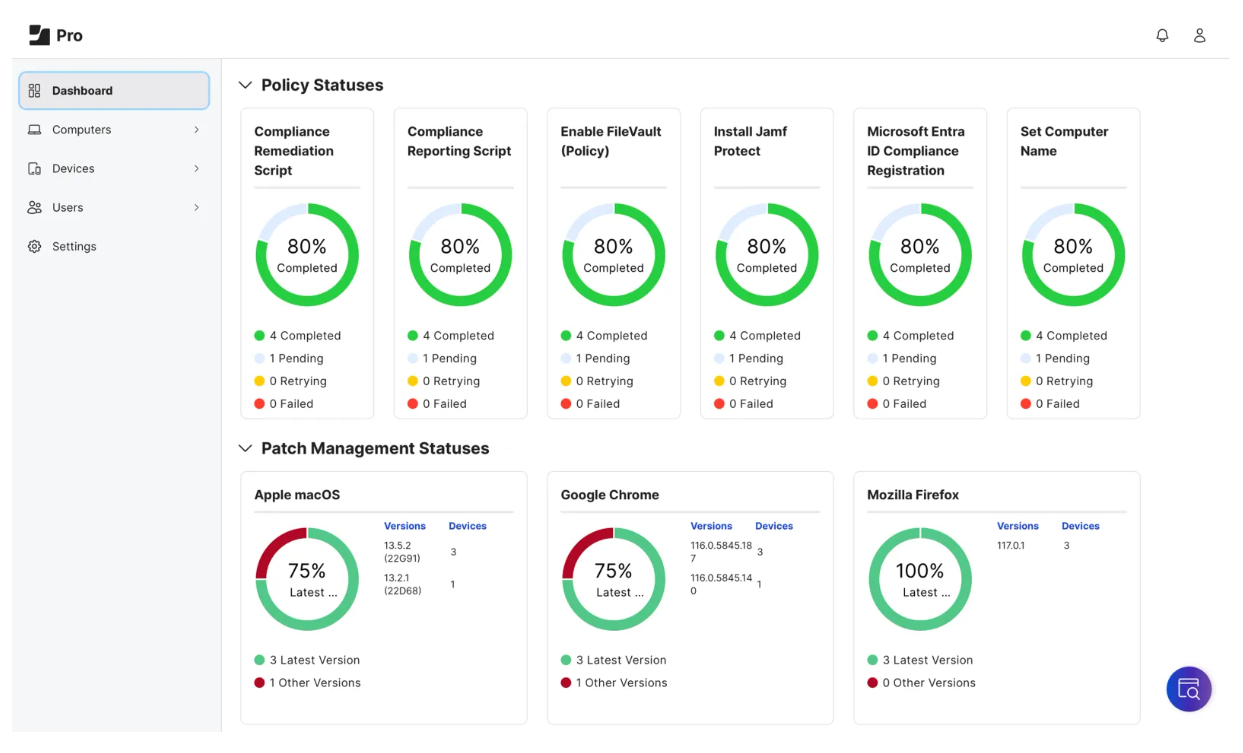
After exploring the tool using their free trial, I found Jamf Pro pretty user-friendly, especially since I’m already familiar with Apple products.
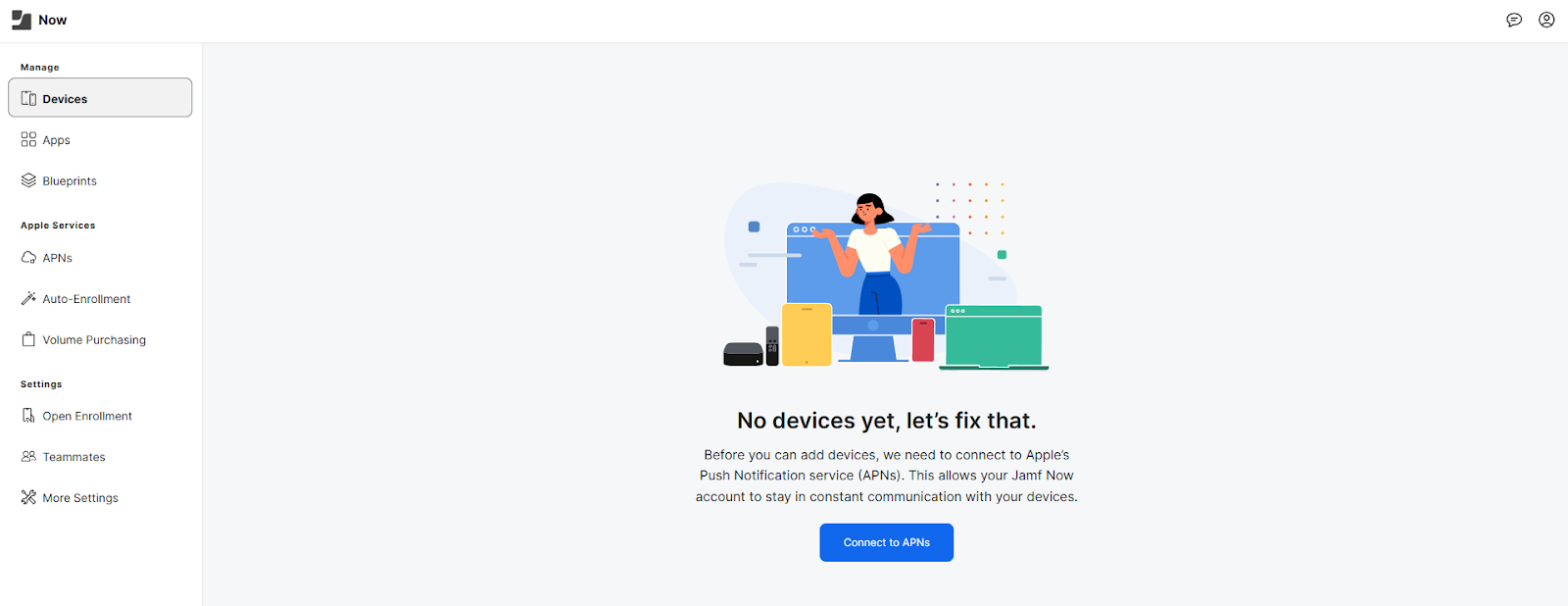
It connects effortlessly with Apple Business Manager for zero-touch deployment, supports every OS update the moment it’s released, and provides a level of automation that makes device management surprisingly smooth.
What I really like about Jamf Pro is how well it covers every stage of device management. You can set up and configure devices, push apps, enforce security policies, and even provide remote support without jumping between tools.
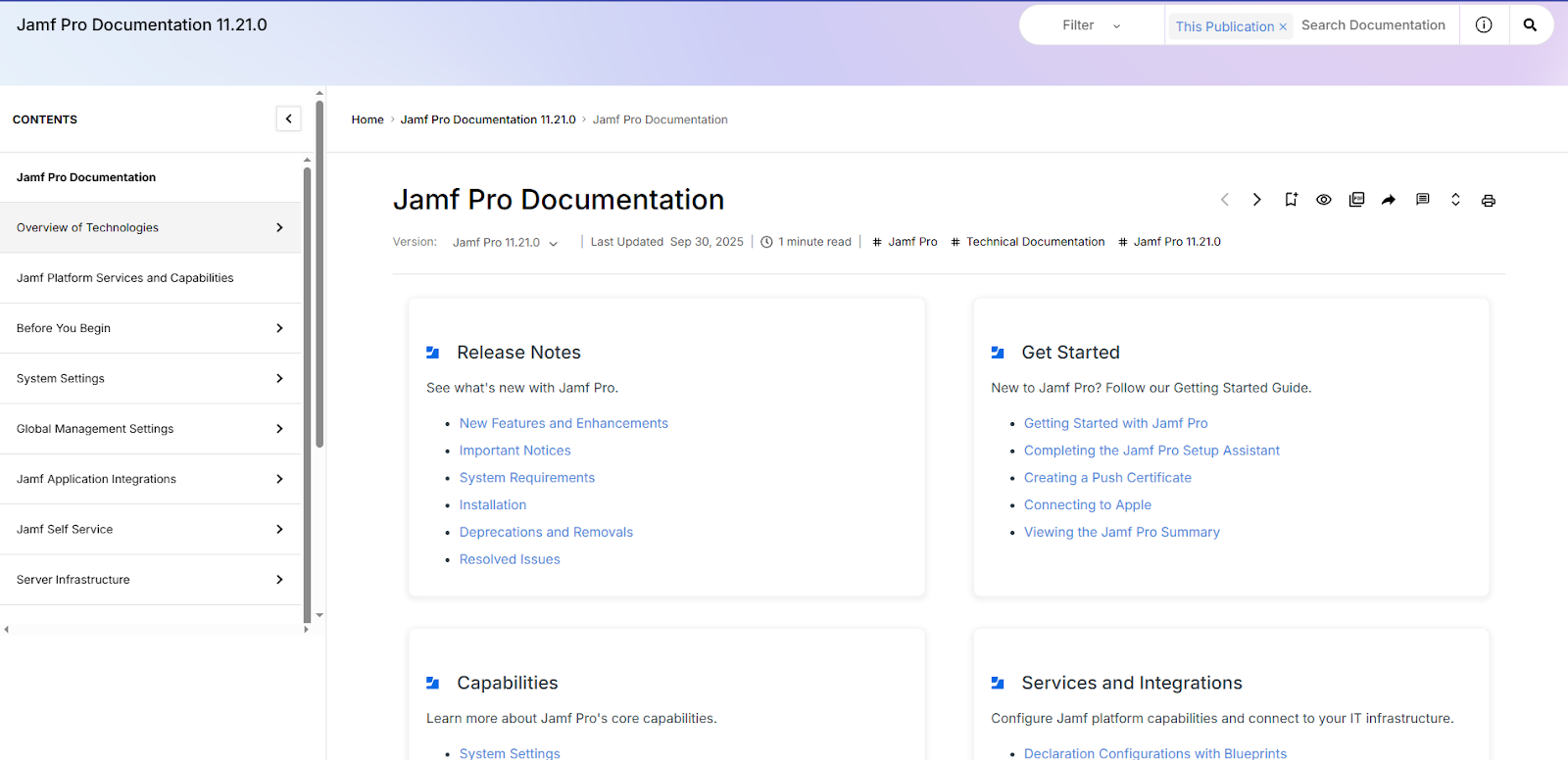
Another great thing is JamfPro’s documentation and customer support. Since they focus on Apple-only ecosystems, their documentation is stronger. And their customer support is more accessible than MDMs like Intune, according to multiple third-party user reviews.
Source: JamfPro
Jamf Pro shines when your entire fleet runs on Apple. But the moment even 10–20% of your endpoints are Windows, you’ll need another MDM to fill the gap. And this means more tools, more cost, and more admin overhead.
In contrast, Windows-first organizations often already have Intune bundled with their Microsoft 365 E3 or E5 licenses. It can manage Apple devices too—not as deeply as Jamf, but given the licensing advantage and simpler setup, it’s the more cost-effective option.
Pros:
- Offers you a great level of control over end-user devices (Source)
- Makes it easy to create and apply policies to devices instantly (Source)
- Self-Service portal reduces load on the IT department (Source)
Cons:
- Multiple users complain of the tool being complex and having a steep learning curve (Source)
- Since it’s built for enterprise devices, JamfPro comes with a premium price tag (Source)
4. Microsoft Intune (For Windows-heavy or mixed fleets)
Source: Intune
Microsoft Intune has been the gold standard MDM solution for Windows Management since it integrates so well with the Microsoft ecosystem. But it’s not limited to just Windows devices.
Unlike Jamf, Intune is a multi-platform MDM solution: it can manage Windows PCs, Macs, iOS devices, Android devices, and even Linux endpoints under a unified console.
- Cross-Platform Device Management: You can manage all your Windows, macOS, iOS, Android, and even Linux devices from one console, so your IT team doesn’t waste time juggling multiple tools.
- Zero-touch deployment: You can provision and configure devices out of the box with minimal effort, so your users get a seamless Day-1 experience without IT hand-holding.
- Built-in endpoint security: Intune helps you protect your organization by automatically detecting threats and enforcing security policies, giving you peace of mind that your devices are always compliant.
- Mobile application management (MAM): You can secure your company data inside apps without requiring full device enrollment, giving your users flexibility while keeping your information safe.
- Endpoint analytics: You get detailed health scores and performance insights for your devices, helping you proactively fix issues before they impact your users.
As an MDM solution, Intune covers the basics quite well. You can configure devices (via profiles for settings like Wi-Fi, VPN, email, etc.), deploy apps, enforce security policies (e.g., require encryption, passwords, manage antivirus), and wipe or lock devices remotely.
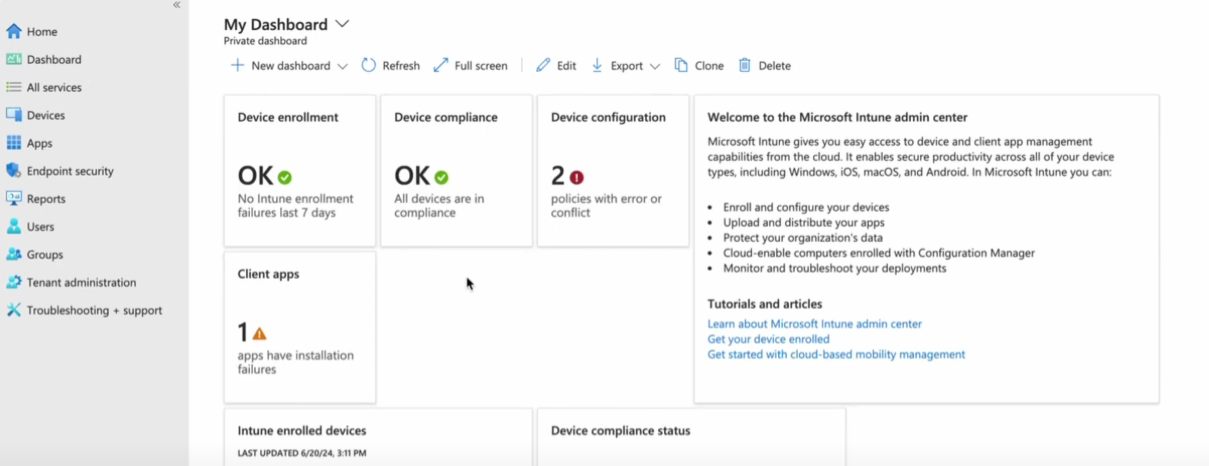
While I could not try Intune, since it demands credit card information even for the free trial, I did watch a few YouTube videos exploring the product.
Source: YouTube
I’ll admit, I found Intune’s interface a bit dense at first, typical of most Microsoft admin consoles. But once you get familiar with its layout, it becomes surprisingly efficient.
What really stood out for me, though, were the integrations. I genuinely appreciate how seamlessly Intune fits into the broader Microsoft ecosystem.
If you’re already using tools like Microsoft 365 or Entra ID, the experience feels cohesive. The policies, identities, and compliance all talk to each other effortlessly.
Another underrated advantage is licensing. If your organization already has Microsoft 365 E3, E5, F1, or F3 plans, Intune is included at no extra cost, making it an easy win for Windows-heavy environments.
That said, the documentation and support still feel inconsistent, especially for macOS and iOS management. Finding clear, updated guidance for Apple devices often takes more digging than it should. Also, Microsoft’s support channels could definitely be more accessible.
Key Features
Pros:
- Users appreciate Intune’s multi-platform support (Source)
- Very affordable and free for users with E3 and E5 user licenses (Source)
- Deploying devices becomes a lot easier (Source)
Cons:
- Documentation is not updated, and customer support needs to be improved (Source)
- Initial setup can be overwhelming for first-time users (Source)
Check out our in-depth review of Intune and Jamf Pro for making an informed decision: Jamf vs Intune for IT Equipment.

Identity and Access Management (IAM) Solutions
IAM solutions are tools that help ID admins control who has access to what. This is particularly important in a hybrid or remote setting, where users access corporate data from their home networks or cafes, rather than from the company’s secure network.
Without IAM solutions, you might come across these issues:
- Employees juggling too many logins: poor productivity and password fatigue.
- Shadow IT (unauthorized apps) is increasing the attack surface.
- Insider threats due to over-permissioned accounts.
- Compliance gaps (SOC2, GDPR, HIPAA) because access isn’t properly tracked.
- Lack of centralized control over user access for remote and global teams.
Here are the top IAM tools:
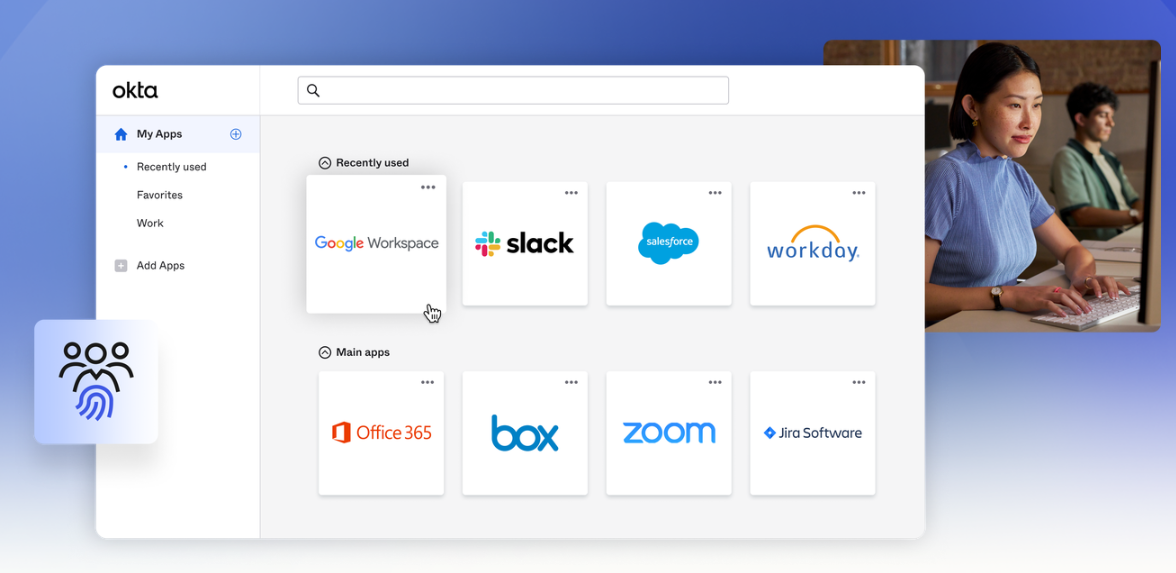
5. Okta
Source: Okta
Okta is an enterprise-grade vendor-agnostic Identity and Access Management (IAM) platform that enables IT to manage employees’ access to any application or device.
Unlike many IAM tools that lean heavily into a single ecosystem (e.g., Microsoft or Google), Okta offers a catalogue of thousands of pre-built integrations and supports hybrid on-premises, cloud and multi-cloud deployments.
This makes it a strong fit for organizations looking to manage authentication, user provisioning and identity security across diverse application stacks and environments.
Key Features
- Provisioning: Automatically create user accounts in all your apps the moment someone joins, so your new hires are productive on Day 1 without IT bottlenecks.
- Single Sign-On (SSO): Provide your employees with a single secure login for all their apps, reducing password fatigue and enhancing their daily productivity.
- AD and LDAP Integration: Seamlessly connect Okta with your existing Active Directory or LDAP, so you don’t have to rip and replace what already works in your environment.
- Centralized Deprovisioning: Instantly revoke access when someone leaves your company, protecting your data and eliminating the risk of forgotten accounts.
- Multifactor Authentication (MFA): Add an extra layer of security that adapts to context—so your users stay safe without constant friction.
- Mobile Identity Management: Secure your team’s phones and tablets, letting them work from anywhere without compromising your organization’s data.
- Flexible Security Policies: Customize access rules based on user, device, or location, providing control while maintaining a smooth employee experience.
I tested Okta firsthand, and it genuinely feels like a modern, user-friendly IAM platform.
You'll need to install the Okta Verify app (on desktop or mobile) to generate authentication codes for secure sign-ins. Once that's in place, you can dive right in and start exploring how Okta manages user access, app integrations, and security policies from a single, intuitive dashboard:
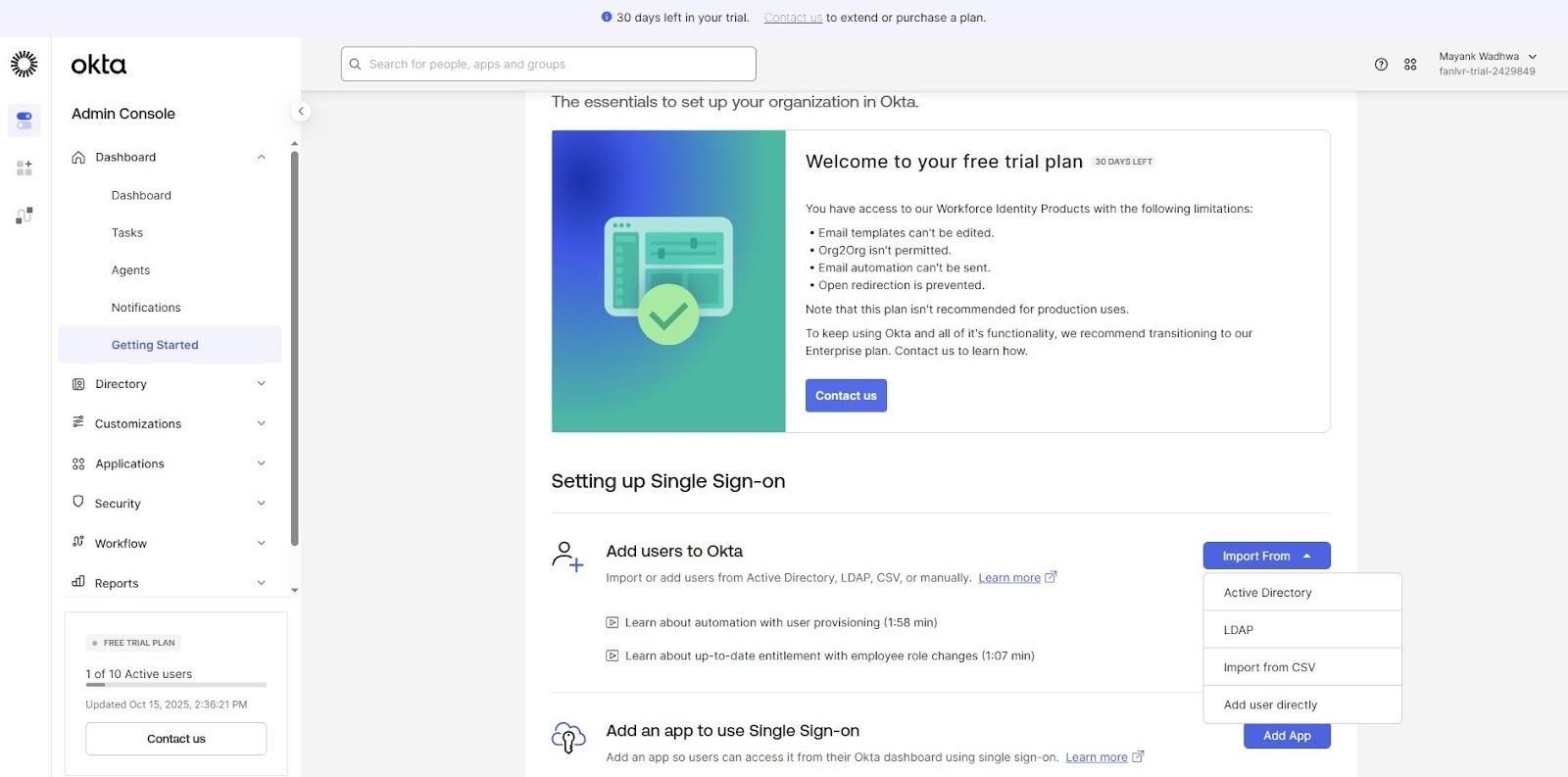
I tried out a few core features, starting with user management. You can import users in several ways, including via Active Directory, LDAP, CSV, or manually.
Next, I tested app integrations like Slack and Zoom. You simply pick apps from Okta’s catalogue, set up the sign-on options, and assign users. The process is surprisingly smooth, and you’ll find plenty of quick tutorial videos if you ever get stuck.
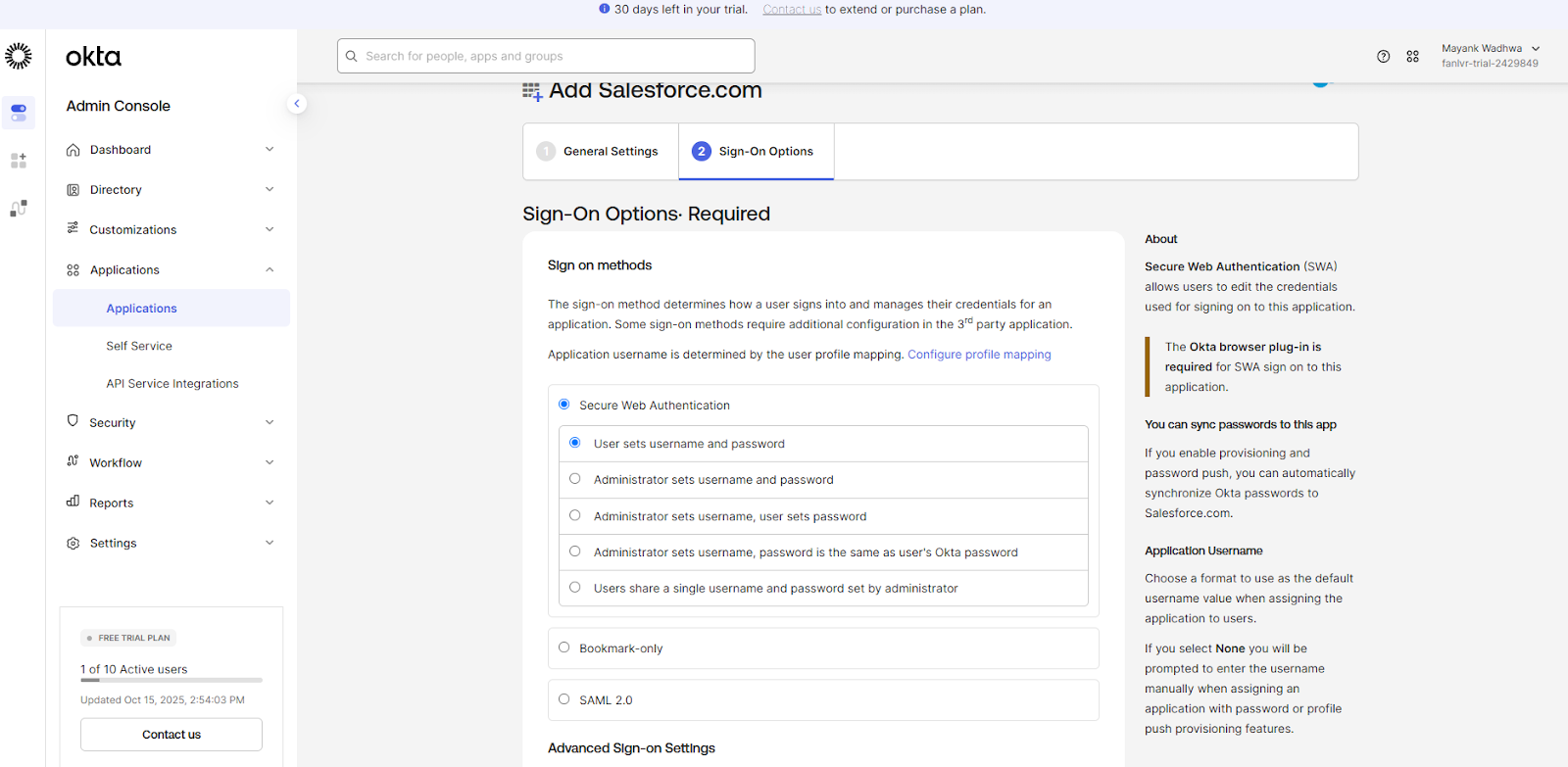
One thing I couldn’t find was a clear help or support option. The “Contact Us” button you see in the trial only connects you to the sales team, which makes sense. But it’s not ideal when you’re trying to troubleshoot during setup.
For security reasons, Okta requires separate authentication codes for the admin console and the end-user account, which means opening the mobile app multiple times. It’s understandable from a security standpoint, but it did get a bit tedious after a while.
Still, if you don’t have a Microsoft 365 E3 license, manage a mixed (heterogeneous) environment, and want a modern, uncluttered IAM platform, Okta is absolutely worth trying.
Pros:
- Single Sign-On with Okta simplifies access to multiple apps.
- Easy to use and allows access to all company apps in one place.
- Integrates with thousands of cloud and on-premises apps
Cons:
- End users find multiple MFA prompts to be frustrating (Source)
- Setup requires time and can be overwhelming without dedicated IT support (Source)
6. Microsoft Entra ID (Azure AD)
Source: Microsoft
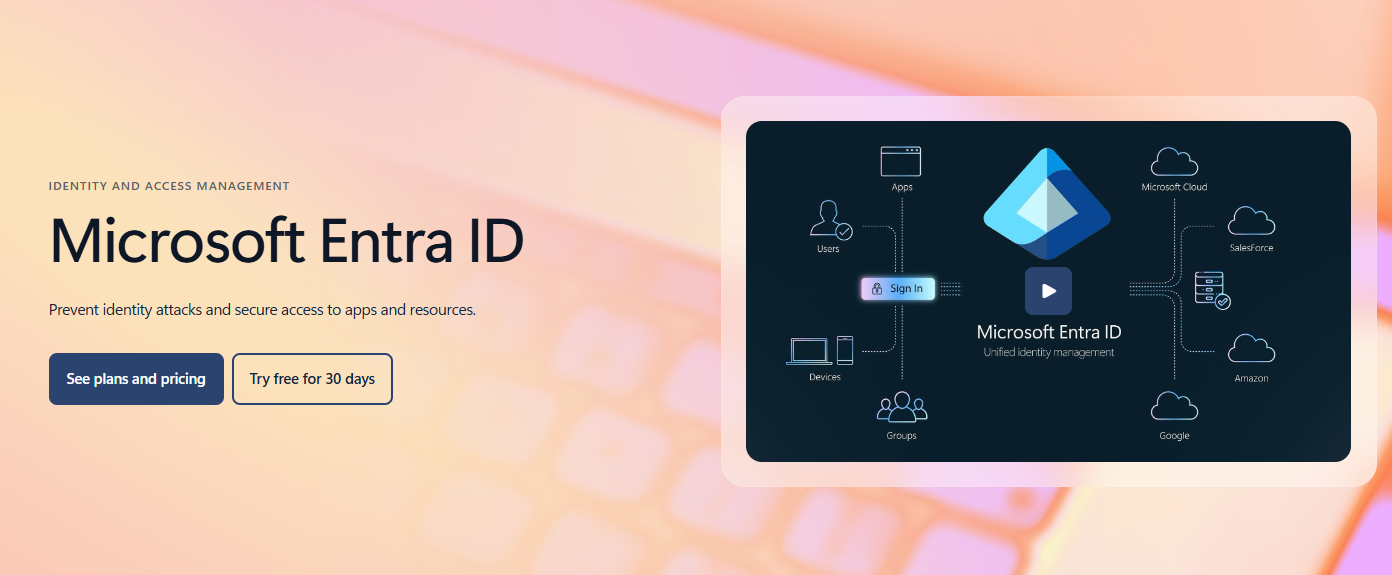
Microsoft Entra ID (formerly Azure Active Directory) is a cloud-based identity and access management (IAM) service ideal for organizations already invested in Microsoft licensing
As part of the Microsoft 365 ecosystem, Entra ID integrates natively with tools like Teams, SharePoint, and OneDrive, while also supporting thousands of third-party SaaS applications through SSO and conditional access policies.
Key Features
- App integrations and SSO: Connect all your apps to Entra ID so your users log in just once. This simplifies access to apps without juggling multiple credentials.
- Strong authentication: Protect your users against breaches by enforcing multi-factor or passwordless methods so attackers can’t break in even if credentials leak.
- Conditional access: Verify every access attempt by applying dynamic rules (by device, location, risk level) to every sign-in so only trusted sessions are allowed.
- Identity protection: Entra ID monitors user behaviour and risk signals and alerts or blocks compromised identities before damage occurs. This protects against identity compromise.
- Privileged identity management: Implement least-privilege access by grant admin or elevated rights only when needed, and only for the duration required.
- Employee self-service: Let users reset passwords or request access themselves, cutting help-desk load and getting your team back to work faster.
I tested Entra ID’s free trial, and while it’s powerful, the interface feels more complex than Okta’s. There’s a lot packed into the dashboard, which can overwhelm new users who just want to set up access quickly.
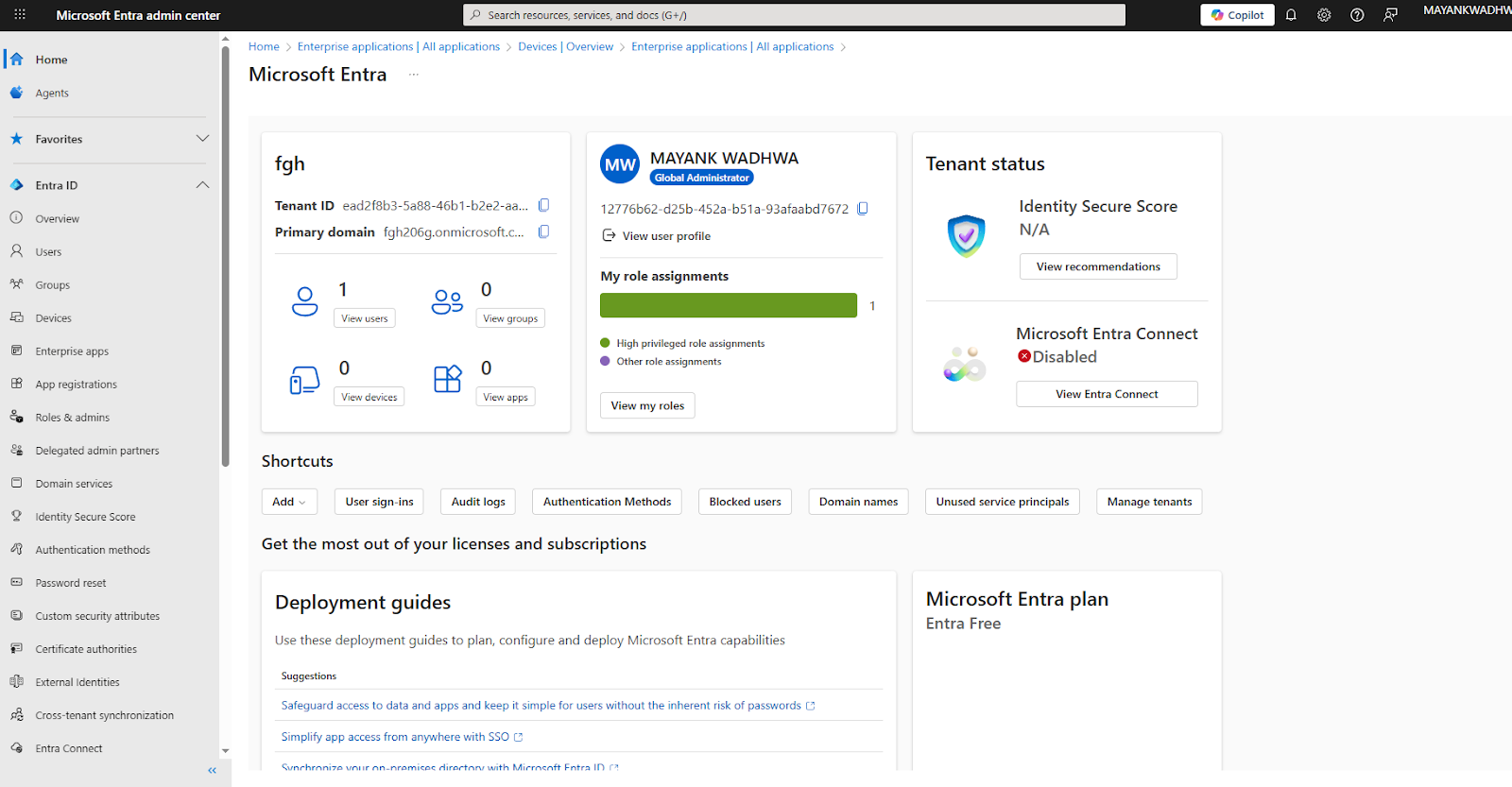
Based on multiple third-party reviews, Microsoft Entra ID offers a smoother experience, specifically for Azure/Office 365/Windows-based environments.
Also, Microsoft Entra ID is included with Microsoft 365 E3 for enterprise customers and Microsoft 365 Business Premium for small to medium businesses. So, if you have the Microsoft 365 E3 license, Entra ID comes with no additional cost, making Entra ID the obvious choice.
Pros:
- Seamless integration with all Microsoft services (Source)
- Cost-effective for organizations already using Microsoft products like Azure or Office 365
- Cloud-centric and thus easy to scale (Source)
Cons:
- The Admin UI isn't that intuitive, and the licensing structure is complex (Source)
- There’s a bit of a learning curve for admins.
IT Service Management (ITSM) Solutions
IT Service Management is the practice of designing, delivering, managing, and improving IT services across an organization.
Without an ITSM solution, you might come across these issues:
- High ticket volume, repetitive requests, and an overwhelmed IT team.
- Manual processes leading to delayed resolution and frustrated employees.
- Lack of self-service or automation: everything needs IT intervention.
- Poor SLA tracking: hard-to-measure service desk performance
- No centralized knowledge base: information scattered across teams.
- Disjointed tools making collaboration between IT, HR, and procurement inefficient.
Here are two of the most reliable ITSM tools:
7. ServiceNow
Source: ServiceNow
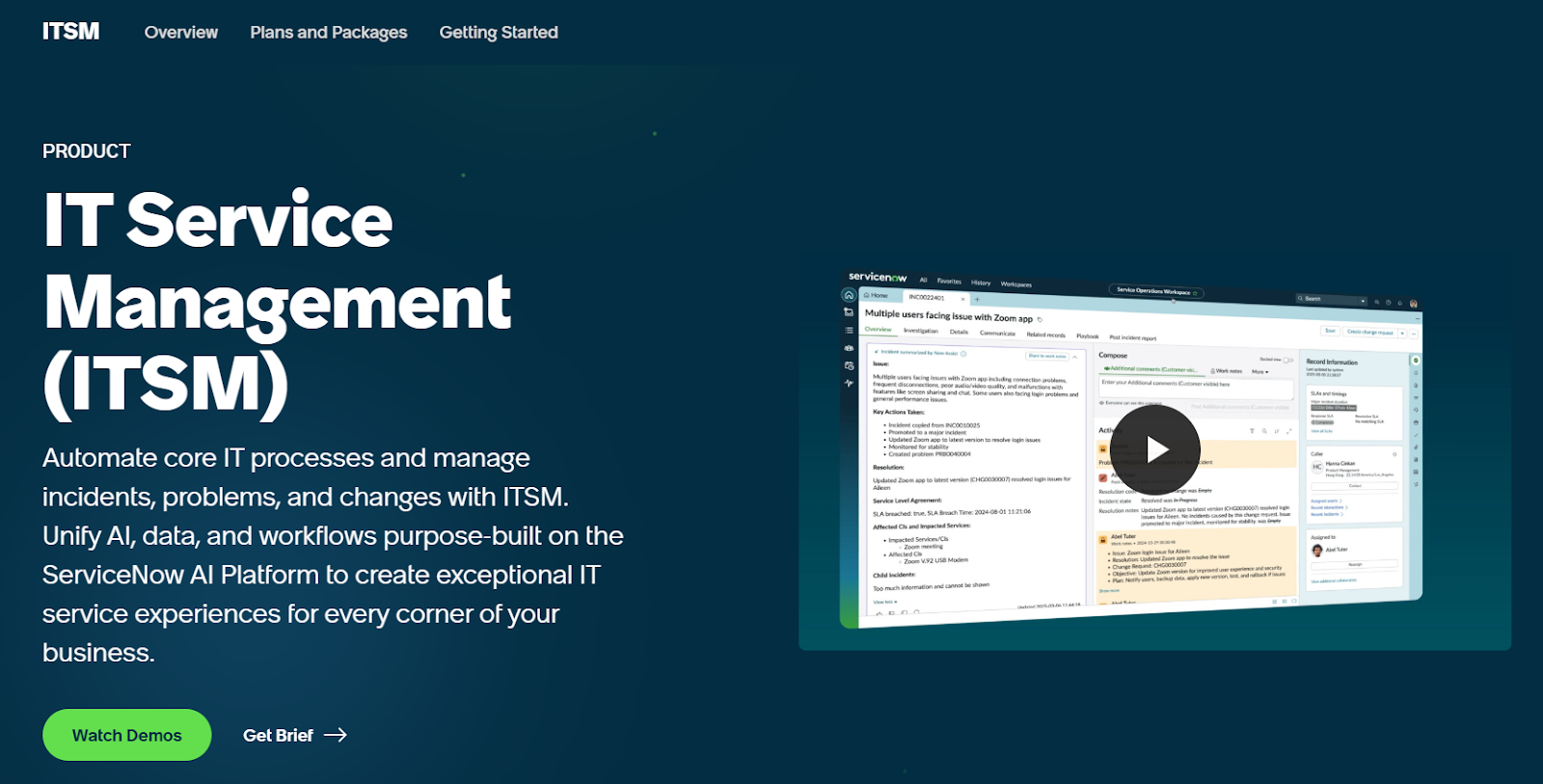
ServiceNow is a comprehensive AI-powered ITSM platform built for large enterprises. It combines incident, problem, change management, and more into a unified environment. The platform also includes a central CMDB to track assets and service dependencies.
Key Features
- Faster incident resolution: Use ServiceNow AI Agents on a single platform to help restore services faster, eliminate recurring incidents, and minimize service disruptions.
- Enhance IT agent productivity: Equip IT staff with a single workspace to efficiently fulfil and manage service requests. Collaborate with assistive AI agents for intelligent incident summaries and faster resolutions.
- Deliver 24/7 self-service: Help employees solve issues any time with a unified portal and assistive AI agents.
- Anticipate service performance trends: Analyze real-time and historical performance data to quickly identify trends, adjust service coverage, and compare KPIs to industry standards.
- Make changes without disrupting services: Reduce friction, minimize risk, and deliver innovation fast with automated change processes and real-time alerts. Gain end-to-end visibility for product release readiness.
- Resolve unreported employee technology issues: Track user experience data and application performance metrics in real-time. Achieve immediate resolutions before other employees are impacted.
I couldn’t access ServiceNow’s interactive demo (it lagged too much), but I went through several in-depth demo videos to get a feel for the platform.
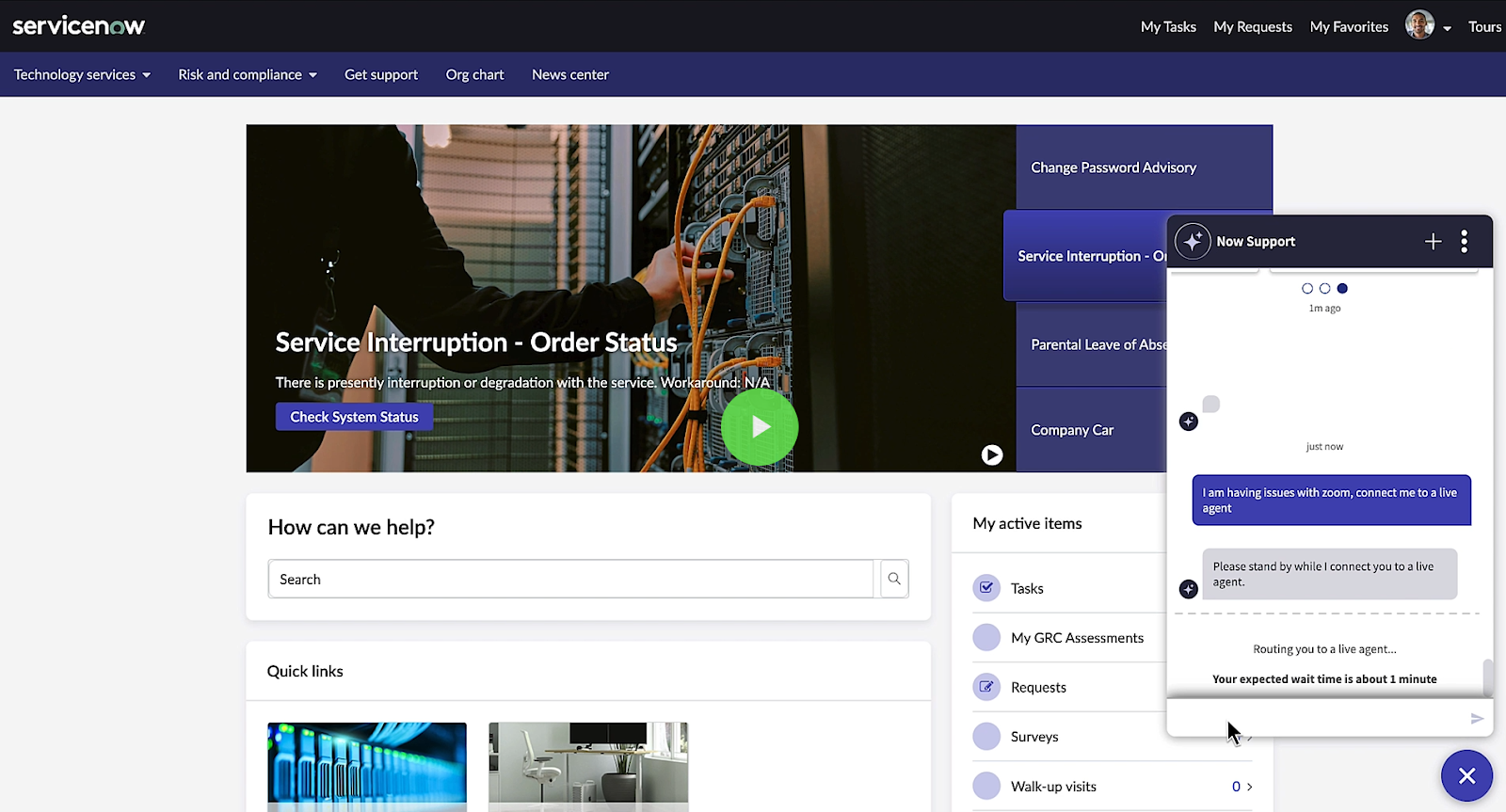
One feature that stood out was the Virtual Agent. It can automatically handle routine IT requests, reducing ticket volume and response times. And when required, it can hand over to a live agent, ensuring users don’t get stuck in automated loops:
Source: ServiceNow
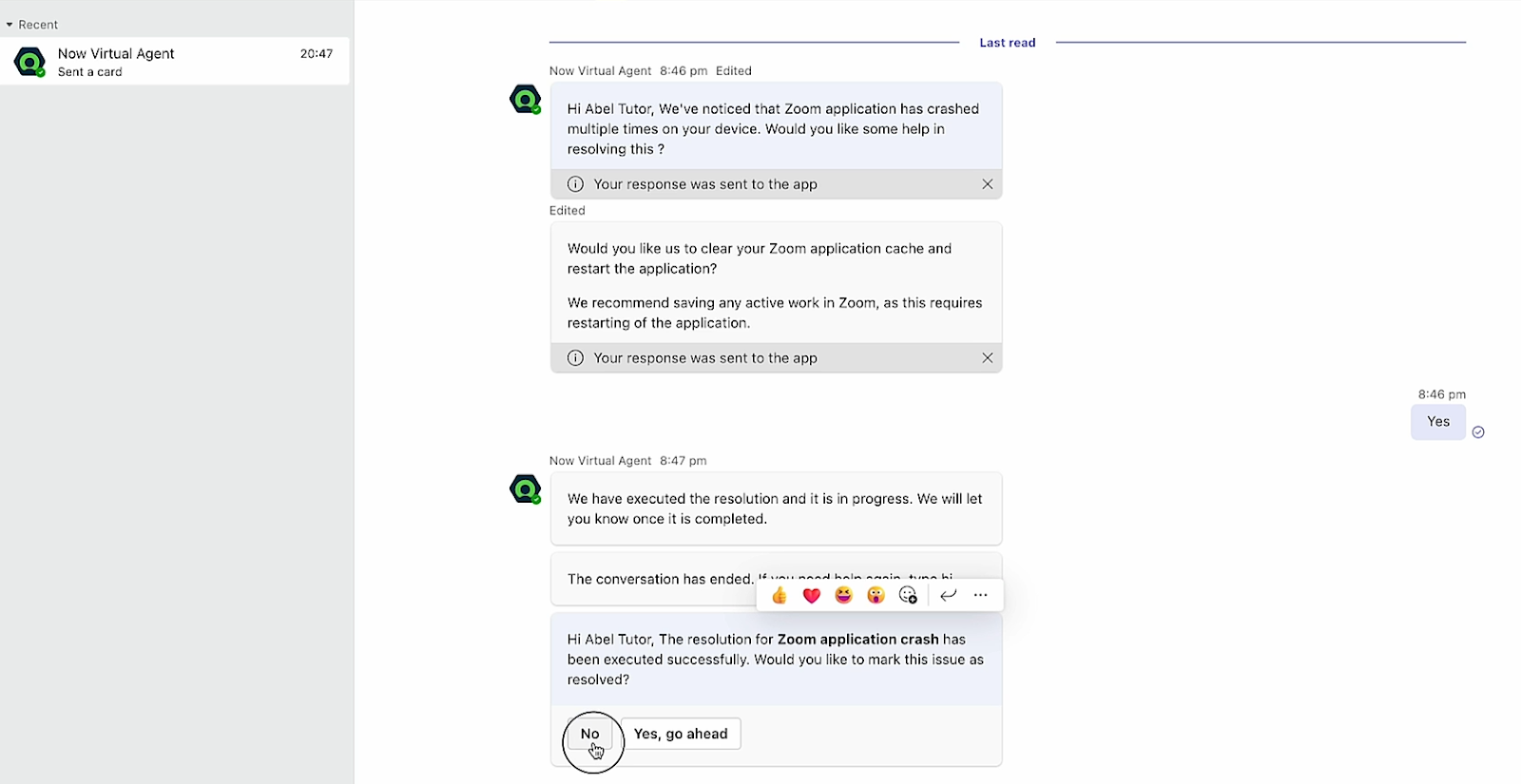
Another impressive feature is the Digital End-User Experience (DEX) Desktop Assistant. It proactively detects unusual device behavior and reaches out to users before issues escalate.
For example, in one case, DEX flagged repeated Zoom crashes caused by the app not being restarted. It automatically prompted the user, guided them through a few quick steps, and resolved the issue.
This kind of automation saves hours for large organizations where thousands of employees face similar day-to-day problems.
Source: ServiceNow
Another feature that I liked about ServiceNow ITSM is consumer-grade AI search. Users can type in queries, and the AI agent provides direct answers and not just search results, which actually saves time.
I liked how easy the end-user interface is to use. However, for the support staff, who’ll be managing incidents, it can be a little overwhelming due to the numerous functionalities.
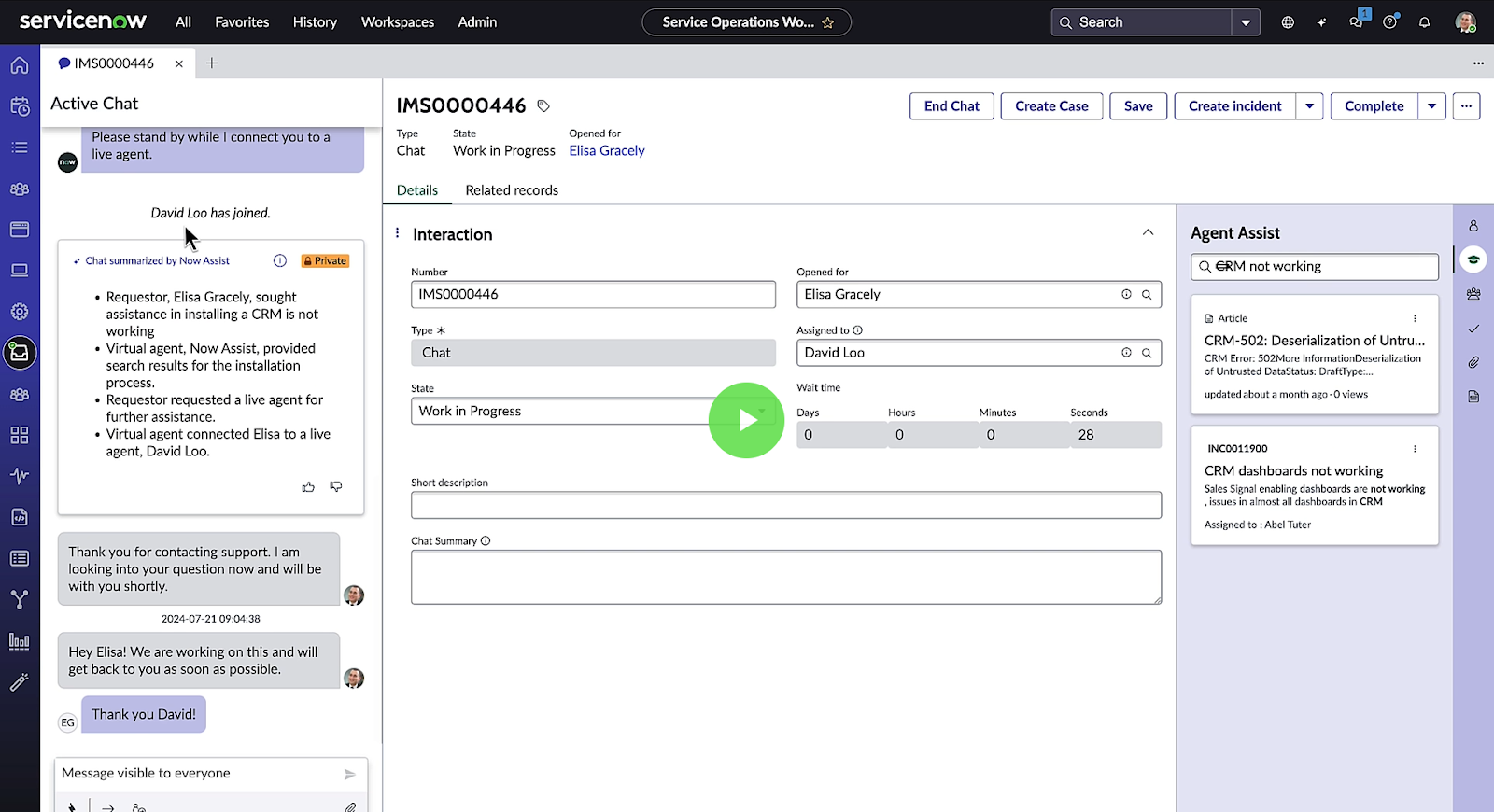
Source: ServiceNow
Being a massive platform, particularly suited for Enterprises, ServiceNow has a learning curve. Your team will require a lot of time and training (hiring a ServiceNow expert would be great) to get this big rig up and running.
Another thing that I think could have been done better is the pricing. Unlike platforms like Jira Service Management that have transparent pricing, ServiceNow hides it behind a sign-up form. And this prevents instant decision-making.
Pros:
- Helps automate redundant tasks and manage incident requests smoothly, leading to better productivity (Source)
- Self-service portal lets users resolve common issues like changing passwords without involving IT (Source)
- Integrates easily across tools and departments (Source)
Cons:
- Multiple users report that ServiceNow ITSM feels slow and heavy to load (Source)
- Initial setup can require a lot of time and financial investment (Source)
8. Jira Service Management
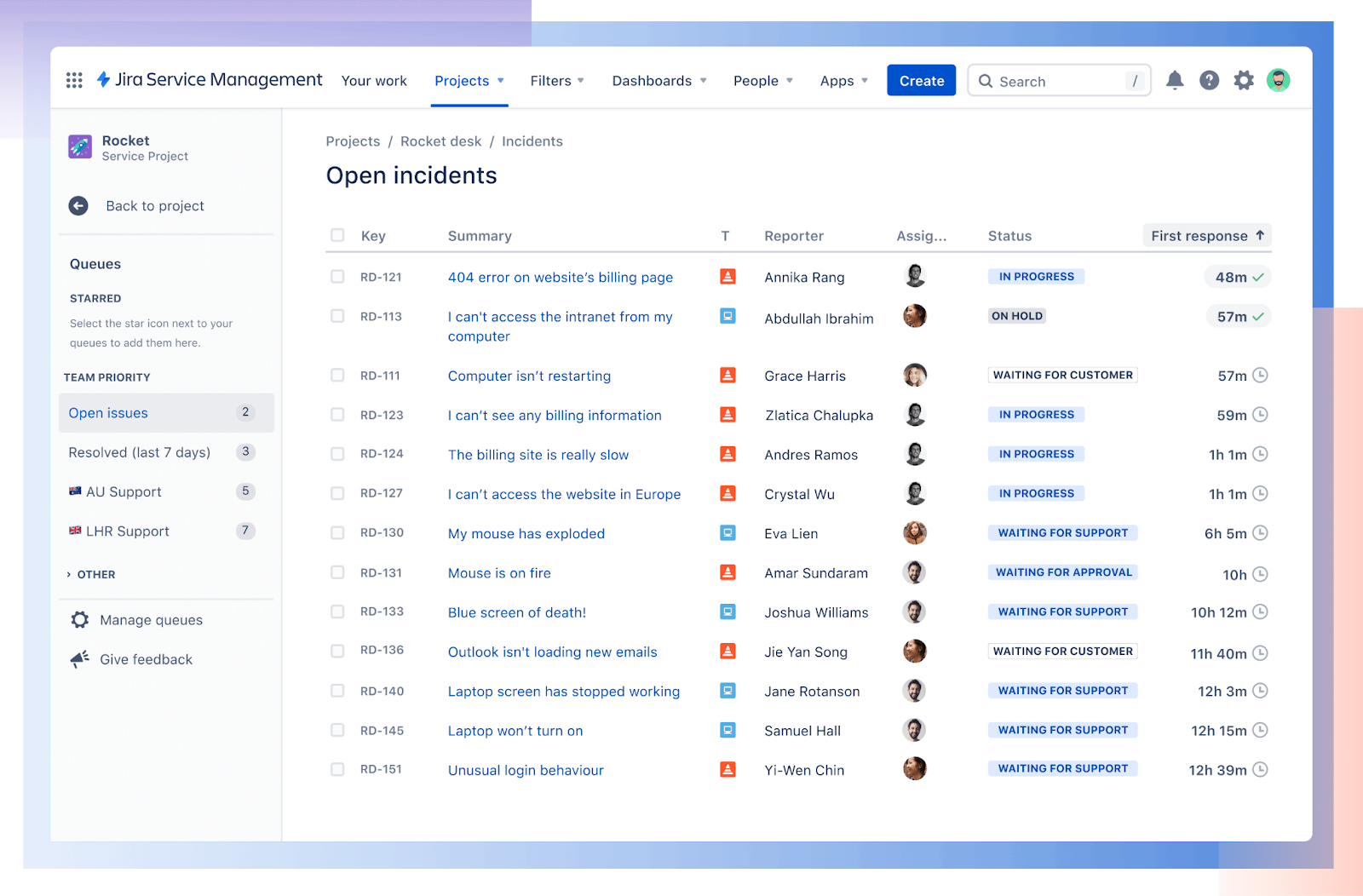
Source: Jira
Jira Service Management turns everyday IT chaos into structured, trackable workflows. From new-hire laptop requests to major incident escalations, everything flows through queues, SLAs, and automations that you can tailor in minutes, not months.
Key Features
- Request Management: Manage work across teams with one platform so your employees and customers quickly get the help they need.
- Incident Management: Bring your development and IT operations teams together to rapidly respond to, resolve, and continuously learn from incidents.
- Change Management: Empower your IT operations teams with richer contextual information around changes from software development tools so they can make better decisions and minimize risk.
- Asset Management: Store assets to manage inventory efficiently, track ownership and lifecycles, and reduce costs.
- Configuration Management: Gain visibility into the infrastructure that supports critical applications and services. Understand service dependencies to minimize risk.
- Knowledge Management: Enable self-service, deflect more requests, and manage knowledge articles - all while fostering team collaboration.
While I signed up for JSM’s trial, I resorted to demo videos for analysis, since the platform had no data. Honestly, I found JSM's UI more intuitive than ServiceNow's.
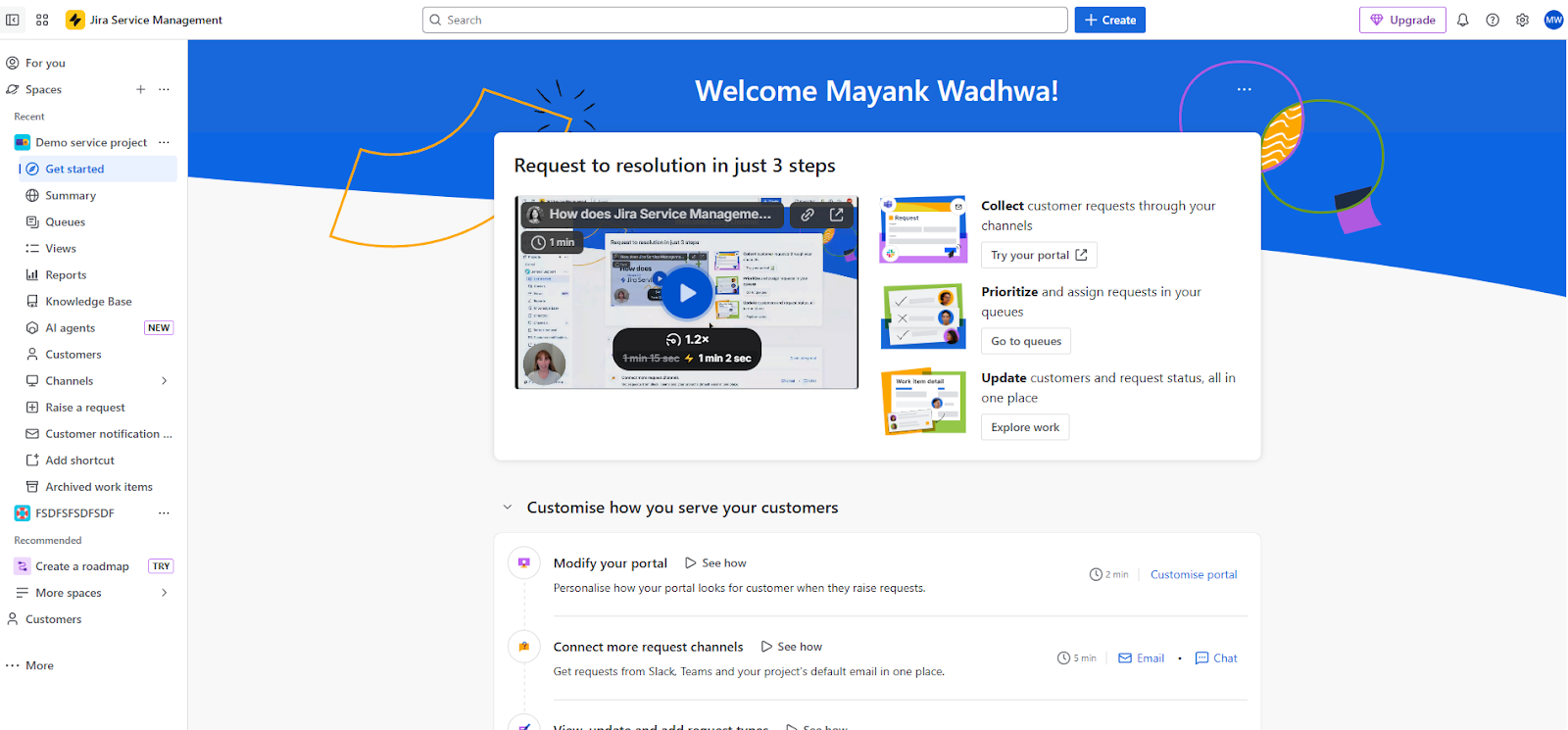
Similar to ServiceNow, Jira Service Management also has a virtual service agent that users can access through Slack, MS Teams, etc, to minimize service requests that require manual effort.
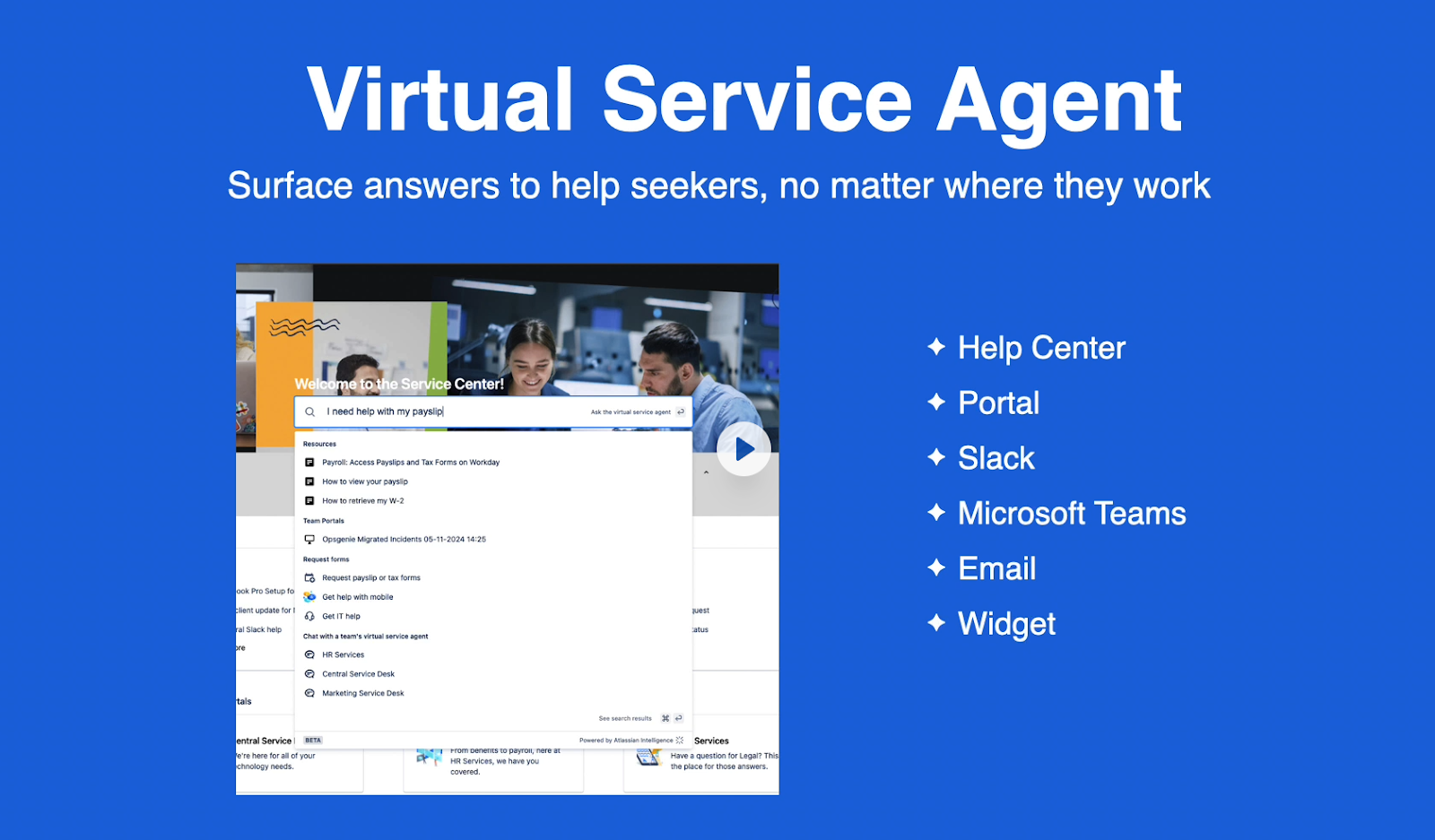
Source: Jira Demo
What really stood out to me was how Jira Service Management (JSM) enables true self-service.
Employees can request hardware like a new laptop directly through the virtual agent, and even do it in their own language.
In one example, a user asked for a laptop in Spanish, and JSM instantly understood the request, displaying an order button without needing manual IT intervention.
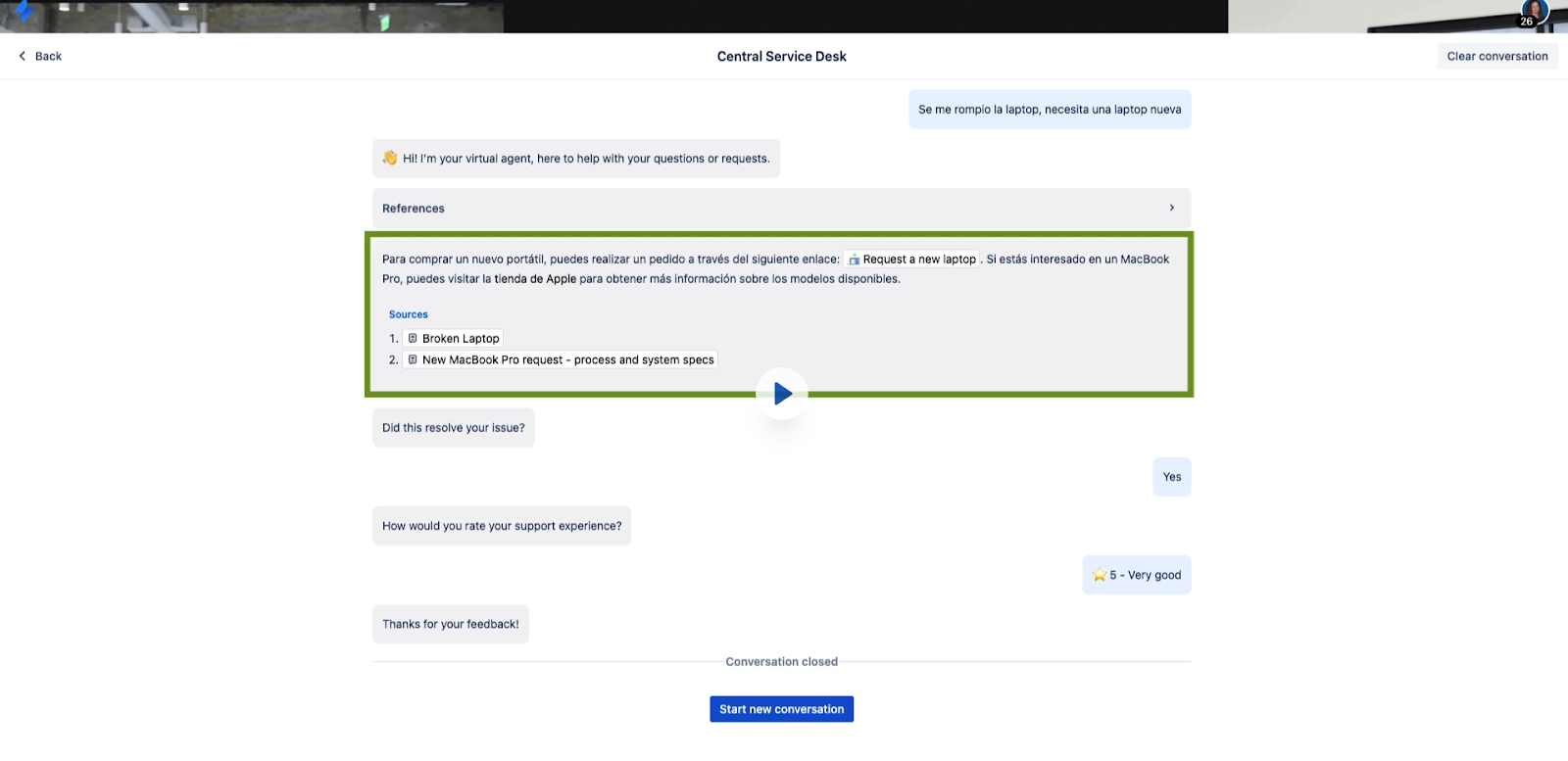
Source: Jira Demo
The user can fill in the necessary information, choose the device and place an order, which I find super convenient:
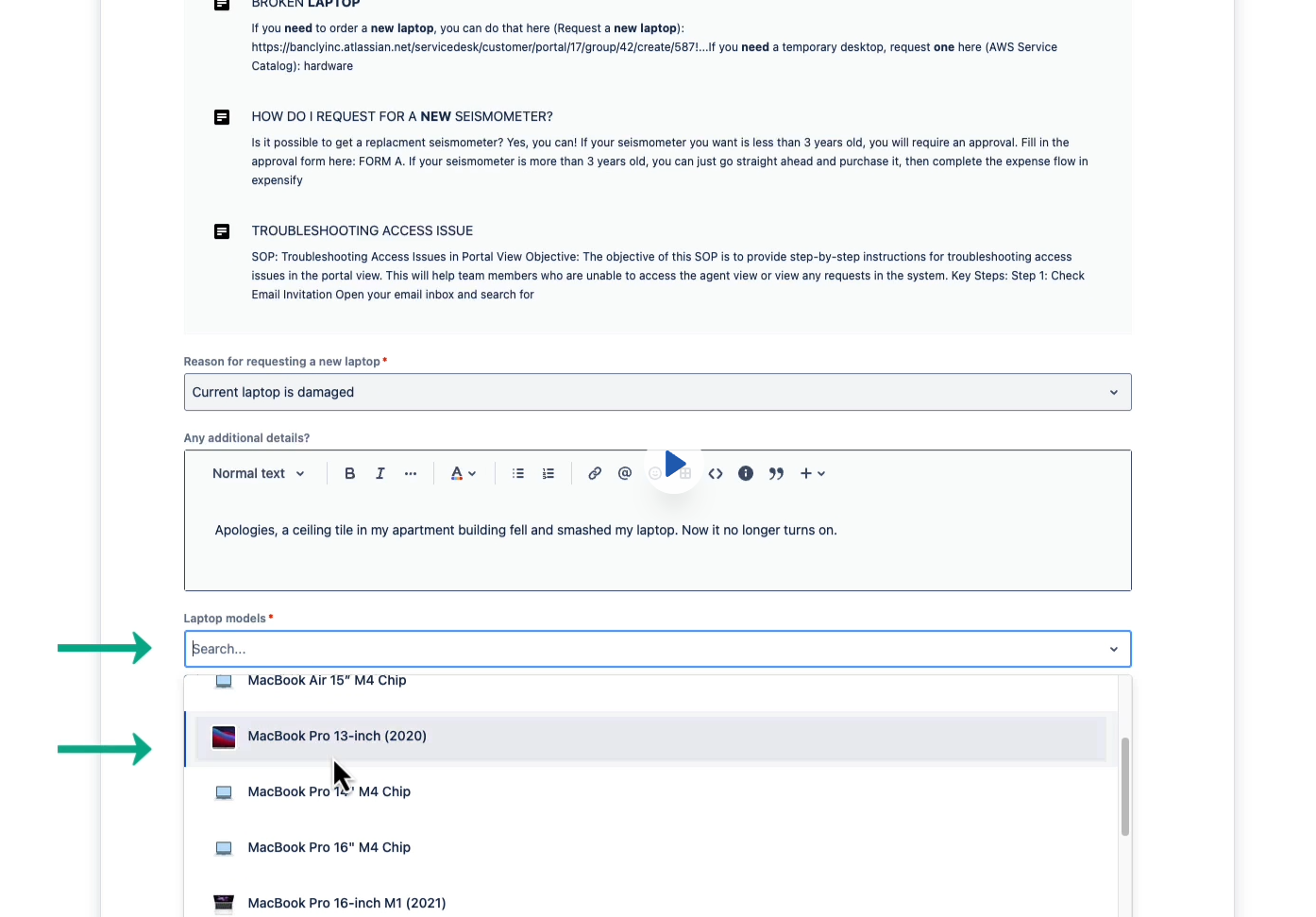
Source: Jira Demo
One of the key differentiators for me was the ease of setup. I found multiple users complaining about how time-consuming and expensive it is to set up ServiceNow. While I won’t say setting up JSM is child’s play, it’s way easier and faster to set up than ServiceNow.
Another thing I liked about JSM is its transparent pricing, unlike ServiceNow. You can even try out the tool for free for up to 3 users, which is a standout feature for me. It provides you with the opportunity to experience the tool for free before signing up for monthly or yearly plans.
You can read our detailed Jira Service Management review to learn more about the platform.
Pros:
- Self-service portal with knowledge base integration to reduce ticket traffic and support strain (Source)
- Integrates seamlessly with other tools within the Atlassian ecosystem and beyond (Source)
- Helps you define custom workflows, automation rules, and SLA logic that match specific team processes (Source)
Cons:
- Setup is complex. Some users find it intimidating without prior Jira expertise (Source)
- Occasional slowdowns when handling high ticket volumes (Source)
Network & Infrastructure Monitoring Tools
Network monitoring is the process of regularly testing and analyzing the components of a network. The goal is to identify underperforming or failing components before they can negatively impact operations.
Not implementing network and infrastructure monitoring tools in your organization can lead to:
- Frequent downtime or outages without clear root cause visibility.
- Latency issues in global or multi-cloud environments.
- Blind spots in security monitoring for endpoints and servers.
- Difficulty predicting capacity needs: either overspending or hitting performance bottlenecks.
- Limited integration with ITSM workflows for faster resolution.
Here are some reliable network monitoring tools:
9. PRTG Network Monitor
Source: Paessler
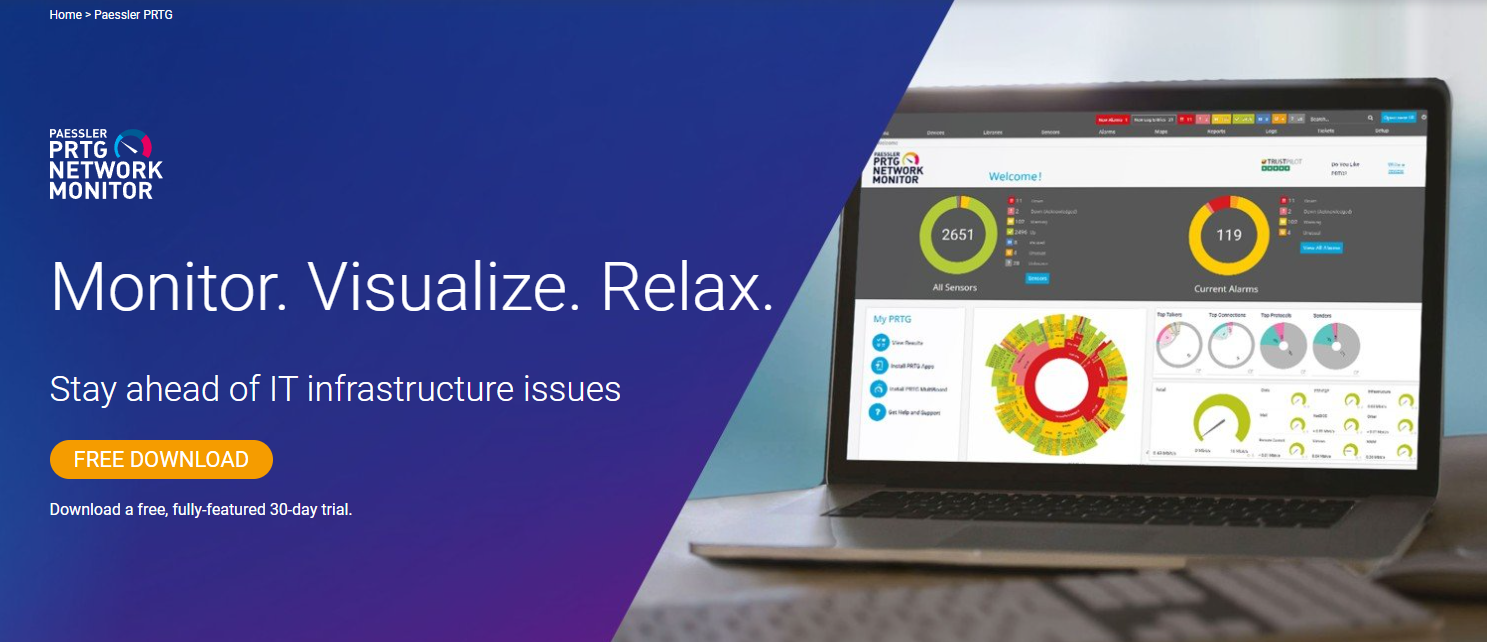
PRTG Network Monitor is a sensor-based platform that helps you monitor all your IT infrastructure systems, devices, traffic, and apps. It’s easy to use and lets you stay ahead of your infrastructure issues.
Key Features
- Sensors & Real-Time Data Collection: PRTG uses “sensors” (preconfigured or custom) to monitor all kinds of data: bandwidth, uptime, SNMP, packet loss, response times, etc.
- Alerts & Notifications: You can set custom thresholds and receive alerts when metrics deviate (via email, push, HTTP requests, etc.).
- Maps & Dashboards: Visualize your network with real-time maps, status indicators, and dashboards via the PRTG map designer.
- Distributed Monitoring/Remote Probes: For monitoring across multiple locations, remote or distributed probes can feed into a central dashboard (“single pane of glass”).
- Customizable: PRTG enables you to create your own report templates (not just default tables), ensuring stakeholders get the exact insights they need.
- AI & Anomaly Detection: PRTG features intelligent capabilities, including automated anomaly detection based on baseline behaviour, smart sensor recommendations, and similarity detection, to minimize noise.
I signed up for PRTG Network Monitor’s free trial and watched several demo videos to explore the tool. To be honest, this tool could use a major UI makeover:
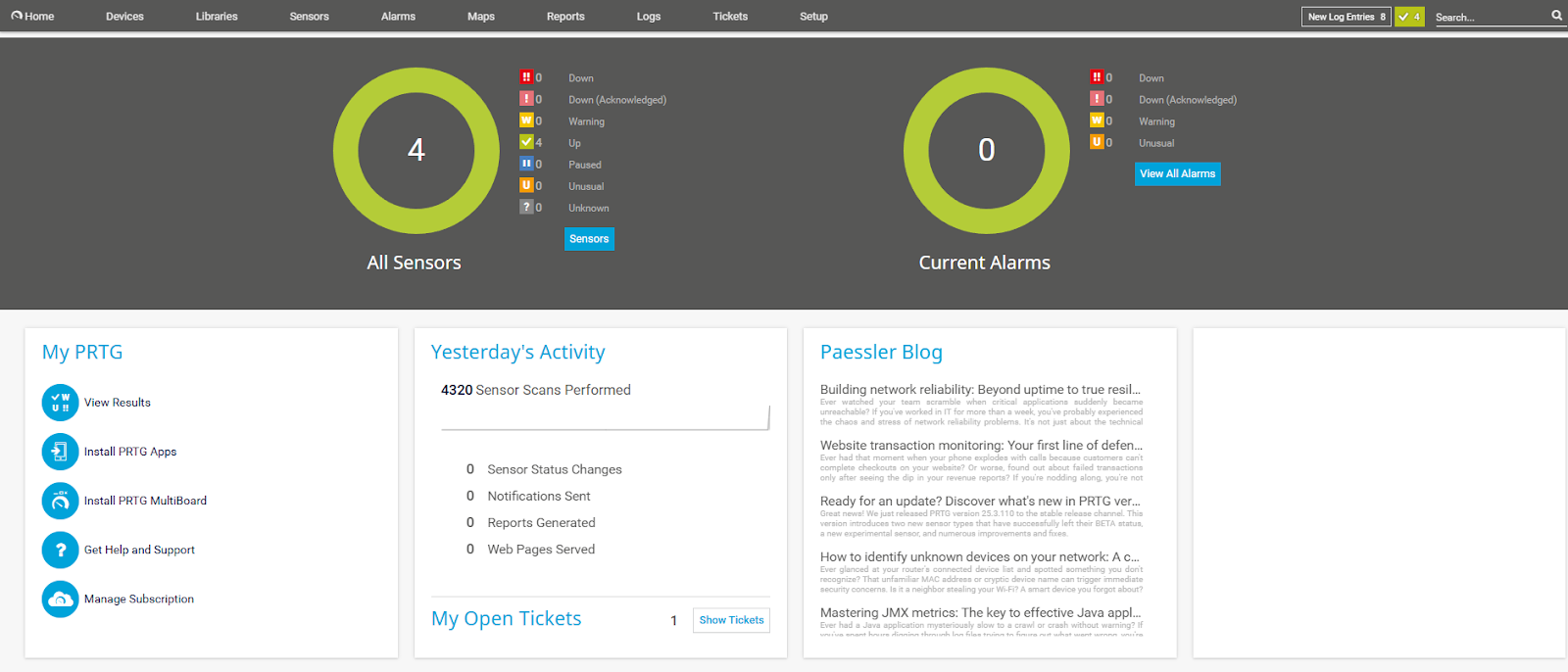
During my research, I discovered PRTG offers both a cloud-hosted and an on-premise version, so you can choose between easier maintenance and full data control.
Source: YouTube
Another thing I learned was that PRTG comes with automated network discovery. This means it will scan all the devices on your network, enabling you to build a detailed hierarchy of your entire infrastructure.
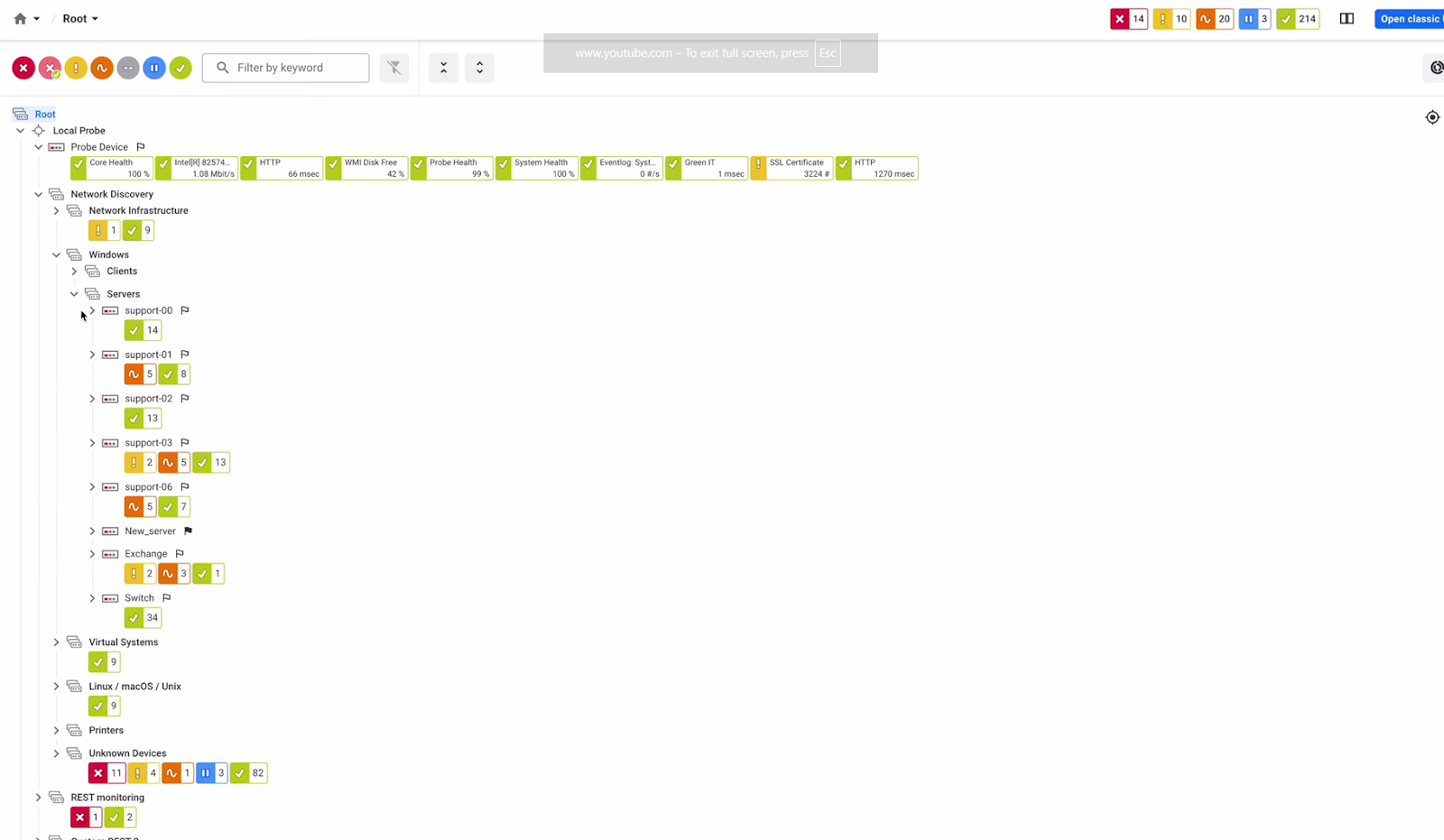
Source: YouTube
Because it’s a sensor-based network monitoring tool, you can monitor multiple aspects of the same device by adding more sensors. For instance, for your Core Server (device), you can monitor core health, probe health, system health, etc.
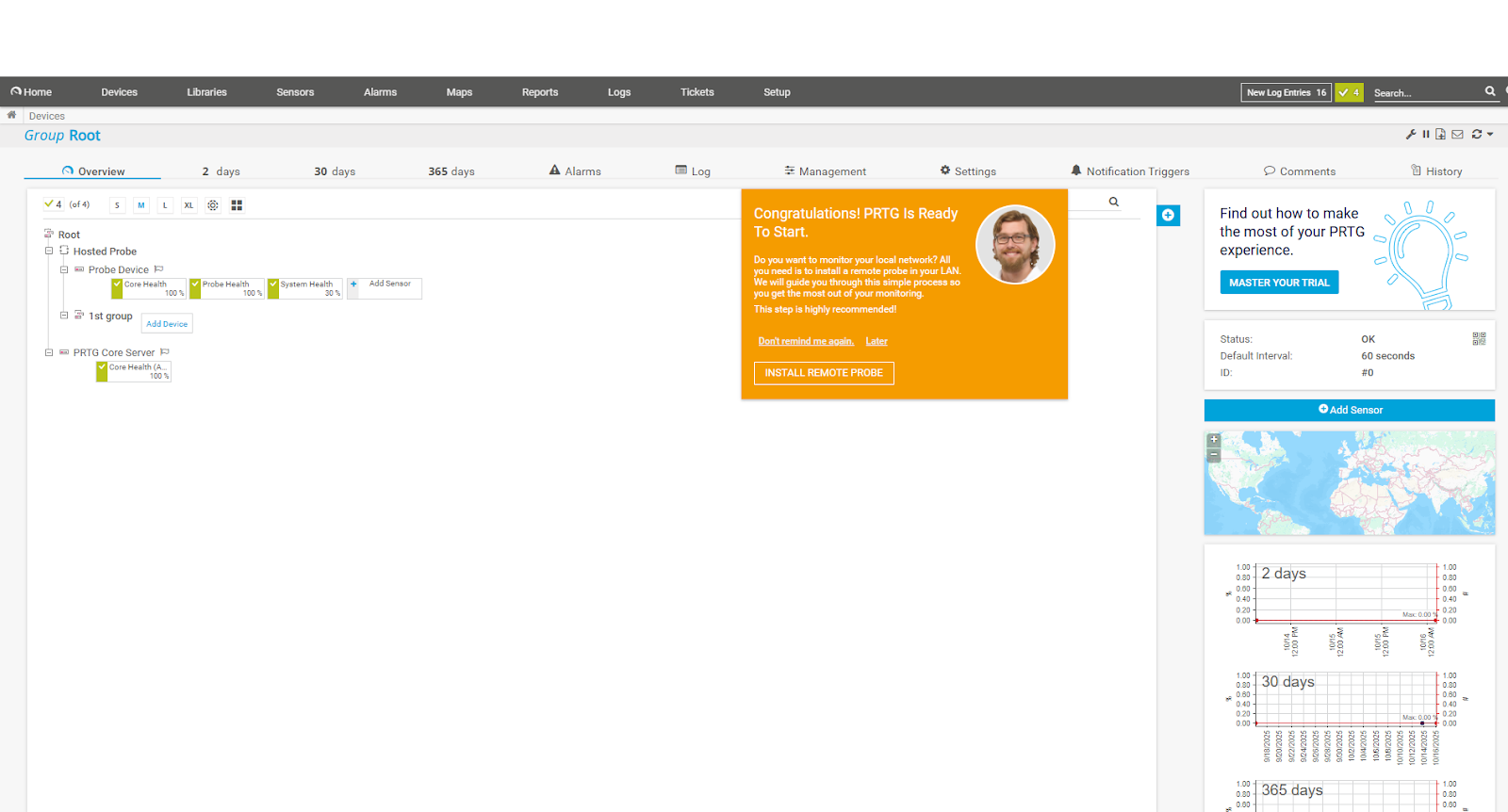
Based on video reviews, I’d say PRTG Network Monitor is a straightforward network monitoring tool that is easy to set up, even for complex environments.
However, while PRTG offers transparent pricing and looks affordable, it can get expensive because of its sensor-based licensing model.
Pros:
- Helps resolve network issues before they can impact the organization (Source)
- Automatically finds the devices over the network (Source)
- Users appreciate the tool’s comprehensive coverage that includes servers, switches, applications, and even custom scripts (Source)
Cons:
- Because of sensor‑based licensing costs can climb up quickly as you scale (Source)
- There could be a learning curve for users because of the vast number of features (Source)
10. Solarwinds Network Performance Monitor
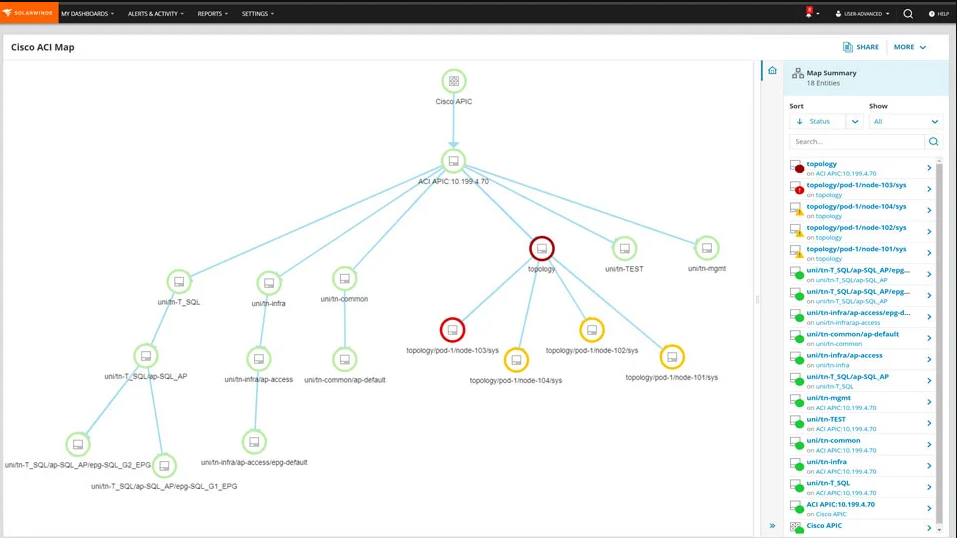
Source: SolarWinds
SolarWind Network Performance Monitor is an enterprise-grade solution that helps you quickly detect, diagnose and resolve performance issues, regardless of who makes your hardware.
With a customizable console, you can monitor your network, apps, data, and infrastructure and detect and resolve issues proactively.
Key Features:
- Deep dive into network performance with PerfStack™: Use PerfStack™ to analyze network performance metrics and fine-tune operations with SolarWinds network performance monitoring software.
- Get notified with advanced alerting: Solarwinds lets you set up advanced alerts, including anomaly-based alerts with AIOps, to respond quickly to network issues.
- Proactively monitor network availability for uninterrupted operations: SolarWinds Observability ensures your network remains reliable by continuously monitoring performance across your hybrid environment.
This proactive network performance monitoring tool quickly detects and resolves issues before they impact operations, helping you maintain uptime and keep your business productive.
- Visualize critical network paths with NetPath™: Identify and visualize critical paths end-to-end for optimal network performance monitoring and easy root cause attribution.
- Auto-Map Your Hybrid Network with Intelligent Mapping: Automatically create intelligent maps of on-prem and hybrid networks to simplify management and monitor network performance.
I signed up for SolarWinds’s free trial to explore the tool, and honestly, I find it’s UI more intuitive and modern than PRTG:
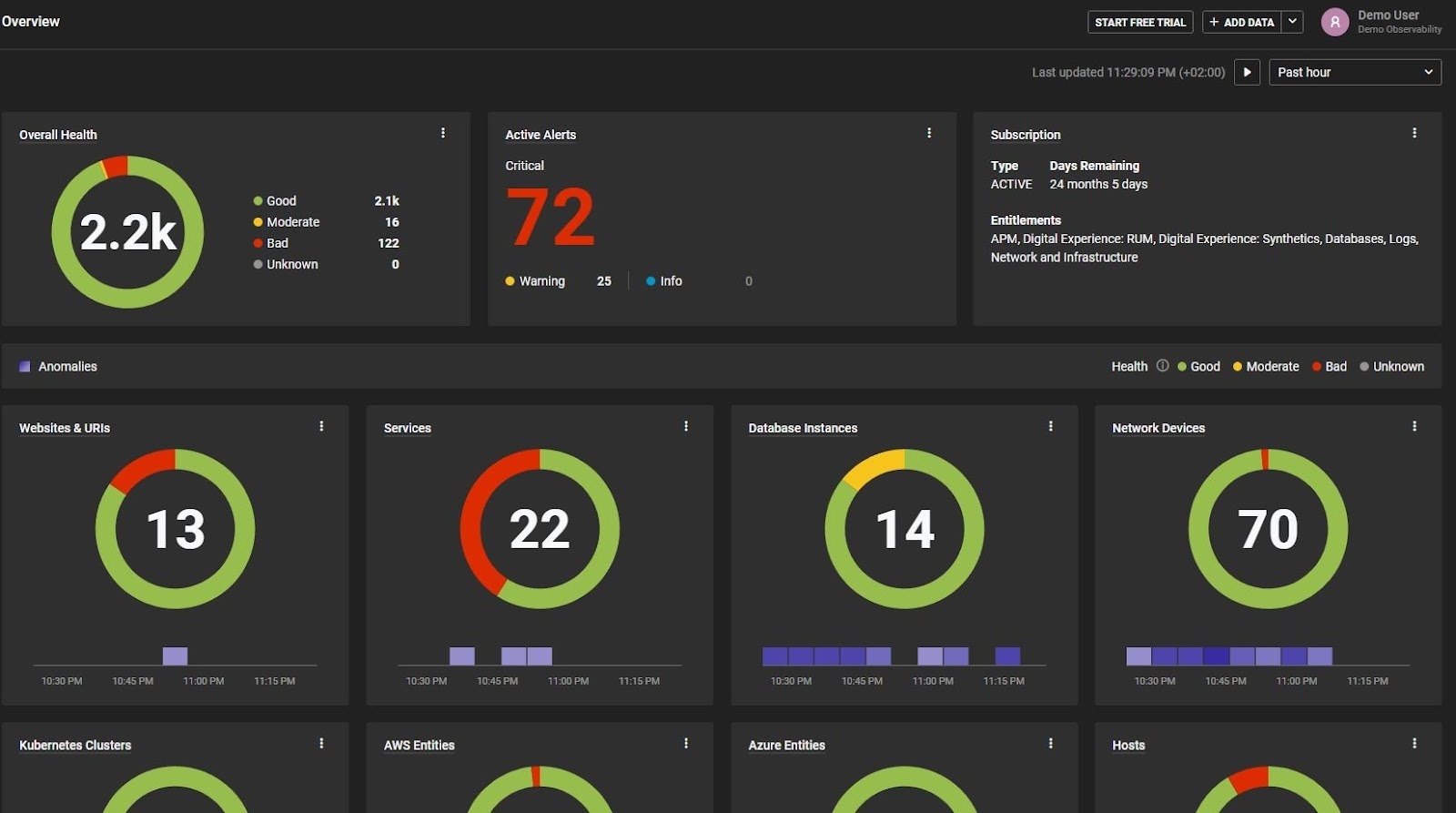
Compared to PRTG Network Monitor, SolarWinds is equipped with more impressive features, like NetPath hop-by-hop visualization.
This helps continuously visualize every network hop between your environment and external services, enabling IT teams to pinpoint slowdowns even outside their own infrastructure.
However, multiple users find SolarWinds Network Performance Monitor overwhelming and complex to set up. Also, their customer support could use some improvement.
One of my biggest concerns regarding SolarWinds Network Performance Monitor is its node-based licensing, which makes it expensive for smaller businesses.
With a single node priced at $7$ per month, it would cost you $350 to monitor 50 devices. And you can monitor around 50 devices with PRTG at just $179, which is easier to set up as well.
Pros:
- A unified view of metrics, logs, and traces makes root cause analysis faster (Source)
- Users appreciate how SolarWinds helped them move from reactive to proactive monitoring (Source)
- Comes with a clean and intuitive interface and is easy to set up (Source)
Cons:
Wrapping Up
IT management tools solve critical problems across every part of the tech ecosystem.
For instance, ITSM tools streamline ticket resolution and reduce IT backlogs. ITAM prevents asset loss and financial misreporting. IAM stops identity-based breaches. And network monitoring eliminates downtime before it impacts productivity.
But the right solution depends on your specific needs—whether it’s stronger endpoint security or better asset visibility.
If your company keeps losing track of laptops, faces delays in employee equipment delivery, or struggles to maintain control over distributed assets, it’s time to consider an ITAM platform like Workwize.
Workwize automates the entire asset lifecycle, from procurement and shipping to retrieval and disposal, across more than 100 countries, resulting in on-time deliveries without fail. Real-time tracking ensures you never lose your assets.


Establish a single source of truth for every IT asset across the globe.
.png?width=258&height=318&name=g10%20(5).png)
More related resources to help you stop firefighting hardware operations.

Get monthly insights into how other IT leaders are improving their ops.



.png?width=2880&height=1232&name=Group%202147262874%20(1).png)
Stop coordinating
hardware like it's 2012.
.svg)
.png?width=172&height=68&name=apple%20business%20patner%20(1).png)
.svg)
.svg)
.svg)
.svg)