




.svg)
.svg)

.svg)


.svg)




.svg)
.png?width=500&height=424&name=Style-1---V1-(1).png)


.png?width=1230&height=692&name=Vector%20(13).png)
10 Best Device Lifecycle Management Platforms for Repairs and Upgrades (2026)
As organizations grow, managing devices becomes about more than procurement and deployment.
IT teams also have to coordinate repairs, upgrades, refresh cycles, warranty claims, retrievals, and replacements throughout the device lifecycle.
What starts as occasional break-fix work can quickly become a challenge when devices are distributed across multiple locations, vendors, and employees.
This is one reason Gartner expects more than 70% of enterprises to adopt managed device lifecycle services by 2028, up from fewer than 35% in 2025. Organizations are looking for ways to reduce downtime, improve visibility, and simplify the operational work involved in managing devices at scale.
Device lifecycle management platforms help bring those processes together.
Instead of juggling multiple tools and vendors, IT teams can manage everything from deployment and maintenance to repairs, upgrades, and retirement from a single system.
In this guide, we'll compare the best device lifecycle management platforms for repairs and upgrades. This article will focus on how well they support device maintenance, refresh planning, and lifecycle management across distributed teams.
Repairs and upgrades matter more than ever. But why?
Hardware management used to be a simple process traditionally. Companies bought laptops in bulk, handed them out in one office, and replaced them when the warranty expired.
That model does not hold up to distributed work.
Today, a small IT team might be responsible for a truckload of devices spread across the world, sourced from multiple suppliers, configured across several MDM tenants, and shipped through a courier network that has no idea what the others are doing.
Aging hardware directly affects employee productivity
As devices age, support tickets increase, and apps get slower. None of those problems usually triggers an emergency on its own. If you put them together, though, they steadily erode employee productivity..
On a large payroll, that loss can far exceed the cost of simply replacing the hardware.
Forrester’s Digital Workplace and Employee Survey 2025 confirms that refresh cycles based on performance data and user needs, rather than calendar age alone, can extend asset value. 26% of companies are now getting more than four years out of laptops without performance penalties.
Old and faulty hardware increases security risks
Out-of-warranty devices tend to miss firmware updates, and they linger on unsupported operating systems. These might seem like minor issues, but they create insidious compliance gaps that are easy to overlook until an audit or incident exposes them.
The global average breach lifecycle is 241 days, and part of that delay comes from devices that have slipped out of active oversight. The laptop that was never wiped and the test machine that should have been retired months ago do more harm than you can fathom.
Refresh planning is also a budgeting issue
Reactive replacements almost always cost more than planned ones. The reason being that emergency procurement brings premium pricing (since you get no negotiation time) and rushed shipping that costs more. Moreover, last-minute configuration work never gets properly absorbed into a normal lifecycle.
When budgets get tight, teams often stretch hardware longer than they should, but that saving is usually a facade. For instance, maintenance costs on a five-year-old server can reach roughly 148% of the original support baseline and climb past 300% by year seven once support and security costs are included.
If these dynamics excite you, our hardware asset management guide walks through the cost model in detail.
What modern device lifecycle management should include
From the very start, we need to be explicit about what makes a platform good at this, from the perspective of an IT manager trying to keep a global fleet healthy.
We have cherry-picked some very relevant vendor-neutral criteria. Some platforms in this article will satisfy them well; others might not.
|
Criteria |
Why it matters for repairs and upgrades |
|
Hardware procurement and delivery |
Replacement devices need to reach distributed employees quickly. Without local sourcing, expedited shipping eats the savings of any refresh program |
|
Repair SLA tracking |
Standardized service levels turn ad-hoc repair coordination into a measurable workflow. Without it, there’s a higher chance of downtime |
|
Refresh cycle planning |
Proactive scheduling prevents reactive replacements and lets your finance department plan CapEx across multi-year time frames |
|
MDM/UEM integration |
Devices need to remain configured and compliant through repair cycles and replacements |
|
Global logistics support |
Cross-border shipping involves customs, import duties, and country-specific reseller networks. Moreover, generic couriers consistently underperform on managed device delivery |
|
Asset value and depreciation tracking |
Repair-versus-replace decisions are economic. Without accurate depreciation data, you might default to whichever choice is easier rather than financially correct |
|
Secure data erasure |
Devices change hands during repairs and retirements. Each handoff is a data exposure point unless certified wiping is built into your workflow |
|
HRIS integration |
Most lifecycle events are triggered by workforce events like hires and role changes. Without a connection to the HR system, your device fleet is always slightly out of sync |
Based on our analysis of each platform's capabilities and public user reviews, we have noticed this: The platforms that score well on this list are more likely to treat hardware lifecycle as a logistics problem first and a software problem second. The platforms that score poorly are usually excellent at one half and pretend the other half doesn't matter. You’ll know what we mean very soon.
Comparison of our top device lifecycle management platform choices
|
Platform |
Best for |
Repair management |
Refresh cycle planning |
Global coverage |
MDM integration |
Hardware lifecycle |
|
Workwize |
Distributed hardware lifecycle management |
✓ |
✓ |
100+ countries |
✓ |
End-to-end |
|
Deel IT |
Global workforce + device management |
✓ |
✓ |
130+ countries |
✓ |
End-to-end |
|
Jamf |
Apple-first endpoint management |
Limited |
Limited |
Limited |
✓ |
Apple only, partial |
|
Iru (formerly Kandji) |
Apple and Windows compliance and security |
Limited |
Limited |
Limited |
✓ |
Apple and Windows |
|
Microsoft Intune |
Microsoft 365 environments |
Limited |
Limited |
Limited |
✓ cross-platform |
Partial |
|
GroWrk |
Global hardware logistics |
✓ |
Limited |
150+ countries |
✓ |
Partial |
|
IBM Maximo |
Industrial asset management |
✓ |
✓ |
Enterprise |
Limited |
Enterprise |
|
Mosyle |
Budget-friendly Apple MDM |
Limited |
Limited |
Limited |
✓ |
Apple only, partial |
|
Hexnode |
Mixed OS fleet management |
Limited |
Limited |
Multi-country |
✓ cross-platform |
Partial |
|
ServiceNow |
Enterprise ITSM at scale |
✓ |
✓ |
Enterprise |
✓ |
Enterprise |
Note: "✓" against repair management means the platform offers a managed workflow for repairs, including coordinated logistics and tracking. "Limited" means the platform can record a repair ticket but does not coordinate the physical work.
1. Workwize
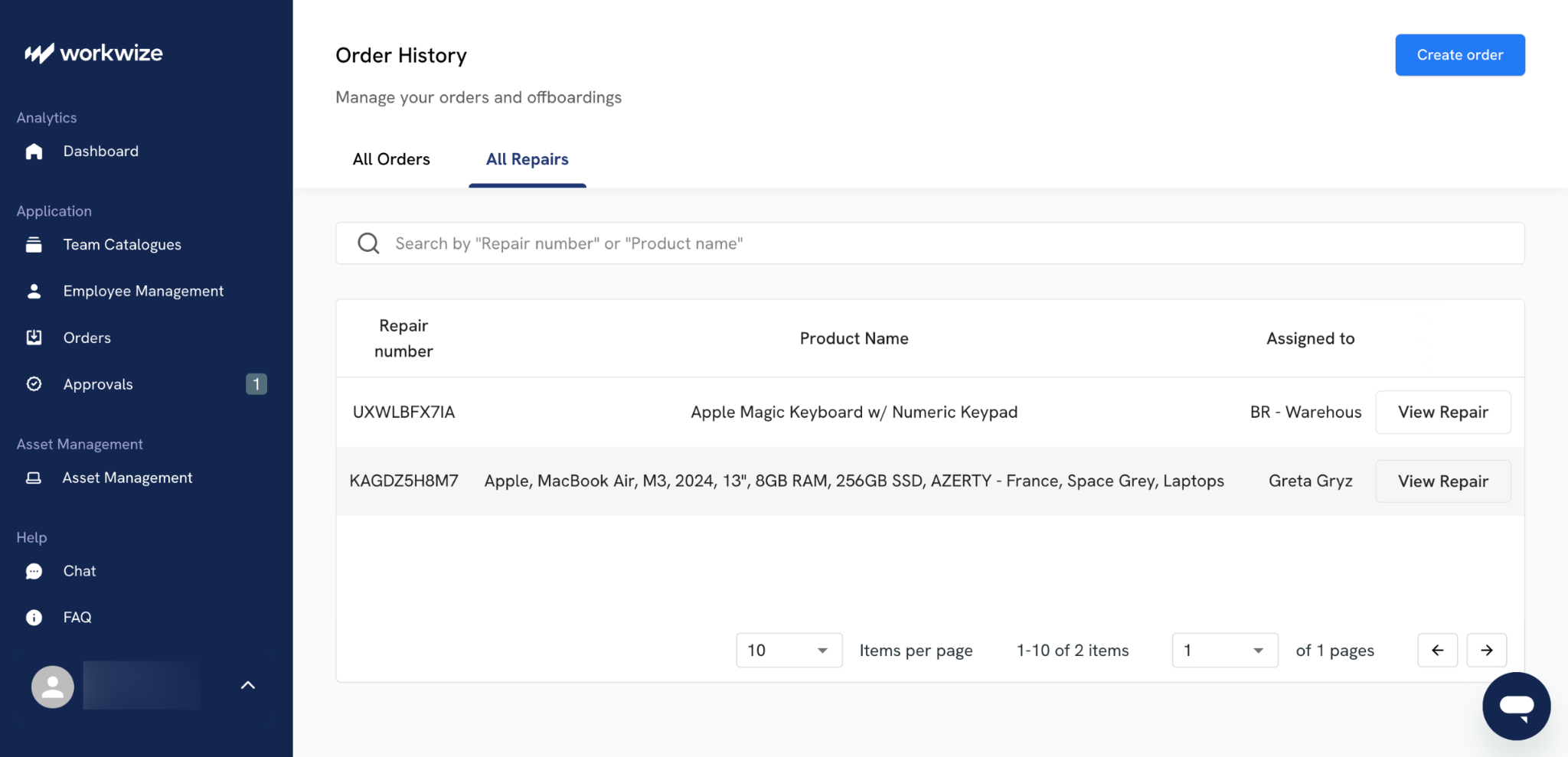
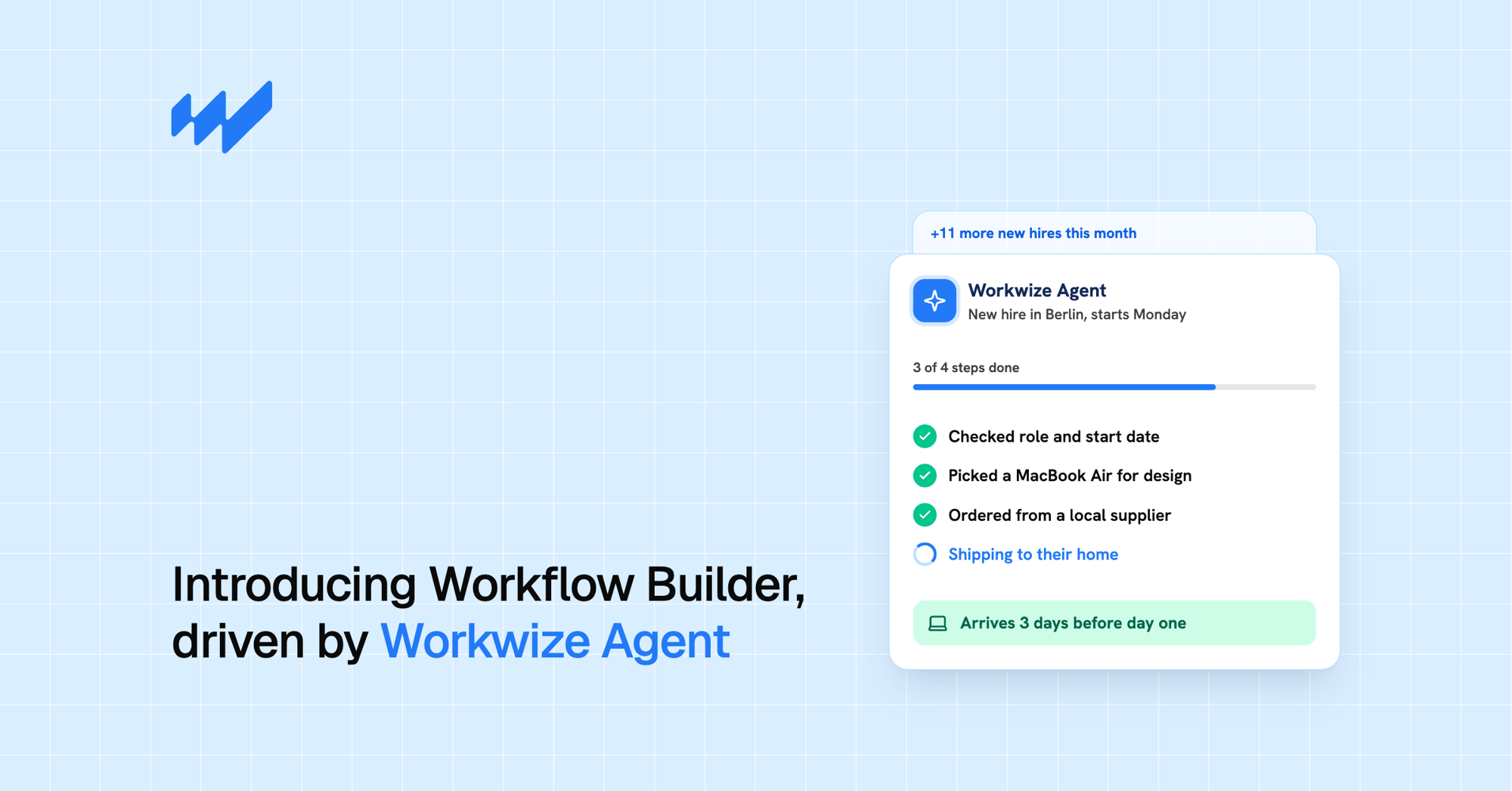
Workwize is a specialist platform for managing the physical lifecycle of IT hardware for teams that don't share an office space.
That means procurement, deployment, repairs, refresh planning, retrieval, and certified disposal happen on a single platform, with delivery and recovery handled through a network of local warehouses across 100+ countries, including the EU, UK, US, Canada, India, Australia, Brazil, the Philippines, and Mexico.
Workwize’s repair and replacement workflow is made so that it reduces downtime. When a device fails, you can manage repair requests from the same dashboard you use to track warranty claims and order replacements. Employees receive working devices much faster, and your IT team retains visibility into asset status and costs.
On that front, the most important features include
- Global repair coordination: Manage repair requests across regions through a single workflow
- Fast replacement devices: Ship replacement laptops in supported regions within 5 to 7 business days
- Pre-configured hardware: Deliver devices pre-enrolled into MDM systems, reducing setup time for employees
- Warranty and refresh tracking: Manage renewals, repair history, and replacement timing in one place
- Asset value visibility: Track depreciation and lifecycle data to make better repair-versus-upgrade decisions
- Automated retrieval workflows: Trigger device recovery during employee offboarding
If you were wondering about MDM compatibility, Workwize also integrates with leading MDM and HR systems, including Microsoft Intune, Jamf, Kandji, Apple Business Manager, BambooHR, HiBob, and Workday. Device lifecycle workflows connect directly to the systems most IT teams already use.
To better understand how Workwize handles each lifecycle stage, learn more about Workwize's ITAM platform.
Reviews and ratings
- G2: 4.4/5 (9 reviews)
- Capterra: 4.4/5 (17 reviews)
Pros
- Puts IT asset governance in one platform
- Support is responsive and upfront
- Automation does the heavy lifting on procurement, tracking, and lifecycle workflows
Cons
- Rollout might take longer than expected in some regions
- The platform is still finding its stride in places, with occasional bugs
2. Deel IT
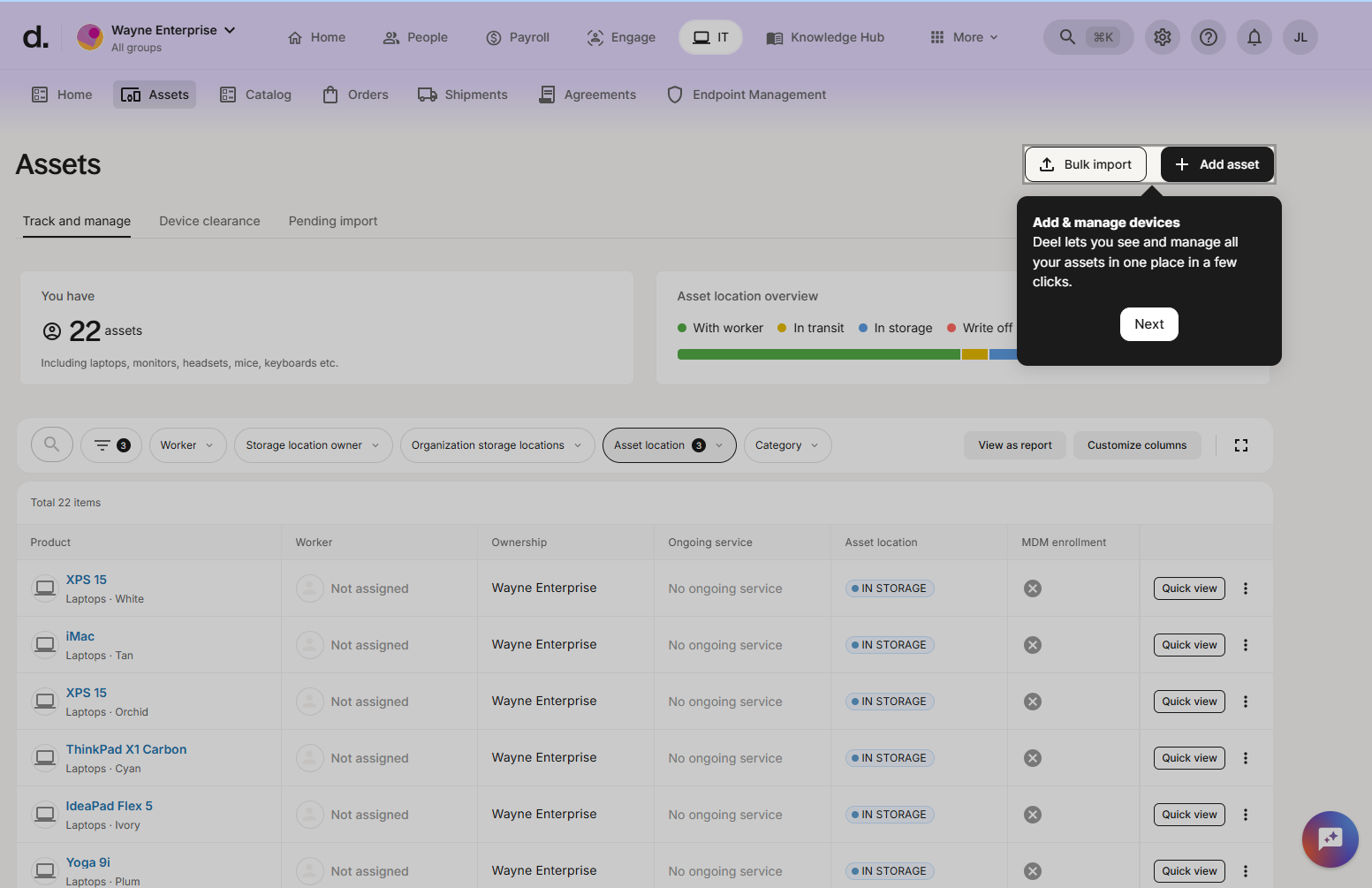
Deel IT is the natural choice for organizations that already run their global workforce on Deel.
If you’re not familiar, the platform extends Deel's existing payroll and HR infrastructure into device management and now covers procurement through retrieve across more than 130 countries. Recently, the platform added native MDM, Identity and Access Management, and Endpoint Protection.
The big differentiator is workflow integration. Onboarding and offboarding actions trigger automatically from the connected HR record, so a new hire's laptop and a departing employee's retrieval are handled as part of the same event rather than two disconnected processes. The utility is great, but only if you’re already using Deel for handling HR.
Now, there’s a big trade-off compared to a hardware-first platform like Workwize. Deel IT wraps device management inside an HR and contractor management product.
That means equipment management is priced on top of platform fees, which can add up at scale. Many users also say the platform can feel too limiting for custom setups, which is to be expected given the lock-in.
If your organization is not already committed to Deel's HR platform, the bundling that makes it valuable for existing customers becomes overhead.
Reviews and ratings
- G2: N/A (no standalone product ratings found)
- Capterra: N/A (no standalone product ratings found)
Pros
- Keeps device lifecycle management and offboarding nicely stitched into HR and compliance processes
- Makes provisioning and returns feel straightforward
- Works well for global teams that want onboarding and asset handling to feel connected
Cons
- Dedicated feedback on standalone device and asset management is weaker than for Deel’s core HR and payroll features
- Support can feel less nimble once the setup gets more intricate
3. Jamf
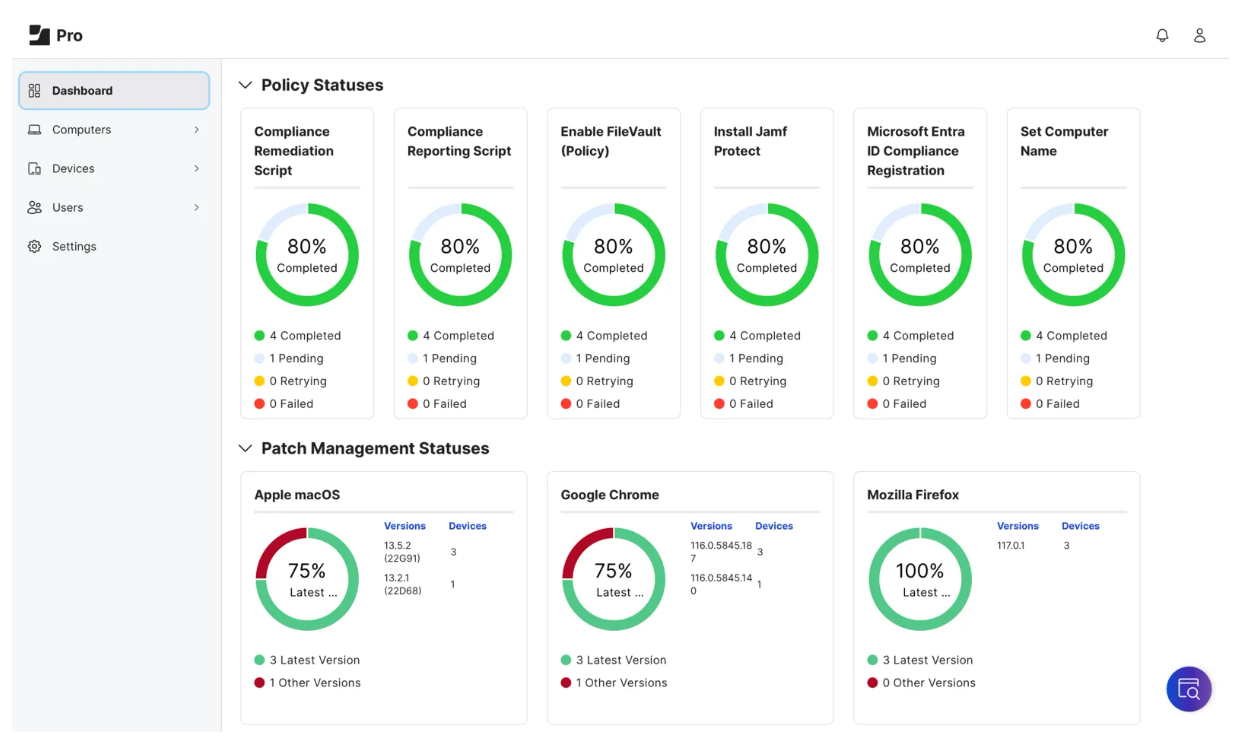
Jamf is the industry standard for managing Apple devices at scale.
The Jamf Pro platform offers all that an Apple-focused IT team would want from an MDM:
- Zero-touch deployment through Apple Business Manager
- Deep configuration profiles
- Smart groups
- Strong scripting
- Integration with Jamf Protect for endpoint security.
To be honest, for Mac-heavy environments, there is no real competitor in depth of Apple support.
The limitation is what Jamf doesn't do.
Procurement, repair logistics, refresh planning, and global device recovery are out of Jamf’s scope. Jamf manages the device once it is in your fleet. But getting it there and getting it back when an employee leaves are problems for something else.
Moreover, if you run mixed OS fleets, Jamf will need to run alongside a separate solution for Windows and Android, and a separate logistics platform for the physical lifecycle.
Reviews and ratings
Pros
- A powerhouse for Apple fleets, with fine-grained policy control
- Enrollment, app deployment, and updates are streamlined
- Scales cleanly and reliably, even for large Apple environments
Cons
- It is very Apple-first, so native multi-OS support is limited
- Advanced features come with a learning curve, and when issues appear, the fix is not always obvious at first glance
4. Iru (formerly Kandji)
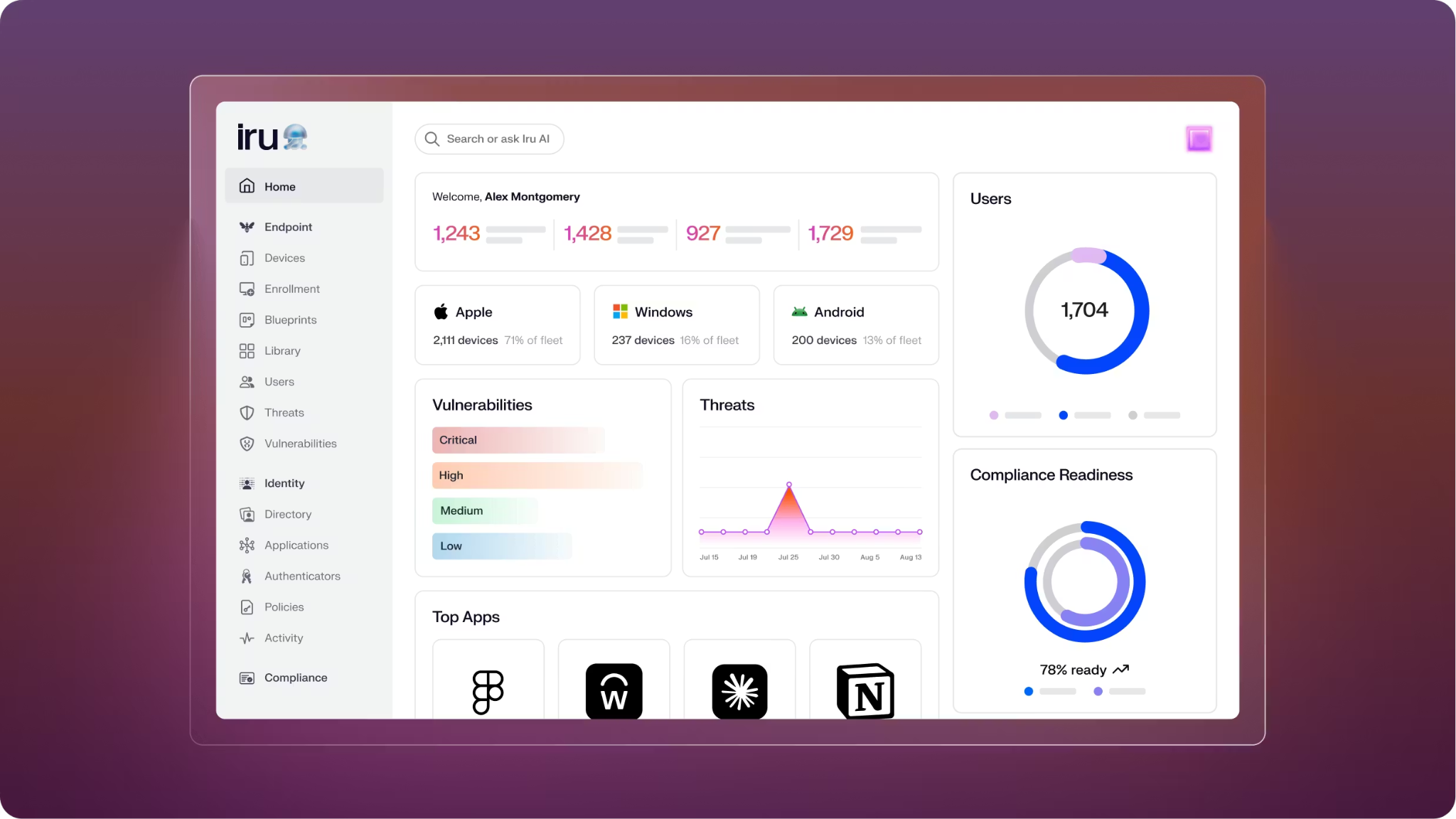
Kandji rebranded as Iru in October 2025, and changed from an Apple-only MDM into an AI-powered IT and security platform that now spans cross-platform endpoint management, identity, and compliance automation.
Existing Kandji customers transition to the Iru experience with no migration. However, the practical experience is still very close to what Kandji has been known for.
The USP still remains automated compliance and patch management for Apple-first teams that want strong policy enforcement with minimal IT work. Iru's auto-remediation continuously checks devices against compliance policies and applies fixes even when devices are offline, which is a big difference from MDMs that require an active connection to enforce posture. The library of pre-built compliance templates (NIST, CIS, STIG, etc.) means smaller teams can hit baseline security postures easily.
Like Jamf, Iru historically handled endpoint policy rather than repair logistics or global device recovery. The platform's broader ambitions are worth monitoring, but for hardware lifecycle management specifically, it still needs to be paired with a logistics platform.
Reviews and ratings
Pros
- The interface is intuitive and the deployment path is relatively smooth
- Strong automation covers configuration and EDR in a way that feels capable but not clunky
- Support is often praised as quick and genuinely helpful
Cons
- Windows and Android support still feels lighter than the deeper macOS experience
- Vulnerability alerts sometimes linger even after patching
5. Microsoft Intune
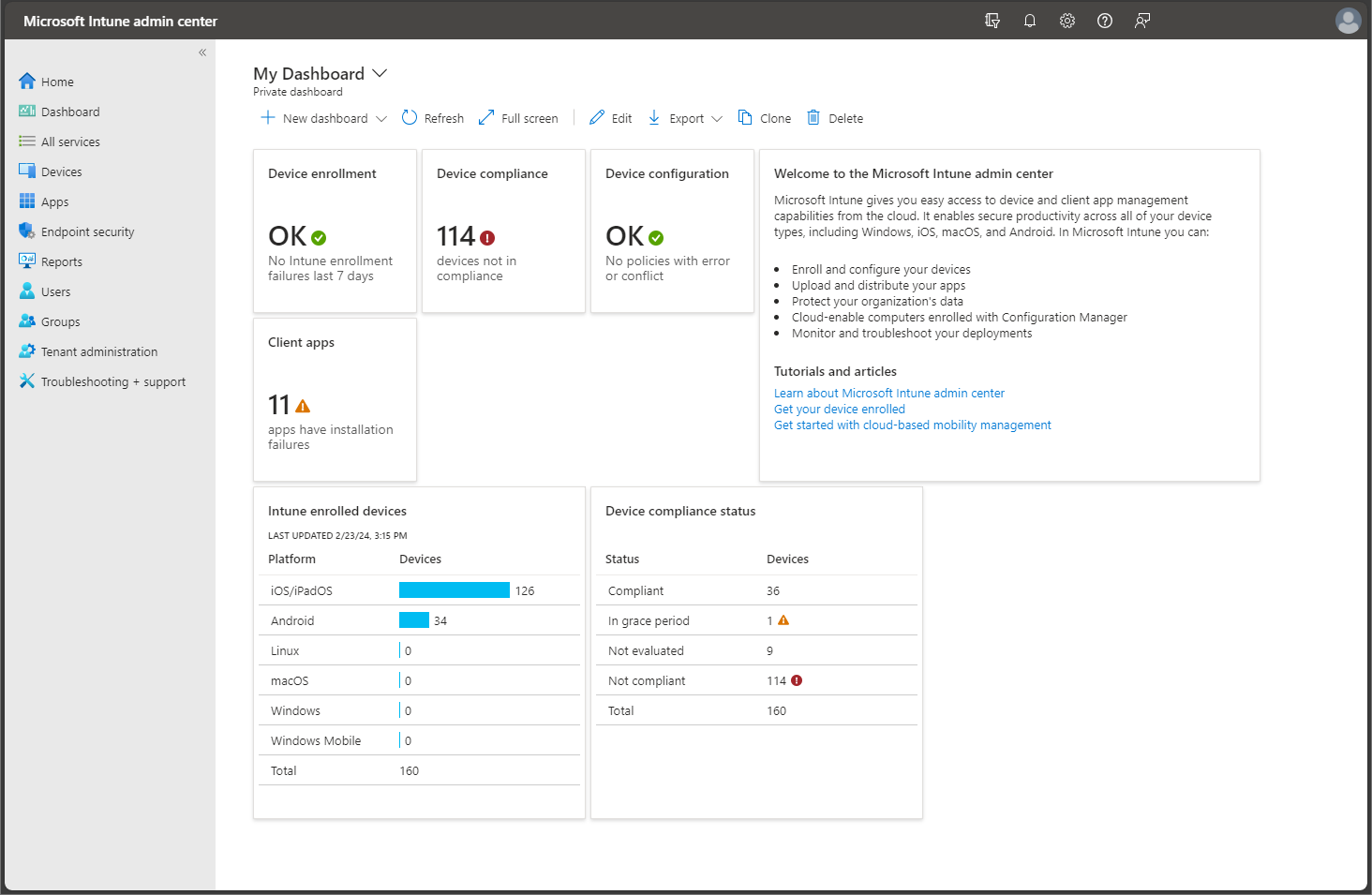
Microsoft Intune, the cloud-based device management and security platform, is the default choice for organizations already standardized on Microsoft 365 and Entra ID. But not so much for repairs and upgrades.
For starters, integrations with the Microsoft ecosystem are worth their hype. Conditional Access, Defender for Endpoint, and Entra ID connect into Intune in ways that competitors cannot match for Windows-heavy fleets.
Intune is rarely the wrong answer if your security model is built around Microsoft.
There are huge trade-offs, though!
- Intune's support for non-Windows devices works, but it is worse than dedicated tools. For instance, Jamf or Iru offer better macOS support, and Linux coverage is essentially absent.
- Patch management and remote access on Windows are strong; on other platforms, they are functional but not equivalent.
- The admin portal is split between legacy and modern experiences, which adds friction for new administrators.
And most importantly, procurement, repair coordination, device logistics, and upgrade planning all have to have separate systems or service partners. Microsoft is happy to manage the endpoint once it is configured, but getting it shipped, repaired, and recovered is on your plate.
Reviews and ratings
- G2: 4.5/5 (200+ reviews)
- Capterra: N/A
Pros
- Cloud-native and built to scale
- Particularly effective in Windows-heavy environments
- For core use cases, setup and support are often straightforward enough to get teams up and running
Cons
- Initial configuration can be complex, particularly for administrators new to the Microsoft ecosystem
- Non-Windows and mixed-OS environments do not always get the same smooth treatment as Windows-centric ones

6. GroWrk
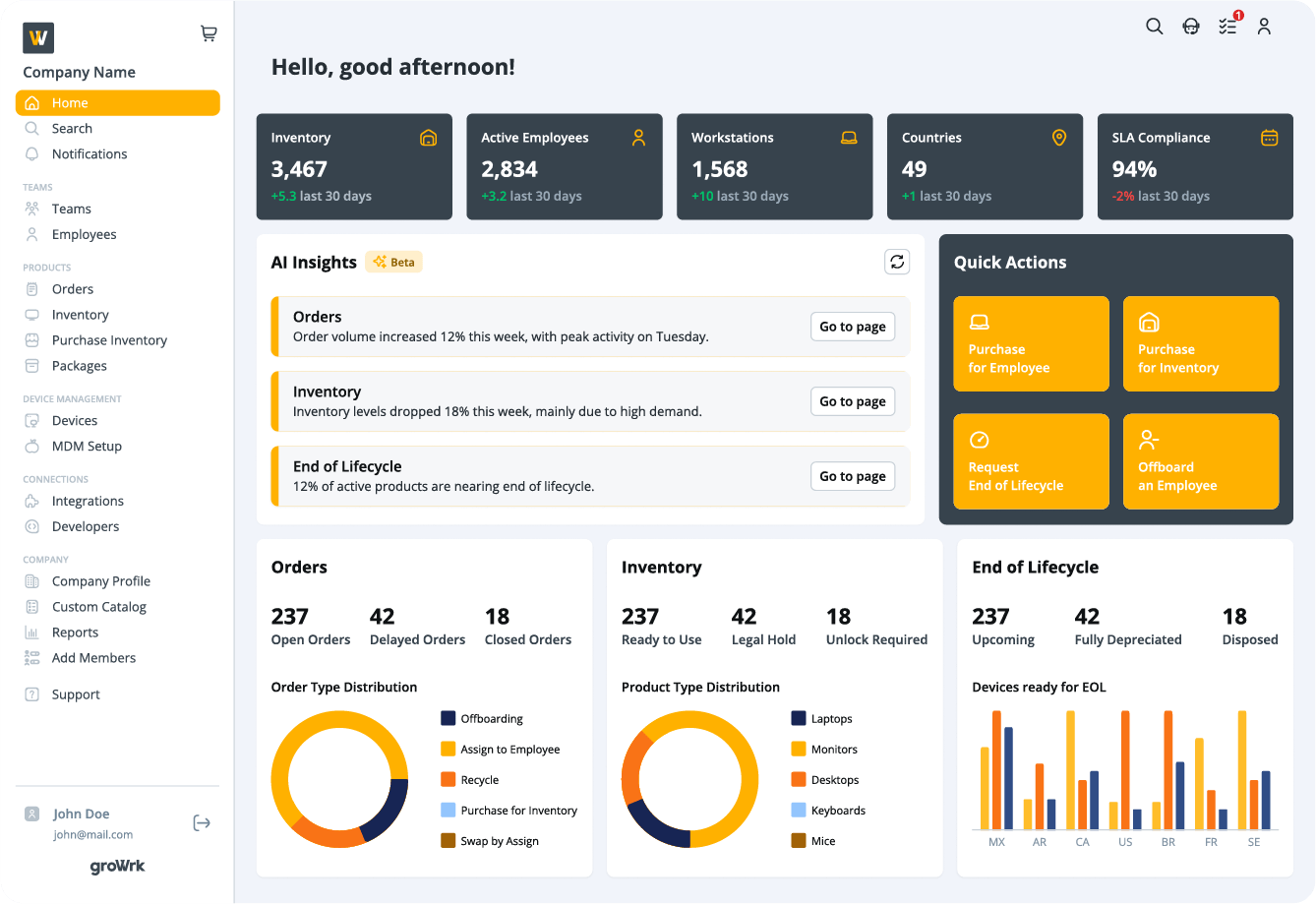
GroWrk is perhaps the closest platform to Workwize so far in our discussion.
Like Workwize, GroWrk focuses on the physical lifecycle of hardware for distributed teams.
The platform handles procurement, zero-touch deployment, asset tracking, retrieval, storage, and end-of-life services across 150+ countries through a network of certified resellers and local logistics partners.
The platform's strength might be logistics. The geographical coverage is hard to beat, and for areas that usually get less attention, like Latin America, GroWrk has historically performed really well.
Now, GroWrk does include MDM and device-management capabilities, so the bigger limitation is not endpoint policy coverage. The trade-offs are mainly around cost and shipping speed. Reviewers often note that pricing can be high, deliveries occasionally take longer than expected, and SLA timing is not always as clear as it could be. That means GroWrk is a strong fit for globally distributed teams that need both hardware logistics and device control, but it is less compelling for companies with simpler, office-centered operations.
For more on global IT logistics workflows, our IT logistics guide covers the operational details.
Reviews and ratings
- G2: 4.4/5 (30 reviews)
- Capterra: N/A (no prominent ratings found)
Pros
- Offers end-to-end lifecycle coverage
- Support is often described as helpful and steady
- Makes global device operations feel more coordinated
Cons
- Some users report slow processes and shipping errors
- Support responsiveness and process efficiency can vary more than you expect
7. IBM Maximo
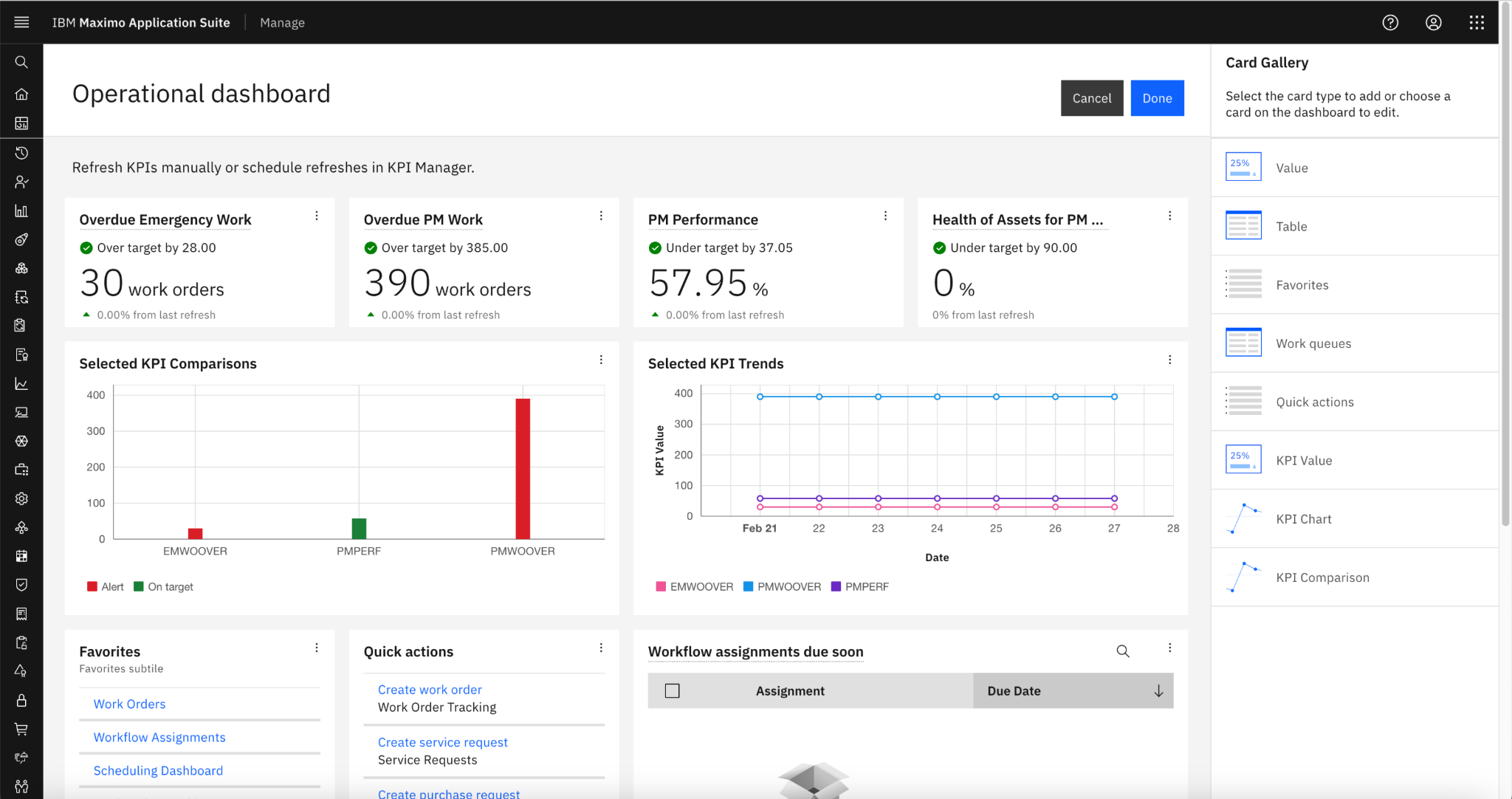
IBM Maximo is not like the others on this list. Yes, it is also an enterprise asset management platform, but it is built for industrial environments, like power plants and oil refineries and it manages those environments better than any other system available. For organizations with regulated infrastructure and complex asset hierarchies, Maximo has little competition.
Maximo is almost certainly overkill for knowledge-worker device fleets. The platform’s depth is built around physical infrastructure with multi-decade lifecycles and regulatory compliance frameworks like NERC CIP and API 510/570. None of that is useful, or even relevant, for managing 800 laptops across 25 countries. Implementation costs alone typically run $200,000 to $500,000 before going live, and the platform requires trained administrators to operate effectively.
We have included Maximo here for completeness. IT teams in industrial sectors who already run Maximo for their physical plant may want to extend it to their endpoint fleet. For most distributed knowledge-worker organizations, Maximo is simply not designed for this use case..
Reviews and ratings
Pros
- Deeply configurable and highly scalable
- Integrates well with ERP and other enterprise systems
- Handles complex asset, maintenance, and operational workflows with impressive breadth
Cons
- Setup can be heavy, with a lot of modules and configuration choices to untangle
- The learning curve is steep, and the interface can feel stiff for new users
8. Mosyle
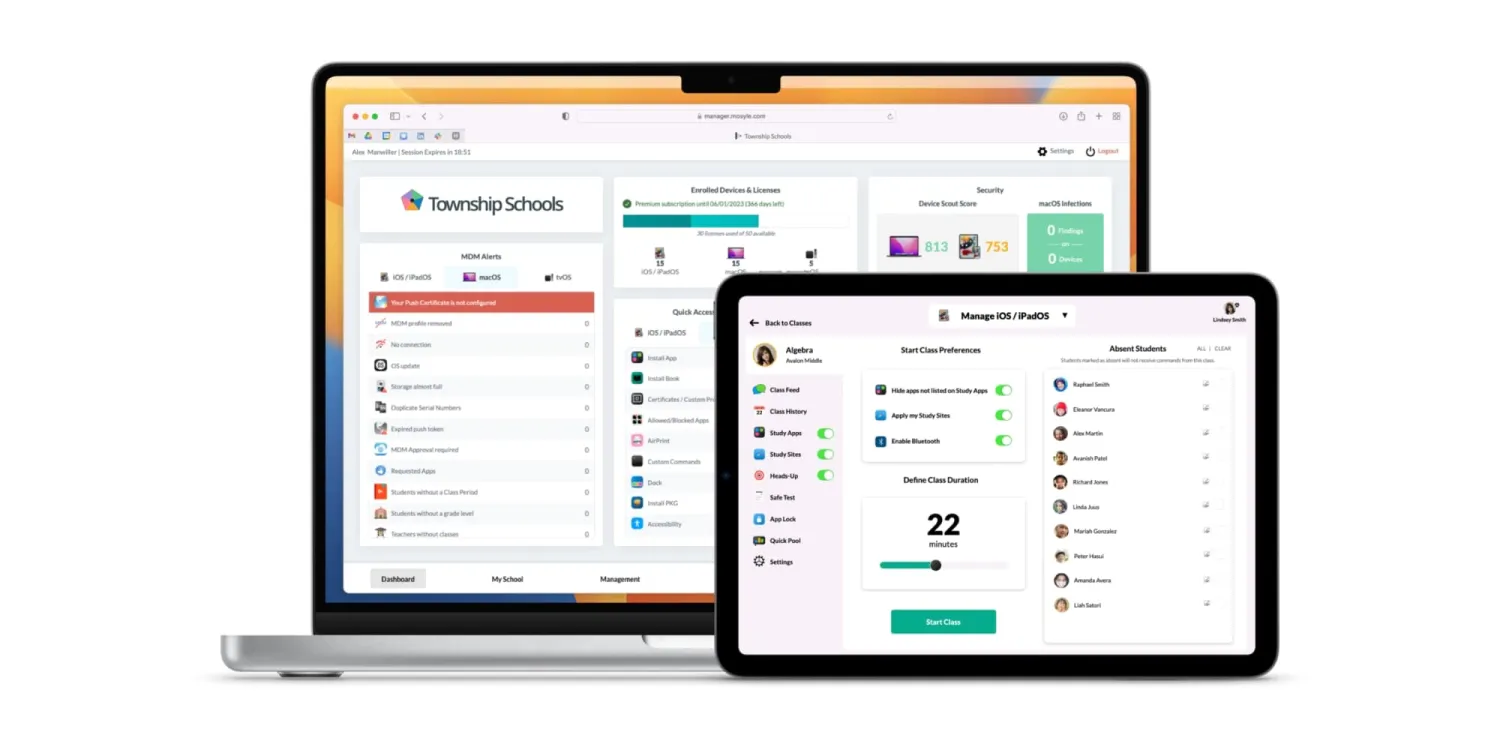
Mosyle is the budget-friendly Apple MDM, as it is often positioned as the lower-cost alternative to Jamf and Iru. It is aimed at smaller Apple-using organizations. The platform handles MDM, endpoint security, patch management, and identity for macOS, iOS, iPadOS, watchOS, and tvOS.
Don’t go by its footprint; for SMBs and small teams that need solid Apple device management without enterprise-grade complexity, Mosyle delivers. Reviewers rave about strong value for money and a flexible feature set.
Moreover, compared to something like Jamf, Mosyle is easier to start with and cheaper at the lower end of the market. Compared to Iru, the trade-off is some polish and the depth of automation that Iru's compliance-as-code approach provides.
As you’d have guessed, the same limitation that applies to every Apple-first MDM applies here. You get no hardware procurement, nor do you get repair logistics or global recovery. Mosyle is the policy and security layer for an Apple fleet, not a lifecycle platform.
Reviews and ratings
- G2: Limited data
- Capterra: 4.6/5 (80+ reviews)
Pros
- Easy to navigate, with enough control to keep device management feeling precise
- Handy features like Terminal commands and shell script testing give it extra flexibility
- Support is responsive, and updates arrive regularly
Cons
- The system can sometimes slow down or become temporarily unresponsive
- Certain tasks, like device renaming, may take a couple of tries before they behave
9. Hexnode
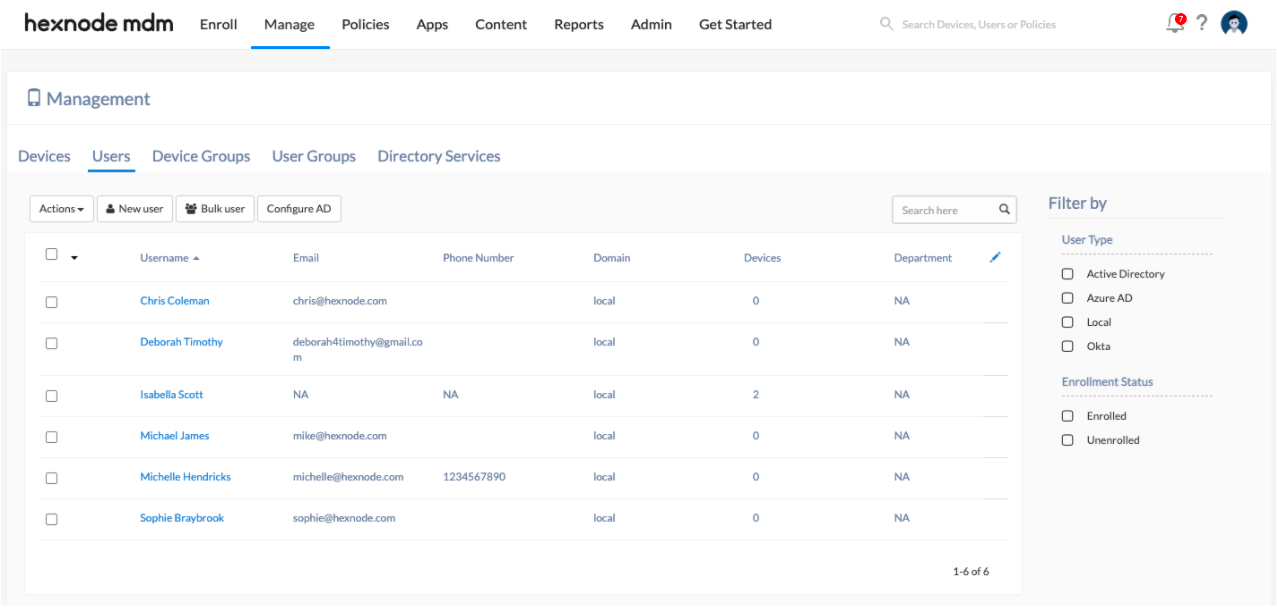
Hexnode is one of the few cross-platform unified endpoint management tools on this list that covers all the major OSes. We are talking compatibility with Windows, macOS, iOS, Android, ChromeOS, Linux, and even visionOS.
If we had to identify the strengths, we’d go for
- Kiosk mode, a feature that locks a device into a restricted experience
- Android Enterprise integration, and
- A per-device pricing model that doesn't burden smaller teams.
Hexnode works well with Apple Business Manager, Android Enterprise, Azure AD, Okta, SCCM, and Google Workspace. It is quite flexible for hybrid environments.
The limitations are still there, though. There is no hardware management and repair coordination. Global logistics is out of the question.
Reviews and ratings
- G2: 4.5/5 (200+ reviews)
- Capterra: 4.6/5 (around 150+ reviews)
Pros
- The dashboard is intuitive and the policy structure is easy to work with
- Support is responsive and efficient, backed by documentation that helps
- A dependable UEM option overall
Cons
- Publicly available criticism is relatively limited, which makes the downside picture a little less detailed than the upside
- Advanced configurations and more complex multi-platform setups can still require time to fully master
10. ServiceNow
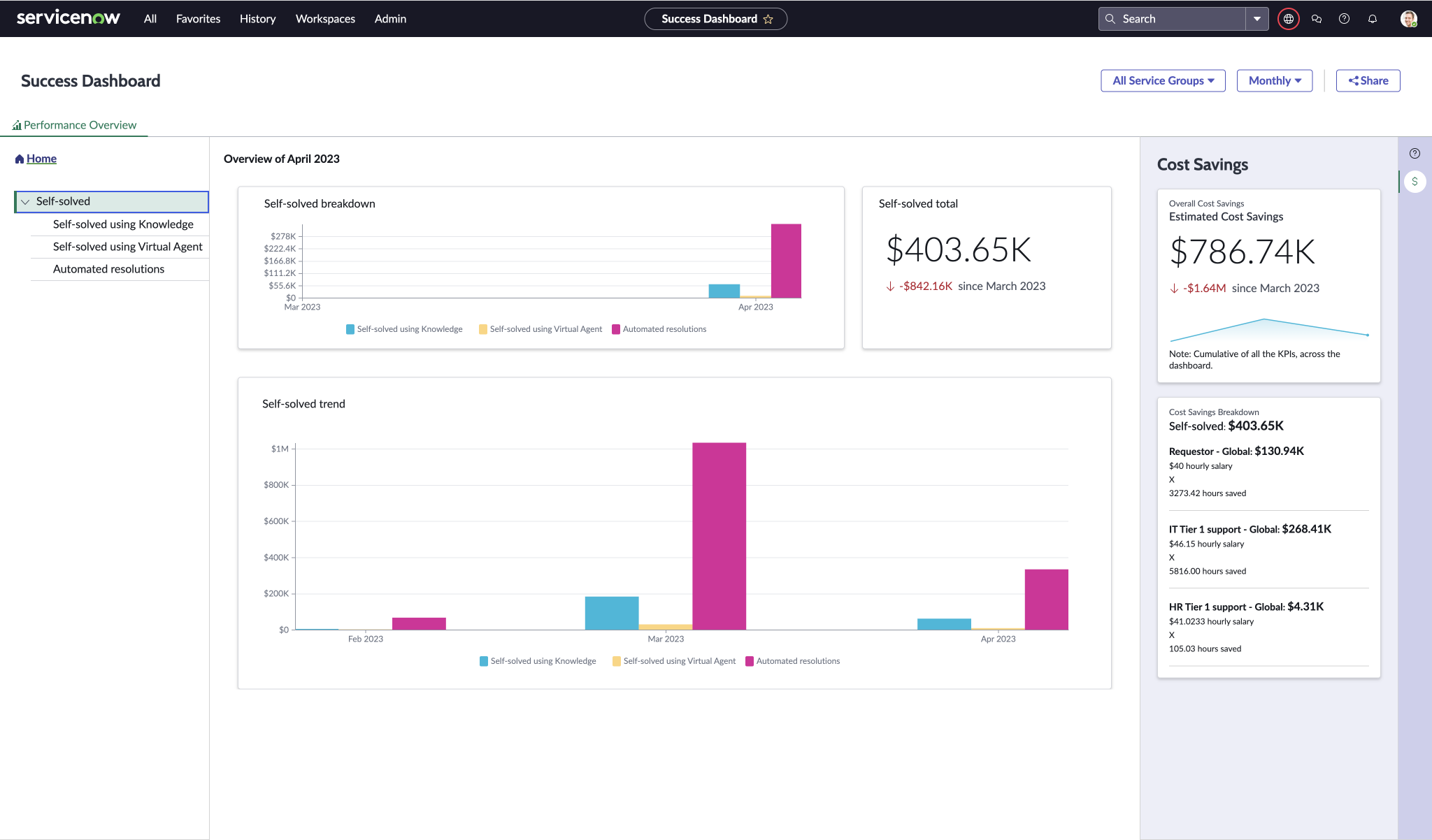
ServiceNow's IT Asset Management module is part of the larger ServiceNow platform, the dominant ITSM tool in large enterprises.
If your organization already runs IT operations on ServiceNow, the IT Asset Management and Hardware Asset Management modules can absorb device lifecycle workflows, repair tracking, and refresh planning at scale.
But let’s be clear that ServiceNow is not a purpose-built device lifecycle management platform. It is an enterprise ITSM platform that includes asset management as one of many capabilities. Configuring it to handle device lifecycle workflows effectively requires a lot of implementation effort.
Even moderately sized companies typically start at around $50,000 annually, and total costs can go past $1 million as integrations and support compound based on market data.
The other (big) limitation is logistics. Things you care about, like hardware procurement, global shipping, physical device recovery, and certified disposal, are outside ServiceNow's scope. If you run ServiceNow, you have to pair it with a hardware logistics partner or build custom integrations to connect the ITSM workflow to the physical fulfillment layer.
Reviews and ratings
- G2: 4.5/5 (6,000+ reviews; seller level)
- Capterra: Generally strong ratings
Pros
- A serious tool for IT operations, with strong automation and enterprise-grade service management
- Dashboards provide useful visibility into work and process flow
- Highly customizable, with low-code tools that give large organizations plenty of room to shape the platform to their needs
Cons
- It can feel like too much machine for smaller teams, especially when simplicity is what they need
- The interface and learning curve can be demanding
Get a detailed review of ServiceNow in our detailed comparison article here.
How to choose the right device lifecycle management platform
Reading ten platform reviews in a row is useful, but that is not how the decision really gets made. In practice, it comes down to a small set of questions asked in order, and those questions usually shrink the field fast…from ten vendors to two or three worth piloting.
1. Is the fleet clustered or scattered?
A fleet of 500 devices in three offices across two countries is a very different thing from 500 devices spread across 30 countries. The first can usually survive on traditional procurement plus a strong MDM. The second needs real logistics muscle, because the physical aspect of it becomes the problem, not the software part.
A lot of failed lifecycle rollouts trace back to this mismatch: the company thinks it has a device problem, but what it really has is a geography problem..
2. What is the OS environment like?
Apple-only hardware stacks usually point toward Jamf or Iru on the policy side, with a separate logistics platform handling the hardware side.
Windows-heavy teams tend to land on Intune. Mixed fleets are harder to fake. Once you are handling Windows, macOS, iOS, Android, and maybe ChromeOS too, something like Hexnode deserves consideration because it can reduce the number of MDM tenants you have to look after.
3. Who actually fixes the broken stuff?
Some organizations have regional IT staff who can repair and swap devices locally. Others are fully remote, which means every broken laptop becomes a shipping problem with a help desk attached.
In such situations, managed repair platforms like Workwize work the best. These platforms, capable of handling hardware end-to-end, really earn their place when there is no IT person nearby to make the problem disappear.
4. One system or two?
Do you want hardware logistics and endpoint management in one workflow, or are you fine running them as separate tools?
Smaller teams, especially those under 200 devices and mostly on one OS, can often keep the stack split without much pain. Larger, messier environments benefit from some kind of unification, whether that means tighter integrations or accepting a little less depth in exchange for fewer different tools.
Now, we’ll try to make this even easier for you.
|
If you need... |
Consider... |
|
Full hardware lifecycle management for a distributed team |
Workwize |
|
Device management tied to global HR and payroll |
Deel IT |
|
Apple-only endpoint management at enterprise scale |
Jamf |
|
Apple device compliance with lower cost or smaller scale |
Iru (formerly Kandji) or Mosyle |
|
Cross-platform endpoint policy in a Microsoft environment |
Microsoft Intune |
|
Cross-platform UEM outside the Microsoft ecosystem |
Hexnode |
|
Global hardware logistics with strong worldwide reach |
GroWrk |
|
Enterprise ITSM with repair workflow integration |
ServiceNow |
|
Industrial or enterprise asset maintenance workflows |
IBM Maximo |
In our experience, we have learned that most teams managing global fleets end up with two platforms working together: one for the physical lifecycle and one for endpoint policy.
The platforms that work well together (Workwize and Jamf, for example, or Workwize and Intune) have a tendency to produce better outcomes than trying to force a single tool to do both. The integration quality matters more than feature parity.
If you are thinking this through, our IT asset management best practices guide and end-to-end procurement breakdown would be of help.

Use Workwize To Simplify Device Lifecycle Management
The takeaway from looking at these ten platforms side by side is that most of them solve either the endpoint policy problem or the hardware logistics problem.
They rarely do both, and almost never well.
If you have distributed teams where repairs and upgrades involve cross-border procurement and regional shipping, if you need MDM-configured deployment, and you cannot negotiate physical device recovery, those two aspects need to be connected.
Workwize is built for the hardware side of that equation, end-to-end. With Workwize, you get procurement, MDM-configured deployment, repair management, refresh cycle planning, retrieval, and certified disposal in one platform across 100+ countries.
And it pairs beautifully with whichever endpoint management tool suits you, rather than forcing you to compromise on either side.
Book a demo to see how Workwize handles the hardware side of your device lifecycle end-to-end.


Establish a single source of truth for every IT asset across the globe.
.png?width=258&height=318&name=g10%20(5).png)
More related resources to help you stop firefighting hardware operations.



Get monthly insights into how other IT leaders are improving their ops.



.png?width=2880&height=1232&name=Group%202147262874%20(1).png)
Stop coordinating
hardware like it's 2012.
.svg)
.png?width=172&height=68&name=apple%20business%20patner%20(1).png)
.svg)
.svg)
.svg)
.svg)