




.svg)
.svg)

.svg)


.svg)




.svg)


.png?width=1230&height=692&name=Vector%20(13).png)
A Practical Guide to IT Asset Storage and Redeployment
Companies run a structured process for issuing laptops: purchase approvals, device setup, security policies and handover forms.
What happens after those devices are returned is usually less organized.
When an employee leaves, their laptop may end up in a storage cupboard or appear differently across several spreadsheets. Meanwhile, another team raises a purchase request for the exact machine already sitting on a shelf.
This fragmented process creates two avoidable costs: the company buys hardware it may not need, while returned devices continue to depreciate in storage.
This guide covers a practical five-step process for storing and redeploying retired IT assets. It shows you how to keep devices secure, visible, and ready for reuse instead of letting them depreciate in storage.
Let’s dive in!

How to Decide What Happens to a Returned Device
A retired device has reached the end of its current assignment, and nothing more. Whether it has also reached the end of its useful life is a separate question, one you can only answer after an assessment.
Once you have assessed how usable the device is, it moves to one of five destinations:
- Redeployment to another employee (Workwize can redeploy stored devices to new hires straight from storage)
- Refurbishment before reissue
- Repurposing as a spare, loaner, or training device
- Resale or donation
- Certified recycling or destruction
Notice that redeployment sits at the top of that list and disposal at the bottom. That order is deliberate. Disposal is the fallback for devices that are no longer secure, functional, economical to repair, or suitable for another use. Some returned devices are nowhere near that point.
Storing a device while it waits for its next assignment is a healthy part of this process. The problem starts when a device enters storage without a grade, a wipe record, or a review date.
Consider a two-year-old laptop with a healthy battery and no faults. After grading and wiping, it sits in the warehouse for six weeks, then goes out to a new hire and saves the company a purchase. But left ungraded and unlogged, the same laptop sits in the same warehouse for a year, misses multiple hiring cycles, and loses resale value the entire time.
So treat retirement as a decision point. Assess the device, grade it, and route it. Until that happens, you simply do not know what you have.
If you want the fuller picture of what a recovery program looks like end-to-end, our IT asset recovery guide covers the process in more depth.
The IT Asset Redeployment Process in 5 Steps
The five steps below take a device from return to reuse, with refurbishment, resale, and responsible disposal available when redeployment no longer makes sense.
Step 1: Retrieve and log the device
The first thing you do is recover the device quickly and record its arrival properly. Every decision that follows depends on this record existing.
Do two things as soon as a device comes back:
- Match the serial number to the asset record: Flag incorrect, unregistered, or misassigned devices immediately. Move the lifecycle status from "active" to "returned, pending assessment" in your ITAM system.
- Record the chain of custody: Log each handoff, from employee to courier to warehouse. Auditors and security teams expect this trail, particularly for devices that hold sensitive or regulated data.
Start retrieval from the employee's offboarding date, never from the point where IT notices a laptop is overdue. Tie the process to a date and everyone works to a deadline. Leave it open and devices stay with former employees for weeks.
You also need a plan for the devices that never arrive. Set a deadline for return, then escalate on a fixed schedule.
The escalation process could look like this:
An automated reminder to the former employee → a follow-up from IT → notification to HR or the hiring manager.
If the deadline passes without a device, mark the asset as unrecovered and proceed to remotely lock or wipe it where your MDM allows.
The logistics part of retrieval is also really difficult.
You need couriers who cover each employee's location, packaging that protects a laptop in transit, a facility to receive it, and a way to track a dozen open returns that does not rely on email threads.
Sure, a company collecting two laptops a month in one city can manage this internally. However, a distributed company offboarding people in Delhi, Kyoto, and New York either builds courier relationships in every market or works with a partner that already has them, along with regional facilities to receive the devices.
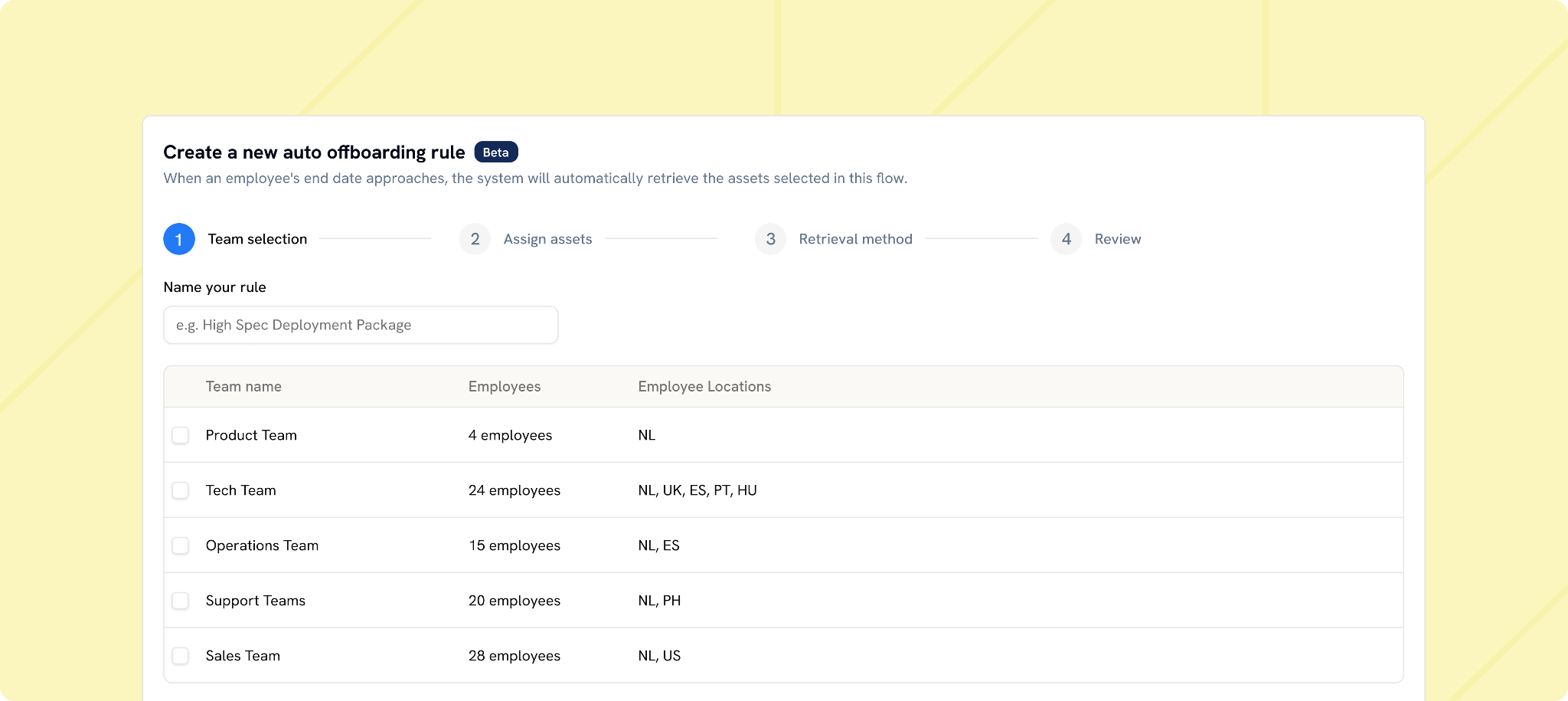
Workwize solves this through automated offboarding. When an employee's departure is recorded in your HRIS, the platform starts the return workflow on its own.
The departing employee receives return instructions, a collection gets arranged through Workwize's courier network in that country, and IT tracks every stage, from pickup to warehouse check-in, from a single dashboard. That way, nobody has to remember to start the process, and nobody has to chase its progress across inboxes.
IT managers and technicians who run this setup speak well of it:

Via Reddit
Step 2: Assess the condition of the device and decide what happens with it
Once the device reaches the warehouse or the IT desk, establish what has really come back.
Photograph the device and document its condition on arrival. Capture visible damage, missing accessories, and the state of the packaging. This record settles disputes with couriers or former employees and feeds directly into the grade.
Before you grade anything, pull the support and coverage status for the device:
- Remaining manufacturer warranty and any extended coverage
- Vendor hardware support and parts availability for the model
- Operating system support, including whether the device can run the version your security policy requires
- Firmware and driver support from the manufacturer
- Eligibility for security updates through the period you plan to keep the device in service
A laptop can pass every physical test and still fail here. A machine that can no longer receive security patches belongs outside your fleet regardless of how well the battery holds up, so treat support eligibility as a hard gate rather than a tiebreaker.
Then proceed to grade the device.
The following example can be adapted to your fleet, device types, warranty policies, and role requirements:
|
Grade |
Condition |
Recommended routing |
|
A: Ready to redeploy |
No significant physical damage; ports and core hardware work; battery health is above 80%; the operating system loads and the device connects to MDM without errors |
Wipe, re-enroll in MDM, and assign to the next suitable employee |
|
B: Refurbish first |
Minor cosmetic wear; core functions remain reliable; battery health sits between 60% and 79%; the device may need a battery, RAM, or storage upgrade |
Repair or upgrade as needed, then wipe, re-enroll, and redeploy |
|
C: Repurpose only |
Moderate wear or a non-critical fault makes the device unsuitable as a primary machine, though it can still support lighter use |
Keep as a loaner, training device, spare, or lower-demand workstation |
|
D: Leave the fleet |
Major damage, uneconomical repairs, inadequate performance for any remaining role, or a drive that cannot be securely erased |
Route through certified ITAD for resale, recycling, or destruction |
Note: The battery thresholds and routing rules below are internal policy choices rather than industry standards.
Adjust the thresholds to your fleet and roles, because a grade means nothing in isolation. The same aging laptop that frustrates an engineer running heavy local LLM workloads might delight a temporary contractor. Grade the device against the work it must support, never against a spec sheet alone.
Moreover, who runs the assessment matters less than consistency. Office-based teams can inspect directly, but distributed organizations usually delegate to a regional warehouse or logistics partner. Either works, on one condition. The checklist must be precise enough that Grade A in Amsterdam means exactly Grade A in Austin.
And do not rush past Grade B, because this is where rigid replace-or-dispose policies burn money. A battery swap or a storage upgrade often buys an entire additional cycle for a fraction of the price of new hardware.
Run a total-cost test before you replace
Grade B raises an economic question, and a rough calculation helps.
Add up everything you would spend to return the device to service: repair or upgrade parts, labor, storage, shipping to the next user, and configuration time. Then compare that figure against the replacement cost, weighted by how long each option will realistically last.
Take a laptop that needs a $90 battery, $40 in shipping, and roughly $30 of configuration time. That is $160 to put a machine back into a role for another two years, or about $80 per year of service. A comparable new laptop costs $1,400 and might serve four years, or $350 per year. Refurbishment wins by a wide margin.
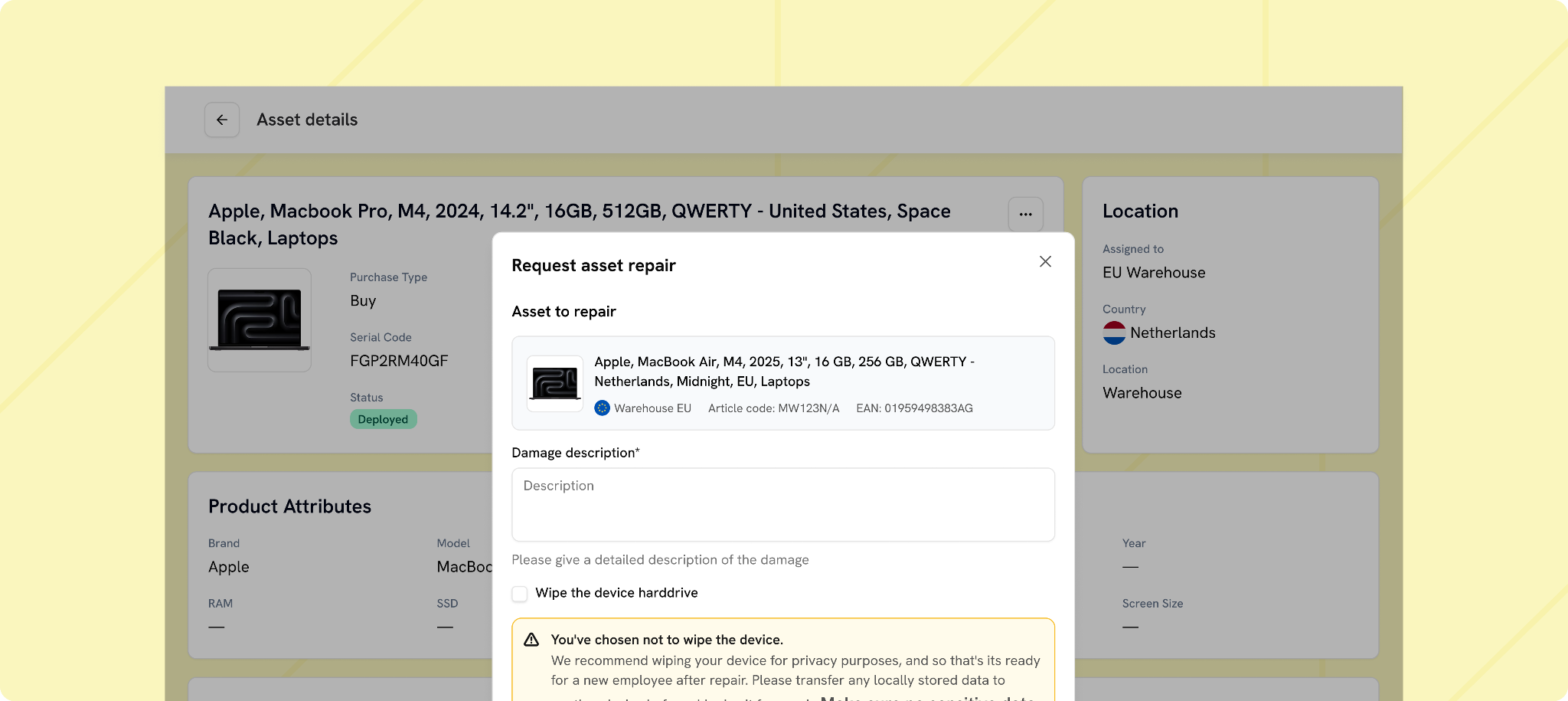
Workwize’s maintenance and repair services support this route. You can easily route eligible devices to the re-deployable pool rather than allowing minor faults to become premature retirement decisions.
Step 3: Wipe the device before it gets stored or redeployed
After grading comes a tempting pause. The device is back, you know its condition, and no new employee is waiting for it yet. Many teams shelve it and postpone data erasure until a new assignment appears.
That sequence creates unnecessary risk.
A returned laptop still holds local files, cached credentials, browser sessions, and application data from its previous user. Locking it in a storeroom limits physical access, but the data stays right there on the drive.
Each week the device remains active, you expose yourself to a risk that should have been resolved during offboarding.
That is why you need to erase the device before it joins the stored inventory. By the time it reaches the shelf, it should carry a wipe record and stand ready for whichever route its grade allows.
|
IMPORTANT EXCEPTION Check whether the device falls under any of the following: A legal holdAn active investigationA regulatory retention requirementAn HR or security matter involving the departing employee.Sanitizing a device under hold destroys evidence and can expose the organization to sanctions. Build a hold check into the intake step, route flagged devices to secure quarantine rather than the wipe queue, and require written release from legal teams before the device rejoins the normal process. |
For everything else, keep these points in mind:
- Use an appropriate sanitization standard: NIST SP 800-88 Rev. 2 provides guidance for clearing, purging, and destroying storage media. Pick the method based on the device, the sensitivity of the data, and whether the hardware stays in use. The process should produce a record tied to the asset.
- Encryption does not replace erasure: Encryption protects data at rest and in transit. Encryption reduces the risk of unauthorized access, but it does not by itself demonstrate that a device has been sanitized for reassignment or disposal.
- An MDM reset may not satisfy an audit: Remote wipe helps, especially before you recover a device. An MDM reset may not produce the evidence required by the organization’s security policy, customer commitments, or audit controls.
- The storage medium determines the method: Overwriting suits hard drives, while SSDs typically require cryptographic erase or a manufacturer-supported secure erase. Your policy should define the approved method based on media type, device capabilities, data sensitivity, and whether the device will remain in service.
The certificate matters almost as much as the wipe itself. Without a linked record, the organization may be unable to demonstrate when and how sanitization was completed.
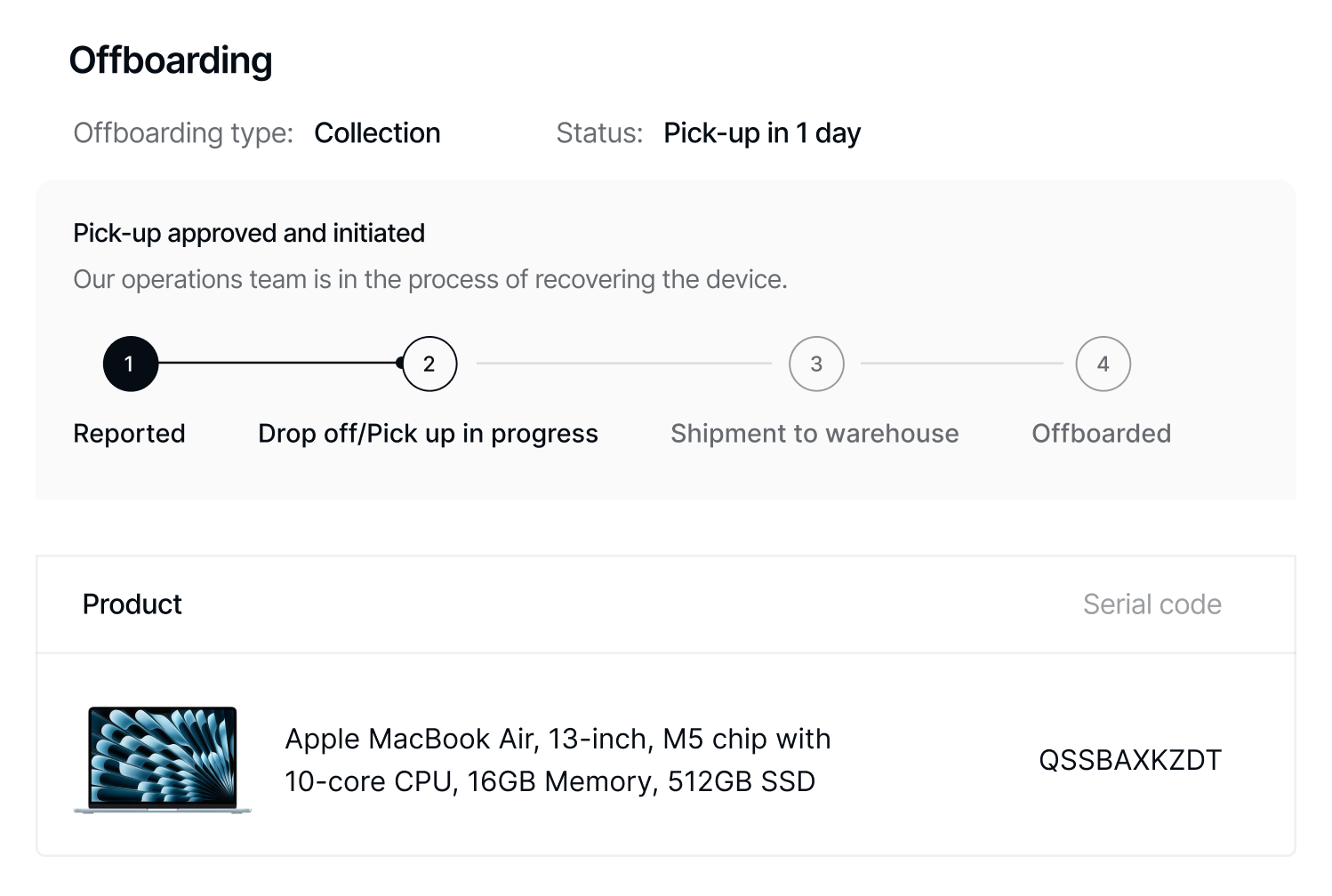
Workwize builds erasure into the return workflow. Once a device is logged and assessed, it can be routed for certified data sanitization, with the resulting certificate stored against the asset record rather than left in a separate inbox or spreadsheet.
Step 4: Store the device without letting its value slip away
After assessment and sanitization, a device may be redeployed immediately or placed in storage until a suitable assignment becomes available. Storage controls should preserve its condition, maintain an accurate record, and prevent it from remaining idle indefinitely.
For proper storage, pay attention to four areas:
- Store it in the right environment: Heat, cold, and swings in humidity shorten battery life and raise the risk of component damage. Store it as per manufacturer instructions.
- Give it an accurate inventory status: The device should never stay marked "active" under its former user or vanish into a vague "retired" bucket. Record it as wiped, graded, and in storage, with its location, condition, accessories, and erasure certificate attached.
- Keep the device and its accessories together: Chargers, docks, and adapters slip through asset tracking easily. A redeployed laptop that ships without the equipment needed to use it still forces a purchase.
- Control physical access: Label each device and restrict entry to the storage area. Your team should confirm the device’s grade and sanitization status from either its physical label or the asset-management system, without reconstructing it from three sources.
Set a maximum storage period and assign someone, usually the IT asset manager, to review devices that exceed it. A monthly report should flag overdue inventory for reassessment and route each device to redeployment, resale, donation, recycling, or disposal. Record every decision to prevent exceptions from becoming routine.
For distributed teams, location matters too. Regional storage often avoids the customs delays and shipping costs of sending every returned device to a central warehouse. A laptop returned in the Netherlands and needed in Germany, for example, is usually more useful in a nearby facility than in a distant global hub.
Workwize's global warehousing network follows this regional model, and eligible devices typically reach their next destination within five to seven days.
Step 5: Redeploy Eligible Devices and Disposition the Rest
The process starts paying off when the next hiring request arrives. Before approving a new purchase, check whether a suitable Grade A or refurbished Grade B device already waits in the right region.
Redeployment should feel like a standard new-device rollout. For laptops:
- Confirm the device still meets the security update and warranty requirements for the receiving role.
- Release or transfer the software licenses attached to the previous user or device.
- Enroll the laptop in MDM for its new user.
- Install the applications and security policies the role requires.
- Reassign the device in your asset register.
- Carry forward its purchase details, repair history, grading record, and latest wipe certificate.
The new employee receives a properly prepared device, and IT keeps a complete history instead of inheriting a box with no priors.
Some assets will not return to circulation. Grade D devices and some Grade C devices need a controlled route out of your fleet:
- Resale: Choose resale when the device holds enough market value to cover transport, inspection, and processing. Workwize's resale program can recover up to 45% of the original value on eligible equipment, though returns depend on model, age, condition, and local demand.
- Recycling: Choose recycling when the device has little useful life left but still contains recoverable materials.
- Secure destruction: Destroy hardware when you cannot reliably sanitize the storage media or when internal policy demands it because of the data involved.
- Donation: Donate functioning devices with limited resale value, provided you verify the wipe and document the transfer of ownership.
- Donation requires due diligence. Vet the recipient, confirm export and sanctions compliance, document the transfer, value the device where required, remove all licenses and access, and delete it from MDM and the asset register. Do not decide by age alone.
- Consider repair costs, resale or donation value, and whether the device can still support another role.
Whatever route you choose, close the record properly. A resale receipt, recycling certificate, donation record, or destruction certificate completes the chain of custody that began at retrieval. Otherwise, the hardware leaves while the asset lingers unresolved in your system.
For a closer look at these exit routes, check out Workwize’s guide to compliant IT asset disposal.

Why Even a Good Redeployment Process Fails to Produce Results
Unlike what you might assume, redeployment programs rarely collapse at the steps themselves. Retrieval, wiping, grading, storage: IT teams handle each of these competently every day. They fail at the handoffs between teams and departments.
IT retrieves the device, workplace operations stores it, and finance approves its disposal. Each team completes its task, but no one tracks the asset from return to outcome. That is how a laptop can sit in a warehouse while remaining invisible to the fleet.
Assign one person, usually an IT asset manager, to oversee the full process. Individual teams remain responsible for their stages, while this person tracks handoffs, flags stalled devices, reviews performance, and stays accountable for the result.
These are the four weak points that show up again and again:
- Nobody watches the space between steps. Assigning responsibility for retrieval, wiping, or storage is not enough. Each handoff needs a named accountable party and a clear status change in your asset system when the device moves forward.
- Internal reuse is treated as a reason to skip erasure. The next user may work for the same company, and that still gives them no legitimate reason to inherit the previous employee's cached sessions or local files. Every reassignment should begin with a verified wipe.
- Grades mean different things in different locations. If a scratched lid is Grade A in one warehouse and Grade C in another, your available inventory is no longer trustworthy. IT then has to inspect devices again or take a chance on what will arrive.
- Accessories disappear from the process. For instance, chargers, adapters, docks, and keyboards are often tracked less carefully than the laptop. You may successfully recover and redeploy a device, then undermine the savings by buying everything needed to make it usable.
These issues come up in small, deniable ways, like a purchase order nobody questions or an audit that drags on for several extra days. By the time the pattern becomes obvious, the warehouse already holds a backlog.
Pro-tip: A dependable post-retirement process rests on lifecycle management that started long before the device came back. Here is how experienced teams approach it:
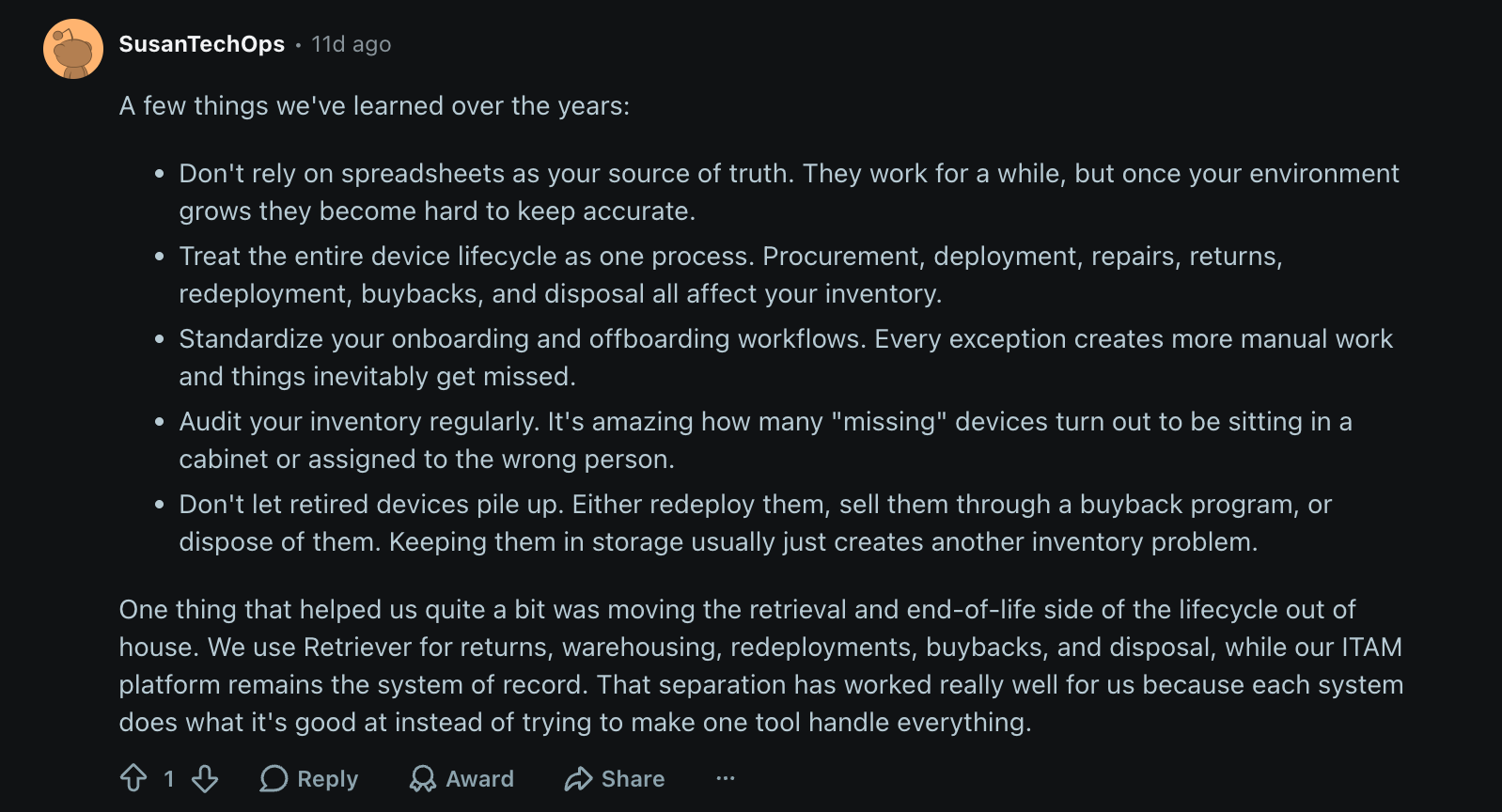
Via Reddit
 Standardize the Redeployment and Storage Process Across Your Fleet with a Policy
A one-time warehouse cleanup will not prevent the next backlog. The next offboarding cycle starts rebuilding the pile immediately, and the only thing that survives the initial enthusiasm is a written policy that standardizes accountability, grading, storage limits, and performance measurement across future return cycles.
That policy can fit on a single page, provided it answers four questions decisively.
- Who is responsible for every stage and handoff?
Name the person or team in charge of retrieval, intake, assessment, erasure, storage, redeployment, and final disposition. When a service partner enters the picture, document exactly where its responsibility begins and where yours resumes.
- What does each grade mean?
Define the tests, thresholds, and routing rules behind Grades A through D, and anchor them to role context. A workstation that fails the bar for a video editor may sail through it for a front-desk kiosk.
- How long can an asset remain in storage?
A universal 60- or 90-day ceiling will suit some fleets and strangle others, yet indefinite storage serves nobody. Calibrate your review intervals to hiring volume, hardware depreciation, warranty status, and regional demand.
- How will you know whether the system is working?
Track, at minimum:
- The percentage of eligible returned devices that get redeployed
- Average time from return to reassignment
- The number and value of new purchases avoided
- Percentage of returned devices with complete custody and erasure records
- Number of assets that exceed your storage limit
Once those foundations are in place, integrations make the process easier to run. HRIS events can automatically trigger retrieval when employees join, move, or leave. But automation comes second. Clear ownership and thresholds can support a solid manual process; without them, integration only speeds up a broken one.
The comment below captures the difference this can make in practice:
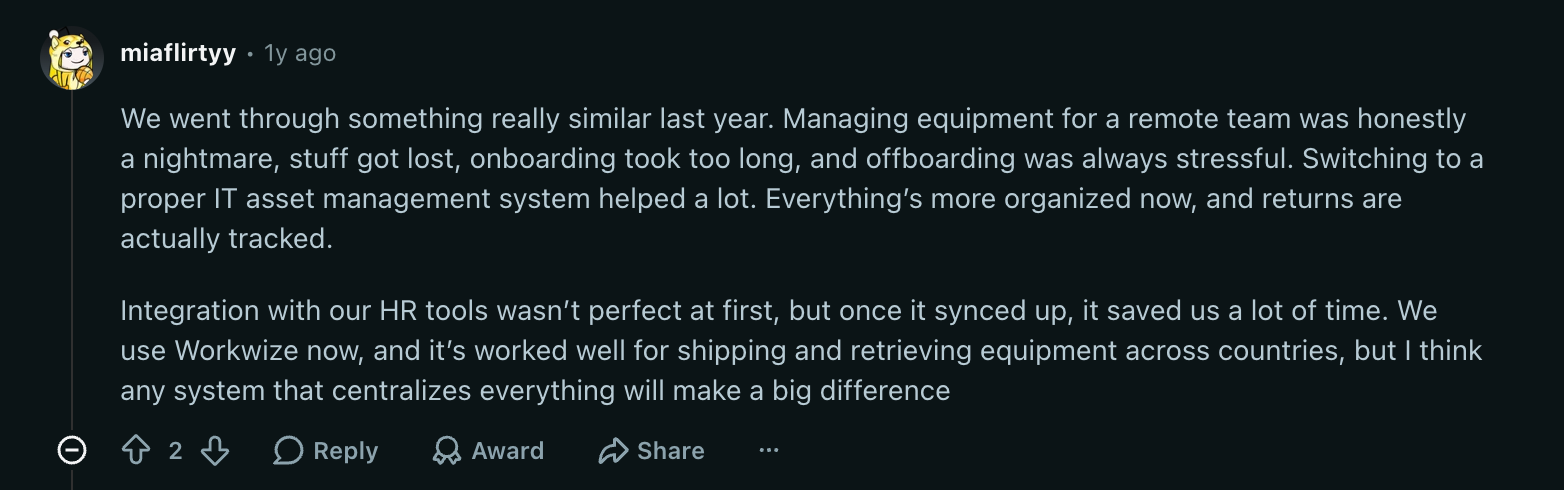
Via Reddit

How Workwize Connects the Entire Asset Lifecycle for Distributed Teams
Distributed teams can run retrieval, storage, and redeployment through separate ITAM tools, courier accounts, warehouses, service partners, and internal workflows.
The hard part is keeping asset records and handoffs synchronized as your workforce spreads across countries.
Workwize is built to close that gap. It brings procurement, deployment, tracking, retrieval, repair, refurbishment, resale, and disposal into one global hardware lifecycle platform. It operates across 100+ countries and integrates with HRIS, MDM, SSO, and IT service-management systems.
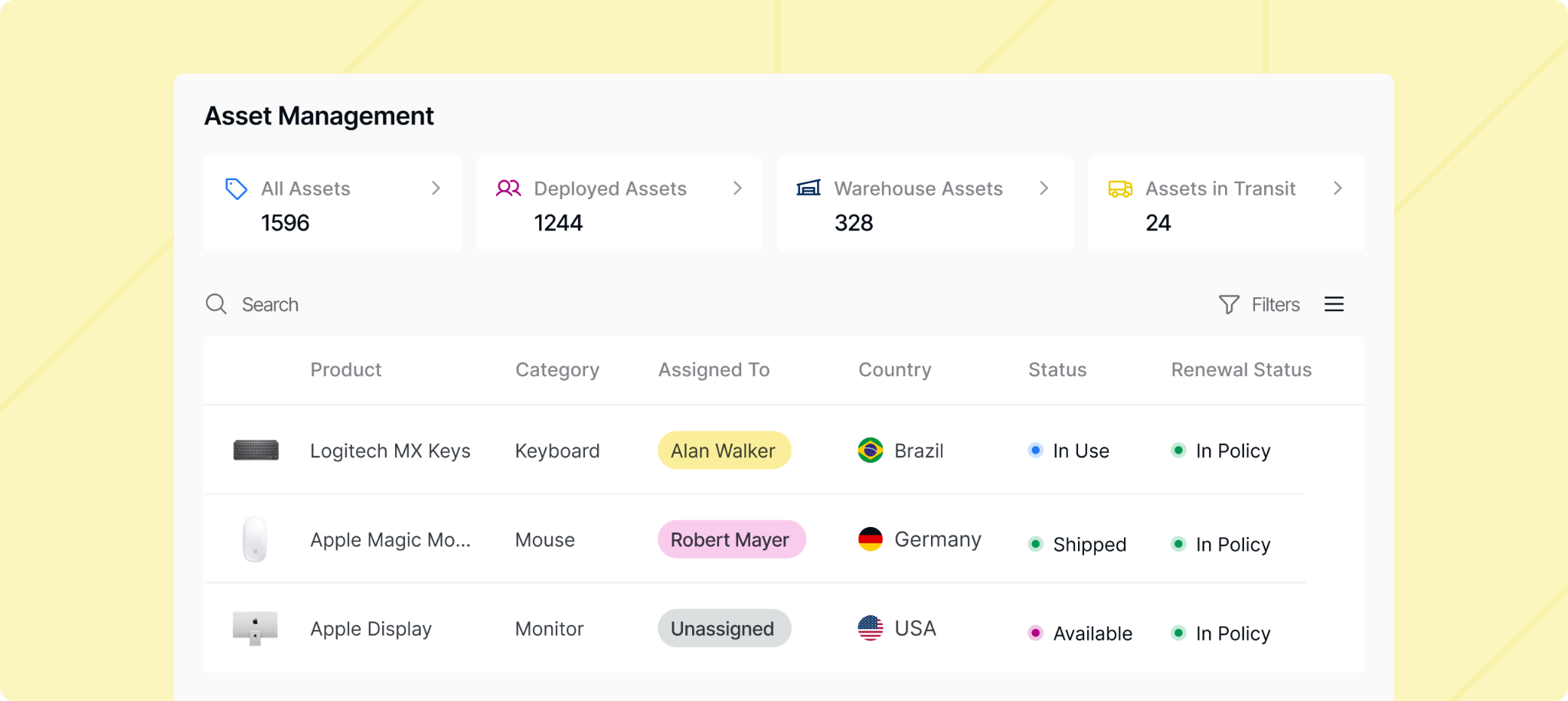
For the return-and-redeployment portion of the lifecycle, that means:
- Offboarding can trigger retrieval: Once an employee offboarding event is recorded, the return workflow can begin, with instructions sent to the employee and progress visible to IT.
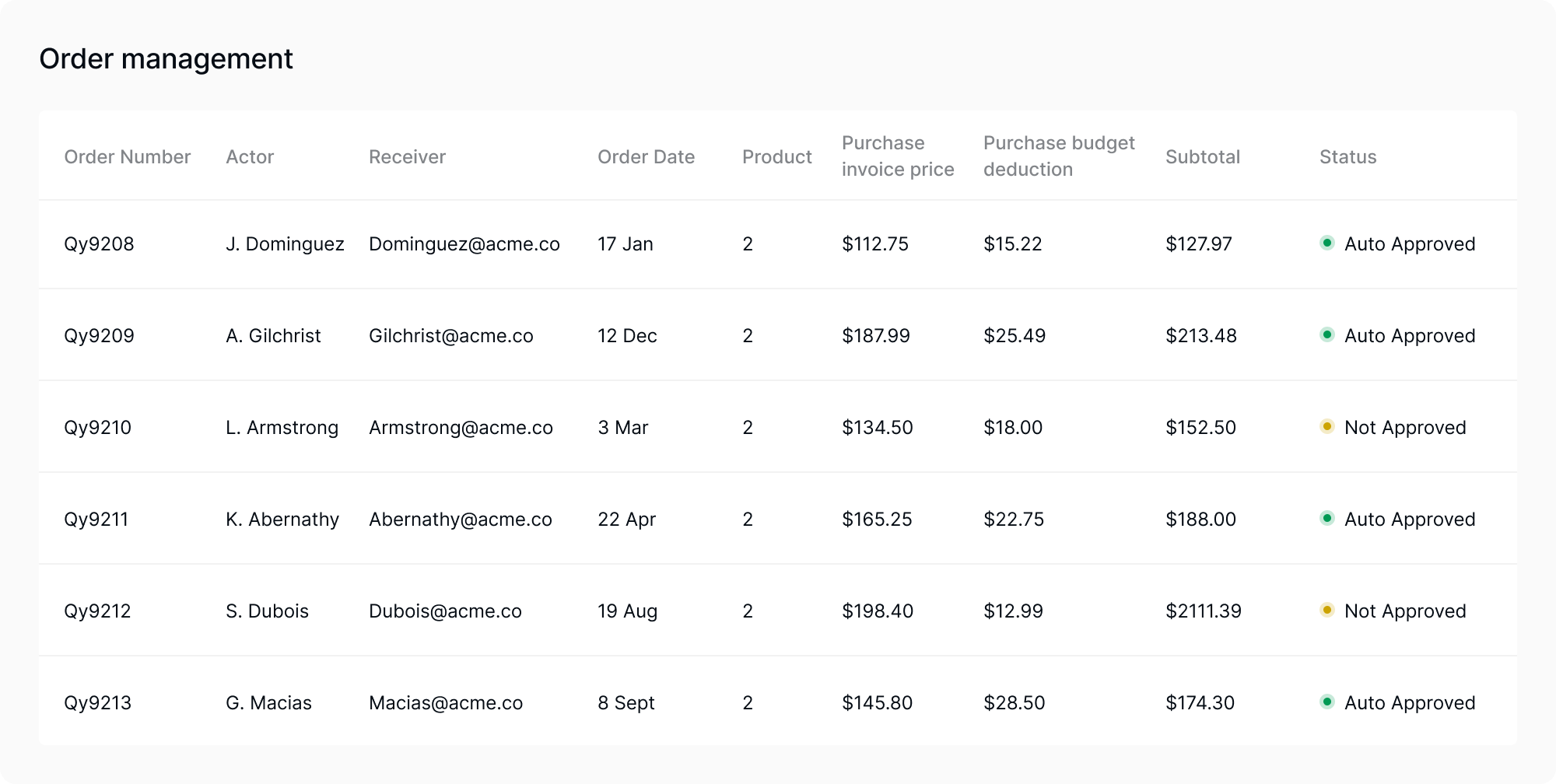
- Returned devices remain visible: The platform tracks asset status, location, condition, utilization, and lifecycle history. It can also find idle or underused equipment that may be suitable for reassignment before your team buys another device.
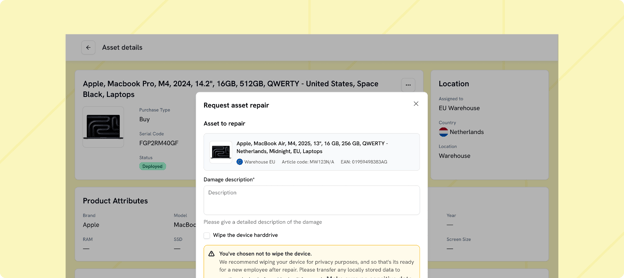
- Repair and refurbishment feed inventory back into the system: Devices that can be restored are repaired and returned to available inventory for future deployment. Hardware that is unsuitable for redeployment can instead be assessed for resale or passed to certified ITAD partners.
- The exit method is documented: Workwize supports resale, recycling, and certified disposal, with destruction documentation available for assets that cannot be reused. Eligible devices assessed for resale may recover up to 45% of their original value, according to Workwize.
- Audit evidence stays attached to the asset lifecycle: The platform maintains records that may support internal controls and evidence gathering for programs involving SOC 2, ISO 27001, GDPR, or HIPAA obligations.
With this kind of connected record, a returned laptop remains visible as it moves from an employee’s home to assessment, storage, repair, redeployment, resale, or disposal.
Book a demo to see how Workwize automates the full asset lifecycle, from procurement to disposal.


Establish a single source of truth for every IT asset across the globe.
.png?width=258&height=318&name=g10%20(5).png)
More related resources to help you stop firefighting hardware operations.



Get monthly insights into how other IT leaders are improving their ops.



.png?width=2880&height=1232&name=Group%202147262874%20(1).png)
Stop coordinating
hardware like it's 2012.
.svg)
.png?width=172&height=68&name=apple%20business%20patner%20(1).png)
.svg)
.svg)
.svg)
.svg)