




.svg)
.svg)

.svg)


.svg)




.svg)
.png?width=500&height=424&name=Style-1---V1-(1).png)
.png?width=1230&height=692&name=Vector%20(13).png)
Many IT managers now brace themselves for every hardware procurement or replacement request. They're right to.
Gartner expects combined memory and storage prices to rise 130% by the end of 2026, pushing PC prices up 17% compared with 2025. We've covered how to protect your IT budget from rising hardware prices in more detail.
That means every unnecessary purchase now takes a bigger bite out of an already pressured budget. Manual spreadsheet inventory rarely provides the data you need to prevent that spending, avoid write-offs, or make timely decisions.
The good news is that the same hardware asset management operations that cost money also hold the biggest savings.
In 2025, HubSpot avoided an estimated $985,000 in procurement costs by redeploying laptops, and returned $237,000 to the business by reselling devices at the end of their internal lifecycle. Its asset data made both possible.
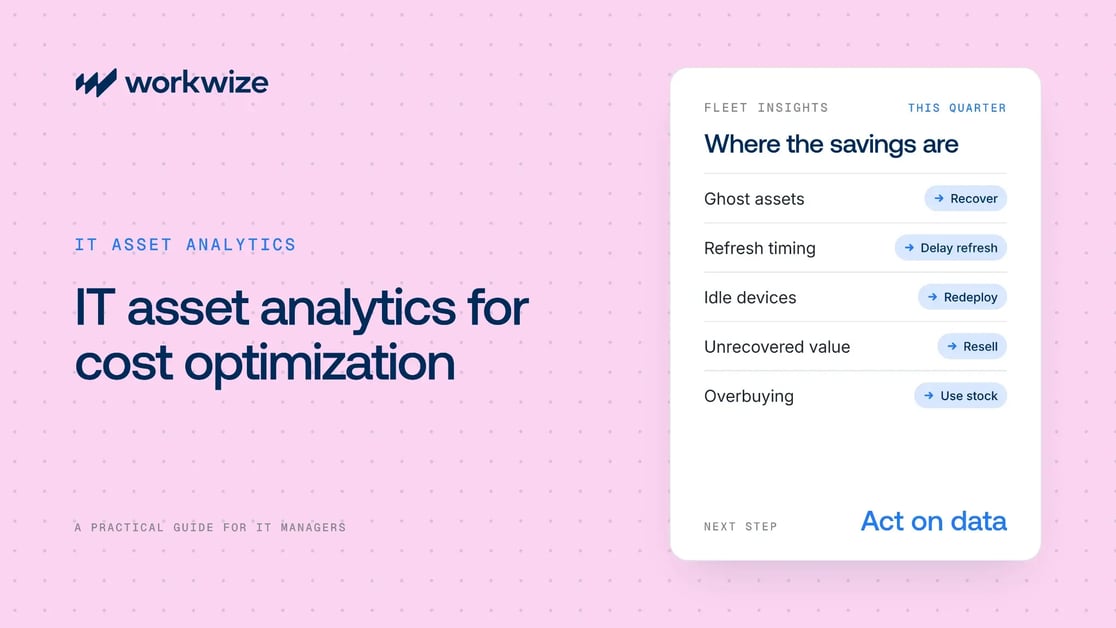
If you're equipping a globally distributed team on a squeezed budget, good asset data can help you find similar savings. This guide covers the data an effective analytics setup needs, how to build a budget case from it, and which actions turn those insights into savings.
TL;DR
- IT asset analytics turns hardware lifecycle data into better decisions on purchasing, refresh, reuse, and disposal.
- It controls five cost levers: ghost assets, refresh timing, idle devices, unrecovered value, and procurement overbuying.
- A useful analytics setup tracks device age, owner, depreciation, condition, repairs, activity, compliance, and location in close to real time.
- Analytics only saves money when each insight triggers a specific, preset action.
- Workwize combines global lifecycle data, automated workflows, and local operations to support cost optimization.
What IT asset analytics actually means
IT asset analytics is the practice of extracting cost and performance insight from hardware lifecycle data. That data includes purchase price, location, depreciation, utilization, repair history, compliance status, and end-of-life value.
IT asset tracking answers operational questions: Where is the device? Who has it? What condition is it in? Analytics takes those answers and uses them to decide what to buy, what to redeploy, when to refresh, and what to retire.
The five cost levers asset analytics controls
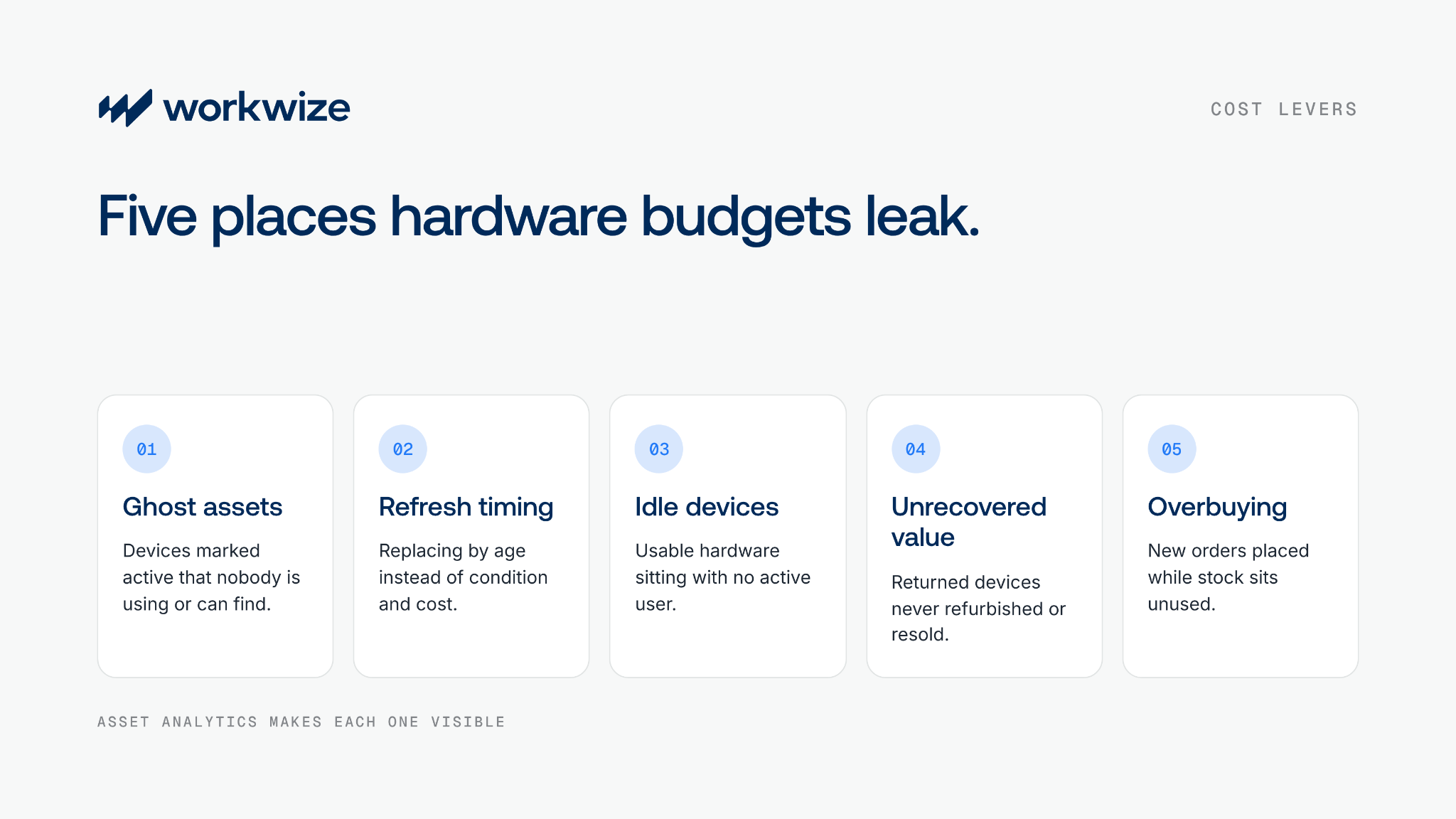
Look closely at where your hardware budget goes, and five recurring pressure points explain most of the creep. Without analytics, lost devices, mistimed refreshes, idle inventory, unrecovered value, and overbuying go unchecked. With analytics, IT can spot each problem and act before it turns into spend.
|
Cost lever |
The problem without analytics |
What analytics reveals |
|
Ghost assets |
Devices stay marked active after departed employees lose, store, or keep them. They keep depreciating and consuming budget. |
Which devices have no MDM check-in, login, shipment event, or verified owner during a defined period. |
|
Refresh timing |
A blanket three-year or five-year policy replaces devices that still perform well and misses ones that are already failing. |
A per-device score based on age, repair costs, performance, warranty, role requirements, and depreciated value. |
|
Idle devices |
Usable hardware sits assigned during leave or role changes while IT approves new purchases. |
Utilization per device and per user, flagging redeployment candidates before a new order is raised. |
|
Unrecovered value |
Devices stay with former employees. When they do come back, there's no clear record of condition or market value. |
A depreciation curve per device model, flagging devices with meaningful residual value for refurbishment instead of disposal. |
|
Procurement overbuying |
IT orders hardware reactively from headcount plans, without visibility into idle stock or upcoming returns. |
A live view of unassigned, in-transit, and soon-to-return devices, so demand is matched to existing supply first. |
Analytics at different lifecycle stages moves several levers at once. Real-time tracking, for example, reveals ghost and idle devices, cuts overbuying, and increases the number of recovered devices you can resell.
Each gain is small on its own. Together, across all five levers, they add up to a much larger reduction in hardware spend.
The data your asset analytics dashboard needs
The data your analytics produce drives the cost decisions IT can make. To reduce spend, your system needs these fields:
|
Data field |
Cost decision it enables |
|
Device age and purchase date |
Identifies devices nearing your refresh threshold, prevents premature replacement, and flags overdue devices. |
|
Current depreciated value |
Shows whether a device is worth refurbishing and reselling or should be retired, and supports ROI calculations at end of life. |
|
Repair history and frequency |
Devices that keep coming back for repairs often cost more to maintain than to replace. The field flags them before the next ticket. |
|
MDM enrollment and compliance status |
Unenrolled or non-compliant devices are both a security risk and a data gap. Analytics surfaces them before an audit does. |
|
Last active date and utilization |
Devices with no activity for 60 to 90 days are ghost asset candidates. The field can trigger retrieval or redeployment. |
|
Assigned user's HRIS status |
Linking asset records to your HRIS means offboarding automatically triggers retrieval, cutting manual follow-up and losses. |
|
Lifecycle stage |
Shows whether each device is active, in maintenance, in transit, in storage, or pending disposal, for accurate budget forecasts. |
|
Country and local warehouse status |
Global teams can spot in-stock devices in regional warehouses and redeploy them to nearby hires before buying new. |
Note: Even when the data exists, its quality decides its value. Teams that update records by hand often work from analytics that lag reality by weeks or months. Keeping these fields current automatically through HRIS and MDM integrations and procurement system connections gives you data accurate enough to act on.
Turn refresh cycle data into a budget case
A refresh cycle is the schedule a company follows to replace employee devices. For many IT teams, it's a fixed three-year or four-year schedule. That approach is rarely the most cost-effective one.
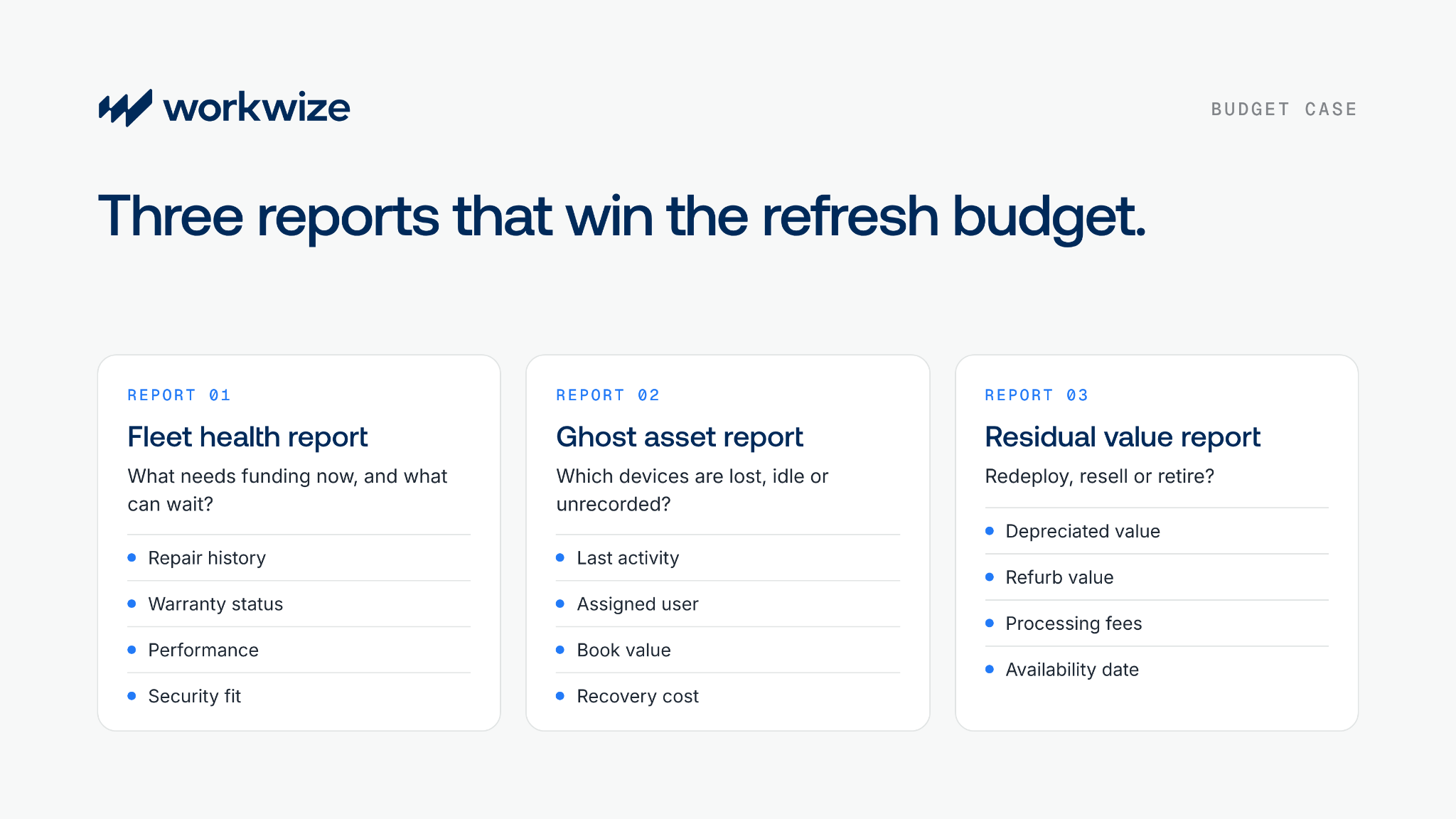
Leadership, and especially finance teams, need more than device age. They need to see what requires funding now, what can wait, and where existing hardware can meet demand. Three reports provide that evidence.
1. The fleet health report
Age matters, but the fleet health report uses current condition data to group hardware by its remaining useful life. It separates healthy devices from those nearing or past the end of active use.
Ideally, it considers repair history, warranty status, performance, utilization, and compatibility with current security requirements.
Use the findings to identify hardware that needs replacing now and to forecast future spend by quarter, department, location, or device category.
The report should also show whether each device suits redeployment, resale, component recovery, or secure destruction. That stops every aging device from automatically becoming a new purchase request.
2. The ghost asset report
This report covers equipment with no MDM activity, login, or HRIS-linked active user during a defined period. It reveals potentially lost, idle, or unrecorded hardware and helps IT decide whether to recover it or write it off.
- Include the assigned user, last activity date, recorded location, purchase cost, and current book or estimated resale value. Group inactivity into 30-day, 60-day, and 90-day bands to prioritize.
- Exclude equipment in storage, under repair, assigned to employees on leave, or held as buffer stock.
- After reconciliation, compare likely recovery value with retrieval cost, and give leadership clear recovery, reassignment, and write-off recommendations.
3. The residual value report
The residual value report covers devices nearing the end of active use, whether through offboarding, role changes, or a planned refresh.
Showing each device's current depreciated value and estimated value after certified refurbishment lets leadership compare three outcomes:
- Redeploy the device to avoid another purchase
- Resell the device to recover cash
- Retire the device
For a realistic estimate, deduct inspection, repair, data erasure, shipping, and resale fees from the expected selling price. Include the expected availability date too, because resale value drops the longer a device sits unused.
Close the loop from analytics to action
The real value of IT asset analytics shows up when data triggers IT asset lifecycle management actions. To get the most from your insights, decisions need to happen quickly, ideally through actions built into automated workflows.
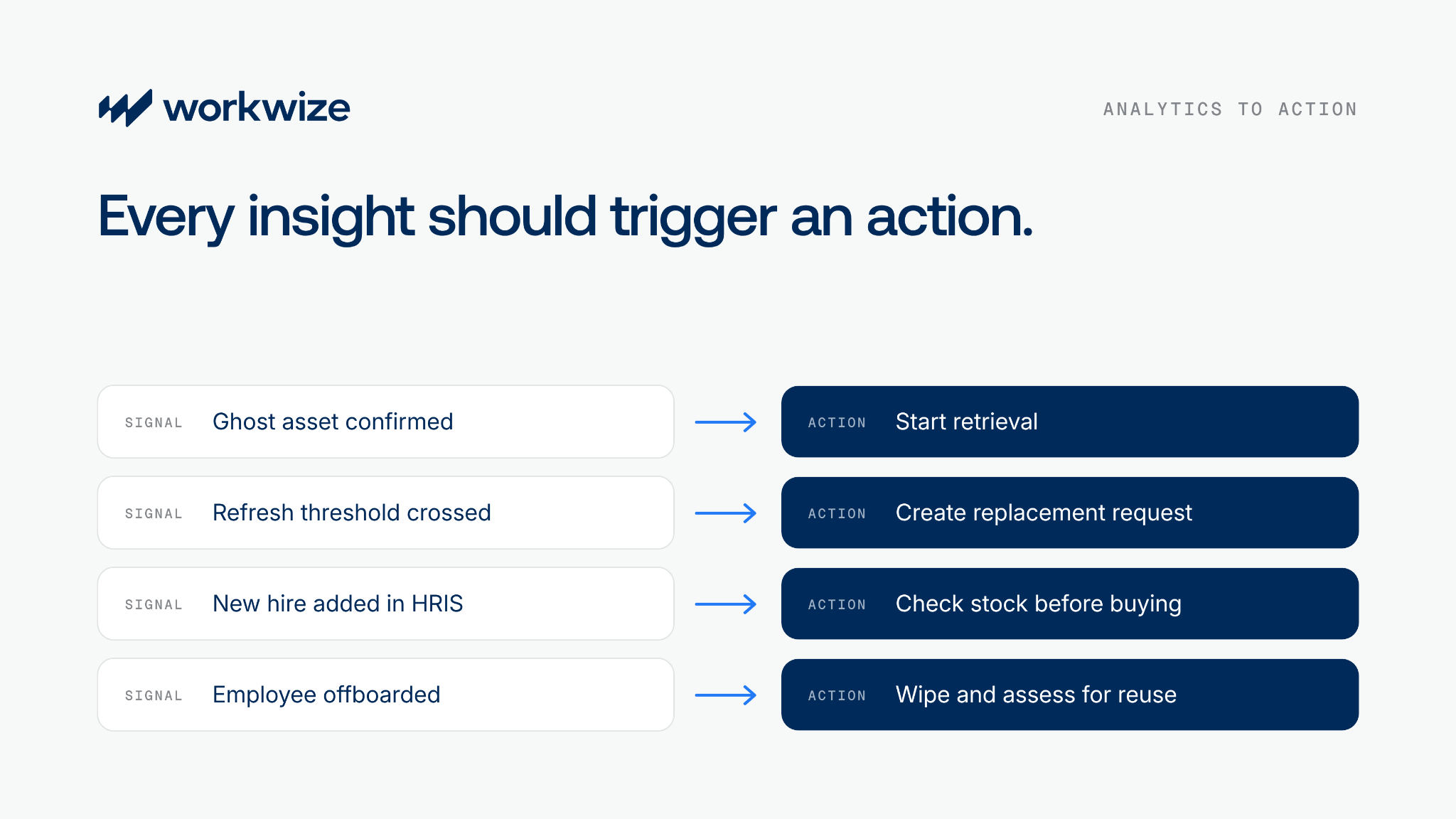
Start retrieval as soon as a device becomes actionable
When IT confirms a ghost asset or an employee departure, the system should start IT asset retrieval. For a distributed team, that means country-specific instructions, packaging, pickup, tracking, reminders, and intake into IT device storage.
Turn a refresh flag into a replacement request
When a device crosses your approved threshold, the platform should create a replacement request with the right role specification. The employee, budget owner, country, and required date should already be filled in.
The replaced hardware should then go through a reuse assessment and on to refurbishment, resale, or disposal, depending on its condition.
Check reusable stock before buying
Every time HR adds a new hire, your IT hardware procurement workflow should check IT inventory, scheduled returns, and nearby warehouse stock before placing a new order.
When suitable stock exists, the workflow should start device deployment from that stock instead of a new purchase.
Prepare recovered devices for reuse at offboarding
An employee's device shouldn't leave the lifecycle when they do. After automated offboarding, it should get certified data wiping and an assessment for return to your buffer inventory.
How Workwize supports asset analytics for distributed fleets
Workwize is an IT asset management platform built for distributed and growing global teams. It gives you detailed hardware lifecycle data, from spend and depreciation reports to device condition, to help you make the right spend decisions.
- Centralized lifecycle data: Workwize records each device's serial number, owner, location, status, event history, utilization, depreciation, and MDM sync across your global fleet.
- Automated recovery: HRIS events and replacement requests can trigger retrieval, including employee communication, prepaid return labels, tracking, intake, and processing.
- Reuse and value recovery: Returned devices that pass assessment can be refurbished and redeployed or resold through a network of 70+ resellers. The rest go to certified disposal and IT equipment recycling.
- Stock visibility before procurement: Teams can see available warehouse stock before ordering new devices, and approval flows can be set up in the IT workflow builder.
- Refresh planning: Warranty-expiry and refresh alerts, plus a log of repairs, help teams plan refreshes before failures create emergency orders.
Workwize also runs asset operations in 130+ countries and connects your local stock to your global fleet. Keeping devices close to employees helps prevent unnecessary purchases, and global IT procurement from local suppliers cuts international shipping and customs costs.
Want to see what your fleet data could save? Book a 30-min demo to see how Workwize tracks, recovers, and redeploys devices across 130+ countries.
Frequently asked questions
What is IT asset analytics, and how does it differ from asset tracking?
Asset tracking records a device's location, user, status, and history. IT asset analytics combines that with cost and performance data to provide fleet-wide insights that guide procurement, refresh, reuse, and disposal decisions.
How can IT asset analytics reduce hardware costs for distributed teams?
By identifying ghost assets, premature refreshes, idle devices, missed resale value, and avoidable purchases. Distributed teams can use it to recover equipment, reuse regional stock, and build more accurate budgets.
What data is needed for IT asset lifecycle cost optimization?
Purchase date, cost, depreciation, repair history, activity, MDM status, assigned user, lifecycle stage, location, and condition. Automated updates keep this data timely enough for operational decisions.
How do you calculate the total cost of ownership for company laptops?
Add each laptop's purchase price, taxes, shipping, accessories, financing, software, support, repairs, storage, security, and IT labor. Include productivity lost to downtime and the cost of retrieval, data erasure, and disposal. Subtract resale or recovery value, then divide by service life for an annual figure. Our guide to the true cost of managing IT hardware walks through it step by step.
What is a ghost asset in IT asset management?
A ghost asset shows as active in your register but is lost, unassigned, stored, or no longer used. It usually has no recent login, MDM activity, or verified location. When these devices go unnoticed, companies end up buying hardware they already own.
How often should companies audit IT asset inventory to control costs?
Reconcile high-value inventory regularly and investigate exceptions as they appear. MDM-connected, event-driven tracking closes the gaps that build up between periodic physical audits.
What is the best way to recover value from retired IT assets?
Assess each device by condition, market value, processing cost, and security requirements. Send eligible equipment to certified refurbishment or resale, and route the rest through compliant disposal.

Establish a single source of truth for every IT asset across the globe.
.png?width=258&height=318&name=g10%20(5).png)

Get monthly insights into how other IT leaders are improving their ops.



.png?width=2880&height=1232&name=Group%202147262874%20(1).png)
Stop coordinating
hardware like it's 2012.
.svg)
.png?width=172&height=68&name=apple%20business%20patner%20(1).png)
.svg)
.svg)
.svg)
.svg)