




.svg)
.svg)

.svg)


.svg)




.svg)
.png?width=500&height=424&name=Style-1---V1-(1).png)

.png?width=1230&height=692&name=Vector%20(13).png)
You probably see tasks in your IT workflow every day that could be automated.
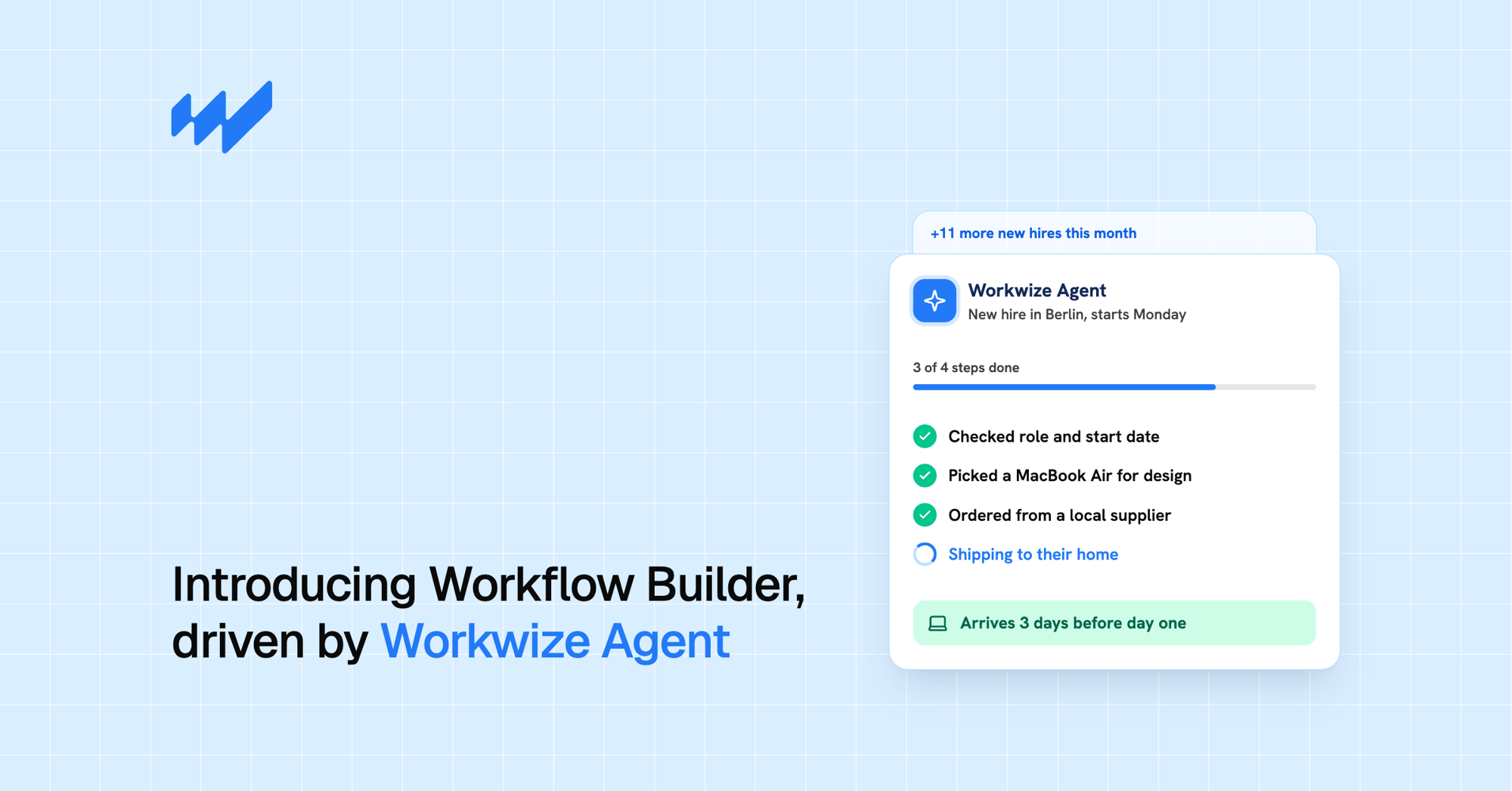
For example, when HR hires a candidate, IT needs to make sure the new employee has the right laptop, the device is configured correctly, and delivery is arranged before their start date.
In practice, onboarding a new hire often takes multiple tickets, spreadsheets, stock checks, and manual handoffs. Someone has to coordinate the steps across systems and make sure nothing gets missed.
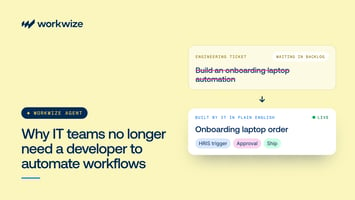
So why do those repetitive tasks stay manual? Because until recently, building that automated workflow was a mammoth task. You needed technical skills and a lot of time to configure every step.
That's changing. Natural-language IT workflow builders let you simply describe what you want in plain language.
With Workwize's Workflow Builder, you can turn those instructions into workflows that coordinate both digital tasks and physical hardware operations, from ordering and shipping laptops to retrieving and repairing devices across 130+ countries.
Here's how it works.
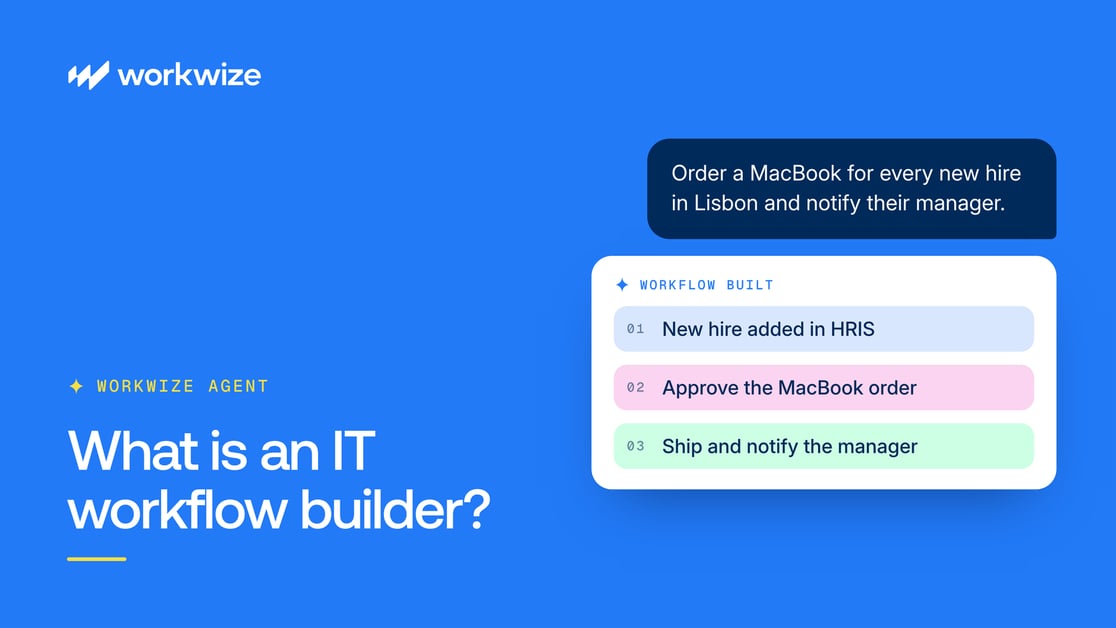
What is an IT workflow builder?
An IT workflow builder is a tool that helps teams automate processes across their IT systems. It lets you define what triggers a process, which conditions must be met, and what actions should follow, so routine tasks don't require someone to coordinate every step manually.
Every workflow comes down to three simple pieces working together:
- Triggers (when this happens): The event that kicks things off. For example, a new employee appearing in your HR system or a laptop passing the three-year mark.
- Conditions (if this is true): The rules that decide what happens next, like checking whether the new hire is a full-time designer in Lisbon or a contractor in Austin, and whether a MacBook is already available in regional warehouse stock.
- Actions (do this): The actual work, like creating accounts, updating tickets, ordering equipment, enrolling a device in MDM, or messaging a manager in Slack.
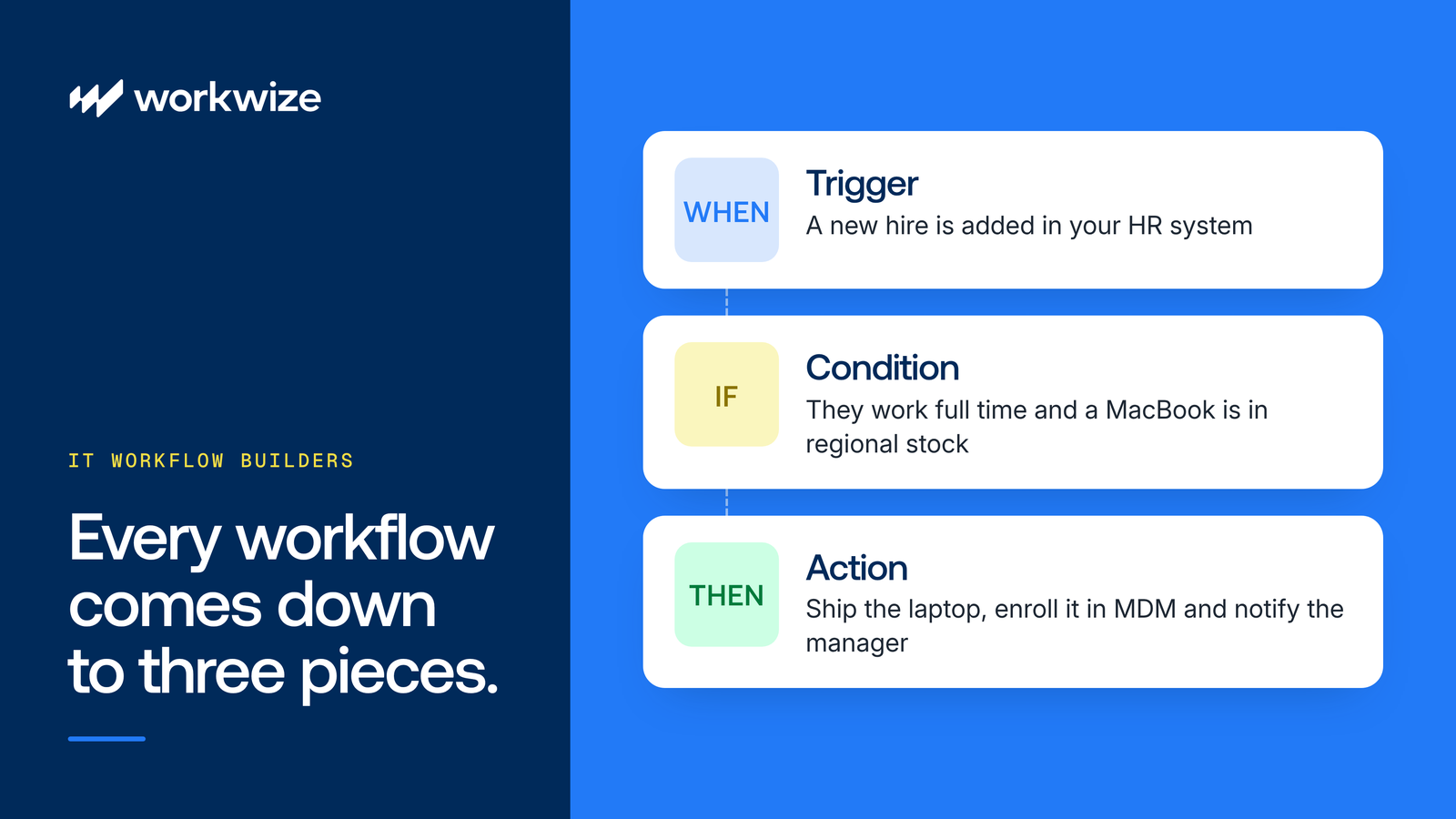
See how that last step leaves the screen and enters the real world? Most workflow builders only connect software to software. They can open a ticket or create an account, but a human still has to box up and ship the laptop.
Workwize Workflow Builder is different. It connects automated workflows to Workwize's hardware lifecycle operations, so teams can initiate device procurement, deployment, retrieval, and repair alongside their digital IT tasks. Workwize Agent builds the workflow from plain-English instructions, while Workflows executes it across connected systems and Workwize's hardware lifecycle operations.
4 benefits of natural-language agentic workflows over drag-and-drop builders
Drag-and-drop workflow builders made automation more accessible. But building a process across multiple systems still means connecting dozens of boxes, configuring conditions, and manually handling exceptions.
Natural-language workflow builders simplify this process. Instead of mapping out every step yourself, you describe what you want to happen, the same way you'd explain it to a new teammate.
Here's what that means for your team:
- Build workflows faster: Describe the process you want to automate, and let AI help turn your instructions into a working flow. You spend less time connecting individual steps and configuring triggers.
- Make changes more easily: Need to add an approval step or change who receives a notification? You can describe the adjustment instead of tracing connections through a complicated flowchart.
- Make automation accessible to more teams: HR, IT, and operations teams can explain their requirements in everyday language without having to understand technical workflow diagrams.
- Simplify cross-system coordination: When the required integrations are available, you can describe workflows that involve multiple tools and actions in one place. This makes processes such as employee onboarding and offboarding easier to set up and manage.
For example, you could describe an onboarding workflow like this:
"Whenever a new hire is added in BambooHR for our Chicago office, check if they're a full-time employee, pull a MacBook Air from stock, arrange enrollment in Iru, and notify their manager in Slack once it ships."
The AI can turn those instructions into a workflow using the integrations you've configured, in this case BambooHR, Iru (formerly Kandji), and Slack.
Of course, you'll still need to check the workflow's logic and permissions before putting it into production. But you can spend more time reviewing what the workflow does and less time assembling it.
How different workflow builders compare
Don't expect every natural-language builder to offer the same capabilities.
The differences become clear when you compare traditional drag-and-drop tools, software-only AI builders, and Workwize's agentic approach to automating IT hardware workflows:
| Drag-and-drop workflow builders | Software-only AI workflow builders | Workwize Workflow Builder | |
|---|---|---|---|
| How you build | Manually connect and configure triggers, conditions, and API nodes | Describe the process in everyday language, and AI generates the workflow | Tell Workwize Agent what you want in everyday language, and it builds the workflow |
| Time to first draft | Days or weeks of configuration | Minutes | Minutes, with clarifying questions before building |
| Technical skill needed | High familiarity with schemas, webhooks, and branching logic | Everyday English, with optional code editing | Everyday English, plus a readable steps view and an editable TypeScript panel |
| Where execution stops | Digital actions only, such as tickets, messages, and account updates | Digital actions only, such as summarizing tickets and calling software APIs | Digital and physical actions, including shipping, retrieving, repairing, and securely wiping and disposing of hardware in multiple countries |
| Safety and predictability | Deterministic, based on manual rules | Varies, as some rely on live LLM interpretation at runtime | Deterministic TypeScript code, with human approvals on by default for real-world actions |
The main difference isn't simply how quickly you can build a workflow. It's what happens after the workflow is created.
With Workwize, an automated onboarding process can move from checking employee information and requesting hardware approval to initiating the physical preparation and delivery of a laptop through Workwize's fulfillment network.
How Workwize Agent builds IT workflows from everyday language
In Workwize Workflow Builder, you don't assemble workflows by hand. Instead, you describe what you want to automate, and Workwize Agent builds the workflow for you.
Underneath the Agent is Workflows, the execution system that runs your automations reliably on a schedule or in response to live events.
Rather than guessing what you meant, Workwize Agent works through a clear and transparent loop:
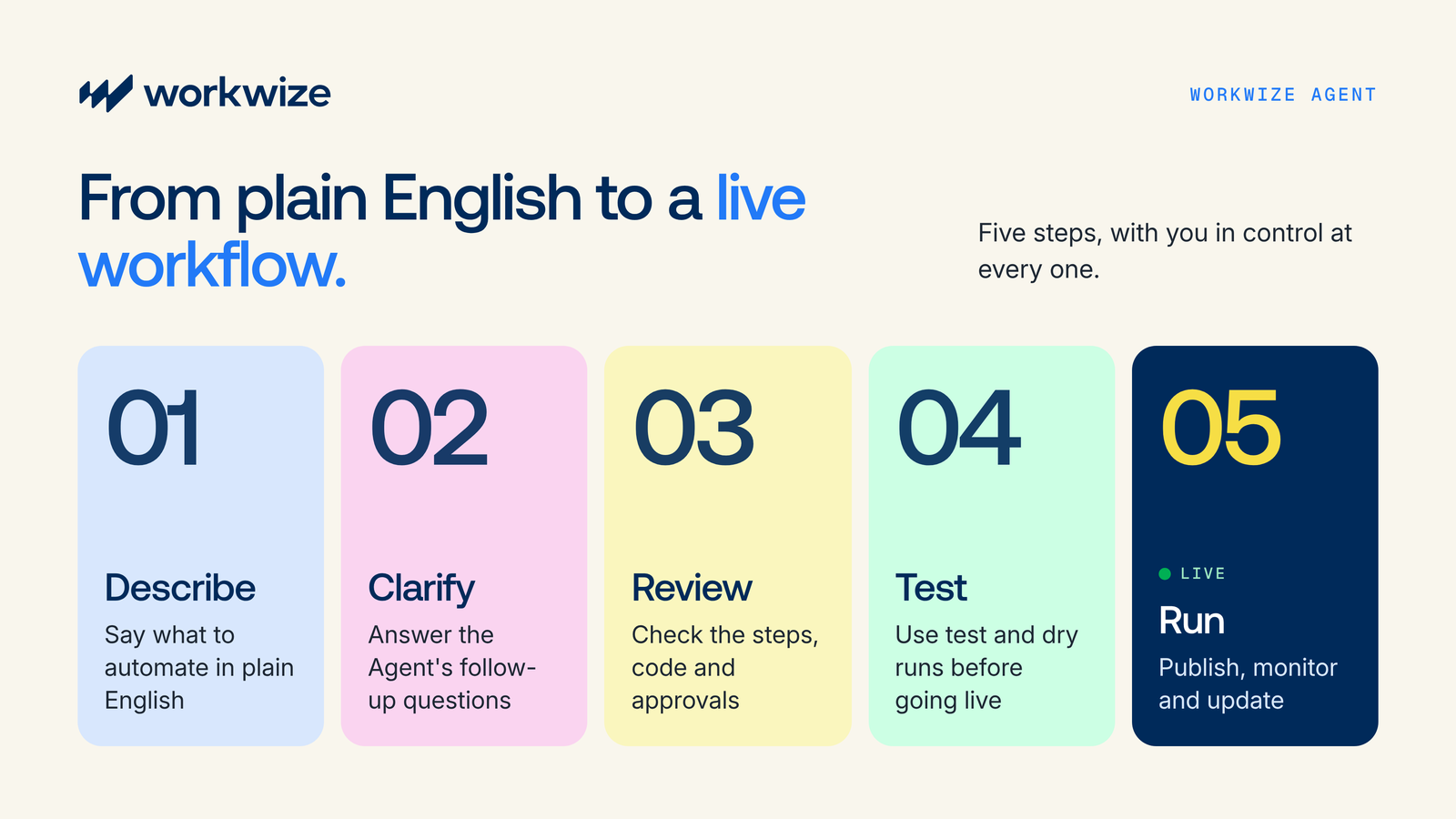
1. Describe what you want to automate
Start by telling Workwize Agent what you need in plain English. You can also pick one of the quick-start templates to get going.
For example, you could enter a prompt like this:
"Send me a weekly email report showing all available IT assets, grouped by warehouse."
You don't need to specify every technical step. The Agent uses your instructions to determine the triggers, conditions, and actions needed to build the workflow.
2. Answer the Agent's clarifying questions
Before generating the workflow, Workwize Agent checks the available context, including relevant information about your organization, assets, and warehouse locations.
If something is missing or unclear, it asks follow-up questions rather than making assumptions. For example, the Agent might ask whether your weekly report should include only devices available in warehouse stock or all assets associated with a particular location.
You can select an answer from the options provided or give additional instructions to help the Agent build the workflow around your requirements.
3. Review the generated workflow
Once the Agent has enough information, it generates the workflow, including its triggers, conditions, and actions.
You can inspect the workflow in two ways:
- Steps view: See a readable breakdown of each step, including the trigger and the actions the workflow will perform.
- Code view: Review and edit the generated TypeScript if you need more technical control.
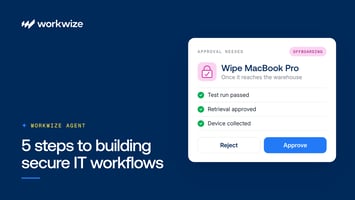
You can also review the workflow's approval requirements. Hardware orders, retrievals, and repairs require human approval by default, although these settings can be adjusted for individual steps.
This lets you check the workflow's logic and controls before allowing it to execute real actions.
4. Test and publish the workflow
Before publishing, test the workflow to check whether it behaves as expected.
Workwize supports three execution modes: Test, Dry run, and Real. Use Test or Dry run to inspect how the workflow behaves without triggering unintended physical actions.
Check the results of individual steps, look for missing information or unexpected outcomes, and make changes where necessary.
Once you're satisfied, review the workflow's sharing settings. You can keep it private or make it available to specific teammates, your department, or the wider organization. Then publish the workflow.
5. Run, monitor, and update the workflow
Once published, Workflows executes the generated code according to the workflow's configured trigger. Depending on the automation, that could mean:
- Running manually when an authorized user starts it
- Running on a schedule, such as every Monday morning
- Starting when an event occurs, such as a new employee being added
- Responding to an incoming webhook from a connected system
The Agent generates the workflow during setup, but it doesn't reinterpret your instructions every time the workflow runs. Workflows executes the published code, which makes its behavior predictable.
You can monitor execution through run history, inspect individual steps, and investigate failed runs.
When requirements change, describe the adjustment to Workwize Agent, review the revised workflow, and test it before publishing the update. Workwize keeps a full version history, with the option to roll back to an earlier version if needed.
This gives IT teams the flexibility to build and update workflows through natural-language instructions while retaining control over how they execute.
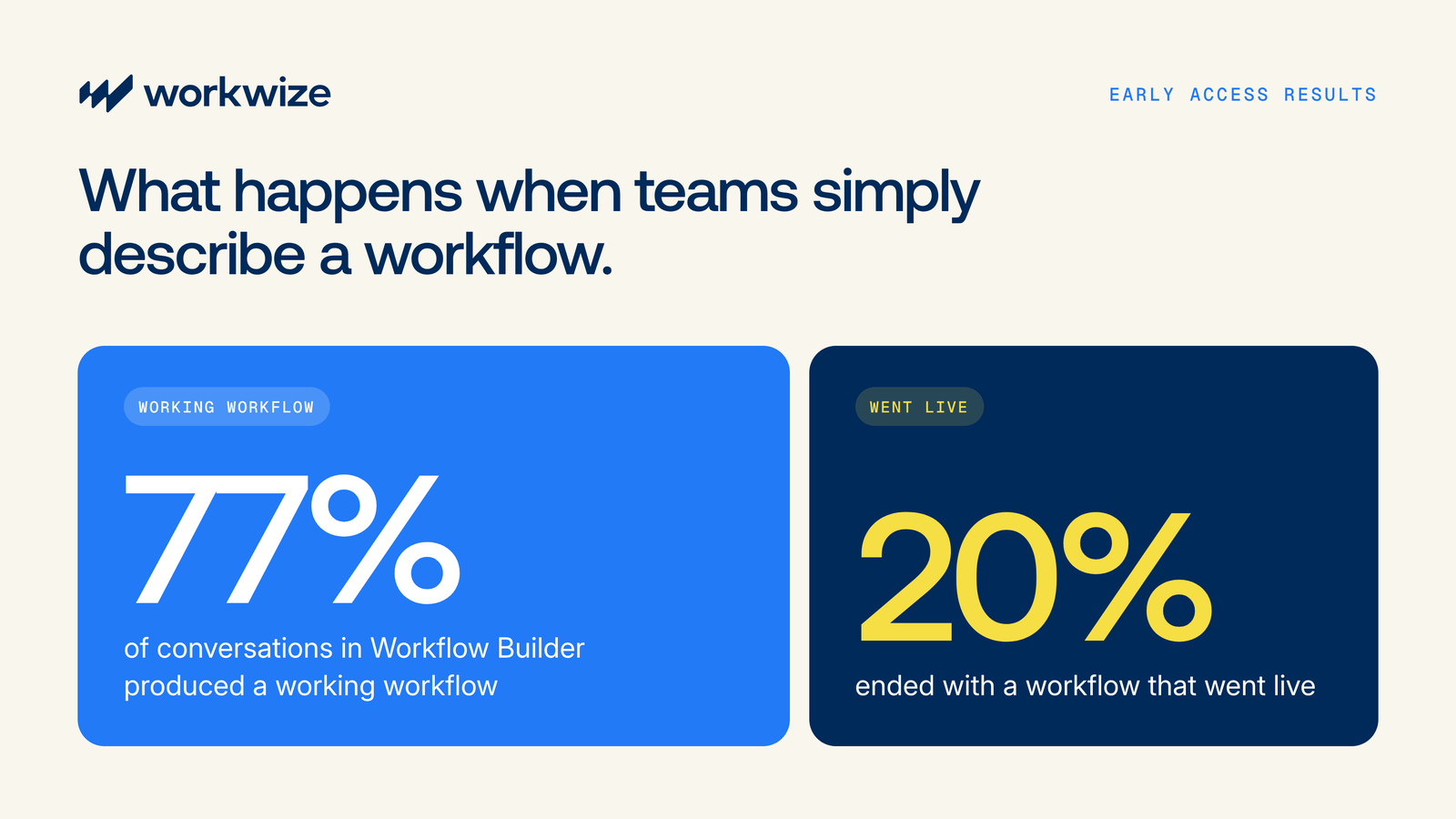
That simplicity is already paying off for teams in early access. 77% of conversations in Workflow Builder have produced a working workflow, and 20% ended with a workflow that went live.
What makes Workwize different from other AI tools
According to Workwize's State of IT 2025 report, 96% of organizations have adopted hybrid work. For IT teams, that means the job is now as much about physical logistics as it is about software.
And when hardware tracking relies on manual tickets and spreadsheets, devices disappear fast. A 2025 New York State Comptroller audit showed just how wide that gap can get. Auditors found 17,887 state IT devices listed as "absent" in the asset system, and for 82% of them, the reason was simply that nobody knew where they were.
Most AI tools sold to IT today can't fix that problem because they are "brains without bodies." They can summarize a help-desk ticket, draft a reply, or suggest a script. But when a laptop needs to ship from a warehouse to a new hire's desk, or be collected from a departing employee halfway across the world, the AI hits a wall and hands the chore back to a human.
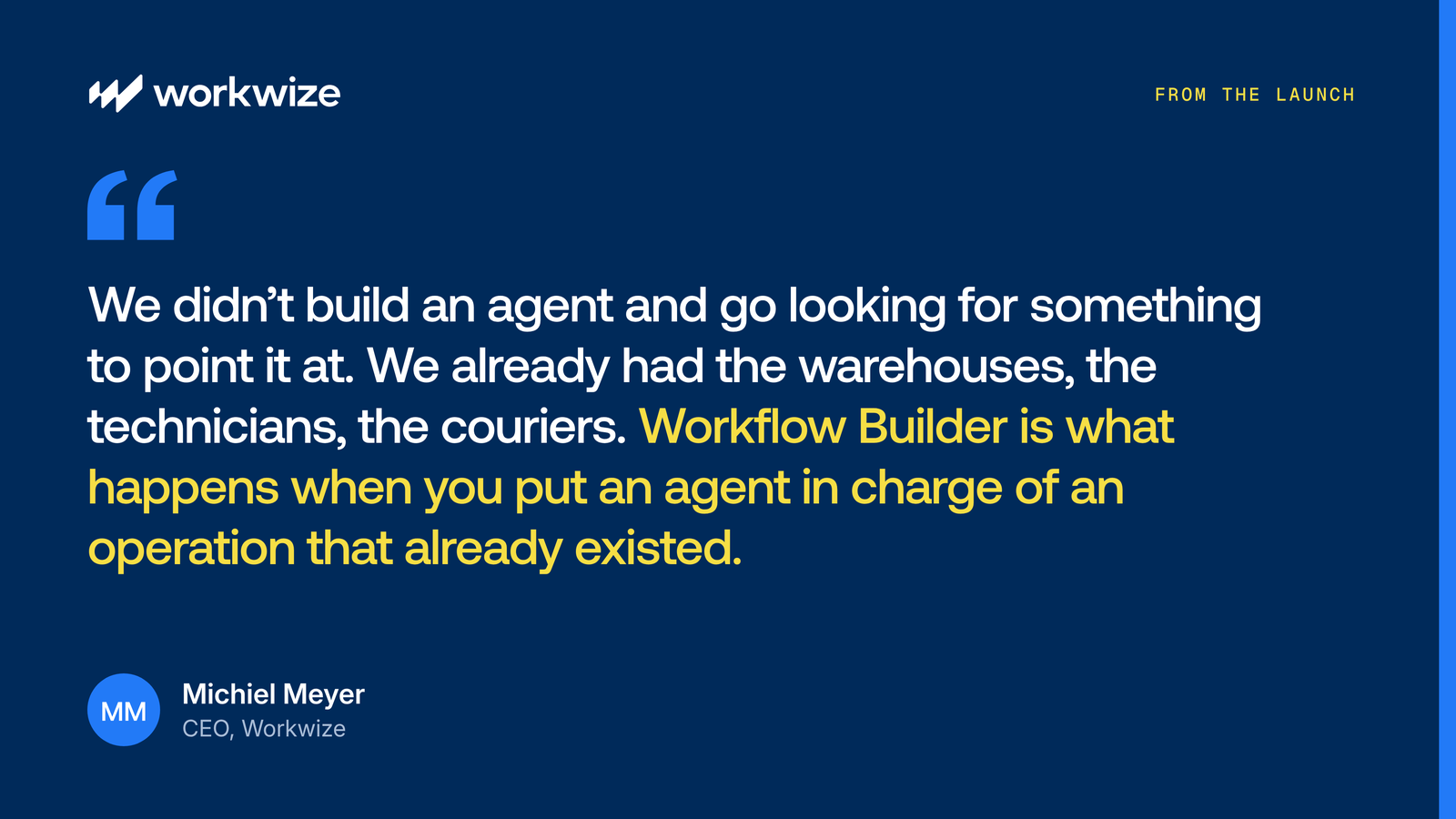
Workwize built its agent the other way around. As CEO Michiel Meyer put it in the Workflow Builder launch announcement:
Because Workwize Agent sits directly on top of Workwize's global logistics network and IT asset management platform, it can handle physical tasks that software-only builders can't touch.
Real physical execution across 130+ countries
Because Workwize Agent connects directly to your asset catalog, warehouses, and HR data, it can move hardware across the globe without manual intervention:
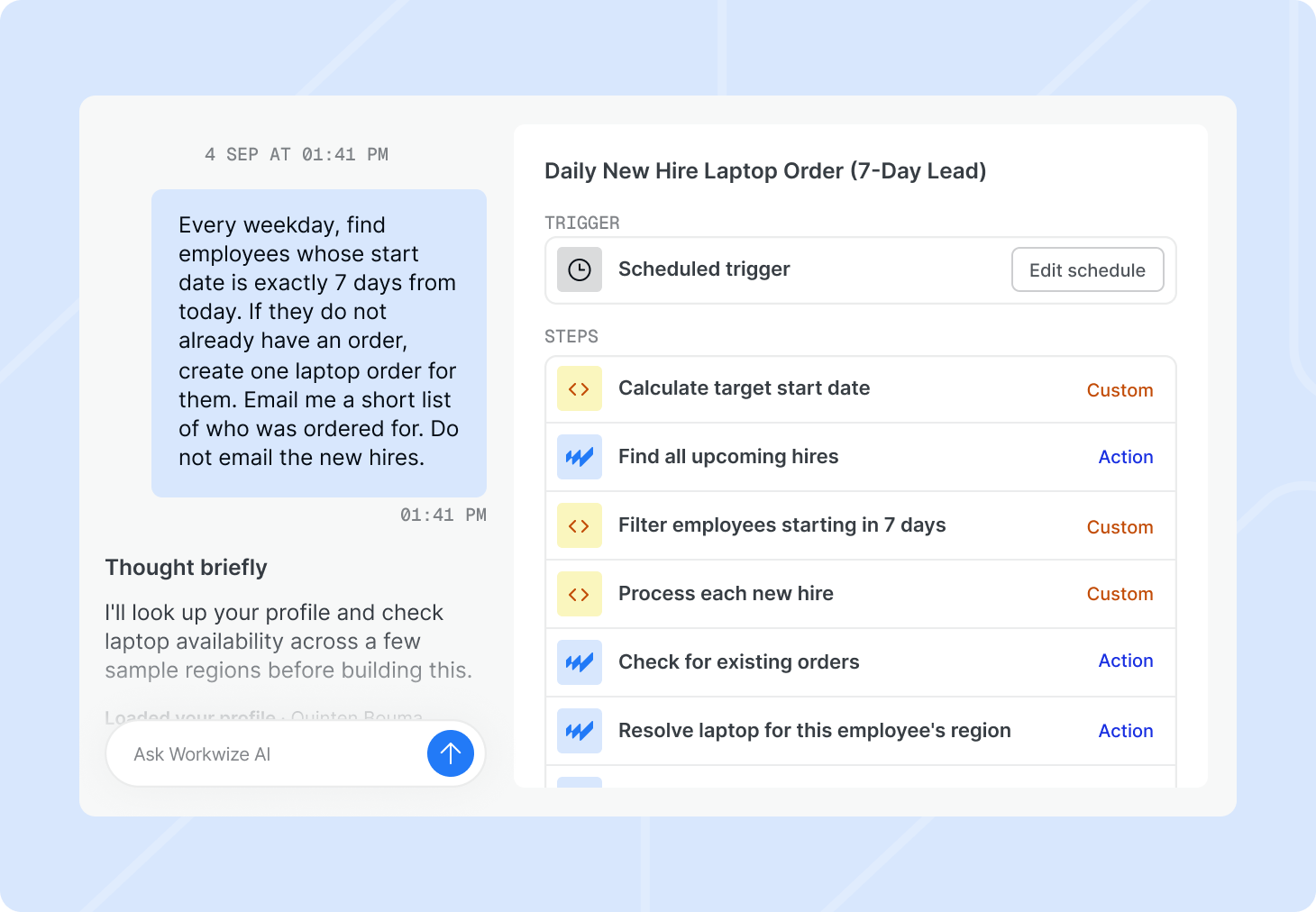
- Automated onboarding pulls a new hire's address from HR, assigns a laptop from regional stock or orders a new one, pre-enrolls it in MDM, and ships it before their start date.
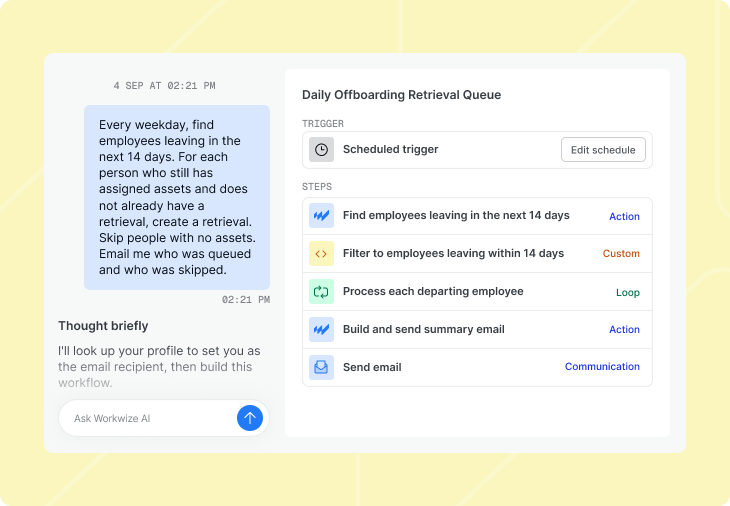
- Automated offboarding remotely locks or wipes a departing employee's device, schedules a courier retrieval, and routes the laptop to storage or the next hire.
- Scheduled fleet refreshes flag devices older than three years, track overdue repairs, and compare upcoming hiring plans against open stock so you never run short.
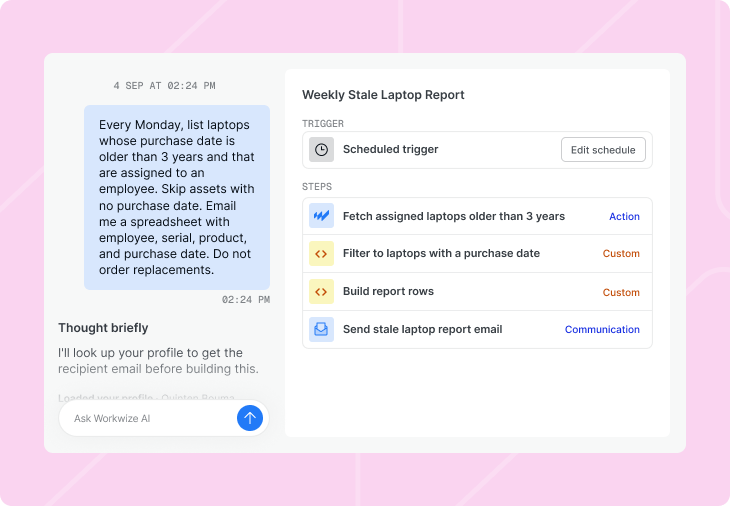
Deep integrations across your stack
IT workflows often involve several systems. Workflow Builder offers native integrations with core IT tools, and the list keeps growing:
- MDM: Iru (formerly Kandji), Jamf, and JumpCloud, with Jamf supporting actions like listing devices, locking, wiping, and restarting
- HRIS: BambooHR and HiBob
- Identity: Okta and Microsoft Entra ID, for actions such as looking up users, suspending or disabling accounts, and managing groups during offboarding
- ITSM: Jira Service Management and ServiceNow
- Communication: Slack, Microsoft Teams, and email, including CSV and XLSX report attachments
If you need to connect another system, like Freshservice, monday.com, or an internal tool, that's covered too. Workflow Builder connects to any HTTP API through custom connectors and inbound webhooks, and Workwize Agent can even read an external tool's API documentation to set up the integration for you.
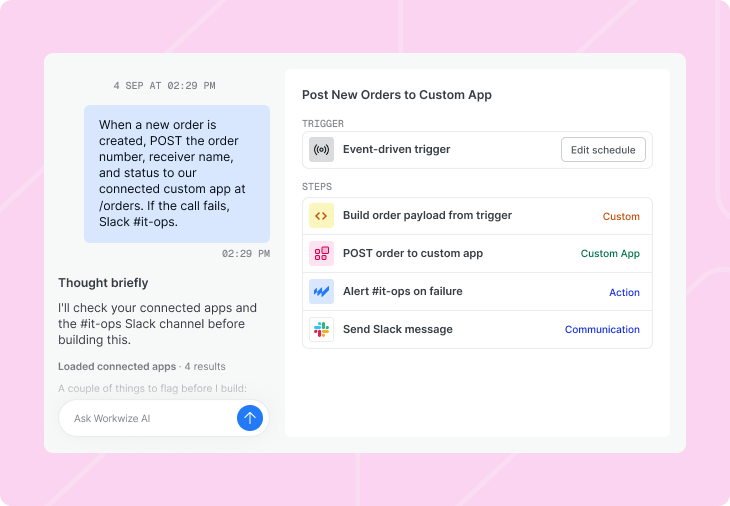
Conversational fleet answers
Workwize Agent also lets you query your asset information in everyday language.
Instead of building custom chart widgets just to answer a simple question, analytics in Workflow Builder is conversational. You can ask questions directly in the chat, such as "How many laptops are unassigned in Canada right now?" or "Which devices are overdue for return?"
Workwize Agent queries your live inventory data and gives you a straight answer in seconds. You can also ask it to set up a recurring weekly email with a CSV or XLSX breakdown attached.
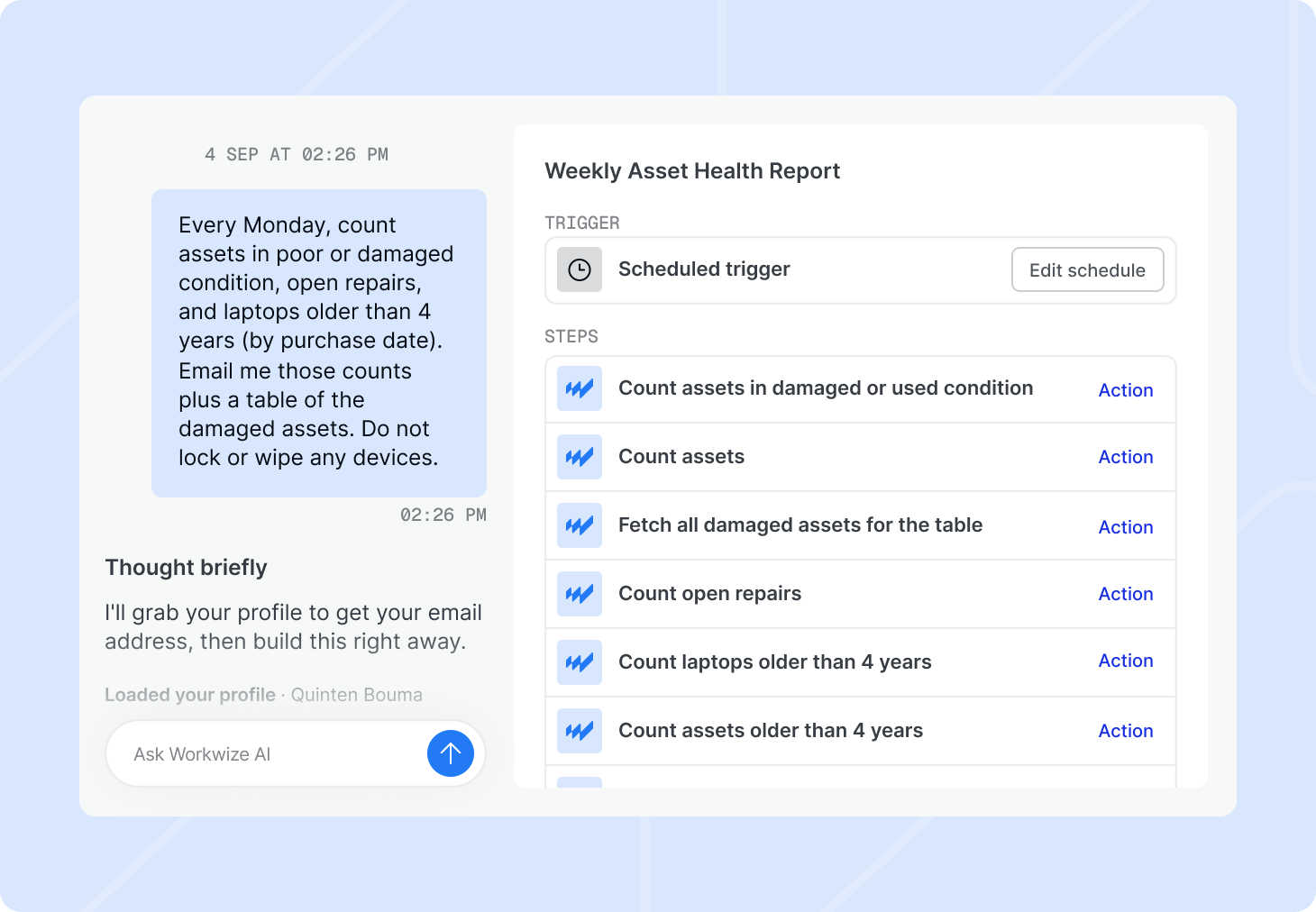
Human approvals and workflow controls on by default
When automation involves purchasing, moving, or repairing hardware, IT teams need control over what happens.
Workwize requires human approval by default for hardware orders, retrievals, and repairs. These approval requirements can be configured for individual steps.
Workflows also includes controls to help teams review and troubleshoot automations:
- Test and dry runs: Check workflow behavior before executing live actions.
- Static code validation: Workwize validates the generated code before a workflow is published.
- Execution logs: Review individual steps, inputs, outputs, and execution results.
- Version history: Keep a full record of published versions, with the option to roll back.
Together, these controls help IT teams review what the Agent creates, manage sensitive actions, and investigate problems when workflows don't run as expected.
What to look for in an AI workflow builder
Any AI tool can look smooth in a five-minute chat demo. To see how a workflow builder actually holds up when real hardware and security policies are on the line, ask these five questions on your next vendor call:
- Does it run fixed logic or improvise every time? You want an AI that helps you build a predictable workflow once, not an agent that guesses what to do on every run. Ask if your team can inspect and edit the underlying logic.
- What prevents costly or unauthorized actions? High-stakes actions shouldn't run on autopilot. Check how the platform handles actions that spend money, move equipment, or change device access. Can you require human approval before a hardware order or retrieval? Can you configure approval requirements for individual steps and review who approved an action?
- Can it coordinate physical hardware operations? Consider what happens when an employee leaves your organization. Can the workflow do more than create a return ticket? Can it initiate a device retrieval, coordinate the collection process, and update asset records as the equipment moves through the return process?
- How easily does it plug into your stack? Check for native connections to your HRIS, MDM, identity provider, and ticketing system, plus how quickly you can add a custom webhook when needed. Find out what setup is needed before the workflow can use them.
- Can you test, monitor, and update workflows safely? Look for test and dry-run modes that let you try workflows without real-world consequences, plus version history. You should also be able to review execution logs, investigate failures, update workflows, and restore earlier versions when necessary.
Start automating your IT workflows with Workwize
You shouldn't need a multi-week engineering project to ensure new hires get their laptops on time or departing employees return theirs.
With Workwize Workflow Builder, you describe the process once, the way you'd explain it to a colleague. Workwize Agent builds the automation in minutes, Workflows executes it across your software stack, and Workwize's warehouses and specialists across 130+ countries handle the physical operations.
You can automate routine IT processes, manage exceptions with configurable approvals, and track execution without building every workflow from scratch.
Workflow Builder is available now in early access. If you're already a Workwize customer, reach out to your Customer Success Manager to turn it on for your workspace.
Want to see how it works with your IT processes? Explore Workwize Workflow Builder or book a demo.


Establish a single source of truth for every IT asset across the globe.
.png?width=258&height=318&name=g10%20(5).png)
More related resources to help you stop firefighting hardware operations.

Get monthly insights into how other IT leaders are improving their ops.



.png?width=2880&height=1232&name=Group%202147262874%20(1).png)
Stop coordinating
hardware like it's 2012.
.svg)
.png?width=172&height=68&name=apple%20business%20patner%20(1).png)
.svg)
.svg)
.svg)
.svg)