




.svg)
.svg)

.svg)


.svg)


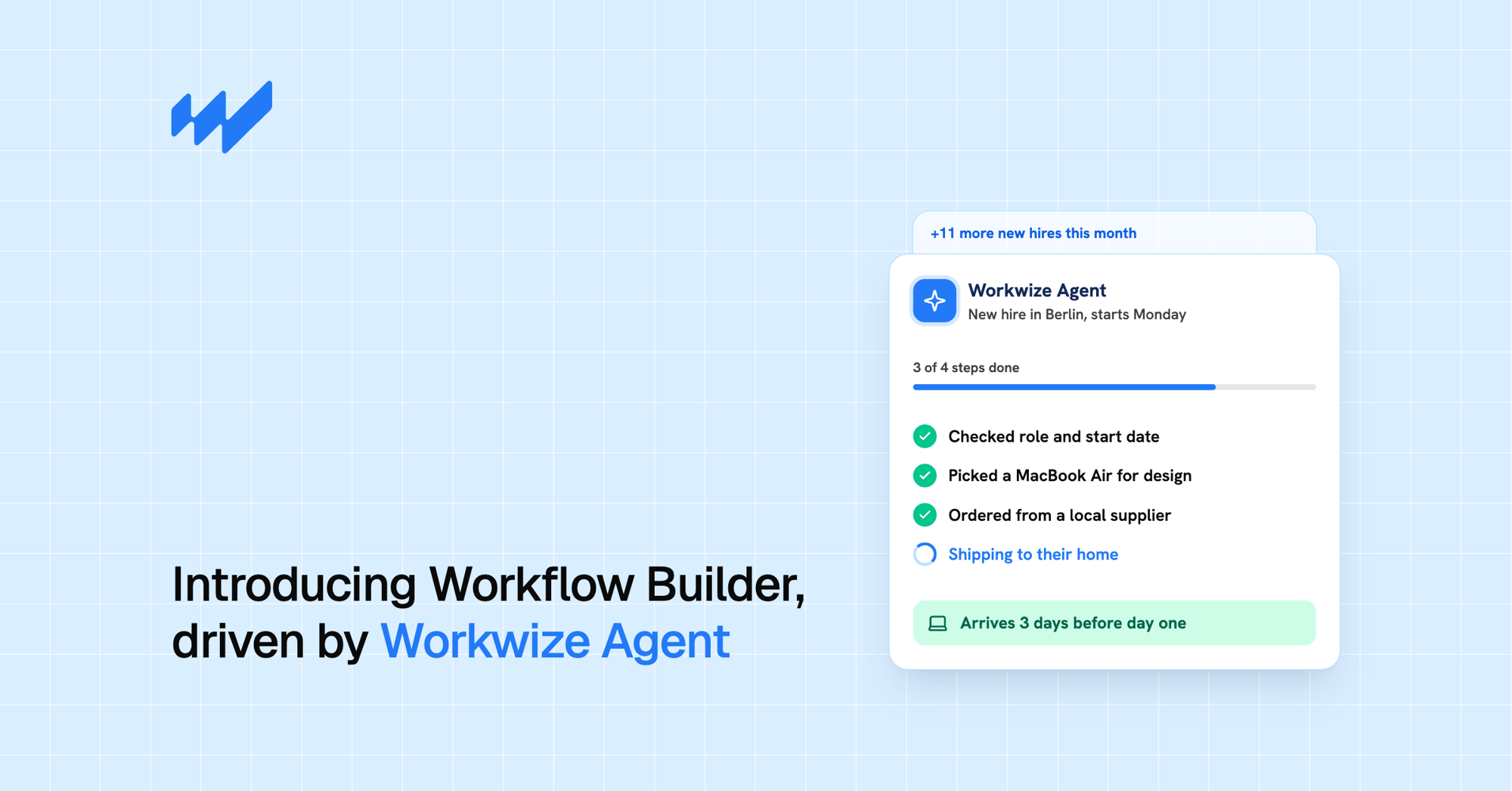


.svg)
.png?width=500&height=424&name=Style-1---V1-(1).png)
.png?width=1230&height=692&name=Vector%20(13).png)
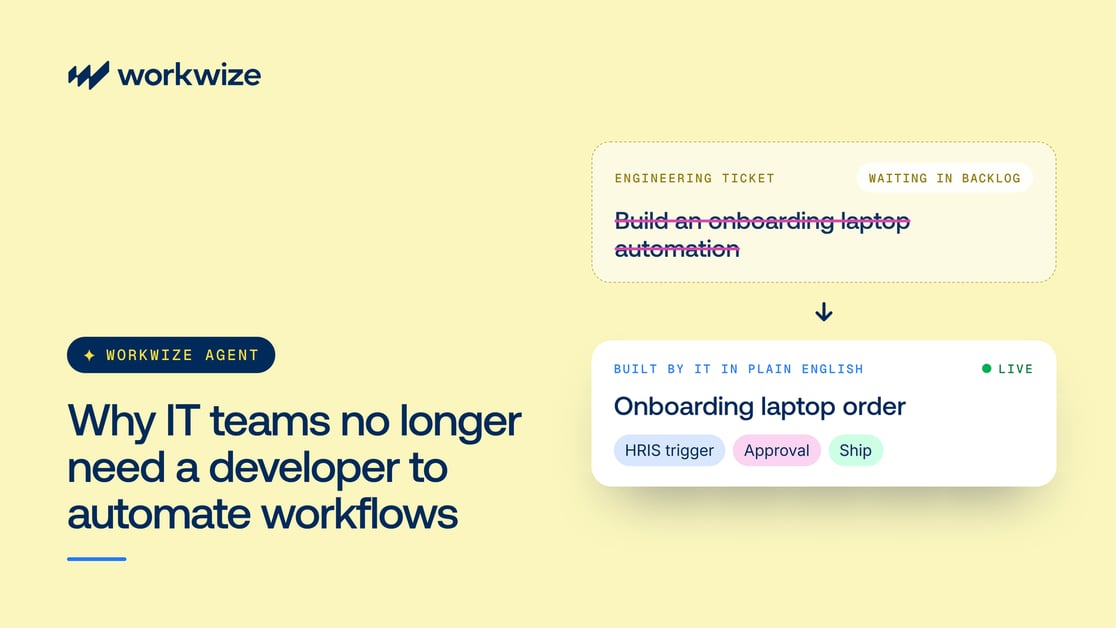
Most IT teams know exactly which tasks they want to automate. But turning those ideas into working workflows often means getting help from developers.
That means logging requests that compete with other software engineering priorities. Weeks can turn into months, and by then the team has already settled into a manual workaround.
AI-assisted workflow creation reduces this dependence on development teams. With tools like Workwize Workflow Builder, IT can use the same plain language they would put in a ticket to create the automation itself.
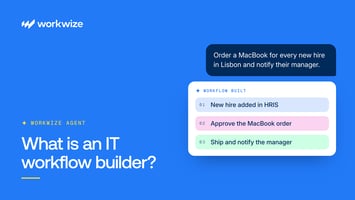
For example, a prompt that reads "Retrieve laptops from employees who have left the company" can build a workflow that:
- Starts when an employee is offboarded
- Initiates a device retrieval and coordinates the pickup
- Updates the asset records
- Coordinates the next steps through Workwize's hardware operations
Workwize Agent builds the workflow, while Workflows executes the configured steps. When physical equipment needs to move, Workwize's logistics network handles the fulfillment, subject to the required approvals.
This lets developers focus on work that genuinely requires engineering expertise, while IT teams launch coordinated workflows sooner.
In this article, we'll look at how no-code tools are reducing IT teams' dependence on developers, which workflows IT can now build without coding, and where engineering expertise is still needed.
Why IT workflow automation has traditionally required developers
Automating IT operations requires several systems to exchange information and perform tasks in the right sequence.
Developers traditionally handled this work because each operational step needed a technical implementation, from authenticating API requests to defining what happens when a task fails. Here's what that work involves.
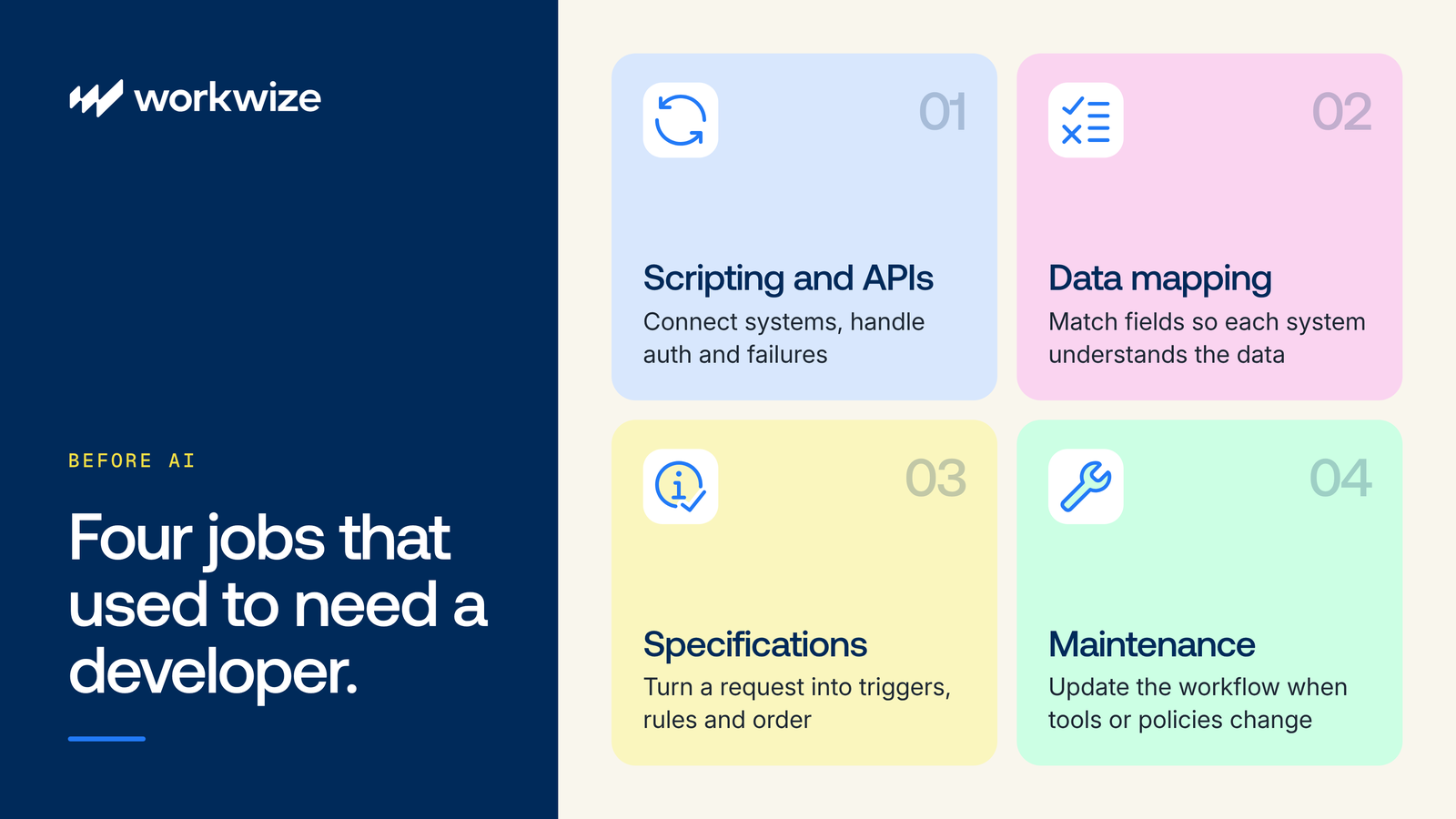
Scripting and API integrations
Traditional automation uses scripts to connect systems through APIs, the interfaces software uses to communicate. A workflow might receive a webhook (an automatic notification from the HR platform), then call another system's API to create an employee account.
Each connection needs authentication, correctly formatted data, and error handling.
Data mapping
Moving information correctly between systems requires connecting corresponding fields and defining how their values affect the process.
For example, an HR platform might store a department as "Engineering," while an identity platform expects a specific group ID. Developers use data mapping to match those fields by transforming their values into formats each system accepts.
Translating IT requirements into technical specifications
A request like "Set up every new hire before their first day" sounds straightforward, but an automation needs more specific instructions.
Someone must define what triggers the workflow, which employee details it needs, what actions should happen, and the order in which they should run. The workflow also needs rules for different scenarios.
For example, if a new employee has an assigned manager, the workflow should send that person an approval request. If no manager is listed, it should route the request to IT instead.
Developers have traditionally translated these operational requirements into scripts, rules, and system configurations.
Maintaining and updating workflows
As policies and connected systems change, a workflow may need maintenance and adjustments to keep producing the intended outcome.
Replacing an HR platform, for example, can require new API connections and updated data mappings, followed by testing. Even a smaller change, such as assigning approval requests to a different team, can require technical adjustments.
When IT can't make those changes directly, each update becomes another request for developer support.
Visual builders also require technical knowledge
Before AI, tools such as Microsoft Power Automate and ServiceNow Flow Designer already let teams build workflows through visual interfaces without writing code.
However, configuring those workflows still requires an understanding of integrations, data mapping, and conditional logic. For beginners, configuring triggers, connecting systems, and handling exceptions can be challenging, and unsupported integrations or more complex requirements may still need custom code or developer assistance.
Both tools now offer AI-assisted workflow creation as well. However, the workflows they create stay in software and don't connect to the physical work involved in managing the IT hardware lifecycle.
What IT teams can now automate without writing code
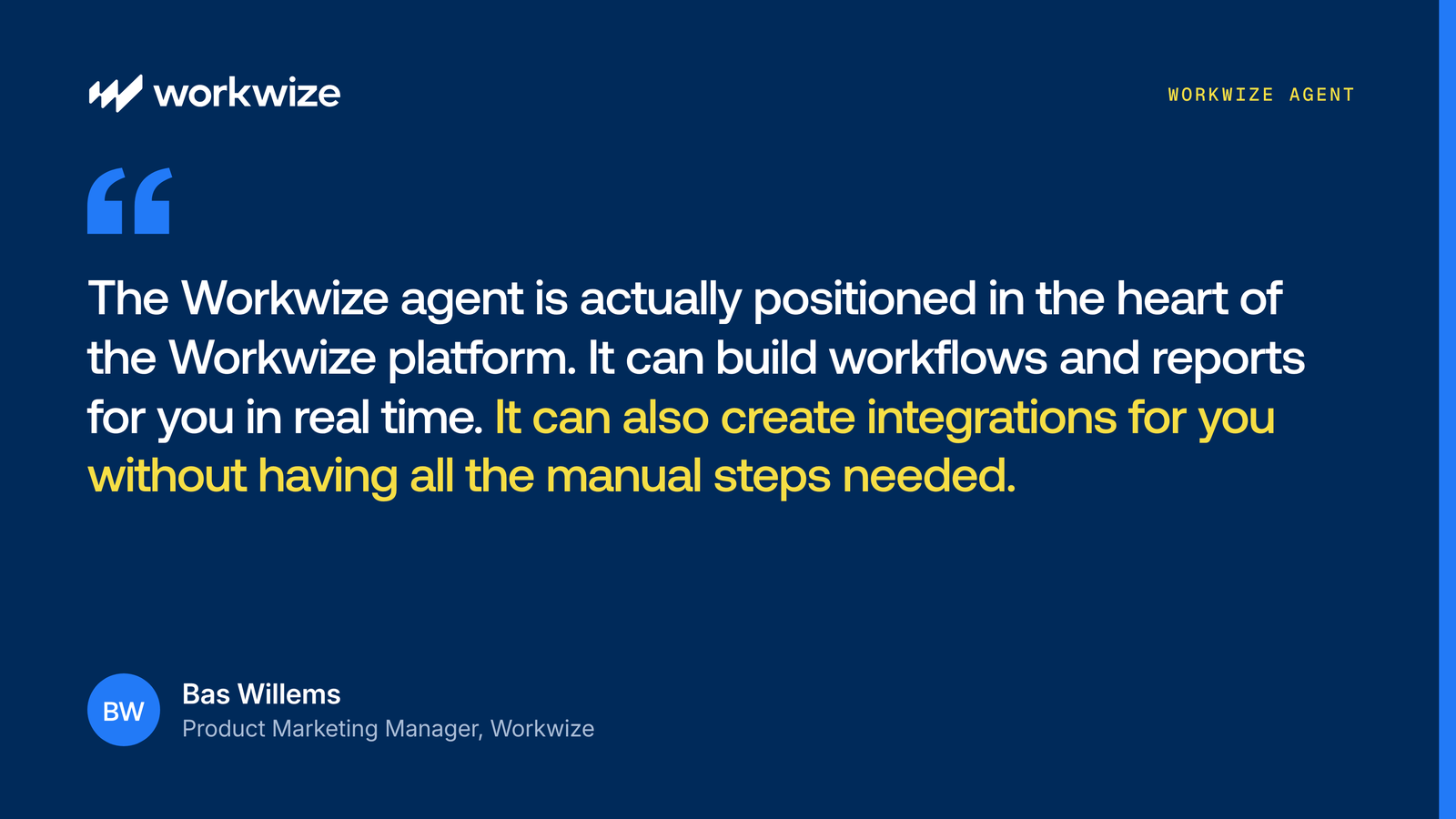
IT teams now have more ways to turn familiar processes into working automations without writing scripts or commissioning a development project. As Bas Willems, Product Marketing Manager at Workwize, puts it:
With tools like Workflow Builder, powered by Workwize Agent, you can describe a process in plain language, and the Agent builds the triggers, conditions, and actions into a workflow.
Better still, systems like these run on top of existing operational layers that make things happen in the real world. That means you can build workflows and watch them translate into real-world hardware asset management activities, from deployment to disposal.
Let's break down what IT teams can do with these AI-powered systems.
Create routine workflows from existing IT processes
IT teams can turn familiar processes into workflows by explaining, in natural language, what starts the process, which rules apply, and what should happen next.
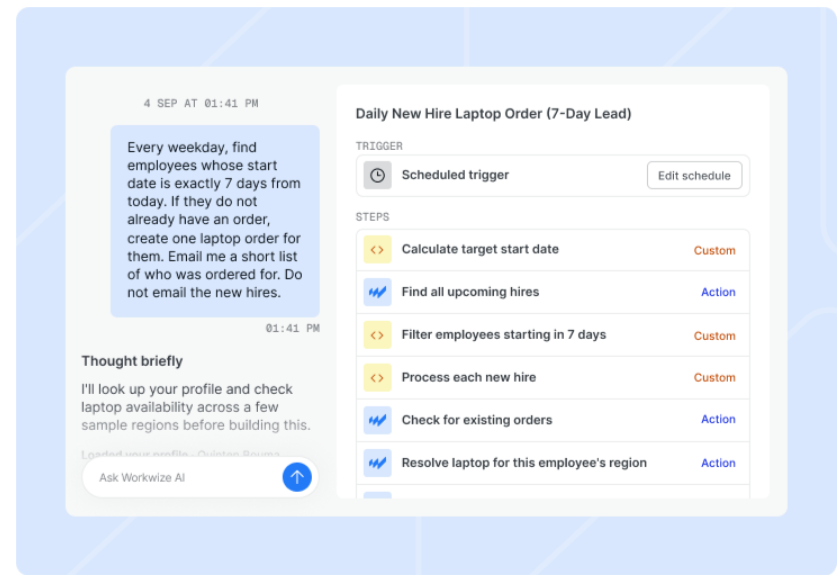
For example, a team could tell Workwize Agent, in everyday words, that it wants an onboarding workflow that initiates a laptop order when HR adds a new hire's start date to the HRIS.
The order must follow specific vendor, location, and specification rules based on the hire's profile. The team's requirements may also include other instructions, such as updating integrated systems so managers can track the order or the new hire's onboarding experience.
Here's how it's executed:
- Workwize Agent assembles the trigger, conditions, and actions into a workflow using available employee, catalog, inventory, and location data.
- Whenever the trigger happens, Workflows, Workwize's execution engine, performs the actions the Agent configured.
- That can mean retrieving the hire's profile, checking equipment availability, and initiating an order that follows the specified rules.
- From there, Workwize's zero-touch deployment takes over to make sure the hire gets a configured, ready-to-use laptop before their start date.
The Agent also explains what it built, so IT can review whether the workflow reflects the intended process before it runs.
Connect IT systems and coordinate routine actions
For the onboarding workflow to work, it must receive new-hire information from the HRIS, which acts as the trigger. From there, it coordinates equipment ordering, configuration, and delivery, all of which depend on communication with other systems. Without automation, IT teams often have to move information between these tools manually.
Workwize Agent can build workflows that coordinate actions across connected systems, and Workwize integrates with more than 80 tools across ITSM, HRIS, MDM, identity, and productivity.
For example, one Workwize customer in the AI sector orders hardware from a ServiceNow new-hire task and then writes order and shipping updates back to the corresponding ServiceNow ticket. This keeps the service request connected to the hardware fulfillment process, so IT doesn't have to update both systems separately.
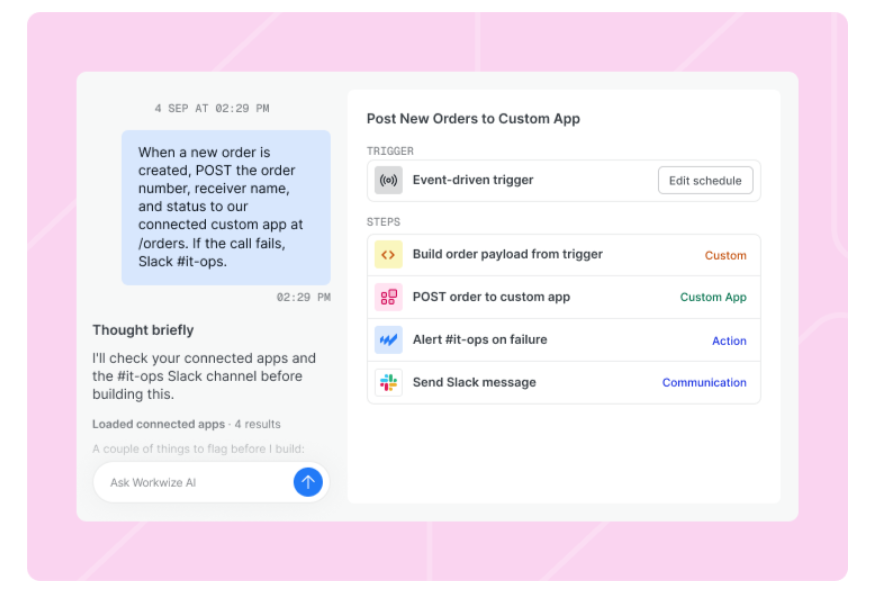
Workwize also supports custom API integrations. When a required connection isn't available, the Agent can help configure a custom app using the external system's API documentation.
Some connections may still require technical setup or review, but IT teams can build workflows around supported integrations without developing every step themselves.
Update and maintain existing automations
Over time, changes to approval policies, equipment suppliers, or team responsibilities may mean an automation needs updating too. A change in who receives an equipment update, for example, doesn't have to become a separate development assignment.
IT admins can describe the adjustments to Workwize Agent, whether that means revising a condition, changing who receives a notification, or updating another supported step. Handling these changes directly reduces routine requests to developers and helps IT keep workflows aligned with daily operations.
Still, edits need review and testing before they affect live processes, since changing one condition could alter which employees receive equipment or whose approval is required.
Workwize also maintains version history, so teams can restore an earlier published workflow when necessary.
Initiate physical device operations
Software automation can update records, create tickets, and send notifications. But those actions don't complete the physical work involved in managing IT equipment.
Someone still needs to arrange a device pickup, attach asset tracking tags to laptops, or prepare buffer stock for deployment.
Workwize Workflow Builder connects automated instructions to Workwize's existing hardware operations across 130+ countries. For example, IT teams can build workflows that:
- Initiate device orders: Start procurement and deployment when an employee meets the required onboarding conditions.
- Arrange equipment retrievals: Create retrieval requests when employees leave or devices need to be returned.
- Request repairs: Initiate a repair process when an asset meets the specified conditions.
- Track inventory: Retrieve asset information and generate scheduled reports showing available equipment across locations.
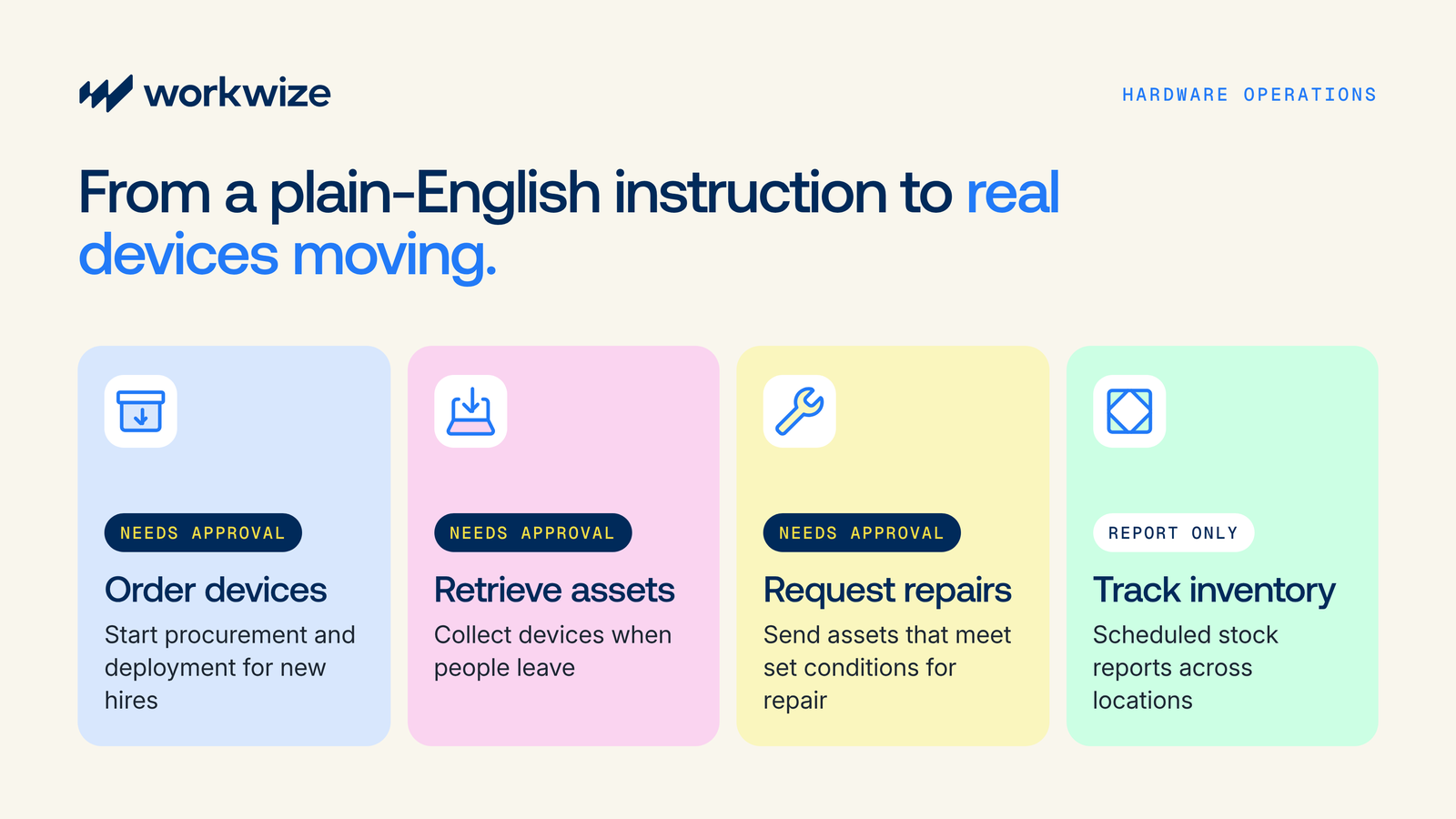
Workwize's warehouses, technicians, and logistics partners handle the physical fulfillment associated with these requests. Hardware orders, retrievals, and repairs require human approval by default, with configurable approval settings.
That means IT teams can automate the coordination of physical device operations while keeping oversight of actions that move equipment or incur costs.
When IT workflow automation still needs a developer
While IT teams can now build and manage routine workflows themselves using tools like Workflow Builder, certain highly technical areas, such as custom API connections and backend work, still require developer input. Let's cover those areas.
Custom integrations
When a workflow involves a system, unusual API, or internal application that doesn't natively connect with another platform, someone may need to build the connection. An AI assistant might help generate parts of it, but a developer still needs to check that the integration handles data and failures correctly.
Workwize, for example, offers native integrations with many HRIS, MDM, and communication platforms, and provides API access for companies that use less common systems requiring custom integrations.
Complex business logic
Some processes involve specialized calculations, extensive data transformations, or decisions that may exceed a no-code tool's supported actions.
For example, allocating equipment costs across several entities might require custom financial rules. Developers can implement that logic and check its behavior across different scenarios.
Authentication and permissions
Connecting systems requires more than identifying where information should go. Some integrations need service accounts, access tokens, or permissions that administrators can't grant themselves.
Engineering or security specialists may need to configure access and review whether the workflow has more authority than it needs.
Sensitive operations
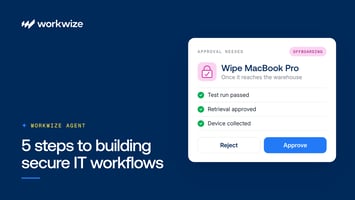
Workflows that purchase equipment, change employee access, or initiate device wipes can have significant consequences if configured incorrectly. These actions need appropriate safeguards, which may include approval requirements, restricted access, and additional testing.
Workwize requires human approval by default for hardware orders, retrievals, and repairs, with configurable approval settings. Other sensitive actions, such as removing account access or initiating a device wipe through a connected MDM, may require additional controls defined by your organization's security policies.
IT teams can configure supported workflows, but security or engineering specialists may need to review the safeguards before those workflows go live.
Troubleshooting
IT administrators can investigate many routine workflow issues by reviewing execution logs and identifying the step that failed. But not every failure can be resolved within the workflow builder.
For example, an external API might return inconsistent data, reject authentication requests, or stop responding after a vendor update. When the cause lies in custom code, external systems, or underlying integrations, developers may need to investigate and resolve it.
Maintenance
Even a workflow that IT created without code may eventually require engineering support.
Over time, a vendor may change its API, the company may migrate to another HR system, or new requirements may exceed an existing connection's capabilities. Those changes can introduce engineering work even if IT originally created the workflow without code, and how much developer involvement is needed depends on what changed and whether the available tools still support the process.
| IT teams can often handle | Developer or specialist support may be needed |
|---|---|
| Describing routine workflows in natural language | Building unsupported custom connectors |
| Configuring supported triggers and actions | Implementing specialized API integrations |
| Modifying supported workflow conditions | Developing complex custom logic |
| Reviewing workflow runs and routine errors | Diagnosing failures in external systems or custom code |
| Initiating supported device lifecycle actions | Extending functionality beyond existing platform capabilities |
How Workwize Agent reduces developer dependency in practice
Suppose an IT manager wants to check whether warehouse stock will cover upcoming hires in each region. Preparing that report manually means comparing employee start dates with inventory across locations, calculating shortages, and sharing the findings.
A custom automation could require a developer to connect those records, write the comparison logic, and configure delivery. With Workwize Agent, the administrator can describe the requirement directly and review the resulting workflow.
Explain the outcome in plain language
The request could read:
"Count upcoming hires in each region, compare them with the devices in our warehouses, and send me a report by email and Slack. Share the summary in the #it-team channel too."
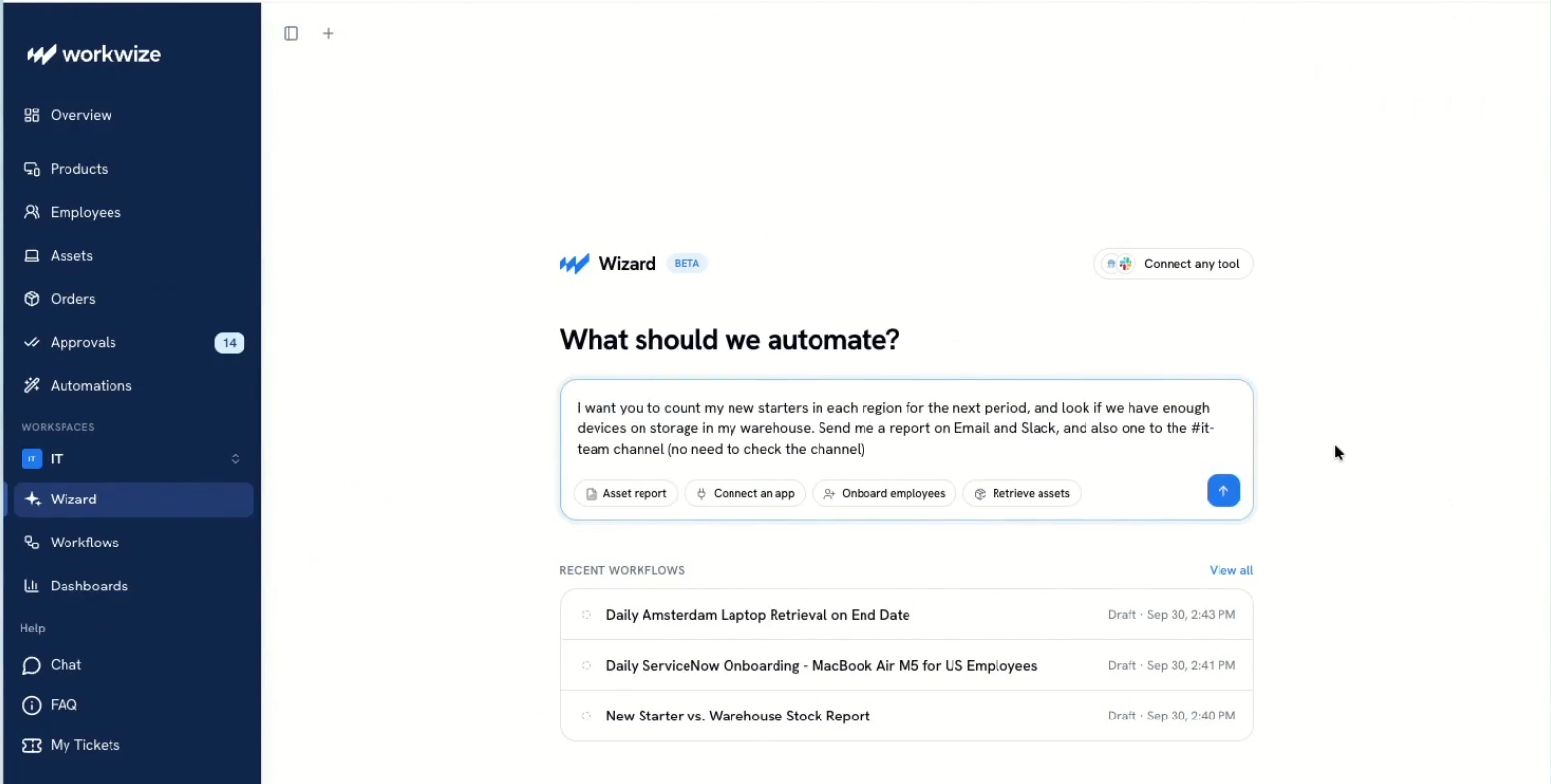
The Agent gathers context before building. It looks up the requester's profile, retrieves warehouse information, counts assets by location, and searches for upcoming hires. It also explains what it finds, including whether any upcoming employees are currently recorded.
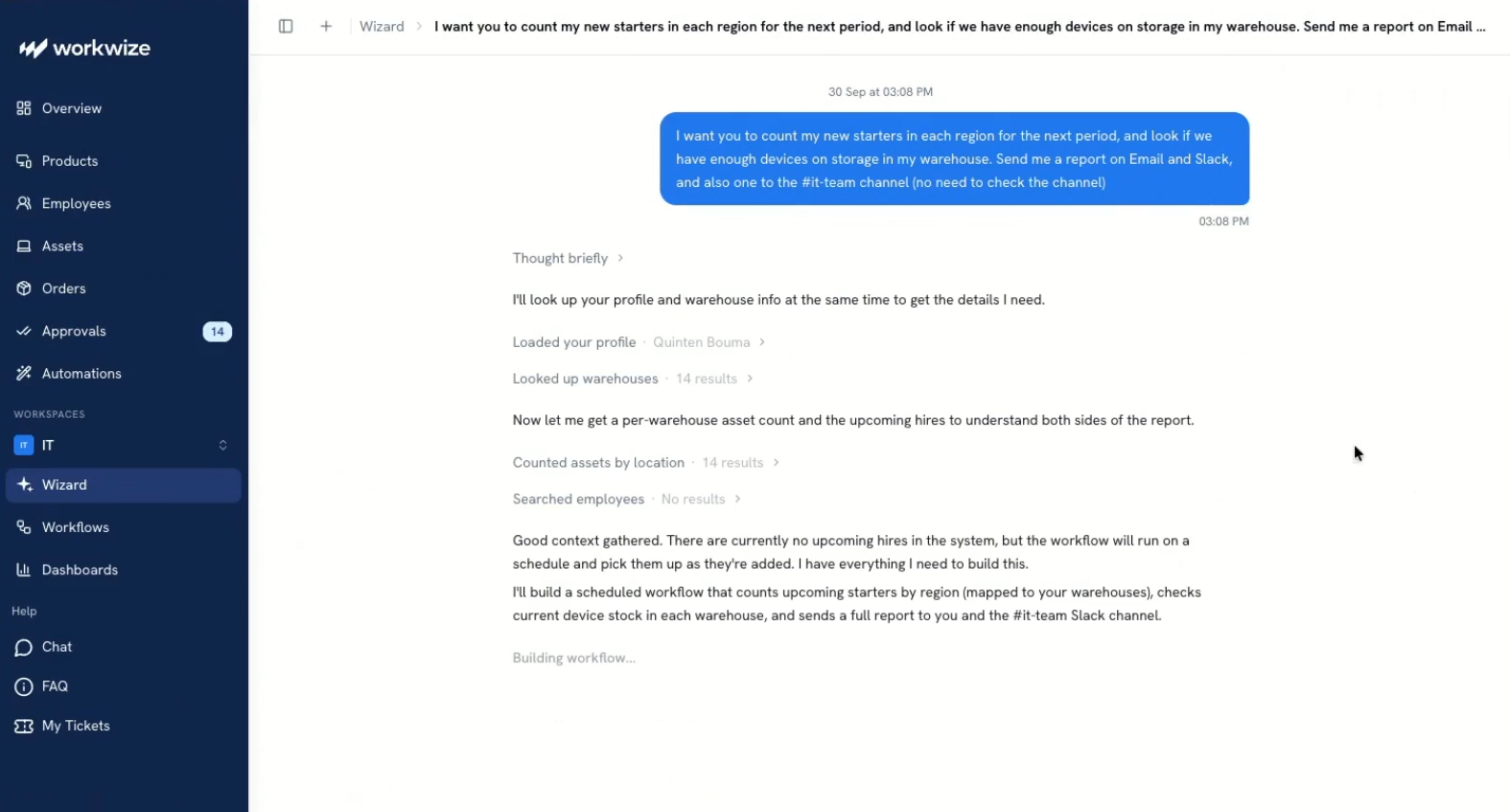
That information allows the Agent to build a scheduled workflow that checks updated records on each run, including hires added later.
Build the comparison and reporting steps
Workwize Agent turns the request into a workflow called New Starters vs. Warehouse Stock Report. The generated workflow includes five steps:
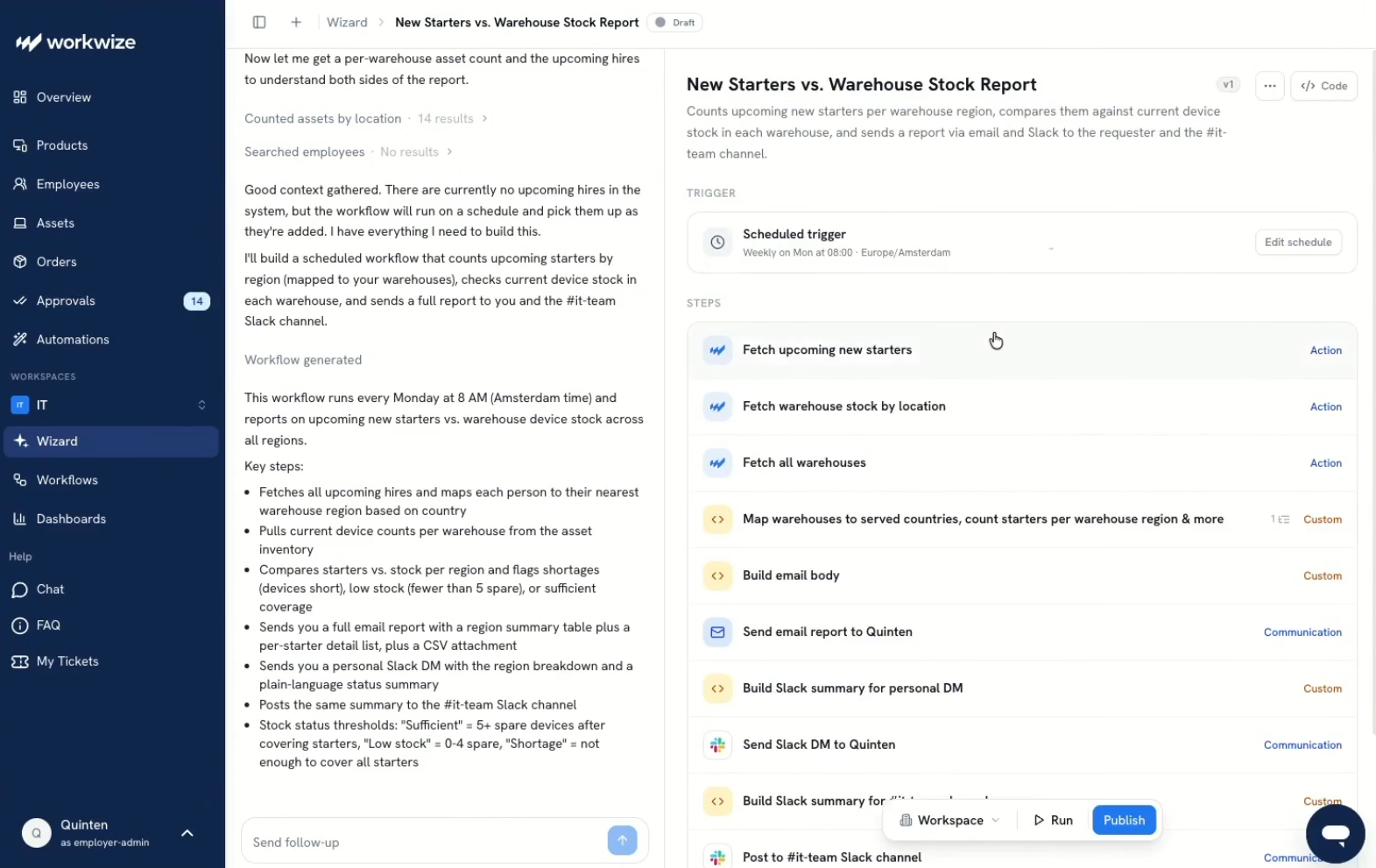
- Retrieve the data: Fetch upcoming hires, warehouse stock by location, and warehouse details.
- Compare demand with supply: Map hires to warehouse regions based on country and compare employee numbers with device counts.
- Identify stock gaps: Flag shortages, low stock, or sufficient coverage.
- Prepare the report: Create a regional summary, employee details, and a CSV attachment.
- Share the findings: Email the report to the requester, send a personal Slack summary, and post to the #it-team channel.
The generated draft runs every Monday at 8 a.m. in the configured time zone. IT can inspect the schedule and individual steps without writing the data retrieval, comparison, or messaging code.
Visibility and control stay with IT
Alongside the generated workflow, the Agent provides a plain-language explanation of its behavior. Administrators can inspect each step and assess the assumptions behind it, including regional mappings and stock thresholds.
For example, this draft defines low stock as zero to four spare devices after covering upcoming hires. That rule lets IT assess whether the comparison reflects its buffer stock policy and request supported adjustments through the conversation.
Administrators can also review the schedule, run the workflow, and publish it. Visibility controls let them keep it personal or make it accessible to the workspace, independently of where the reports are delivered.
Engineering handles the gaps
In this example, Workwize Agent handles much of the work that might otherwise require a developer: retrieving supported data, applying comparison rules, scheduling execution, and distributing the report.
The IT administrator remains responsible for defining the requirements and checking that the output is useful. Developer support may still be necessary if the report needs data from an unsupported internal system, a custom integration, or calculations beyond the workflow builder's available capabilities.
The difference is that engineering no longer needs to be involved in every routine reporting request. IT can build and maintain supported automations directly, while developers focus on the technical requirements that fall outside those capabilities.
Let IT teams automate more without adding development work
Developers will always have a role in IT automation. They build and maintain the systems, APIs, and integrations that make workflows possible, but they shouldn't have to handle every routine automation request.
At the same time, IT administrators don't have to wait for automation requests to go stale while teams settle into manual workarounds.
With Workwize Agent, IT administrators can create, update, and manage supported workflows using plain-English instructions. They can automate routine processes without waiting for development resources, while engineering teams focus on work that requires their expertise.
And because Workwize connects these workflows to its existing hardware operations, automation can go beyond software tasks to initiate device procurement, deployment, retrieval, and repair.
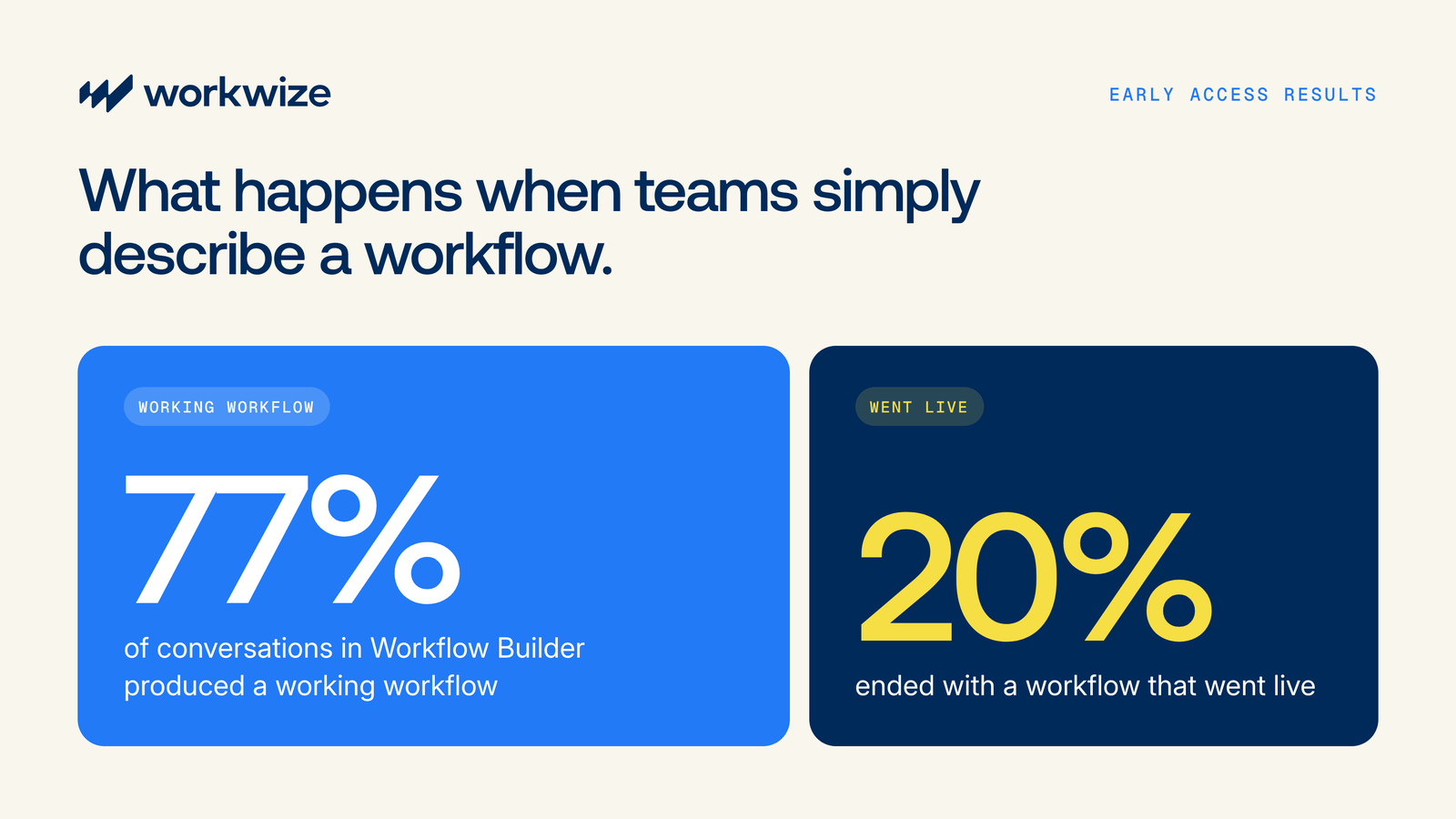
Early usage data shows that 77% of Workflow Builder conversations have resulted in a working workflow, with 20% progressing to a live workflow.
Ready to automate more IT work without adding to your development backlog? Explore Workwize Workflow Builder or book a demo to see how it can support your IT processes.

Establish a single source of truth for every IT asset across the globe.
.png?width=258&height=318&name=g10%20(5).png)
More related resources to help you stop firefighting hardware operations.

Get monthly insights into how other IT leaders are improving their ops.



.png?width=2880&height=1232&name=Group%202147262874%20(1).png)
Stop coordinating
hardware like it's 2012.
.svg)
.png?width=172&height=68&name=apple%20business%20patner%20(1).png)
.svg)
.svg)
.svg)
.svg)