




.svg)
.svg)

.svg)


.svg)




.svg)
.png?width=500&height=424&name=Style-1---V1-(1).png)

.png?width=1230&height=692&name=Vector%20(13).png)
Your IT team probably already knows which processes need automating, such as checking laptop stock before a new hire joins, following up on device returns, or keeping asset records up to date.
But turning those processes into working automations isn't always straightforward. Building them from scratch can mean writing scripts, connecting systems, and testing what happens when something goes wrong.
No-code IT workflows make this easier. Instead of relying on developers to build every automation, IT teams can create and update workflows using visual builders or natural-language instructions.
This makes it easier to automate repetitive tasks, adapt workflows as business needs change, and reduce the manual work involved in managing IT operations.
In this article, we'll look at how no-code workflows are changing the way IT teams work, from building automations faster to connecting digital processes with physical hardware operations.
What are no-code IT workflows?
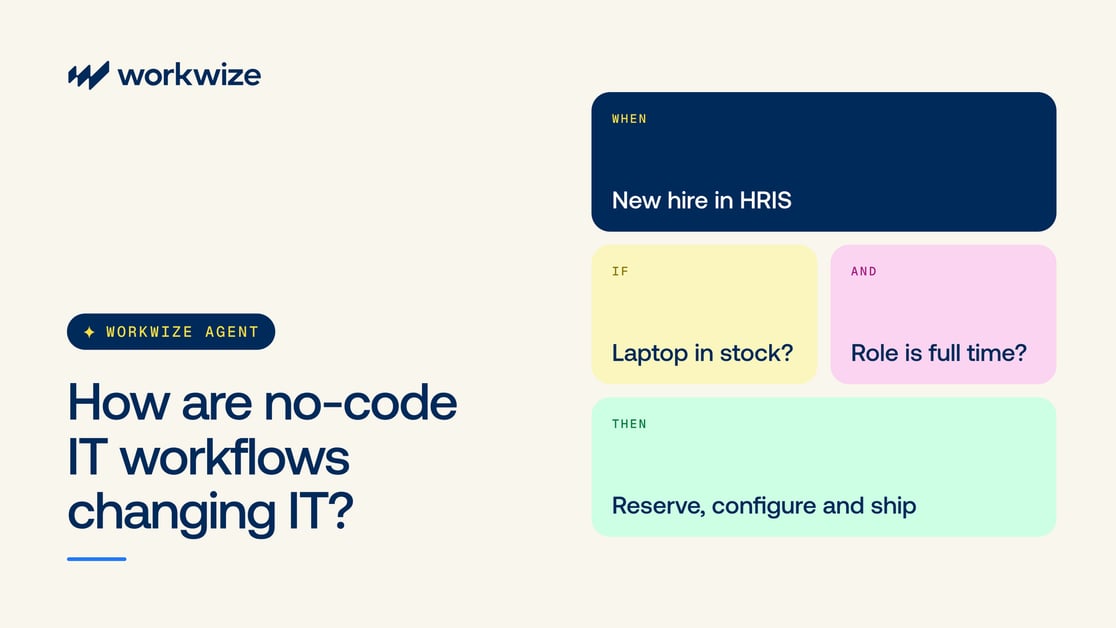
No-code IT workflows let teams automate repetitive processes without writing code or relying entirely on technical experts like developers. Instead of building scripts from scratch, users define what should happen, when it should happen, and what conditions must be met.
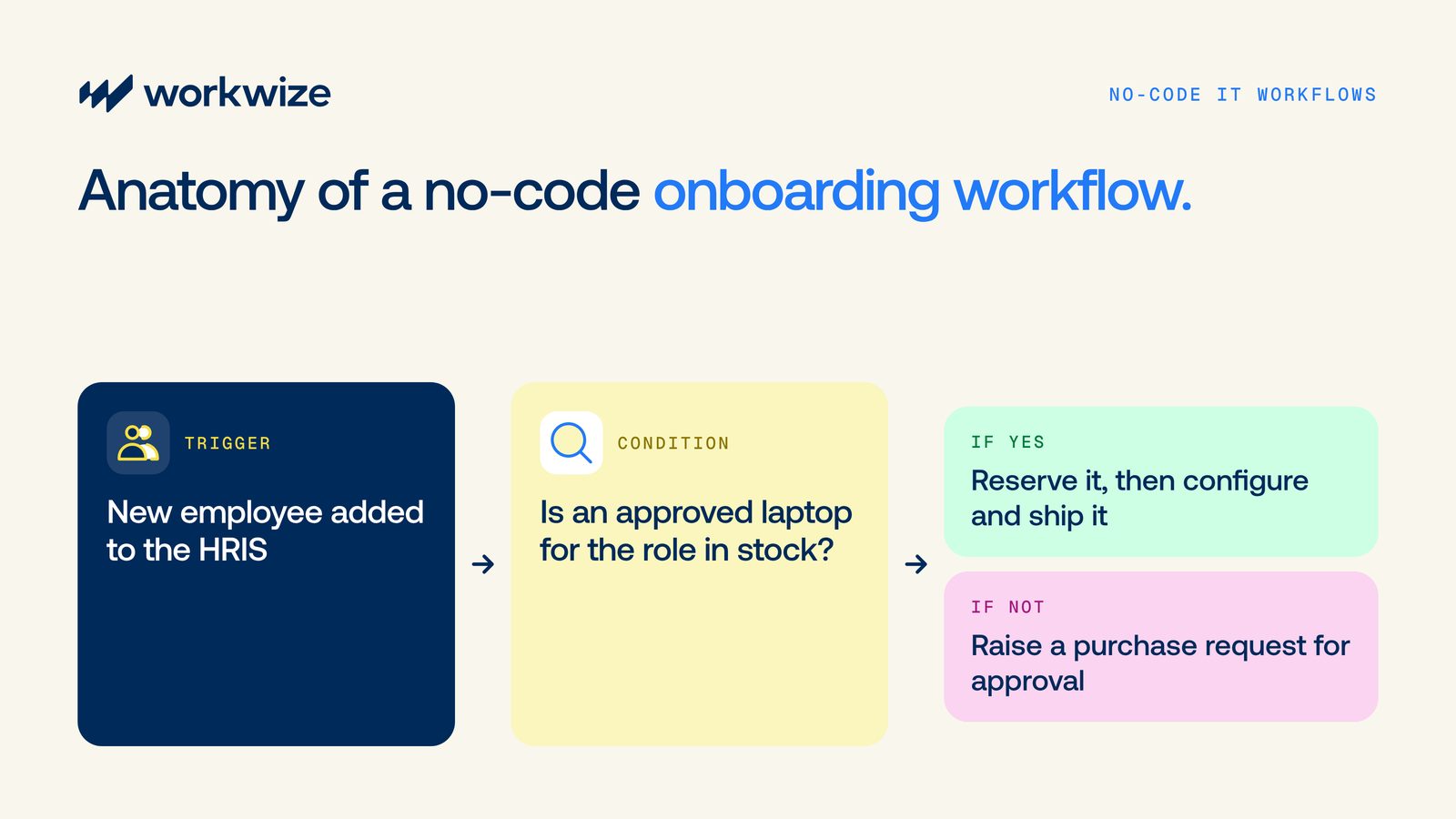
For example, say you want to automate onboarding for a new employee. A typical workflow would look like this:
- Trigger: Adding a new employee to the HRIS starts the onboarding workflow.
- Condition: The workflow checks whether a laptop approved for the employee's role is available in the warehouse.
- Action: If the laptop is available, the workflow reserves it and creates a task to configure and ship it. If not, it raises a purchase request for approval.
To create this workflow from scratch, you'd need scoping, developers, someone who knows the relevant APIs, and a lot of time.
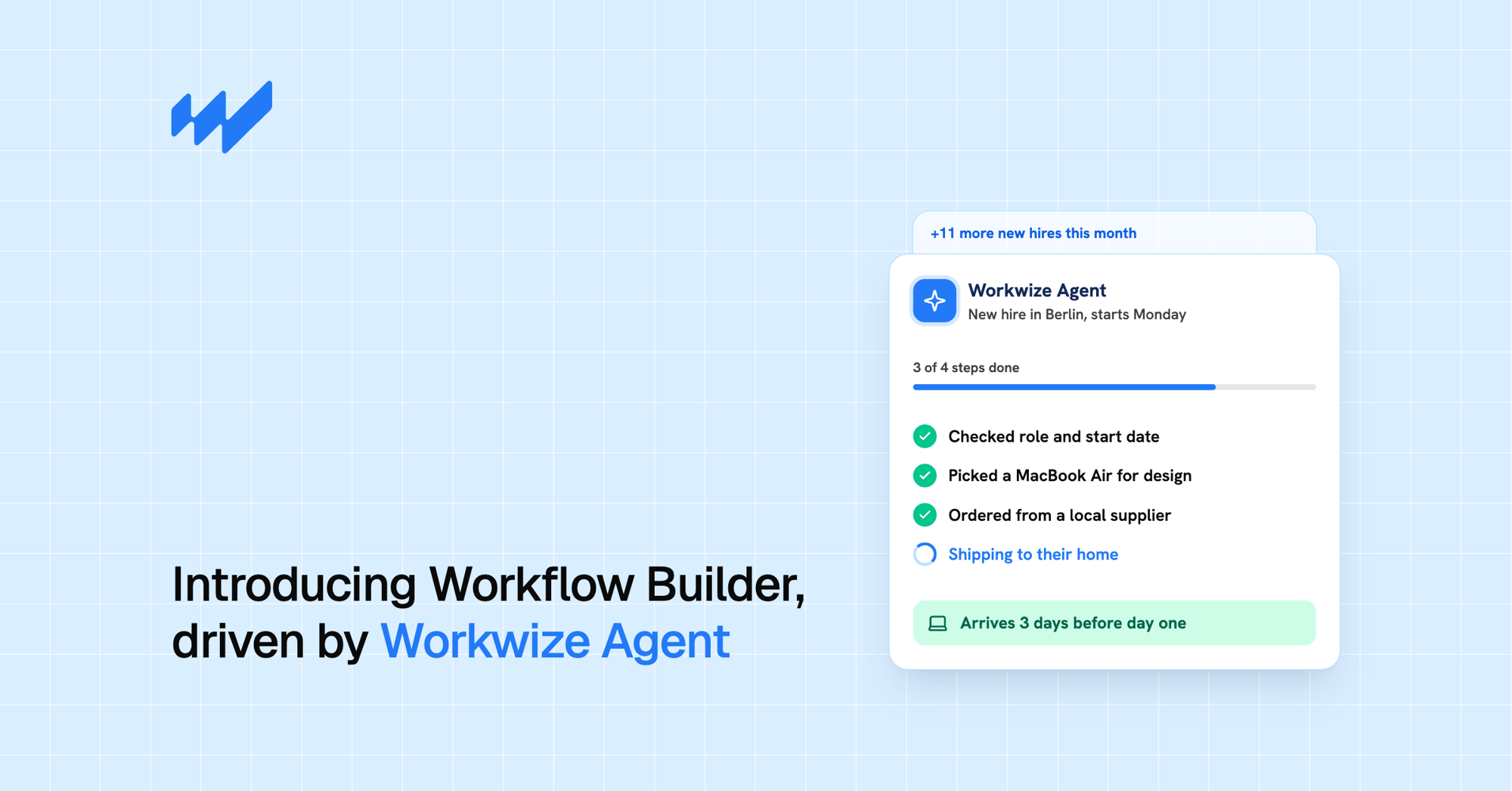
No-code workflow builders simplify this process and make automation accessible to nontechnical teams like HR and marketing. Some use visual interfaces where users arrange triggers, conditions, and actions. Others, like Workwize's Natural Language Workflow Builder, let users describe what they want to automate in plain English. Workwize Agent then assembles the triggers, conditions, and actions into a workflow that teams can review, test, and refine before publishing.
Keep in mind that no-code doesn't mean there's no code behind the automation, and it doesn't remove the need for oversight.
How are no-code workflows changing IT operations?
The biggest shift isn't just how IT workflows are built. It's who can build them, how quickly teams can respond to operational needs, and how much of the process they can automate from start to finish.
Here's how those changes are playing out in day-to-day IT operations.
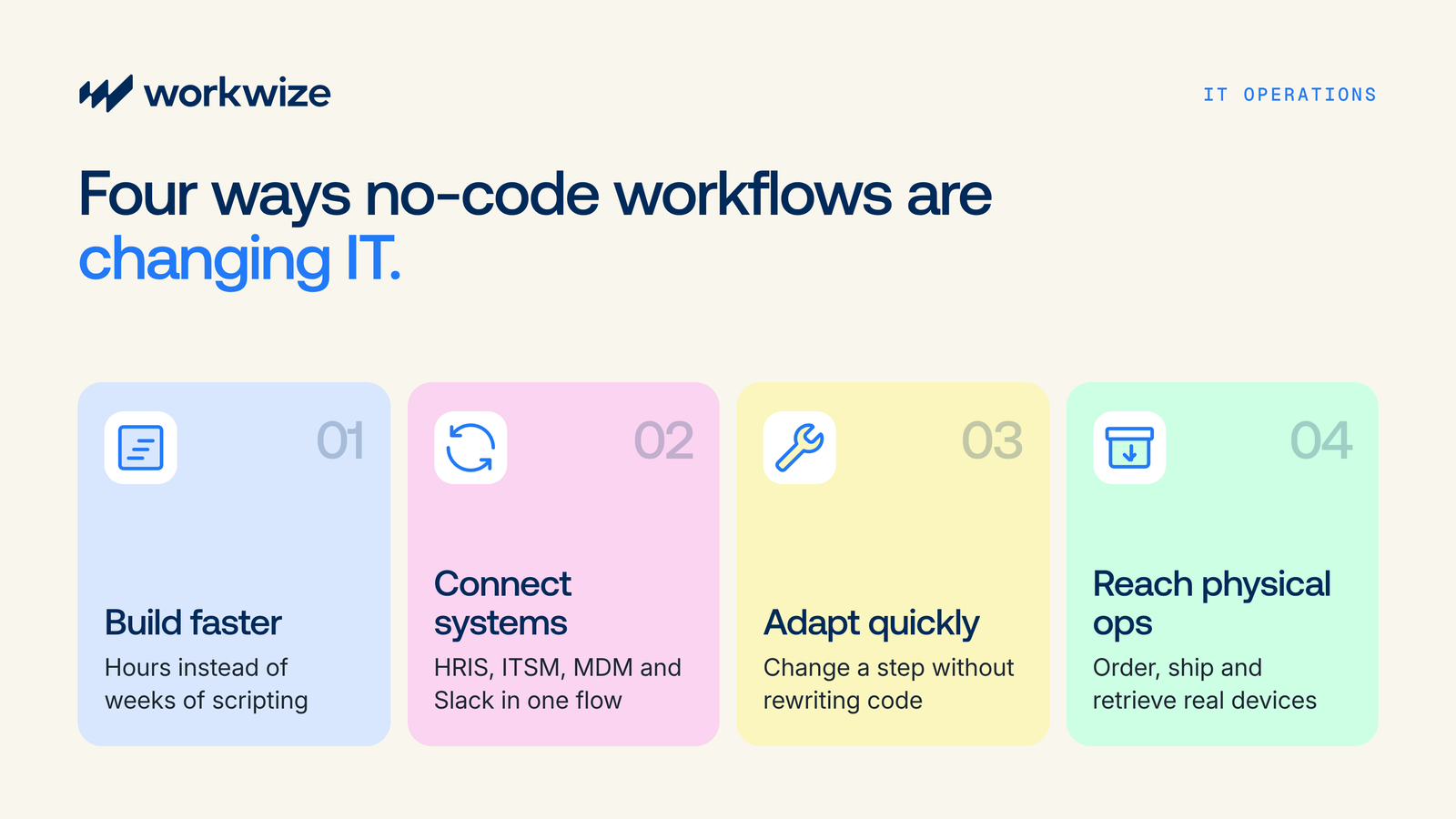
1. IT teams can build and launch automations faster
Building automated IT workflows manually can involve scripting API integrations, configuring authentication, mapping data between your HRIS, ITAM, and MDM systems, and handling logic and exceptions.
Teams also need to test the logic and account for exceptions before putting the workflow into use. Even then, only the few people who understand the code can customize and maintain it properly.
Jamf is a good example. According to a Tines case study, Jamf's SecOps and IT teams previously built automated workflows as Python web applications. Each one took about a week to build, and only people with Python experience could build and manage them, which left the team with a long backlog of automation ideas.
After adopting Tines, Jamf cut its average workflow build time from about a week to one or two hours, and more than 20 additional team members started building workflows.
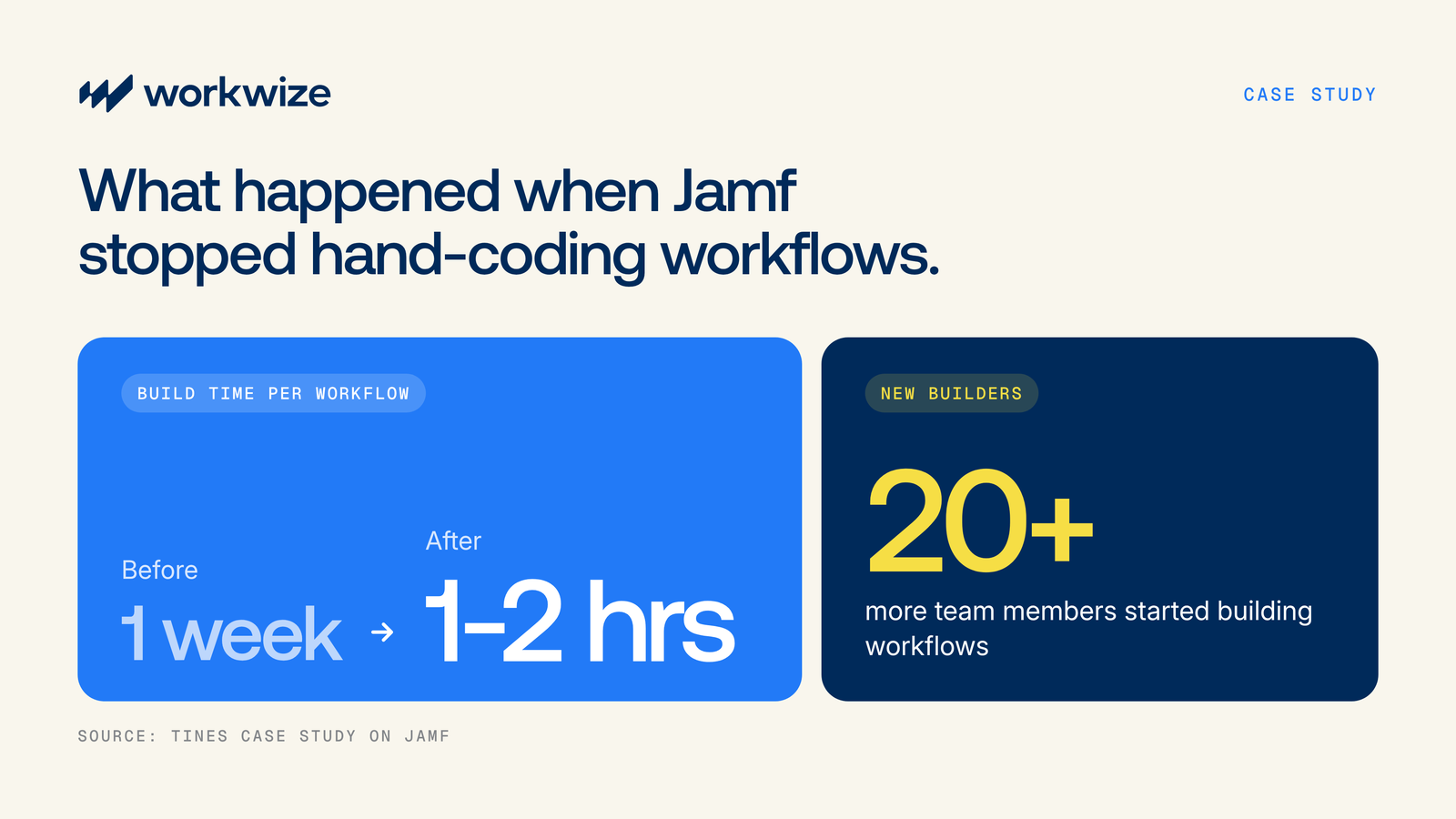
With more team members able to build and update workflows, IT teams can address automation requests sooner and spend more time testing and improving existing processes.
Complex or highly customized integrations may still need some technical help, but far less than a fully scripted build would require.
2. No-code IT workflows can connect processes across different systems
A single IT process can involve your HRIS, MDM, ITSM, inventory system, and communication tools. Each system holds information or handles a task that the next step depends on.
For example, onboarding a new hire may involve:
- Checking their start date and role in BambooHR
- Creating a setup ticket in ServiceNow
- Assigning a laptop from Workwize
- Configuring it through Jamf and notifying their manager in Slack when it's ready
Without a way to connect these systems, IT teams have to manage the handoffs manually. A missed step could leave a new employee without a laptop on day one and create a poor onboarding experience.
No-code workflows help connect these activities into a coordinated process. Instead of checking each system separately, IT teams can define the triggers, conditions, and actions that move work from one stage to the next.
With Workwize's Natural Language Workflow Builder, teams can describe how these steps should connect in plain language, much like chatting with a colleague, and Workwize Agent assembles the workflow automatically. Depending on the integrations configured, the workflow could:
- Detect a new employee recorded in your HRIS and trigger an onboarding task in your ITSM platform
- Retrieve the employee's assigned device details from Workwize
- Notify the responsible IT teammate in Slack about the next steps
By connecting these activities, IT teams can reduce the manual handoffs needed to move onboarding from one system to another.
3. IT teams can adapt workflows as business needs change
IT processes change as your organization grows. You might start hiring in a new country, switch MDM or HRIS tools, or add new approval requirements for hardware purchases.
Say your onboarding workflow currently handles UK employees. Now you're hiring in Germany, where employees need different equipment and requests go through a different IT team.
With a custom-scripted workflow, accommodating these changes could mean updating the code, adjusting integrations, and testing the revised logic. You may also have to raise a request and wait several days for developers to implement it.
A no-code workflow builder makes routine adjustments easier. Authorized team members can add location conditions, update provisioning tasks, and adjust notification or approval steps without rewriting the underlying code.
With Workwize's Workflow Builder, teams can also describe the changes they need in plain English, then review and test the updated workflow before publishing it. This helps IT teams make changes quickly and keep pace with evolving business requirements.
Pro tip: Look for a no-code IT workflow builder with version history and restore capabilities, so you can roll back to an earlier version if an update causes problems. Workwize, for example, saves a snapshot every time you publish a workflow, which lets you restore a previous version without rebuilding it from scratch.
4. No-code IT automations can extend beyond software tasks to physical IT operations
Most automated workflows can fetch reports, send notifications, and update records, but the physical work still needs to happen.
For example, adding a new employee to your HRIS might automatically create an onboarding ticket. But someone still has to source their laptop, coordinate with vendors, arrange configuration and shipping, and handle customs requirements where applicable.
With a no-code workflow builder like Workwize's, IT teams can connect these digital workflows with hardware lifecycle and logistics operations.
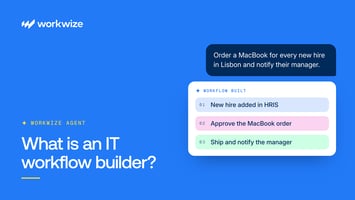
For instance, a new-hire event could initiate a laptop order for approval. Once it's approved, Workwize prepares, ships, and deploys the device through its fulfillment network across 130+ countries.
This connects the employee record to a physical outcome, a laptop delivered to the new hire, with fewer manual handoffs between IT, vendors, and logistics providers. So how does Workwize make that possible? Let's look at how its Workflow Builder connects automation with the hardware lifecycle.
How Workwize brings no-code automation into the hardware lifecycle
Workwize is a global IT hardware management platform that simplifies automation across the complete asset lifecycle, from procurement and deployment to management, retrieval, and disposal, in 130+ countries.
With Workwize's Workflow Builder, IT teams can create automated workflows by describing what they want to accomplish in plain English. There's no need to write code or manually assemble steps in a drag-and-drop builder.
As Bas Willems, Product Marketing Manager at Workwize, explains, there's an important distinction between building a workflow and executing it. Workwize Agent takes the user's instructions and assembles the triggers, conditions, and actions, while Workflows is the execution engine that runs those steps across connected systems.
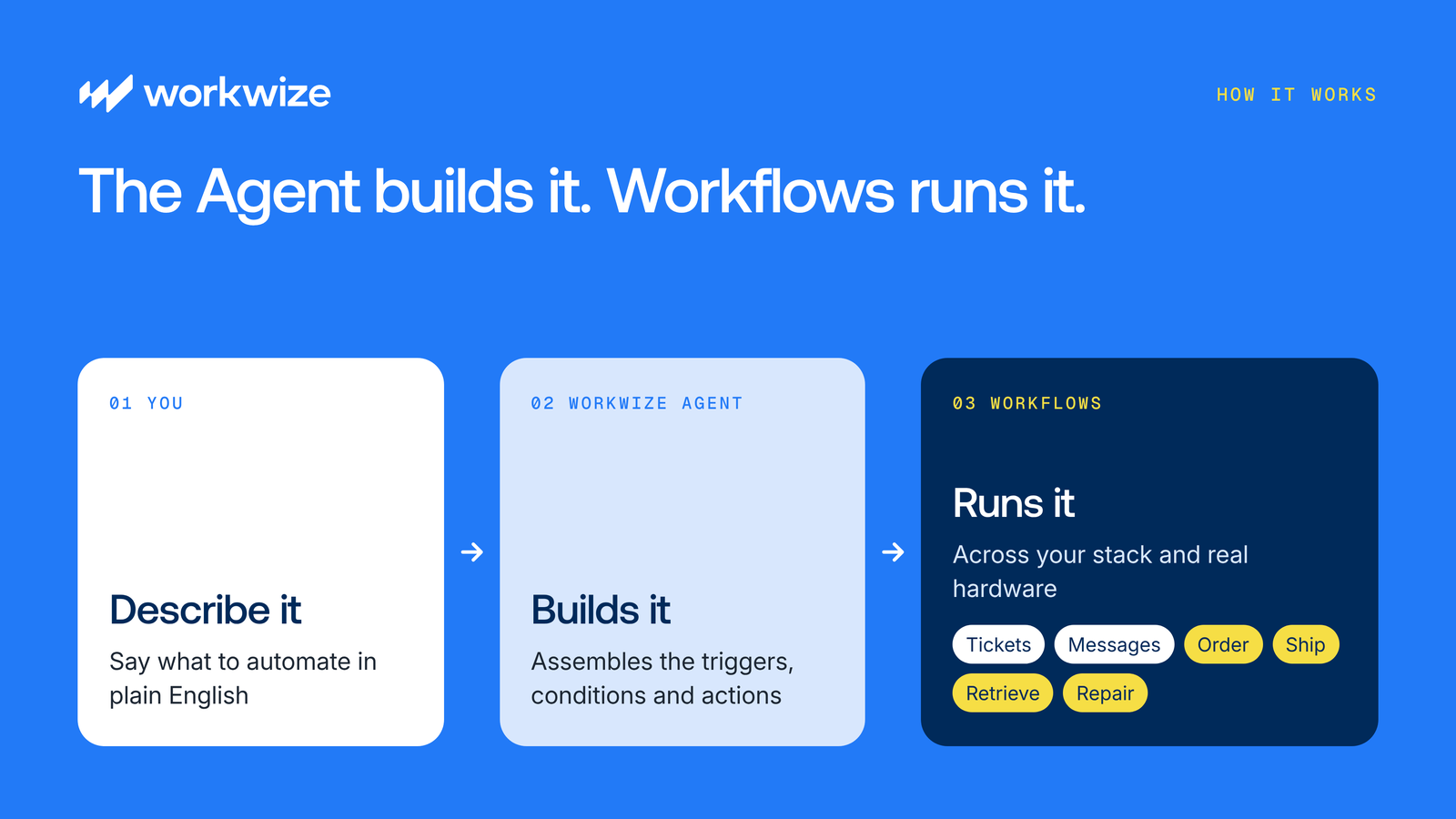
What makes Workwize different is that it doesn't stop at pulling a report or summarizing last month's procurement orders. The automation can extend into physical hardware operations. An automated onboarding workflow can initiate a laptop order, for example, while Workwize's fulfillment network handles the preparation, shipping, and delivery.
Here's how that works in practice.
1. Describe the workflow you want to build
Say you want to automate laptop orders for new employees in the US. Instead of writing scripts or configuring each step manually, you can describe the process to Workwize Agent.
For example, you could enter a prompt like this:
"Read ServiceNow for tickets daily, and when a ticket is created in ServiceNow marked with onboarding for users in the US, find that user in Workwize and if they are not in the contractors team, ask approval to them this laptop: Apple, MacBook Air, M5, 2026, 13-inch, 16GB, 1TB SSD, QWERTY - United States, Silver, United States, Laptops."
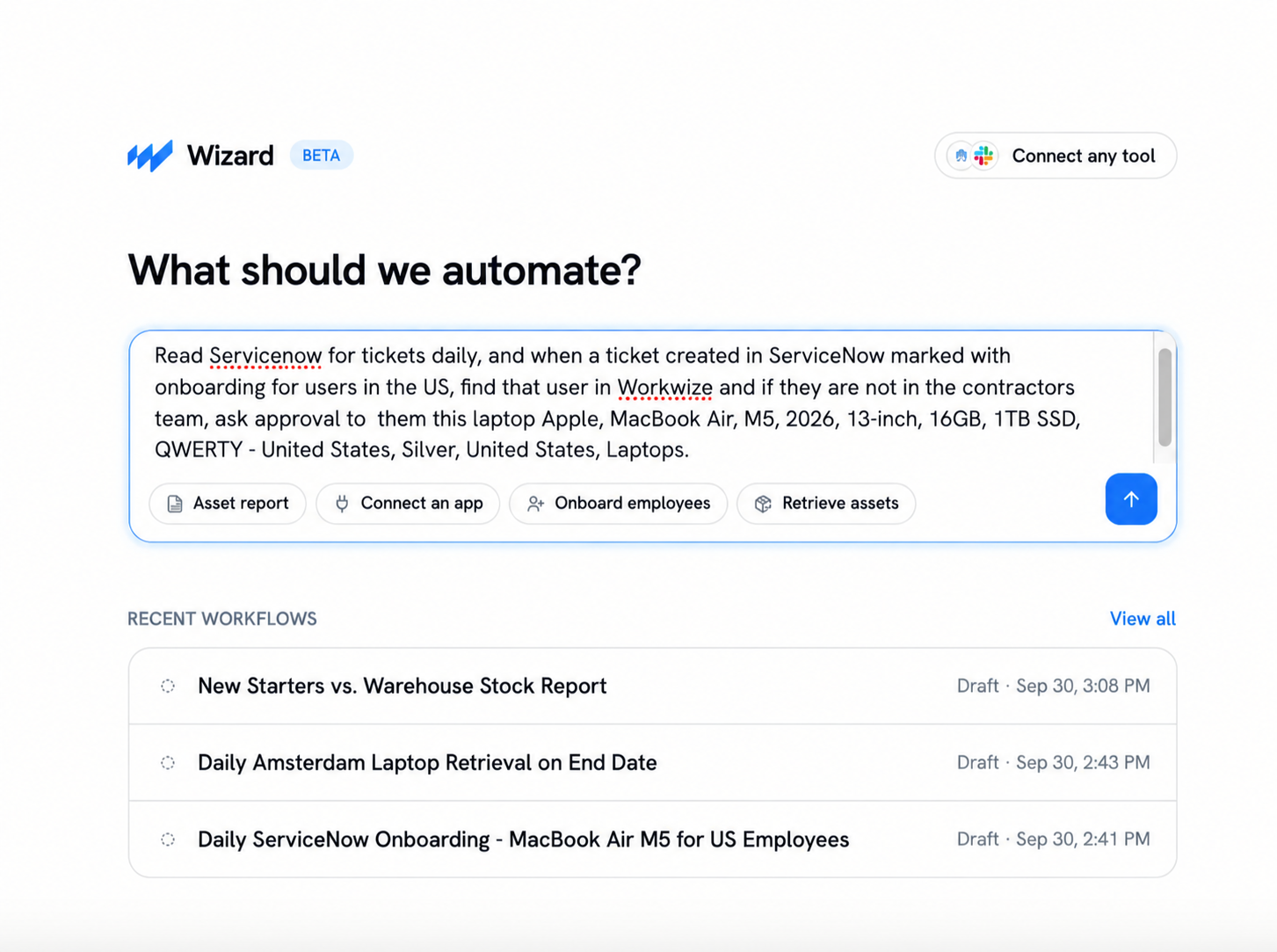
The prompt tells the Agent where to look for onboarding requests, which employees qualify, and what should happen when the conditions are met.
2. Connect the systems your workflow needs
Your workflow may need information from systems outside Workwize.
Workflow Builder offers native integrations with tools such as Slack, Microsoft Teams, email, Iru (formerly Kandji), Jamf, JumpCloud, Okta, Microsoft Entra ID, BambooHR, HiBob, Jira Service Management, and ServiceNow.
For any other platform, or when you need a custom setup, you can create a custom app and configure its API connection. Workwize Agent can then use that connection to build workflows that interact with the system. In this example, the team connects ServiceNow through a custom app.
The screenshot below shows the option to create a custom app. You can name the app and configure its API connection details to make the external system available to your workflows.
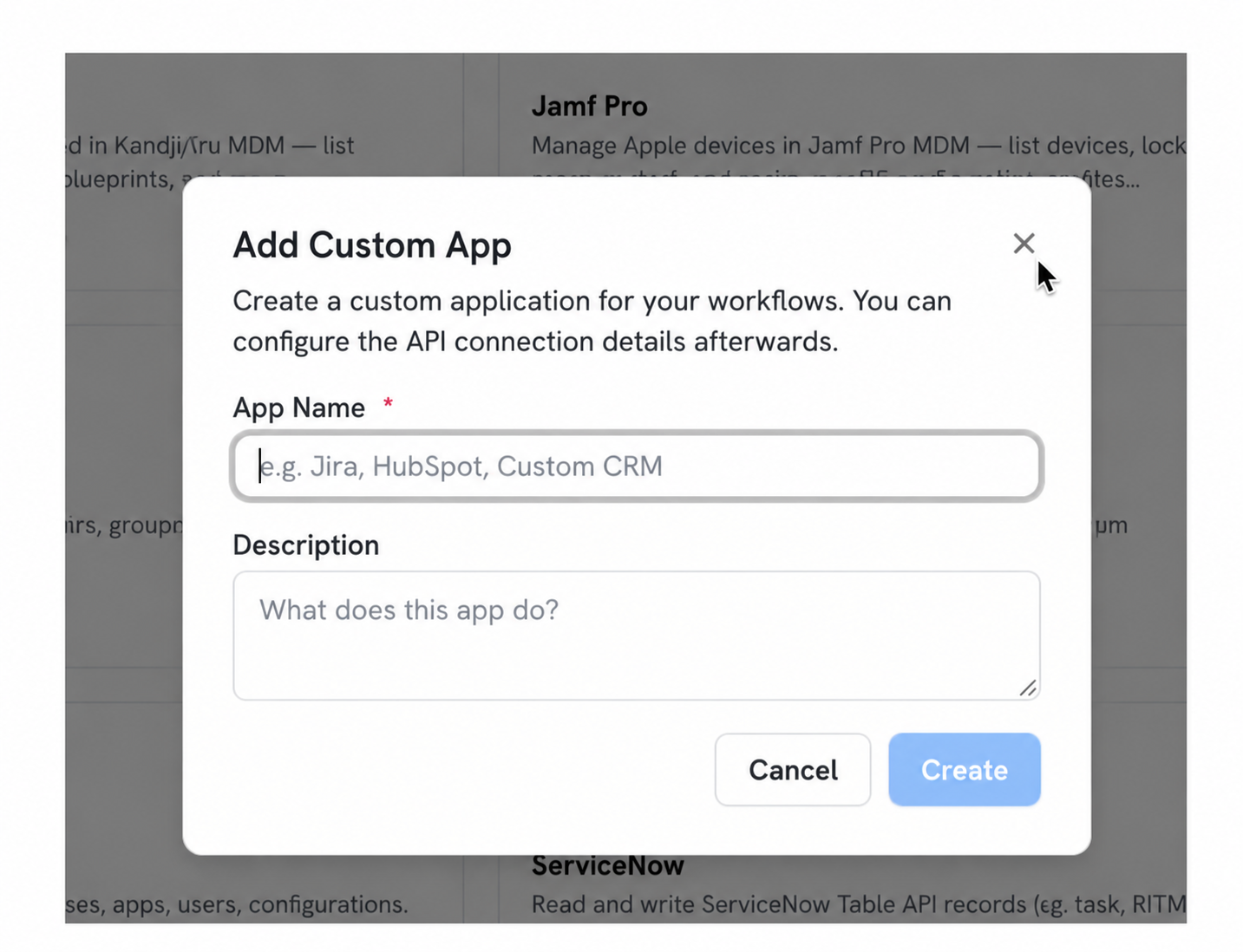
Once the connection is configured, Workwize Agent can use it when assembling the workflow.
3. Answer the Agent's clarifying questions
After you submit your instructions, Workwize Agent checks the available information and may ask follow-up questions before generating the workflow.
In the onboarding example, the Agent identifies the connected ServiceNow custom app but needs to know which table contains the onboarding tickets. It presents several options, including Service Catalog Request Items, Incident, and Service Catalog Tasks.
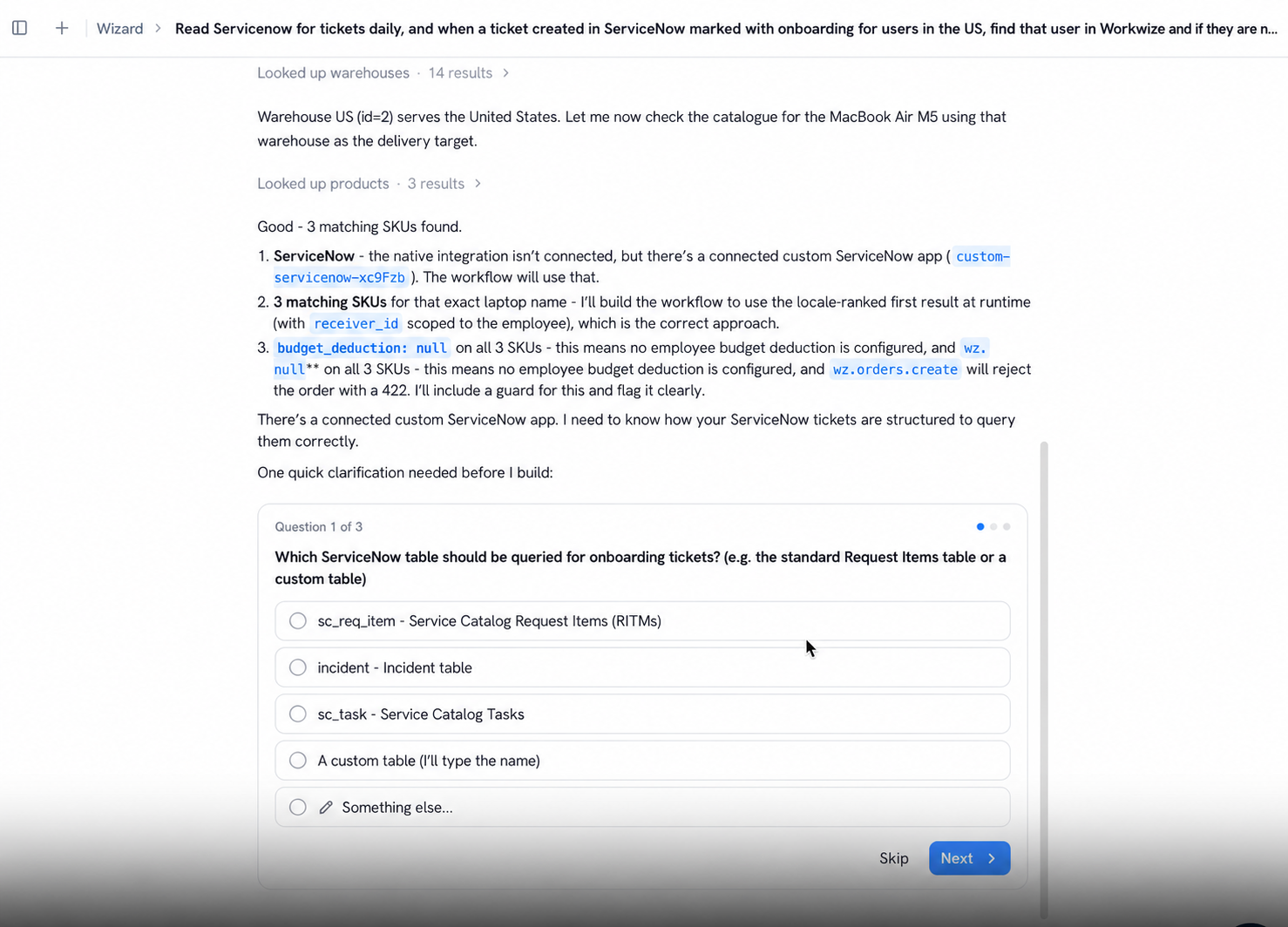
You can select the appropriate table or specify a custom one. This helps the Agent build the workflow around the correct data source rather than making assumptions about how your ServiceNow environment is configured.
4. Review the generated workflow and approvals
Once the Agent has enough information, it assembles the workflow for you to review. In the example below, the generated workflow includes a daily scheduled trigger and steps to:
- Fetch onboarding tickets from ServiceNow
- Extract the relevant request information
- Look up each employee in Workwize
- Check whether the employee meets the specified conditions
- Stop the process when the required information is missing
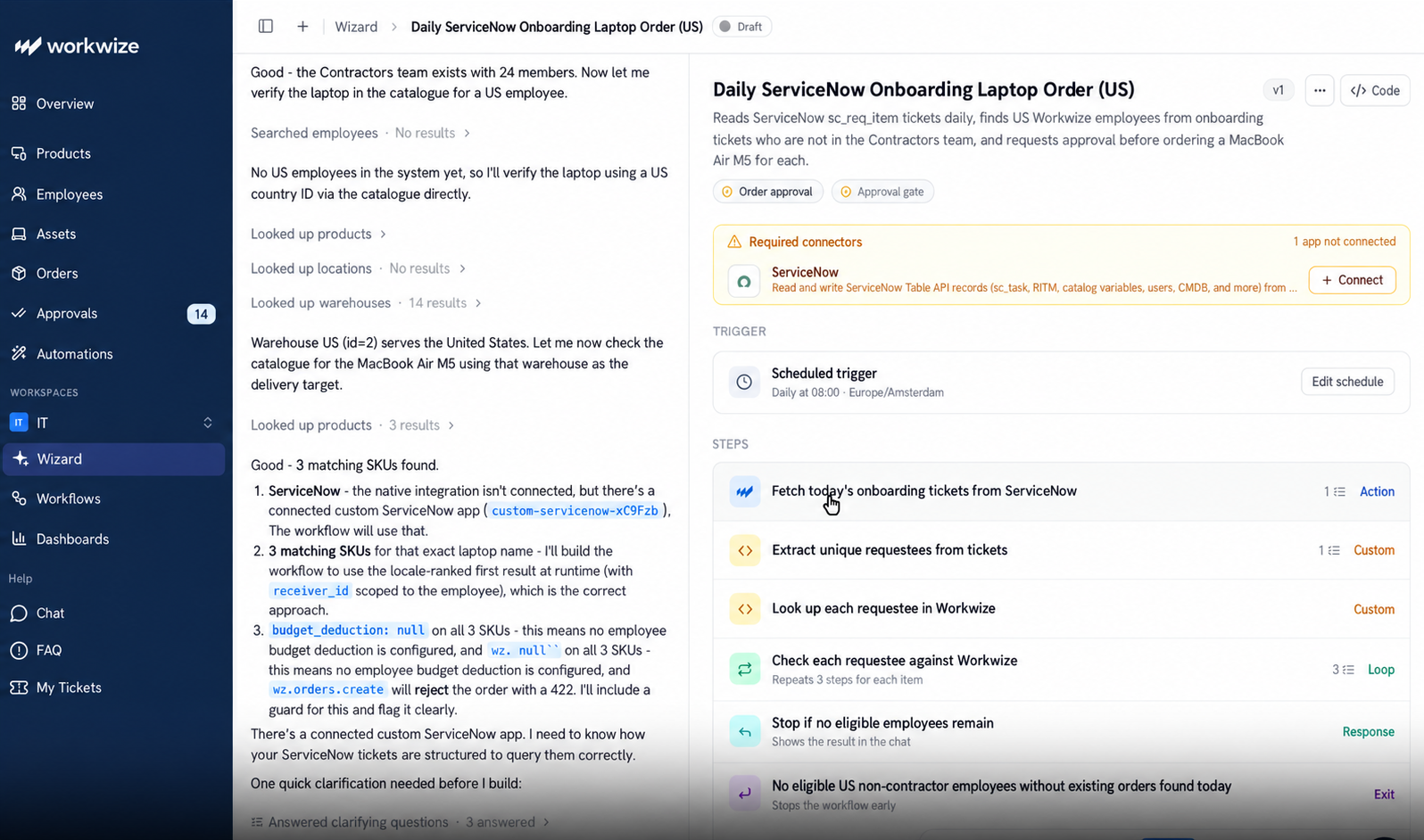
You can review these steps in the workflow editor or inspect the underlying code if you need more technical detail.
Next, check the approval requirements. Workwize requires approval by default for actions involving hardware orders, retrievals, and repairs, although these settings can be adjusted for individual steps. You can also require approval for an entire workflow run before any actions take place.
Before publishing, use the available test modes to check how the workflow handles different inputs and exceptions without placing real orders or triggering other physical actions. You can inspect the results of individual steps and correct unexpected behavior.
When you're satisfied with the workflow, publish it and choose who can access it. Workwize supports private workflows, sharing with selected users or departments, and company-wide access.
5. Update and monitor workflows as requirements change
Creating a workflow isn't the end of the process. You can also use Workwize Agent to modify it when your requirements change.
For example, the screenshot below shows a separate laptop retrieval workflow for employees in Amsterdam. The workflow includes steps to identify departing employees, create retrieval requests, and send Slack notifications. To change the notification process, the user asks the Agent to remove a Slack step.
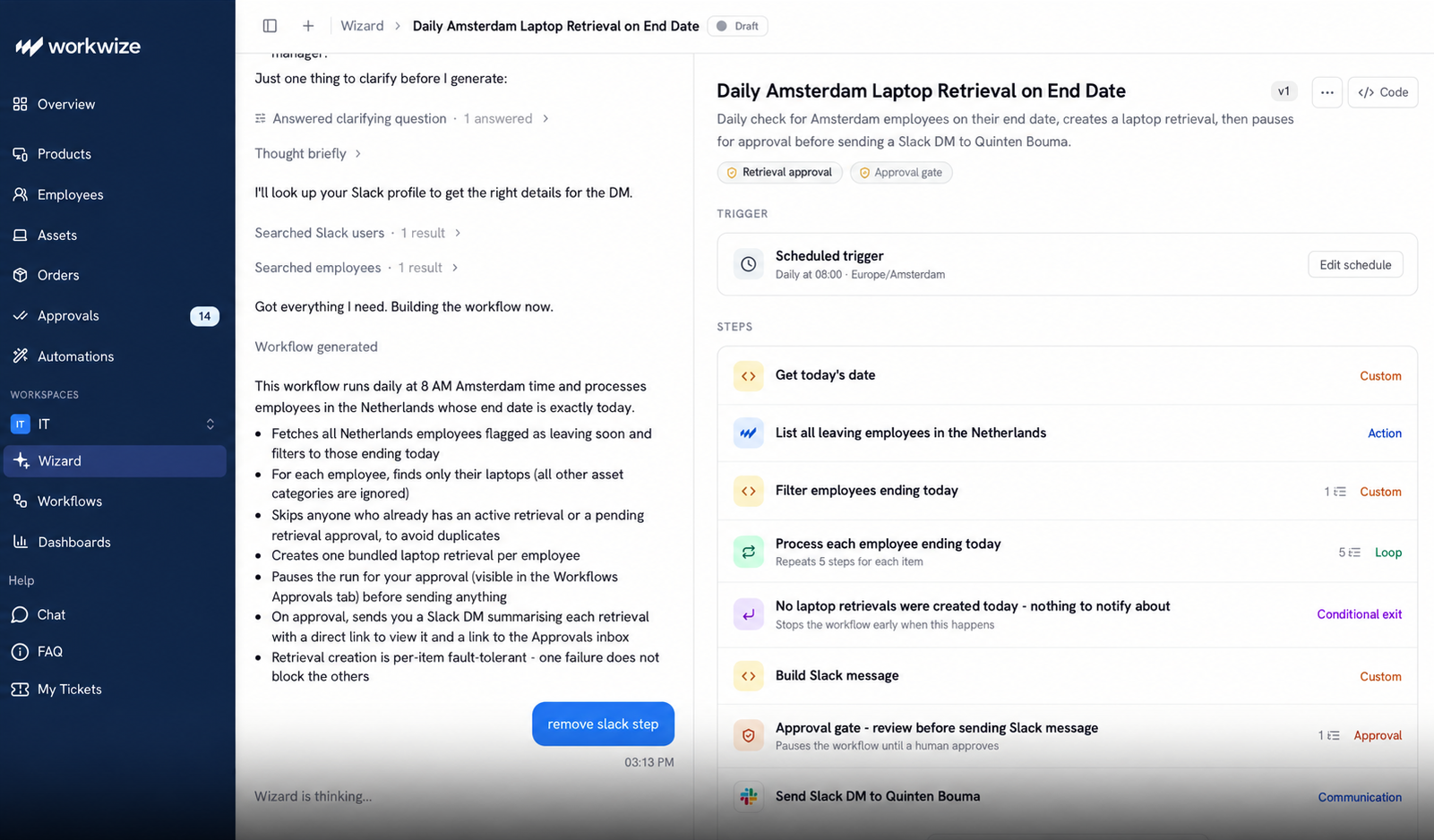
Instead of manually editing the underlying code, you can describe the change in plain English and let the Agent update the workflow. You can then review and test the revised logic before publishing the new version.
Workwize also keeps a version history of your workflows. Each time you publish an update, it saves a snapshot, so you can restore an earlier version if something goes wrong.
After publishing, you can use run history to monitor execution, investigate failed runs, and inspect individual steps. Workwize also records workflow activity in an audit trail and can automatically pause a workflow after repeated failures.
Together, these capabilities help IT teams build, manage, and improve automations while keeping visibility into how they operate.
And because Workwize connects those automations to its hardware operations, the process doesn't have to stop at creating a ticket or sending a notification. It can initiate the physical ordering, shipping, retrieval, and repair of devices through Workwize's global logistics network.
To experience Workflow Builder first-hand, book a free demo.
What no-code IT automation still requires from your team
No-code automation reduces the technical work involved in building IT workflows, but it doesn't remove the need for oversight. Your team still needs to define how each workflow should work, check what it can do, and keep it running correctly.
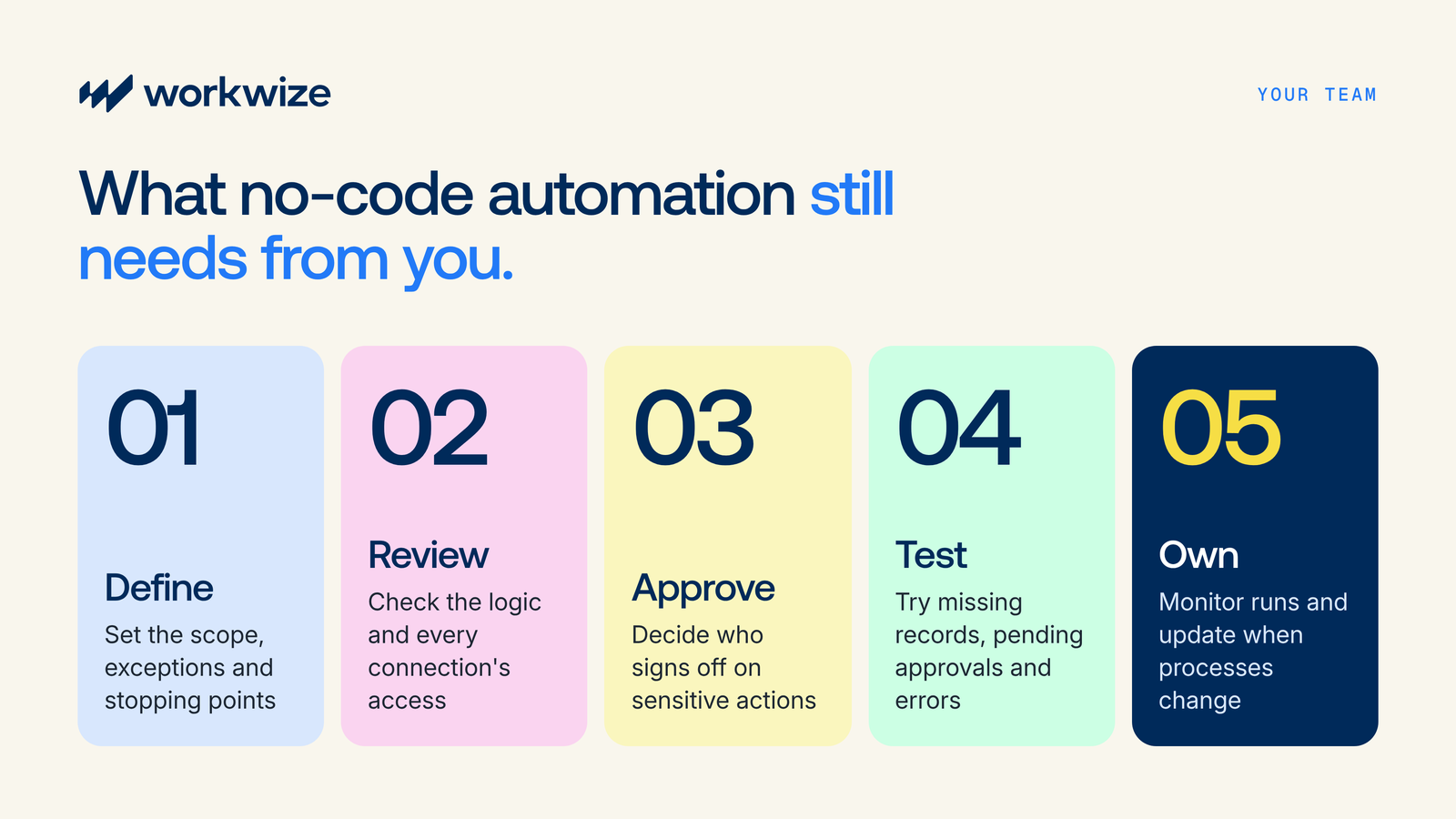
Here are five responsibilities that remain with you:
- Define the workflow's scope and boundaries: Specify what starts the workflow, which employees or devices it applies to, and what it should change, including exceptions and stopping conditions. For example, an offboarding workflow should know whether to retrieve only laptops and what to do when an employee has no device on record.
- Review the logic and access permissions: Check the generated workflow for incorrect triggers, wrong targets, missing conditions, and actions you never requested. Review the connections to external tools too, since each one should have only the permissions needed for its part of the process. Also check who can view, edit, and publish the workflow, limit editing and publishing to authorized team members, and review the sharing settings before making it available to others.
- Decide where human approval is required: Identify sensitive actions, such as hardware purchases, device retrievals, and data wipes, and decide who should approve them. Workwize requires approval by default for hardware orders, retrievals, and repairs, so review these settings, including any exceptions you've configured, and make sure sensitive actions can't proceed without the required authorization.
- Test normal cases and exceptions: Check what happens when records are missing, approvals remain pending, or a connected tool returns an error, and decide whether a failed step should retry, stop, or notify someone. Use Workwize's test modes to check the workflow without triggering real orders, retrievals, or wipes, then fix unexpected behavior and repeat the relevant tests before publishing.
- Monitor and maintain the workflow: Assign an owner to monitor execution, investigate failed runs, and review the workflow whenever your processes, connected tools, or access requirements change. Use execution history to troubleshoot issues and version history to restore an earlier version if an update causes problems.
Pro tip: Workwize provides run history and step-level execution details, so you can see where a workflow failed and investigate what happened. You can then ask Workwize Agent for changes in plain English, review the updated logic, and test it before publishing.
Make no-code IT automation part of your daily operations
You don't need to automate every IT process at once. Start with a task your team handles repeatedly, such as checking device availability for new hires, following up on laptop returns, or routing hardware requests for approval.
With Workwize's Natural Language Workflow Builder, you can describe that process in plain English, review the workflow the Agent creates, and refine it as your requirements change. And when the process involves physical hardware, Workwize can handle the ordering, shipping, retrieval, and other logistics operations that follow.
That gives IT teams a way to reduce manual coordination across the device lifecycle while keeping control over how workflows are executed.
Choose a task your team repeats every day, and explore Workwize's Workflow Builder to see how you can automate it, or book a demo with our team.


Establish a single source of truth for every IT asset across the globe.
.png?width=258&height=318&name=g10%20(5).png)
More related resources to help you stop firefighting hardware operations.

Get monthly insights into how other IT leaders are improving their ops.



.png?width=2880&height=1232&name=Group%202147262874%20(1).png)
Stop coordinating
hardware like it's 2012.
.svg)
.png?width=172&height=68&name=apple%20business%20patner%20(1).png)
.svg)
.svg)
.svg)
.svg)