




.svg)
.svg)

.svg)


.svg)




.svg)
.png?width=500&height=424&name=Style-1---V1-(1).png)
.png?width=1230&height=692&name=Vector%20(13).png)
Step 1: Set Up Recovery at Onboarding, Not Offboarding
Equipment retrieval policies deserve the same visibility as notice periods, communicated clearly from day one. It helps workers view the return process as part of their responsibilities and understand ownership from day one.
That responsibility should be clearly laid out in a written equipment agreement, which may be integrated into the employment contract or exist as a separate document.
Ideally, agreements should contain the laptop model, serial number, assigned accessories, issue date, and condition at handover. They should also specify the return process, including expected timelines from initial notifications to handovers.
Step 2: Track Every Recovery From Trigger to Receipt
Manual tracking involving spreadsheets, email threads, and ad hoc ticket comments breaks down quickly once IT is recovering devices from multiple employees and regions. It makes it harder to document events, retrieve information, and react to recovery updates, which can result in lost devices and non-compliance.
A proper tracking workflow should automatically log the time and status of each recovery event. That includes retrieval requests, employee notifications, shipping orders, device movements, data wipes, and device condition.
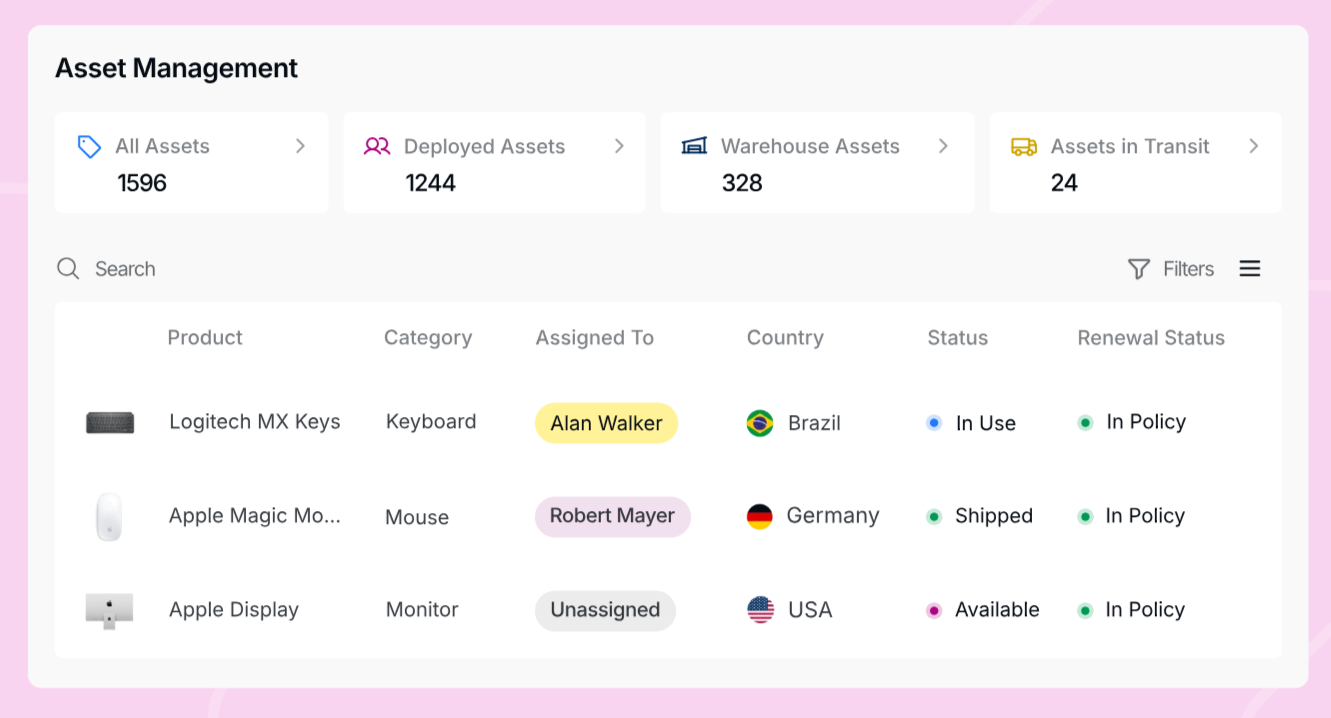
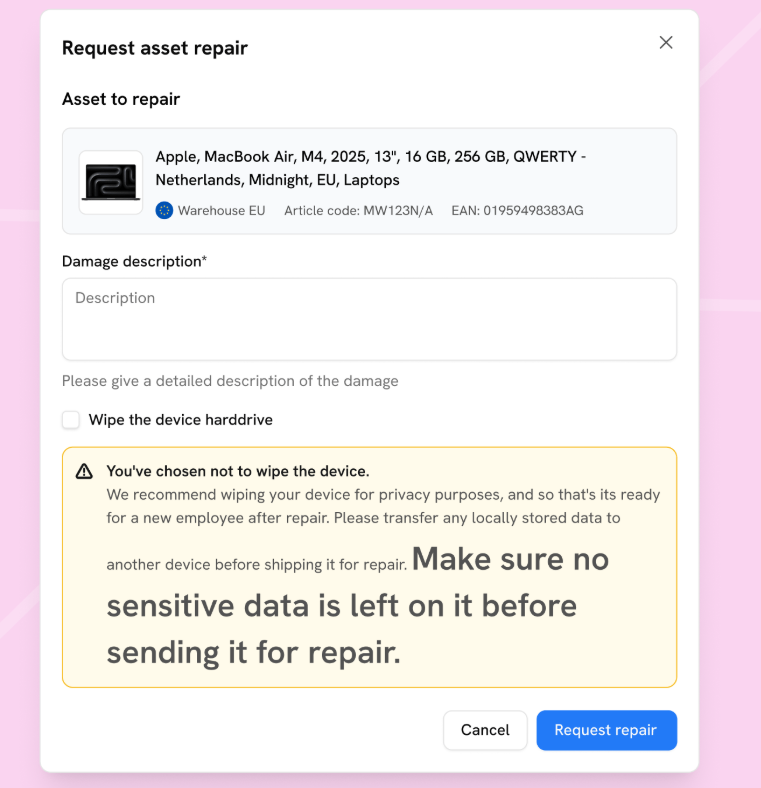
This chain-of-custody documentation helps organizations show how devices and the data they carry were handled, which supports GDPR accountability and audit requirements under frameworks such as SOC 2 Type II and ISO 27001. Photo documentation should also be part of the standard process.
Capturing the laptop’s condition at pickup and again on receipt protects IT from unclear damage claims while also protecting the employee from being blamed for damage that occurred after handoff.
Step 3: Identify Recovery Risks Before Devices Go Missing
Gaming out the likely problems associated with recovering each employee's laptop helps you create effective plans, including contingencies, for the return process. You can identify problems by location, employee profiles (roles), work scenarios, and logistics resources, and then establish proportional measures to resolve the potential issues.
That way, IT, HR, and other relevant stakeholders can work with precision per employee to improve your recovery rates.
|
Risk Factor |
Example Scenario |
Why It Matters |
Recommended Action |
|
Remote or hard-to-reach locations |
Employee works outside major courier coverage areas, such as rural regions or islands |
Standard collection services may be unavailable or significantly delayed. |
For every country, identify these areas and use local pickup partners with coverage. Build extended timelines into the offboarding workflow for these locations to account for possible delays. |
|
Cross-border mobility |
Employee relocates from Germany to Brazil mid-employment without updating IT records |
International returns to original destinations introduce customs, import, tax, and shipping complexities |
Keep employee location records current in the HRIS and allow current addresses to determine return location |
|
High-risk roles |
Executive or engineer with privileged access to sensitive systems or customer data |
A delayed or failed recovery creates prolonged data exposure and potential compliance violations |
Prioritize these retrievals. Activate remote lock immediately at offboarding, regardless of physical recovery status |
|
Regulatory complexity |
Employee is in a jurisdiction with strict labor laws, such as California's Industry and Occupation Orders, and data protection regulations |
Recovery actions, such as wage deductions, may need special considerations per jurisdiction |
Involve HR and legal before initiating any enforcement or data action. |
|
Known recovery challenges |
Historical data shows repeated delays or low recovery rates from a specific region |
Patterns that go unaddressed compound over time and increase financial and compliance exposure |
Adjust partners, timelines, and escalation triggers accordingly for flagged regions |
|
Employee non-response history |
Employee has previously ignored IT communications for laptop returns related to events, such as repairs outside of offboarding |
Non-responsive employees significantly delay recovery and may require formal escalation |
Consider tightening recovery windows for flagged employees so that enforcement actions can start sooner |
|
End-of-contract or project-based workers |
Contractor or freelancer offboards at the end of a fixed term with short notice |
Short timelines and short-term employment relationships reduce leverage for recovery |
Include return obligations in contractor agreements and initiate retrieval before the contract end date, where possible |

Step 4: Connect Retrieval to the Offboarding Trigger
Many device recovery delays, which often lead to unsuccessful recoveries, occur because retrieval only begins after IT sees an onboarding email alert or a spreadsheet update. And by the time recovery instructions reach employees, HR may be close to completing the employee's exit, if they haven't left already.
To resolve this problem, use an automated offboarding process that launches the device retrieval workflow once HR records an employee’s departure into your company's HRIS.
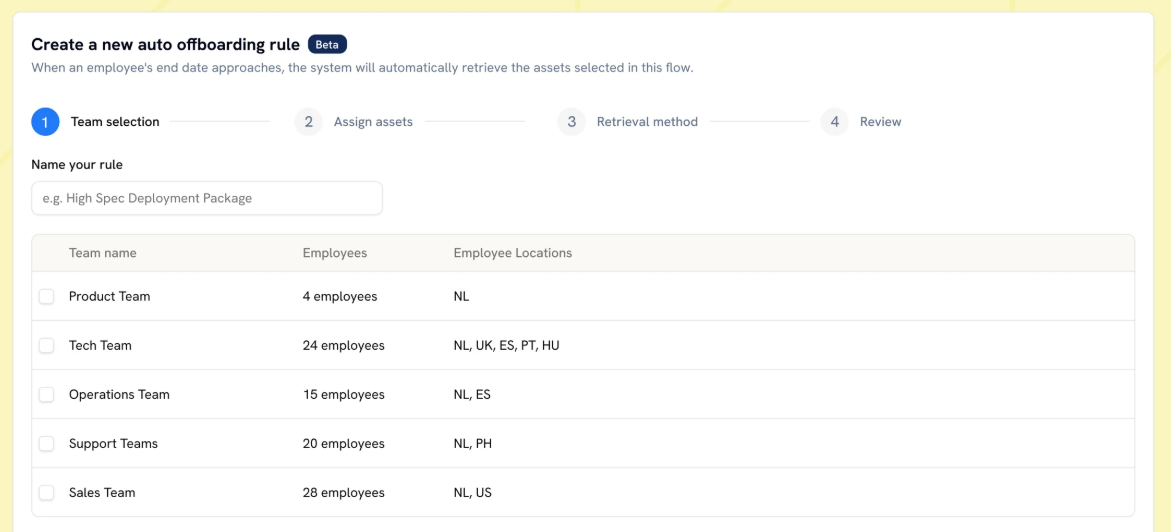
To make that happen, connect your HRIS to your IT asset management system and the logistics provider's platform. You should also set up your retrieval workflows to kick off automatically. That means automated return emails to employees, scheduled pickup and shipping orders, and notifications to internal stakeholders.
Note: Using a device lifecycle management platform allows you to connect with your HRIS platform and trigger those device retrieval workflows automatically.
Step 5: Communicate the Return Process Clearly
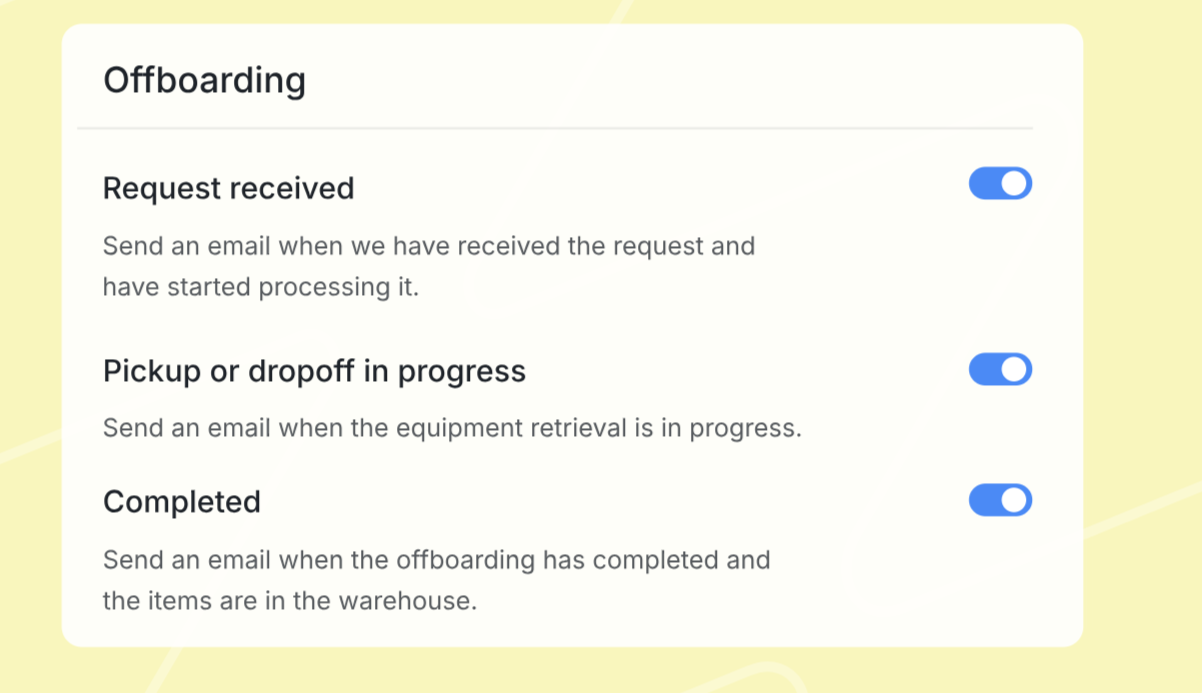
Employees need easy-to-follow instructions to help move the recovery process along seamlessly. But sending instructions too late, splitting information across several messages, disregarding the sensitivity of the departure, or using channels they can no longer access can create unnecessary friction.
Let's cover the best ways to communicate the recovery process.
- Use a personal email address: Send return instructions to the employee’s personal email since company access may be removed before departure.
- Put everything in one message: Include the devices and accessories to return, deadline, packaging instructions, shipping or pickup details, and a contact for questions. Photos of originally issued items can reduce confusion.
- Track accessory returns: Recover laptops and accessories in the same shipment where possible, but track accessory return rates separately to spot patterns.
- Address personal files upfront: Give employees a defined window to transfer permitted personal files before data sanitization begins, and explain the deadline clearly.
- Automate reminders: Send reminders before the final working day, near the expected return date, and after missed deadlines. Keep the tone consistent, not aggressive.
Step 6: Give Employees a Return Method that Works for Them
Employees are more likely to return equipment quickly if they follow packaging and shipping steps that they're already familiar with. That's why the right, streamlined return method should follow standards specific to each employee's location while considering certain conveniences, such as the distance to drop-off points.
Pick the Right Equipment Retrieval Partner
Choose a logistics provider that serves the employee’s actual location and, where possible, one they already know and trust. A carrier with strong national coverage may still have limited reach in particular regions, states, provinces, or other subregions.
That local coverage matters because employees should not have to travel unreasonable distances or navigate unfamiliar shipping processes to return company equipment. Check service availability at the employee’s specific location before assigning a carrier.
Note: Outsourcing your entire equipment retrieval process can help you skip this complexity, as the many global retrieval services have established partner networks that can reach remote areas in covered markets.
Provide a Complete Return Kit
Send the employee a return kit containing an appropriately sized box (or boxes for the laptop and accessories), protective materials, packing instructions, and a prepaid shipping label. Providing this kit removes the burden of sourcing suitable packaging.
Offer Drop-Off or Pickup
While drop-off can reduce collection costs and give employees more control over timing, distance to the nearest carrier location should still determine whether it is practical. For pickup, provide the courier’s contact details so the employee can arrange a suitable collection time directly. If drop-off is the better option but travel is required, consider arranging or reimbursing transport to the nearest location.
Provide a Reasonable Return Window
Give employees enough time to complete their remaining work responsibilities before expecting them to pack their laptops for return. Since the device is their primary work tool, recovery should form part of the final offboarding sequence and should not interfere with unfinished handovers, documentation, or other pending tasks.
Step 7: Handle International Recovery Differently
When a laptop crosses borders, customs requirements, carrier coverage gaps, import and export restrictions, and longer transit times can all affect how quickly and reliably you recover it.
That's why the workflow should address every international shipping requirement from the moment you send out the retrieval instructions.
Prepare the required customs documentation in advance and give each stakeholder clear instructions for their part of the return. That includes packaging and declaration guidance for the employee and carrier, accurate shipment details for logistics teams, and any documentation the carrier needs to comply with origin- and destination-country requirements.
You should also create a realistic timeline to accommodate international transit and confirm the laptop's condition before closing the case.
If you intend to reassign the device to another employee, consider using local partners to vet the laptop and run repairs or refurbishment so that you can ship directly to the new owner. That way, you don't have to route it through multiple international borders.
Note: You can store laptops locally if you employ multiple employees from the same country. Local storage and redeployment allow you to avoid the complexities and costs of international shipping altogether.
Step 8: Protect Company Data Before, During, and After Recovery
Losing data-bearing devices means unauthorized entities could potentially access sensitive company data. If that data concerns other employees and is exposed to the public, you'll be facing regulatory penalties under laws like the GDPR.
You also risk exposing trade secrets and other sensitive data if devices aren't secured properly.
That is why data protection should be a major theme throughout the retrieval process. Here's how you'll achieve it:
Lock the Device After the Employee Finishes Work
Activate remote lock after the employee completes their final work on the laptop. Waiting until the device is physically returned leaves an unnecessary gap while it may still be with the employee, awaiting collection, or moving through the courier network.
Choose the Right Wipe Method
It's standard practice to perform secure, certified erasure once the device is back in company custody, but wiping it before then is often necessary, depending on the situation.
If you intend to wipe the device before then, schedule a full wipe for when the employee has completed their handovers and no longer needs the device. Before the wipe, allow them to collect or remove any personal files stored on the device.
At the same time, a partial wipe can be useful when you need to remove company data before the departing employee completes their notice period, particularly when you separate and centrally manage corporate data.
Prepare for Devices That Stop Checking In With MDM
A laptop that stops checking in with the MDM cannot be relied on to receive new remote commands immediately. IT should plan for this scenario before offboarding cases occur by combining protections already active on the device, such as full-disk encryption and access controls, with identity-level actions such as revoking account access and active sessions.
You should still issue appropriate lock or wipe commands so they can execute if the laptop reconnects, but a pending command should not be treated as completed.
The response plan should also define when a non-responsive device is escalated, who investigates it, how retrieval efforts change, and what happens if the device later reconnects.
Erase and Verify the Device on Return
After recovery, complete the required data erasure process and retain certificates, logs, or other evidence of completion. This gives the organization a verifiable record that the device was sanitized before reuse, resale, recycling, or disposal.
Step 9: Follow a Defined Escalation Path for Non-Responses
If a return deadline is missed and automated messages go unanswered, move to direct HR outreach, then to formal written notice via personal email and any confirmed contact method. But every message should remain professional, respectful, and focused on recovery.
Document each reminder, contact attempt, missed deadline, employee response, courier update, and notice in case the matter needs further action.
Before enforcing deductions, damage claims, shipping costs, legal action, or in-person visits, confirm the process with HR and legal, since rules vary by jurisdiction.
For example, California IWC Wage Order 4 restricts equipment-loss deductions for covered occupations unless the loss involved dishonesty, willful conduct, or gross negligence.

Step 10: Plan for What Happens After the Device Arrives
Completing the recovery process involves assessing the returned device and determining whether to redeploy, repair, or retire it.
Functional laptops should be wiped, re-imaged, and prepared for reassignment, especially to employees within the same region.
You can schedule repairs for devices with minor issues, while end-of-life equipment should be disposed of through a certified service with the appropriate documentation.
An asset retrieval service with multi-country operations can help you manage these activities without cross-border shipping. And if you use a service that also offers hardware lifecycle management, it can arrange the redeployment and ITAD workflows as well.
How Workwize Automates the Full Recovery Workflow
When you use Workwize to manage your company's devices, you won't have to run the laptop retrieval process. The platform supports HRIS-triggered workflows, so when HR records an employee's departure, the retrieval workflow can start automatically without IT having to chase tickets, emails, or courier requests.
From there, Workwize gives employees a clear, practical returns process by automating retrieval communication, sending return kits, and coordinating courier pickup across 100+ countries. It also tracks the entire recovery process and provides real-time updates and documentation.
For international teams, the platform also supports in-country recovery through its local warehouse network. Instead of routing devices through unnecessary cross-border shipments, it offers the option to collect, inspect, store, and redeploy within the same region.
Workwize also supports post-recovery workflows, including certified, documented data wiping compliant with NIST 800-88 and clear pathways for what comes next, including redeployment, storage, repair, or responsible disposal.
You can sign up for a demo to see how that recovery process works.

Establish a single source of truth for every IT asset across the globe.
.png?width=258&height=318&name=g10%20(5).png)
More related resources to help you stop firefighting hardware operations.


Get monthly insights into how other IT leaders are improving their ops.



.png?width=2880&height=1232&name=Group%202147262874%20(1).png)
Stop coordinating
hardware like it's 2012.
.svg)
.png?width=172&height=68&name=apple%20business%20patner%20(1).png)
.svg)
.svg)
.svg)
.svg)