




.svg)
.svg)

.svg)


.svg)




.svg)
.png?width=500&height=424&name=Style-1---V1-(1).png)

.png?width=1230&height=692&name=Vector%20(13).png)
Managing IT equipment for a remote team gets harder as your workforce grows. Each new location adds suppliers, shipping requirements, customs paperwork, and repair arrangements for IT to coordinate.
When those tasks rely on manual follow-ups, one missed handoff can leave a new hire without a laptop or a former employee holding company equipment. Meanwhile, IT may buy new devices because records are out of date, while usable ones sit in storage losing value.
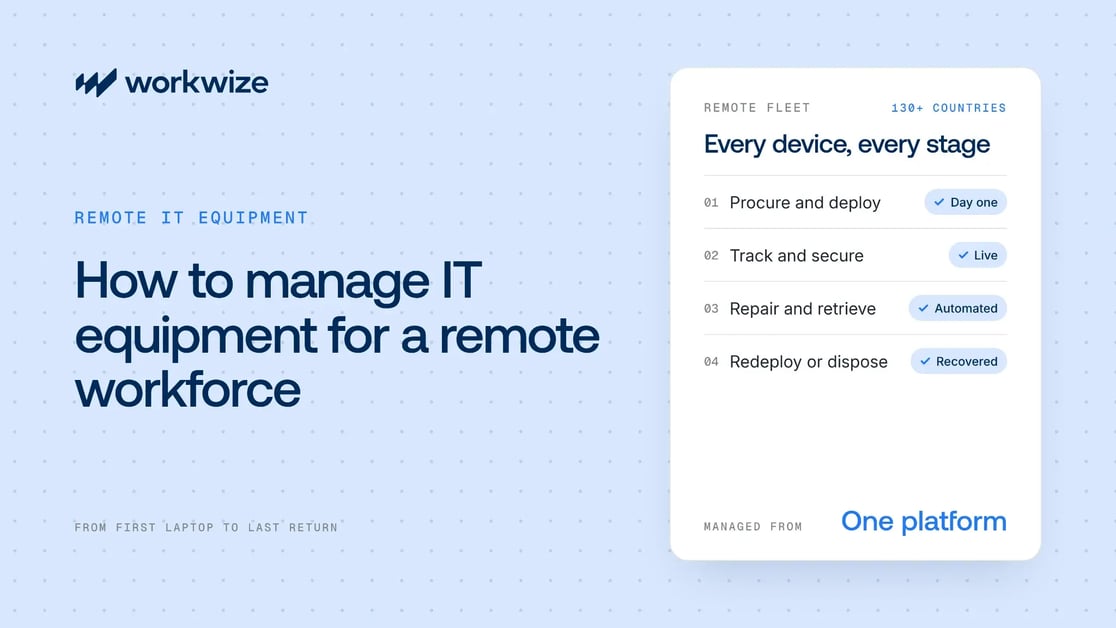
You can fix this. This guide walks through standardized workflows for each stage of remote IT equipment management: procurement, deployment, tracking, repairs, retrieval, and redeployment.
What is remote IT equipment management?
Remote IT equipment management is the process of managing IT equipment, such as laptops, desktops, and monitors, across its whole lifecycle and across multiple locations. That covers IT hardware procurement, deployment, tracking, maintenance, and final recovery.
In an office, IT can buy, set up, maintain, and collect devices by hand. When device types and employees span several countries, even simple fixes get harder, and the logistics get much harder.
IT can't walk over to an employee's desk to fix a connection issue, for example. And if employees buy their own devices, IT may not be able to apply security policies the way it can on company-owned hardware. For the wider picture, see remote work challenges for IT teams.
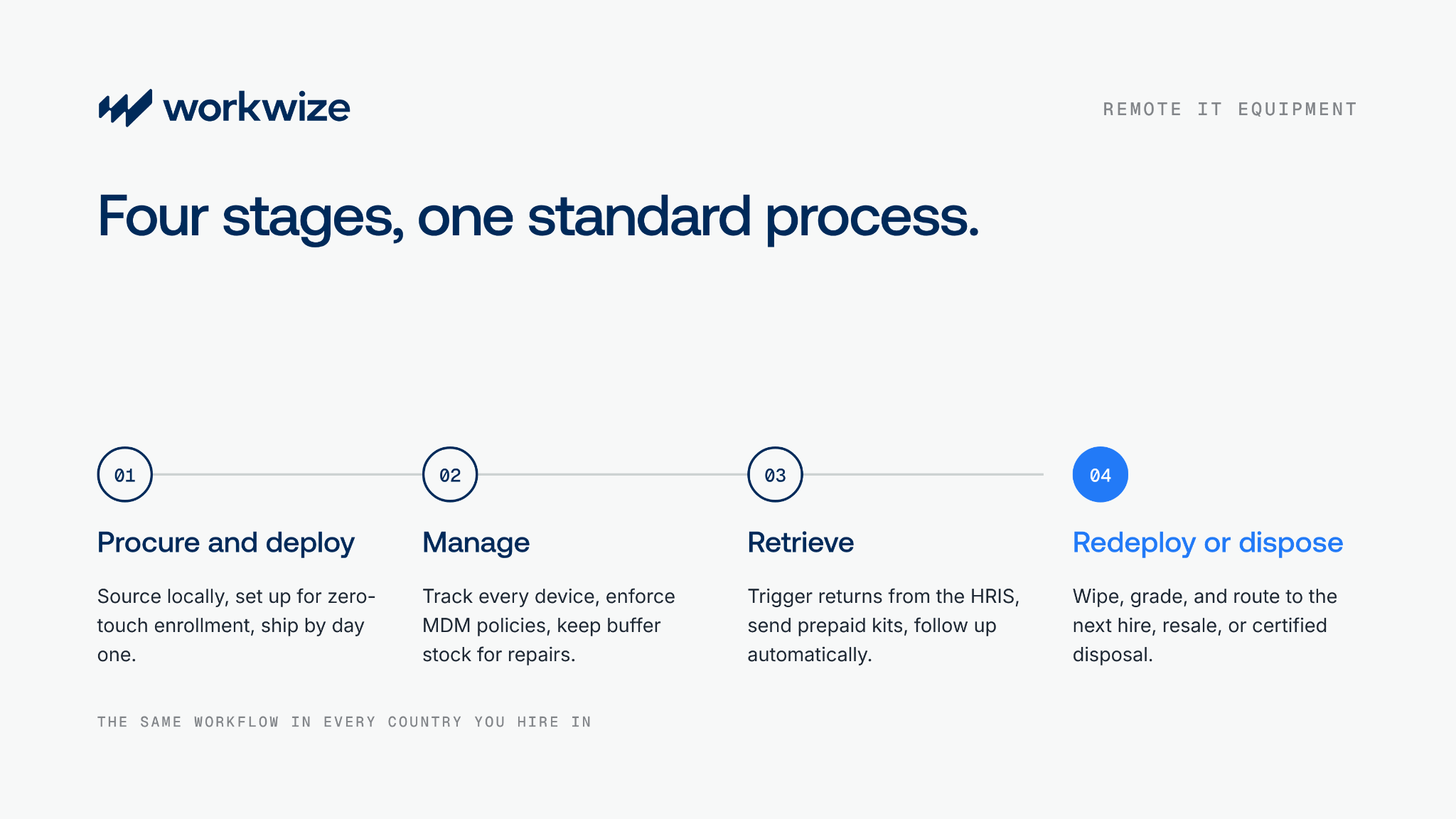
A structured approach to enterprise IT asset management helps you handle these problems at every stage of the lifecycle:
- Procurement and deployment: Sourcing devices, configuring them, and getting them to employees in every country by day one.
- Active management: Tracking location and status, enforcing MDM policies, managing updates, and keeping the asset register current.
- Repairs and maintenance: Handling device failures for employees with no IT desk to walk to.
- Retrieval: Getting devices back during offboarding, role changes, or refreshes.
- Redeployment or disposal: Wiping and grading returned devices, then routing them to the next employee or to certified disposal.
Stage 1: Procurement and deployment
Getting the right device to the right employee takes more than ordering and shipping. You need the right sourcing model, role-based device standards, pre-shipment setup, and a trigger that starts the process on time.
Ship from headquarters, reimburse, or source locally
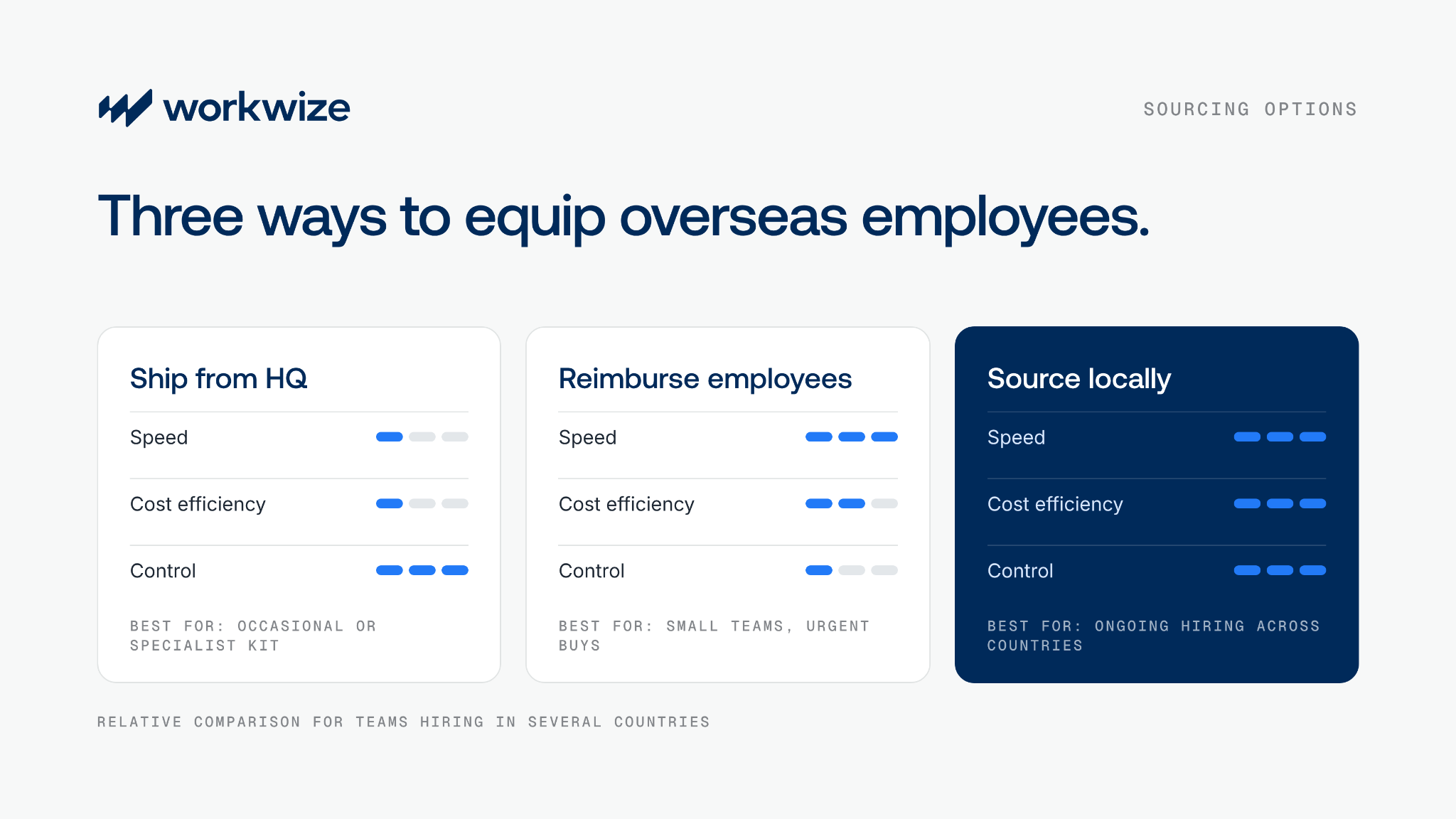
For overseas employees, you have three main sourcing options:
- Ship from headquarters: You send equipment from your main office to another country. This means manual coordination, customs, import taxes, and local regulations, which all add to total cost of ownership. Each shipment can take weeks, which adds up quickly across hundreds of overseas hires.
- Reimburse employees: Employees buy their own devices and claim the cost back. It's fast and affordable, but it's harder to control devices remotely or enforce security policies. If the approved model isn't available locally, IT also ends up supporting a mix of non-standard devices.
- Source locally: You work with a local vendor in each country, which is time-consuming to set up, or with an IT asset management platform that has a network of local suppliers. You place an order, and the device ships to the employee within their own country.
With a platform, devices can be set up for automatic enrollment before they arrive, so employees can start working on day one. The platform does the heavy lifting while you keep control and visibility.
|
Factor |
Ship from headquarters |
Reimburse employees |
Source locally |
|
How it works |
Ship equipment from headquarters to overseas employees. |
Employees buy approved devices locally and claim reimbursement. |
Source in-country through vendors or a managed platform. |
|
Speed |
International transit, and customs can cause delays. |
Quick if in stock, but IT setup is still needed. |
Domestic delivery, with setup available if arranged. |
|
Cost factors |
Hardware, international shipping, and import charges. |
Local prices plus setup and reimbursement admin. |
Local prices plus delivery and any platform fees. |
|
IT workload |
Configure devices and coordinate overseas shipping. |
Approve devices, arrange setup, and record assets. |
Manage vendors directly or delegate agreed tasks to a platform. |
|
Best suited to |
Occasional shipments or specialized equipment. |
Small teams or urgent, approved purchases. |
Ongoing hiring, especially across several countries. |
Role-based device standards
Standardizing devices goes a long way. Instead of buying whatever is available, define a small set of approved models: higher-spec machines for developers, designers, and video editors, and standard business laptops for operations, support, and sales teams.
As this IT manager on Reddit puts it, standardizing means you only stock chargers, docks, and spare parts for one or two models. That cuts IT overhead and speeds up fixes.
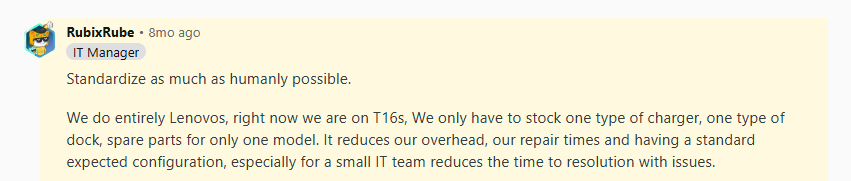
Source: Reddit
Pro tip: Plan for exceptions in keyboard layout, OS language, and plug type. The United States uses Type A and B plugs, for example, while France uses Type C and E. Need the full kit list? Use the ultimate checklist for equipping your remote employees.
Set up devices before they ship
This is non-negotiable for a remote workforce. Without it, IT has to walk each employee through setup remotely, often while large apps download over a slow home connection. That wastes everyone's time.
Work with a provider that registers devices for zero-touch enrollment before they ship: Windows Autopilot for Windows and Apple Business Manager for Macs. On first power-on, the device enrolls in your MDM, applies security policies, and installs role-based apps.
For a detailed walkthrough, read the ultimate IT hardware deployment guide for 2026. For hands-on setup steps, see how to set up computer equipment for remote employees.
Automate onboarding with your HRIS
Connect your ITAM platform to your HRIS through HRIS and MDM integrations. As soon as HR adds a new hire, automated onboarding orders the right device and ships it to the right employee.
That removes the back-and-forth between HR and IT and makes late arrivals much less likely. Planning a large cohort at once? Follow our remote IT equipment rollout playbook.
Stage 2: Active management
Once devices are deployed, management comes down to three things: visibility, security, and maintenance.
Visibility
Real-time visibility matters far more in a remote setup, because IT can't walk to a desk or a storage cabinet. Remote processes also involve more handoffs.
A return, for example, passes from HR to IT, then to a courier, then to a warehouse. If the record isn't updated at any point, IT loses track of where the device is.
Say a courier collects a laptop from a departing employee but doesn't update the status. The warehouse receives it, but IT misses the confirmation. IT chases the return and is told the device is still with the employee, who takes weeks to reply with a tracking number.
After weeks of follow-up, IT finds the laptop in the warehouse. In the meantime, the company has ordered new devices it didn't need.
That's why IT asset tracking needs to be automatic. The moment you order a device, it should enter the asset register with its serial number, assignment, condition, enrollment status, and location.
Whenever something changes, such as its lifecycle stage or location, the dashboard should update and the right people should be notified. That gives you one source of truth you can rely on.
Security
Remote employees regularly connect to public Wi-Fi, which can expose company data. Other risks include malicious downloads and missed security updates.
These are the non-negotiables for remote device security:
- Manage devices centrally: Enroll company devices in mobile device management (MDM) to enforce settings and flag devices that fail compliance checks.
- Strengthen access controls: Use phishing-resistant MFA, remove permanent local admin rights, and allow temporary elevation for approved tasks.
- Automate and verify updates: Set deadlines for security updates and review failures so vulnerable devices don't slip through.
- Encrypt storage: Turn on BitLocker or FileVault and monitor encryption status to protect data if a device is lost or stolen.
- Keep endpoint protection active: Manage antivirus, endpoint detection, and firewalls centrally, and route alerts to someone responsible for investigating them.
- Set clear connection rules: Provide an approved VPN where needed and disable automatic connections to unknown Wi-Fi networks.
Maintenance
Imagine a developer hits a blue screen in the middle of an urgent bug fix. Your best IT people are at headquarters, and you can't fly them out or wait for a cross-border shipment.
Keep buffer stock in IT device storage close to where your employees are. When a device needs repair, ship a replacement from local stock and send the broken one for device repairs, so the employee keeps working.
Stage 3: Retrieval
Getting devices back from remote employees is hard without a standard process, especially when international shipping is involved. Here's what goes wrong and how to prevent it.
Why remote retrievals fail
When there's no standard IT asset retrieval process and every return is handled as a one-off, a lot can go wrong.
1. Nobody sends return instructions. HR tells IT about a departure, but IT never sends a prepaid label or clear instructions. This Reddit user still hadn't received return instructions a month after quitting:

Source: Reddit
Automating retrieval fixes this. When a workflow starts offboarding, notifies IT, and sends the return kit with instructions, nothing is forgotten and more devices come back.
2. Nobody checks the address. Retrieval starts without confirming the employee's current address, and the kit ends up somewhere else. Here's a user whose former employer sent the return box to their old address:

Source: Reddit
Keep asset records accurate and self-updating, and make it standard practice to ask departing employees to confirm their address.
3. Nobody owns the process. HR thinks retrieval is IT's job, and IT thinks it's HR's. Successful retrievals need both. This question from the IT managers community on Reddit shows how common the confusion is:

Source: Reddit
Most replies say HR passes on departure details late, which leaves IT scrambling. Assign one clear owner and automate the trigger, so IT is notified the moment HR updates a record.
The right retrieval sequence
A typical retrieval should follow these steps from start to finish:
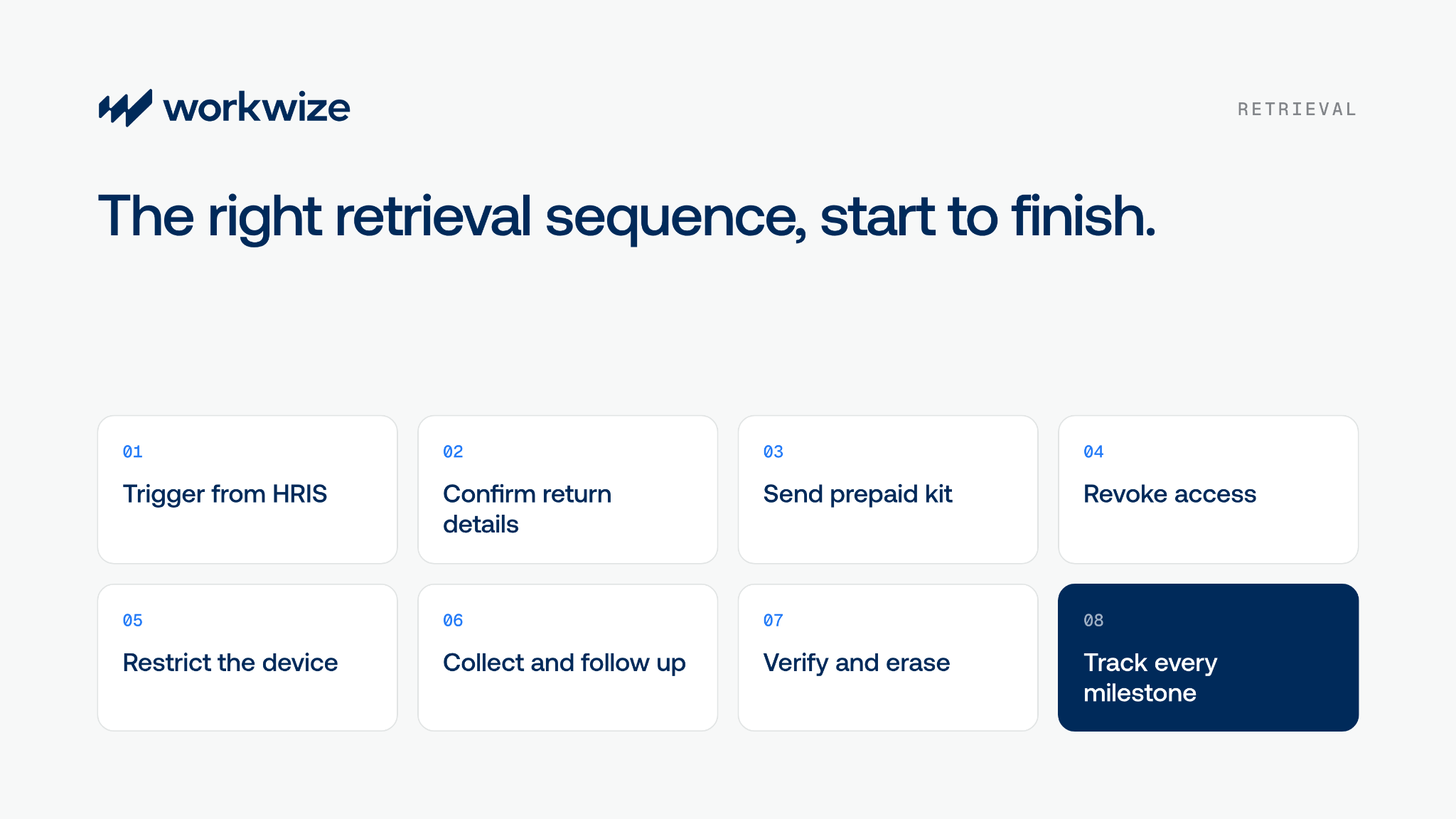
- Trigger retrieval automatically: Connect your HRIS to your ITAM platform so automated offboarding starts as soon as HR updates a departure.
- Confirm return details: Check the equipment list, current address, personal email, and collection arrangements with the employee.
- Send a prepaid return kit: Send packaging, a prepaid label, packing instructions, and a clear deadline before the employee's last day.
- Revoke access: At the confirmed departure time, disable company accounts and end active sessions.
- Restrict the device: Apply supported MDM lock controls at departure while keeping IT's management access, and confirm the commands reached the laptop.
- Collect and follow up: Arrange a courier pickup or approved drop-off, track the shipment, and escalate overdue returns.
- Verify receipt and arrange erasure: Match returned equipment against inventory, then arrange certified data erasure once any data retention requirements are met.
- Track every milestone: Make sure each step updates your asset register automatically.
International retrieval complexity
Think carefully before shipping devices back across borders. Returning laptops from countries like Brazil, India, or Japan needs extra customs paperwork, and devices can still get held at customs until a broker clears them.
Broker fees and international courier charges can cost more than the device is worth.
Pro tip: Work with a provider that runs retrievals for you and has warehouses in the countries where you hire. You can then collect, store, and redeploy or resell devices in the same country, with no international shipping.
Stage 4: Redeployment or disposal
The job isn't done when a device comes back. You can still recover a lot of value from it, but the data has to go first.
Wipe before storage
Returned devices often hold sensitive company and employee data. Deal with it on receipt, before storage or any further handling.
If you need to keep the data, back it up first. Then wipe the device with certified erasure software, such as Blancco, that meets compliance standards and issues a certificate of erasure as proof.
Condition assessment and redeployment
Once a device is wiped, grade it on:
- Battery health
- Physical condition
- Hardware
- Functionality
- Overall performance
The grade decides what happens next:
- Like new: Store it for redeployment and avoid a future purchase.
- Needs minor repairs: Fix it and reassign it.
- Working but slower: Resell it to recover residual value.
- Unusable: Send it for certified disposal.
Secure disposal
When a device is no longer usable, dispose of it carefully. Work with a certified IT asset disposal partner that recycles devices responsibly and follows local and international rules.
Otherwise, you may not be able to show complete chain-of-custody records in an audit, and you risk legal consequences.
The real cost of managing IT equipment for remote employees
Before you plan, you need a realistic view of costs. When you're buying, deploying, maintaining, and retrieving equipment across locations, the sticker price is only part of the story.
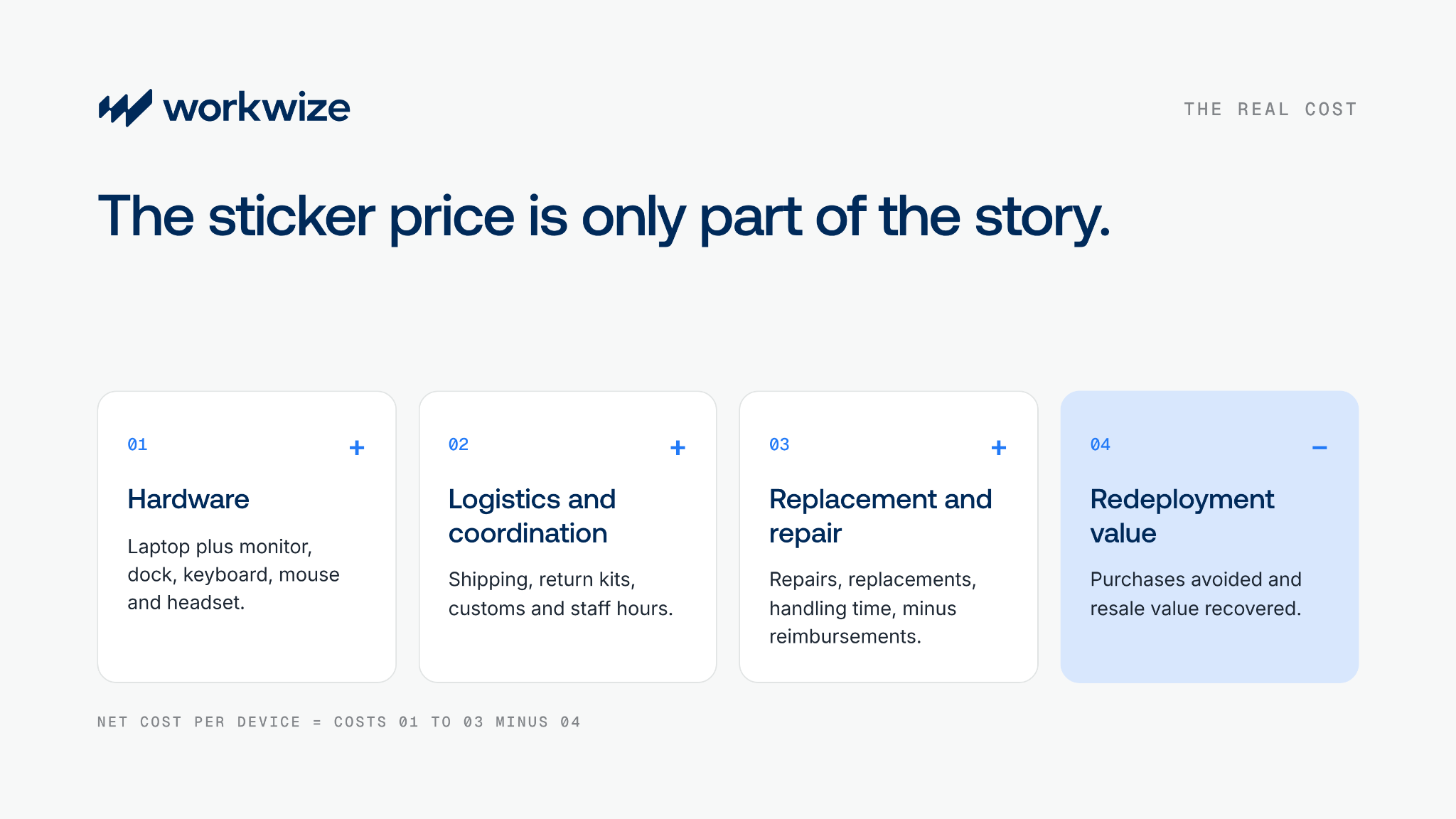
1. Hardware
Budget for the full setup, not just the laptop. Typical price ranges from our IT equipment average cost guide:
|
Equipment |
Typical price range (USD) |
|
Basic laptop |
$300 to $600 |
|
Mid-range laptop |
$600 to $1,200 |
|
High-performance laptop |
$1,200 to $3,000+ |
|
Monitor |
$100 to $1,000 |
|
Keyboard |
$20 to $100 |
|
Mouse |
$2 to $50 |
|
Docking station |
$35 to $1,200 |
|
Headset |
$30 to $300 |
A full developer setup with a high-performance laptop, monitor, and accessories can therefore range from roughly $1,400 to well over $5,000, depending on specs. Get local quotes for each region you hire in.
Pro tip: Include extended warranties or accidental damage coverage in the per-device cost.
2. Logistics and coordination
Include outbound shipping, return kits, repair couriers, and customs duties for any cross-border shipments. Keep recoverable VAT separate. Eligible UK businesses, for example, can reclaim import VAT.
Also count the staff time spent confirming addresses, arranging collections, fixing delivery problems, and updating records.
Say your team spends 10 to 20 hours a month on this work. At an assumed cost of $50 per hour, coordination alone costs $6,000 to $12,000 a year, before you pay a single courier. Automating deployment and retrieval removes most of those hours.
3. Replacement and repair
Track what you spend when equipment fails, gets damaged, goes missing, or isn't returned. Link each incident to the device's asset record and capture:
- Repair charges: Diagnostics, parts, labor, and any service fees under warranty or accidental damage coverage.
- Replacement purchases: The full cost of replacing devices and accessories that can't be recovered or economically repaired.
- Handling and staff time: Collection, replacement delivery, troubleshooting, and setup hours. Count these only once if they're already in logistics.
- Reimbursements: Insurance payouts, warranty credits, and supplier refunds, so you can see the true cost of each incident.
For example, Apple lists US AppleCare+ service fees for most Mac models, including MacBook Pro, at $99 for screen or enclosure damage and $299 for other accidental damage, plus tax. These fees are on top of the coverage price, so your budget needs to account for both.
4. Redeployment value
Before ordering a new laptop, check whether a returned device meets the new employee's needs. If it does, you've avoided a purchase.
HubSpot takes this approach. In 2025, redeploying devices avoided about 525 new purchases, an estimated $985,000 in procurement costs.
Devices you can't redeploy can still be resold. Workwize helps companies resell old devices and recover up to 45% of their original value, depending on condition. Read more on how to store and redeploy retired IT assets.
Pro tip: To measure savings, record which returned devices were reassigned and what the new purchases they replaced would have cost. Then subtract retrieval, wiping, testing, refurbishment, storage, and delivery costs to get the net benefit.
How Workwize simplifies IT equipment management for remote teams
Workwize is an IT asset lifecycle management platform that automates procurement, deployment, tracking, repairs, retrieval, and disposal across 130+ countries from one place.
- HRIS-triggered procurement and deployment: A new hire's HRIS record triggers the equipment order, so there's no manual handoff between HR and IT. Devices can be set up for automatic MDM enrollment through Apple Business Manager and Windows Autopilot, so employees get ready-to-use devices.
- Local suppliers and warehouses: A supplier network across 130+ countries and warehouses in key regions mean faster delivery, fewer customs delays, and a lower carbon footprint, since devices ship locally.
- Real-time asset tracking: Workwize syncs with MDMs like Jamf, Intune, Kandji, and JumpCloud to keep asset records current, and tracks ownership, status, lifecycle stage, and repair status in one place.
- Repairs: In the EU, UK, and US, you can raise a repair request for supported brands, and Workwize's repair partners handle diagnosis and repair. You can order a replacement device so the employee keeps working.
- HRIS-triggered offboarding: Automated offboarding triggers retrieval, prepaid return logistics, and employee reminders. IT can track shipments, overdue returns, warehouse receipt, inspection, and wiping without chasing anyone.
- End-of-life handling: After inspection, wiping, and any refurbishment, suitable devices go back into regional inventory for redeployment. Others are resold or recycled responsibly through IT equipment recycling.
Managing devices for a remote team? Book a 30-min demo to see how Workwize runs the full device lifecycle for remote employees in 130+ countries.


Establish a single source of truth for every IT asset across the globe.
.png?width=258&height=318&name=g10%20(5).png)
More related resources to help you stop firefighting hardware operations.

Get monthly insights into how other IT leaders are improving their ops.



.png?width=2880&height=1232&name=Group%202147262874%20(1).png)
Stop coordinating
hardware like it's 2012.
.svg)
.png?width=172&height=68&name=apple%20business%20patner%20(1).png)
.svg)
.svg)
.svg)
.svg)