




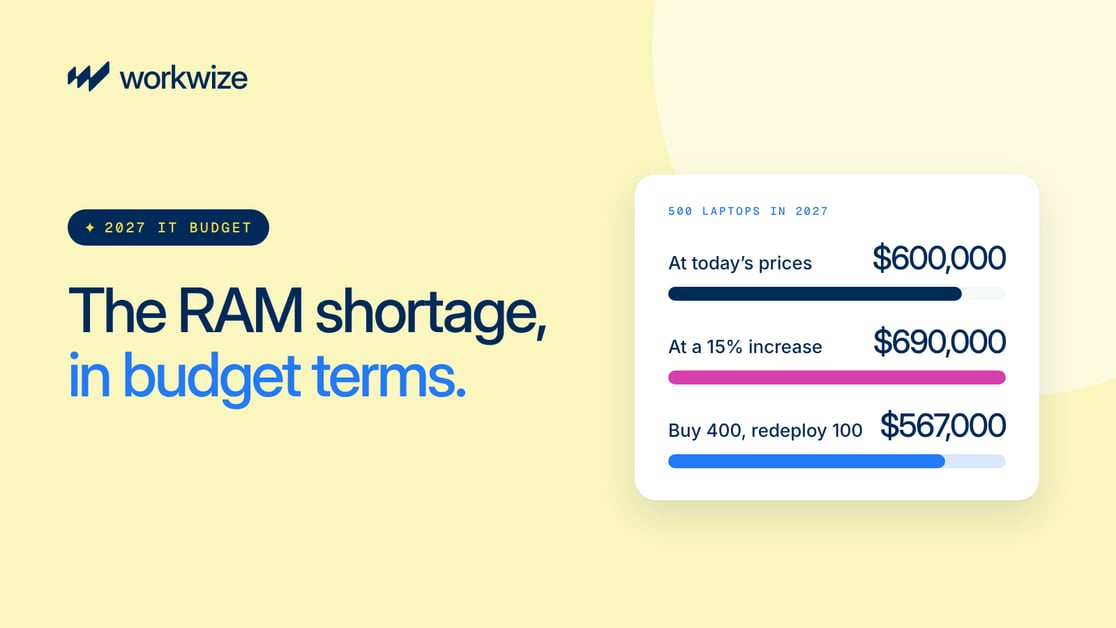

A 17% price increase on a 500-laptop order at $1,200 per device adds $102,000 to a $600,000 purchase. That’s about the size of the rise Gartner expects in global PC prices by the end of 2026, compared with 2025, as memory costs climb. For finance teams, the laptop refresh has stopped being a predictable budget line.
The pressure continues into 2027 as memory manufacturers shift production toward AI data centers, and Micron expects tighter supply in 2027 and 2028 than in 2026. CFOs and finance teams are now setting 2027 hardware budgets without a stable unit price, and the figure they approve could be out of date by midyear.
Memory prices are outside any company’s control. The variables within your control are how many devices you buy new, how many you redeploy from existing inventory, and how long each device stays in service before replacement.
This article explains what is driving the RAM shortage, how it could affect your 2027 IT budget, and where you can still contain hardware spending.
TL;DR
- AI data centers are pulling memory production away from laptop RAM, and analysts expect supply to stay tight through 2027.
- Laptop prices rose through 2026, and HP and Lenovo repriced their commercial lines again in September.
- On a large laptop order, even a modest price increase adds tens of thousands of dollars.
- Review existing hardware before committing to new purchases. Recovering and redeploying suitable laptops, extending refresh cycles where practical, and checking available inventory can reduce procurement spending.
- Workwize helps businesses get more use from existing devices. IT teams can manage inventory, retrieve equipment from departing employees, and redeploy suitable laptops instead of unnecessarily purchasing replacements.
Why is there a RAM shortage?
The RAM shortage is largely driven by the rapid growth of AI data centers. These facilities need enormous amounts of memory to run AI models, and manufacturers are prioritizing production for that market.
AI chips use high-bandwidth memory (HBM), a stacked memory chip built for speed. Laptops use standard DRAM, which today mostly means DDR5. Although they’re different types of memory, they compete for some of the same manufacturing capacity. Producing HBM also requires more capacity per unit of memory, leaving less available for other products.
According to TrendForce, HBM uses far more wafer capacity than standard DRAM, so a wafer set aside for HBM produces fewer bits of memory overall. The big memory makers earn more from HBM and server memory, so those products get first claim on the production line. Standard DRAM gets the remaining capacity, and its supply tightens.
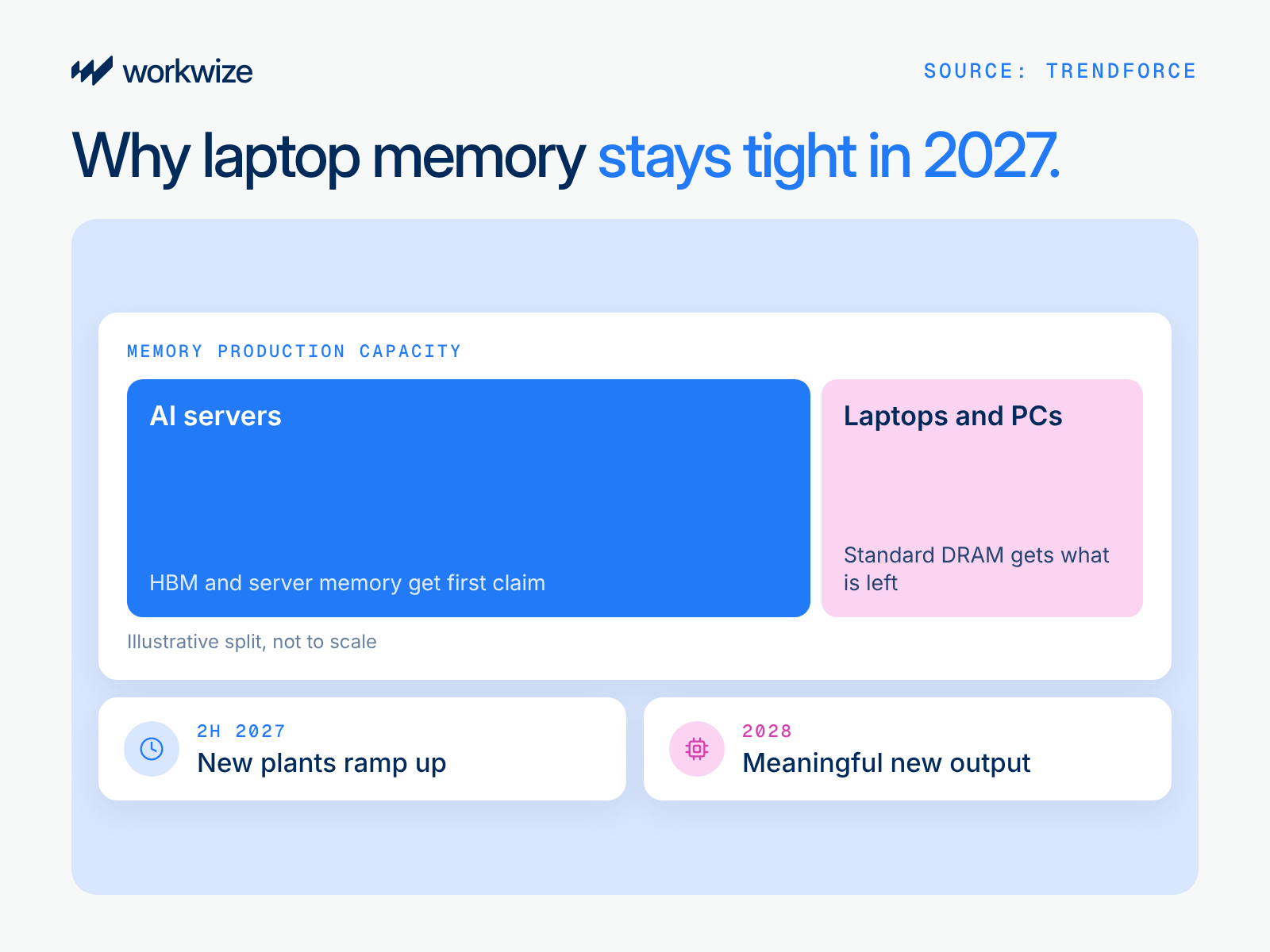
New supply is also slow to arrive. Building a memory plant takes years and billions of dollars. TrendForce expects the plants now under construction to ramp up in the second half of 2027, with substantial output only in 2028. Micron CEO Sanjay Mehrotra told investors:
“We expect memory and storage supply-demand conditions to be much tighter in calendar 2027 and 2028 than they were in 2026,” he said. He added that “we do not have line of sight to when supply and demand will return to balance.”
It also helps to separate two kinds of memory. DRAM is the working memory inside a laptop, while NAND flash is the storage inside its SSD. They are separate markets with separate price cycles, and both affect a laptop’s cost. In fact, TrendForce expects NAND supply to loosen in late 2027 even as DRAM stays tight.
For businesses, this means memory costs could remain a factor in laptop pricing throughout 2027, even if supply conditions improve in other parts of the market.
What to expect from laptop prices in 2027
Laptop pricing in 2027 will likely stay above 2025 levels, and the gap between low-memory and high-memory configurations will probably widen.
But how much companies end up paying will depend on the devices they buy, their supplier agreements, and how manufacturers respond to changing demand.
Three trends matter most for next year’s hardware budget.
Higher prices for new laptops
Memory is only one part of what it costs to build a laptop, so a jump in DRAM prices doesn’t raise the final price by the same amount.
Gartner expects memory to peak at 23% of a PC’s bill of materials in 2026, up from 16% in 2025. At that share, a 20% rise in DRAM prices adds roughly 5% to the cost of building the laptop.
Manufacturers then have to decide how to handle the extra cost. They can absorb some of it themselves or cut back on specs, such as shipping models with less RAM. If neither works, they pass the cost on to buyers. TrendForce says brands are unlikely to keep pricing, specs, and profitability all intact in 2027.
PC makers have already started raising prices. In late 2025, Dell COO Jeff Clarke told investors that component costs were climbing faster than the company had ever seen:
“We’re in a very unique time. It’s unprecedented. We have not seen costs move at the rate that we’ve seen. And by the way, it’s not unique to DRAM, it’s NAND. It is hard drives, leading edge nodes across the semiconductor network.”
Dell raised prices for its commercial customers on December 17. Reports at the time put the increase at $130 to $230 for laptops and desktops with 32GB of memory. The increases have continued into 2026. On September 15, MCPC’s Device Price Watch recorded a 10% to 15% price increase across HP’s PC lines. Lenovo’s prices on custom-configured orders rose about 6% on average that same day.
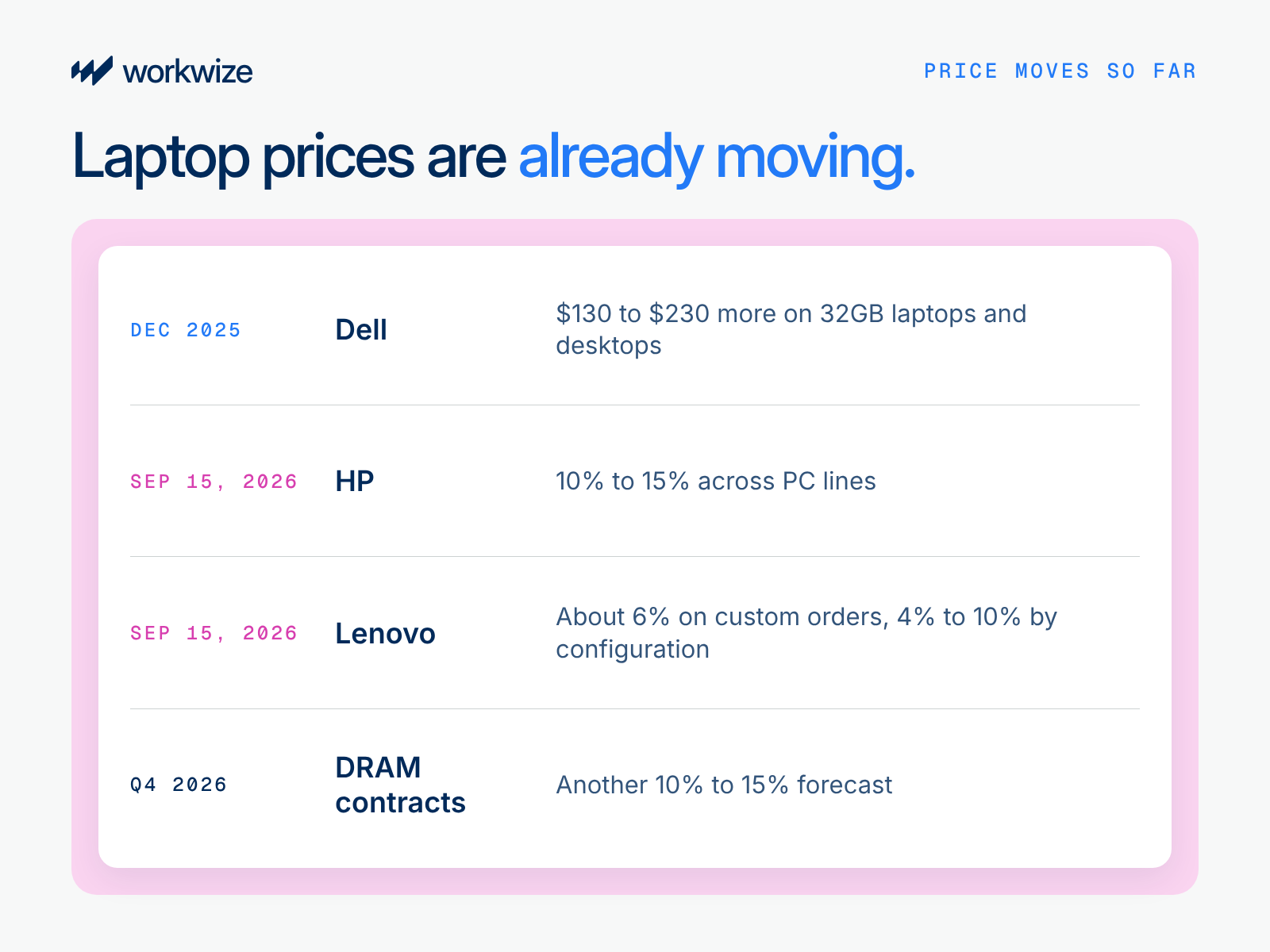
These increases don’t tell us exactly what laptops will cost in 2027, but they show that higher component costs are already affecting business purchasing.
Higher costs for memory-intensive configurations
Laptops with higher memory capacity generally cost more. According to MCPC, Lenovo’s September increase ranged from 4% to 10%, depending on the configuration. A 32GB or 64GB laptop contains more memory than a standard 16GB model, so increases in DRAM prices can have a larger effect on its component costs.
That doesn’t mean businesses should start buying lower-spec laptops across the board. Employees who run demanding applications still need equipment that can handle their workloads.
A better approach is to review your approved configurations to match what each team needs. A finance employee who works mostly in browser apps may not need a 64GB machine, while a developer running applications locally probably does. That way, you stop paying for specs people don’t use without slowing anyone down.
Continued pricing uncertainty through 2027
The manufacturer price increases through 2026 have already happened, but the outlook for 2027 is still a forecast.
TrendForce projected that contract prices for standard DRAM would rise another 10% to 15% in the fourth quarter of 2026. It also warned that the supply of DRAM for PCs could shrink in 2027. IDC analyst Jitesh Ubrani said that “memory shortages will persist well into 2027,” with some price relief expected starting in 2028.
It’s hard to predict how much of this will reach your laptop quotes, and the effect will vary by vendor and configuration. The forecasts could also change if AI spending slows or if new plants start production sooner than expected.
Plan for quotes that expire sooner and prices that change midyear. MCPC describes Dell’s 30-day quotes as the longest price lock now available. That makes a budget built on one price assumption for the whole year riskier than it was two years ago.
How much could the RAM shortage add to your 2027 laptop budget?
You can estimate the potential impact on your hardware budget without knowing exactly how much laptop prices will rise in 2027.
Start with the number of laptops you expect to purchase, your current average price per device, and a few possible price increases.
Additional procurement cost = planned laptop purchases × current laptop price × assumed price increase
Say your company plans to buy 500 laptops in 2027 at a unit price of $1,200. Its baseline hardware budget is 500 × $1,200, or $600,000.
Here’s how different price increases would affect that budget.
| Assumed price increase | New unit price | Total budget | Additional spending |
|---|---|---|---|
| 0% | $1,200 | $600,000 | $0 |
| 5% | $1,260 | $630,000 | $30,000 |
| 10% | $1,320 | $660,000 | $60,000 |
| 15% | $1,380 | $690,000 | $90,000 |
| 20% | $1,440 | $720,000 | $120,000 |
Note: All price increases in this table are illustrative scenarios, not a forecast of laptop price increases.
At a 15% increase, the company would spend an additional $90,000 on hardware if it bought all 500 devices at the higher price. Given the manufacturer increases recorded in 2026, the 10% and 15% rows are reasonable ones to plan around.
The numbers look different if the company doesn’t need 500 new laptops.
Suppose the company reviews its inventory and finds 100 recovered laptops suitable for redeployment. If preparing and delivering each device costs $150, it could purchase 400 new laptops instead.
Here’s how the numbers compare at the same 15% price increase.
| Buy 500 new laptops | Buy 400 and redeploy 100 | |
|---|---|---|
| New laptop purchases | $690,000 | $552,000 |
| Preparation and delivery of reused laptops | $0 | $15,000 |
| Total spending | $690,000 | $567,000 |
In this example, redeploying 100 existing laptops avoids $123,000 in spending.
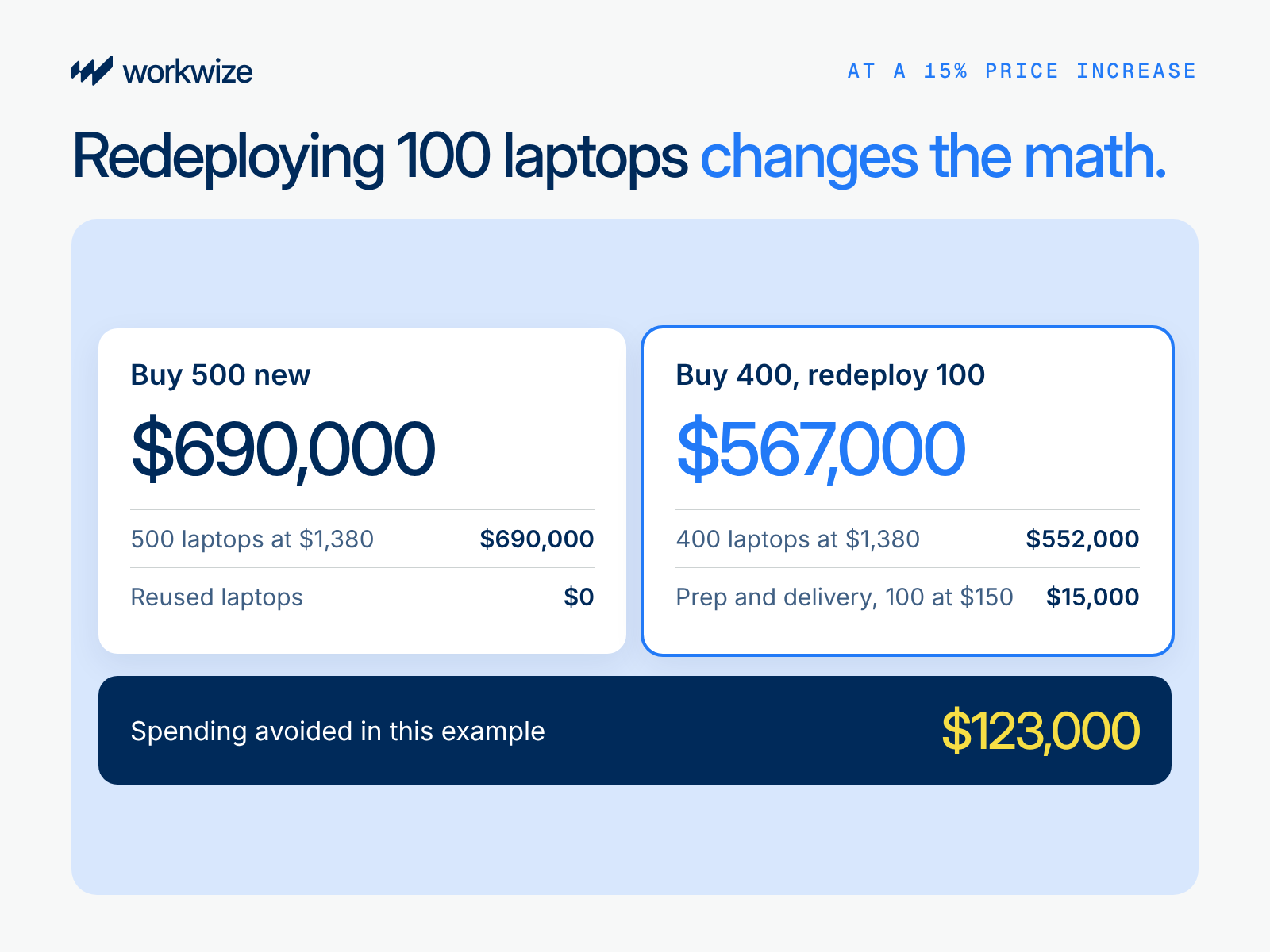
The example assumes those devices meet the next employees’ requirements and that the $150 per device covers the relevant preparation and delivery costs. Additional retrieval, repair, or storage expenses would reduce the savings.
For your own budget, the important numbers are how many new laptops you’ll need, what they’ll cost, and how much of that demand you can meet with equipment you already own.
How to reduce your 2027 laptop spending amid rising RAM prices
Your laptop budget depends on how many devices you buy and what each one costs. Vendors set the price, so the part you can control is how many you buy. Every laptop you recover or reuse is one you don’t have to buy at 2027 prices.
Here are six ways to protect your hardware budget as prices rise.
Forecast laptop demand before placing orders
Your hiring plan is a useful starting point for estimating laptop demand, but it shouldn’t determine your entire purchasing budget.
Include scheduled replacements, expected employee departures, available inventory, and the number of recovered devices likely to be suitable for reuse.
Then compare that forecast with your purchasing commitments.
For example, if your company expects to onboard 200 employees but has 60 suitable laptops available or due to be returned, you may not need to order 200 new devices.
Review the forecast regularly with HR, IT, and Finance, particularly when hiring plans change.
This helps prevent excess purchases while ensuring equipment is available when employees need it.
Read more: How to calculate the true cost of managing IT hardware
Recover laptops from departing employees before buying replacements
When a departing employee keeps their laptop, you have to buy a new one for the next hire. The same thing happens when a returned laptop goes into a storage room without being logged, because your IT team doesn’t know it’s available.
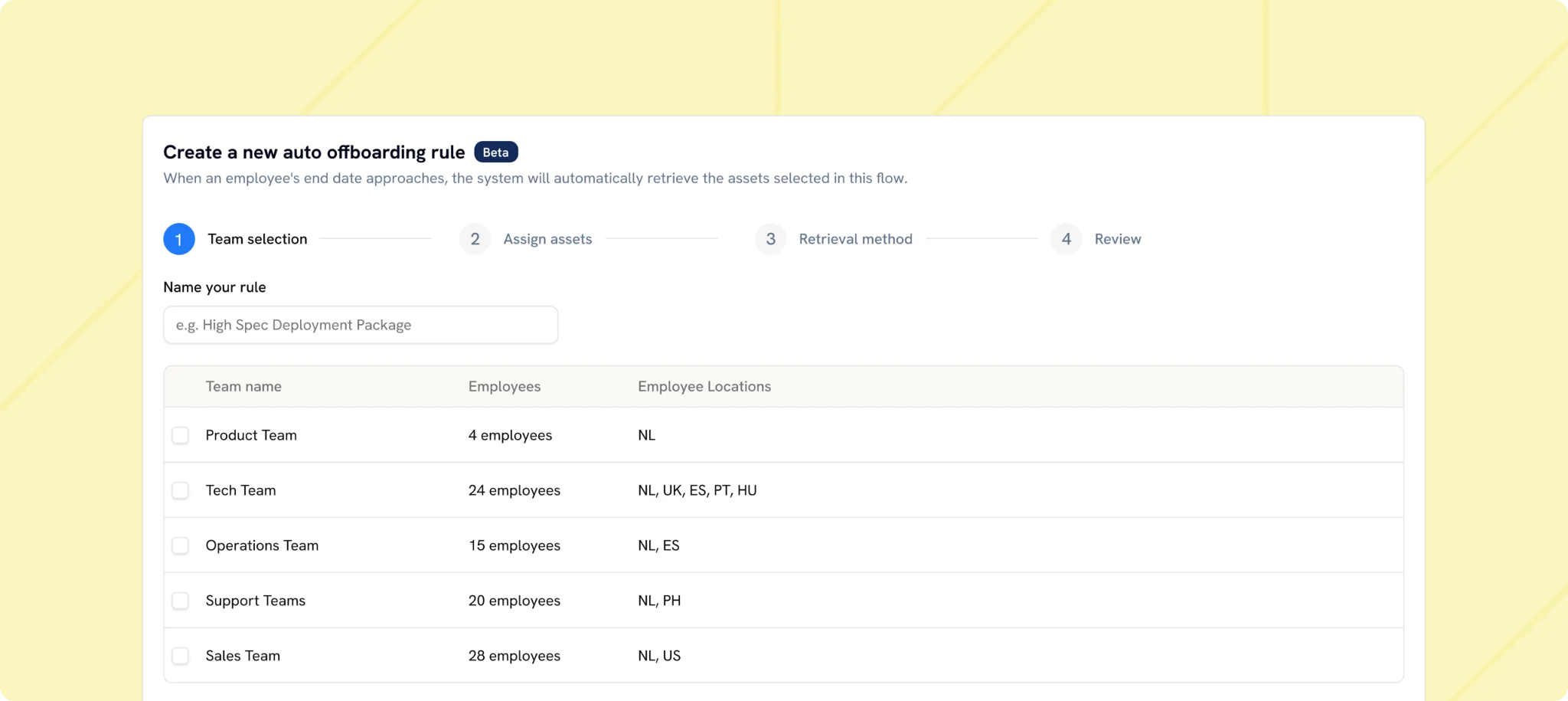
To prevent this, track every assigned device along with departure dates and retrieval status. That way, you’ll know how many returns to expect each quarter.
HR and IT also need a shared trigger. When HR records a resignation, you should get the retrieval task the same day. Some returned laptops won’t be fit for reuse, so count expected returns as possible replacements and confirm each one after inspection.
Redeploy suitable laptops instead of buying new ones
Each laptop you redeploy is one fewer new laptop on your purchase order. Inspect and test each recovered device. After a secure wipe, set it up for the next employee.
A laptop is worth redeploying if it passes these checks:
- Good hardware condition and battery health
- Enough performance and memory for the next role
- Security updates for the foreseeable future
- Enough useful life left after reuse
- Reasonable repair and preparation costs
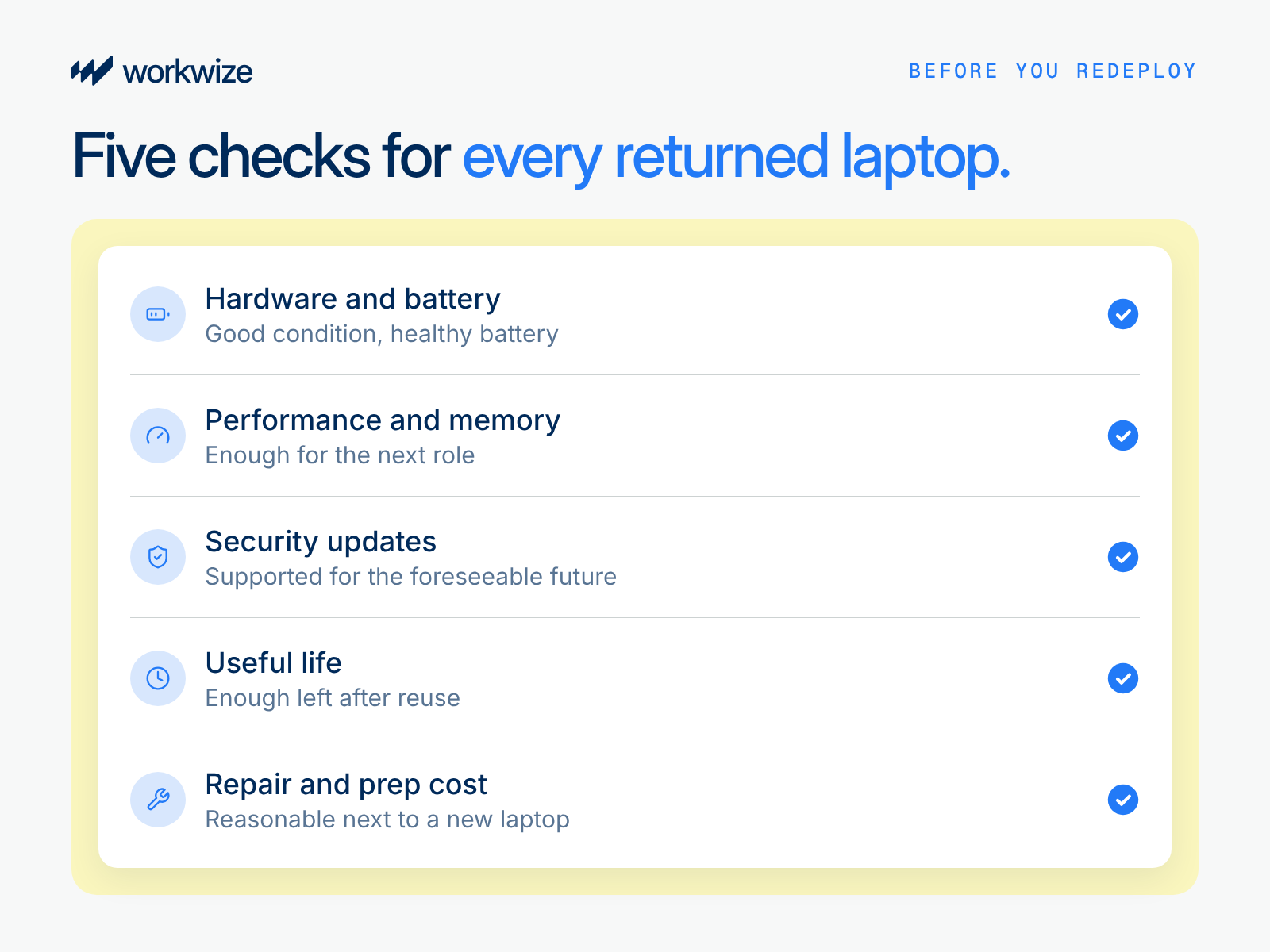
Then, compare the cost of preparing the laptop with the price of a new one. If preparation costs $150 and the laptop gives two more years of service, it’s far cheaper than buying a new one for $1,380. If it needs a new battery and a new screen and loses security support within a year, buying a new device makes more sense.
Review laptop refresh schedules before approving purchases
A fixed three-year refresh policy replaces laptops based on age, so some are retired while they still work well. In our view, this is one of the most expensive habits in laptop budgeting as prices rise.
Many companies are already moving away from it. Gartner analyst Ranjit Atwal said higher prices are “prompting buyers to hold on to devices for longer,” and the firm expects PC lifetimes for business buyers to grow by 15% by the end of 2026.
Still, make the call laptop by laptop. Look at its condition and repair history, and check its warranty coverage and software requirements. There are limits, too. If a device no longer gets security updates or can’t run the employee’s applications, replace it regardless of price.
Look beyond the purchase price when making that decision. An older laptop may be cheaper to keep initially, but repeated repairs, employee downtime, and rising support costs can make it more expensive over time. Compare the cost of keeping the device for another year with the cost of replacing it, including the remaining value of the existing laptop.
To see whether these changes are working, track your average laptop purchase price, the percentage of recovered devices redeployed, and how many new purchases you’ve avoided through existing inventory. Review these figures alongside your total hardware spending to see whether procurement changes reduce costs without affecting device availability.
Standardize laptop configurations where practical
When each department has its own laptop configurations, redeployment gets harder. A spare laptop built for one team’s needs may not suit anyone else, so it stays in storage while IT orders a new one.
To avoid this, define a small set of standard configurations for common roles. Keep specialist models for employees who genuinely need more performance.
Coordinate purchasing across locations
Distributed companies often lack a single view of equipment across every office and warehouse. One team may order new laptops while compatible devices go unused in another country.
Before approving a purchase, check your existing inventory. Then, compare the cost of shipping a device from another location with the cost of buying locally, since cross-border shipping and customs fees can cancel out the savings.
Factor in supplier lead times as well. A cheaper laptop that arrives three weeks late leaves an employee without a working machine for those three weeks.
How Workwize helps you get more from the laptops you already own
A laptop sitting unused in storage is money you’ve already spent. Without a clear view of existing inventory, your IT team may buy new equipment while usable devices sit in another office.
Workwize manages the IT hardware lifecycle across 130+ countries on one platform, covering procurement, warehousing, deployment, retrieval, and redeployment.
With that coverage, you can base purchasing decisions on the devices you already have.
- Centralized inventory visibility: See which devices are assigned, available, being returned or ready for reuse before you approve new purchases.
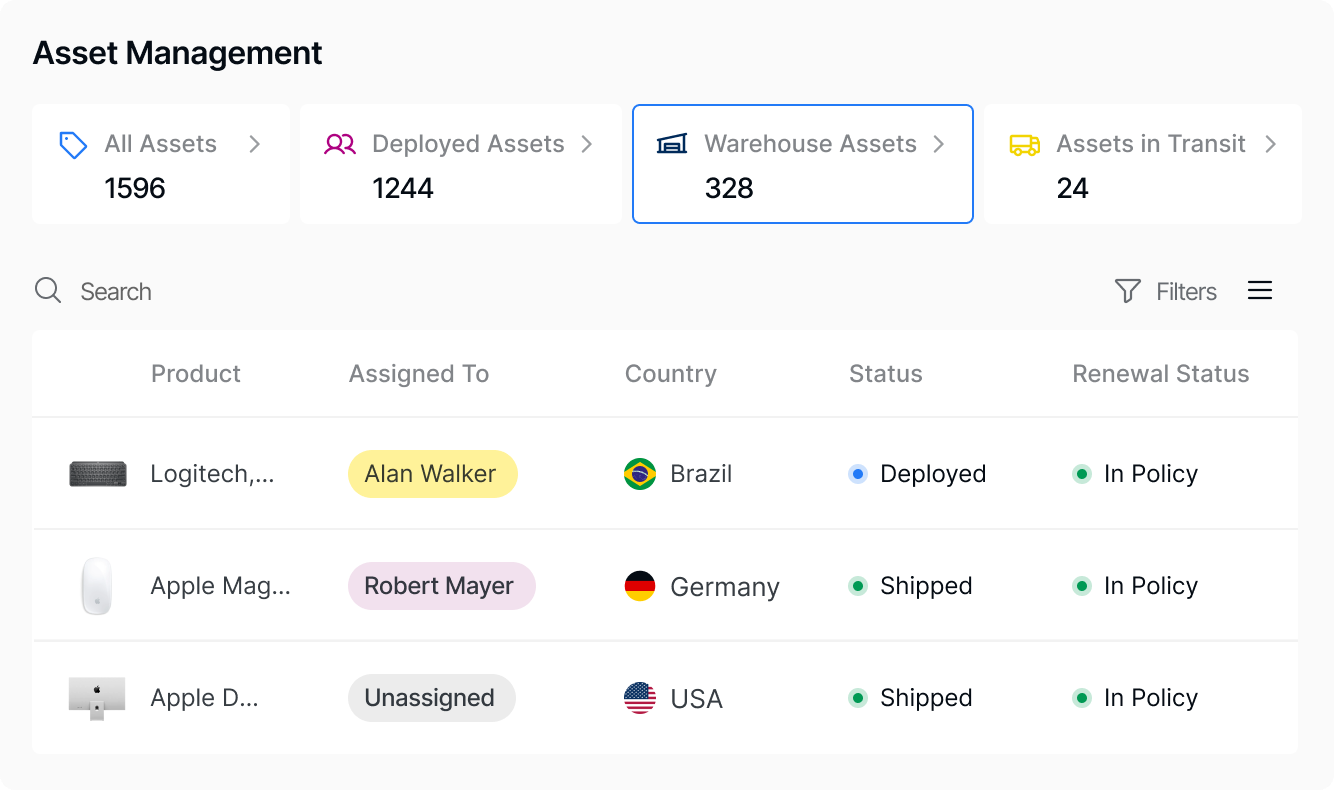
- Device retrieval and redeployment: Recover laptops from departing employees, prepare suitable ones for reuse, and deliver them to new users.
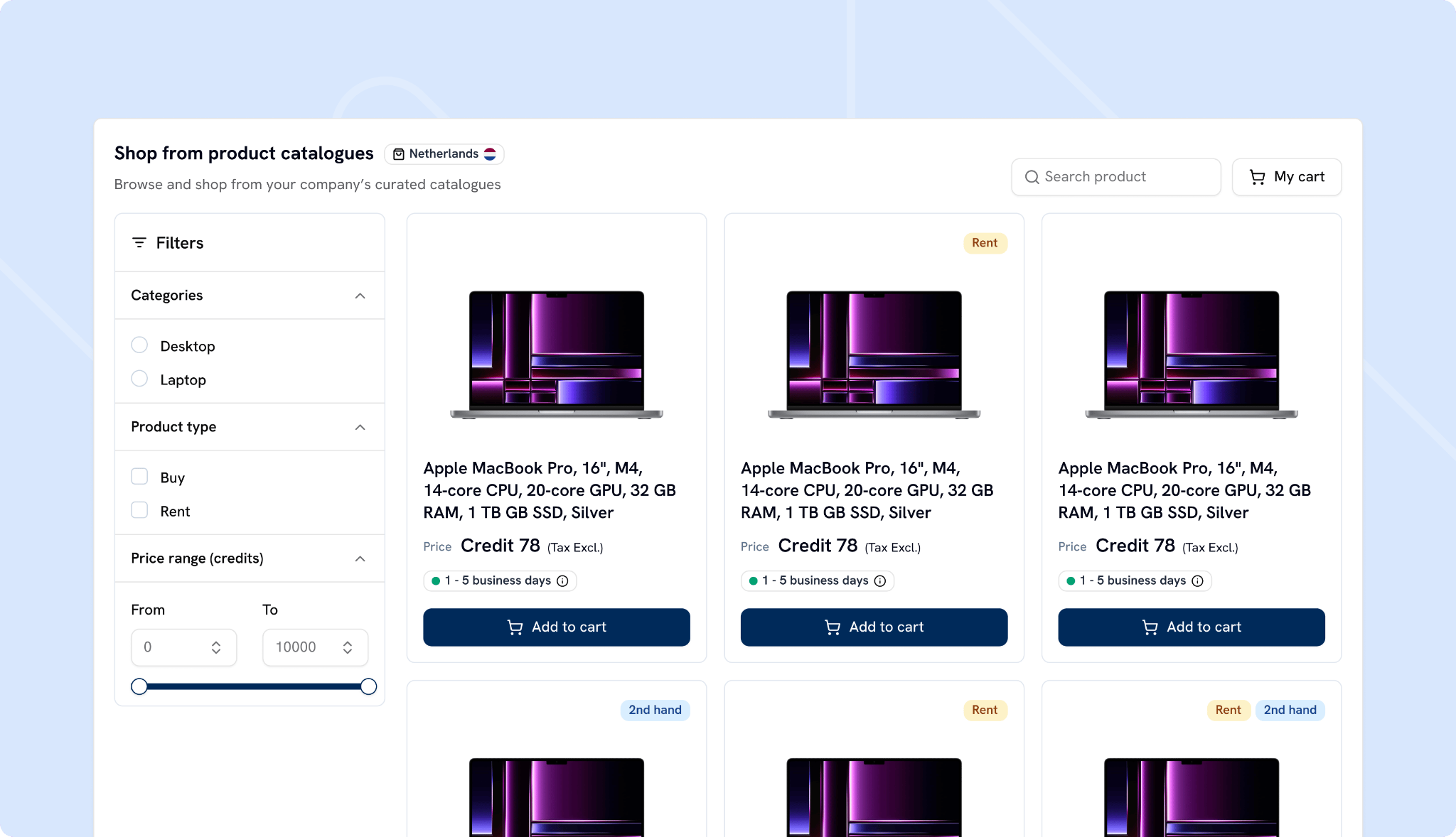
- Local sourcing and fulfillment: Buy and ship within the region where possible to reduce cross-border shipping and support faster delivery.
Workwize Agent and Workflow Builder can also turn an inventory-first policy into a workflow that runs on its own.
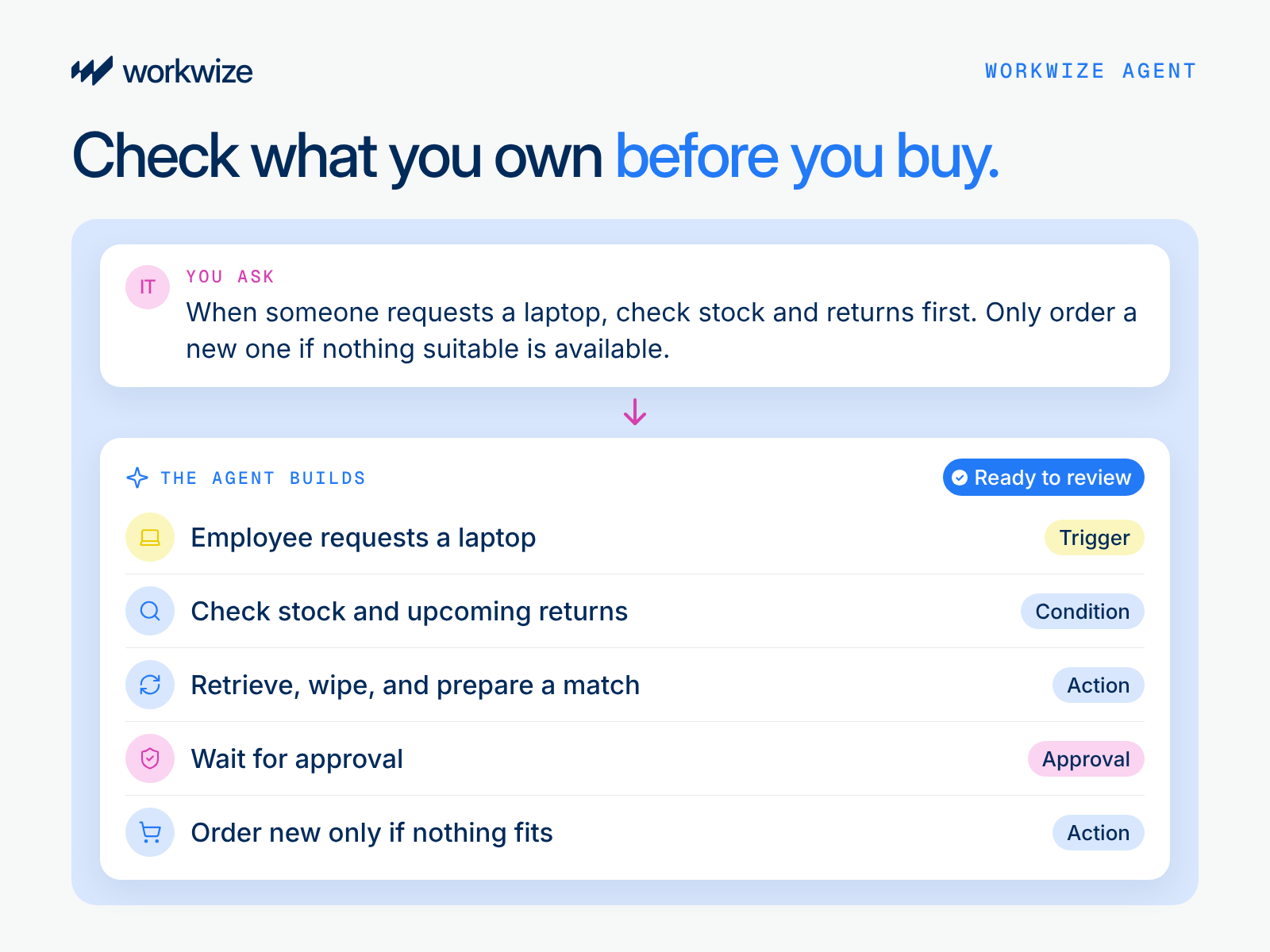
You describe the process in natural language, and Workwize Agent builds the workflow. Workflow Builder then coordinates the supported actions and approvals.
For example, an inventory-first laptop request runs in this sequence:
- An employee requests a laptop.
- The workflow checks your stock and upcoming returns for a suitable device.
- If a returned laptop fits, it’s retrieved, inspected, securely wiped, and prepared for the new user.
- Workwize ships it to the employee.
- A new purchase starts only when no suitable device is available.
Workflow Builder can check inventory, route requests based on conditions, trigger retrievals, schedule wipes, and start purchases. By default, hardware orders and retrievals wait for human approval, so your team controls every purchase.
For finance, that means fewer unnecessary purchases and procurement spending that’s easier to predict.
Book a demo to see how Workwize can help reduce unnecessary laptop purchases through retrieval, redeployment, and coordinated procurement.


Establish a single source of truth for every IT asset across the globe.

More related resources to help you stop firefighting hardware operations.

Get monthly insights into how other IT leaders are improving their ops.



Stop coordinating
hardware like it's 2012.