




.svg)
.svg)

.svg)


.svg)




.svg)
.png?width=500&height=424&name=Style-1---V1-(1).png)
.png?width=1230&height=692&name=Vector%20(13).png)
Why Equipment Compliance Is More Complex Than Most Teams Expect
Every time a device crosses a border, the compliance requirements change. Some requirements also span each device's entire lifespan, and the responsibility for meeting those obligations may rest with more than one department. None of that is visible from an asset spreadsheet, which is exactly why these obligations slip.
Here’s why compliance activities often blindside most teams.
Every Location Introduces a Different Rulebook
Before a device ships and the moment a device lands in a country, it must answer to local norms and laws, including customs, labor, data, security, equipment standards, and financial regulations.
This Reddit user experienced some of these problems firsthand.
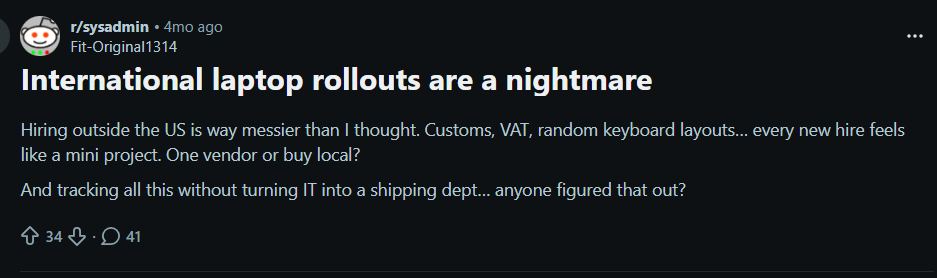
Source: Reddit
So if one laptop ships to Bangkok and another to Prague, managers must make provisions for two different sets of compliance obligations. And those obligations increase as the number of covered countries grows.
With more than 130 countries now implementing data protection regulations and just about every country maintaining its own customs regulations, every IT manager supporting remote teams must prepare for these obligations.
Loss of Physical Visibility
IT teams don't get direct oversight when managing hardware assets across different countries. And without a reliable system of record, devices can be reassigned, moved, repaired, or replaced without the change being reflected in IT, HR, or finance.
The resulting gaps can weaken chain-of-custody records, delay security responses, complicate audits, and leave companies unable to prove that a device was retrieved or disposed of correctly.
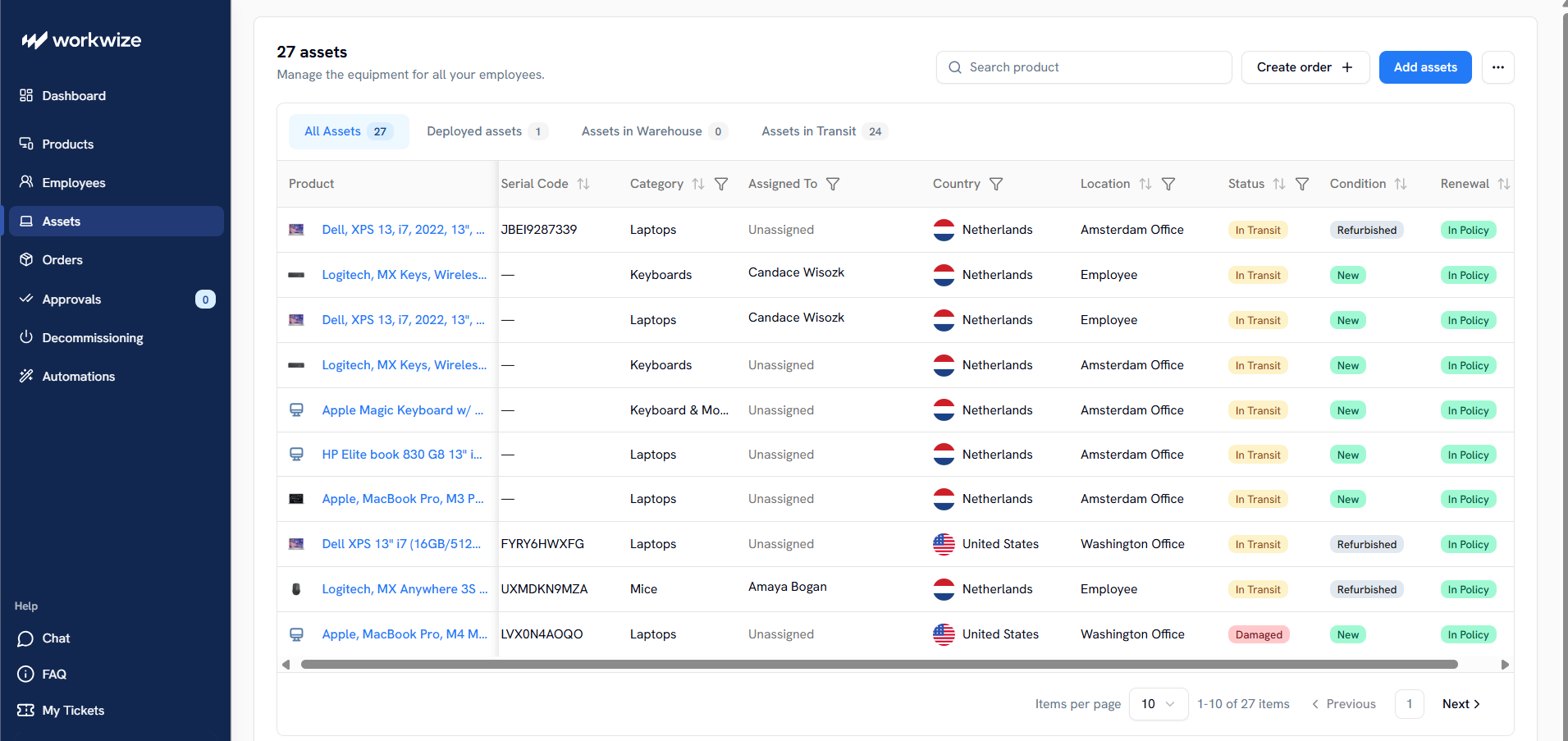
Device lifecycle management tools such as Workwize replace some of that lost visibility with a centralized asset register that records each device’s user, location, status, condition, and history. Automated handoffs and lifecycle activities also minimize, if not eliminate, the errors that come with manual processes.
Compliance Covers the Entire Equipment Lifecycle
Every device lifecycle stage, from IT procurement and maintenance to disposition, has different compliance obligations. And some countries, through various statutory regulations, ensure that companies meet those obligations where applicable.
Chile requires employers to provide remote workers with the equipment they need under Law N. 21.220. The law also goes further by requiring them to cover the equipment's running costs, including repairs and maintenance.
Responsibility Is Split Across Several Teams
Multiple teams can have separate compliance obligations for the same asset classes. And they must meet those separate obligations to avoid noncompliance.
Import taxes, VAT, depreciation, reimbursements, and taxable benefits fall under Finance's purview. HR manages employment agreements, home-working entitlements, health and safety duties, and offboarding. IT handles device configuration, access controls, inventories, repairs, retrieval, data erasure, and disposal.
These separate but shared responsibilities create even more complexities for teams that work in siloes, especially in globally distributed workforces.

Common Equipment-Related Compliance Issues
Now, let's cover the compliance requirements that many IT and HR teams miss when equipping globally distributed employees, and the asset management challenges that come with each provision.
Data Security and Privacy Compliance
Sometimes, IT teams focus too much on the software and cloud side of data protection laws. But these regulations also require certain on-device level measures that teams overlook. Here's a quick look at these laws and what they mean for devices before we break those points down.
|
Data Security Requirement |
What it Means for Equipment |
|
Full-disk encryption |
Encryption ensures that data on lost or stolen devices remains unreadable, supporting GDPR security expectations and FTC/CCPA exposure related to unencrypted data. |
|
MDM enrollment |
Gives IT a control layer for passwords, patching, encryption status, remote wipe, and device management expected under access/security rules. |
|
Verified data erasure |
Wiping returned or retired devices prevents leftover employee or customer data that may trigger breach notification requirements under laws like the GDPR and CCPA |
|
Chain-of-custody records |
Shows who controlled each device and when, supporting HIPAA media controls, breach investigations, audits, and proof of secure handoffs. |
|
Breach notification |
Unencrypted personal data may create notification duties under GDPR, HIPAA, or state privacy laws. |
|
Access revocation |
Cutting accounts, certificates, tokens, and VPN access prevents departed employees or thieves from using the device to reach regulated systems. |
Device-Level Encryption
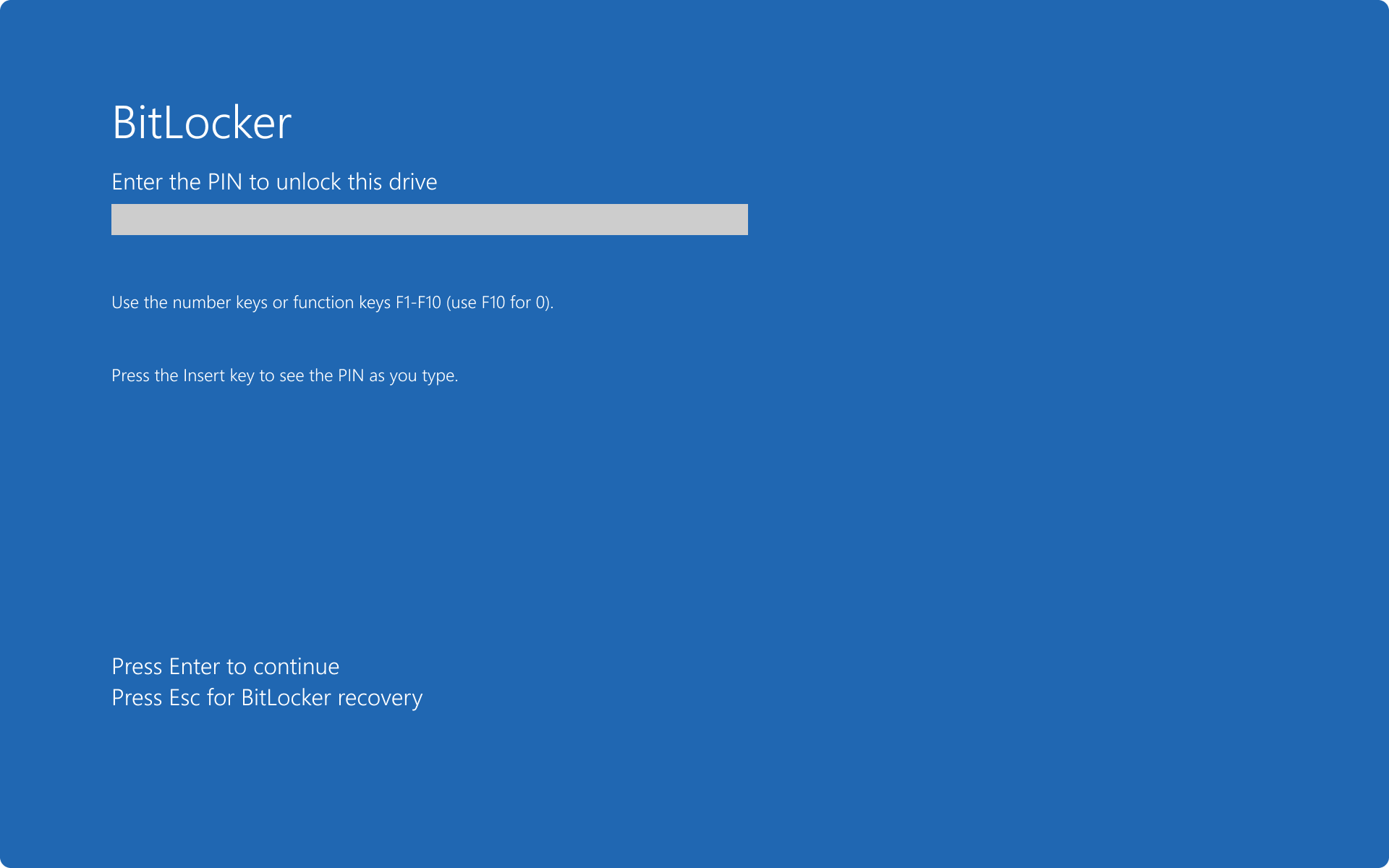
Source: Microsoft
Some laws directly require encryption for specific data types, while others recommend or expect it as an appropriate safeguard for sensitive data.
The Commonwealth of Massachusetts' data security regulation (201 CMR 17.00) is an example of laws with encryption mandates. It lists encryption as one of the minimum compliance requirements for entities that own or license electronically stored or transmitted personal information about residents.
The Federal Trade Commission's Safeguards Rule also requires covered financial institutions to “protect by encryption” customer information, which resides on company devices at rest and in transit.
GDPR Article 32, on the other hand, identifies “encryption of personal data” as an appropriate security measure.
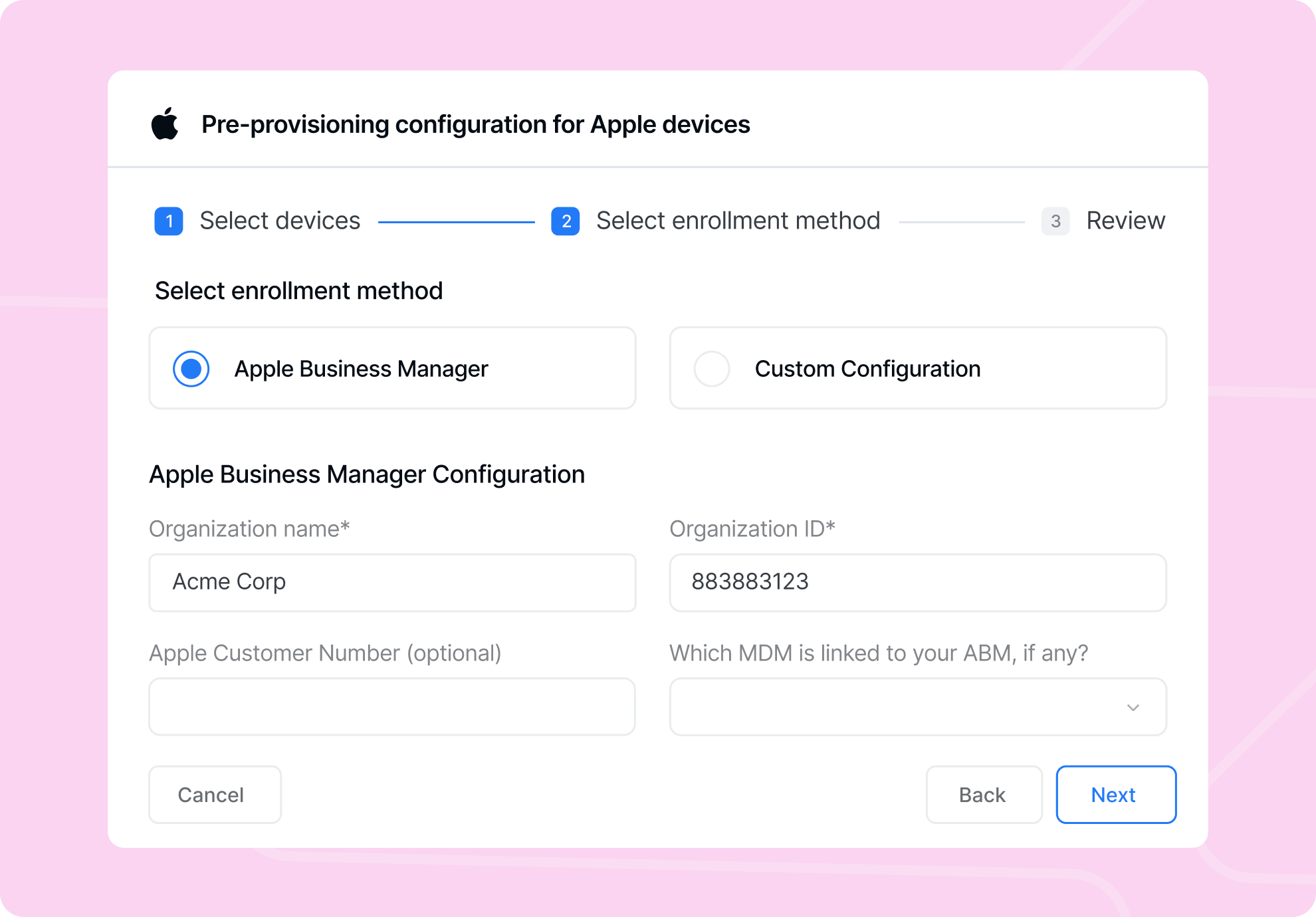
Teams can enroll devices with Mobile Device Management (MDM) platforms, which can activate on-device encryption, such as BitLocker on Windows and FileVault on macOS.
Chain-of-Custody Records
Companies must know who has each piece of equipment, where it is, and when control changes. This is especially important for devices that move through couriers, employees’ homes, repair vendors, storage partners, and disposal providers.
HIPAA’s device and media controls require a “record of the movements” of hardware and electronic media, as well as the person responsible for them. GDPR does not prescribe a device custody log, but its accountability and breach documentation duties depend on reliable records.
The asset record should show the serial number, assigned employee, location, delivery date, handover history, repair events, retrieval status, erasure evidence, and final disposition.

Backups Before Retrieval, Repair, Reuse, or Disposal
Security compliance also includes availability. GDPR Article 32 requires the ability to restore access to personal data after a physical or technical incident. HIPAA’s device rules (45 CFR § 164.310(d)(2)(iv)) refer to creating a “retrievable, exact copy” of electronic protected health information when needed before equipment movement.
This matters when a device is collected from a departing employee, shipped for repair, reassigned, wiped, recycled, or destroyed. Teams must confirm that the required business data is backed up before the device leaves the user, enters a vendor workflow, or is erased.
Data Erasure Before Redeployment or Disposal
A device should not be reassigned, resold, recycled, returned to a leasing provider, or discarded until stored data has been removed or rendered unrecoverable.
Another HIPAA requirement, for example, addresses the “final disposition” of electronic protected health information and the hardware or media that stores it. It also requires “removal” of ePHI (electronic Protected Health Information) before media are reused. The FTC Safeguards Rule (16 CFR § 314.4(c)(6)) requires procedures for “secure disposal” of customer information.
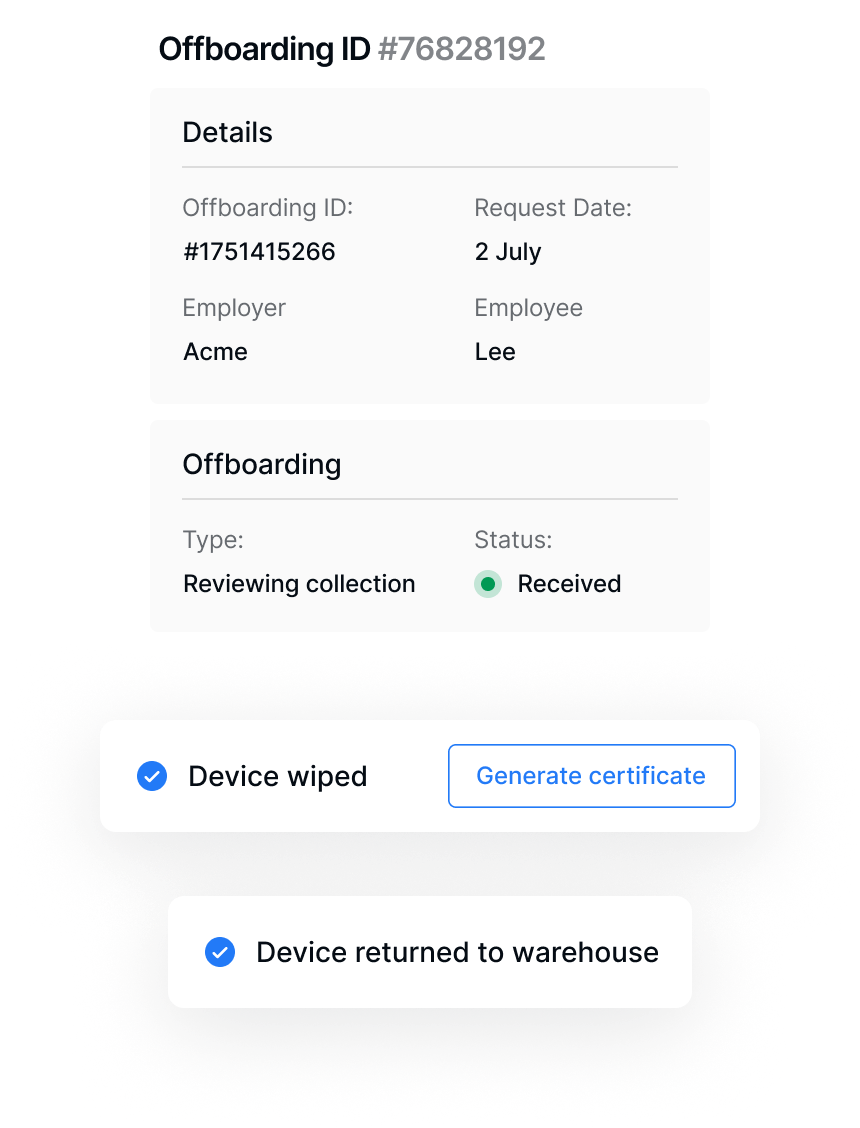
The compliance record should identify the device, erasure method, completion date, responsible party, and destination. Where a vendor performs the work, the company should retain a certificate of sanitization or destruction.
Treat Lost or Stolen Devices as Breach-Assessment Events
GDPR Article 33 mandates notification to regulators within 72 hours unless the breach is unlikely to pose a risk. It also requires controllers to “document any personal data breaches.”
That means a missing device becomes a reportable breach when the data involved, the active safeguards, and the likelihood of unauthorized access meet the legal threshold.
There are similar provisions in other jurisdictions.
California, for example, has a data breach law (California Civ. Code s. 1798.82(a)) requiring covered organizations and individuals with business operations within the state to report data breaches within 30 days.
However, it focuses on unencrypted personal information acquired, or reasonably believed to have been acquired, by an unauthorized person. Reporting must also be directed to the affected California resident.
Legal Obligations to Provide Equipment by Country
Some HR managers hire in countries with compulsory equipment provisioning without realizing it. Chile, for example, as mentioned earlier, requires employers to provide the tools, materials, and equipment needed for remote work. Portugal is another country that makes employers responsible for equipment, systems, installation, maintenance, and certain additional expenses under its Labor Code.
A company hiring in countries with these requirements needs platforms like Workwize, since handling the entire device lifecycle can overwhelm even the best IT teams.
The platform can help translate those local requirements into repeatable workflows across 100+ jurisdictions for procurement, deployment, retrieval, and disposal. Here's a quick look at some markets and their employer obligations.
The following equipment obligations in some major markets:
|
Country/region |
Obligations |
Notes |
|
EU |
General framework principle, not a uniform statutory duty in every member state. |
The European Framework Agreement on Telework says employers are generally responsible for providing, installing, and maintaining regular telework equipment, subject to national implementation. |
|
Germany |
Generally obligated to provide essential work tools under BGB §611a and may be obligated to reimburse necessary work tools under BGB §670. Employers may also be responsible for ensuring worker health and safety under BGB §618. |
Reimbursement may not apply where the employee freely chooses to work from home and still has a suitable office workstation. |
|
France |
Certain legal provisions, such as Article 3.1.5 of France’s 2020 National Interprofessional Agreement on Telework, may entitle employees to reimbursement for approved professional expenses, including necessary remote-work equipment they purchase. |
Employer reimbursement duties for telework may arise from case law, the 2020 Telework Agreement, or applicable sectoral and company-level agreements. |
|
The Netherlands |
Equipment may be required where needed for a safe home workplace under the Working Conditions Act and the Dutch Civil Code. |
Employers may lend or reimburse ergonomic resources such as chairs, screens, keyboards, lighting, or related aids. |
|
Portugal |
Employer obligation is explicit under the Portuguese Labor Code telework rules. |
The employer must provide necessary equipment and systems, maintain them, and cover qualifying additional expenses. |
|
Croatia |
Cost reimbursement applies when remote work exceeds seven working days in a calendar month under the Labor Act. |
Employment contracts should define equipment, internet, electricity, utilities, and reimbursement mechanics. |
|
Chile |
Employers must provide equipment, tools, materials, and PPE under Labor Code Article 152 quater L |
Employees cannot be forced to use personal equipment; operation, maintenance, and repair costs sit with the employer. |
|
Brazil |
Equipment responsibility must be defined in writing under CLT Articles 75-A to 75-E, especially Article 75-D. |
LGPD Articles 46 to 48 also require security measures for personal data stored or accessed on work devices |
|
Switzerland |
No broad device-provision duty, but accident insurance is compulsory under the Accident Insurance Act |
Employers pay occupational accident premiums, making home-office injury coverage part of remote-work compliance. |
|
California |
Reimbursement is required for necessary work expenses under Labor Code § 2802, not the CCPA. |
Laptops, internet, phone use, or other required tools can create reimbursement exposure when needed for work. |

Tax Compliance When Providing Equipment
Equipment provisioning can create tax exposure when IT treats every device as a standard hardware expense. Tax authorities may see the same device differently depending on who owns it, how it is used, and whether the employee keeps it.
Allowing employees to retain company-purchased equipment, even after a device is out of commission, is the highest-risk model in some jurisdictions. In the U.K., for example, HMRC treats computers as reportable assets when employers buy, sell, or give them to employees. In the U.S., the IRS generally treats fringe benefits as taxable unless a specific exclusion applies. A gifted laptop can therefore become compensation rather than equipment.
The cleaner model is company-owned equipment. HMRC says homeworking equipment, such as laptops, is not reportable or taxable when it is used only for business, or private use is insignificant, provided the employer receives the device after offboarding.
Important: This is not tax advice. Ensure you review local laws and consult tax experts regarding local regulations.
Health and Safety Obligations for Home Office Equipment
Employers may be responsible for reducing work-related risks when employees work from home, including risks created by poor equipment.
In the U.K., for example, Display Screen Equipment rules require employers to assess screen-work risks, reduce hazards, train workers, and support breaks when employees use laptops or monitors regularly at home.
A remote worker who develops wrist strain from prolonged laptop use without proper equipment may claim a work-related injury. In the U.S., most states, such as California, require employers to cover such injuries under compensation laws.
While this falls under HR's purview, IT also has a responsibility, such as in the case of the DES rule, to ensure equipment provided to workers meets safety rules.
Equipment Ownership, Return Policies, and Offboarding Compliance
If a former employee retains access to a laptop or cloud account containing EU customer records, the company may still need to assess the incident under GDPR breach rules, as it remains responsible for the personal data.
In California, if nonencrypted and nonredacted personal information is accessed, stolen, or disclosed due to a failure to maintain reasonable security, the business may face private claims under the CCPA.
Even BYOD devices can drag companies into those risky situations, since departed workers may still have access to company accounts and systems on their personal computers.
Avoiding this risk involves revoking access, triggering retrieval processes, tracking courier handoffs, verifying returns, and documenting status changes. When devices are returned, they also need inspection, certified erasure, and updates before reuse, resale, or recycling.
With Workwize, these activities are part of automated offboarding workflows that are triggered when HR schedules an employee's departure. And with the platform's country-specific compliance knowledge, every device is returned in accordance with local regulations.
Equipment Compliance During Customs and Cross-Border Shipping
Cross-border IT logistics introduces regulatory layers that create many blind spots for IT. From import duties that may double the cost of devices to standards requirements, noncompliance could lead to costly penalties, re-export obligations, or even destroyed devices.
For example, the common external tariff in ECOWAS countries can range from 0% to 35%, depending on the product category.
In Mexico, certain imported electronics, such as laptops and printers, must comply with NOM (Norma Oficial Mexicana), Mexico’s mandatory official standards for product safety, labeling, energy use, warranty information, and consumer disclosures. If the importer cannot prove conformity at customs, the device can be delayed, held, or rejected at entry.
So IT must confirm the local laws of every employee's domiciled jurisdiction before even purchasing the equipment it intends to ship.
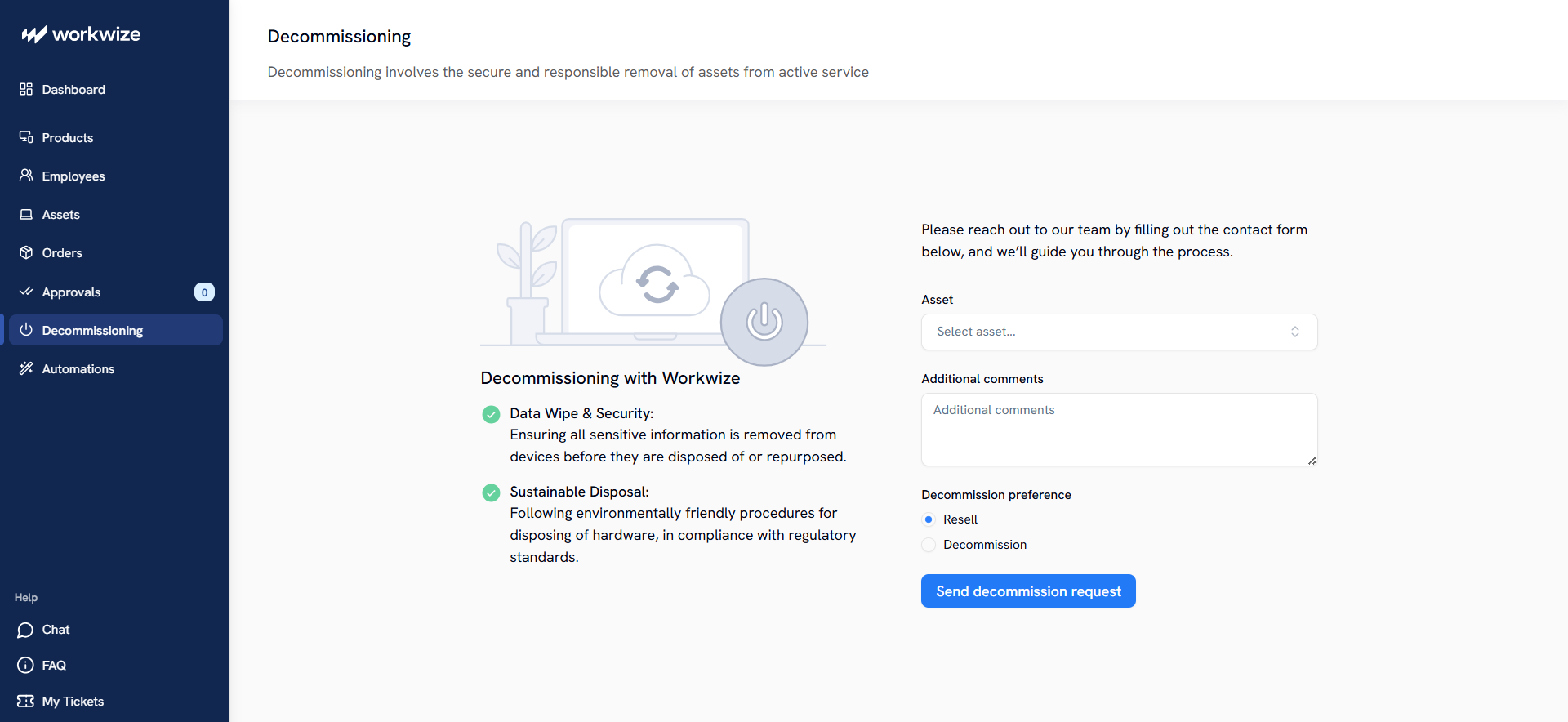
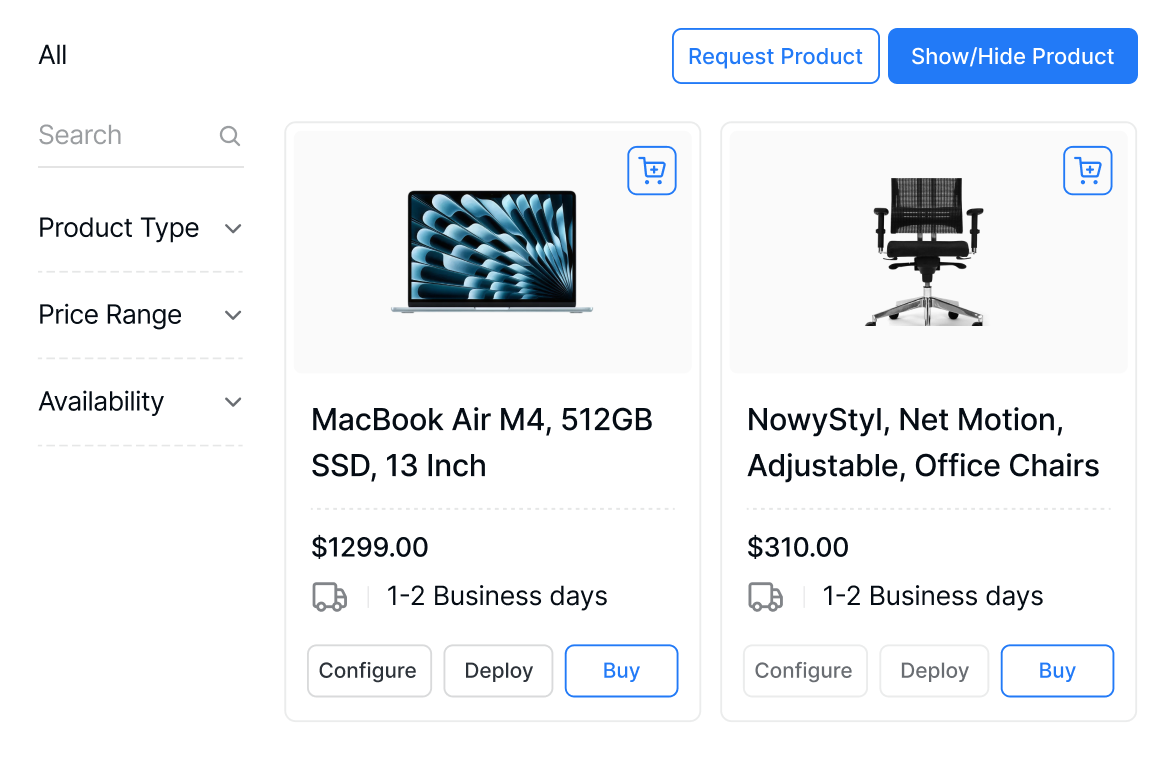
Local sourcing and warehouses, which platforms like Workwize use, help avoid much of this complexity since equipment is procured from a warehouse or supplier inside the employee’s country. They also ensure devices reach employees faster.
Building an Equipment Compliance Policy
An equipment policy can solve the problems that make global equipment provisioning too complex. Defining approved countries prevents IT from inheriting local compliance issues after hiring; aligning HR, IT, finance, legal, and procurement clarifies ownership and creates compliant audit trails; and standardized remote onboarding and offboarding workflows reduce deployment gaps, poor retrieval, data exposure, and vendor sprawl.
Here's what your policy should address:
Approved Hiring Countries
Start by creating a list of approved countries from which you intend to hire, as it sets the tone for your entire equipment support policy. Each hiring country should be approved only after legal, tax, security, customs, health and safety, and disposal rules are checked.
The policy should also decide whether the same device models can ship across your supported countries. Consistency matters because IT needs predictable security profiles, accessories, warranties, repairs, and replacement workflows.
If a country requires different plugs, certifications, reimbursement rules, import treatment, or employer-provided equipment, that should be known before hiring.
Shared Compliance Ownership
Every department with a stake in compliance must work together, and your policy should establish how. HR owns onboarding and offboarding, finance owns taxes and reimbursements, legal confirms local duties, procurement manages vendors, and IT secures and tracks devices.
However, a system should tie these roles together and facilitate their interaction. That way, audit trails can be unified, and one department's actions can notify other associated teams about device status and ownership.
For example, HRIS-triggered workflows, processes that lifecycle management platforms support, can start provisioning when a worker is hired and retrieval when employment ends.

Standardized Deployment Workflows
Create one deployment standard that works across jurisdictions, then add country-specific steps where required. Every device should pass through approval, procurement, configuration, MDM enrollment, shipment, delivery confirmation, and asset recording.
Workwize’s zero-touch deployment can support this through role-based profiles, so employees receive preconfigured equipment while local rules still shape shipping, accessories, documentation, and support.
Controlled Offboarding
Offboarding must close access, custody, and data risks simultaneously. The policy should cover account deprovisioning, token removal, certificate revocation, VPN shutdown, device retrieval, inspection, and erasure.
BYOD needs its own path. The company may not retrieve personal devices, but it still needs to remove corporate data from managed apps, email, storage, credentials, and containers.
The goal is a complete record showing what was disabled, returned, and wiped. It should also show the last action in the workflow, which should indicate what remains outstanding.
Partner and Vendor Control
The policy should define how couriers, warehouses, repair partners, suppliers, ITAD providers, and recyclers handle custody, data, packaging, storage, erasure, and data disposal per supported jurisdiction.
Require vendors to provide evidence of compliance at each handoff (custody receipts, erasure certificates, and disposal documentation) so the audit trail is complete regardless of which partner handled the device.
Workwize helps centralize that responsibility by managing procurement, deployment, asset tracking, retrieval, and ITAD across global workflows. HR-triggered onboarding and offboarding also make vendor actions part of the lifecycle record instead of separate manual processes.

How Workwize Helps IT Teams Stay Compliant When Equipping Remote Workers
Workwize supports IT hardware lifecycle management across 100+ countries and locks down every local compliance requirement. That means, at every step of a device's lifecycle, from procurement to disposal, the platform provides the required workflows to help companies avoid costly regulatory penalties and unnecessary payments, such as customs duties.
For example, its local warehouses and local vendor management ensure devices are sourced locally and do not have to go through import regulations.
The platform's integrations with HRIS and payroll applications ensure IT can interact with other departments and receive unified tracking data and updates. That means HRIS events can trigger remote onboarding and offboarding that comply with local regulations and align with your equipment provisioning policies.
For data protection and security, Workwize's zero-touch deployment, which follows HRIS-triggered procurement, enrolls user devices with company MDM and SSO platforms to activate access controls and encryption. Its ITAD process also decommissions data-bearing devices in compliance with regulations.
You can book a demo today to see how Workwize helps your company meet equipment-related compliance across every phase of the device lifecycle.

Establish a single source of truth for every IT asset across the globe.
.png?width=258&height=318&name=g10%20(5).png)
More related resources to help you stop firefighting hardware operations.

Get monthly insights into how other IT leaders are improving their ops.



.png?width=2880&height=1232&name=Group%202147262874%20(1).png)
Stop coordinating
hardware like it's 2012.
.svg)
.png?width=172&height=68&name=apple%20business%20patner%20(1).png)
.svg)
.svg)
.svg)
.svg)