




.svg)
.svg)

.svg)


.svg)





.svg)
.png?width=500&height=424&name=Style-1---V1-(1).png)


.png?width=1230&height=692&name=Vector%20(13).png)
What Is Tequipy?
Tequipy is a global IT logistics platform that helps remote-first teams buy, deploy, repair/service, retrieve, and redeploy company devices in 180+ countries. And all this with pay-as-you-go pricing and no monthly fees.
With Tequipy, companies can ensure:
- New hires get pre-configured laptops on day-1 across 180+ countries
- Assets are procured and delivered locally, avoiding cross-border delays and customs issues
- IT teams don’t have to manage multiple vendors across different regions
- Every device is tracked with clear ownership and location visibility
- Offboarding doesn’t lead to lost devices
- Returned devices are stored, redeployed, or resold instead of sitting idle
- IT operations are automated, reducing manual coordination and overhead
Note: While Tequipy offers asset tracking and lifecycle visibility, it is not a traditional IT asset management (ITAM) platform.
Its core focus is on procuring, deploying, and managing the physical lifecycle of devices, not on offering deep asset intelligence, compliance, or software asset management.
Why Teams Consider Tequipy Alternatives?
Here’s why it makes sense to compare your options:
- Integration ecosystem: Tequipy offers just two native HRIS integrations (HiBob and BambooHR) and zero ITAM integrations. This can be a deal breaker for an enterprise that needs multiple plug-and-play integrations to create automated workflows.
Note: While they have an API for integrations, nothing matches the ease of a native plug-and-play integration.
- Logistics-first platform: Neither their help docs nor their marketing copy mentions anything about IT asset management. That means for deeper lifecycle visibility, centralized control, and asset management, you’d need another platform.
Or you need to connect Tequipy to an ITAM platform with an API, since native integrations don’t exist.
- Lack of credible reviews: There are literally 0 reviews of Tequipy on third-party product review sites such as G2, Capterra, TrustRadius, Software Advice, and more. This is a major issue since enterprises often look for mature platforms with publicly verifiable information.
What Tequipy Does Well
Here’s why Tequipy is a brilliant choice for global logistics management:
- Fast global delivery: Tequipy claims devices reach employees “in just 3 days, not weeks,” even across global locations
- High on-time delivery performance: Case studies consistently report ~99% of devices delivered before the employee’s start date
- Strong device recovery workflows: Tequipy reports 100% device recovery during offboarding.
- Wide global coverage: The platform supports procurement, delivery, and lifecycle services across 140+ countries.
- Local sourcing model reduces cross-border friction: Devices are sourced locally through verified supplier networks (600+ local resellers), avoiding customs delays and international shipping issues.
- End-to-end lifecycle execution in one platform: Covers procurement, pre-configuration, delivery, servicing, retrieval, storage, redeployment, and resale in a single workflow.
- Flexible, usage-based pricing: Pay-as-you-go model with transparent pricing and no markups on hardware.
- Operational efficiency gains for IT teams: Case studies report 25–40+ hours saved per month on IT operations and logistics.
- Strong hands-on support model: Emphasizes dedicated support (e.g., Slack-based coordination) and operational assistance, not just self-serve tooling.
Tequipy Competitors at a Glance
Here’s an overview of Tequipy’s competitors:
|
Tequipy Alternative |
Best For |
How It Differs From Tequipy |
Key Strength |
Key Limitation / Watchout |
|
Workwize |
Mid-sized to enterprise teams that need full IT hardware lifecycle management |
Goes deeper than Tequipy on asset visibility, ITAM workflows, compliance, integrations, and automation |
End-to-end lifecycle platform covering procurement, deployment, tracking, retrieval, resale, recycling, and disposal |
More suitable for scaling/global teams |
|
GroWrk |
Distributed teams with employees across many countries, especially emerging markets |
Similar global lifecycle angle, but stronger as an ITAM-style platform with dashboards, HRIS integrations, inventory insights and end-of-life options |
Global procurement, deployment, retrieval, inventory visibility, and disposal paths across 150+ countries |
Users report shipping updates, delivery timelines and asset costs can be inconsistent |
|
Quipteams |
Global teams wanting flexible device logistics without a fixed platform fee |
Closer to Tequipy’s flexible logistics model, but adds stronger asset tracking fields and HRIS/API workflow support |
Local sourcing, deployment, retrieval, tracking, storage and resale across 133+ countries |
Native integration ecosystem appears less mature than broader lifecycle platforms |
|
Deel IT |
Companies already using Deel for HR, payroll or compliance |
More HR-native than Tequipy because device workflows connect directly with Deel’s broader employee lifecycle system |
Strong fit for Deel users needing device provisioning, app access, onboarding, offboarding, and support in one ecosystem |
Standalone value is weaker if the company is not already invested in Deel |
|
Firstbase |
Remote and hybrid companies needing structured global equipment programs |
More enterprise-program focused than Tequipy, with role-based catalogs, asset tracking, integrations and lifecycle operations |
Global equipment procurement, deployment, tracking, support, retrieval and retirement across 150+ countries |
Some users report inconsistent shipping timelines and delayed device status updates |
|
Allwhere |
Teams that want flexible, usage-based IT equipment management in supported countries |
More asset-management oriented than Tequipy in supported regions, but with narrower geographic coverage |
Usage-based pricing, procurement, deployment, retrieval, storage, resale, recycling and asset visibility |
Country coverage is limited compared with Tequipy and other global alternatives |
|
Unduit |
Enterprises managing large, decentralized device inventories |
More app/module-heavy than Tequipy, with separate tools for buyback, recycling, order management, repairs and device hubs |
Strong lifecycle coverage, reporting, device recovery, resale, recycling and compliance workflows |
Interface and integration limitations may make it feel heavier than logistics-first tools |
|
Esevel |
Small to mid-sized distributed teams across APAC, EU, US, UK and LATAM |
Broader IT support and device security layer than Tequipy, but less proven through target-audience reviews |
Device lifecycle management, IT support, repairs, security and inventory tracking across 88 countries |
Review credibility is mixed because many reviews come from non-IT buyer profiles |
|
ZenAdmin |
Enterprises that want broader IT operations, not just hardware logistics |
Much broader than Tequipy because it covers hardware, apps, access, SaaS subscriptions, helpdesk and IT automation |
Unified IT stack for devices, apps, identity, access, helpdesk and lifecycle workflows |
Maybe more than required for teams that only need hardware procurement and delivery |
|
Retriever |
Teams that mainly need laptop returns and post-return handling |
Narrower than Tequipy because it specializes in retrieval rather than full global procurement and lifecycle management |
Simple, structured laptop return workflows with boxes, labels, reminders, storage and redeployment |
Not a full IT lifecycle or global ITAM platform |
|
Lendis |
EU and UK teams that want to rent IT equipment and furniture |
Different from Tequipy because it is rental-first and Europe-focused rather than global logistics-first |
Renting, deploying, managing, retrieving, reselling and recovering value from IT equipment and furniture |
Limited country coverage makes it unsuitable for broadly distributed global teams |
Top Tequipy Competitors and Alternatives
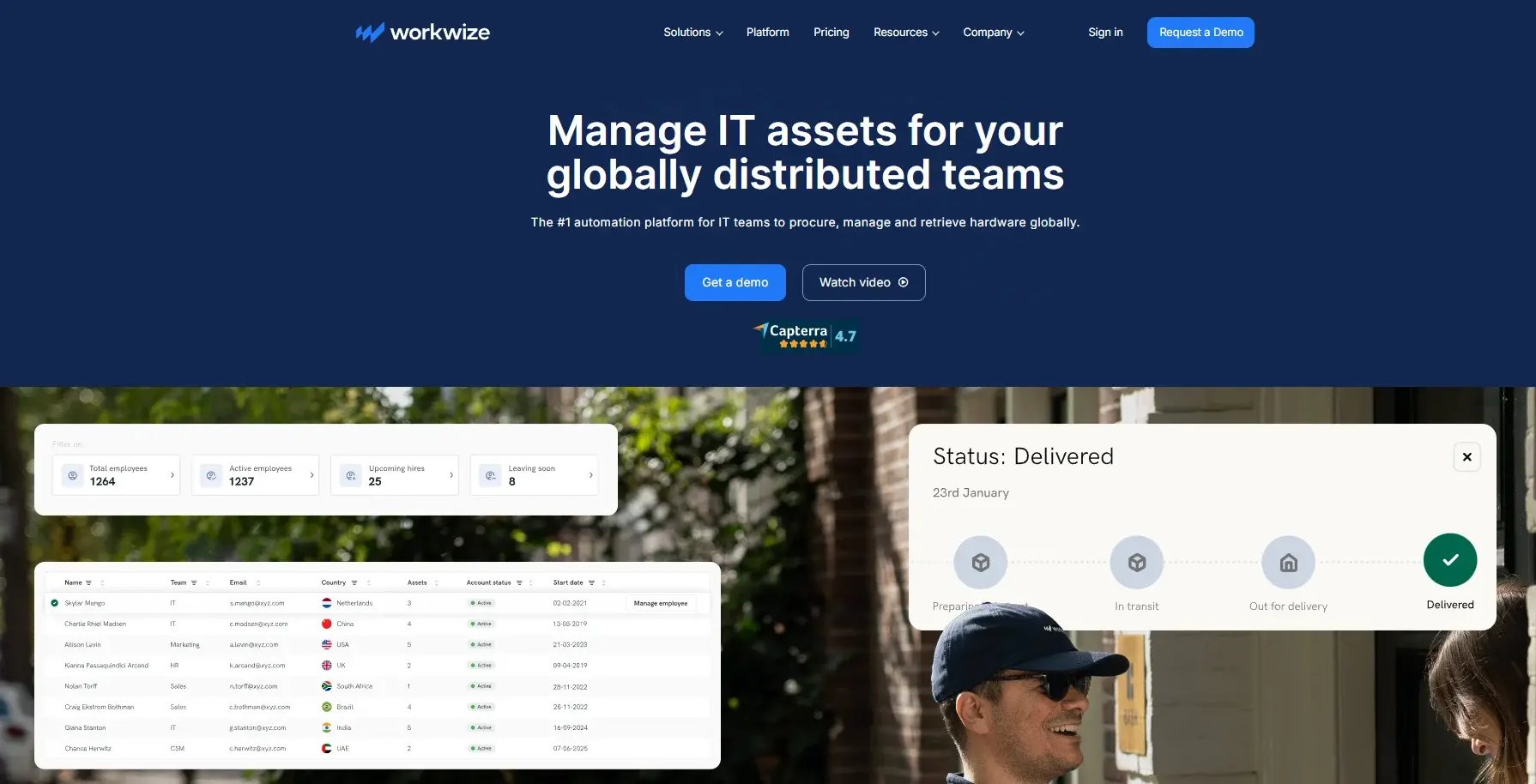
1. Workwize
Source: Workwize
Ratings:
Overview
Workwize is a global end-to-end IT asset lifecycle management platform that automates the entire lifecycle from procurement, deployment, tracking, retrieval, reassignment, recycling, and disposal.
Unlike Tequipy, Workwize gives you deep visibility into your asset estate.
When you visit the assets section, you can view all the assets you have and click any asset to dive deeper. This dashboard basically answers these questions:
- How many assets do you have?
- Who has which device?
- When were the devices issued?
- When are the assets due for return?
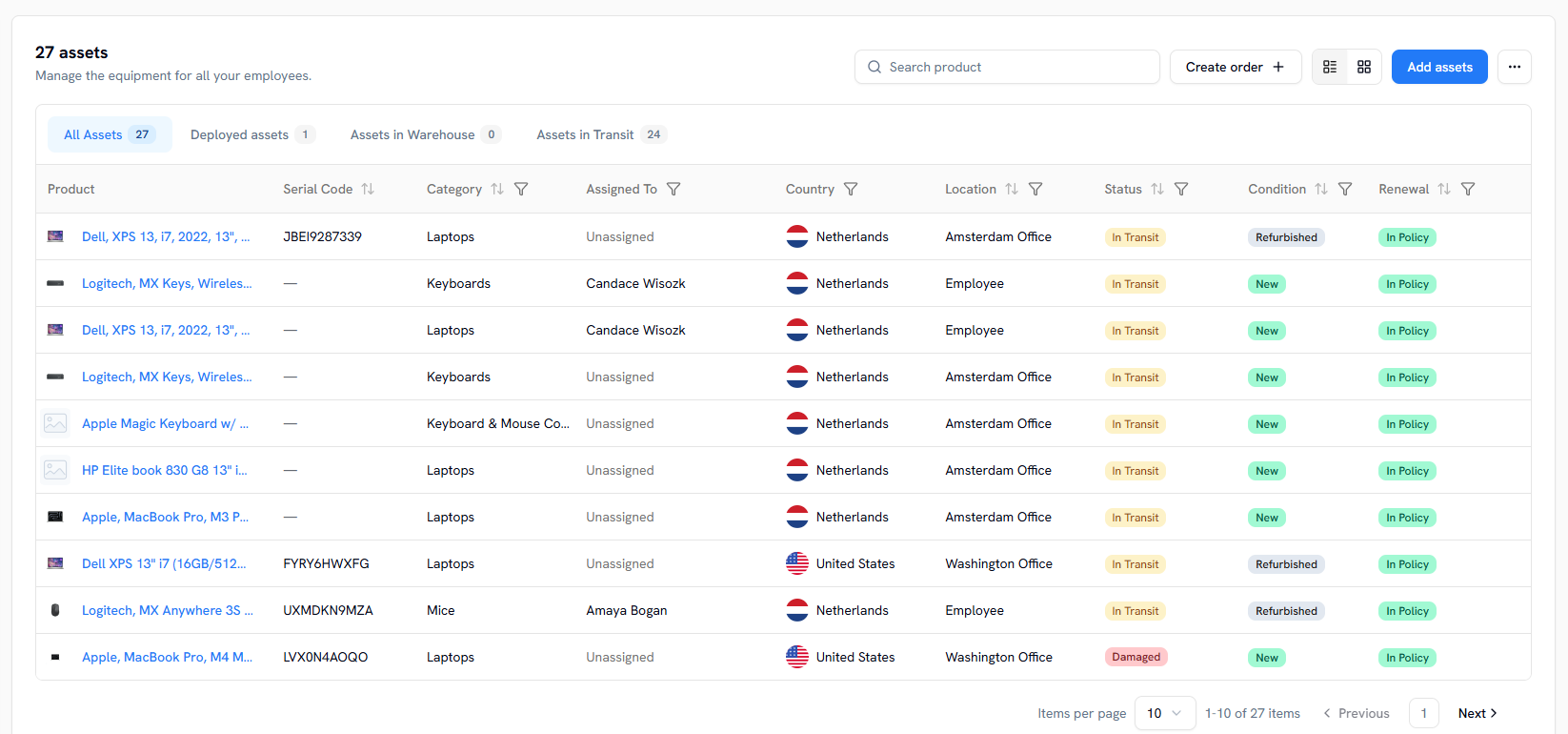
In addition, Workwize includes built-in automatic compliance tracking, ensuring assets adhere to company policies and industry regulations without manual asset tracking. The dashboard sends automatic alerts for upcoming renewals, warranty expirations, and device replacement needs.
And the orders section helps you track all the orders you’ve placed, their status, repairs, and even offboardings.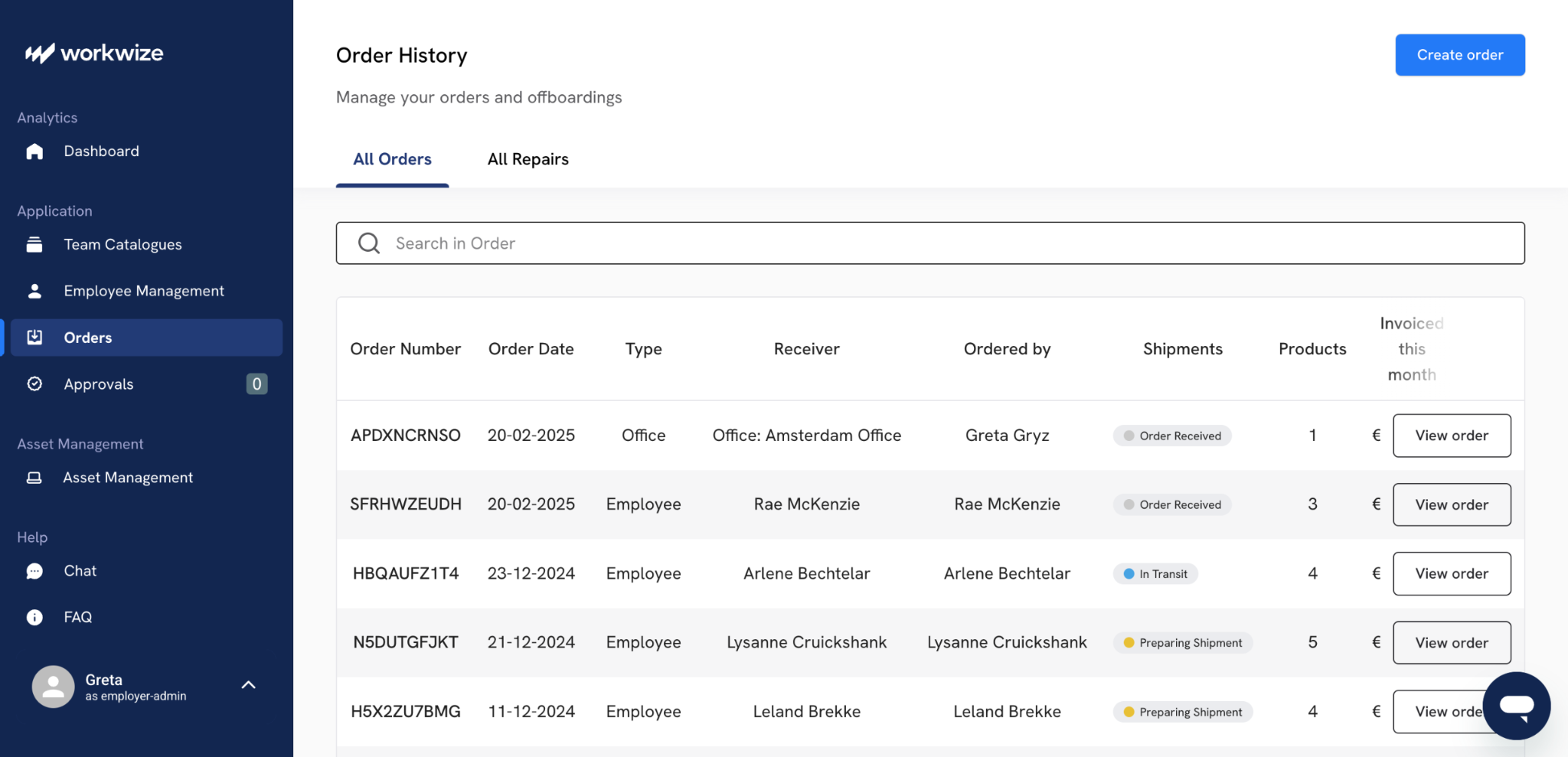
Workwize, in essence, serves as your system of record for all your IT assets. 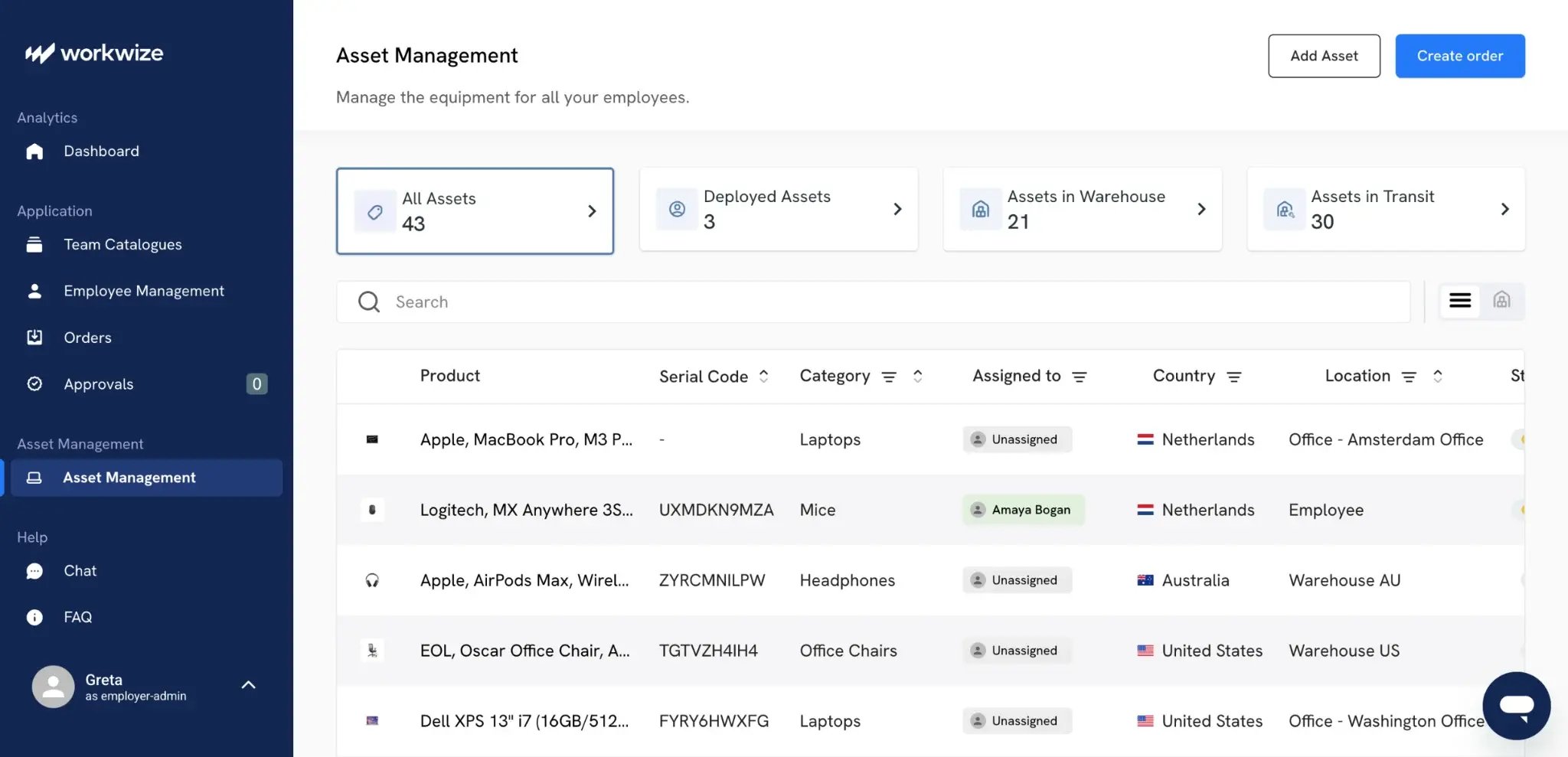
One G2 reviewer specifically called out the smooth tracking of IT assets in his review:

End-to-end IT asset lifecycle management platform covering procurement, deployment, tracking, retrieval, and certified disposal in a single system.
Key Features
- Procure assets globally and have them deployed pre-configured in 100+ countries.
- Manage your assets and handle repairs/replacements from the same dashboard.
- Automatically retrieve and recycle, reassign, or dispose of assets.
- Recover up to 45% of the device’s original value by reselling older assets.
- Perform certified data erasure, recycle ethically, and maintain audit trails.
- Track all your assets in real-time from procurement to disposal.
- Offer a self-service portal that lets employees order IT equipment and furniture.
- Integrate with HRIS, IAM, and MDM platforms to enable zero-touch onboarding and offboarding.
- Use our local warehouses to source and deliver assets locally without customs hassles and delays.
Pros
- End-to-end automated workflows to enable zero-touch onboarding, offboarding, and restocking
- Strong visibility into your asset estate, helping companies discover opportunities to save costs.
- 80+ integrations and deep automation capabilities to create zero-touch workflows for offboarding, onboarding, and restocking.
- Complete lifecycle coverage
- Strong compliance and audit readiness
- High automation reduces IT workload
Cons
- Requires some setup time and is not suited for smaller companies.
- Global reach is at 100+, but it is constantly expanding.
Pricing
Workwize offers 3 primary subscription options with volume discounts: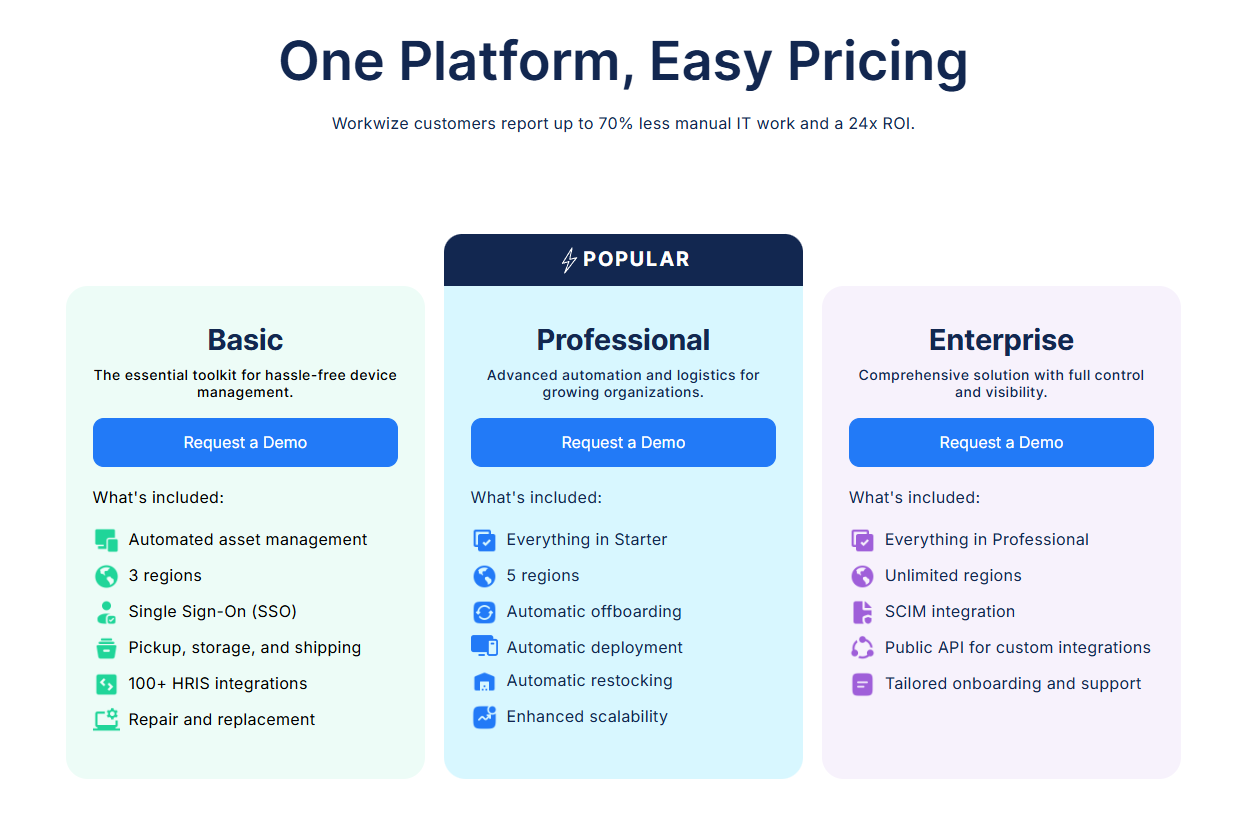
You can get started with the basic plan and gradually upgrade to the enterprise plan if you’re okay with 3 regions initially.
Use this comparison table to identify the right plan: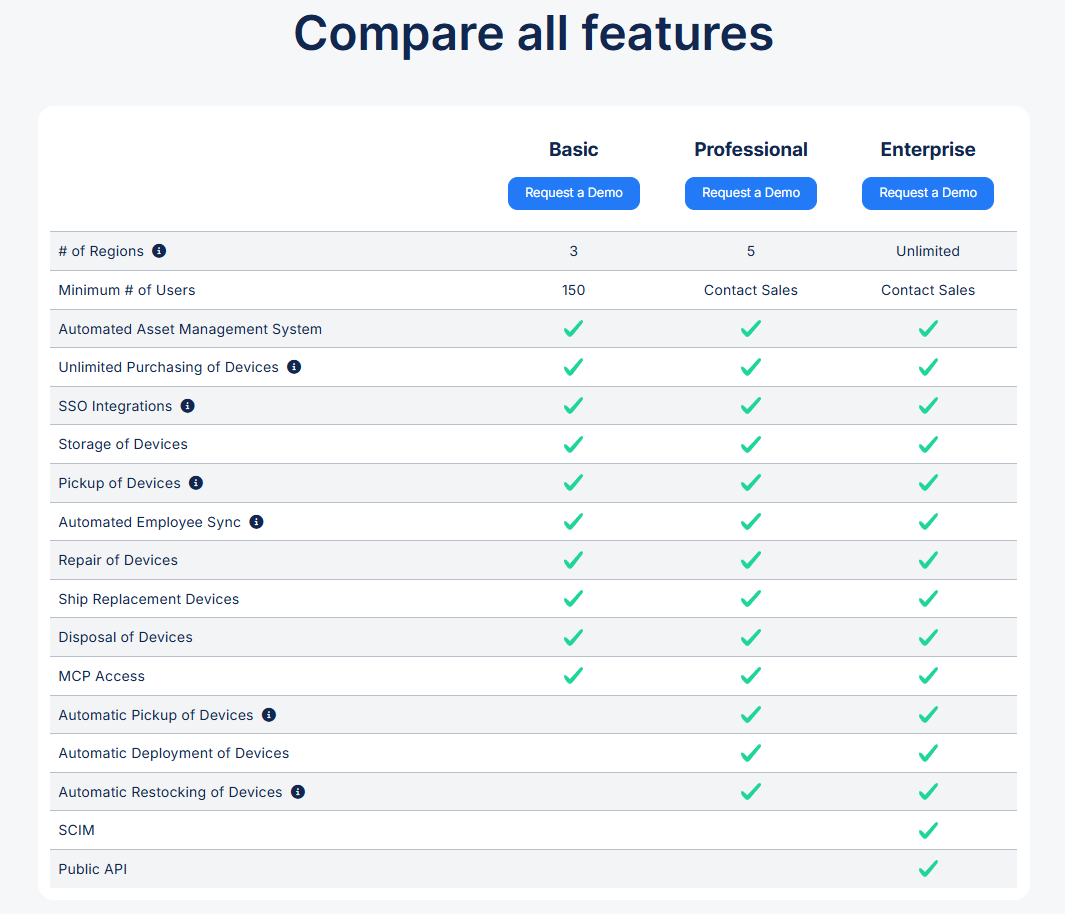
Workwize offers subscription-based pricing, which makes monthly or annual spending more predictable.
Best For
Mid-sized to enterprise teams managing distributed hardware at scale.
2. GroWrk
Source: GroWrk
Ratings:
- G2: 4.4/5
- Capterra: N/A
Overview
GroWrk is a global IT asset management platform that handles procurement, deployment, and retrieval across 150+ countries through a network of local partners and certified resellers.
While its global reach may be lower than Tequipy, GroWrk positions itself more clearly around IT asset management, not just logistics.
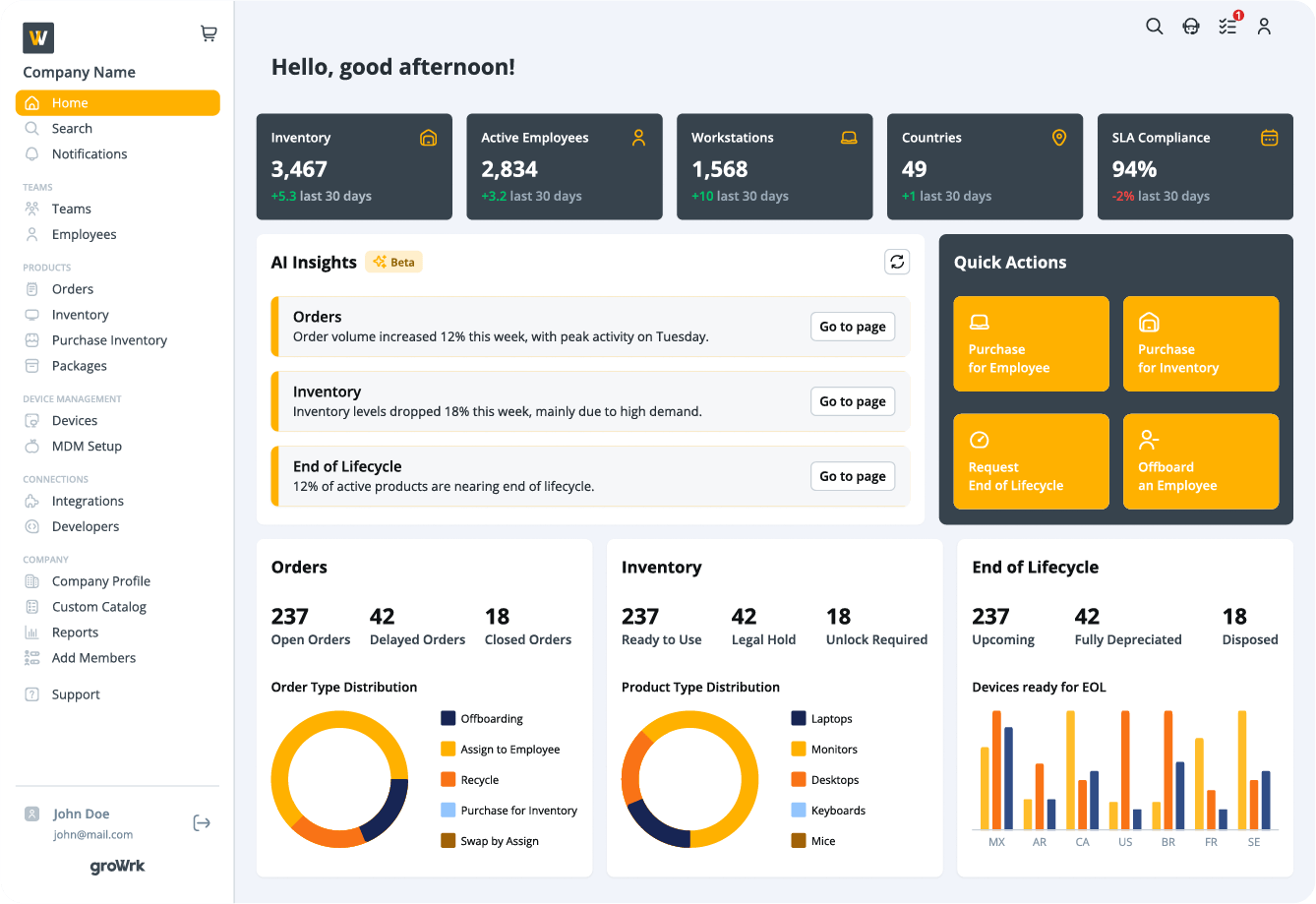
It gives you dashboards for asset ownership, device status, inventory insights, depreciation, and end-of-life workflows, making it a stronger fit for companies that need deeper asset visibility beyond procurement and delivery.
To explore GroWrk in more detail, check our comparison: GroWrk vs Workwize.
Key Features
- Global procurement and delivery across 150+ countries through local partners and certified in-country resellers.
- HRIS integrations with multiple platforms to support automated onboarding and offboarding workflows.
- Local sourcing model that helps reduce customs delays by buying hardware in the employee’s country
- AI-powered inventory insights that can flag things like devices due for replacement or countries with high order volumes.
- Dashboards that offer complete visibility into total assets, active employees, orders, depreciation status, inventory insights, and device replacement alerts.
- End-of-life device management with multiple disposal paths, including buyback, recycling, secure destruction, and donation
- Flexible pricing options, including an à la carte plan with free platform access, where companies pay per order
Pros
- Offers a basic setup that usually takes under a day for most teams. (Source)
- A complete ITAM platform with in-depth visibility and tracking (Source)
- Multiple users appreciate their customer support team in times of need (Source)
Cons
- Users report that shipping updates are sometimes out of date (Source)
- Buying assets can be 2-3 times more expensive, as reported by users (Source)
- Shipping times can be longer than expected (Source)
Pricing
GroWrk offers three plans: A La Carte (free platform access, pay per order), Flex (subscription and variable logistics pricing), and All-in (subscription along with flat rates for deploying, retrieving, storing, and recycling).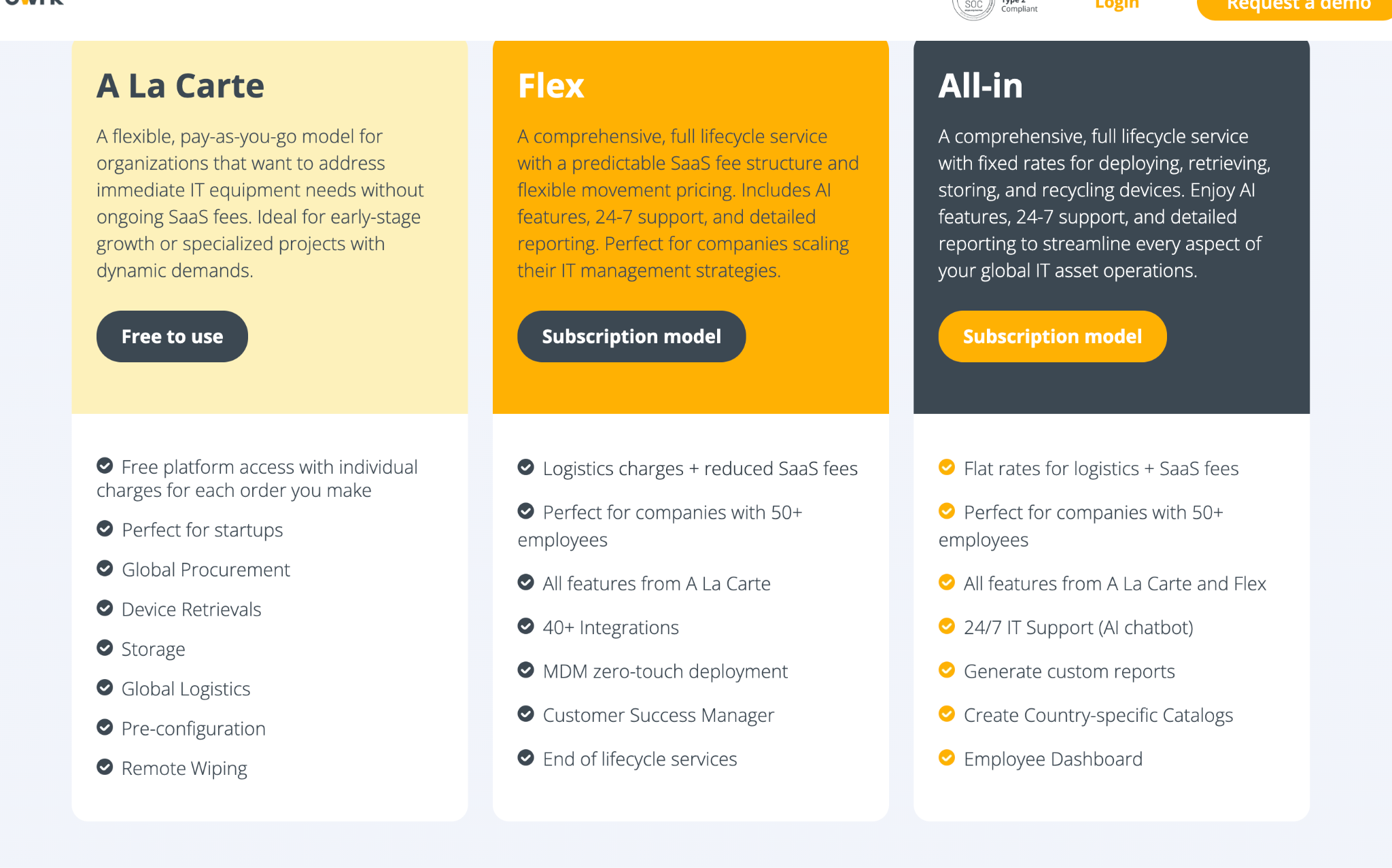 Best For
Companies whose employees are spread across many countries, especially in emerging markets, use GroWrk. It's also a common choice for smaller or early-stage teams that want to avoid a subscription commitment.
3. Quipteams
Source: Quipteams
Ratings:
- G2: 5/5
- Capterra: N/A
Overview
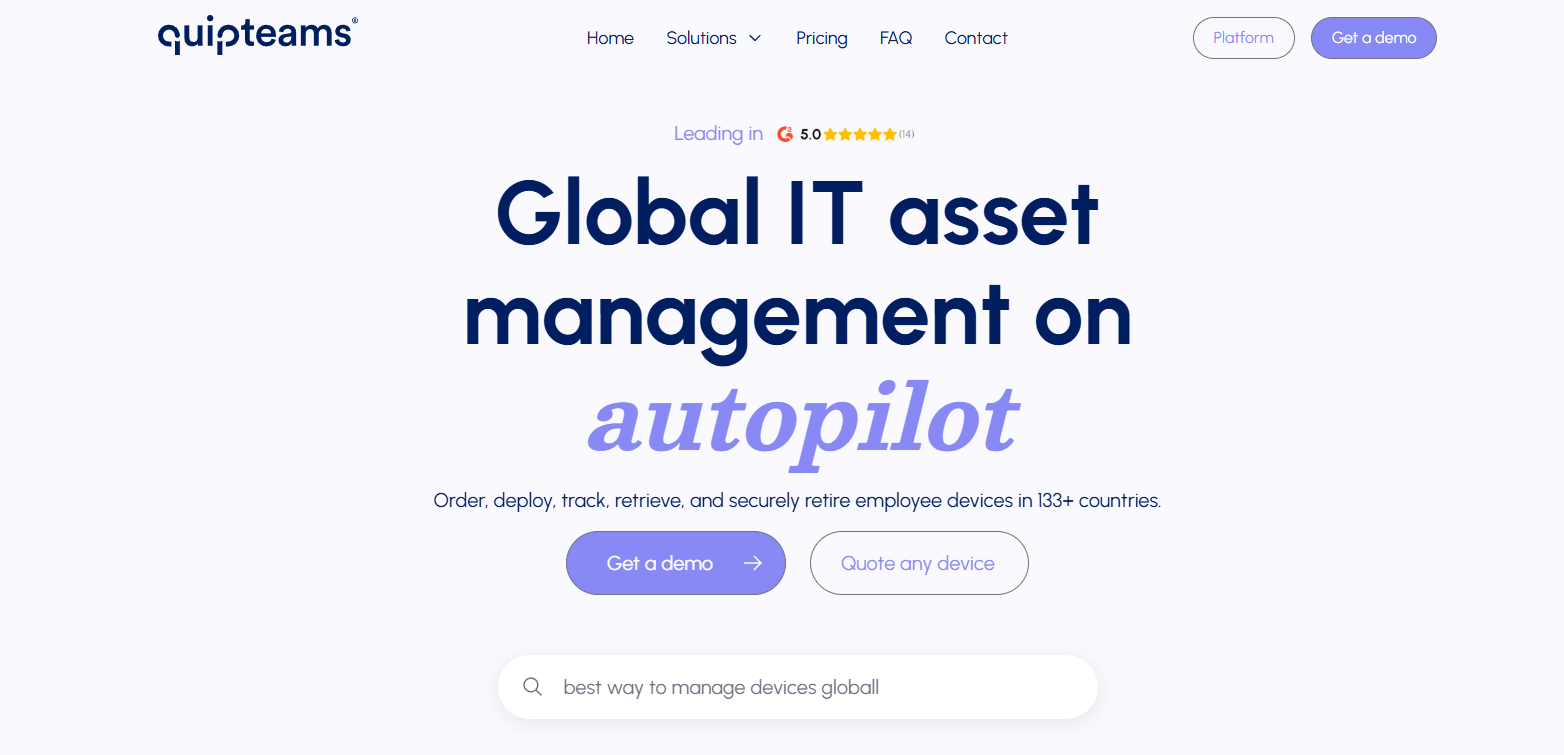
Quipteams is a flexible global IT asset management platform that lets you order, deploy, track, retrieve, and retire employee devices across 133 countries.
Unlike Tequipy, it integrates with multiple HRIS tools, such as Hibob, BambooHR, and more, to help you create automated workflows. And for tools that lack native integrations, Quipteams offers public APIs.
Key Features
- Sources, deploys, and retrieves assets locally in 133+ countries to ensure fast deliver.y
- Tracks assets by serial number, age, location, assignment, employee, repair history, warranty status, and lifecycle events.
- Quipteams integrates with HRIS tools such as Rippling, Workday, BambooHR, and more and offers a public API for custom workflows.
- You can create pre-approved kits for roles such as developers, designers, or custom teams.
- Supports procurement, deployment, tracking, retrieval, storage, and resale from a single dashboard.
Pros
- Helps deploy assets fast, even in countries hard to reach, as reported by users (Source)
- Particularly successful in the LATAM region (Source)
- Offers centralized tracking, making it easy to monitor device allocation, condition, ownership, and location across global teams (Source)
Cons
- Lacks several important native integrations, like Slack (Source)
Pricing
Quipteams has a very flexible pricing model that charges a $0 platform fee and bills you only for what you use.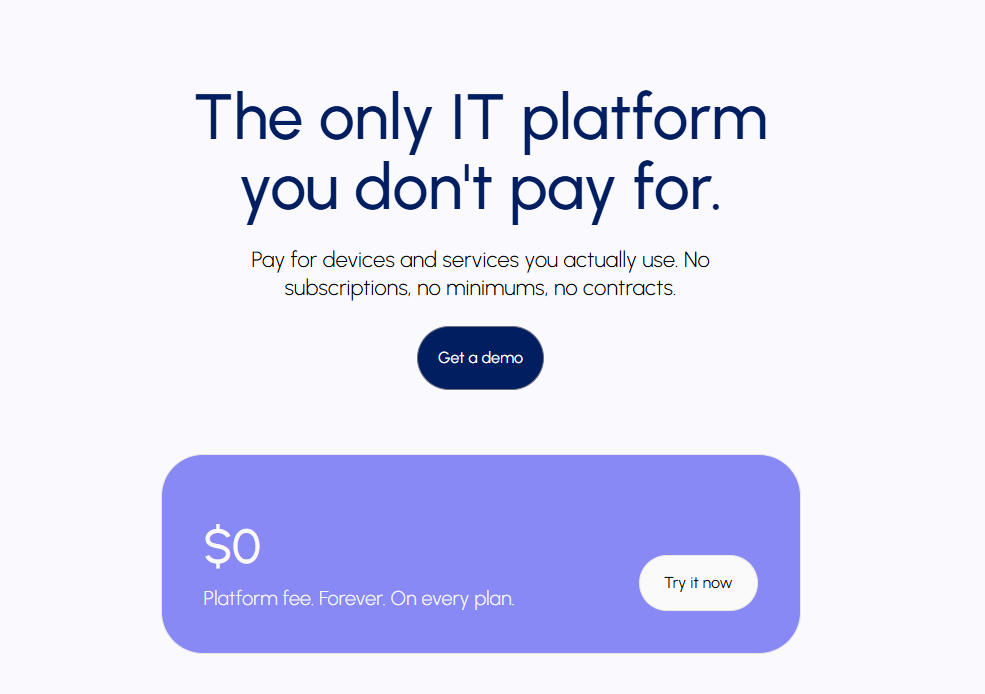
Best For
Global teams that want flexible device logistics and asset management without a fixed platform fee.
4. Deel IT
Ratings
- G2: 4.7/5
- Capterra: 4.9/5 for Deel but none for Deel IT
Overview
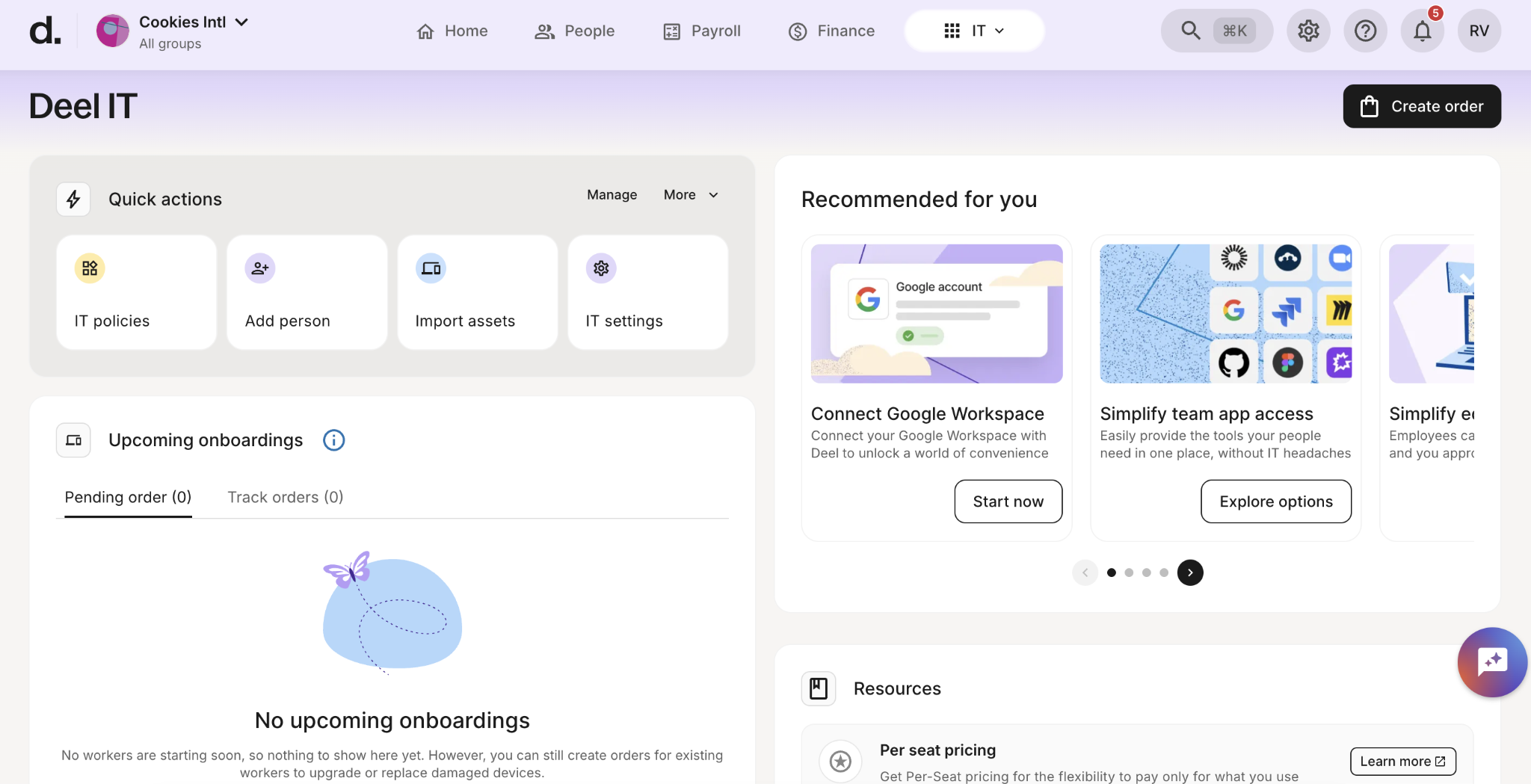
Deel IT (formerly Hofy, acquired by Deel) is the device management module inside Deel's HR and compliance platform. It helps you manage devices, application access, security, onboarding, and offboarding from a unified dashboard across 130+ countries.
It offers multiple native integrations and also has its own HR platform that makes creating automated onboarding and offboarding workflows a breeze.
Compared to Tequipy, Deel IT gives you visibility into your assets from a single dashboard, which you can use for managing assets. Also, Deel’s 3rd party user review footprint is much larger than Tequipy, meaning you have more evidence on how it actually performs.
Key Features
- Lets you buy, lease, configure, and ship laptops and accessories to employees across 130+ countries.
- Covers the core device lifecycle: procurement, deployment, tracking, repairs, recovery, reuse, and offboarding.
- Automates onboarding and offboarding by natively integrating with Deel HR and triggering workflows by HR events.
- Supports device configuration, MDM enrollment, app installation, and security policy enforcement before devices reach employees.
- Grants, updates, and revokes app access based on role and employment status.
- Round-the-clock support for device issues, app access, repairs, replacements, and loaner devices across time zones.
Pros
- Users are happy with the delivery times and Hofy’s global reach (Source)
- Complete lifecycle management from purchase to retirement
- A major perk for users in the Deel ecosystem who want an ITAM solution but don’t want to switch providers
Cons
- Users report increased hardware prices and delays in responses after Deel’s acquisition (Source)
- Almost zero third-party user reviews, which raises reliability concerns
Pricing
The entry point for IT managers is the Starter plan at $45 per user per month.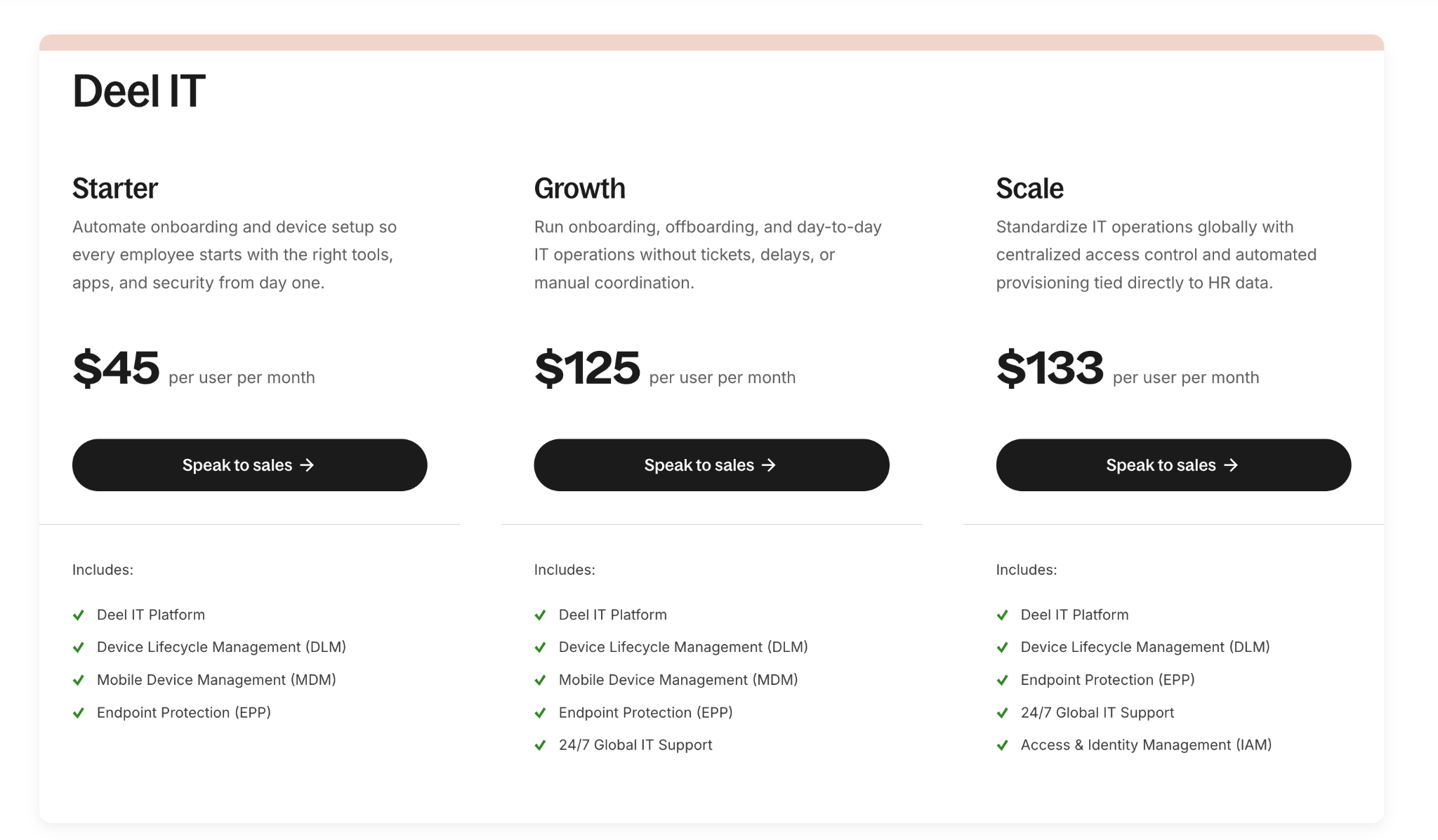
If you're already paying for Deel's HR and payroll suite, Deel IT becomes an add-on to the platform you use. But if you're adopting Deel IT standalone for asset management, the costs compound quickly.
Best For
Companies already invested in Deel and are seeking tighter HR-to-IT automation for onboarding, provisioning, and offboarding.

5. Firstbase
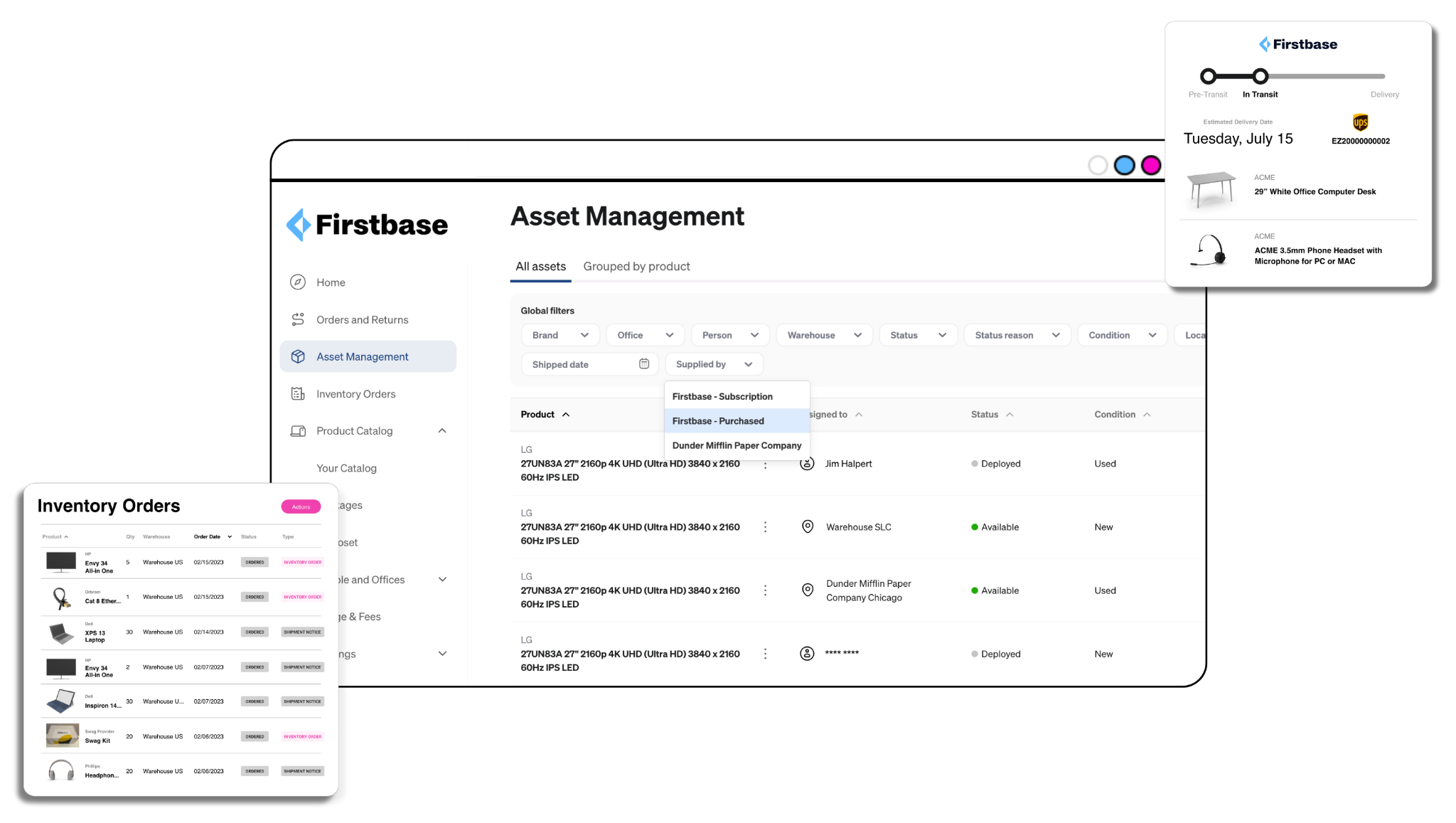
Source: Firstbase
Ratings
Overview
Firstbase is a complete asset management platform that helps you procure, deploy, manage, and retrieve all the equipment your team needs across 150+ countries. Their clients include giants like Spotify, WeWork, StackOverflow, and more.
Unlike Tequipy, which is stronger as a logistics-first platform, Firstbase has clearer depth around asset management, lifecycle workflows, and integrations.
It offers dedicated capabilities for IT asset management, hardware inventory management, lifecycle management, and IT service workflows, while also connecting with HRIS, MDM, SSO, and ITSM tools such as Workday, BambooHR, HiBob, ADP, UKG Pro, Jamf, Okta, ServiceNow, and Jira Assets.
Key Features
- Helps companies source laptops, monitors, accessories, and other employee equipment across 150+ countries.
- Ships equipment to employees globally and says it can deliver devices in 2–5 days on average.
- Delivers pre-configured, pre-enrolled (MDM) and ready-to-use assets.
- Allows employees to request approved devices and accessories from role-based catalogs.
- Tracks devices, serial numbers, ownership, lifecycle status, and asset location from a central dashboard.
- Handles end-of-life workflows, including device return, disposal, certified recycling, and resale-related lifecycle steps.
- Integrates with major HRIS and ITSM systems like Workday and ServiceNow to reduce manual handoffs between HR, IT, and operations
- Built using enterprise-grade security and supports SOC 2 and NIST compliance for device deployment, management, and retrieval.
Pros
- Onboarding is easy, and customer support is knowledgeable and responsive (Source)
- Firstbase helps you manage the entire asset lifecycle and track your assets in real-time.
- Numerous integrations help you automatically assign equipment based on employee role and department (Source)
Cons
- Shipping times can be inconsistent, as reported by multiple G2 users (Source)
- Some users report a delay in updating the status of the devices (Source)
Pricing
Firstbase's pricing is available upon request only.
Best For
Remote and hybrid companies that need one platform to procure, ship, track, support, retrieve, and retire equipment globally
6. Allwhere
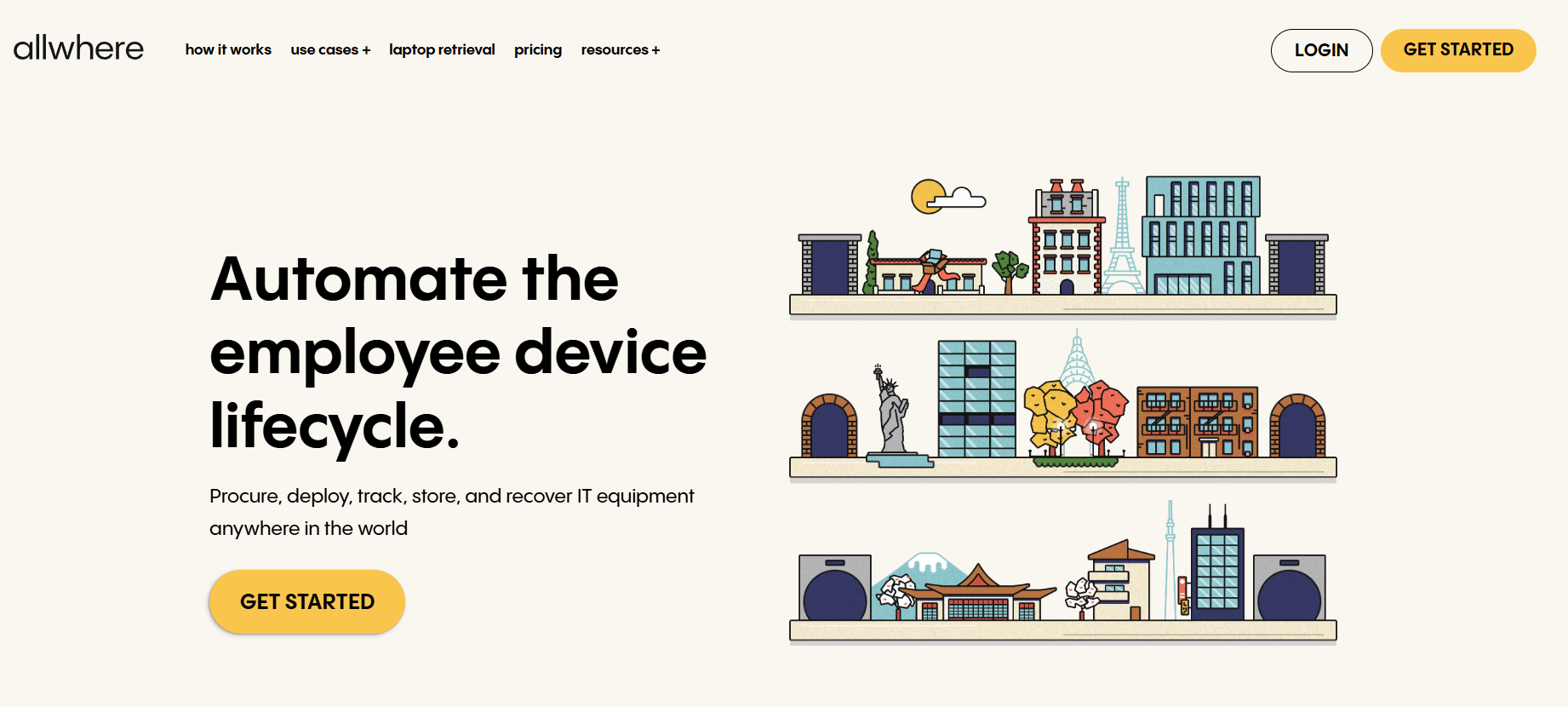
Source: Allwhere
Ratings
Overview
Allwhere is a global remote IT equipment management platform that helps you procure, manage, deploy, and retrieve your assets across 48 countries.
While its reach is significantly lower than Tequipy, Allwhere helps you with centralized asset visibility, lifecycle management, and connected employee workflows.
Plus, Allwhere has over 50 native integrations with HR, IT, and identity tools to automate onboarding and offboarding.
Key Features
- Helps teams buy and ship laptops, monitors, peripherals, furniture, and company swag to remote employees.
- Supports procurement, deployment, and retrieval across 48 countries, using warehouses in locations such as the US, UK, Spain, Mexico, Brazil, Peru, Argentina, Colombia, and Uruguay.
- Gives visibility into total assets, assigned devices, orders, device status, location, condition, purchase dates, and estimated delivery dates.
- Integrates with HRIS tools like HiBob, BambooHR, and more to create automated onboarding and offboarding workflows
- Helps teams store, reassign, recycle, resell, donate, or dispose of devices.
- Offers a usage-based pricing model, with no subscription fees
Pros
- Offers in-depth visibility and transparency into your asset estate (Source)
- Users also like how supportive their customer support team is (Source)
- The pricing model is very flexible for smaller teams that don’t want a subscription fee
Cons
- Support for countries is limited, as per users (Source)
Pricing
Allwhere is more flexible with pricing, as it lets you pay only for what you need. And this is ideal for smaller companies that want access to enterprise-grade asset management tools but want to keep the CapEx low.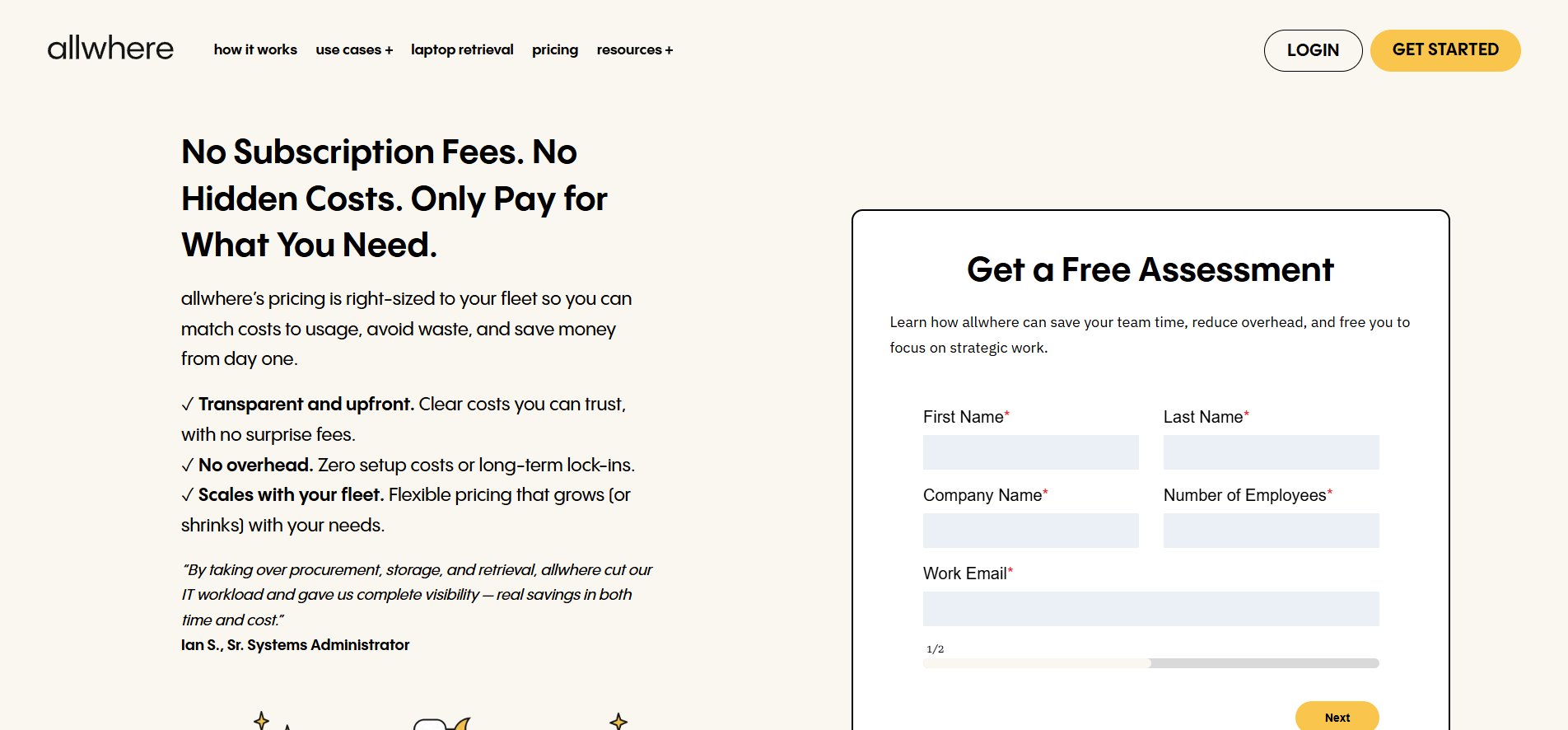
Best For
Companies of all sizes, from startups to enterprises, with distributed teams operating across multiple countries (supported by Allwhere).
7. Unduit
Rating
Overview
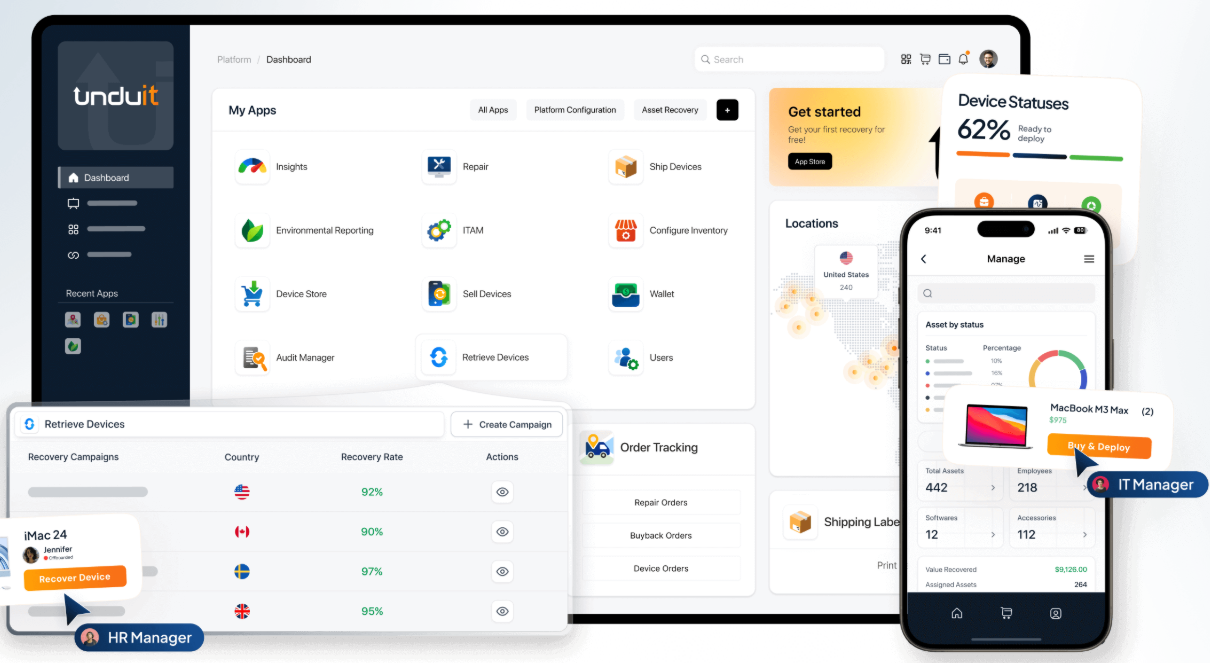
Unduit is a global IT asset lifecycle management platform that helps you buy, deploy, track, retrieve, store, resell, and recycle IT assets across 100+ countries, all from a unified platform.
Unlike Tequipy’s logistics-first model, Unduit is more clearly built around modular asset lifecycle management and integrated IT workflows.
Unduit has 60+ apps dedicated to each offering. For instance, there’s Refresh Buy for buying assets, BuyBack for recycling devices, the Manage Orders app for monitoring devices, and more.
They offer around 30 native integrations across HRIS, MDM/RMM, SSO, IAM/IDP, and ticketing tools to help you create automated workflows.
Key Features
- Helps teams manage company devices from procurement to disposal, including deployment, maintenance, recovery, resale, and recycling.
- Supports device repair and service, enabling companies to extend asset life and reduce downtime.
- Stores unused inventory in Unduit warehouses and redeploys devices when needed through Device Hub.
- Dedicated apps for different functions like ordering equipment, recycling, and monitoring
- Lets companies recover value from old devices through its Buyback app.
- Supports compliant device recycling and IT asset disposition, including secure data wiping, value recovery, and compliance reporting.
- Helps companies configure asset categories, departments, product types, supplier relationships, locations, and lifecycle settings across countries.
Pros
- Offers unified, real-time visibility across our massive, decentralized mobile device fleet, powering smart decisions (Source)
- Handles the complete lifecycle from procurement to disposal (Source)
- Helps automate returns, making them 90% hands-off, saving time (Source)
Cons
- A common concern among users is the limited number of integrations (Source)
- There is no way to rearrange columns in the dashboard, which makes the UI feel cluttered (Source)
Pricing
Pricing details aren’t available openly on their website. However, an FAQ mentions that Unduit offers a freemium model, allowing users to get started for free.
Your pricing is determined later based on your specific requirements and the number of devices involved as you scale.
Best For
IT teams managing a large device inventory that want better asset visibility, easier lifecycle automation, and responsive support without a heavy implementation process.
8. Esevel
Source: Esevel
Ratings
Overview
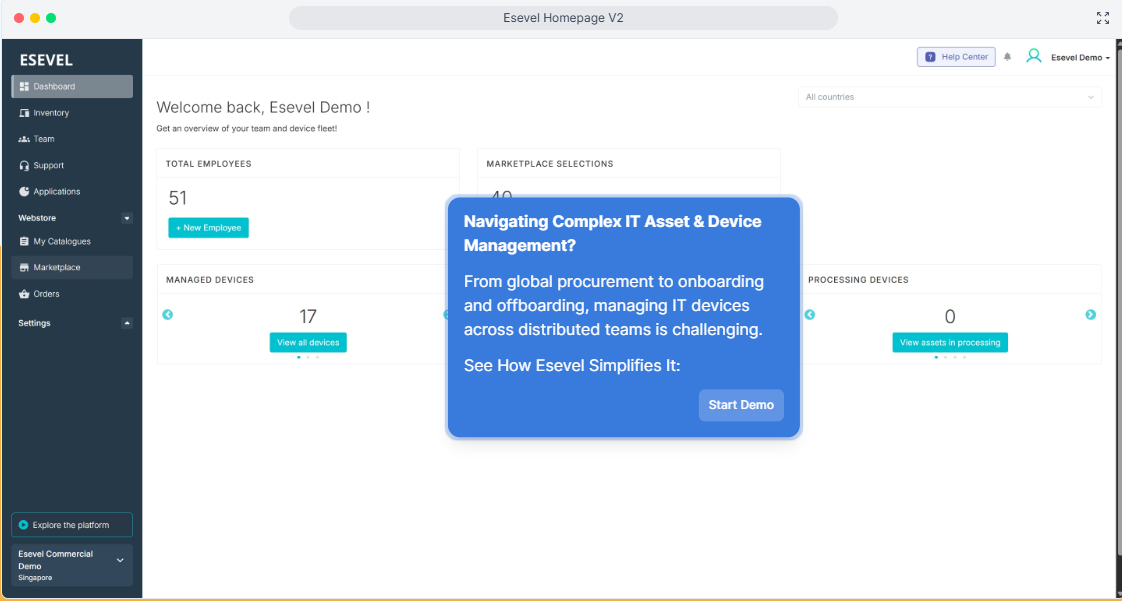
Esevel is a unified platform for device lifecycle management that helps you procure, deploy, manage, and retrieve devices in 88 countries across the US, UK, EU, APAC, and LATAM.
While Esevel offers dedicated asset management capabilities, centralized visibility, and control, and has multiple native integrations, its user reviews are limited.
It’s recommended that you discuss the potential issues like SLAs, geographical reach, integrations, and more with their sales team before proceeding.
Key Features
- Helps companies order and deliver laptops and other work devices to employees across 88 countries
- Lets you track devices, manage inventory, and see where company assets come from in one dashboard.
- Supports security throughout the device lifecycle, including access control, security updates, password management, and device protection.
- Provides IT support to distributed employees, resolving device issues and reducing downtime.
- Supports device repairs and hardware assistance so employees are not stuck waiting weeks for local fixes
Pros
- Complete lifecycle management across 88 countries
- Effectively improves onboarding time and reduces downtime (Source)
- Takes security seriously by complying with SOC 2 Type 2, ISO 27001, and GDPR requirements.
Cons
- Most reviews are from marketing professionals who aren’t the platform's target audience, which undermines their credibility.
- Multiple users have reported the lack of integrations as a common issue (Source)
Pricing
Esevel offers 3 primary plans but doesn’t share any pricing details upfront.
Best For
Small to mid-sized companies with distributed teams that want to manage assets across APAC and emerging markets.
9. ZenAdmin
Source: ZenAdmin
Ratings
- G2: 4.8/5
- Capterra: N/A
Overview
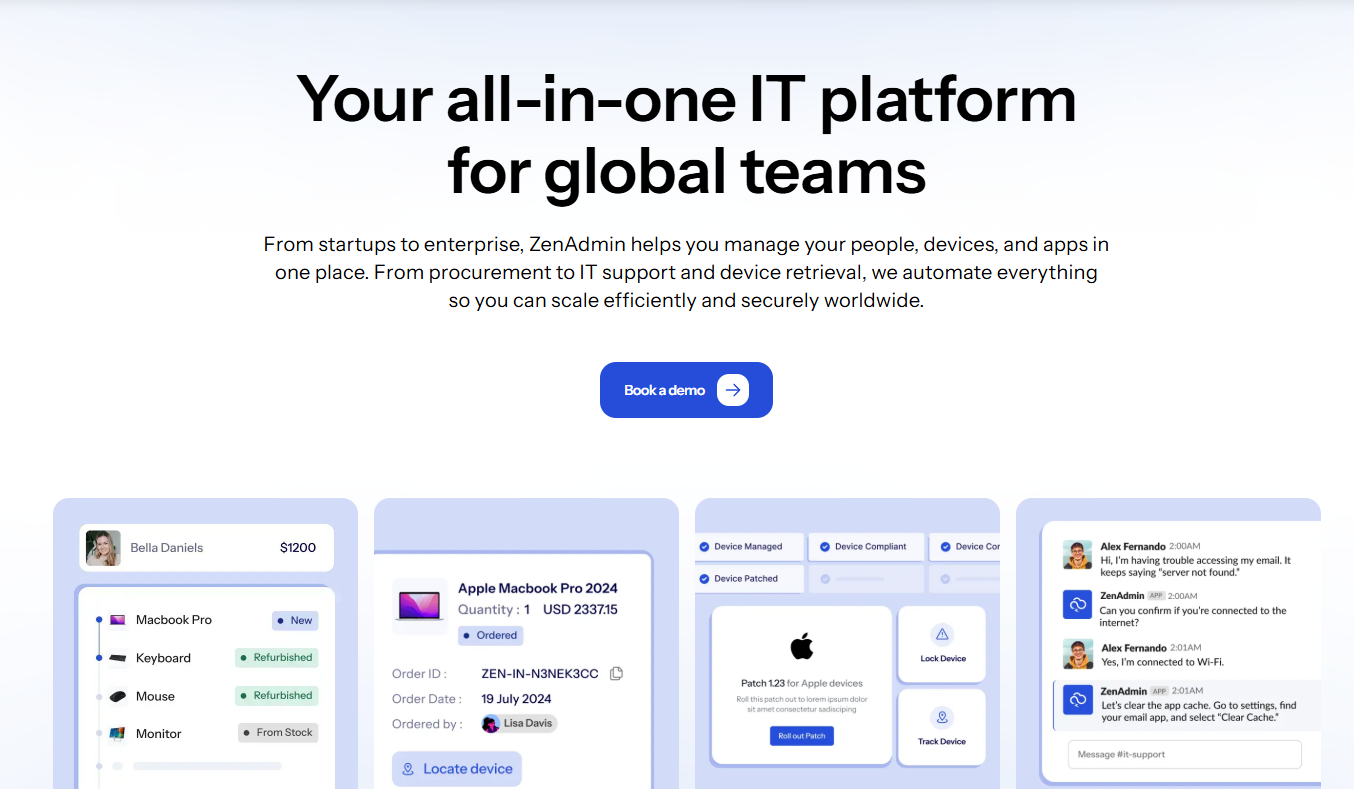
ZenAdmin is one of the most comprehensive IT management platforms on our list, built for global enterprises.
It covers the basics by helping you procure, deploy (5-day average delivery), manage, and retrieve assets across 150+ countries. In addition, ZenAdmin also helps you manage apps and subscriptions, user identity and access, offer help desk support, and even lease devices.
Key Features
- Helps teams order or lease devices for employees across 150+ locations.
- Covers procurement, deployment, repairs, retrieval, disposal, resale and recycling from one platform.
- Empowers IT to track who has which device, app, or asset from a central dashboard.
- Connects with MDM tools like Intune, Jamf, JumpCloud, Hexnode, and Miradore to manage device setup, encryption, updates, and remote wipe.
- Helps provision, manage, and revoke employee access across apps and systems.
- Tracks app usage, monitors software licenses, reduces duplicate tools, and helps control shadow IT.
- Automates new-hire device setup, app access, device retrieval, and app deprovisioning when employees leave.
- Provides IT helpdesk support and helps manage device repairs for distributed employees.
Pros
- Users love how ZenAdmin helps them handle IT support, offboarding, onboarding, tracking, and finance within the same unified platform (Source)
- A very reliable support team that is always ready to listen, as reported by users (Source)
- Makes it affordable to manage employee IT needs (Source)
Cons
- Setup can be a little time-consuming for some users (Source)
- Some users report that laptop pricing can be on the higher end (Source)
Pricing
You need to contact sales for pricing.
Best For
Enterprises that want a broader IT operations platform, not just hardware procurement and logistics.
10. Rayda
Source: Rayda
Ratings
- G2: N/A
- Capterra: N/A
Overview
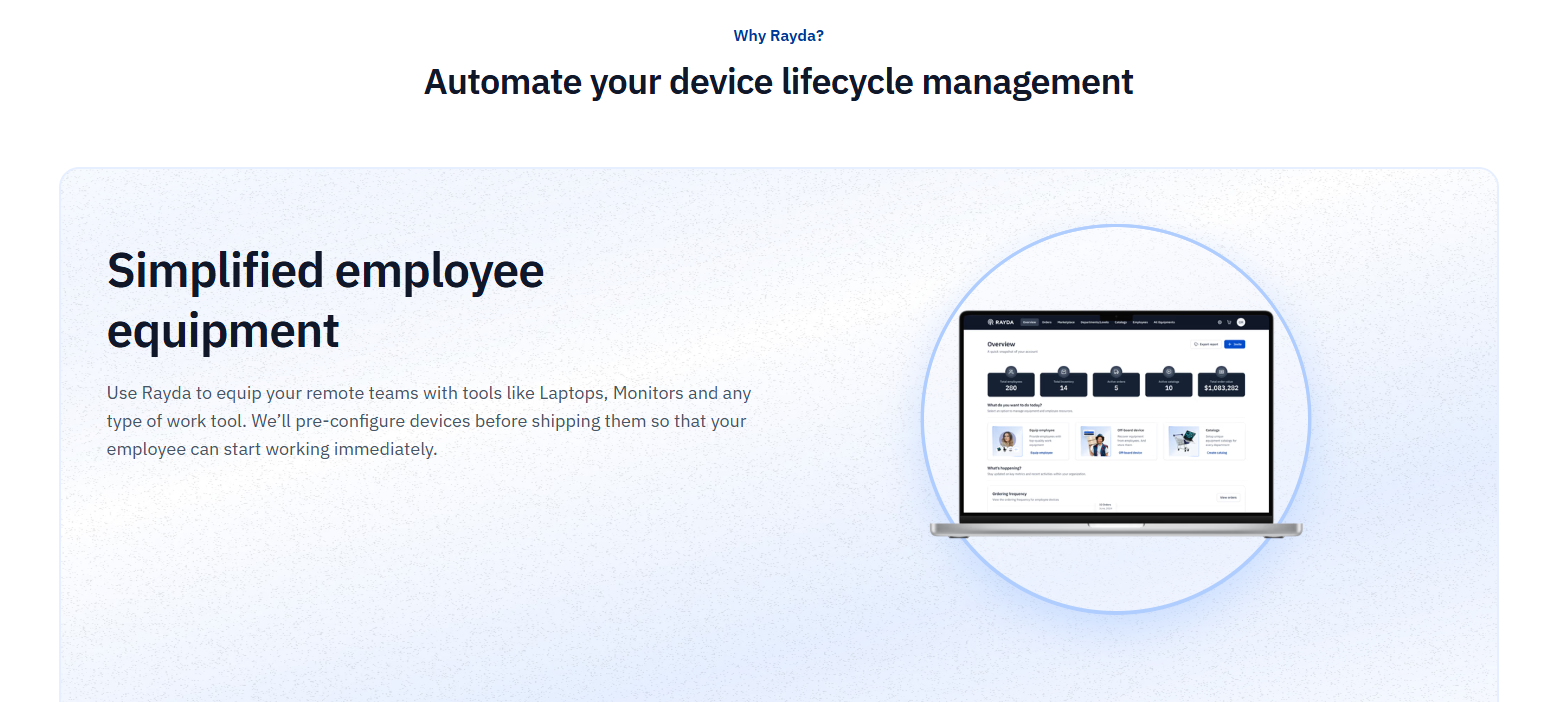
Rayda is a global IT management platform that simplifies device shipment, management, and retrieval for your global remote team across 170+ countries.
Unlike Tequipy, Rayda simplifies device management by giving you deep visibility into your asset estate. You can see where your assets are, who has them, and in what condition.
However, Rayda’s integration story appears less well documented than that of some larger ITAM and lifecycle platforms, and its public review footprint remains very limited, with G2 currently showing no user reviews.
Key Features
- Helps companies buy laptops and work devices for employees across 170+ countries.
- Supports the complete lifecycle from procurement, deployment, and management to retrieval, redeployment, and disposal.
- Prepares devices before they reach employees, so new hires are ready to work from day one.
- Delivers devices to remote employees in 2–8 days across supported countries.
- Helps track employee devices, asset locations, device activity, and lifecycle status from a single platform.
- Stores device documents, creates maintenance schedules, and sends alerts when action is needed.
Pros
- Supports the entire asset lifecycle across 170+ countries
- Ensures timely deliveries within 2-8 days.
Cons
- There are zero third-party user reviews, which makes it hard to determine the platform’s actual performance.
Pricing
Rayda offers two plans. One is a pay-as-you-go plan that lets you procure equipment through Rayda. And then there’s this Rayda Manage plan that costs you $72 per device per year for complete ITAM features.
Best For
It’s hard to say because of the limited number of reviews. But it’s ideal for small to medium-sized companies with distributed teams that are looking to automate and simplify asset management.
11. Retriever
Ratings
- G2: 4.9/5
- Capterra: N/A
Overview
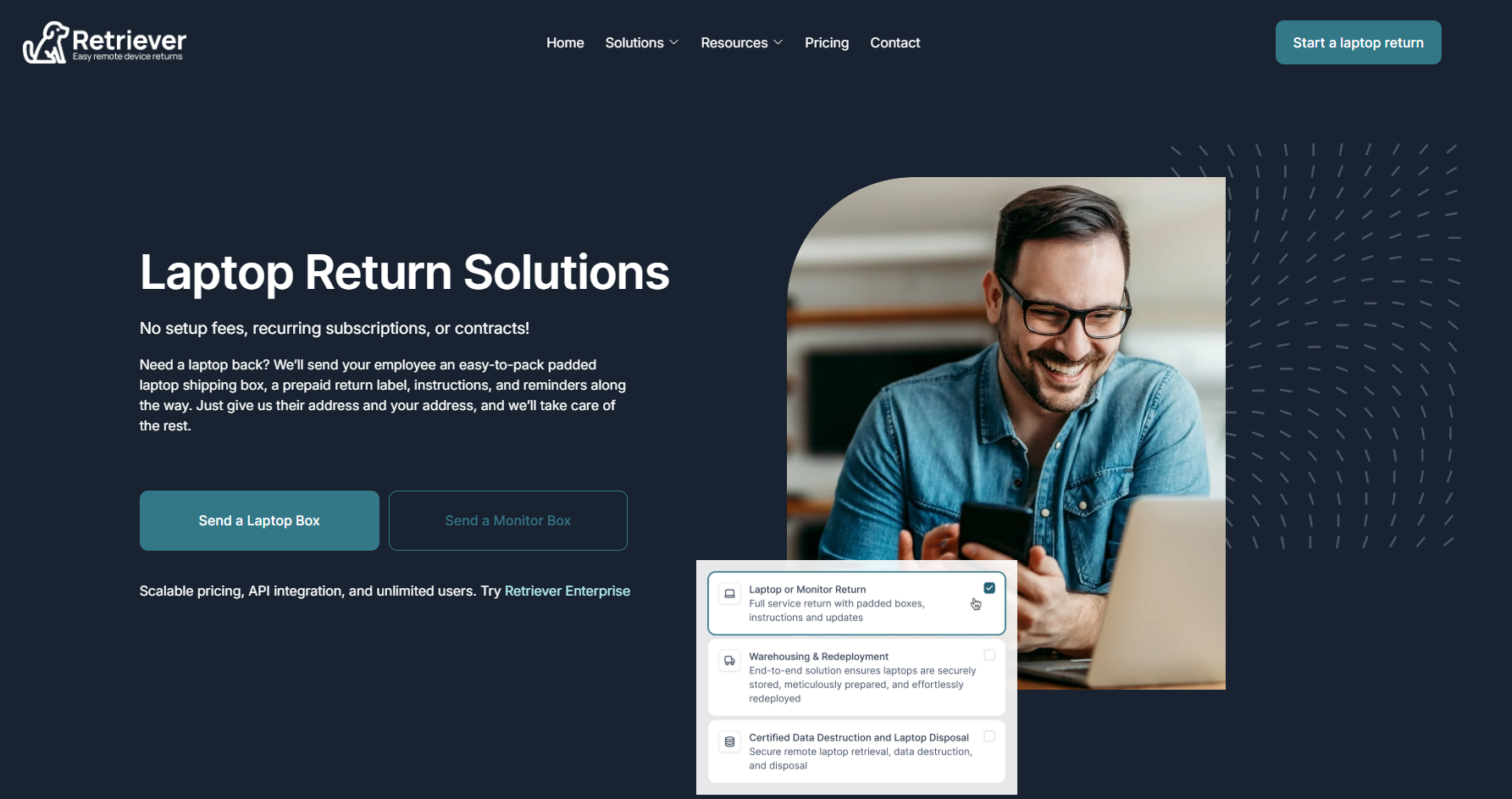
Retriever is designed to simplify laptop returns for remote employees and organizations across the US, the UK, Canada, Ireland, Scotland, Germany, Spain, the Netherlands, and Mexico.
It’s not a direct competitor or alternative since Retriever is known for one primary thing: retrieving laptop returns from remote employees. So, Retriever makes sense only if you need a dedicated asset retrieval platform across its supported geographies.
Key Features
- Sends employees a padded shipping box, a prepaid return label, packing materials, instructions, and tape.
- Handles employee email communication and reminders, which reduces manual follow-ups
- Lets you monitor active returns, shipment progress, and historical retrieval records.
- No setup fees, recurring subscriptions, or contracts, making it useful for teams that want pay-per-use laptop returns
- Stores devices in a monitored facility, runs condition checks, cleans devices, handles repairs, provisions the operating system, and redeploys laptops when needed.
Pros
- Very easy to set up and use (Source)
- End-to-end service that involves deployment, storage, retrieval, and disposal
- Extremely good customer support that goes above and beyond to help you (Source)
Cons
- Very limited support for international retrievals.
- You have to buy credits to be able to use the service, which can be bothersome for some users (Source)
Pricing
Pricing within the United States starts from $95 for laptops and $195 for monitors. You can check out the complete pricing details here.
Best For
Companies that need structured laptop retrieval and post-return handling, rather than a full global IT lifecycle platform such as Workwize, GroWrk, Deel IT, or Firstbase.
12. Lendis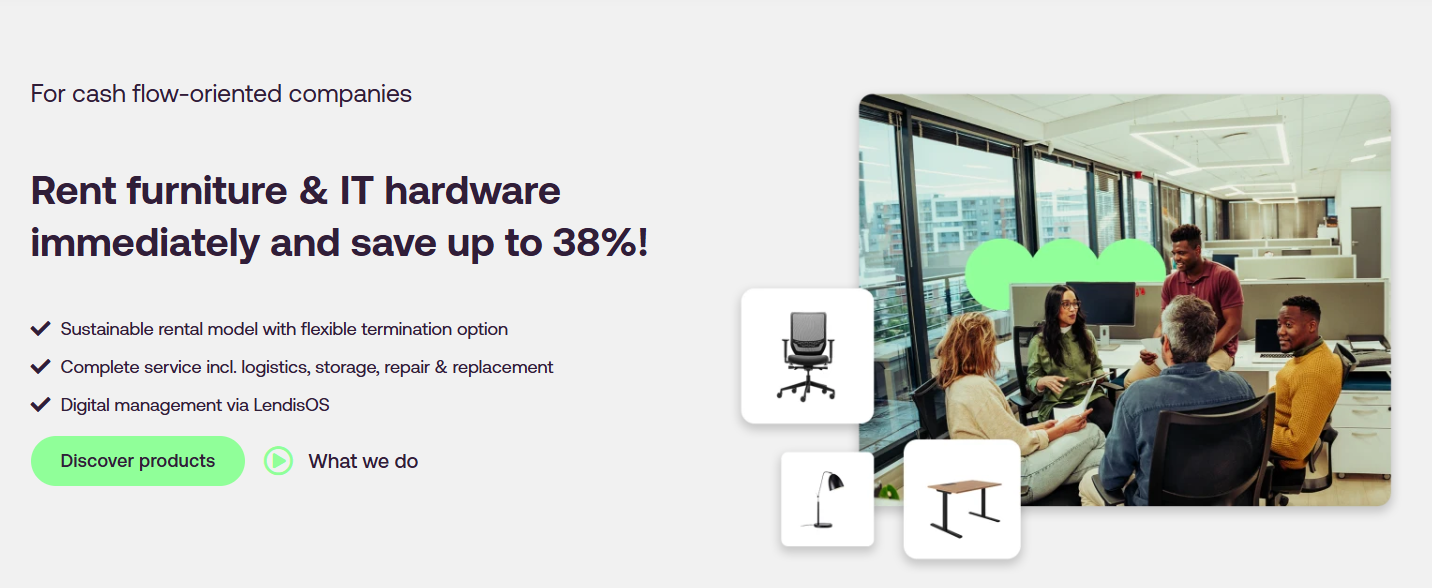
Via Lendis
Overview
Lendis positions itself as a leading rental solution for businesses in Europe and the UK (13 countries, to be precise) with 5 or more employees that rent furniture and IT equipment.
However, in addition to renting IT equipment and furniture, Lendis helps you store, deploy, manage, and recover them across the countries it supports.
Like Retriever, Lendis is a specialist platform rather than a full lifecycle alternative to Tequipy. It is most relevant to companies that want a rental-first approach to deploying, managing, retrieving, and recovering value from IT equipment across supported European markets.
Note. If you’re wondering whether renting/leasing or buying is a better solution, check this out: Buying Vs Leasing IT Equipment? Which Makes More Sense For Your Business.
Key Features
- Rent laptops, monitors, keyboards, phones, and office furniture instead of buying them up front.
- Handles purchasing, storage, delivery, and setup for new employee equipment.
- Prepares devices with SIM cards, eSIMs, MDM software, security settings, and required accessories before employees receive them.
- LendisOS helps you track assets, employees, orders, delivery status, contracts, serial numbers, locations, and support requests.
- Helps collect devices and furniture when employees leave or when equipment is no longer needed.
- Collects old devices, evaluates them, erases data, resells them, and pays the recovered value back to the company.
Pros
- Users appreciate Lendis’ ability to deliver furniture fast (Source)
- Protects your cash flow by letting you rent equipment flexibly through financing and monthly rental payments
- Great for users who want to set up their offices in different locations on a budget (Source)
Cons
- Supports only 13 countries, which can be limiting for most distributed companies.
- Limited number of user reviews
Pricing
One of Lendis's negatives is the absence of pricing details on its website.
However, upon further research, we found their pricing listed on Capterra: £13.90 per month. Also, according to Capterra, they don’t offer a freemium or trial version.
Best For
Companies with a workforce in Europe and the UK that want to procure, deploy, manage, and recover assets while protecting their cash flow.

How to Choose the Right Tequipy Alternative?
Most buying guides will tell you to assess your needs, check the pricing, and look for the right features. But if you've made it this far in this article, you already know what you need. You just need to know which vendor will actually deliver it.
These are the factors that separate a vendor worth signing with from one you'll regret in six months:
1. Onboarding Time/Ease or Time-to-Value
According to Rob Zambito, Founder at SuccessScaled, the concept of time-to-value and onboarding has changed over time. And customers want to see the value in their investment as early as possible.
Prioritize vendors that make onboarding seamless and can demonstrate real value quickly.
2. Compliance requirements
"We're secure" means nothing without proof. Here are questions you should be asking: Is your vendor SOC 2 certified? Do they follow GDPR guidelines? Do they have an ISO 27001 certification or something that's non-negotiable for your business?
If not, look for one that meets your compliance needs.
3. Automation Depth
There's a difference between assisted automation and true end-to-end automation.
Say your HR enters a new hire’s details in the HRIS, which then notifies the IT team.
You place an order using your ITAM platform, and the platform takes care of all the next steps, like sourcing the device, configuring the device, and shipping it to your employees. This is automation. But if you noticed, you still had to place the order manually.
If you need even more automation depth, you need to be clear upfront.
With platforms like Workwize, you can create end-to-end automated workflows with minimal manual handoff.
For instance, you can create deployment packages that include equipment based on employees’ roles and departments.
After you integrate Workwize with your HRIS, events like adding a new employee to the HRIS will trigger the onboarding workflow and automatically ship the deployment package you created.
Make sure you check what kind of automation you expect from the platform versus what they actually offer before committing.
4. Confirm Next Year’s Renewal Cost
Some vendors raise prices at renewal with little notice, and when you're locked into a three-year contract, that can be painful.
When comparing your options, ask them upfront how much next year’s renewal will cost. This Reddit user confirms how important it is to lock in renewal pricing before signing a long-term contract. 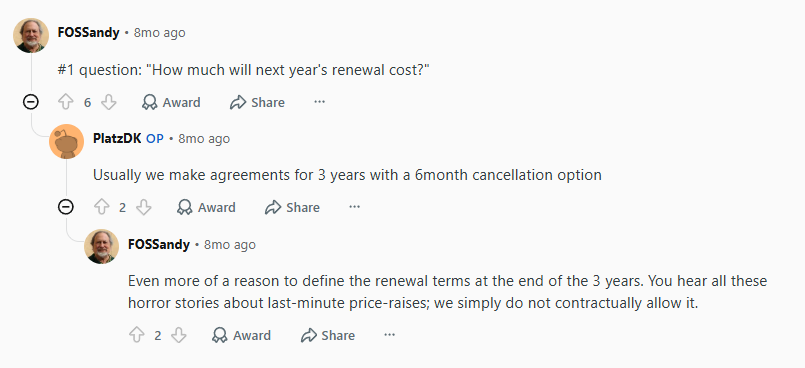
Source: Reddit
5. Verify Customer Support
Find out exactly how support works before you need it. Can you reach a human via chat, email, phone, or ticketing? Is support available 24/7?
Some providers will leave you stranded with an AI-based chatbot that doesn’t even connect you with an agent. This can be frustrating and might even lead to costly downtime, depending on the issue.
Workwize, for example, offers a help desk to raise requests, an FAQ section, 24/7 support via chat, email support, and even a WhatsApp number. When you have this many options and a prompt support team, you can have all your issues sorted out ASAP.
6. Actual Global Reach
If a provider says 100+ countries, ask them to list all those countries. Confirm their actual timeline for the locations where you have employees.
There have been cases where companies signed up because of a vendor’s global reach, only to find out that the vendor doesn’t support a major location.
Why Businesses Choose Workwize Over Tequipy?
Tequipy is a solid option for fast global delivery, local sourcing, and device recovery. But when businesses need comprehensive IT asset management, Workwize is the stronger fit.
Workwize gives IT teams complete visibility across every stage of the full hardware lifecycle: procurement, deployment, tracking, repairs, retrieval, reassignment, resale, and disposal.
Teams can see which device each person has, where it is, its status, and when it is due for return. That visibility helps make better decisions around costs, refreshes, compliance, and redeployment.
Also, Workwize offers broader automation and integration depth. Tequipy lists only two native HRIS integrations, while Workwize connects with a whopping 72 HRIS platforms and offers 82 native integrations to automate onboarding and offboarding workflows.
And to make things even better, Workwize MCP lets IT teams connect Workwize with AI agents and tools like Claude, Zapier, Make, Slack, and Jira to build even more powerful automated workflows.
With coverage across 100+ countries, 72+ suppliers, and 14 local warehouses, Workwize helps global teams manage hardware assets with fewer delays and less manual overhead.
And with more verified reviews on G2, Capterra, and Reddit than Tequipy, the results speak for themselves. Teams using Workwize consistently report saving time, cutting costs, and eliminating manual IT work.
Book a demo now to see how Workwize can reduce manual IT work by up to 45%, ensure timely deliveries, and deliver a 24.5X ROI.


Establish a single source of truth for every IT asset across the globe.
.png?width=258&height=318&name=g10%20(5).png)
More related resources to help you stop firefighting hardware operations.


Get monthly insights into how other IT leaders are improving their ops.



.png?width=2880&height=1232&name=Group%202147262874%20(1).png)
Stop coordinating
hardware like it's 2012.
.svg)
.png?width=172&height=68&name=apple%20business%20patner%20(1).png)
.svg)
.svg)
.svg)
.svg)