




.svg)
.svg)

.svg)


.svg)





.svg)
.png?width=500&height=424&name=Style-1---V1-(1).png)

.png?width=1230&height=692&name=Vector%20(13).png)
1. Workwize
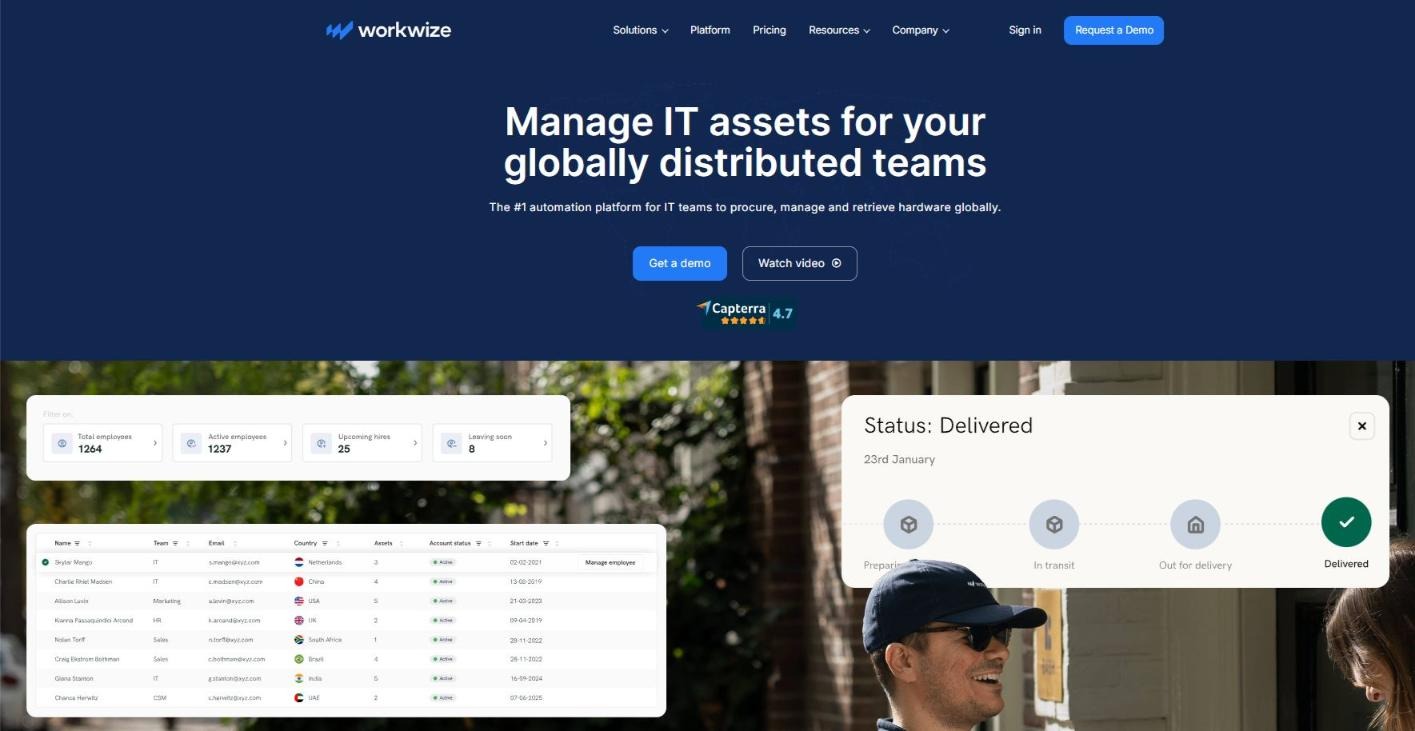
Source: Workwize
Workwize is a global IT asset management platform, purpose-built for remote and hybrid teams that want to procure (buy, lease, or rent), deploy, track, retrieve, and dispose of IT equipment through a single automated workflow across 100+ countries.
The lifecycle starts with Workwize’s self-service procurement portal, where employees can request IT assets, including approved laptops, peripherals, and accessories from a controlled catalog.
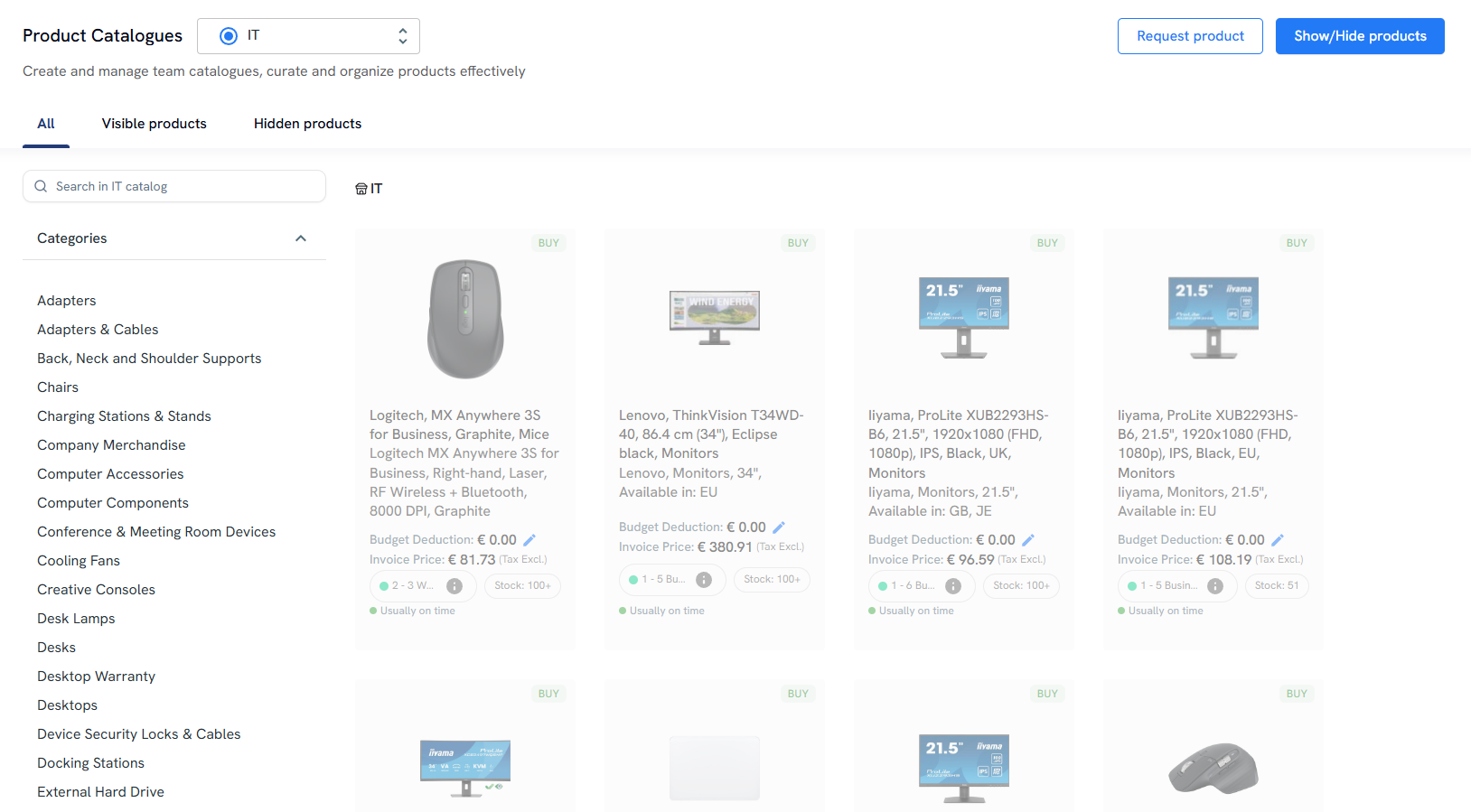
IT teams can set approval rules, budgets, and role-based equipment standards, so procurement does not become a free-for-all.
Once a device is approved, Workwize supports zero-touch deployment by helping IT teams ship MDM-configured devices directly to employees in 100+ countries.
This reduces the need for manual setup and gives remote workers ready-to-use equipment without IT having to physically handle every laptop.
After deployment, IT teams can use Workwize’s centralized dashboard to track IT asset location, ownership, status, depreciation, repairs, and replacement needs.
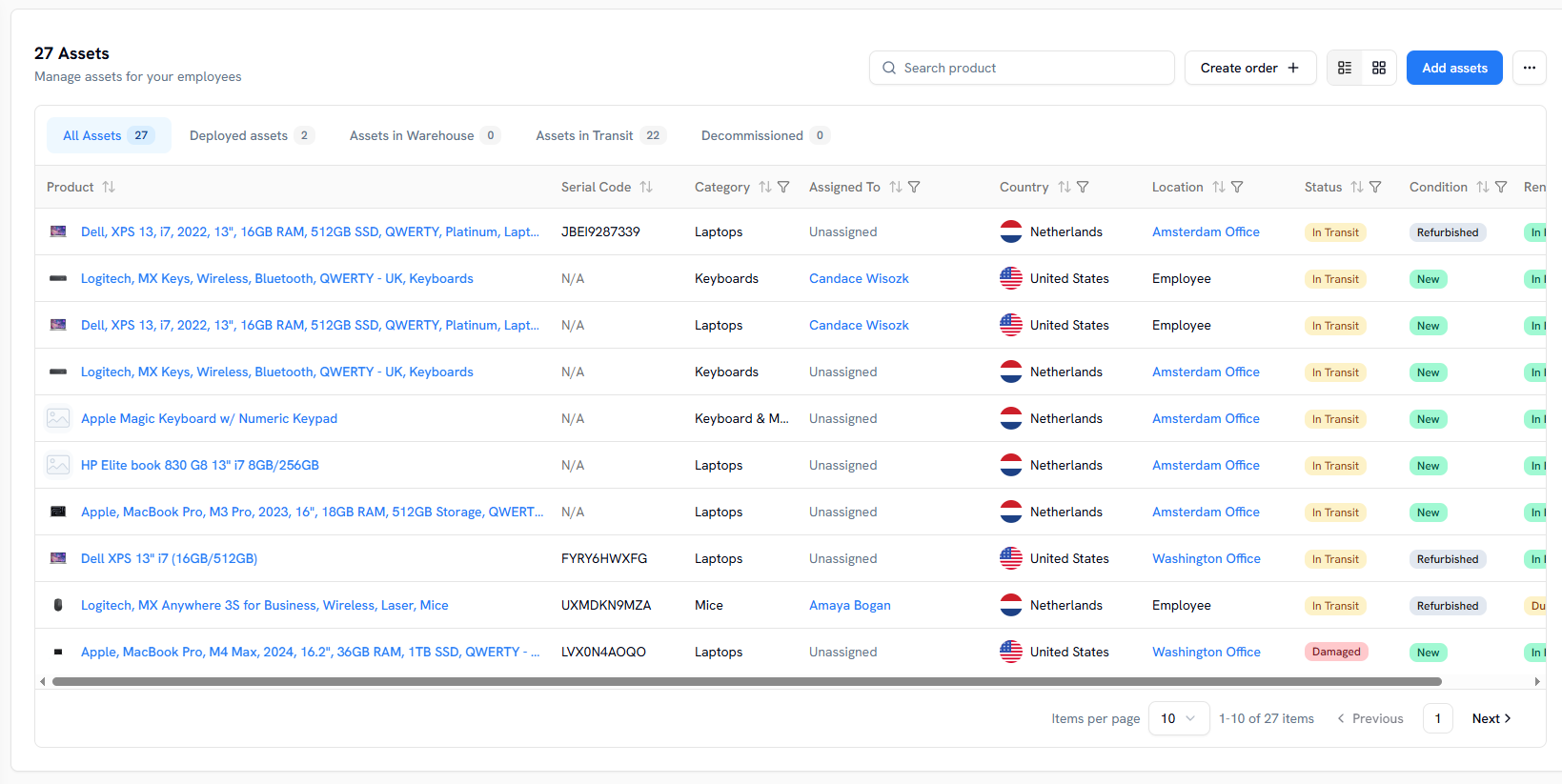
Workwize integrates with your HRIS platform to automate onboarding and offboarding workflows. When HR updates an employee’s termination in the HRIS platform, it automatically triggers the retrieval workflow in Workwize.
The next steps, including device retrieval, data wiping, redeployment, and IT asset disposal or resale, happen automatically.
Lastly, Workwize is SOC 2 Type II, GDPR and ISO 27001 certified, and maintains complete chain-of-custody records, ensuring compliance and security.
Note. To further automate the onboarding process, you can integrate Workwize with your HRIS, as you did for offboarding, and create auto-deployment packages. These packages will be automatically shipped when the new employee is added to the HRIS, bypassing the self-procurement step that requires manual ordering.
Key Features
- Buy, rent, and lease options: Workwize supports multiple procurement models. So, you can purchase devices outright, lease them, or rent equipment for temporary and distributed teams across 100+ countries.
- Zero-touch deployment: Workwize helps ship MDM-configured devices directly to employees in 100+ countries, reducing manual setup and making laptops ready-to-use before day one.
- Self-service procurement portal: Employees can request approved laptops, peripherals, and accessories from a controlled catalog, saving IT time.
- Centralized asset tracking: IT teams can track device ownership, location, status, depreciation, repairs, and replacement needs from one dashboard instead of relying on scattered spreadsheets.
- HRIS-triggered onboarding and offboarding: Workwize integrates with HRIS tools to automate device workflows when employees join or leave. For example, a termination update can trigger laptop retrieval without manual follow-up from IT.
- Device retrieval and end-of-life management: The platform handles retrievals, certified data wiping, redeployment, resale, disposal, and recycling, helping teams recover devices and reduce asset loss.
- Compliance and chain-of-custody records: Workwize is SOC 2 Type II, GDPR, and ISO 27001 certified, and maintains chain-of-custody records for audits, security reviews, and device recovery workflows.
- Integrations: Workwize integrates with 80+ apps natively, across HRIS, IAM, and MDM platforms to enable automated workflows.
Pros
- Users appreciate Workwize’s ability to integrate with HRIS and MDM platforms to automate offboarding and onboarding without involving IT (Source)
- Maintains chain of custody records, essential for internal audits (Source)
- Serves 100+ countries supported by a network of 14 warehouses that help deliver a consistent experience.
Cons
- Users expect Workwize to expand its global reach (Source)
- Workwize is best suited for mid-market and enterprise companies with around 200+ employees, especially if they have distributed or global teams. Anything less would make Workwize expensive
Pricing
Workwize offers three plans: Basic, Professional, and Enterprise. And the pricing details are available upon request, since they can vary from company to company. To check out the pricing details, click here.
2. GroWrk
Source: GroWrk
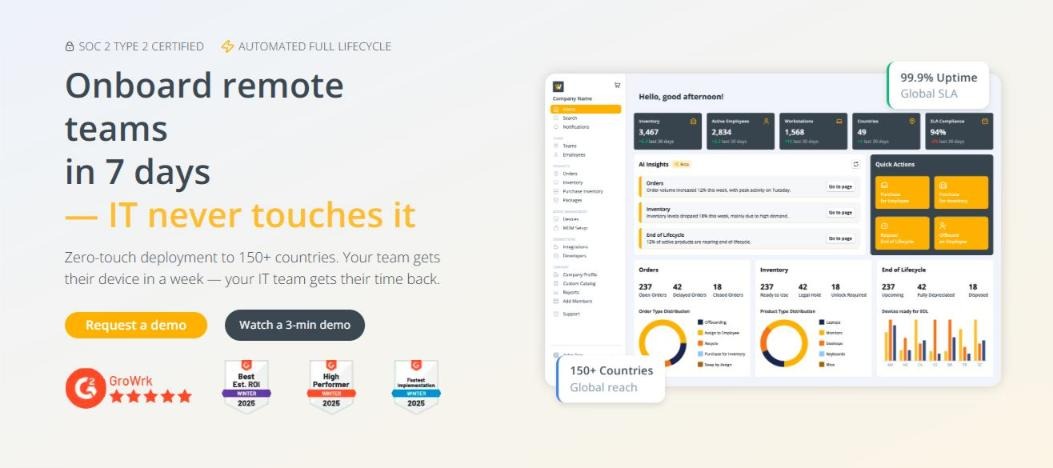
GroWrk is an IT hardware logistics platform that handles procurement (buying, renting, and leasing), deployment, and retrieval across 150+ countries through a network of local partners and certified resellers.
While GroWrk also has a portal to help your IT team order equipment for new hires, it’s not for employees, unlike Workwize. It means youcan order equipment or you can enable auto-onboarding, but employees can’t order equipment on their own.
Where Workwize has 80+ ready-to-use integrations, GroWrk has just 9, although they advertise 40+ integrations. You can also use their API for integrating specific apps, but that requires some light scripting.
Similar to Workwize, GroWrk is SOC 2 Type II and GDPR compliant, aligns with NIST 800-88 standards, and maintains chain-of-custody records. However, it’s not yet ISO 27001 compliant, which is worth considering if this compliance matters for your organization.
What makes GroWrk a great option to buy and rent equipment, even for small teams, is its à la carte pricing. It gives you instant access to the features you need without subscribing to the entire platform.
Key Features
- Global IT procurement: Growrk helps teams buy and ship laptops, accessories, and IT equipment across 150+ countries.
- Marketplace and catalog: IT teams can choose from internal catalogs, regional supplier options, country-specific availability, and custom device requests.
- Automated onboarding: Growrk can trigger device sourcing, configuration, and delivery when a new employee is added through HRIS or ticketing workflows.
- Asset tracking: Teams can track devices, accessories, users, locations, ownership, and lifecycle status from one dashboard.
- Offboarding and retrieval: Growrk helps recover laptops, wipe data, redeploy usable devices, and route old equipment for resale, recycling, or disposal.
- Integrations: Growrk says it offers 40+ integrations and an open API across HRIS, identity, ticketing, MDM, and IT management tools.
Pros
- A La Carte plan gives you immediate access to the platform, so you can evaluate it right away without having to interact with anyone. (Source)
- Handles equipment deployment really well for companies with distributed teams (Source)
- Massive global reach and ease of retrieving devices make users love GroWrk (Source)
Cons
- Users mention that device specs change even after you place the order (Source)
- The buyback pricing isn’t as transparent as the users want it to be (Source)
Pricing
GroWrk has two pricing models:
- A La Carte: It’s a flexible, pay-as-you-go model without ongoing SaaS fees. Ideal for early-stage growth or specialized projects with dynamic demands
- Flex: For this model, you need to request the pricing, similar to Workwize.
If your HRIS isn't in their supported list, you'll need to use their API, which may require light scripting to set up.
To see how Workwize compares with GroWrk, check out our unbiased comparison: Workwize vs GroWrk.
3. Deel IT (formerly Hofy)
Source: Deel
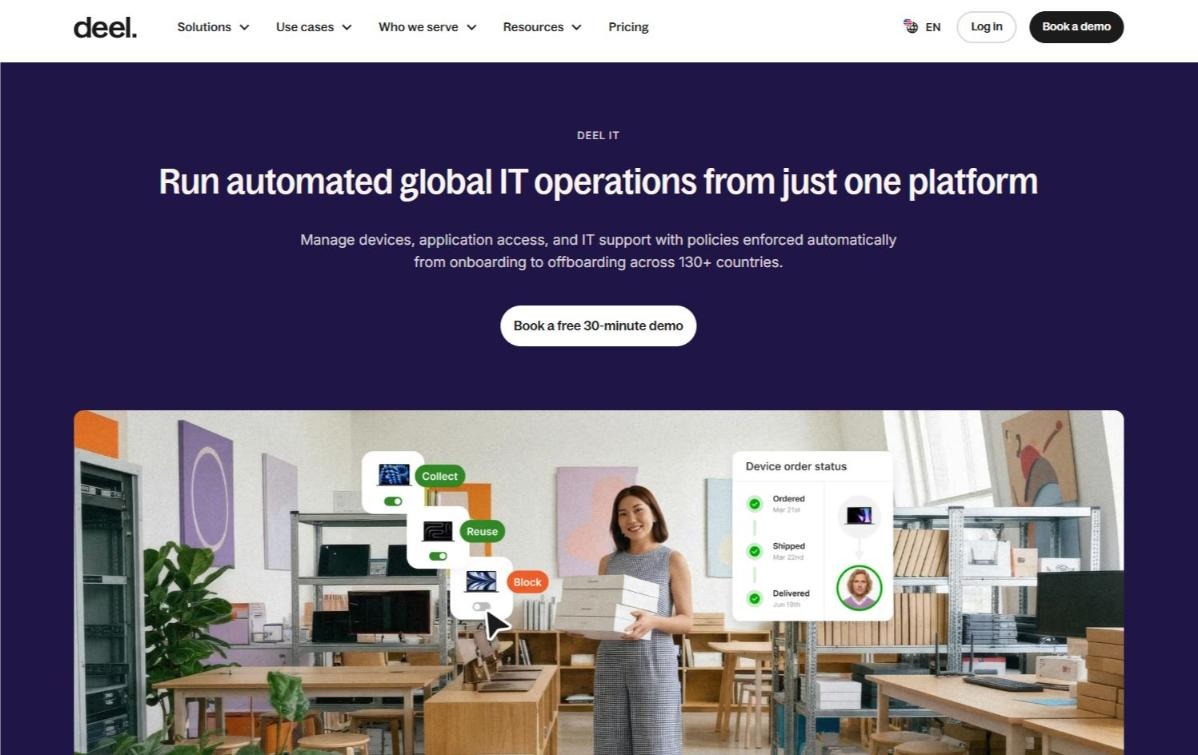
Deel IT is Deel’s hardware management module, built into its HR and payroll platform, that came into existence in 2024, when Deel acquired Hofy. It helps you with laptop procurement (buy or lease), deployment, management, and retrieval across 130+ countries.
Similar to Workwize, Deel IT also helps you automate onboarding and offboarding workflows by triggering them through HRIS events, without needing manual intervention.
Their pricing details, however, are a bit more complex than those of GroWrk and Workwize.
For instance, unlike Workwize, which offers 24/7 support as standard, Deel IT bundles that into their Growth Plan. Even for Access & Identity management, you need to further upgrade. This can make Deel IT expensive as you add basic features, compared to other tools on the list.
Key Features
- Device lifecycle management: Deel IT manages device ordering, global delivery, storage, retrieval, reuse, and refresh cycles across 130+ countries.
- Pre-configured laptop deployment: Teams can ship laptops before day one with apps, security settings, and device policies already applied.
- Role- and location-based ordering: Deel IT can order devices based on employee role and location, which is useful for distributed teams.
- MDM and endpoint protection: Deel IT includes device enrollment, policy enforcement, remote locking, data wiping, patch management, and endpoint security.
- 24/7 global IT support: Employees can get support for hardware, OS, app, and device issues across time zones.
- Access and identity management: Deel IT can grant or revoke app access based on HR events such as onboarding, role changes, and offboarding.
Pros
- Users appreciate Deel IT’s ability to ship laptops fast and offer real-time tracking (Source)
- It helps with zero-touch deployment, enabling companies to deliver ready-to-use devices across 130 countries (Source)
- Deel takes care of the logistics, customs, and retrievals, taking the burden off of IT teams (Source)
Cons
- It can be expensive for smaller teams (Source)
- Customer support can be slow and rigid when the issues are complex (Source)
Pricing
Deel IT pricing starts at $45 per user/month for the Starter plan, which includes the Deel IT Platform, Device Lifecycle Management, MDM, and Endpoint Protection. Higher-tier plans start at $125 per user/month for Growth and $133 per user/month for Scale.
Check out Deel IT’s complete pricing details here.
To see how Workwize compares with Deel IT, check out our unbiased comparison: Workwize vs Deel IT.

4. Firstbase
Source: Firstbase
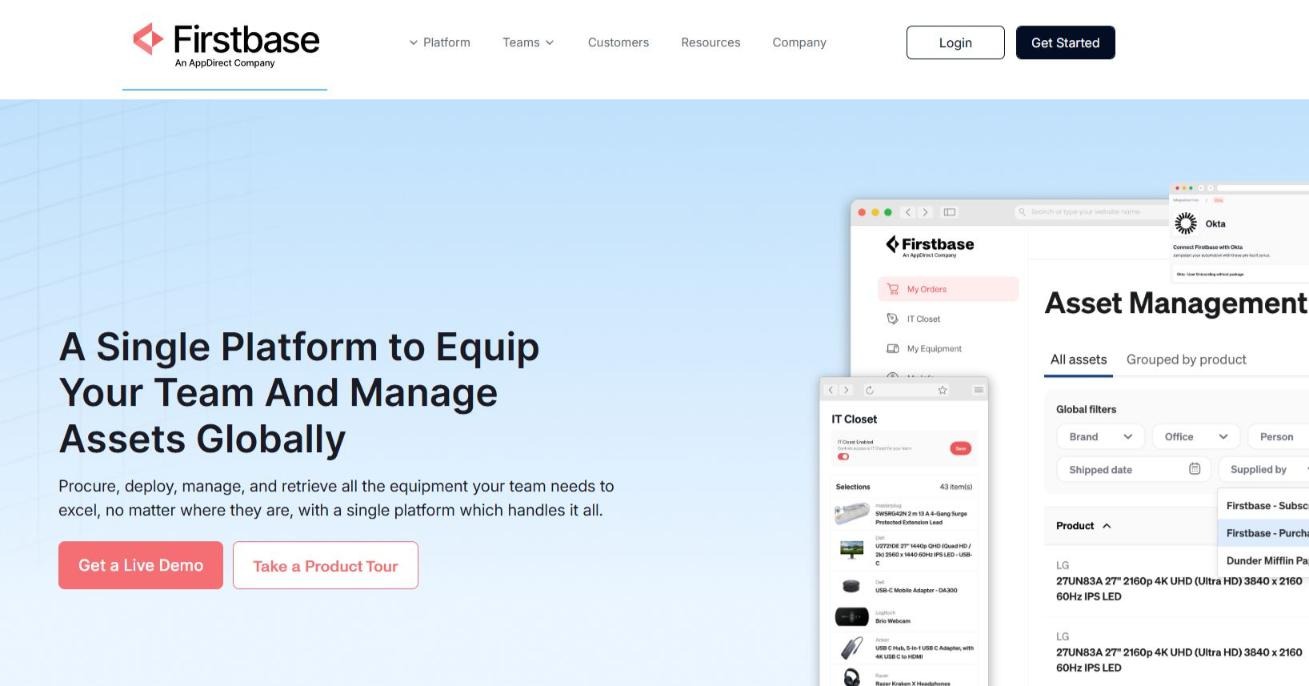
Firstbase, similar to Workwize, is a single platform that helps you procure (buy, rent, and lease), deploy, manage, and retrieve all the equipment your team needs to excel across 150+ countries.
IT teams can easily order equipment from Firstbase’s catalog of approved items, which includes headsets, desks, laptops, monitors, and more. However, their catalog is less extensive than Workwize's.
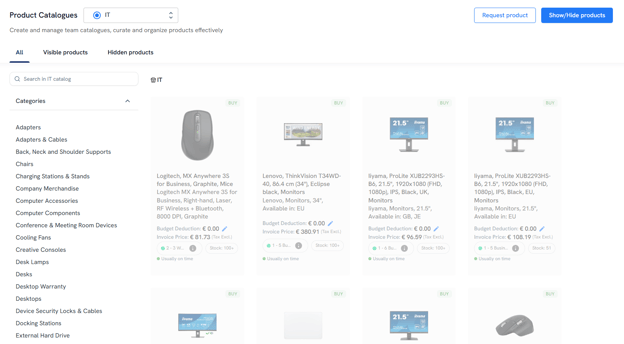
While Firstbase claims 100+ apps in its directory, its public integrations page lists just 9. So, it’s recommended that you verify the same with their sales team before committing to a long-term relationship.
Key Features
- Global equipment procurement: Firstbase helps teams procure, deploy, manage, and retrieve laptops, monitors, keyboards, and other employee equipment across 150+ countries.
- Pre-stocked and pre-configured devices: Keep inventory in global warehouses so devices can ship quickly and arrive ready for employees.
- Self-service device catalog: Employees can request approved devices and accessories from role-based catalogs, with automated approvals and live inventory tracking.
- Asset tracking and chain of custody: Teams can track who has each device, where it is, when it moved, and its lifecycle status from one dashboard.
- Device retrieval and ITAD: Firstbase handles device returns, secure data wiping, responsible recycling, remarketing, and resale credits for retired assets.
Pros
- Users appreciate Firstbase’s ability to simplify logistics and deliver ready-to-use assets on day 1, even in challenging territories (Source)
- Their customer support team is very responsive and helpful in handling issues (Source)
- Helps automate processes like device ordering, reducing manual intervention (Source)
Cons
- Shipping times can be longer than expected, as reported by multiple users (Source)
- It may not always reflect the actual state of the device (Source)
Pricing
The pricing details aren’t publicly available. You need to book a demo to get more information.
5. Quipteams
Source: Quipteams
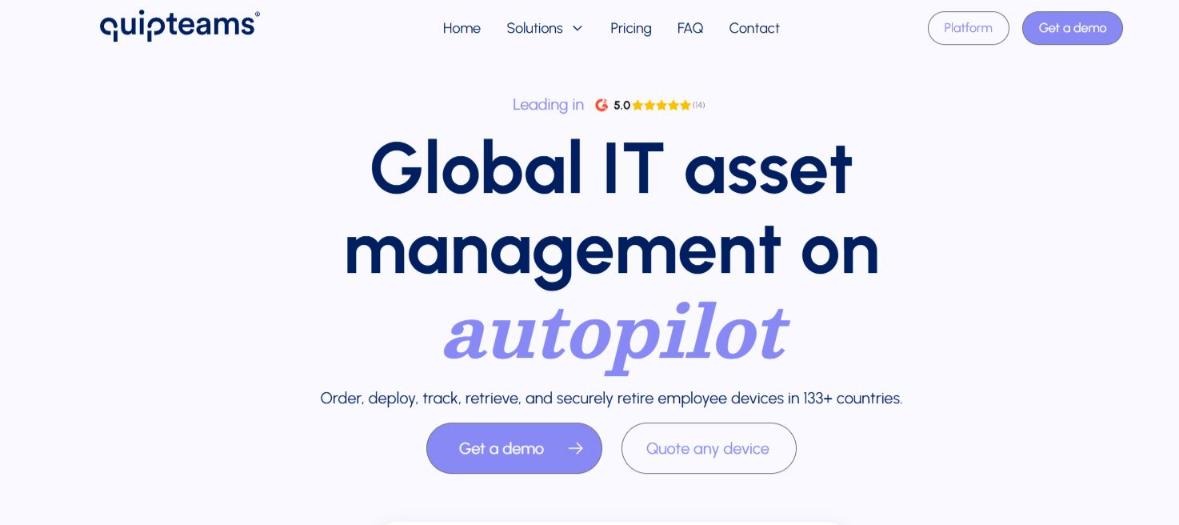
Quipteams is a global IT asset management (ITAM) platform that helps you order (buy, and not rent or lease), deploy, track, retrieve, and securely retire employee devices in 133+ countries.
One of the key advantages of Quipteams is its pricing model. Unlike most platforms on the list, Quipteams offers you a pay-per-use plan. This means you can access the platform for free and pay for the devices you order or retrieve, making it accessible even to small businesses.
However, their product catalog does not include furniture, unlike Workwize, where you can buy ergonomic chairs and even desks.
Also, we could not find any public evidence of Quipteams being ISO 27001 or SOC 2 Type II certified. For organizations with strict compliance requirements, this is worth noting.
Another downside is their limited number of integrations. Quipteams offers just 13 native integrations, which can be a problem for companies seeking plug-and-play connectivity.
Key Features:
- Global device procurement: Quipteams sources laptops and IT equipment locally across 133 countries to avoid cross-border shipping and customs delays.
- Fast device deployment: Quipteams says its global average delivery time is four business days, with most orders arriving within two to four days.
- Asset tracking dashboard: Teams can track device ownership, location, condition, and lifecycle status from a centralized IT asset dashboard.
- Device retrieval and storage: Quipteams retrieves laptops from departing employees, wipes them, stores them locally, or reassigns them to another employee.
- Device buyback: Companies can sell back outdated or unused devices and credit the recovered value toward future orders.
- Pay-as-you-go pricing: Quipteams charges for devices and operational services used, with no platform fees, subscriptions, minimum orders, or per-seat charges.
Pros
- Users appreciate their ease of use and speed of delivery (Source)
- Customer support is widely appreciated for their response time and personalized assistance (Source)
- Doesn’t charge you for storing the device after purchasing.
Cons
- Integrations can be thin since users report it does not integrate with Slack (Source)
Pricing:
Quipteams offers a very flexible pay-per-use plan, wherein you pay $0 platform fee on every plan. What you pay for is the devices you buy and retrieve or store after retrieval.
6. Allwhere
Source: Allwhere
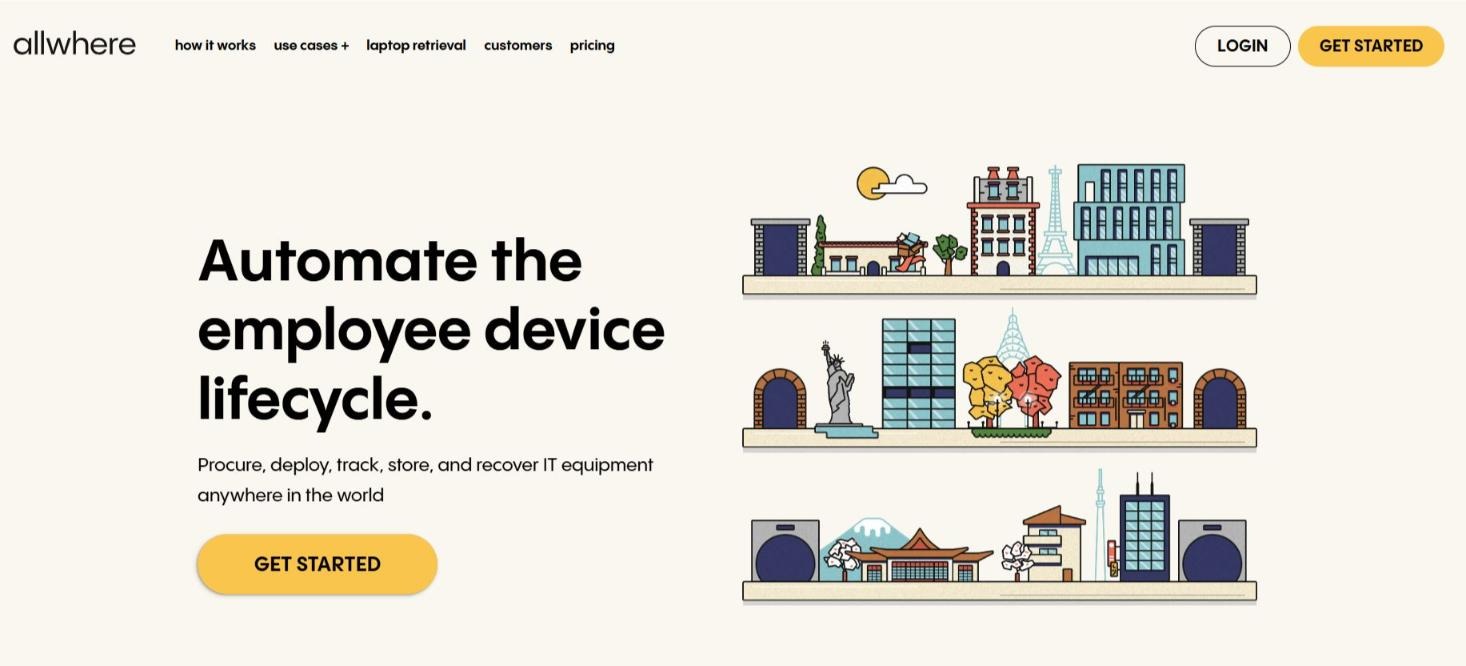
Allwhere is a global IT procurement platform that helps you procure (buying focused, and not leasing or renting), deploy, track, store, and recover IT equipment in 56 countries.
Similar to Deel IT and Workwize, Allwhere also automates employee device lifecycle, enabling zero-touch deployment and offboarding.
Allwhere has 53+ integrations across identity and access management, HRIS, MDM, and other tools, including Deel, Gusto, Intelli HR, Freshteam, Jamf, Okta, and more.
However, Allwhere’s reach is limited to 48 countries, the fewest on the list. For rapidly expanding remote teams, this is a point worth noting.
Key Features
- Global IT procurement: Allwhere helps teams procure laptops, monitors, mobile devices, and accessories worldwide, including local sourcing, customs, and compliance support.
- Deployment and onboarding: Supports device deployment for remote and hybrid employees, including distributing new hardware and executing software deployment.
- Asset tracking dashboard: Teams can track device condition, usage, location, value, and lifecycle status from one dashboard.
- Retrieval and storage: Handles device retrievals, storage, redeployment, and inventory management for distributed teams.
- ITAD and resale support: Supports secure device disposition, responsible recycling, and resale-value recovery for retired assets.
- HRIS, MDM, and iPaaS integrations: Sync with HRIS, MDM, and iPaaS tools to automate workflows and map devices to employees and departments.
Pros
- Ships within 1-2 working days, but this timeline can vary with location. (Source)
- Self-service portal allows users to order their own equipment, saving time (Source)
- Customer support is responsive and goes above and beyond to help resolve issues (Source)
Cons
- Limited global reach within 48 countries.
- Limited number of user reviews raises concerns about its adoption. The most recent review on G2 is from 2023.
Pricing
Similar to Quipteams, Allwhere has flexible pay-as-you-go pricing, making it accessible to businesses of all sizes.
To explore the best Allwhere alternatives, check out this article: 12 Allwhere Alternatives to Consider in 2026.
7. Remote
Source: Remote
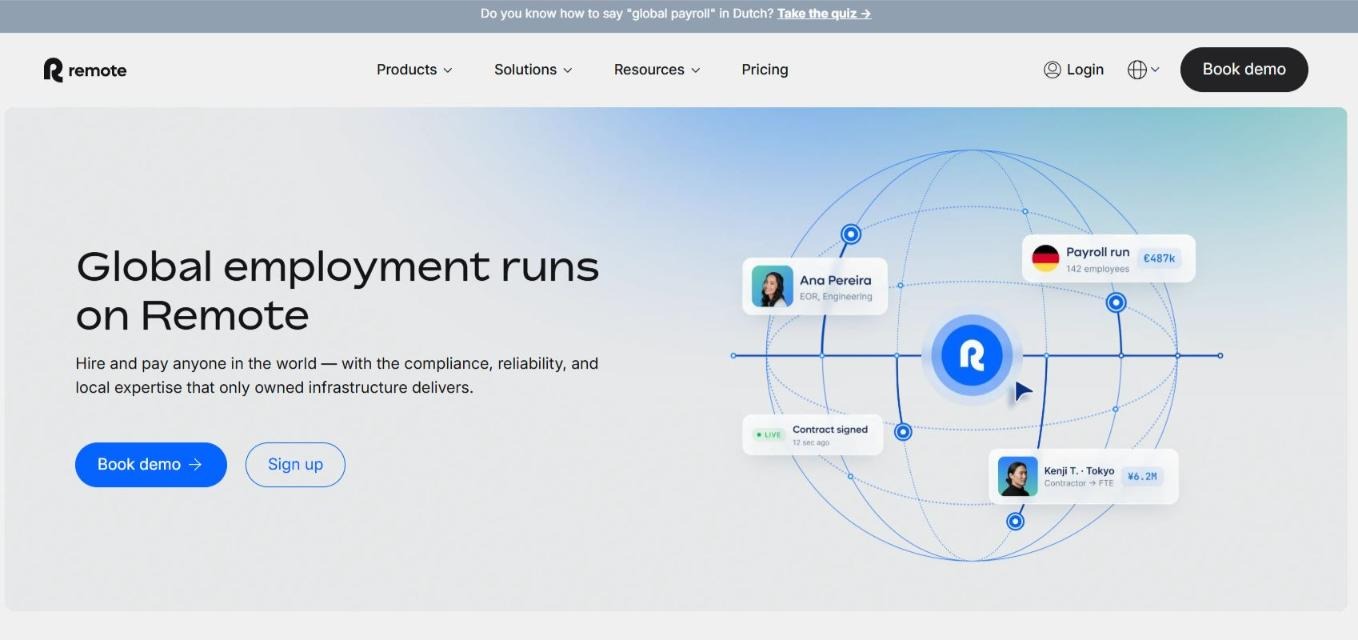
Remote is a global HR, payroll, EOR, and contractor management platform for distributed teams. Their Device Management product extends that workflow into employee equipment, letting you order (buy or rent) and manage laptops and other work devices during onboarding across 90+ countries.
However, unlike the rest of the tools on the list, Remote’s device management capabilities are powered by their partner, Fleet. Yes, they aren’t native. Also, the pricing module doesn’t share standalone pricing details for device management.
This means you either have to be a Remote user or pay for Remote’s EOR services to buy or rent laptops from Remote.
Key Features
- Global device procurement: Remote lets teams procure, deploy, and manage laptops and equipment for employees and contractors worldwide.
- Onboarding-based ordering: Teams can order hardware directly during Remote’s new-hire onboarding flow or from the employee profile.
- Fleet-powered device logistics: Remote Device Management is fulfilled by Fleet, which handles equipment rental, logistics, delivery, returns, and replacements.
- 200+ product catalog: Teams can choose from 200+ available products when ordering equipment for employees.
- Fast device delivery: Remote says devices can be delivered in 90+ countries across the world, including the USA and Europe, within 1–3 days.
- Optional MDM: Teams can add Fleet’s MDM to enforce security policies, manage settings remotely, and maintain device control.
- First-level support: Remote includes first-level support for device orders, reducing some coordination work for internal HR and IT teams.
Pros
- Device ordering is built into Remote’s onboarding flow, so HR teams can order hardware while adding a new hire.
- Strong mainstream brand with thousands of G2 reviews and broad global HR/EOR credibility.
Cons
- While there are thousands of reviews, the majority talk about their EOR services and not device management.
Pricing
Pricing details are transparent. However, Device Management doesn’t seem to have its stand-alone pricing; it’s bundled with their core EOR offering.
6 Tips for Providing International Equipment to Remote Teams
1. When budgeting, include the laptop cost, shipping, customs duties, VAT, brokerage fees, storage, IT admin time, retrieval, replacement, and write-offs from devices that are not returned.This will also help you determine if buying a laptop makes more sense than leasing.
Note. Purpose-built procurement and lifecycle platforms like Workwize, Firstbase, and Quipteams can often reduce total cost versus managing international shipping manually, especially when customs delays, IT hours, and poor retrieval rates are factored in.
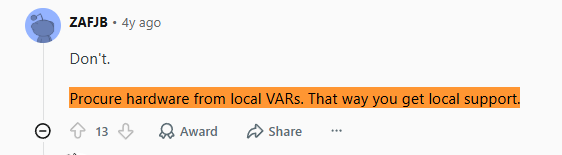
2. If you ship laptops across borders, use a vendor or logistics partner that can handle customs entries, commercial invoices, HS codes, duties, taxes, and delivery exceptions. Or even better, use a local vendor.A Reddit user in the Sysadmin community advised against handling international shipments on their own and recommended using a local vendor as this reduces complexities and ensures local support:
Source: Reddit
Since August 29, 2025, the U.S. has suspended duty-free de minimis treatment for imports valued at $800 or less, so low-value shipments can still require duties and formal documentation.
For air shipments, IATA’s 2026 guidance requires lithium-ion batteries packed with equipment to ship at a 30% state of charge or lower from January 1, 2026; for batteries contained inside laptops, IATA strongly recommends the same 30% limit but does not make it mandatory.
3. Send every remote hire a short setup checklist covering first login, MFA, Wi-Fi/VPN, password manager, email, collaboration tools, MDM enrollment, and who to contact if setup fails.This matters because NIST recommends securing telework devices with the same baseline controls as office devices, and Microsoft Intune can require MFA during device enrollment to verify the user before access is granted.
4. Track every device’s serial number, assigned employee, location, purchase date, warranty, MDM status, encryption status, repair history, and return status.This is not just admin hygiene: CIS Control 1 says organizations should actively inventory, track, and correct all enterprise assets, including remote and mobile end-user devices, so they know what needs to be monitored and protected.
This data also helps you with future ordering or replacements and be proactive towards device management.
Fortunately, most vendors help you track these data points by default.
5. Before sending devices internationally, confirm whether your vendor handles local safety labels such as CE marking in the EU or FCC compliance in the U.S.Also treat device tracking and disposal as privacy workflows: GDPR requires appropriate security controls and data minimization, while CCPA gives users rights over collected personal information.
At the end of life, use certified erasure or sanitization records; NIST SP 800-88 defines media sanitization as making data access infeasible and includes a sample “Certificate of Sanitization.”
Platforms like Workwize can help you handle your end-of-life assets appropriately. For instance, you can redeploy the assets, securely recycle them, dispose of them compliantly, or even resell the devices to retrieve residual value.
6. Tell employees what the company owns, what they are responsible for, which apps or personal use are allowed, and what happens if a device is lost, damaged, or not returned.This should be documented before shipment, not during offboarding.
Sandeep Kumar, a corporate lawyer, mentions, “Employers should always ensure that asset handover procedures are clearly defined in appointment letters, HR policies, and exit formalities”


Establish a single source of truth for every IT asset across the globe.
.png?width=258&height=318&name=g10%20(5).png)
More related resources to help you stop firefighting hardware operations.


Get monthly insights into how other IT leaders are improving their ops.



.png?width=2880&height=1232&name=Group%202147262874%20(1).png)
Stop coordinating
hardware like it's 2012.
.svg)
.png?width=172&height=68&name=apple%20business%20patner%20(1).png)
.svg)
.svg)
.svg)
.svg)